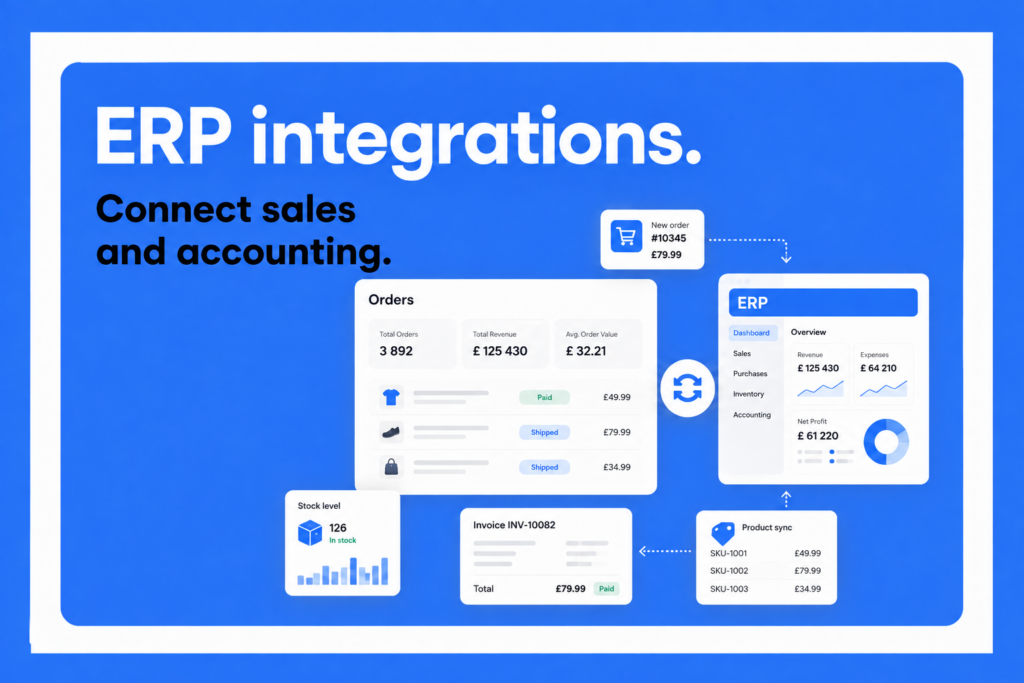
ERP integration is the process of connecting an Enterprise Resource Planning (ERP) system with other business software so that data moves between them automatically. Instead of staff re-entering the same order, inventory or customer information in multiple places, the systems exchange it directly, on their own.
What is ERP integration?
ERP integration means linking an ERP system with the other applications a business relies on: finance and accounting tools, warehouse and inventory software, sales and e-commerce platforms, CRM systems, courier and logistics tools, and more. The goal is a continuous, automatic flow of data across the business. If someone updates a stock count, changes a customer’s address, or places a new order in one system, that change should show up everywhere it needs to, without anyone copying it over by hand.
It helps to separate an ERP system from an accounting system, since the two are often confused. An accounting system focuses specifically on financial records: invoices, ledgers, tax reporting, payments. An ERP system is broader. It typically includes accounting as one module among several, alongside inventory management, procurement, manufacturing, human resources and, in many cases, customer or sales data.
An ERP integration can connect a business to either type of system, but what it synchronizes and how deeply it does so will differ depending on which one is on the other end. In practice, ERP integration is what allows a company to run sales, fulfillment and finance as one connected operation instead of a set of disconnected tools that all need manual updating.
How does ERP integration work?
Once two systems are connected, data typically flows between them in one of two ways: in real time, as events happen (an order is placed, stock is received, an invoice is issued), or in scheduled batches, where the systems sync at set intervals, such as every few minutes or once a day. Real-time sync suits time-sensitive data like stock levels or order status, while batch syncing is often sufficient for reporting or less urgent records.
Data can also flow in one direction or both. A one-way integration might push sales orders from a storefront into an ERP system without sending anything back. A two-way integration keeps both systems updated: orders flow into the ERP, while the ERP pushes back stock levels, prices or order status, so neither system falls out of date.
Behind the scenes, this exchange relies on a defined way for the two systems to “speak” to each other: a connection method that determines how data is formatted, transmitted and matched up between systems with different structures.
Say a new sales order comes into a front-end system. The integration passes that order to the ERP, which allocates stock, generates the accounting document, and updates the customer record, all without anyone touching either system directly. If the integration is two-way, the ERP can also send updated stock counts or pricing back, so the front-end system stays accurate too.
Types of ERP integration (methods)
Not all ERP integrations are built the same way. The method chosen affects how much development work is involved, how easily the integration scales, and how it’s maintained over time. The most common approaches are:
- Point-to-point integration. You build a direct connection between two specific systems, such as an e-commerce platform and an ERP. It’s often the fastest way to connect two tools, but each new connection needs its own custom build, and complexity grows quickly as more systems are added.
- Enterprise service bus (ESB). Instead of connecting systems directly to one another, an ESB acts as a central messaging layer that all systems connect to once. It’s a common approach for larger organizations running many interconnected systems, since it centralizes control but typically requires more setup and ongoing IT involvement.
- Integration platform as a service (iPaaS). Cloud-based platforms provide pre-built connectors and a visual interface for linking systems, without requiring a company to build or host the integration infrastructure itself. This has become one of the most common approaches for mid-sized businesses that want flexibility without a large engineering team.
- API-based integration. Systems connect through application programming interfaces (APIs), exchanging data directly in a structured, standardized format. Most modern ERP and e-commerce platforms expose APIs for this purpose, which makes API-based integration a common foundation for both point-to-point and iPaaS connections.
- File-based integration. You export data from one system as a file, often CSV or XML, and import it into the other, either manually or on an automatic schedule. It’s the simplest method to set up and still common with older or more limited systems, though it’s typically slower and less reliable than real-time alternatives.
The right method depends on the specific business: how many systems need to be connected, how technical the team is, and how quickly data needs to move between them.
Benefits of ERP integration
Connecting an ERP system to the rest of a business’s software stack brings several concrete advantages:
- Fewer manual errors, since removing manual re-entry cuts down on typos, duplicate records and mismatched figures between systems.
- Faster operations, because orders, invoices and stock updates move on their own instead of waiting on someone to transfer them.
- Better visibility, with up-to-date inventory, order and financial data in one place instead of scattered across systems.
- Time savings, since staff spend less time on repetitive data entry.
- Easier scaling, so a growing order volume or a new sales channel doesn’t mean a proportional increase in manual work.
Common ERP integration challenges
ERP integration isn’t without friction. Setting one up often requires technical expertise that smaller teams may not have in-house, and a poorly planned integration can create as many data problems as it solves.
Ongoing maintenance matters too: when a system updates its software or changes its API, the integration needs upkeep to keep working correctly. Choosing a method that doesn’t match the business’s scale or technical resources is one of the more common causes of a failed or underused integration, and switching providers later can be costly once processes are built around a specific setup.
ERP integration for e-commerce
E-commerce businesses are one of the clearest cases for ERP integration, since online selling naturally produces the kind of data (orders, stock levels, customer and payment information) that needs to stay in sync with a backoffice system.
Platforms like Base, which manage sales across multiple online channels, connect to ERP and accounting systems so that orders, invoices and inventory update automatically instead of being reconciled by hand across every channel a store sells on.
FAQ
What is ERP integration?
ERP integration connects an Enterprise Resource Planning system with other business software, such as e-commerce, CRM or warehouse tools, so data moves between them automatically. It replaces manual data entry with a continuous, direct exchange of information across the systems a business relies on.
How does ERP integration work?
Connected systems exchange data either in real time, as events occur, or in scheduled batches. Depending on setup, information can flow in one direction only or both ways, using a defined connection method such as an API, so that records in each system stay consistent without manual updates.
What are the types of ERP integration?
The main methods are point-to-point (direct system-to-system connections), enterprise service bus (a central messaging layer), iPaaS (cloud platforms with pre-built connectors), API-based integration, and file-based integration using exported data files. Each suits different business sizes and technical resources.
What is the difference between ERP and an accounting system?
An accounting system manages financial records like invoices, ledgers and tax reporting. An ERP system is broader, typically including accounting as one module alongside inventory, procurement, manufacturing and other operations in a single platform. ERP integration can connect a business to either type of system.
Why is ERP integration important for e-commerce?
Online stores generate constant order, stock and payment data across every sales channel they sell on. ERP integration keeps that data synced with accounting and inventory systems automatically, preventing stockouts, reconciliation errors and the manual work of updating each system separately by hand.
I need ERP integration for my online store?
It depends on order volume and how many separate systems the business already juggles. Stores processing a high or growing number of orders across multiple channels typically benefit most, since manual reconciliation between sales, stock and accounting becomes harder to sustain as volume increases.

[…] ERP integration connects the systems a business already relies on, so information moves between them automatically instead of being re-entered by hand. The real payoff shows up in daily operations: less manual work, fewer errors, and faster decisions based on data everyone trusts. For the basics of how it works and the types of integration available, see our guide to what ERP integration is. […]