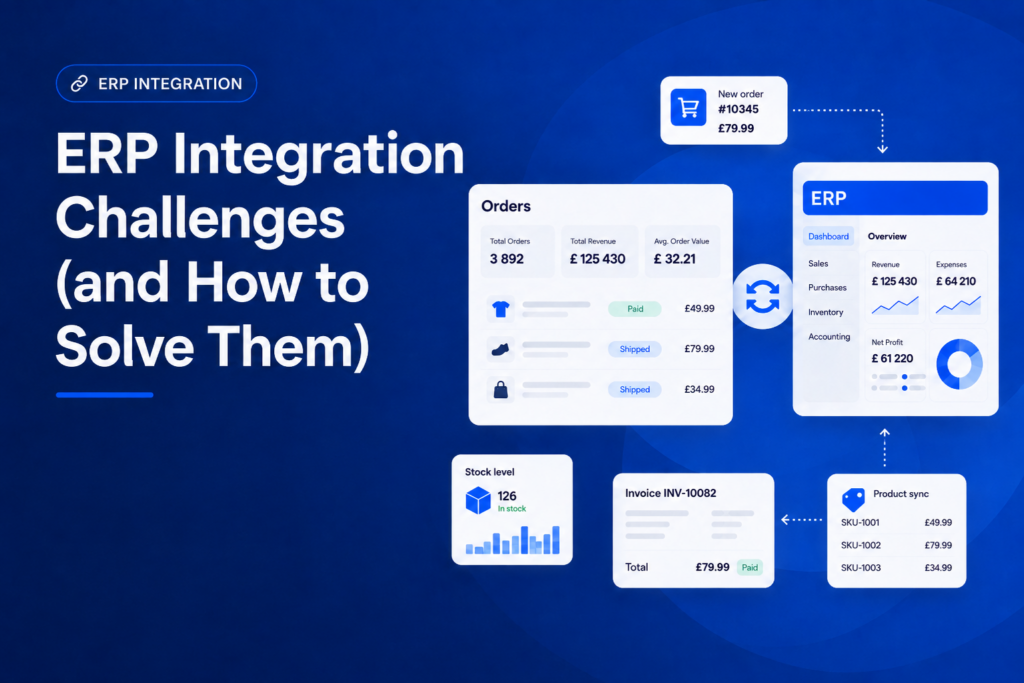
Connecting an ERP system to the rest of your business software promises a single source of truth: one place where orders, inventory, pricing, and financial data stay in sync. In practice, most teams hit the same handful of obstacles along the way. This article walks through the most common ERP integration challenges and the practical steps that resolve them.
What are the main ERP integration challenges?
Most ERP integration problems fall into a small number of categories: the quality of the data being moved, the age and variety of the systems involved, the integration method chosen, how reliably data syncs in real time, the true cost and scope of the project, and how well people adapt to the new workflow. Security and compliance cut across all of them. The sections below cover each category and what tends to fix it.
Data quality and inconsistent formats
Two systems rarely describe the same thing the same way. One system might store a customer’s name as a single field, another splits it into first and last name. Product codes, date formats, currency notation, and units of measure often differ too. When these inconsistencies aren’t resolved before data starts flowing, errors don’t stay contained: they propagate. A malformed price or a duplicate customer record in one system quickly becomes a bad order, a failed invoice, or a support ticket in another.
Solution: Standardize master data before connecting systems. Agree on a single format for identifiers, dates, and currencies, and decide which system is the authoritative source for each data type. Add validation rules so malformed records are caught before they enter the integration, and run a data-cleaning pass (removing duplicates and correcting inconsistent naming) as a dedicated step in the project, not an afterthought.
Integrating legacy and disparate systems
Many ERP environments include systems that have been in place for a decade or more, often with limited documentation and no modern API. Bolting a real-time integration onto software that was never designed to expose its data is one of the more time-consuming parts of any ERP project, especially when multiple systems built on different technologies all need to talk to each other.
Solution: Start with an audit of every system in scope: what data it holds, how (or whether) it can be accessed programmatically, and what workarounds already exist. Where a direct connection isn’t feasible, a middleware layer or dedicated connector can translate between old and new systems without requiring either to change. Prioritise the integration points that carry the most business value first, rather than trying to connect everything simultaneously.
Choosing the wrong integration method
Point-to-point connections, where each system is wired directly to every other system it needs to exchange data with, are often the fastest way to get an initial integration working. They also don’t scale. Every new system added multiplies the number of connections to maintain, and a change in one system can quietly break several others.
Solution: Match the integration method to your actual volume and real-time requirements rather than defaulting to whatever is quickest to set up. API-based integrations and integration platforms (iPaaS) are generally more maintainable than point-to-point connections once more than a couple of systems are involved, since they centralise the logic instead of scattering it across dozens of direct links. For a breakdown of the different integration approaches and when each makes sense, see our guide on types of ERP integration
Sync reliability and real-time data
A common failure mode is an integration that works during testing and then quietly degrades in production. Batch-based syncs that only run periodically introduce delays that ripple through order fulfillment and stock accuracy. Worse, some failures are silent: an update simply doesn’t make it across, and nobody notices until a customer orders a product that’s already out of stock.
Solution: Use event-driven or real-time synchronization for data that changes frequently and has a direct customer impact, such as stock levels and order status. Reserve batch processing for lower-urgency data. Visibility matters just as much: monitoring, logging, and automated alerts for failed or delayed syncs turn a silent failure into something the team can catch and fix before it affects customers.
Cost, scope and maintenance
ERP integration projects are frequently scoped and budgeted based on the initial build, with little allowance for what comes after. Infrastructure, staff training, and ongoing maintenance are easy to underestimate, and it’s common for the scope to expand mid-project as new requirements surface: “while we’re at it, let’s also connect X.“
Solution: Treat the integration as an ongoing responsibility, not a one-off project. Roll it out in phases, starting with the highest-value connections, so cost and complexity stay manageable and lessons from the first phase inform the next. Define clear goals and success criteria up front, and assign explicit ownership for who maintains the integration once it’s live. Someone needs to own monitoring, updates, and troubleshooting long after the initial rollout.
Change management and user adoption
Even a technically flawless integration can fail in practice if the people using it don’t trust or understand it. Staff accustomed to manual processes may resist a system that automates decisions they used to make themselves, particularly if they weren’t involved in defining how it should work or weren’t given enough training before go-live.
Solution: Involve the teams who will actually use the integration early, while requirements are still being defined, rather than presenting them with a finished system. Communicate clearly what the integration changes for their day-to-day work and why it benefits them, not just the business. Role-specific training, tailored to what warehouse staff, sales, and finance each need to know, tends to land better than a single generic session for everyone.
Security and compliance
Integrating systems means sensitive data (customer records, payment details, pricing) now moves between multiple platforms instead of staying within one. Each additional connection is a potential gap: inconsistent access controls, data left unencrypted in transit, or integration credentials with broader permissions than they need. Depending on the industry and region, regulatory requirements around data handling add further obligations.
Solution: Apply the same access-control discipline to the integration as to the core systems it connects: least-privilege permissions, encryption in transit and at rest, and regular reviews of who and what has access. Build regulatory requirements into the integration design from the start rather than retrofitting compliance after the fact, and revisit access permissions periodically as systems and staff change.
ERP integration best practices (checklist)
The recurring theme across these challenges is that problems are cheaper to prevent than to fix after go-live. A short checklist to work through before and during an ERP integration:
Audit all systems involved (data, access methods, and existing workarounds) before designing the integration.
Clean and standardise data, and agree which system owns each data type.
Choose an integration method suited to your volume and real-time needs, not just the fastest one to set up.
Roll out in phases, starting with the highest-value connections.
Test on a small sample of data before enabling full sync.
Set up monitoring and alerts so sync failures are caught, not discovered by customers
Assign clear ownership for ongoing maintenance once the integration is live.
ERP integration for e-commerce
E-commerce adds its own difficulties on top of the challenges above. Online stores typically sell across multiple channels at once, generate a higher volume of smaller orders than traditional B2B sales, and need stock levels to stay accurate in real time. Even a delay of a few minutes can mean selling a product that’s no longer in stock. A platform that connects sales, inventory, and accounting directly with the ERP, such as Base, removes much of this complexity by keeping stock, pricing, and order data synchronised automatically across every sales channel. Learn more about e-commerce ERP integration
FAQ
What are the main challenges of ERP integration?
The most common challenges are inconsistent or poor-quality data between systems, connecting legacy systems that lack modern APIs, choosing an integration method that doesn’t scale, unreliable or delayed data sync, underestimated cost and scope, resistance to change from staff, and security or compliance gaps introduced by connecting multiple systems.
How do you avoid ERP integration problems?
Most problems are avoided by preparing before the integration goes live: auditing the systems involved, cleaning and standardising data, choosing a method suited to actual volume and real-time needs, rolling out in phases with testing at each step, and setting up monitoring so failures are caught early rather than discovered by customers.
What are ERP integration best practices?
Key practices include auditing all systems and data before starting, standardizing data formats and ownership, selecting a scalable integration method (API-based or iPaaS rather than point-to-point for complex environments), phasing the rollout, testing on a small sample first, monitoring for sync errors, and assigning clear ownership for long-term maintenance.
Why is ERP integration harder for e-commerce?
E-commerce businesses typically sell across several channels simultaneously, process a higher volume of orders, and depend on real-time stock accuracy to avoid overselling. That raises the stakes for sync speed and reliability compared to a single-channel, lower-volume ERP setup.