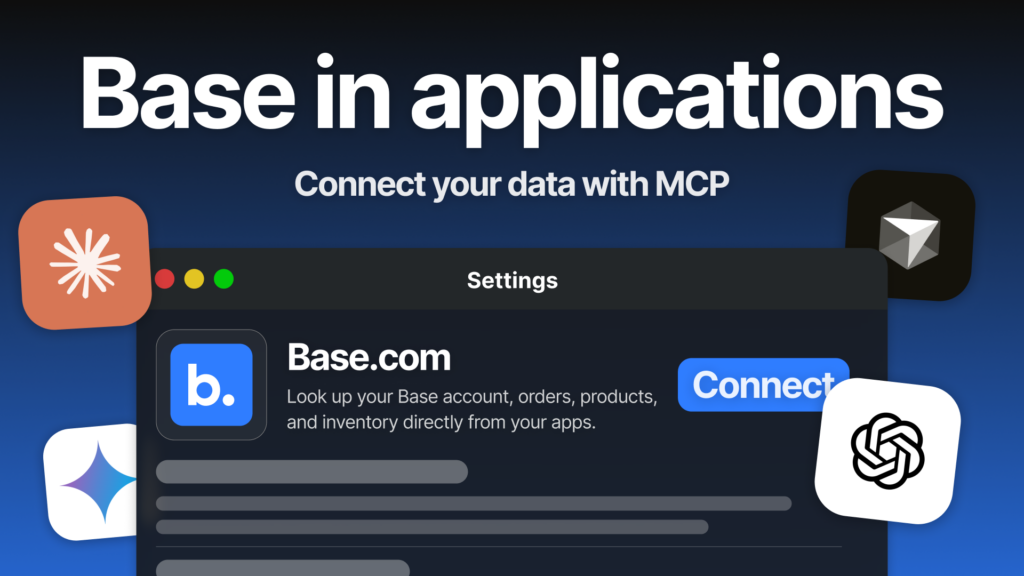
The Base MCP integration connects your favourite AI tools, including ChatGPT, Claude, Cursor, Gemini and Copilot, directly with your company data.
You sign in with your Base account and, in seconds, give your AI assistant the context it needs — from API settings to current sales performance. The system can answer questions about orders, explain configuration details and combine Base information with external data sources to help spot potential issues before they become bigger problems.
Episode 6 of 7 in the AI in Base series. Every two weeks, we present one AI feature in Base that helps reduce manual work for you and your team. We are getting closer to the end of the series — final episode: 29 September.
Model Context Protocol, or MCP, is a standard that allows AI models, such as Claude and ChatGPT, to access external tools securely. With the Base.com MCP integration, we use this standard to bring the power of our AI Assistant from the Base panel into the AI workspace you already use.
Having trouble viewing the video? Watch it directly on YouTube: AI in Base #6: MCP
How to connect Base with your AI assistant
Connecting your company data with the AI tool you use day to day only takes a few seconds.
There are two ways to do it. Both work without manually configuring server addresses or installing anything on your computer, because the server runs remotely.
- From your AI assistant
Find Base.com directly in the list of Connectors in Claude, or in the plugin list in ChatGPT. Select Base.com, sign in with your Base account and you are ready to go. - From the Base panel
Select the MCP integration from the list of available integrations in the Base panel and complete the setup for the AI tool you want to connect. This is often the simpler route if you are starting from Base.
The login uses OAuth with your Base account. You do not paste your password or API token anywhere. The connection is encrypted with HTTPS, and the assistant works in the context of your logged-in Base account, so it only has access to the information available to you in the panel.
What the connected assistant can do
Once connected, your AI assistant gets access to Ask Sidebar — the same tool we showed in the article about the AI Assistant in the Base panel.
Claude or ChatGPT can ask Ask Sidebar a question about your Base account, then include the answer in your conversation.
Here are a few questions you could start with:
- How do I add an Amazon or eBay integration in Base, and where do I enter the account details?
- What does this courier label error mean, and what should I check?
- How can I use the Base API to retrieve yesterday’s orders?
- Where do I change the post-sale email template in the panel?
- Can I update stock levels in the catalogue in bulk, and how do I do it safely?
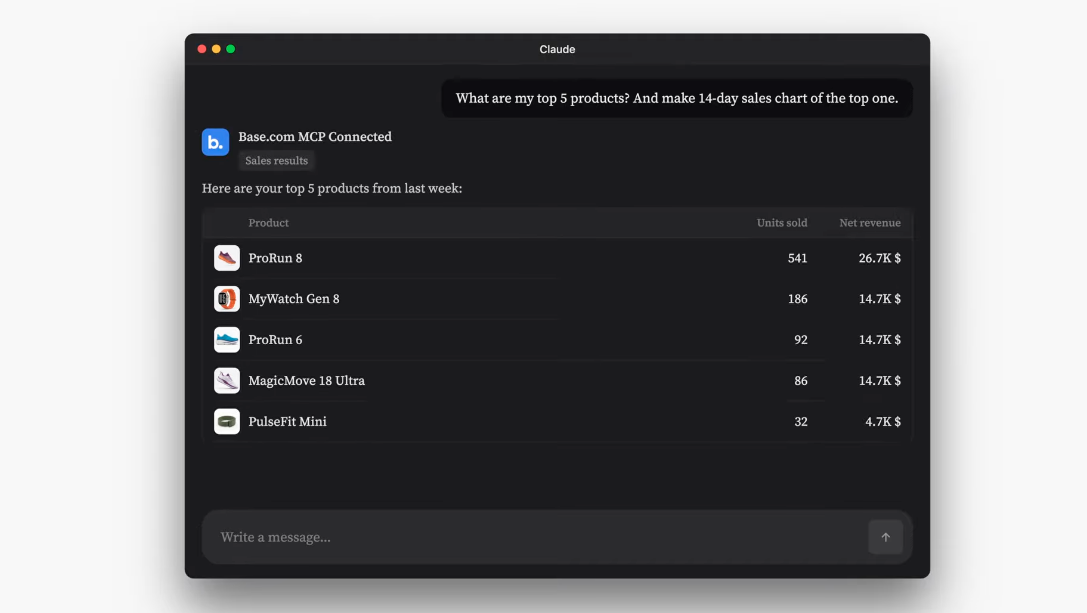
You can also ask about information from your account, such as sales performance. The assistant answers in the context of the data you can already see in the Base panel.
This is where the connection becomes powerful: your AI tool can bring together answers from Base with other data sources available in the same AI workspace. It can help connect the dots and highlight details that are easy to miss before they become a problem — things you might not spot in the panel alone or in a general AI chat alone.
What to know before you start
It is an assistant, not the full API
The AI Assistant in Base answers questions. It does not give Claude or ChatGPT direct access to the full Base API, including around 150 methods such as bulk edits or stock-level operations.
Each question starts a new conversation
A question asked by Claude or ChatGPT starts a new conversation with the assistant in the Base panel. It does not continue your previous Sidebar conversation.
It works with MCP clients
You can use Base.com MCP in Claude and ChatGPT directly from their integration lists, as well as in other tools that support the Model Context Protocol, such as Cursor.
Security works like it does in the panel
OAuth is used instead of passwords or API tokens. The connection is encrypted, and the assistant works only in the context of your logged-in Base account.
What does AI change in day-to-day work?
The key change is simple: the data and knowledge from your Base account are available where you actually work — not only in a separate browser tab.
No more switching between windows
You can ask about an integration error, configuration issue or account setting while working in Claude or ChatGPT, without jumping back and forth between tools.
A wider view across multiple sources
Your AI assistant can combine answers from Base with other data sources in the same conversation, helping you spot things that are easy to miss before they become problems.
No exports or temporary spreadsheets
You can ask directly about what is happening in your account instead of exporting data just so AI can analyse it.
API guidance at hand
The assistant can explain how to use the Base API for a specific scenario, which is especially useful when you are building automations with AI support.
Coming next: the AI in Base series finale
In two weeks, we’ll publish the final episode of the series.
We’ll bring all AI features in Base together in one place — from product catalogues, listing creation and warehouse tools, to the assistant inside your favourite AI tools.
A complete AI team on board, available on the blog from 29 September.
In this series
- AI in the product catalogue
- Autosell – AI Listing Agents
- AI Assistant in the Base panel
- Counting products with AI in the WMS App
- Agentic Commerce – sell where your customers are already having conversations
- MCP – connecting AI with your system – this article
- Series finale: all AI features in one place – 29 September
Connect your AI assistant with Base. Choose Base.com from the Connectors list in Claude or the plugin list in ChatGPT, then ask your first question about your account.
Don’t have an account yet? Try Base free for 14 days.
FAQ
How do I connect Base with Claude or ChatGPT?
Choose Base.com from the Connectors list in Claude or from the plugin list in ChatGPT, then sign in with your Base account.
You can also start from the Base panel. You’ll find the MCP integration in the list of available integrations.
Do I need to install anything?
No. The MCP server runs remotely. You only need to connect from your AI assistant or from the Base panel.
Does this give full access to the Base API?
No. The connected assistant gets access to one tool, Ask Sidebar, which answers questions about your account.
It does not provide direct access to the full Base API, including around 150 methods such as bulk edits or stock-level operations.
Does a conversation in Claude continue my Sidebar conversation in the Base panel?
No. Each question asked by Claude or ChatGPT starts a new, independent conversation with the assistant in the Base panel.
Does my Base password go to Claude or ChatGPT?
No. You sign in through OAuth with your Base account, without pasting your password or API token.
The connection is encrypted, and the assistant works in the context of your logged-in Base account.