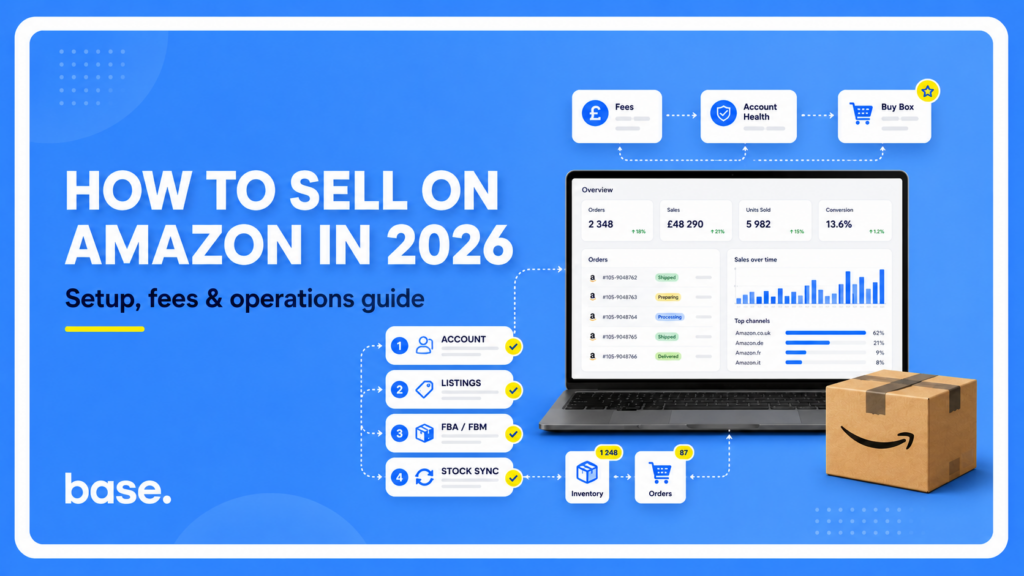
Expanding onto Amazon gives you immediate reach, but it also subjects your business to strict operational rules. Account suspensions, inventory miscounts, and margin erosion are most common early on, when sellers set up their logistics on guesswork instead of a clean operational plan.
This guide covers Seller Central: registering your own account and selling directly to Amazon customers, on whichever Amazon marketplace you’re starting with. It breaks down account setup, fulfillment models, fees, cross-border requirements, listing requirements, account health, and multi-channel inventory control. A new private label brand and an established DTC shop expanding onto Amazon are starting from different places, but the fundamentals below apply to both, and everywhere Amazon operates, even if the fine print changes by country.
Selling on Amazon, or supplying Amazon directly? Two different things.
Everything in this guide is about Seller Central, where you list and sell to shoppers yourself. There’s a separate track called Amazon Vendor, where Amazon buys your stock through purchase orders and resells it themselves, showing up to customers as “Shipped and Sold by Amazon.” Vendor access is invitation-only, and Amazon doesn’t publish the criteria behind who gets approached. In practice it tends to go to manufacturers, brand owners, and distributors with an established sales history, not new or small-scale sellers, but that’s an observed pattern rather than a published Amazon rule, and it isn’t something you can sign up for directly. One detail that trips people up: Vendor has a flow called Direct Fulfillment, where Amazon takes the order but you ship it from your own warehouse. People often assume this means dropshipping in the everyday sense, but it’s a formal wholesale relationship with its own purchase order and invoicing cycle, not the marketplace dropshipping model. If Vendor is relevant to you, our Amazon Vendor integration and Direct Fulfillment integration pages cover that side in detail. For everything else below, we’re talking about Seller Central. We also spoke about vendors here.
Sourcing Models on Amazon
Common Amazon sourcing models include the following, and it’s worth knowing the distinctions mainly because they affect what you’re eligible for, like Brand Registry or certain listing tools, not because it’s a choice you’re making from a blank slate:
- Private Label: Products manufactured under your own brand. Comes with the highest margins and access to Amazon Brand Registry, which protects listings from unauthorized edits.
- Wholesale: Established brand stock bought in bulk from authorized distributors and sold against existing Amazon listings.
- Arbitrage: Discounted retail or clearance stock resold on Amazon. More exposed to brand ungating and authenticity disputes than the other models.
An established DTC brand moving onto Amazon isn’t a separate sourcing model on this list, it’s usually private label or wholesale underneath, just with an existing catalog and customer base already built on a webstore. Base’s Amazon integration is built for exactly this: bringing that existing catalog onto Amazon without re-entering it by hand, whichever sourcing model it falls under.
Individual vs. Professional Plans
Amazon runs two account tiers in most of its marketplaces. On top of whichever plan you’re on, Amazon also takes a referral fee on every sale, a percentage of the price that varies a lot by product category. It’s easy to underestimate: some categories sit at a few percent, others run well above what most sellers expect, so it’s worth checking the rate for your specific category rather than assuming a flat number applies.
| Professional plan | Individual plan | |
|---|---|---|
| Cost structure | Flat monthly subscription | No subscription, small fee per item sold |
| Example (US) | $39.99/month | $0.99 per unit |
| Referral fee | Applies on top, varies by category | Applies on top, varies by category |
| Unlocks | Featured Offer eligibility, advertising, bulk listing tools, software integrations | Nothing beyond basic listing |
| Best for | Sellers past low volume | Testing the waters at low volume |
Example above from Amazon’s own US pricing page. Sell more than roughly 40 units a month and the subscription plan works out cheaper, which is the usual point people upgrade.
The UK and Germany run a similar two-tier shape, in their own currency and at their own subscription price. India works differently: rather than a flat monthly subscription, its fee structure leans more on the per-sale referral fee, plus additional line items like a closing fee and a weight-based shipping charge, with local GST added on top of all Amazon fees.
None of these figures are worth memorizing. Amazon adjusts them periodically and every marketplace runs its own schedule, so check the official seller pricing page for whichever country you’re actually launching in before committing to a plan.
Cross-Border Selling Comes With Its Own Paperwork
Selling into a marketplace you’re not physically based in usually means more than just adding a listing. Tax and invoicing obligations can turn on several things at once, where your business is established, where your inventory is physically stored, the buyer’s location, and how much you’re selling into that market, and they don’t always match what your home market expects.
In the EU, a seller shipping across borders, for example holding stock in one EU country and selling into others, runs into VAT obligations that vary by destination. Amazon’s VAT Calculation Service (VCS) is a free tool for professional sellers that automatically generates VAT-compliant invoices across the EU and UK, useful for cross-border B2B sales where business buyers expect to see net pricing and a proper VAT invoice, though it still depends on you holding the right VAT registrations for wherever your stock actually ships from.
Brazil is a clear example of a market where this stops being just an Amazon problem: commercial shipments generally require a Nota Fiscal Eletrônica (NF-e), a government-authorized electronic invoice, before the goods can legally move, a Brazilian tax-law requirement rather than an Amazon-specific one, with exemptions in some cases (an occasional sale by an unregistered individual, for example), and only getting more complex as the country’s tax reform phases in. Amazon’s own Brazil tax reform page covers the current requirements for sellers there.
If you issue the NF-e in Base through our native SEFAZ module, Base sends the authorized XML to Amazon automatically (for Brazil this applies to FBA orders) and tracks its status
Most markets outside your home country will have some equivalent requirement. It’s worth checking the tax and invoicing rules for a marketplace before you commit to selling there, not after your first shipment gets held up.
FBA vs. FBM: Evaluating Your Fulfillment Models
How you fulfill orders determines your operating margins, stock control, and customer experience.
| FBA | FBM | |
|---|---|---|
| Storage & shipping | Amazon fulfillment centers | Your own warehouse or 3PL |
| Customer service | Handled by Amazon | Handled by you |
| Pros | Prime eligibility for qualifying listings, can improve Featured Offer competitiveness, hands-off service | Full packaging control, lower storage overhead, direct stock handling |
| Cons | Storage fees, aged inventory surcharges, inbound placement fees, less inventory control | Strict shipping SLA deadlines, in-house customer service |
Fulfillment by Amazon (FBA)
You ship inventory in bulk to Amazon fulfillment centers. Amazon handles storage, picking, packing, shipping, and customer service. Amazon’s own FBA page walks through the enrollment steps and current fee structure.
- Pros: Prime eligibility for qualifying listings (there are category exclusions and performance requirements; merchant-fulfilled listings can also qualify separately through Seller Fulfilled Prime), can improve Featured Offer competitiveness, and hands-off customer service.
- Cons: Monthly storage fees, aged inventory surcharges, inbound placement fees, and loss of physical inventory control.
Base’s Amazon FBA integration keeps FBA stock levels, orders, and returns synced but distinct from the rest of your inventory, so you don’t mix operations with different source stock.
Once you’re running FBA, that same inventory can do more than fulfill Amazon orders. Amazon calls this Multi-Channel Fulfillment (MCF): orders placed on your webstore and other sales channels can be picked, packed, and shipped from your FBA stock, so you can lean on Amazon’s fulfillment network to scale outside of Amazon without holding separate inventory for it. Base’s Amazon MCF integration routes those non-Amazon orders to MCF automatically and syncs tracking back to whichever channel the order came from.
Fulfillment by Merchant (FBM)
You store inventory in your own warehouse or third-party logistics facility and ship orders directly to buyers. Amazon’s own FBM page covers the shipping tools and performance requirements involved.
- Pros: Full control over custom packaging, lower storage overhead for heavy or slow-moving products, and direct handling of your stock.
- Cons: You must meet strict shipping SLA deadlines to maintain seller-fulfilled metrics and handle customer service internally.
Base’s Amazon integration routes FBM orders straight to your warehouse picking lists and pushes tracking numbers back to Amazon as soon as a parcel ships, more on this in the multi-channel section below.
The Hybrid Approach
Many mature brands use a hybrid setup. Fast-moving SKUs go to FBA to capture Prime sales volume, while oversized, slow-moving, or custom items ship FBM directly from a central warehouse.
FBA and FBM aren’t the only two options, either. Amazon runs several country-specific programs that sit between the two, covered in the ecosystem section below.
Listing Requirements: Barcodes, Tax IDs, and Data Standards
Amazon enforces strict catalog standards during account verification and product creation.
Verification Documents Needed
Exact requirements vary by marketplace and business type, but Seller Central registration generally asks for:
- Government-issued photo ID (passport or driver’s license)
- Tax registration details (EIN, SSN, or VAT number)
- Internationally chargeable credit card
- Bank account statement, used to verify your identity and address
Barcode Compliance (GTINs and UPCs)
In most cases, every product listed on Amazon requires a unique product identifier such as a GTIN or UPC. A GTIN exemption is a separate request; Brand Registry enrollment does not grant one automatically. Typical exemption candidates include handmade goods and certain bundles, evaluated case by case. Where an identifier is required, Amazon verifies barcode authenticity directly against the GS1 database. Avoid buying cheap, second-hand UPC barcodes from online resellers; unverified barcodes can lead to permanent listing suppression or account flags. License barcodes directly from GS1, or apply for a GTIN exemption through Seller Central if you manufacture unbranded or custom goods and believe you qualify.
Once your identifiers are set, keeping them consistent matters as much as getting them right the first time. If the same product also lives on a webstore or another marketplace, Base’s central catalog pushes identifier, price, and listing changes to every channel from one place, so a correction made on Amazon doesn’t need to be repeated by hand everywhere else.
Account Health: The Rules Don’t Stop at Setup
Getting listed is the easy part. Staying in good standing is where most of the operational risk actually sits, and it applies just as much to a small Individual-plan seller as to a high-volume Professional account.
Amazon tracks seller performance through your Account Health Rating (AHR), a score that reflects your policy compliance and risk of deactivation. Performance metrics like Order Defect Rate (ODR) and Valid Tracking Rate, whether tracking numbers reach Amazon on time and correctly, matter because they feed into that compliance picture, not because they’re plugged directly into the AHR score itself. Fall below Amazon’s targets and you risk listing restrictions or account suspension, the same early risk mentioned at the start of this guide, except now it can hit an account that’s already generating revenue.
A common misunderstanding: customer returns themselves don’t directly lower your Account Health Rating. What hurts you is what happens after a return goes wrong, an unresolved dispute escalating into an A-to-z Guarantee claim, or a pattern of defect-related returns pushing up your Negative Customer Experience rate. We cover this in detail, including how SAFE-T claims protect your margins on damaged or fraudulent returns, in Amazon Returns Explained.
Where Base fits in: a lot of what drags down these metrics is operational rather than intentional, stock that’s sold out on Amazon but still showing available, or a tracking number that took two days to reach Seller Central instead of a few minutes. Base keeps warehouse stock accurate across every channel you sell on so you’re not accepting orders you can’t fulfill, pushes tracking numbers to Amazon as soon as a shipment is dispatched to support your Valid Tracking Rate, and lets you set automated actions that handle routine order and return steps without someone manually clicking through Seller Central for every unit.
Winning the Featured Offer (Buy Box)
A Professional selling account is required for Featured Offer eligibility (Amazon’s current name for what’s still widely called the Buy Box), but that alone doesn’t get you there. Amazon weighs competitive pricing, fast and reliable shipping, in-stock inventory, and account health together, continuously, so eligibility today doesn’t guarantee you’ll hold the Featured Offer on any given listing tomorrow. Amazon selects among eligible offers based on factors including price, fulfillment, and seller performance, and price is the part that moves fastest, a competitor can undercut you within minutes, so a price set once a day or once a week is already behind.
Base’s Repricer tracks competitor prices across Amazon and your other marketplaces and adjusts your listings automatically within limits you set, so you’re competing on price without going below your margin floor. It also supports Featured Offer-aware strategies, for example holding your price steady once you’re already the cheapest offer but still not winning the Featured Offer, instead of racing to the bottom for no gain.
Price and eligibility aren’t the only levers, either. Sponsored Products ads put your listing in front of shoppers who are already searching for what you sell, and Base’s Amazon Ads integration lets you build, launch, and monitor those campaigns from the same dashboard as your listings and inventory, without switching over to Seller Central’s ad console.
Amazon Is Bigger Than FBA vs. FBM
FBA and FBM cover the two main fulfillment models, but Amazon also offers several country-specific programs that can genuinely help sellers who want a hand with delivery without moving to full FBA storage. Which ones are worth a look depends on your marketplace and your product mix:
- Amazon Buy Shipping: Lets FBM sellers buy discounted, pre-validated carrier labels directly inside Seller Central instead of sourcing rates externally; Amazon continues to expand which carriers and marketplaces it covers, so check current availability for where you sell.
- Amazon Easy Ship: Available in a handful of marketplaces, India being the main one, where Amazon’s own delivery network picks up a packed parcel from your location and handles delivery, without your stock ever sitting in an Amazon fulfillment center.
- Amazon Seller Flex: An invitation-based, hybrid model where Amazon manages delivery from your own facility, closer to an FBA-style customer experience, without physically moving your inventory into Amazon’s warehouses.
Each one is worth evaluating on its own merits rather than treated as a hoop to jump through, and nothing stops you running more than one at a time, or alongside FBA and FBM, once you’ve worked out which combination suits your products. Base has a dedicated integration for each: the Amazon FBA integration, the Amazon Easy Ship integration, the Amazon Seller Flex integration, and the Amazon Buy Shipping integration. Whichever combination you’re running, automated actions keep label generation, order prep, and status updates in one panel instead of switching between logins for each program.
Preventing Multi-Channel Inventory Disconnects with Base
If you sell on Amazon alongside a webstore (like Shopify or WooCommerce) or secondary marketplaces (like eBay or Walmart), managing stock levels manually inside Seller Central leads to overselling.
When an FBM order comes in on Amazon, your stock count must drop across all other sales channels immediately. Base serves as your central operational hub to keep inventory and order processing aligned:
- Automated Stock Sync: When an item sells on Amazon, Base keeps stock levels synchronized across your webstore and secondary marketplaces automatically, so you don’t accept orders you can’t fulfill.
- Unified FBM Order Processing: Incoming Amazon FBM orders route straight to your warehouse picking lists. Print shipping labels, dispatch parcels, and pass tracking numbers back to Amazon automatically.
- Centralized Catalog Controls: Push price adjustments, inventory updates, and listing revisions to Amazon and your other channels from one master catalog without double-entry.
FAQ
How much does it cost to sell on Amazon?
It depends on your plan and marketplace. Most marketplaces offer a subscription-based plan with no per-item fee, or a no-subscription plan with a small per-item fee instead, plus a referral fee on every sale that varies by category. In the US, for example, that’s currently a $39.99 monthly subscription or $0.99 per item. Fees change over time and differ by country, so check Amazon’s official pricing page for your specific marketplace.
What’s the difference between Amazon Vendor and a regular Seller account?
Seller Central is you listing and selling directly to customers. Vendor is Amazon buying your stock wholesale and reselling it themselves. It’s invitation-only, Amazon doesn’t publish the selection criteria, but invitations tend to go to manufacturers and established brand owners rather than new sellers. This guide is written for Seller Central; see the Amazon Vendor integration if Vendor is the side you’re on.
Do I need to worry about VAT or local tax rules if I sell cross-border?
Yes. Cross-border tax and invoicing obligations depend on more than just where your buyer is, where your business is established, where your inventory is stored, and how much you’re selling into that market can all matter too. The EU has cross-border VAT obligations that Amazon’s VAT Calculation Service can help automate, and markets like Brazil require a government-authorized electronic invoice before a shipment can legally move. Always check the specific requirements for each market you plan to sell into.
Do customer returns hurt my Account Health Rating?
Not directly. What affects your rating is what happens after a return goes wrong, disputes that escalate into claims, or patterns of defect-related returns. See our full Amazon returns and Account Health guide for how SAFE-T claims and return automation fit in.
What’s the difference between FBA, FBM, Easy Ship, and Seller Flex?
FBA means Amazon stores and ships your inventory. FBM means you ship it yourself. The Amazon Easy Ship integration and Amazon Seller Flex integration sit in between, available depending on your marketplace, letting Amazon handle pickup or delivery while your stock stays at your own location.
Can Base manage my Amazon fees or Account Health score directly?
No, those are set and tracked by Amazon. What Base does is handle the operational side that tends to cause account health problems in the first place, keeping stock accurate, routing orders and returns automatically, and getting tracking information to Amazon on time through the Amazon integration in Base.
Getting Started
Avoid manual stock updates and fulfillment bottlenecks. Connect your Amazon integration in Base to automate inventory sync, shipping labels, and multi-channel order routing across however many Amazon programs and other sales channels you run. See our step-by-step guide to automating your Amazon store operations to get started.

[…] four days out by default. If you’re still setting up the Seller Central account itself, our guide to selling on Amazon in 2026 covers that groundwork. VCS itself is free: Amazon’s own FAQ says it’s “available […]