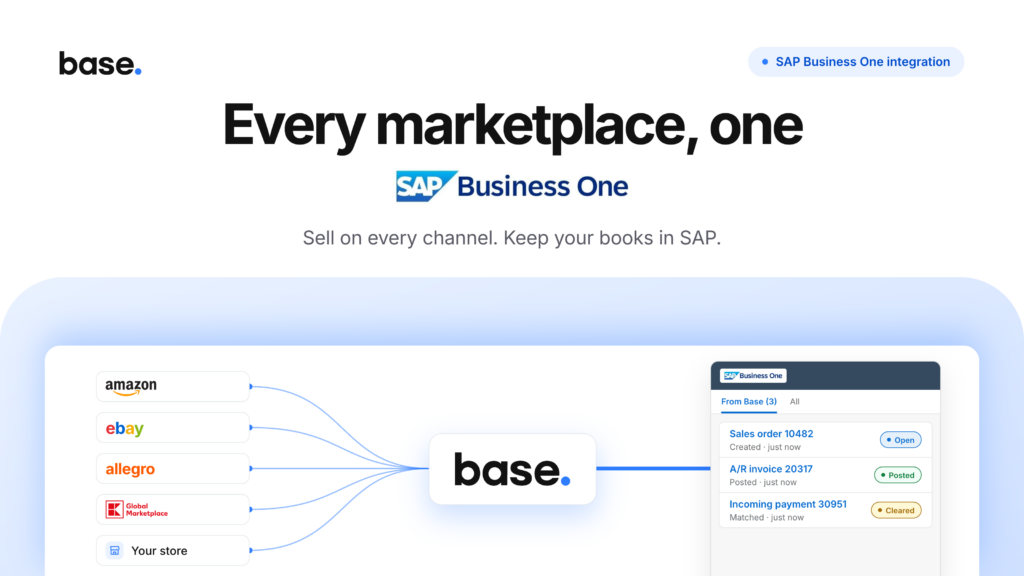
SAP Business One ecommerce integration, now built into Base.
Most SAP Business One ecommerce integrations connect your ERP to one webstore. Base connects it to every channel you already sell on, marketplaces and your own shop alike, and writes those orders into your SAP company database as sales orders and invoices.
You do not pay for middleware, and there is no bridge application to keep running on a PC in the office.
One webstore is not your sales channel
Search for a SAP Business One ecommerce integration and the first page of Google fills up with B2B storefronts. They are good products, and they all answer the same question: how do I put a web shop in front of my ERP?
That is not the question a marketplace seller has. If your revenue arrives from Amazon, eBay, a regional marketplace and your own shop at the same time, a storefront connector solves one of those and leaves the rest where they were. Usually that means a spreadsheet, somebody’s inbox, or a person typing orders into SAP on Monday morning.
What changes when you connect
Four jobs that usually belong to a person move into the integration. A fifth changes where you answer one of the most useful questions in the business.
The channel an order came from can be carried onto the documents in SAP, so channel performance is something you read in your ERP rather than rebuild in a spreadsheet.
How the SAP Business One ecommerce integration works
Base signs in to your SAP Service Layer with your company database, user and password, and keeps the session open. Documents are created and read through the standard Service Layer interface.
Two things follow from connecting this way, and both matter more than they sound:
✓Nothing has to stay running in your office. There is no desktop application on a machine somewhere that orders depend on to reach SAP.
✓One integration, not a stack of connectors. You are not buying an orders connector, then a stock connector, then a price connector, each billed separately and each able to break on its own.
The main technical prerequisite is that the Service Layer is reachable from outside your network. It usually listens on port 50000. The API Gateway connection is only needed if you want PDF invoices generated in SAP.
What happens to an order
From the moment a customer checks out on any channel, this is the path the order takes.
The documents land the way your accounting expects
An integration that creates documents your finance team then has to correct is worse than no integration. So the shape of what Base writes into SAP is yours to set before anything starts flowing.
✓The details on every document. The numbering series, the payment terms and salesperson they carry, and the remarks and layout on the invoice.
✓Which documents are created. A sales order and an invoice together, or the invoice exported on its own.
✓What follows payment. Whether an incoming payment is created once the invoice is settled.
✓What follows a cancellation. Whether cancelling in Base cancels the invoice in SAP.
Markets with their own document requirements need extra fields on top of this, and those are configured per market. The help centre covers what each one needs.
What the integration does not do
We publish this list because a gap you find now costs a conversation, and a gap you find after building a process around it costs considerably more.
What you need to switch it on
Five things on the SAP side. Everything else is configured in the Base panel.
Connect SAP Business One to Base
The integration is available in every Base account. Setup happens in four steps, all inside the Base panel.
SAP stays the record for products, stock and prices. Every channel you sell on feeds the same company database.
Add a channel in Base and its orders arrive in SAP the same way as the rest, with no extra connector to buy.
Connect your company database, map your warehouses and price lists, and watch your channel orders arrive in SAP.
Frequently asked questions
Does SAP Business One have a built-in ecommerce integration?
No. SAP Business One provides the Service Layer, which is a REST interface, but no connector to sales channels. Connecting it to marketplaces and stores means building an integration, buying middleware, or using a platform that connects to both.
What is the difference between this and a B2B webstore with SAP Business One integration?
A B2B webstore connects SAP Business One to one shop that you own. The Base integration connects SAP Business One to every marketplace and store you already sell on, and handles the order flow, shipping and automation across all of them.
Can SAP Business One stay the source of product and stock data?
Yes, and that is the intended setup. Products, stock on hand and prices are read from SAP into Base. Base does not write them back.
Does it work with several sales channels at once?
Yes. Orders from every channel connected to Base become sales orders in the same SAP company database.
Which SAP Business One version do I need?
SAP Business One 10.0 FP 2011 or later on Microsoft SQL Server, or 9.2 or later on SAP HANA. On SAP HANA, 9.3 or later is recommended.