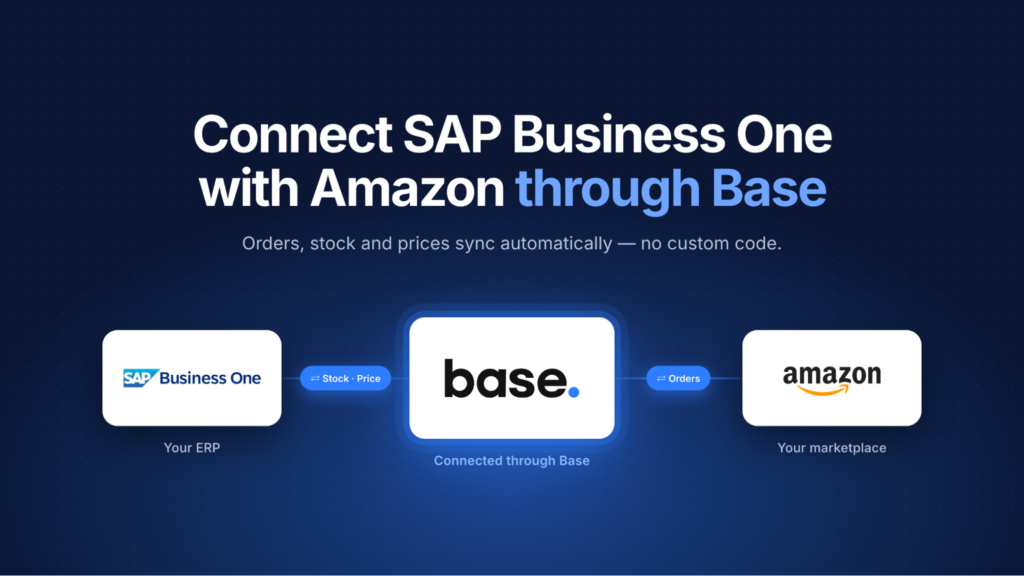
Selling on Amazon with SAP Business One.
What actually syncs, what doesn’t, and which system should own each decision.
If you run SAP Business One and you sell on Amazon, you already know the two systems disagree about who is in charge. SAP holds your products, your stock and your accounting. Amazon holds your customers, your prices and your delivery promises. Somewhere in between sits a person copying order numbers into a spreadsheet.
Most articles on this topic answer the wrong question. “Can SAP Business One integrate with Amazon?” Yes, in several ways.
For each piece of data, which system decides?
Get that wrong and you don’t get an integration failure. You get something worse: two systems both confidently writing the same field, and a price on Amazon that nobody in your company chose.
This is a practical guide to that division of labour: what syncs, what doesn’t, and the four places sellers actually get caught out.
Three ways to connect SAP Business One to Amazon
SAP Business One has no built-in Amazon marketplace connector. Something has to sit between them, and you have three realistic options.
This article describes the third, because it is the one where the ownership question has clear answers. Base connects to SAP Business One natively, through the SAP Service Layer: no desktop bridge application, no per-connector subscription.
Which system owns what
Everything else in this article follows from this table. Fill it in for your own business before you configure anything.
The order flow, step by step
Follow one Amazon order from the moment it arrives to the moment Amazon marks it shipped. Watch which system each step happens in.
Buyer name, email and phone
Delivery and invoice address
Company name
Amazon Business flag and PO number
Buyer tax or VAT registration ID, where Amazon returns it
SKU and ASIN
Quantity, price and currency
Tax data
Fulfilment type (FBA or FBM)
PartiallyShipped
Shipped
Canceled
Unfulfillable
InvoiceUnconfirmed
Pending (only if you enable the option)
It is created in Base and sent from Base to Amazon. That is the first of four things that catch people out.
Four things that catch people out
Tracking numbers do not come from SAP
Amazon requires shipment confirmation with a carrier and tracking number for merchant-fulfilled orders. The SAP Business One connector does not send tracking numbers to SAP and, more to the point, a tracking number created inside SAP will not reach Amazon through it.
So tracking is created or entered in Base: from a courier integration that returns the number, from manual entry on the order, or from an Amazon programme such as Easy Ship that supplies its own. Base then submits it to Amazon. A package without a usable tracking number stays pending and is never confirmed as shipped.
Courier integration that returns the number
Manual entry on the order
Amazon programme such as Easy Ship
If your warehouse team currently generates labels inside SAP, that is the part of your process this setup changes. Decide it before you go live, not after.
FBA stock and SAP stock are different numbers
Here is how a naive integration oversells: SAP believes it has 40 units, pushes 40 to Amazon, and Amazon is already holding 25 in a fulfilment centre. You have now offered 65.
FBA inventory is imported from Amazon and held separately at the offer and fulfilment level. SAP warehouse stock drives merchant-fulfilled quantities. The quantity sync excludes FBA offers, so the two numbers do not overwrite each other. Seller Flex, Smart Connect and similar programmes behave differently and need to be validated on their own.
Your ERP and your repricer both want to set the price
If you sync prices from a SAP price list and you run a repricer, you have two automated writers pointed at one field.
The rule: for an offer enabled for repricing, the repricer’s value is the final Amazon price, using the ERP price as its baseline. For an offer not enabled for repricing, the SAP-derived price group is the source. There is no global “ERP always wins” switch. Control is per account and per offer.
Which makes this an organisational decision rather than a technical one. Decide which offers your ERP prices and which your repricer handles through Amazon price automation, and write it down. Thin-margin and contract-priced items usually belong to the ERP; competitive, high-velocity ASINs usually belong to the repricer.
Base can also send minimum and maximum seller-allowed prices, an optional B2B price on marketplaces that support it, and handling or lead time in working days. Amazon quantity-discount tiers are not synchronised through this path, and neither is listing content: titles, descriptions, bullets and images sit outside it.
A SAP invoice is not an Amazon invoice
SAP Business One generates the document. That is not the same as Amazon having it.
In the EU, Amazon’s VAT Calculation Service Lite is supported for the markets below. For those orders, invoice and tax data may sit pending until the VAT report is imported. Brazil has its own invoice endpoint, with handling that depends on the fulfilment programme.
What the standard SAP Business One connector does not do is call Amazon’s invoice-upload API. An invoice generated in SAP does not automatically appear in Amazon. If Amazon Business invoice compliance matters to you, treat it as a separate part of the setup and test it explicitly.
Several Amazon marketplaces, one SAP company database
Two rules set the shape of a multi-marketplace setup, one on each side of Base.
The piece worth configuring properly is order-source mapping. Base order sources map to SAP Business One U_Loja codes drawn from your U_LOJAS table, and the matched code is written onto the sales order, the invoice and the incoming payment.
Invoice
Incoming payment
If your finance team needs the Amazon order ID inside SAP, that is a custom field mapping to configure and test. It is not default behaviour.
Selling on Amazon Brazil with SAP Business One
Brazil deserves its own section, because there the invoice is not paperwork. It is a gate.
The SAP Business One integration carries Brazil-specific configuration: business place, Nota Fiscal series and model, tax code, operation usage, payment accounts and cards, customer group, and custom U_ fields. The order reaches SAP, SAP issues the Nota Fiscal, and the SEFAZ-authorised number comes back. The shipment does not release until it does.
That sequencing is the entire point. A connector that pushes orders into SAP but does not wait for the invoice number to return leaves your warehouse free to ship something that is not yet legally invoiced.
Amazon.com.br and Amazon.com.mx are both supported. Brazilian invoice handling varies by fulfilment programme, so confirm which applies to you.
What this setup does not do
Published deliberately, because finding a gap after you have committed to a process is expensive.
✕Sales orders are create-only. Editing an order in Base after it has reached SAP does not sync the change back.
✕No receipts, proforma invoices or credit-note corrections. Sales invoices and cancellations only.
✕An Amazon refund does not create a SAP credit memo. Amazon financial refund data is stored separately.
✕No product or stock push from Base into SAP. Import direction only.
✕No tracking numbers forwarded to SAP.
✕PDF invoice generation runs through a separate SAP API Gateway connection.
✕No SAP-to-Base order download. Orders flow one way.
✕One integration instance, one SAP company database.
✕Listing content is not managed here. Titles, descriptions, bullets and images sit outside the stock and price path.
✕Amazon quantity-discount tiers are not synchronised.
✕Returns depend on fulfilment type. FBM returns import into the marketplace returns module; FBA returns arrive as information on the order rather than as a return record. See automating Amazon returns.
The requirements
Most of the list is technical. The last two are decisions, and they are the ones that decide whether the project works.
✓SAP Business One 10.0 FP 2011 or later on SQL; HANA 9.2 or later, 9.3+ recommended.
✓The SAP Service Layer reachable from outside your network, typically port 50000.
✓The SAP API Gateway if you want PDF invoice generation, typically port 60020.
✓A Company DB name, username and password for the connection.
✓A Seller Central account with SP-API access.
✓Consistent SKUs or EANs between SAP and your Amazon listings. This is the one that quietly sinks projects. Matching is by SKU or EAN, and if your SAP item codes and your Amazon seller SKUs drifted apart years ago, fix that before you connect anything.
✓A decision, in writing, on which offers your ERP prices and which your repricer prices.
The connection is a form. The ownership table is the work.
The technical part of connecting SAP Business One to Amazon is a configuration form: a URL, a company database, a username, a password. The part that determines whether it works is the ownership table near the top of this article, filled in for your business, agreed with your finance and warehouse teams, before anyone touches a setting.
See what the integration covers, then connect SAP Business One and start with your ownership table.
Frequently asked questions
Can SAP Business One connect to Amazon directly?
No. SAP Business One has no built-in Amazon marketplace connector. You connect through a platform that speaks to both: Amazon’s SP-API on one side, the SAP Service Layer on the other.
Does SAP Business One send stock levels to Amazon?
Indirectly. Stock on hand from a selected SAP warehouse syncs into Base, and Base updates the merchant-fulfilled offer quantity on Amazon. FBA quantities come from Amazon and are handled separately.
Will my Amazon orders create invoices in SAP Business One?
Yes. Invoices can be forwarded to SAP automatically as orders come in, or exported manually. Cancellations are mirrored, and incoming payments can be created once the invoice is settled.
Can I run a repricer if my prices come from SAP?
Yes, but decide it per offer. For offers enabled for repricing, the repricer sets the final Amazon price using the ERP price as its baseline. For offers not enabled for repricing, the SAP price group is the source.
Does the Amazon order ID appear in SAP Business One?
Not by default. The SAP sales order’s NumAtCard carries the Base order number. The Amazon order ID is stored on the Base order and can be mapped into a custom SAP field if your finance process needs it there.
How do tracking numbers reach Amazon?
From Base. A parcel is created on the Base order, through a courier integration, manually, or via an Amazon programme such as Easy Ship, and Base sends the carrier and tracking number to Amazon as shipment confirmation. The standard SAP Business One connector does not supply tracking.
Can I sell on more than one Amazon marketplace?
Yes. One connection covers a Seller Central account and its marketplaces, with settings configurable per marketplace. Separate Seller Central accounts need separate connections.
Does it work with Amazon Brazil and Amazon Mexico?
Both are supported. Brazil additionally has Nota Fiscal handling in the SAP integration, with the authorised invoice number returning to SAP before the shipment releases.