The integration of Amazon’s Multi-Channel Fulfilment (MCF) with Base.com offers retailers a robust solution to centralise product, inventory, and order management. With Amazon’s industry-leading fulfillment network at the core, this integration enables retailers to scale their multi-channel operations efficiently while maintaining full visibility and control. Whether you’re fulfilling orders from Amazon or other sales channels like webstores or marketplaces (e.g., eBay, Walmart), Amazon MCF, in combination with Base.com, provides an automated, streamlined process that eliminates operational silos and enhances customer satisfaction.
This integration guide walks through the setup process, key features, use cases, and real-world success scenarios that demonstrate the value of this integration.
How the Amazon MCF Integration Works
Base.com acts as the bridge between your product catalog, sales channels, and Amazon MCF’s fulfillment network. By centralising the order and inventory management, Base ensures that retailers can optimise their fulfilment strategy across various sales channels without the complexity of managing separate fulfilment networks. Here’s a breakdown of how the integration operates:
- Products are managed in Base.com.
- Inventory levels are imported from Amazon MCF.
- Orders are sent to Base from various sales channels (Amazon, webstores, marketplaces).
- Eligible orders are automatically routed to Amazon MCF for fulfilment.
- Shipping confirmations and tracking details are synced back to Base and reflected on the original sales channel, ensuring accurate delivery information is shared with customers.
Fulfilment Across Multiple Channels
With Base.com and Amazon MCF integrated, Amazon’s fulfillment service not only caters to Amazon marketplace orders but also serves as a third-party logistics (3PL) provider for non-Amazon sales channels. This means retailers can process and ship orders from eBay, Walmart, and other platforms through Amazon’s fulfillment network, giving them cost-effective, reliable shipping options across multiple channels.
Key Features & Capabilities
Inventory Synchronisation
-
- Import available stock from Amazon MCF into Base.
- Share MCF inventory across multiple sales channels.
- Prevent overselling by syncing inventory levels across all channels in real-time.
Order Routing & Fulfilment
-
- Set rules in Base to automatically route orders to Amazon MCF based on predefined conditions.
- Fulfil orders from Amazon, webstores, and other marketplaces.
- Track order fulfilment centrally from Base, ensuring clear visibility into all fulfilment processes.
Multi-Channel Control
-
- Manage SKUs, listings, and product mappings from a single platform.
- Use Amazon MCF as a unified warehouse for all sales channels.
- Reduce operational complexity by centralising inventory and fulfilment processes.
Automated Shipping Updates
-
- Automatically update shipping status in Base when Amazon MCF ships an order.
- Sync tracking details to the original sales channel, keeping your customers informed and reducing manual work.
- Orders are automatically marked as shipped in Base once Amazon confirms the shipment.
Integration Setup Guide
Follow the steps below to integrate Amazon MCF with Base.com and get your operations up and running smoothly.
Prerequisites
Before starting the integration, ensure the following:
- Amazon Seller Central Account: You must have an active Amazon Seller Central account with MCF enabled.
- Inventory in Amazon’s Fulfilment Network: Your products should be created and stored in Amazon’s fulfilment network.
- Access Permissions: Ensure you have the necessary permissions to connect Amazon Seller Central with Base.com.
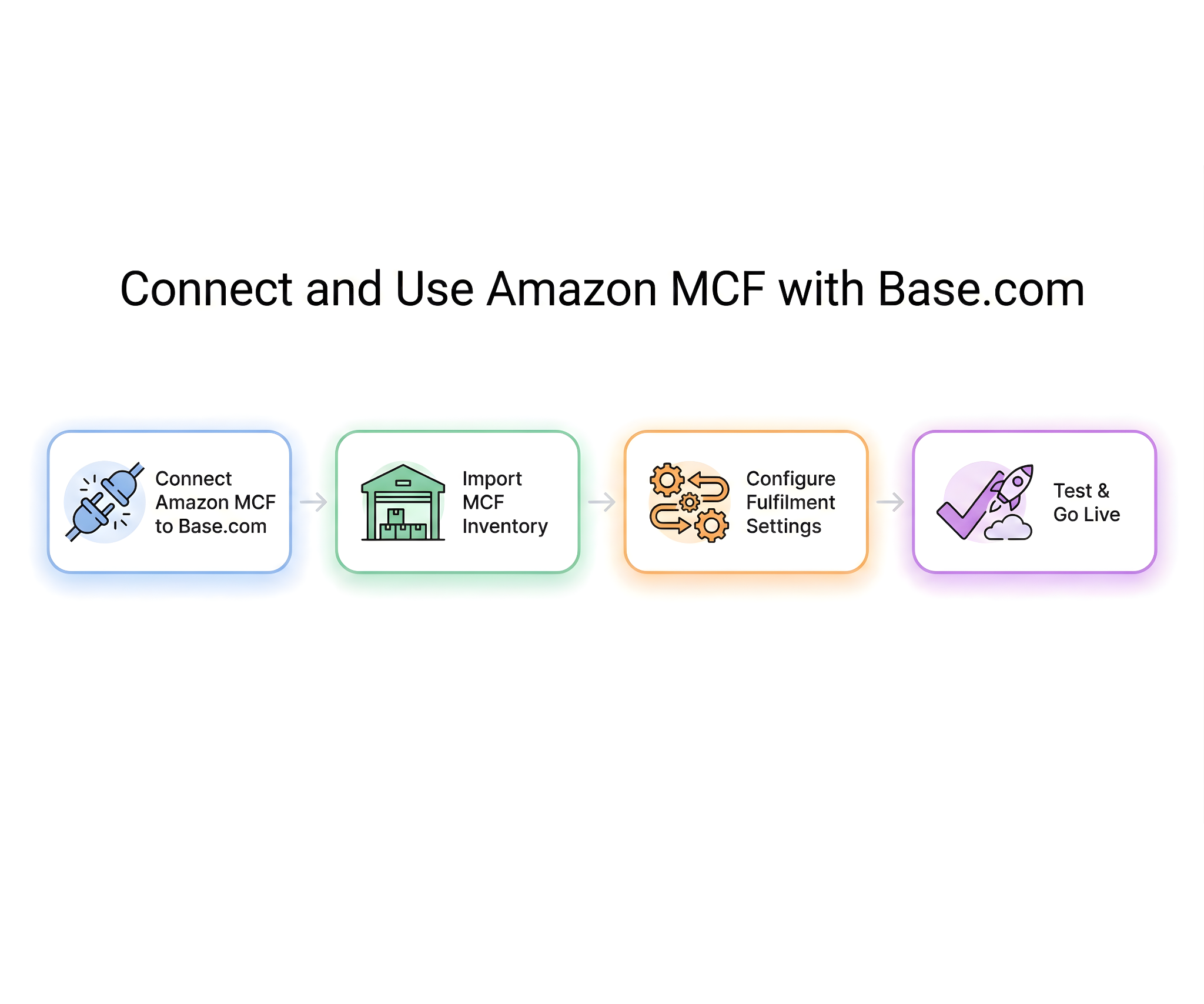
Step 1: Connect Amazon MCF to Base.com
- Go to the Integrations section in Base.com.
- Select Amazon MCF from the list of available integrations.
- Authorise access using your Amazon Seller Central credentials.
- Choose the Amazon marketplace(s) you want to connect with Base.
Step 2: Import MCF Inventory
- Select the MCF fulfilment centres you want to import inventory from (e.g., Amazon warehouses in different regions).
- Map Amazon SKUs to your existing Base products to ensure accurate stock levels and product listings.
- Define how MCF stock should be shared across your different sales channels, ensuring that inventory availability is correctly synced between Base and Amazon.
Tip: Use Base’s SKU mapping tools to avoid duplication and mismatches, ensuring seamless inventory updates.
Step 3: Configure Fulfilment Settings
- Set order fulfilment rules in Base that define:
- Which orders should be routed to Amazon MCF (e.g., all Amazon marketplace orders, all e-commerce store orders, etc.).
- Channel-specific routing (e.g., webstore orders → Amazon MCF).
- Backup fulfilment methods for orders in case MCF stock is unavailable.
- Test the settings by placing sample orders from various channels (Amazon and non-Amazon) to ensure that orders are routed as expected.
Step 4: Test & Go Live
- Place test orders from both Amazon and non-Amazon channels.
- Verify that inventory adjustments are correctly reflected in Base.
- Confirm that order status updates and tracking details are synced back to Base.
- Once the tests are successful, the integration is live, and the system will begin processing real orders.
Common Use Cases
1. Using Amazon MCF as a Multi-Channel Warehouse
Retailers can use Amazon’s fulfilment network to store all inventory and fulfil orders across multiple sales channels. Whether it’s Amazon marketplace orders or orders from webstores and other platforms, MCF can fulfil all of them from a centralised inventory pool, reducing warehousing costs and complexity.
Benefit: One inventory pool, reducing the need for multiple warehouses and lowering storage costs.
2. Scaling Without Operational Overhead
Small to medium-sized businesses can scale quickly without the need to invest in internal fulfilment capabilities. By centralising their operations in Base and offloading picking, packing, and shipping to Amazon, retailers can grow their business with predictable costs and faster fulfilment.
Benefit: Faster scaling without worrying about logistics infrastructure.
3. Preventing Stock Control Catastrophes
Base synchronises MCF inventory across all sales channels, reducing the risk of overselling, manual stock corrections, and order cancellations. This helps maintain consistent stock levels across platforms, improving the customer experience and preserving seller metrics.
Benefit: Enhanced stock control and a reduction in costly order cancellations.
4. Regional or International Fulfilment
Merchants with multiple Amazon fulfilment centres in different regions can route orders to the appropriate region-specific warehouse for more efficient fulfilment. This can also extend to international markets, allowing brands to manage global marketplaces from a single Base account.
Benefit: Global reach with centralised control and reduced shipping times.
Client Success Scenarios
The integration of Amazon MCF with Base.com has helped numerous brands streamline their operations and scale efficiently. Here are three real-world success scenarios demonstrating the power of this integration in different business contexts:
| Case | Challenge | Results |
| Case 1: Marketplace-First Brand Expansion | A marketplace-focused retailer expanded into direct-to-consumer (DTC) sales and needed fast, reliable fulfillment while keeping inventory centralized. | – No need for additional warehouse staff.
– Orders were fulfilled within Amazon’s Prime-level delivery times. – Centralised inventory management across all sales channels. |
| Case 2: Operational Simplification for a Growing Seller | A growing seller struggled with manual order processing across multiple channels, leading to inefficiencies and errors. | – Fully automated order routing.
– Near-zero overselling due to accurate inventory syncing. – Reduced support workload. |
| Case 3: Seasonal Scaling | A brand experienced seasonal demand spikes and needed to manage high-volume periods without overburdening its internal warehouse. | – No missed SLAs during high-volume periods.
– Consistent service levels with a flexible fulfilment strategy. |
Best Practices
- SKU Mapping Consistency: Ensure consistent SKU mapping across both Base and Amazon MCF to avoid inventory discrepancies.
- Monitor Inventory Thresholds: Regularly check MCF inventory levels and set alerts to prevent stockouts.
- Fulfilment Rules: Use fulfilment rules carefully to avoid mis-routed orders.
- Review Fulfilment Fees: Periodically review Amazon’s fulfilment fees to ensure they align with your margins.
- Test Changes: Always test any changes to fulfilment settings in a sandbox environment before applying them to live operations.
Troubleshooting & Support
If you encounter issues with the integration, check the following:
- SKU Mappings and Fulfilment Eligibility: Ensure that SKUs are correctly mapped and eligible for fulfilment.
- MCF Inventory Availability: Verify that sufficient inventory is available in Amazon MCF for fulfilment.
- Order Routing Rules: Review the fulfilment rules in Base to ensure they are configured properly.
For further assistance:
- Refer to Base integration documentation for detailed troubleshooting steps.
- Consult Amazon MCF’s operational guidelines for best practices.
- Contact Base support for integration diagnostics if needed.
Conclusion
The Amazon MCF integration with Base.com provides retailers with a powerful tool to centralise inventory and order management while leveraging Amazon’s fulfillment network. It enables streamlined, efficient operations across multiple sales channels, scaling businesses without operational complexity. Whether for small or large retailers, this integration delivers speed, accuracy, and control, ensuring that businesses can deliver high-quality service to customers while maintaining operational efficiency.
Click here to integrate Amazon Vendor Central.
FAQs
1. What is Amazon MCF and how does it work with Base.com?
Amazon Multi-Channel Fulfilment (MCF) is a fulfillment service provided by Amazon that allows retailers to store their inventory in Amazon’s fulfillment network and fulfill orders from various sales channels, including Amazon, webstores, and other marketplaces. By integrating MCF with Base.com, retailers can centralise inventory management and order routing, ensuring seamless fulfilment and shipping across all sales channels.
2. Can I use Amazon MCF to fulfil orders from multiple channels?
Yes, you can use Amazon MCF to fulfil orders from various sales channels, such as Amazon marketplaces, webstores, and other marketplaces like eBay and Walmart. The integration routes orders from all connected platforms to Amazon’s fulfilment network for processing, enabling you to centrally control your fulfilment operations.
3. Does Amazon MCF help with inventory management across multiple channels?
Absolutely! The integration allows you to synchronise inventory across all connected channels. Base imports MCF inventory and shares it across multiple sales channels, reducing the risk of overselling and enabling accurate, near-real-time stock updates.
4. How does the integration prevent overselling and stock issues?
5. Can I fulfill international orders using Amazon MCF?
Yes, Amazon MCF allows you to fulfil international orders by routing them to the nearest Amazon fulfilment centre based on the customer’s location. This helps businesses expand globally while managing inventory and fulfillment from a centralised Base.com account.
6. What happens if Amazon MCF runs out of stock for an order?
Configure backup fulfilment methods in Base to route orders to alternative fulfilment centres or internal warehouses when MCF stock runs out, so you can keep fulfilling orders even with low MCF inventory.