In order to list auctions, you must add shipping rates to the eBay platform.
Shipping templates configuration
- Create a shipping rate in your eBay account
- Then import them to the Base panel:In the eBay → Shipping templates section, click the green “Refresh shipping templates” button.
A list of all shipping templates will then appear in the table below. Since it is possible to connect more than one eBay account, each shipping template is accompanied by information about which account it is assigned to.

Default shipping template
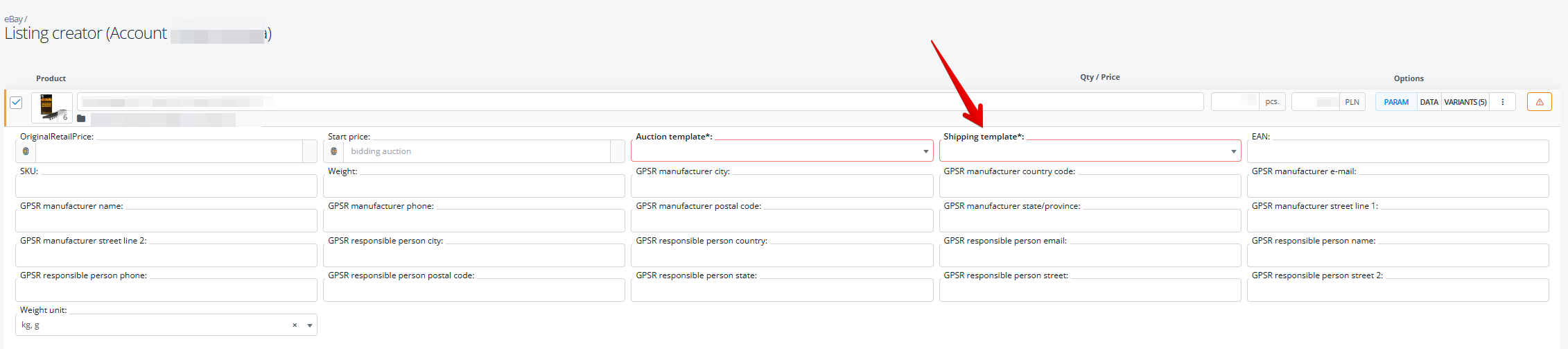
You can select the shipping template directly on the listing form in the “shipping template” parameter. You can also configure Base.com so that the shipping template will be filled automatically.
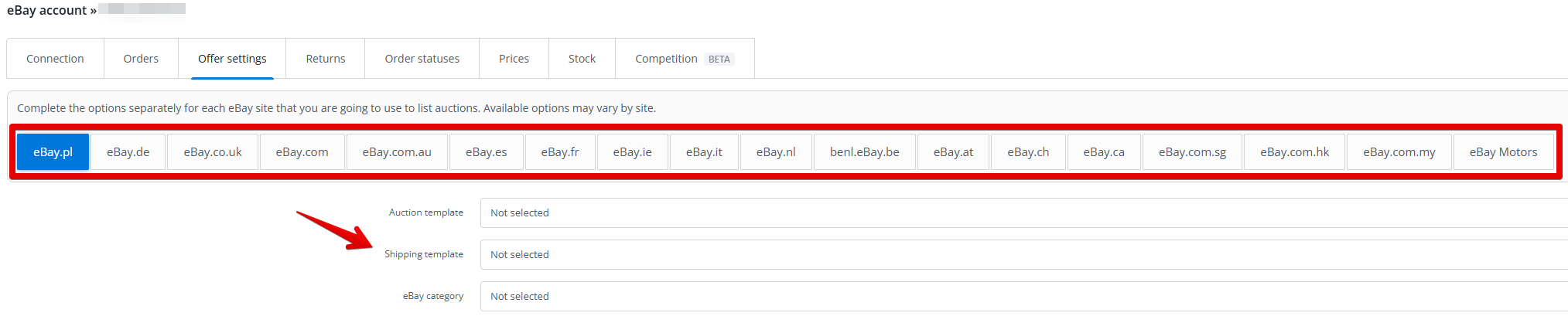
You can also configure Base.com to automatically set your shipping templates. You can set the default shipping template in three places:
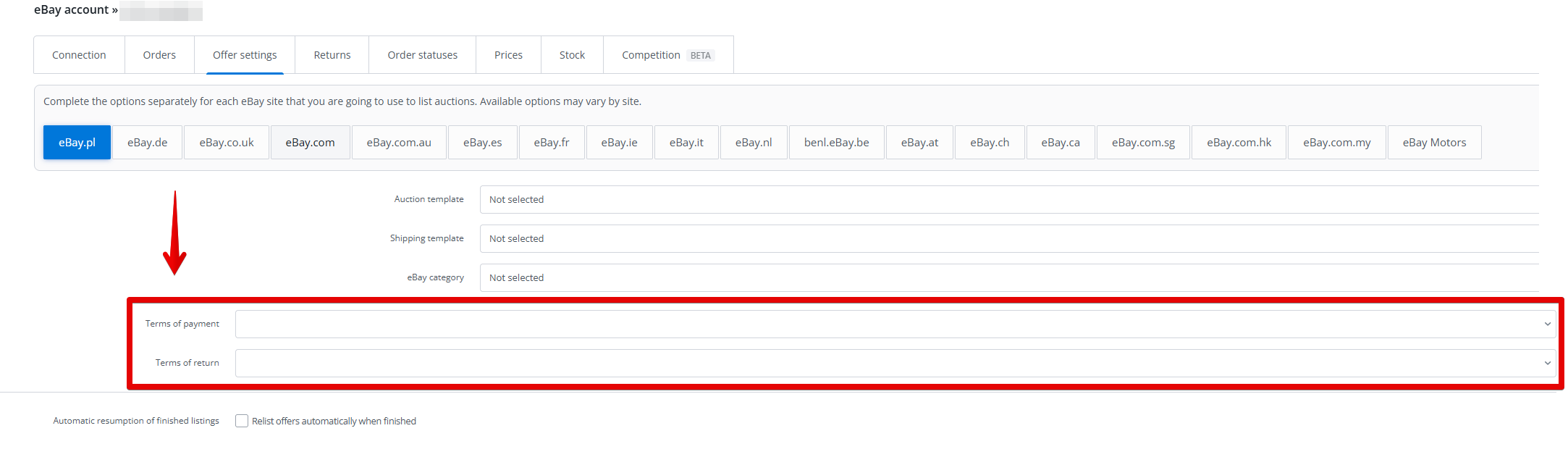
- You can configure the default shipping templates for a selected eBay account in the Integrations → eBay Accounts → Settings → Offer Settings section.
- You can configure the default shipping template for selected categories in the inventory in the eBay section → Associations → Assign to categories.
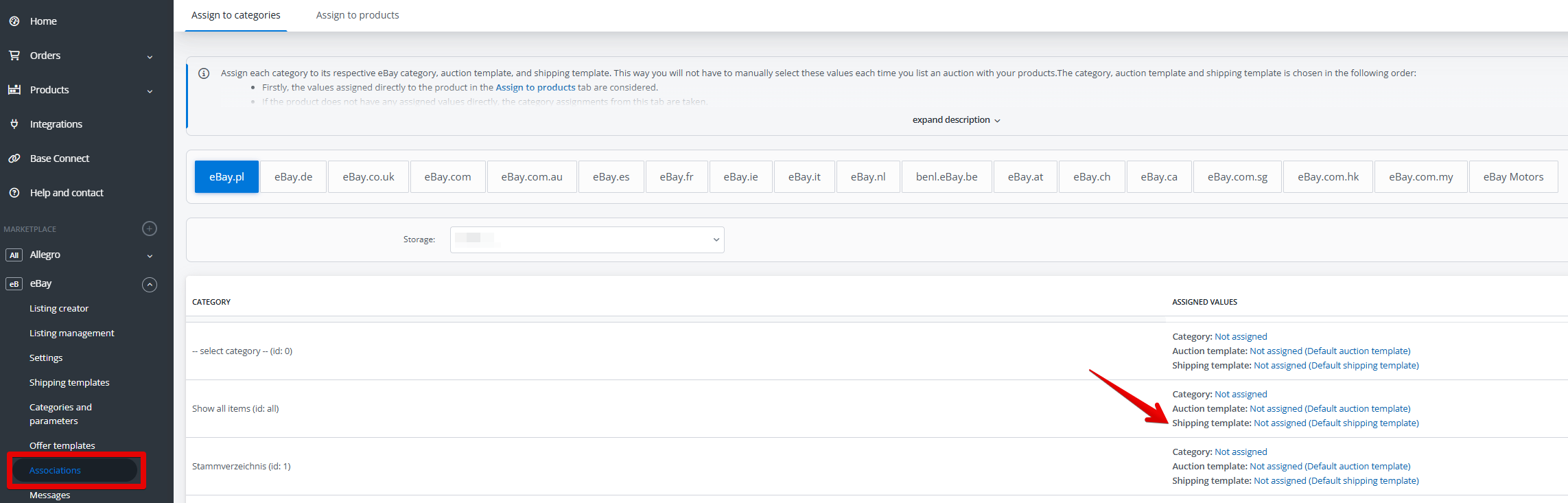
- You can configure the default shipping template for specific products in the eBay section → Associations → Assign to products.
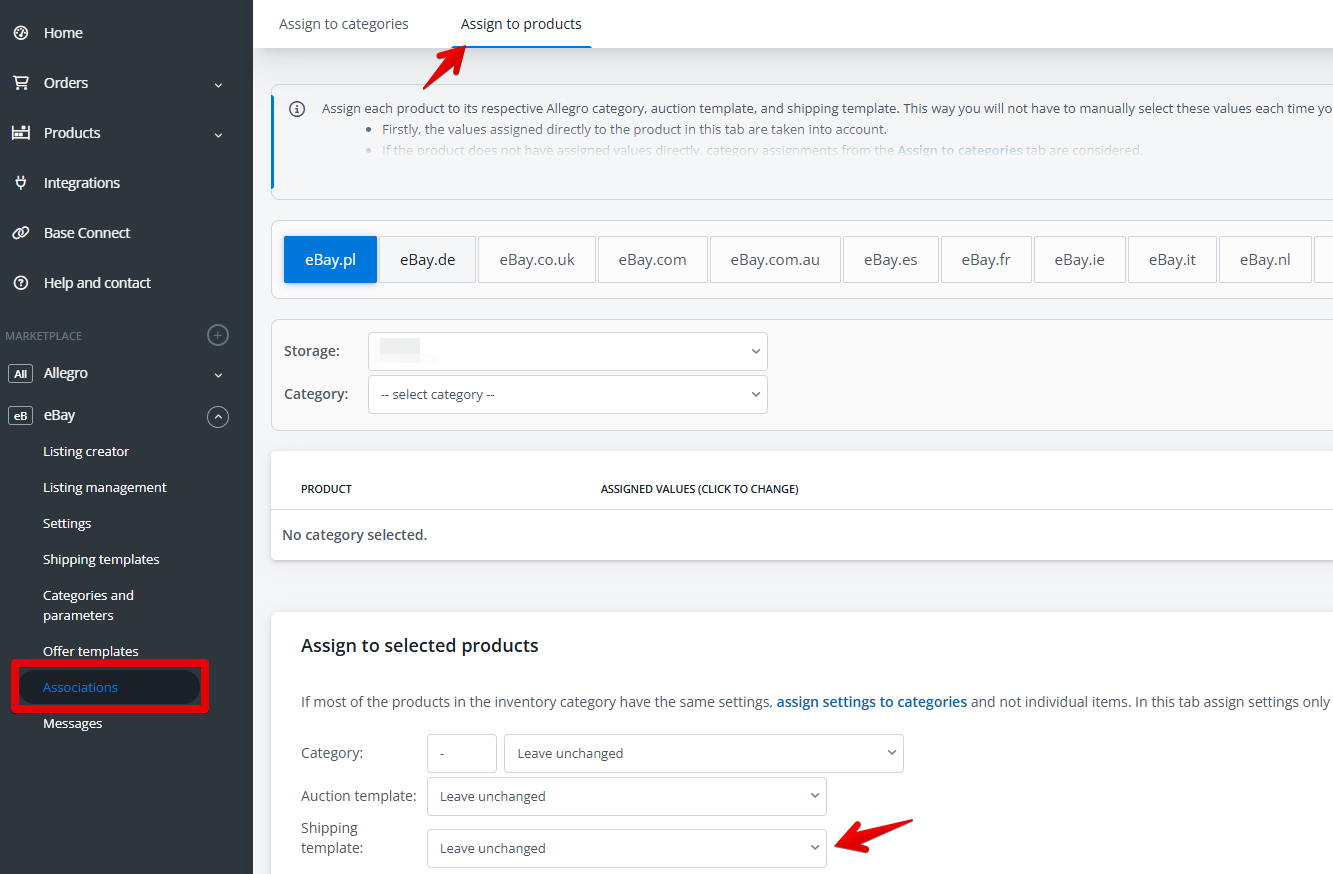
If a given product does not have a shipping template assigned in the “Associations” section, the shipping template assigned to the entire eBay account will be used when listing. You can also manually select the shipping template from the list during listing an auction.
Shipping template update
All eBay shipping templates will be automatically downloaded when you first connect your eBay account.
If you add new shipping template to your eBay account or rename existing shipping template, remember to refresh the shipping templates in the Base.com panel, in the eBay → Shipping templates → Refresh shipping templates.
If the shipping template still does not update, try refreshing your account connection.

Shipping templates update on offer
If you change values the shipping templates on eBay side , this information will automatically be updated in all listings to which this shipping template is assigned 🙂
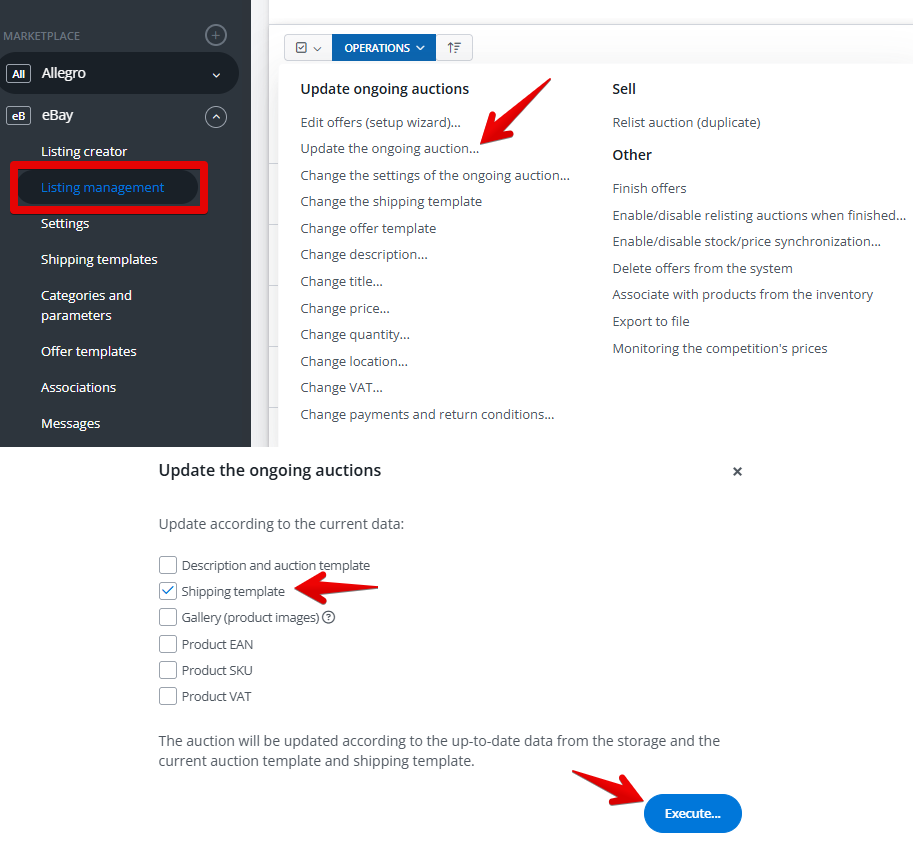
You can change the shipping template for your listings using bulk operations:
- First, you need to change the shipping template in the Base panel.
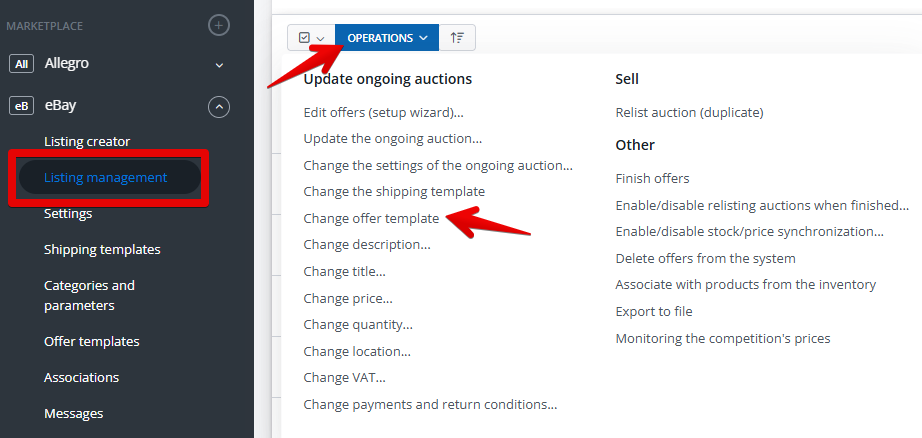
- Then update the offer on eBay.