Integrating NimbusPost with Base allows Indian D2C brands, marketplace sellers, and high-volume e-commerce operators to manage multi-courier shipping from a single operations dashboard. Once the integration is live, sellers can generate shipping labels instantly, automate order dispatch, schedule courier pickups, and sync tracking updates across marketplaces without manual effort.
This guide explains the NimbusPost Courier Integration with Base in detail. It covers the complete setup process, API configuration, testing steps, recommended defaults, automation features, and best practices for scaling shipping operations across India.
Why Integrate NimbusPost with Base?
NimbusPost provides access to multiple domestic courier partners through a single account, enabling sellers to compare rates, manage serviceability, and optimize delivery performance without maintaining multiple courier contracts.
When NimbusPost is integrated with Base, sellers gain a unified fulfillment workflow that connects orders, shipping, tracking, and marketplaces in one place.
Centralized shipping operations from one dashboard
All shipments routed via NimbusPost can be created, labeled, and tracked directly inside Base, eliminating the need to switch between systems.
Faster dispatch with automated label generation
Orders can be converted into shipments instantly, with labels generated automatically using order data such as address, weight, and dimensions.
Automatic tracking sync with marketplaces
Tracking numbers and shipment statuses are pushed automatically to marketplaces like Amazon, Flipkart, and eBay, helping sellers stay compliant with SLA requirements.
Multi-warehouse and multi-pincode support
Sellers can configure multiple pickup locations under a single NimbusPost account, allowing smooth fulfillment from different cities or warehouses.
Reduced fulfillment errors at scale
Automation removes manual data entry, minimizing issues related to incorrect addresses, missing weights, or delayed dispatch updates.
This integration is especially valuable for Indian sellers handling high daily order volumes, marketplace-heavy operations, and rapid growth.
Prerequisites Before You Start
Before setting up NimbusPost integration with Base, ensure the following are in place:
- An active NimbusPost business account
- API access enabled in NimbusPost
- Approved pickup address and completed KYC in NimbusPost
- Admin-level access to the Base dashboard
NimbusPost supports self-serve API credential generation, so there is no need to contact any courier account manager for credentials.
How to Generate NimbusPost API Credentials
NimbusPost allows sellers to generate API credentials directly from their dashboard.
- Log in to your NimbusPost account
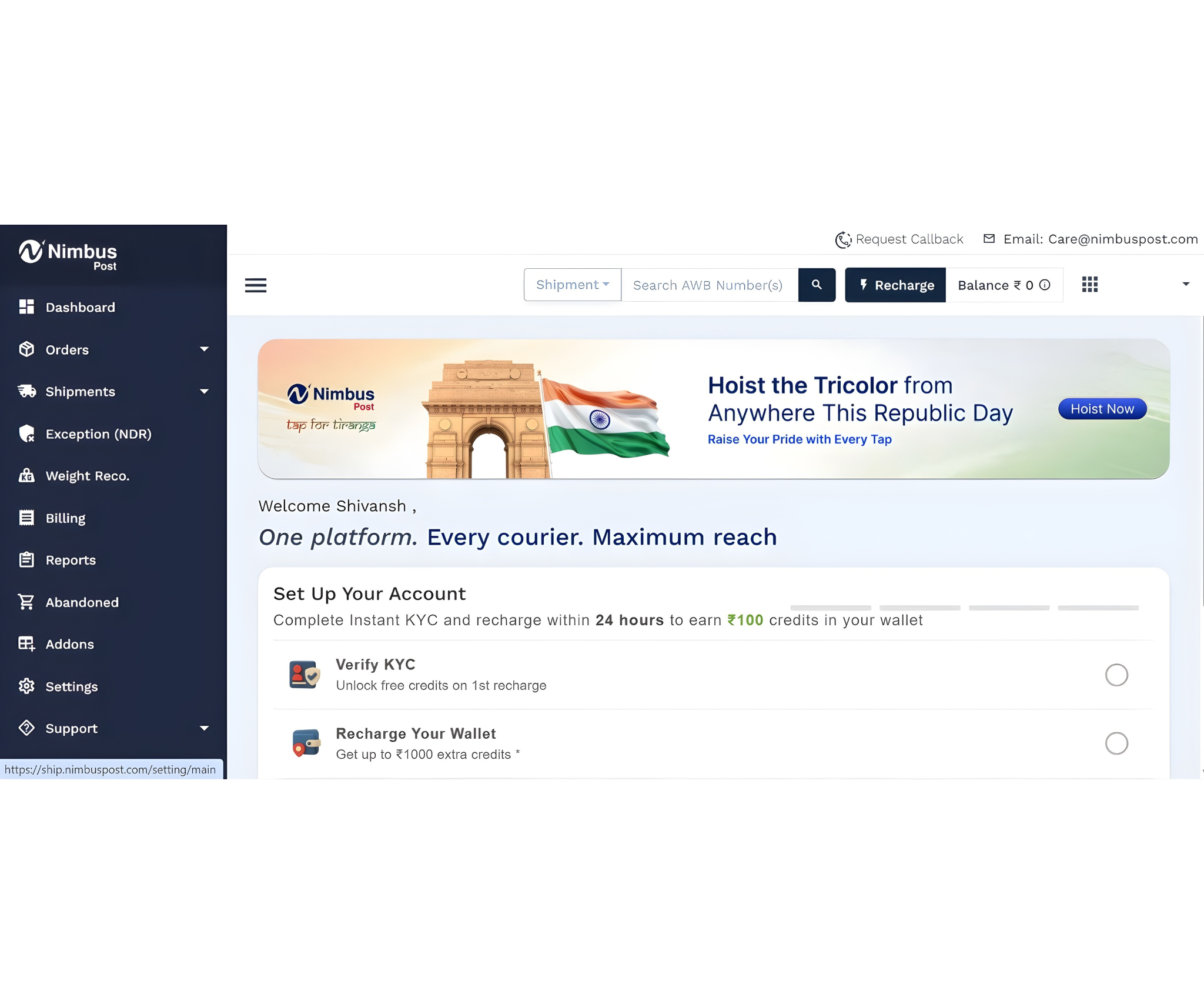
- Navigate to Settings
- Click on API
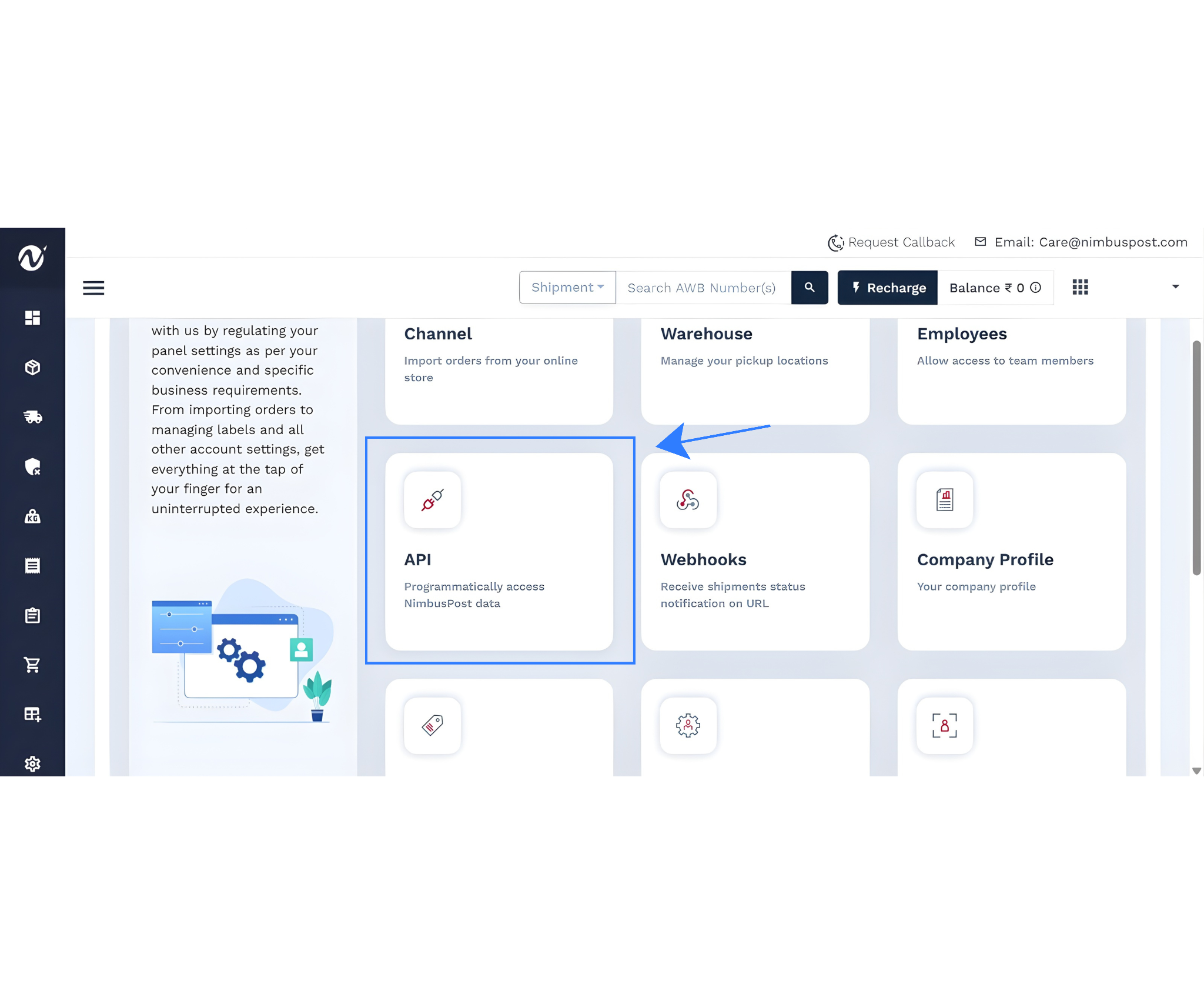
- Go to API Credentials
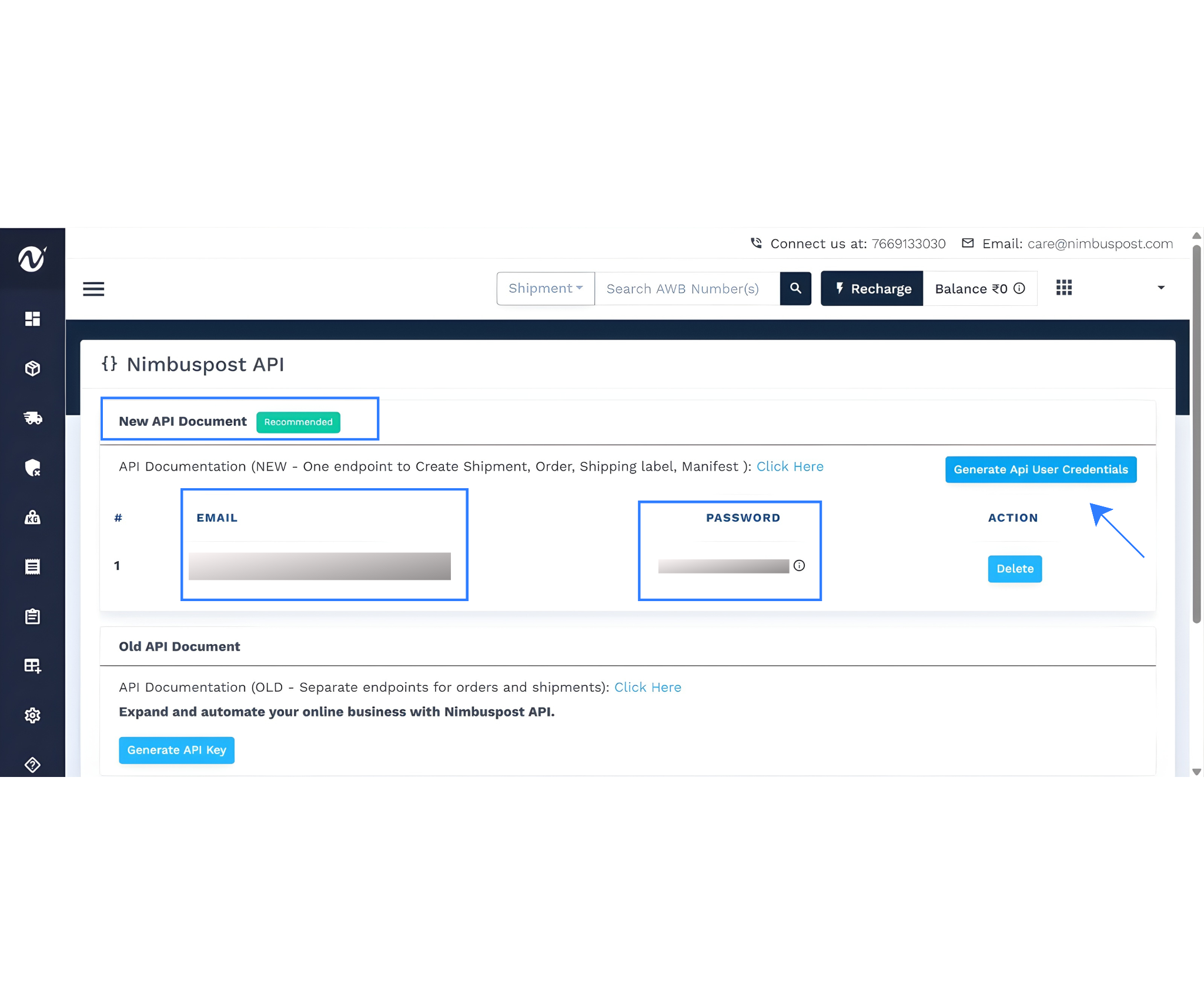
- Generate your API Key and API Secret
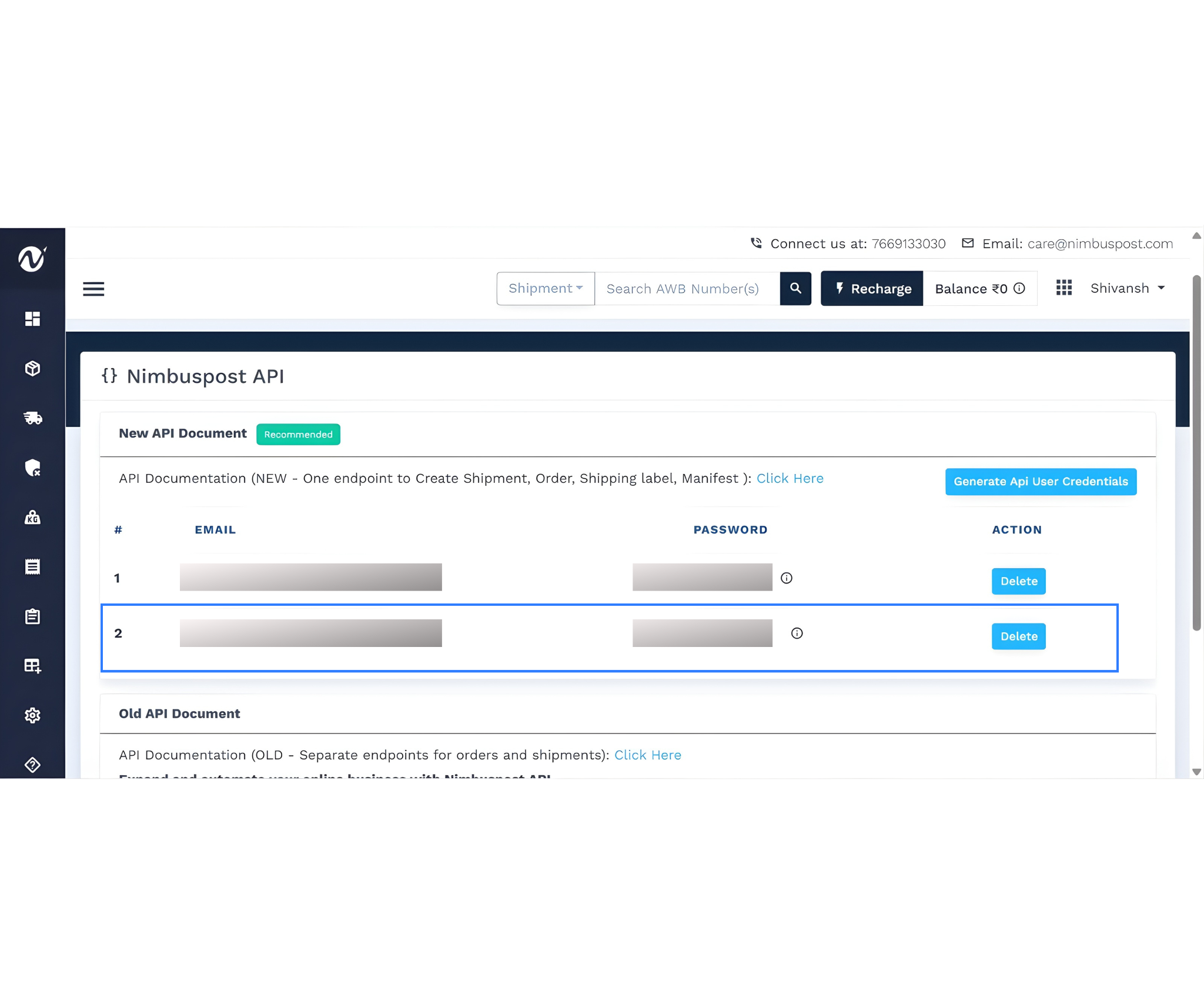
These credentials are required to authenticate NimbusPost inside Base.
Step 1: Open the Integrations Panel in Base
Log in to your Base account using admin credentials. From the main dashboard menu, navigate to Integrations, which serves as the central hub for managing courier, marketplace, and platform connections.
Click Add Integration to open the integrations marketplace.
Step 2: Search and Select NimbusPost
Inside the integrations marketplace:
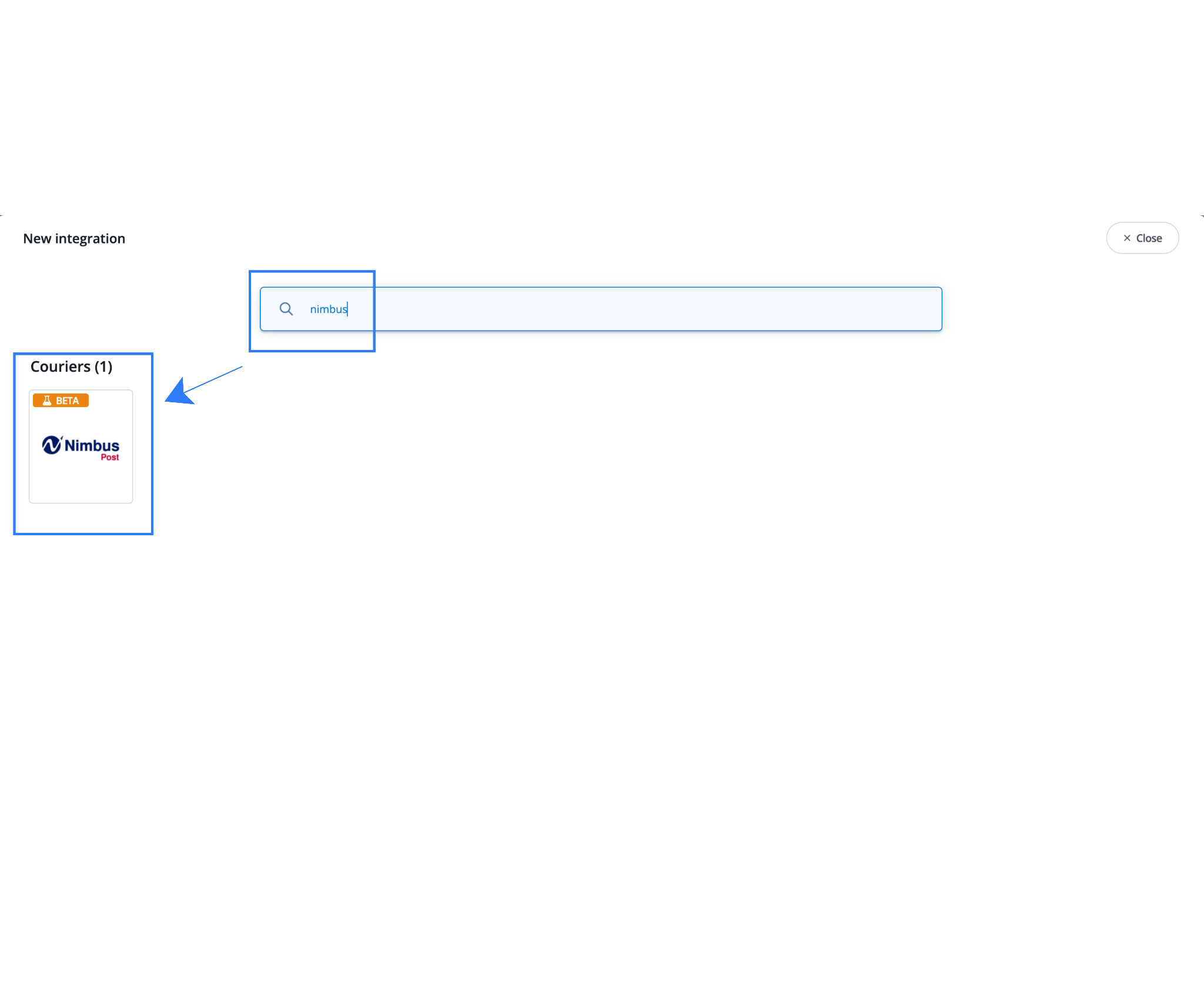
- Search for NimbusPost
- Select the official NimbusPost integration
Selecting the official integration ensures Base connects directly to NimbusPost’s supported APIs for shipment creation, label generation, pickup scheduling, and tracking updates.
Step 3: Enter NimbusPost Account Credentials
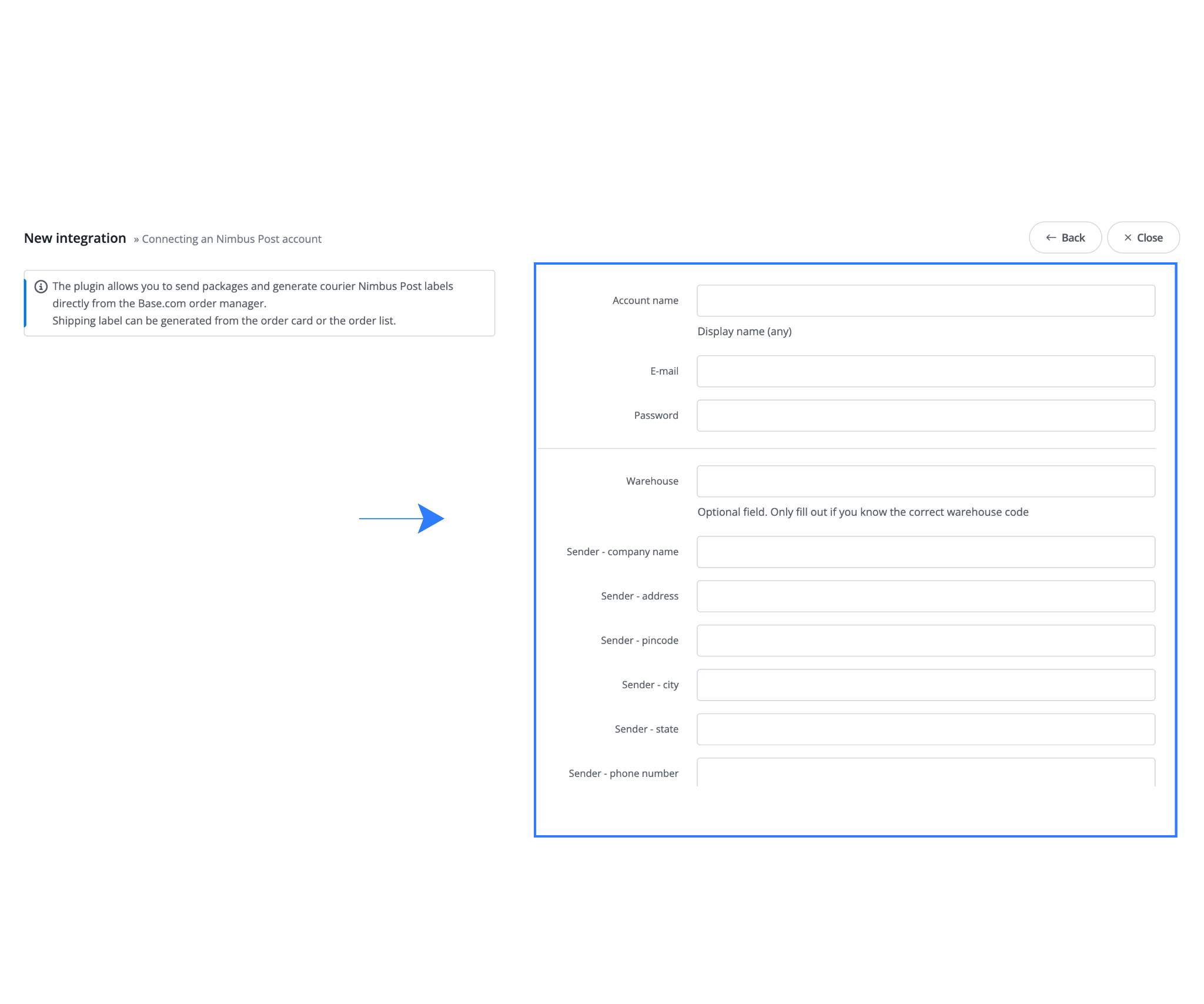
After selecting NimbusPost, the setup form will open.
Required Fields
- Account Name (Internal Reference): Used internally in Base to identify this NimbusPost integration, especially useful if multiple accounts or warehouses are configured.
- Display Name: The courier name visible during dispatch inside Base.
- API Key: Generated from NimbusPost under Settings → API.
- API Secret: Secure token used to authenticate communication between Base and NimbusPost.
- Registered Email Address: Must match the email associated with your NimbusPost account.
Step 4: Configure Sender and Shipment Defaults
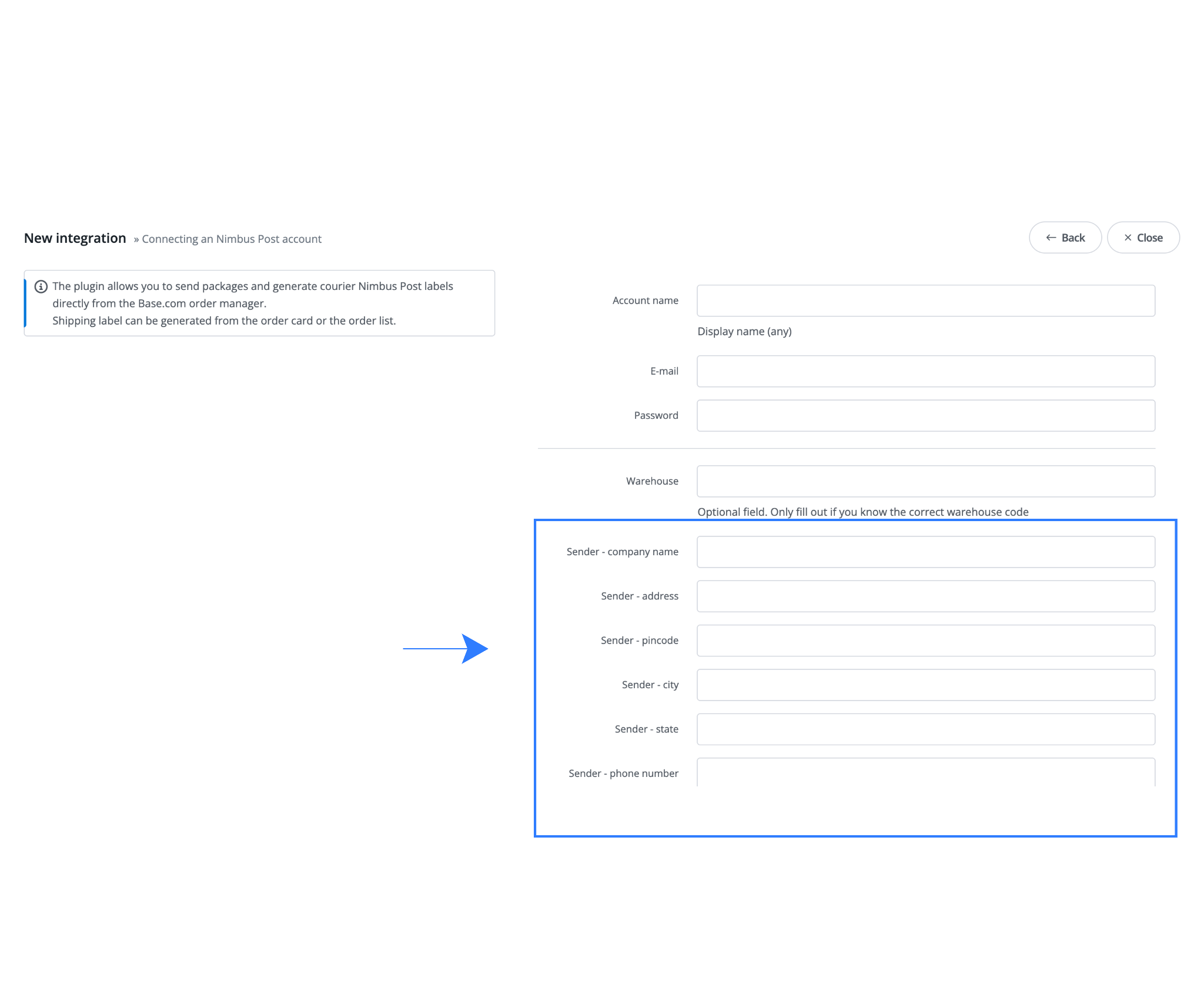
These settings define how shipments are created and labeled.
Sender Details
- Sender Name: The brand or legal entity name that appears on shipping labels.
- Pickup Address: Must exactly match the approved pickup address in NimbusPost to avoid pickup failures.
- Contact Number: Used by courier pickup personnel for coordination.
- GST Details: Required for compliant interstate shipping within India.
Package Defaults
- Default Package Weight: Used only if product-level weights are missing.
- Parcel Dimensions: Standard box dimensions help speed up bulk shipment creation.
Configuring these defaults improves accuracy and reduces repetitive data entry.
Step 5: Save and Activate the Integration
Once all details are verified:
- Click Save
- Base validates NimbusPost credentials in real time
- Upon successful verification, the integration becomes active
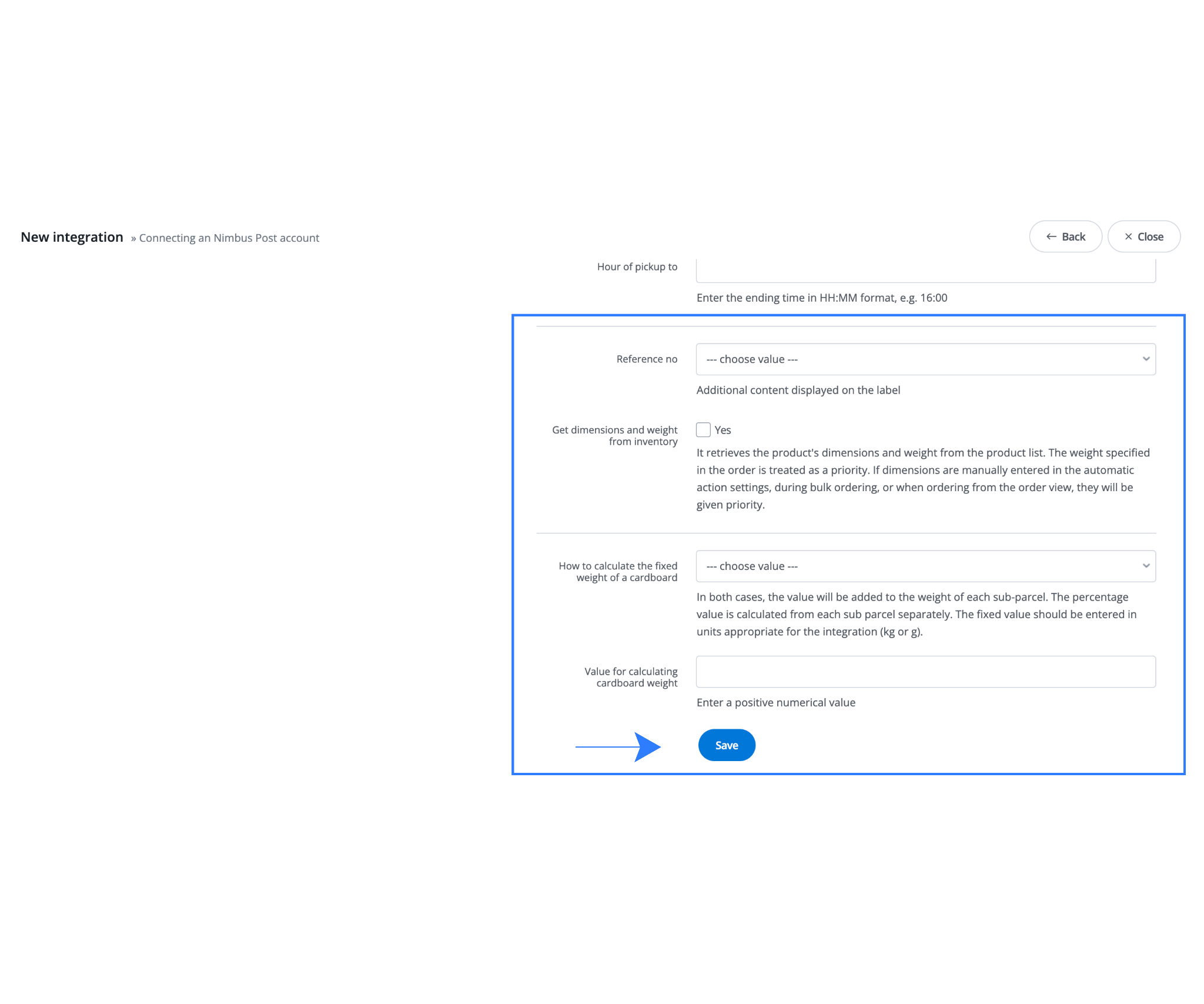
NimbusPost will now appear as a selectable courier option during order dispatch.
Step 6: Testing Your First NimbusPost Shipment
Before going live, testing is strongly recommended.
- Go to Orders in Base
- Open a test or low-risk order
- Click the courier or dispatch icon
- Select NimbusPost
- Confirm package weight and dimensions
- Click Send Package
Base generates a shipping label via NimbusPost. Review the label to confirm pickup address, customer details, and shipment information.
Recommended Default Settings in Base
- Maintain accurate product weights in the catalog
- Create saved size and weight templates for common cartons
- Enable automatic pickup scheduling
- Use courier allocation or priority rules if available
These defaults reduce manual intervention and dispatch delays.
Advanced Features for Growing Brands
As order volumes increase and fulfillment operations become more complex, manual shipping workflows begin to break down.
Base provides advanced automation and control features that help fast-growing brands scale dispatch, maintain marketplace compliance, and manage multi-location fulfillment without adding operational overhead.
These features are designed to support high-volume shipping while improving speed, accuracy, and customer experience.
| Feature | What It Does | Operational Benefit |
| Bulk Shipping | Generate shipping labels for hundreds of orders in a single batch from Base | Cuts daily dispatch time drastically during high-volume days |
| Marketplace Sync | Automatically sync tracking numbers and shipment status with connected marketplaces | Improves marketplace SLA compliance and protects account health |
| Automated Customer Notifications | Sends WhatsApp or email updates when shipment statuses change | Reduces “Where is my order?” support tickets |
| Multi-Warehouse Fulfillment | Manage multiple pickup locations under one NimbusPost integration | Enables scalable, multi-city fulfillment without added complexity |
Common Mistakes to Avoid
Common issues during NimbusPost integration typically arise from configuration oversights rather than system limitations. Entering incorrect API credentials can prevent successful authentication and stop shipments from being created altogether. Using pickup addresses that are not approved or do not exactly match NimbusPost records often leads to pickup failures and dispatch delays. Skipping test shipments before going live increases the risk of label errors, incorrect shipment data, and operational disruptions during live dispatch. Additionally, leaving package weight or dimensions blank during bulk shipping can result in incorrect rate calculations, courier allocation failures, or shipment rejections. Addressing these areas during setup ensures smoother day-to-day operations, reliable pickups, and significantly fewer courier escalations as fulfillment volumes grow.
Bottom Line
Base is a centralized e-commerce operations platform built for Indian sellers. By integrating NimbusPost with Base, merchants can automate shipping, generate labels instantly, sync tracking with marketplaces, and manage fulfillment from a single dashboard.
This integration eliminates manual processes, reduces operational errors, and enables scalable shipping operations as order volumes grow.
Click here, to integrate Amazon Seller Flex with Base.com today.
Frequently Asked Questions (FAQs)
1. Can I use multiple courier partners through NimbusPost in Base?
Yes. NimbusPost is a courier aggregation platform, and once integrated with Base, sellers can access and manage multiple courier partners supported by NimbusPost from a single dashboard without setting up separate integrations for each courier.
2. Do I need to contact NimbusPost support to get API credentials?
No. NimbusPost supports self-serve API access. Sellers can generate their API Key and API Secret directly from the NimbusPost dashboard under Settings → API → API Credentials, without contacting any account manager.
3. Does NimbusPost integration with Base support marketplaces like Amazon and Flipkart?
Yes. Base automatically syncs NimbusPost tracking numbers and shipment status updates with connected marketplaces such as Amazon, Flipkart, and eBay. This helps sellers stay compliant with marketplace SLA and dispatch requirements.
4. Can I ship orders from multiple warehouses using a single NimbusPost account?
Yes. Base allows sellers to configure multiple pickup locations under the same NimbusPost integration. This makes it easy to manage multi-city or multi-warehouse fulfillment while keeping all operations centralized.
5. What should I do if shipments fail after integration?
If shipments fail, first verify that the API credentials entered in Base are correct and active. Ensure the pickup address matches the approved address in NimbusPost exactly and confirm that package weight and dimensions are provided. Running a test shipment can help identify configuration issues. If problems persist, Base support can assist with guided troubleshooting.