Integrating Shadowfax with Base allows Indian sellers to manage last-mile deliveries, shipping labels, pickups, returns, and tracking from a single operational dashboard.
Shadowfax is widely known for its strong last-mile network across metro, Tier-2, and emerging cities in India. When connected with Base, sellers can automate fulfillment workflows, reduce manual courier handling, and maintain accurate tracking across D2C websites and marketplaces.
This guide explains the Shadowfax Courier Integration with Base in detail. It covers:
- Core use cases
- Benefits for D2C and marketplace sellers
- Step-by-step Shadowfax setup inside Base
- Weight, pickup, and return configuration
- Common operational scenarios
- Best practices for scaling last-mile delivery operations in India
Why Integrate Shadowfax with Base?
Shadowfax specializes in fast, reliable last-mile delivery, particularly for:
- Same-day or next-day delivery use cases
- High-density urban deliveries
- Tier-2 and Tier-3 city fulfillment
- COD-heavy order flows
However, managing Shadowfax shipments directly through courier dashboards or spreadsheets creates friction as order volumes grow.
When Shadowfax is integrated with Base, sellers gain a centralized fulfillment system where orders, shipping, and tracking move together without repetitive manual work.
Key Benefits of Shadowfax + Base Integration
The Shadowfax and Base integration is designed to simplify last-mile logistics for Indian sellers while improving speed, accuracy, and scalability. Instead of managing orders and couriers in separate systems, sellers can control the entire shipping workflow from one place. This results in faster dispatch, fewer errors, and better delivery performance as order volumes grow.
1. End-to-end shipping automation
Orders imported into Base can be converted into Shadowfax shipments with minimal clicks. Labels, pickup details, and tracking are generated automatically, reducing dispatch time.
2. One-click shipping label generation
Sellers no longer need to log in to Shadowfax separately. Labels are generated directly from the Base order panel using saved shipment defaults.
3. Accurate pickup and return address management
Base allows separate configuration for pickup and return addresses, ensuring smoother forward and reverse logistics.
4. Multi-channel order handling
Shadowfax shipments can be used across:
- D2C platforms like Shopify
- Marketplaces such as Amazon, Flipkart, and others
All orders are managed from one interface instead of multiple systems.
5. Reduced last-mile errors
By pulling order, address, and weight data directly from Base, sellers reduce common mistakes such as incorrect PIN codes, missing contact details, or wrong chargeable weight.
This integration is especially useful for Indian brands that rely heavily on last-mile speed and customer experience.
Who Should Use Shadowfax with Base?
The Shadowfax and Base integration is ideal for Indian sellers who rely on fast, dependable last-mile delivery and want to simplify daily shipping operations. It is especially useful for businesses managing high order volumes, COD-heavy shipments, or deliveries across metro and Tier-2 cities. Sellers looking to reduce manual effort while maintaining delivery performance will benefit most from this integration.
1. D2C Brands Focused on Fast Local Delivery
Brands selling directly through their own website benefit from:
- Faster dispatch cycles
- Automatic label creation
- Real-time tracking updates for customers
- Lower operational overhead during high-order days
Shadowfax’s last-mile strength combined with Base automation improves delivery speed and reliability.
2. Marketplace Sellers Handling Self-Ship Orders
Marketplace sellers shipping orders themselves (non-FBA, non-Flipkart Fulfilled) can:
- Generate Shadowfax labels directly from Base
- Sync tracking updates automatically
- Maintain marketplace SLA compliance
This is critical during sales when delayed updates often result in penalties.
3. Sellers Operating in Tier-2 and Emerging Cities
Shadowfax has strong coverage in cities such as Indore, Surat, Kochi, and other fast-growing hubs.
Base allows sellers to:
- Validate serviceable PIN codes
- Configure city-specific pickup addresses
- Avoid dispatch failures due to non-serviceable locations
4. Brands with COD-Heavy Order Mix
Shadowfax supports both COD and prepaid shipments, making it suitable for Indian markets where COD is still dominant.
Base ensures:
- Correct COD tagging
- Accurate order value mapping
- Seamless tracking for COD shipments
5. Operations Teams Scaling Without Adding Manpower
As daily order volume grows, manual courier handling becomes a bottleneck.
With Base + Shadowfax:
- Bulk label generation reduces manual effort
- Weight logic automates billing accuracy
- Pickup scheduling becomes consistent
- Fewer people are needed to manage more orders
Who Should Use Shadowfax with Base?
Before starting the integration, ensure the following are ready:
- An active Shadowfax business account
- Access to the Client Secret details
- Pickup address details that Shadowfax services
- Valid GSTIN for tax-compliant shipping
- Admin access to the Base dashboard
Ensuring this information upfront avoids setup delays and dispatch issues later.
Step-by-Step: Connecting Your Shadowfax Account in Base
Setting up Shadowfax in Base is a straightforward process and takes only a few minutes if your account details are ready. This setup connects your Shadowfax business account directly with Base, allowing you to generate labels, manage pickups and returns, and track shipments without switching systems. Following the steps below ensures the integration is configured correctly and ready for daily operations.
Step 1: Go to Integrations → Add Integration
Log in to your Base admin panel.
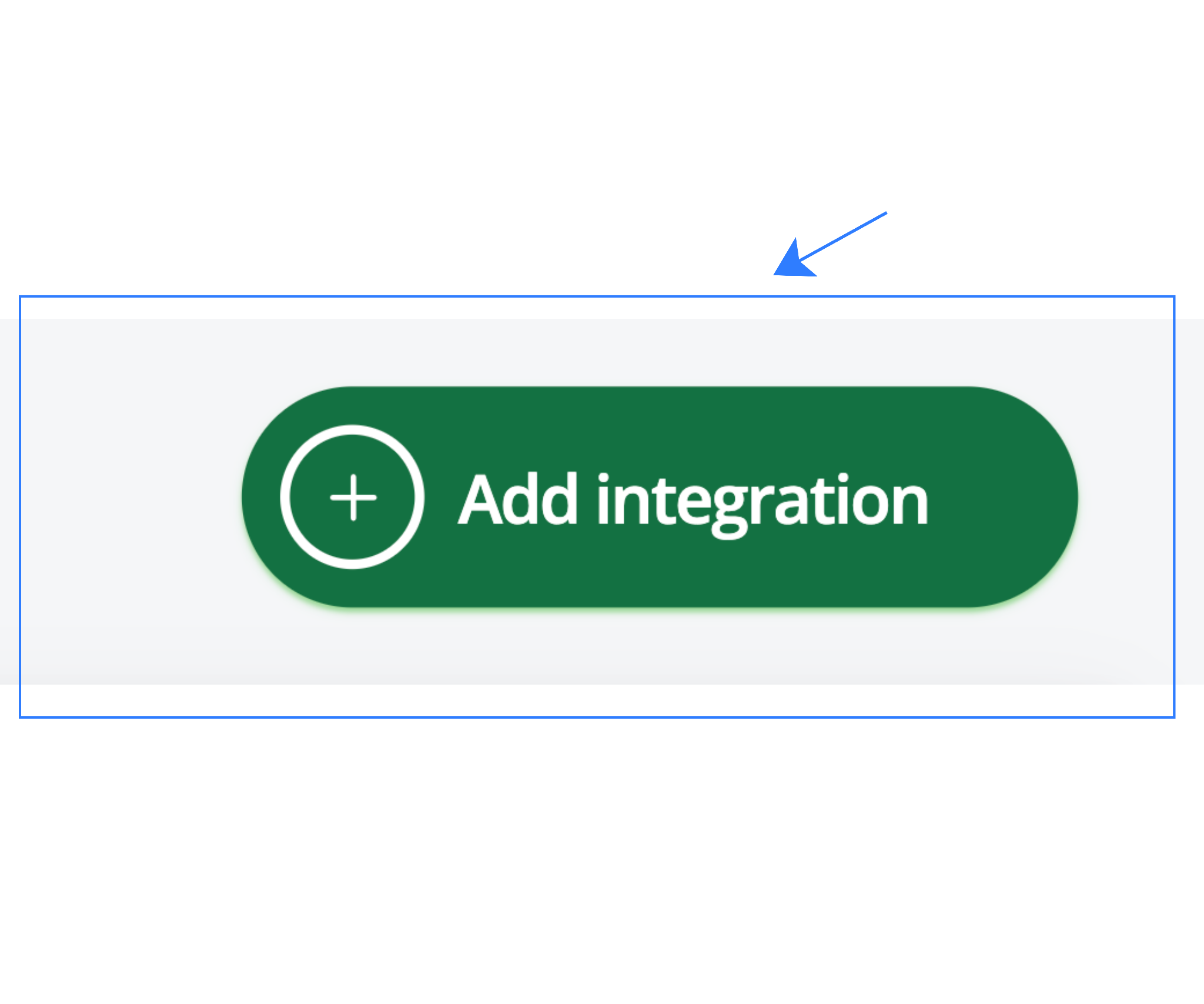
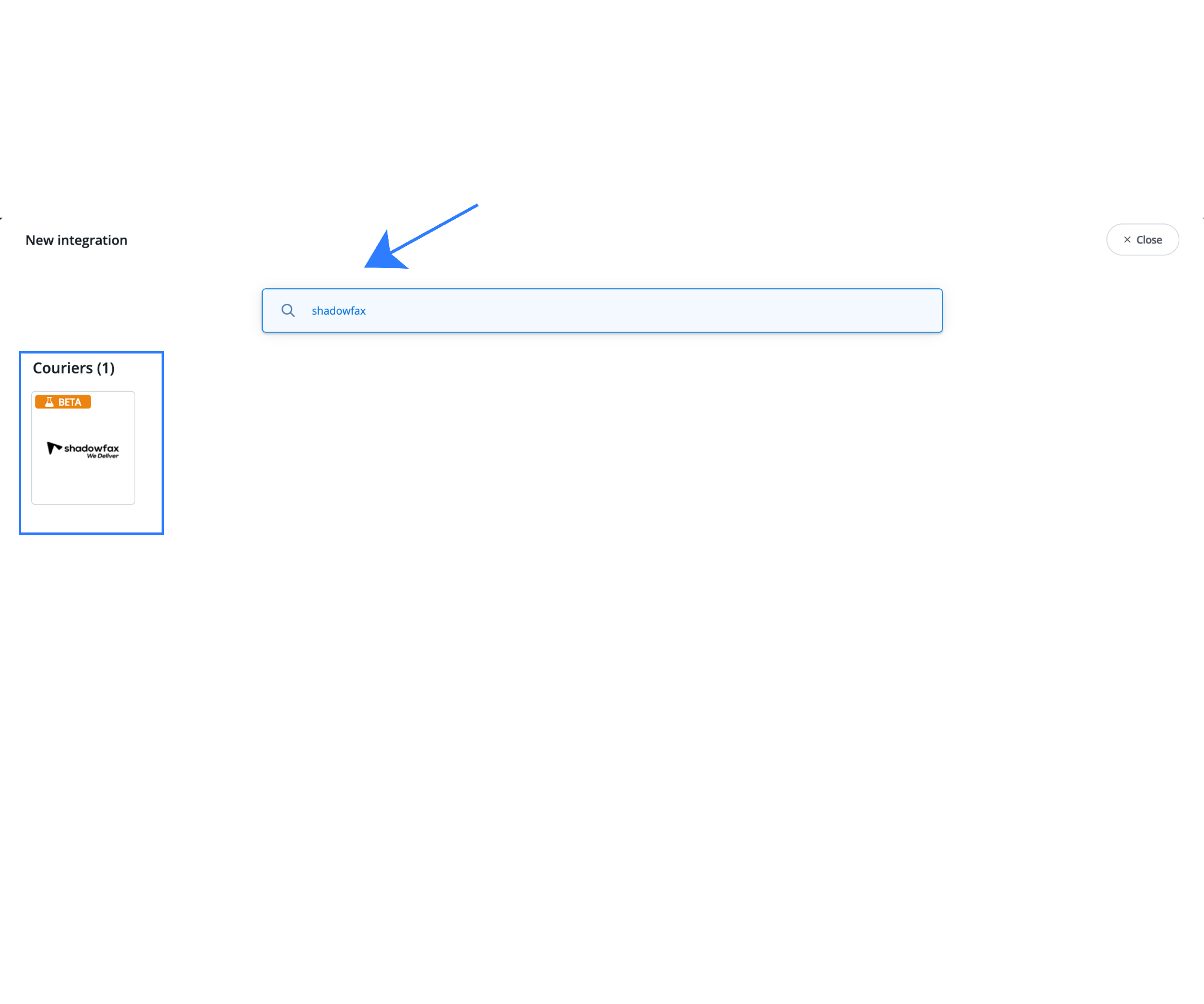
Navigate to Integrations from the main menu and click Add Integration to open the list of supported couriers.
Search for and select Shadowfax.
Step 2: Fill in Shadowfax Account Details
Enter the following information:
1. Account Name: Any internal reference name (for example: “Shadowfax India”).
2. Client Secret: This is the API credential obtained from your Shadowfax Team/ KAM.
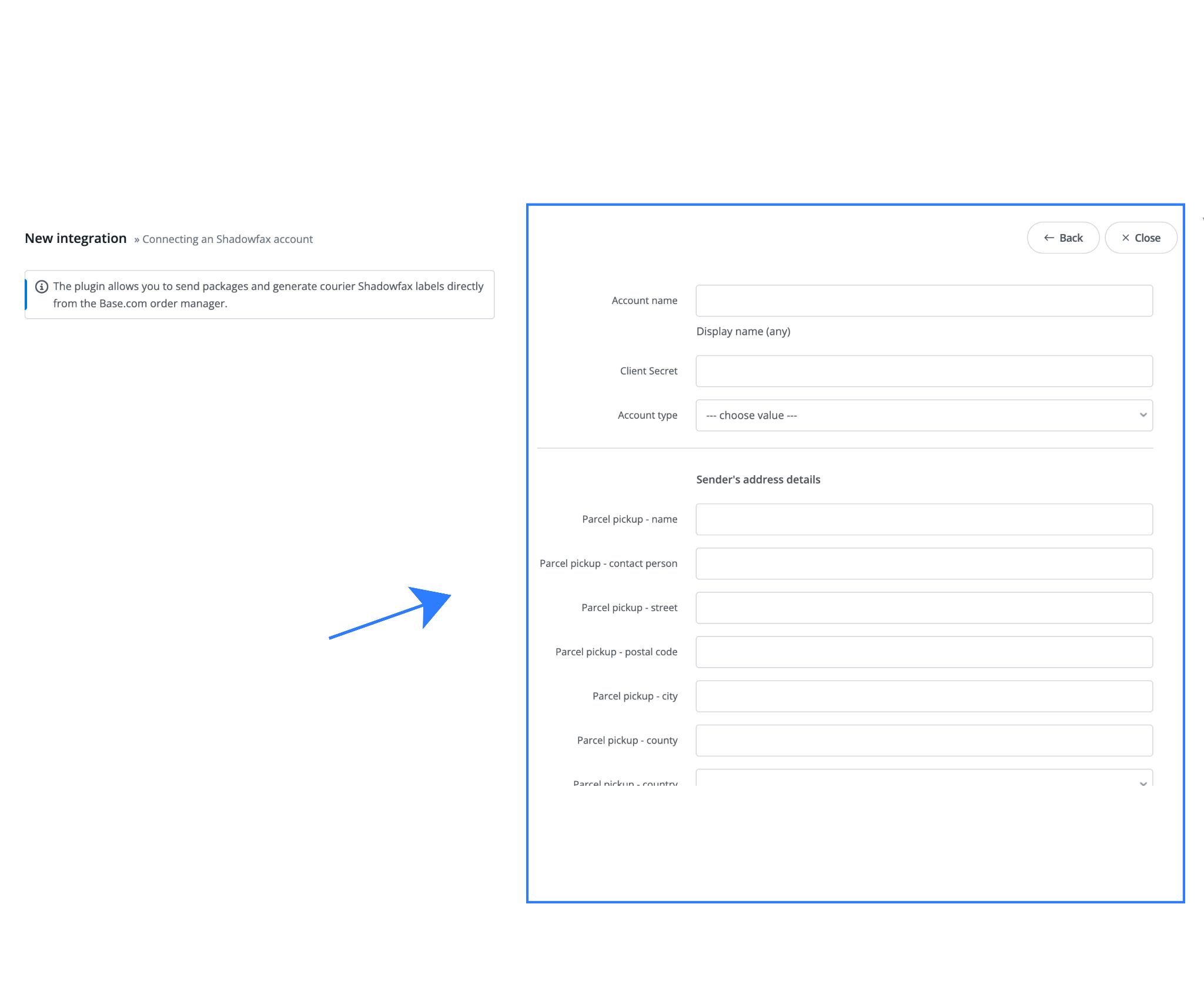
These credentials allow Base to securely communicate with Shadowfax for label generation and tracking. Connect to your Shadowfax team for the API credentials.
Step 3: Parcel Pickup (Sender’s) Address Configuration
Accurate pickup details are critical for successful dispatch.
Fill in the following:
- Parcel pickup name: Business or warehouse name
- Contact person: Responsible person at the pickup location
- Street address, PIN code, City, County: Full address matching the serviceable PIN code
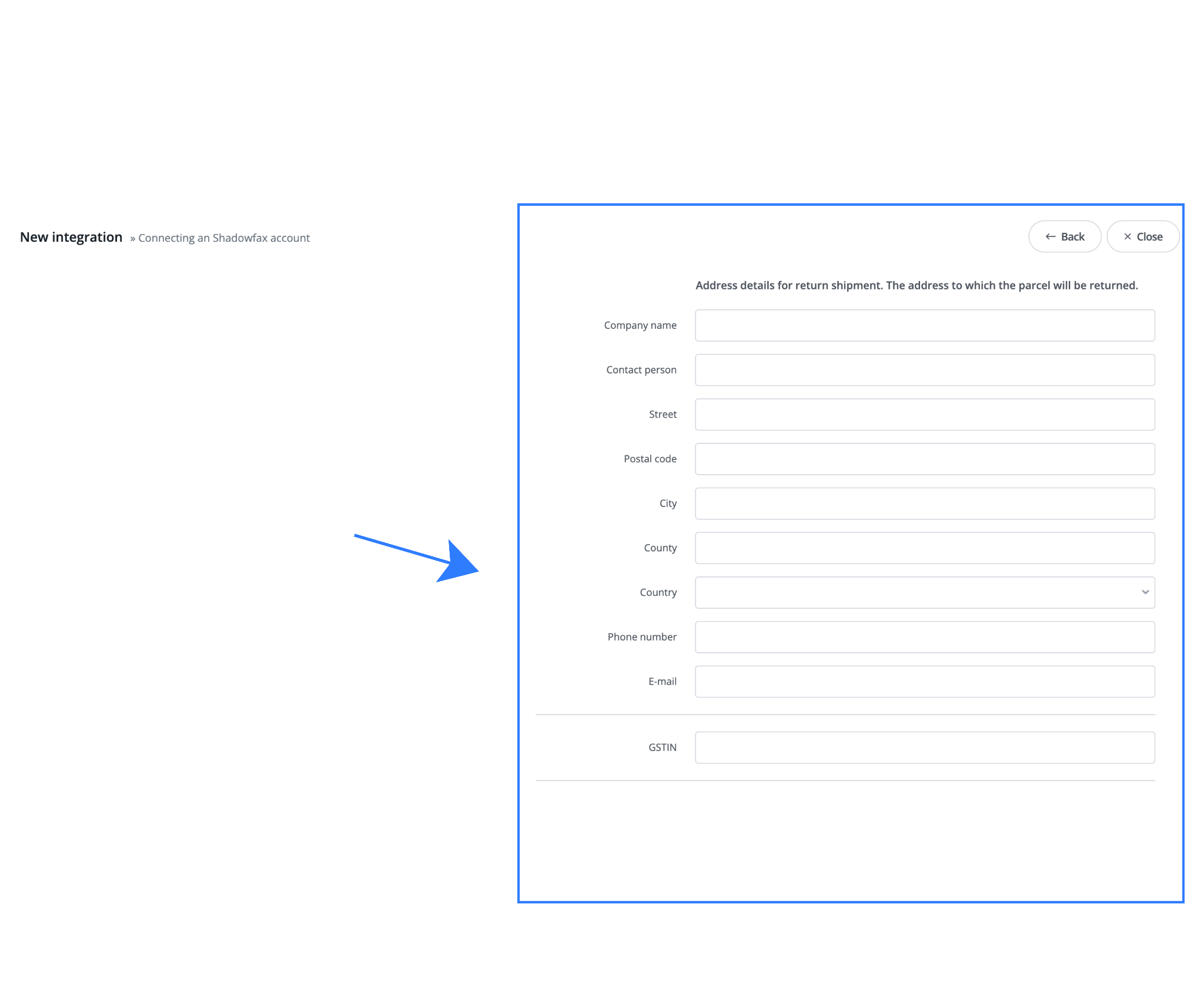
Important: Always ensure Shadowfax services the entered PIN code, especially for Tier-2 locations.
Step 4: Return Shipment Address Setup
Return handling is just as important as forward delivery.
Configure the return address where undelivered or customer-returned parcels should be sent:
- Company name
- Contact person
- Full return address (street, PIN, city, county)
- Phone number and email (must be reachable)
Clear return configuration reduces RTO delays and lost parcels.
Step 5: Weight Management Configuration
Proper weight logic helps control shipping costs and billing disputes.
GSTIN
Enter a valid GSTIN to enable tax-compliant invoicing.
Block Max Package Weight
Set a maximum weight limit to prevent dispatching orders that exceed Shadowfax’s allowed capacity.
Fixed Package Weight
Apply a fixed chargeable weight when product-level weights are unreliable.
Cardboard Weight Calculation
If you use heavy packaging:
- Choose percentage-based or fixed-weight method
- Enter additional cardboard weight in grams or kilograms
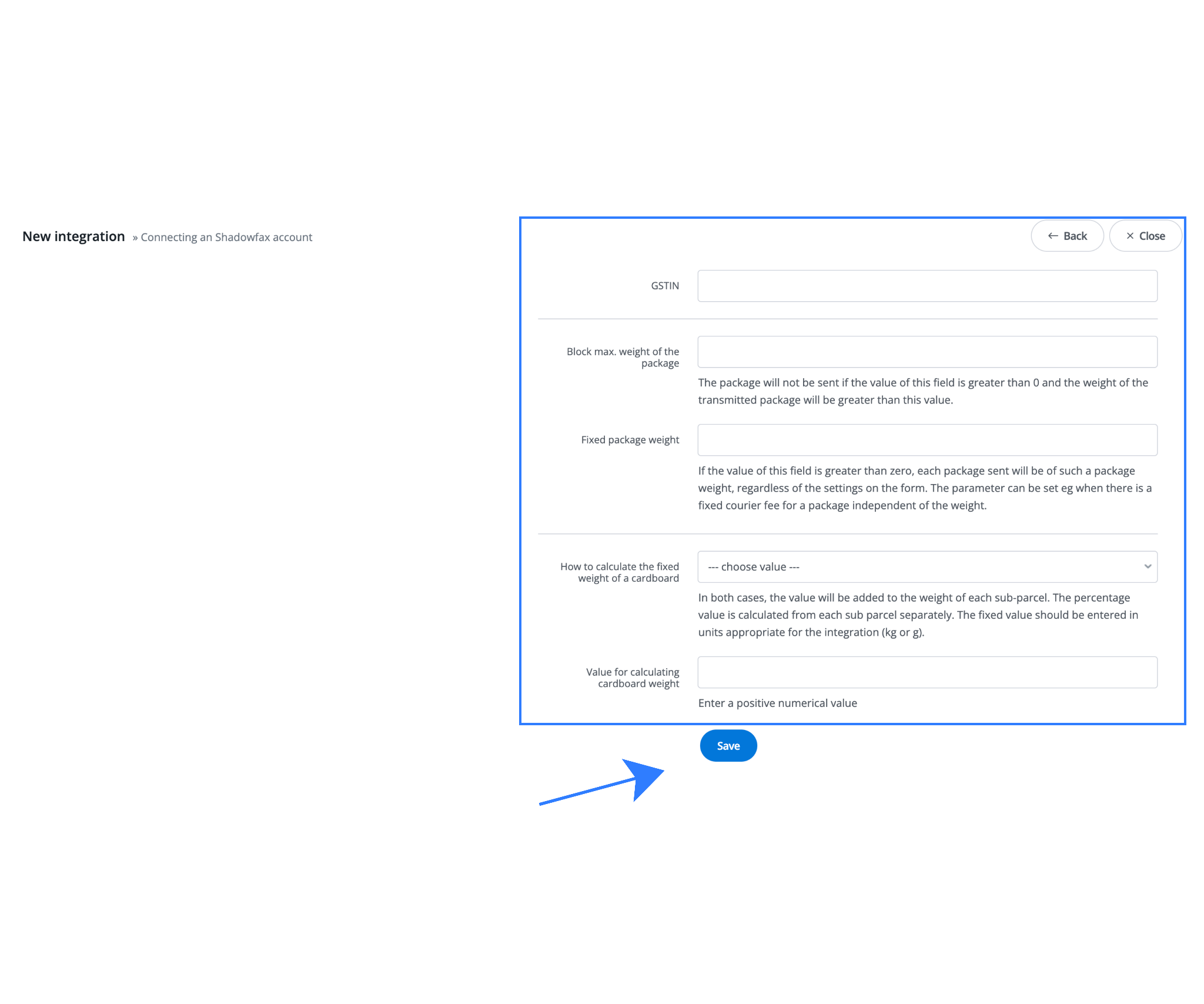
This is especially useful during festive seasons or gifting campaigns where packaging weight increases.
Using Shadowfax for Daily Operations in Base
Once the Shadowfax integration is active, Base becomes your central control panel for daily shipping activities. From label generation and bulk dispatch to COD handling and tracking updates, all routine courier operations can be managed directly from the order workflow. This helps teams move faster, reduce manual effort, and maintain consistency as order volumes increase.
1. Generating Shadowfax Labels
- Go to the Orders panel
- Select an order
- Click Generate Label
- Choose Shadowfax
A shipping label is generated instantly and ready for printing.
2. Bulk Shipping
Multiple orders can be processed together, allowing faster dispatch during high-volume days.
3. COD and Prepaid Order Handling
Base correctly maps payment modes, ensuring Shadowfax receives accurate COD information and tracking remains consistent.
4. Tracking & Order Status Updates
Tracking details update automatically inside Base and can be synced to connected sales channels.
Advanced Use Cases for Growing Brands
As order volumes grow and operations become more complex, basic shipping workflows are no longer enough. The Shadowfax and Base integration supports advanced use cases that help growing brands maintain delivery speed, control costs, and manage logistics across multiple channels and locations. These capabilities allow teams to scale efficiently without adding operational overhead.
Multi-Channel Fulfillment
Manage D2C, marketplace, and offline orders from one dashboard while using Shadowfax as a last-mile partner.
Pickup & Return Customization
Different pickup locations and return addresses can be configured based on operational needs.
Reduced Customer Support Load
Accurate tracking and faster delivery reduce “Where is my order?” queries.
Common Mistakes to Avoid
While the Shadowfax–Base integration is simple to set up, small configuration mistakes can lead to failed pickups, billing issues, or delivery delays. Most operational problems occur during initial setup or early dispatch days. The table below highlights common mistakes, why they happen, and how to avoid them to ensure smooth shipping from day one.
| Common Mistake | Why It Happens | Impact on Operations | How to Avoid It |
| Entering incorrect Client Secret | Copying the wrong API key or using an expired credential from the Shadowfax dashboard | Integration fails or shipments cannot be created | Always use the Client Secret from the active Shadowfax business account and re-save the integration if credentials change |
| Using non-serviceable PIN codes | Pickup or delivery PIN codes not covered by Shadowfax, especially in Tier-2 locations | Pickup failures, delayed dispatch, or order cancellations | Verify PIN code serviceability with Shadowfax before configuring pickup or shipping orders |
| Skipping weight configuration | Product weights missing or packaging weight not considered | Incorrect billing, disputes, or courier rejections | Configure fixed weight, max weight limits, and cardboard weight to reflect real packaging |
| Not setting return address properly | Return address fields left blank or incomplete during setup | RTO shipments get delayed or lost | Always configure a complete and reachable return address before going live |
| Dispatching without testing a first shipment | Going live without validating label generation and pickup flow | Errors discovered during peak dispatch hours | Test the integration with one low-risk order to confirm label, pickup, and tracking work correctly |
Bottom Line
Base is a centralized e-commerce operations platform built for Indian sellers. By integrating Shadowfax Courier with Base, merchants can automate last-mile delivery, generate labels instantly, manage pickups and returns, and scale shipping operations without operational chaos.
This integration is ideal for brands that value delivery speed, accuracy, and scalability across India’s diverse logistics landscape.
Click here to integrate Meesho marketplace and courier with Base.com.
Frequently Asked Questions (FAQs)
1. How do I generate Shadowfax shipping labels from Base?
After integrating Shadowfax with Base, go to the Orders panel in Base, select an order, click Generate Label, and choose Shadowfax as the courier. The shipping label is generated instantly and is ready for printing.
2. What is the Client Secret required during Shadowfax integration?
The Client Secret is an API credential provided in your Shadowfax business dashboard under the integrations or API section. It allows Base to securely create shipments, generate labels, and fetch tracking updates from Shadowfax.
3. Can I configure different pickup and return addresses in Shadowfax integration?
Yes. Base allows separate configuration of pickup (sender) and return addresses. This ensures smooth forward deliveries and efficient handling of returns or RTO shipments.
4. Does Shadowfax integration support Cash on Delivery (COD) orders?
Yes. Shadowfax supports both COD and prepaid shipments. Base ensures correct COD tagging, accurate order value mapping, and consistent tracking updates for COD orders.
5. What should I do before going live with Shadowfax integration?
Before going live, it is recommended to test the integration using one low-risk order. This helps confirm that label generation, pickup configuration, weight settings, and tracking updates are working correctly and prevents issues during peak dispatch hours.