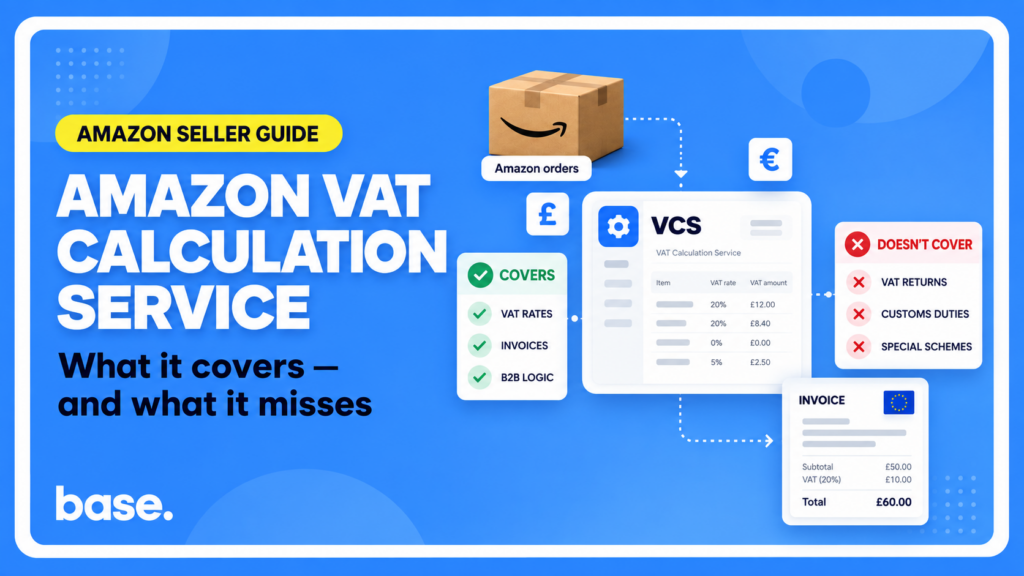
What VCS actually calculates
Amazon’s VAT Calculation Service (VCS) works out the VAT-exclusive price, the applicable rate, and the invoice for every order placed in the ten Amazon stores where it runs (the UK, Ireland, Germany, France, Italy, Spain, the Netherlands, Belgium, Sweden, and Poland). Specifically, it handles:
- VAT-exclusive pricing: turning the tax-inclusive price a seller lists at into the correct tax-exclusive price, per store, per applicable rate.
- Automatic invoicing: generating the VAT invoice or credit note and issuing it to the customer on the seller’s behalf.
- B2B/B2C and rate logic: telling business from consumer transactions apart, and applying zero-rating or reverse charge where the sale legally qualifies for it.
A real share of B2B sales legally owe 0% VAT, through cross-border zero-rating or one of two domestic reverse charge mechanisms Amazon’s tax engine applies automatically, which is where most explanations stop short. Get it wrong and the invoice is wrong, and even when Amazon generates the document, the seller stays responsible for the VAT treatment being correct.
VCS runs on a third-party tax engine, Vertex Indirect Tax O Series, which Amazon updates monthly, and hands sellers a VAT Calculations report and a VAT Transactions report for their own filing.
There’s a commercial angle too. Amazon’s own seller guidance says VAT-exclusive pricing and the Downloadable VAT Invoice badge increase an offer’s visibility and its chances of winning the Buy Box for business customers. It stops short of claiming buyers filter out non-VCS sellers.
How the VAT rate gets decided
Every registration behind this logic is managed in Seller Central, under Settings, Account Info, Tax Information, whether or not the seller ever touches the API. Those registrations decide more than the rate. They can decide whether a sale is exempt at all.
Amazon’s jurisdiction logic weighs five inputs: the seller’s VAT registrations, any Union One Stop Shop (UOSS) declaration, the customer’s VAT registration if any, ship-from, and ship-to. Ship-from isn’t fixed: for FBA orders, the same ones Base’s Amazon FBA integration tracks, it’s the actual fulfilment centre at the moment of shipment; for seller-fulfilled orders it defaults to the seller’s tax-settings “default ship-from” unless overridden per shipment in Manage Orders.
The Product Tax Code (PTC) then sets the rate within that jurisdiction. Every seller starts on the standard-rate PTC (A_GEN_STANDARD) by default, overridable account-wide or per listing, a listing-level PTC wins but only for that store. PTCs also carry product-specific taxability, Amazon’s examples are books, clothing, and food, categories with a reduced or zero rate in several of the ten stores.
For B2B sales, one more layer applies: a validated VAT registration in the listing store’s own country gets that store’s rate; without one, VCS falls back to the seller’s “default country for VAT-exclusive price” instead. Amazon’s own example: a Polish-registered seller with no German registration, default country Poland, lists at €12.30 on Amazon.de; the VAT-exclusive price still comes out to €10.00, from the Polish rate (23%), not the German one (19%). Not a malfunction, it’s the documented fallback, though it means the invoice can carry a different country’s VAT than the store the item sold on.
The 0% cases: when B2B VAT drops to zero
Three separate mechanisms can bring a B2B sale down to 0% VAT, and Amazon documents each with its own worked example.
Cross-border zero-rating is the one most sellers know: the business buyer’s VAT registration has to be valid on VIES, the EU’s cross-border lookup system, not just registered locally, for the exemption to apply. Buyers in Italy, Poland, and Spain can hold a “local” registration that’s valid nationally but not on VIES, in which case the exemption doesn’t apply. Amazon’s example: a seller with a VIES-valid German registration ships to a Spanish business buyer who only has a local Spanish VAT number; the exemption can’t apply, so German VAT, the origin country, gets charged instead of 0%.
Non-resident domestic reverse charge covers a narrower case: ship-from and ship-to match, the customer is VAT-registered there, and the seller also holds a VAT number in that country but is established elsewhere. It applies in Belgium, France, Italy, the Netherlands, Spain, Sweden, Portugal, and Slovakia. Amazon’s example: a seller with an Italian VAT number established in Germany lists at €12.00 on Amazon.it, ships from Italy to an Italian VAT-registered business buyer. VAT rate: 0%. VAT-exclusive price: €12.00 / 1.22 = €9.84, also the final invoiced price.
Product-related domestic reverse charge applies to a specific list of goods (mobile phones, computer chips, tablets, laptops, PCs, video game consoles) sold domestically between two VAT-registered parties in the same country; some jurisdictions add a minimum VAT-exclusive threshold per shipment. Eligibility is decided by Amazon’s own product classification, not the seller’s PTC. Amazon’s example: a German-registered seller lists a phone at €750.00 on Amazon.de and ships eight in one shipment to a German business buyer. Total charged: €6,000. VAT-exclusive per unit: €750 / 1.19 = €630.25, so €5,042.02 across the shipment, again at 0%.
Outside these three mechanisms, VCS doesn’t apply any other reverse charge treatment; anything else is taxed normally.
Who can use it, and who’s actually eligible
Enrolling in VCS is always a Seller Central setting, so turning it on never needs a developer. It just needs four things on file: a validated VAT registration per relevant country, a default ship-from address, a Product Tax Code (the system default works if you don’t override it), and an activation date, four days out by default. If you’re still setting up the Seller Central account itself, our guide to selling on Amazon in 2026 covers that groundwork. VCS itself is free: Amazon’s own FAQ says it’s “available to all sellers as long as they fulfil the basic enrolment criteria,” no separate service fee.
Invoicing itself works differently depending on which option you picked at enrolment, not on whether a developer’s involved.
Choose “Amazon generates invoices for me” and you can bulk-download the actual VAT invoices from Seller Central’s Tax Document Library, plus a period report with invoice URLs embedded, no code involved. That manual export can’t turn into an automatic feed on its own. Amazon’s developer documentation describes a separate API report with the invoice number, link, buyer VAT, and ship-from/ship-to as structured per-order fields, available three days after shipment, built for wiring straight into an ERP, OMS, or accounting system instead of downloading a report by hand.
Separately: Invoice by Amazon, IBA, is a different Amazon Business program, a supplier-consolidation service where Amazon Business EU Sarl becomes the single invoicing entity across many third-party sellers for a buyer’s procurement team. It has nothing to do with VCS invoicing options, the similar name is just a coincidence.
The other option, building your own invoices from Amazon’s tax data, has no manual equivalent at all. Amazon states plainly it only works through the API, so it needs a developer from day one.
Eligibility is narrower than “any seller in these ten stores.” VCS calculates tax and issues documents on the seller’s behalf, so Amazon needs to trust the registration behind it: a VAT number it can independently verify (VIES for the EU, “Check a UK VAT Number” for the UK), valid in every country where you’re registered or storing inventory in an Amazon fulfilment centre. The legal name or address in Seller Central has to match what the tax authority has on file for that VAT number, too. Miss either requirement and VCS won’t calculate or invoice correctly for that country, more on what that looks like below.
What it doesn’t do
VCS only covers VAT in the ten stores it runs, so it doesn’t calculate customs duties or import VAT, doesn’t handle special regimes like Cash Accounting or Margin schemes, and doesn’t cover a handful of mainland-only territories, Corsica, the Azores and Madeira, the Canary Islands, Ceuta and Melilla. It won’t generate your actual VAT returns or Intrastat filings, its reports feed that process rather than being it, and it doesn’t support VAT-only refunds, a B2B customer who supplies a VAT number after the fact still needs a manual goodwill refund with its own credit note and new invoice. And outside the three 0% mechanisms above, it doesn’t apply any other reverse charge, that’s on the seller to handle.
The failure mode that doesn’t announce itself
There’s a scenario where VCS goes quiet in a way that’s easy to miss. Fulfil an order from an Amazon fulfilment centre in a country where the seller doesn’t hold a valid, VIES-verified VAT registration for that country, and the order gets a plain receipt instead of a VAT invoice. The customer is still charged the normal price, but the seller is left to produce their own invoice, usually without noticing until a customer asks for one. Country-specific requirements can fail the same way. Hungary needs the seller’s Technical User Credentials on file to report XML invoices to NAV in real time, and without them Amazon can’t generate a Hungarian VAT invoice at all. It’s a narrow case, since it only bites sellers who hold Hungarian VAT registration in the first place, but nothing flags it either.
Practically, the thing to monitor isn’t “did I enrol in VCS,” it’s “is every registration VCS relies on still valid, right now, in every country I ship from or store inventory in.” Amazon’s own documentation doesn’t describe a seller-facing alert for either failure.
A recent change worth knowing about
As of June 1, 2026, VCS changed how it rounds VAT on multi-unit orders. Instead of rounding unit by unit, it now rounds once on the total invoice amount per tax rate. Six units at €1.99 exclusive, taxed at 10%, used to round to €0.20 each, for €1.20 total tax. Now the line is calculated together: €11.94 × 10% = €1.194, rounded to €1.19. Five units end up carrying €0.20 of tax and one carries €0.19, instead of all six matching. The channel matters too: the consumer site works backward from a fixed VAT-inclusive price, Amazon Business works forward from a fixed VAT-exclusive price, so the same €1.97 unit price can land on a different total either way. Worth checking if your reconciliation logic assumed every unit in a line carries identical VAT.
Automating around it
What you can do programmatically depends entirely on which invoicing option you picked at enrolment, and the three options aren’t equally API-friendly.
| Amazon generates invoices for you | Build invoices from Amazon’s tax data | Skip VCS entirely | |
|---|---|---|---|
| Manual path in Seller Central | Yes, bulk download plus a period report | No, API-only | Yes |
| API required | No, optional (adds a structured per-order report) | Yes, mandatory | Optional |
| Who calculates the VAT | Amazon | Amazon (data), seller builds the invoice | Seller, no VCS calculation involved |
| Fits best | Sellers happy to pull invoices by hand, or automate later | Sellers who want structured VAT data flowing straight into their own system | Sellers who don’t want Amazon calculating VAT at all |
For Option 1, the API’s single structured report bundles invoice number, link, and buyer VAT per order, three days after shipment, built for automatic pulling rather than downloading a period report by hand. One catch: the invoice link isn’t a public URL, it points at a document behind Seller Central, so getting the actual PDF (not just its metadata) still means an authenticated session, not a bare fetch.
For Option 2, the underlying report is available “immediately” after dispatch rather than three days later. Read that as “generally fast,” not a guarantee. It hands you everything needed for a compliant invoice: item, shipping, and gift-wrap VAT broken out, both parties’ VAT numbers, the recommended format per country, even legal citation text pre-translated into five languages. There are real constraints on the other end, too. Amazon rejects any invoice upload that doesn’t match its own total or VAT calculation to the cent, only accepts PDF, and throttles uploads to one every three seconds. Miss the one-business-day window consistently and Amazon can remove you from VCS, badge included.
Skip VCS and there’s no VAT invoice data report and no Amazon tax calculation behind your invoices at all. But Amazon’s invoice-upload mechanics still apply if you use them: manual upload through Seller Central has no throttle, but the API path uses the same feed type as Option 2, so the three-second throttle and total-amount match check apply too, just without any VCS calculation behind the number being checked.
FAQ
Is Amazon VCS free?
Yes. Amazon’s own FAQ says it’s available to all sellers who meet the basic enrolment criteria, no service fee attached.
Can I upload my own invoices while using VCS?
Depends which option you picked at enrolment. Pick “Amazon generates invoices for me” and Amazon generates and issues every invoice itself, there’s nothing to upload. Pick the self-invoicing option and you’re required to upload your own PDF invoices, built from Amazon’s tax data, through the API. If you want to self-manage invoicing rather than use VCS’s invoicing workflow, you need to skip VCS.
Where Base picks this up
Base’s Amazon integration supports these VCS workflows directly, including VCS Lite for eligible EU accounts. It imports Amazon’s item and shipping VAT rates into orders (replacing the rate that would otherwise come from the linked product), and those rates can also be matched against predefined country-specific rates instead. Base retrieves the Amazon-issued invoice number and URL and saves them to selected custom order fields automatically, and once Amazon’s VAT report is available, VCS Lite can also import billing details, buyer VAT information, and tax values. Worth noting: the invoice URL and number come from Amazon. Base stores and displays them, but doesn’t generate its own URL template or clickable link. VAT information is available at both order and product level, though it isn’t guaranteed to appear as a permanent column in every order-card layout.

[…] to a plain receipt if a seller isn’t VIES-registered in the fulfillment country, something we covered in detail separately. Account setup and fee structures also stay per market, which our guide to selling on Amazon in […]