Add your favourite categories (categories in which you list your offers) under Marketplace → Categories and parameters.
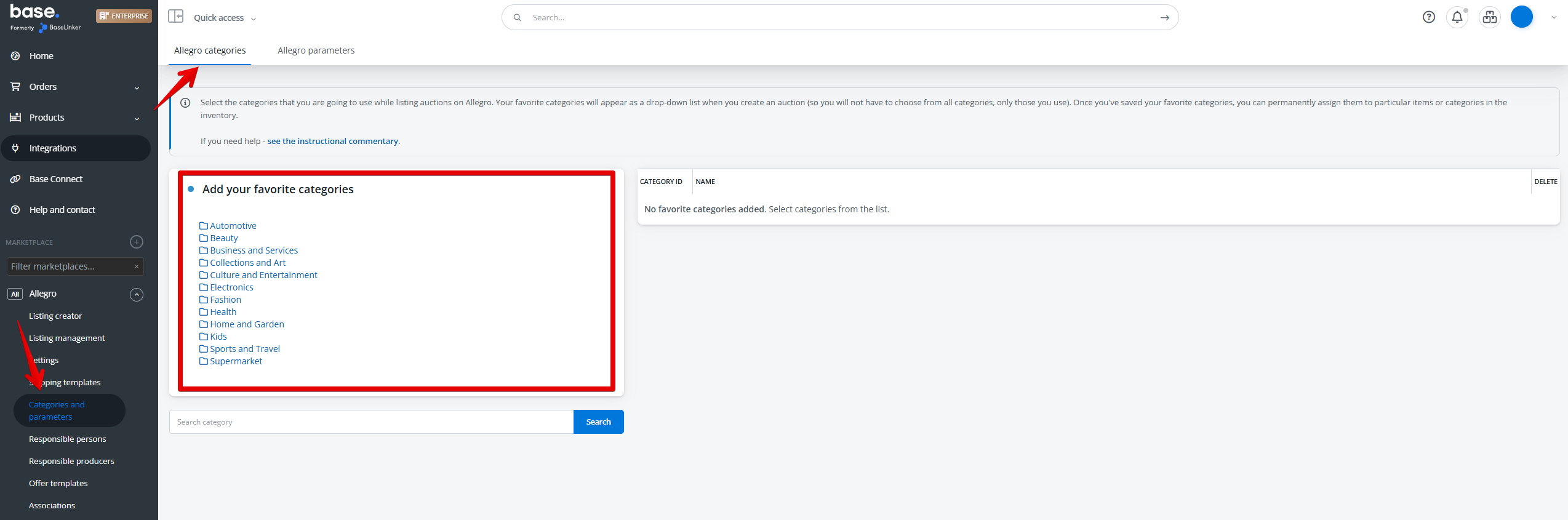
These categories will be displayed as a drop-down list when listing an offer.
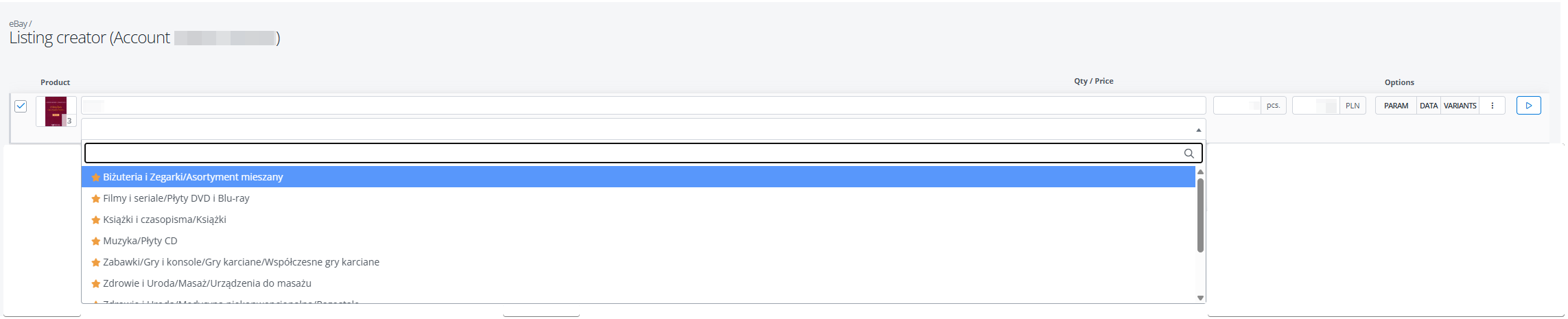
You can also configure Base.com in a way, that this field completes automatically 🙂
You can set the default category in three places:
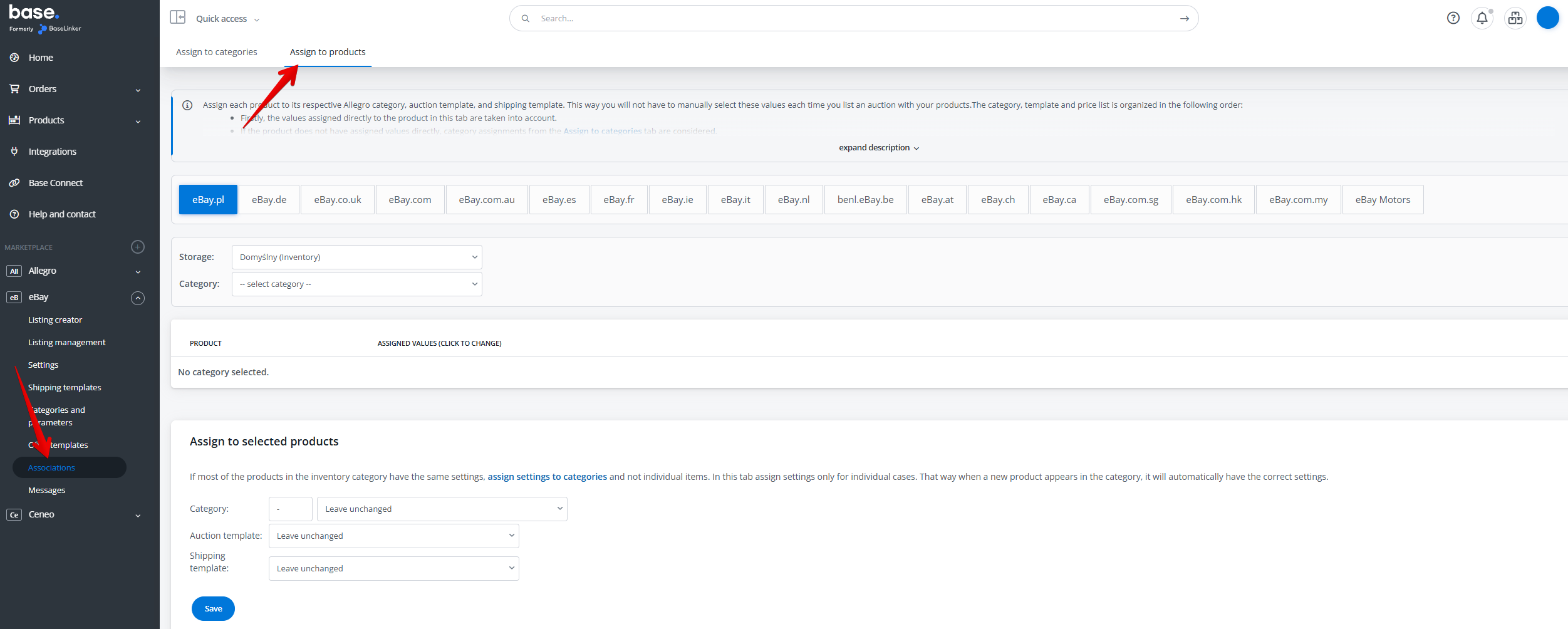
- For specific products, in Marketplace→ associations → Assign to products.
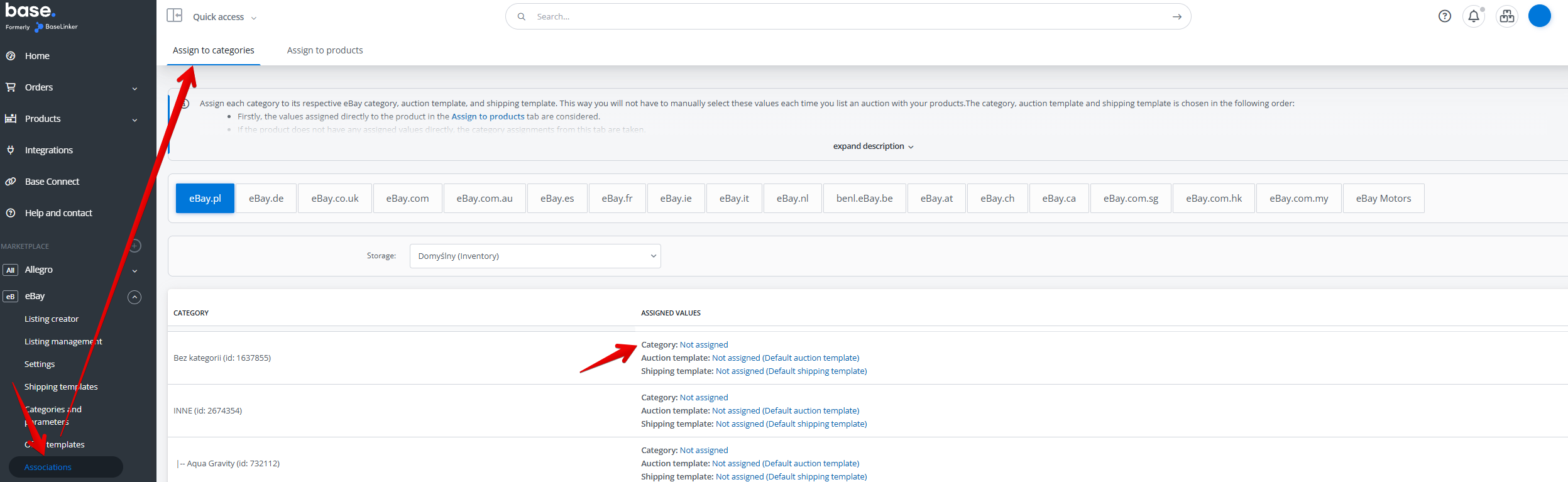
- For selected categories in the warehouse, in section Marketplace→ associations → Assign to categories.
- For the entire marketplace account – in section Integrations → Marketplace → Settings → Offer settings.

The system takes the settings for the product first, then – if settings for the product are not provided – for the category, and finally for the whole account.