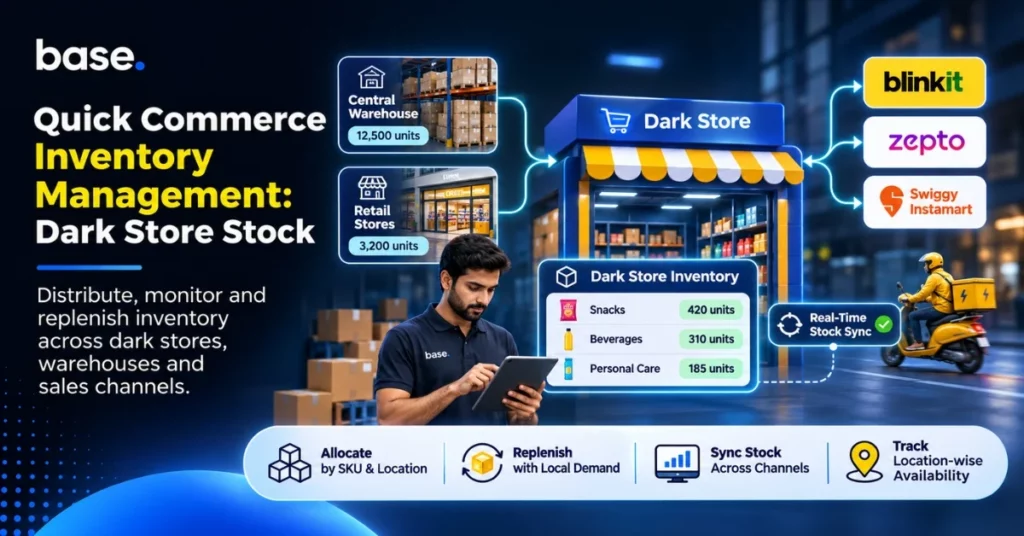
Quick commerce changes where stock is held, how quickly it turns over and the number of stock positions a brand must monitor. A brand can store items in its central warehouse, ship them to a platform’s fulfilment network and continue selling the same products through marketplaces, its own store or retail outlets. Accurate stock at location level is a critical factor in quick commerce inventory management, as are proper allocation and timely updates between systems. Teams also need visibility of what is in transit, what is already committed and which units are available for the next order. The process starts by separating these quantities, determining the replenishment strategy for each SKU and deciding how availability will be managed across channels.
What quick commerce changes about inventory management
A dark store is a fulfilment centre that holds products for online orders and serves a nearby delivery zone. It typically has a chosen range of products for local customer demand and rapid retrieval, unlike a large distribution centre. The stock is only relevant for orders that can be fulfilled from that stock location according to the platform’s operating model.
This affects three basic inventory decisions:
- Where to store stock: You need to store stock near customers and fulfilment centres where it is required.
- What products to stock: Each SKU should justify its place based on local demand, product fit and ease of replenishment.
- When to replenish: Teams need to take into account location-level sales, lead time, goods in transit and available stock, not just a company-wide total.
A product may be available in a central warehouse, but that does not mean it can prevent a dark-store stockout immediately. It might require picking, transporting, receiving and recording before it is available at the destination. A good introduction to this operating model is our article on dark stores in India.
Keep dark-store stock separate from warehouse and retail stock
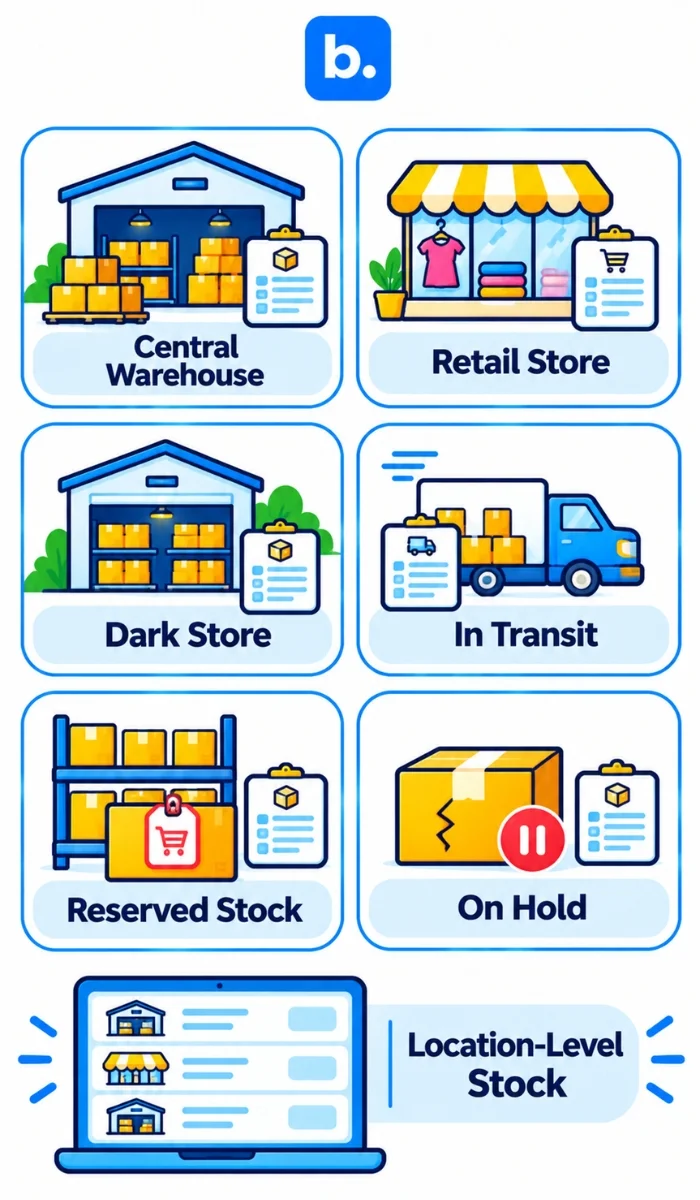
Treat each physical location as a separate stock position. A brand’s stock may be held in a distribution centre, retail outlet or dark store, or may be in transit between locations. Certain units may be reserved for orders, while damaged units may be held separately until they pass a quality check.
| Stock position | What it means | Inventory treatment |
|---|---|---|
| Central warehouse | Stock held by the brand or its logistics provider. | Count as central availability; include the time and process needed to replenish another location |
| Retail outlet | Stock on hand that is allocated to a store, including walk-in sales. | Take into consideration reservations and sales at the store prior to selling the same units elsewhere |
| Dark-store stock | Units held at a location that serves a nearby area. | Track stock by location; stock in another node might not be available to fulfil the same order. |
| In transit | Units that have been sent but not arrived at the destination. | Keep these units separate from sellable stock until receipt is confirmed. |
| Reserved or committed | Units reserved for an order, transfer or other commitment. | Exclude reserved or committed units from the quantity available for new orders. |
| Damaged or on hold | Units that may not be sold at this time. | Keep these units unavailable until they are released after inspection or correction. |
A clear arrangement between the seller and the platform should be established as to who owns, counts and updates each quantity at each step. For instance, if you send stock from a brand’s warehouse, it doesn’t automatically mean that the store is getting stock and that it’s available for the customer to use. Tracking dispatch, receipt and sellable status separately reduces the risk of overstating local availability.
Allocate inventory by SKU, location and demand
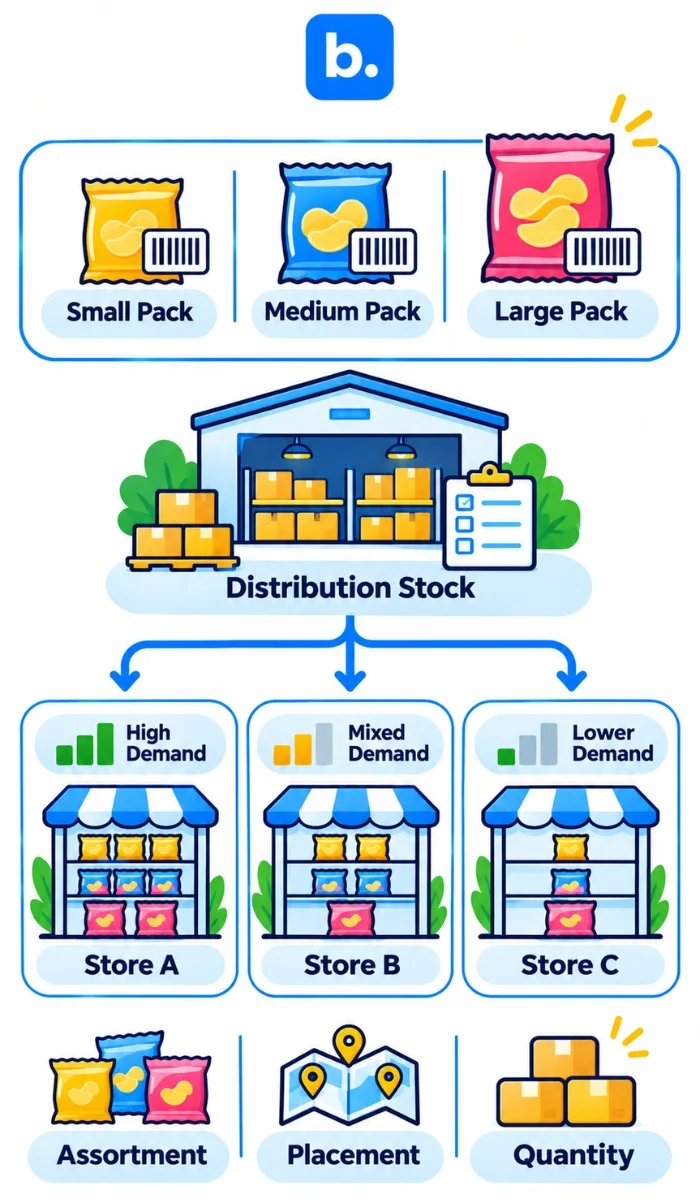
Allocation determines which SKUs are kept at which stores and how much of each SKU. Equal distribution is rarely a reliable approach. The level of demand, replenishment lead time, storage space, pack size and shelf life, as well as the cost of a stockout, may differ between cities and store clusters.
For each SKU, make three decisions:
- Assortment: Determine what products and variants are suitable for the quick-commerce channel. When replenishment capacity is limited, a slow-moving product can be a constraint on space and working capital.
- Placement: Choose locations that match the product’s demand and supply network. Sales in one city do not necessarily indicate the same demand in another.
- Quantity: Set a starting allocation and restock trigger based on local sales, existing quantity in transit and the time it takes to restock.
Consider a snack that is sold in three different pack sizes. Sending equal amounts of each may result in slow-moving packs remaining on the shelves while the more popular pack sizes sell out at certain locations. If the barcode, price or selling unit differs between packs, track each as a separate SKU. This keeps sales and stock activity linked to the correct product variant.
Location-level allocation also enables teams to determine whether a stockout is regional or network-wide. If one node has lower stock than another, the solution may be a transfer or a change in future allocation rather than another purchase order.
Synchronise stock so availability reflects what can ship
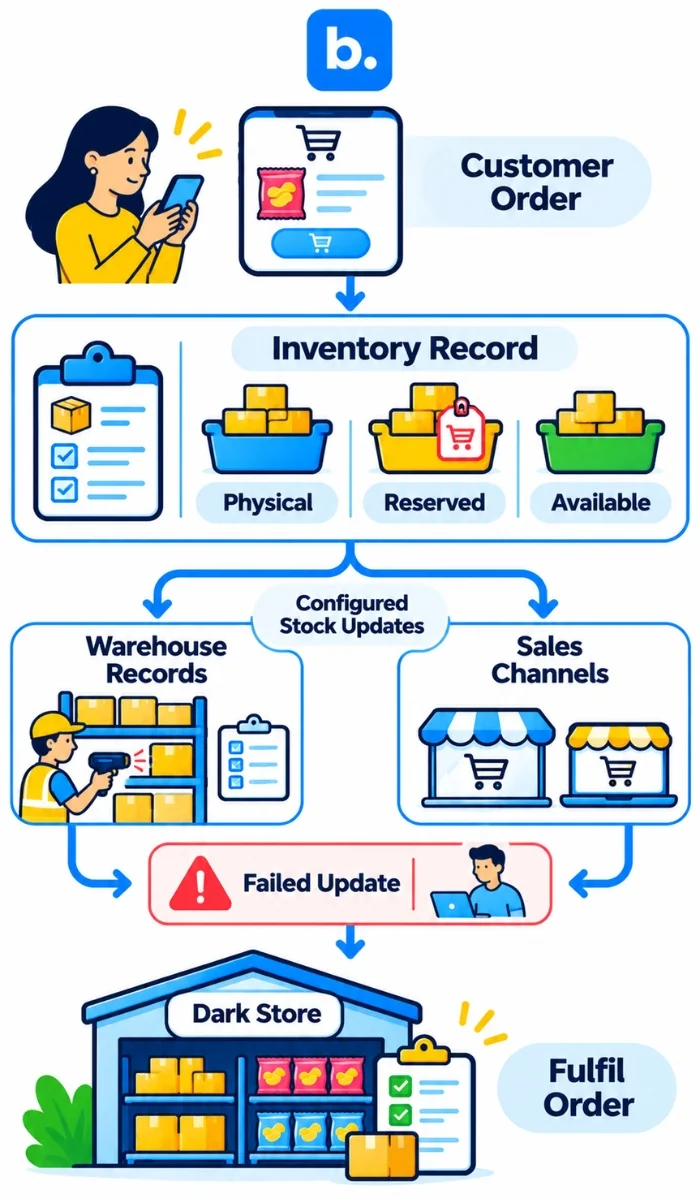
Stock synchronisation keeps inventory information aligned across the systems used by a brand, its warehouse and its sales channels. To avoid overselling, the process must account for which activities change stock levels, how quickly availability is updated and how failed or delayed updates are handled.
A typical stock update begins when an order is recorded. The quantity available for sale is then reduced or reserved, and the change is passed to connected systems. Transfers and goods receipts also affect the location balance. When the order system and the warehouse records are updated at different times, the same unit may be available more than once.
Track these stock measures separately in the inventory model:
- Physical stock held at a site.
- Stock reserved for orders or transfers.
- Stock available for new orders after reservations and holds.
- Stock in transit.
- Damaged, expired or quality-held stock.
The amount of available stock should be in line with the number of units that can actually meet new demand. A business can also maintain a stock buffer to account for count discrepancies, delayed updates or unexpected sales. The buffer should reflect the business’s stock accuracy and replenishment risk, rather than a standard percentage.
Updates can be passed through a platform portal, supplier feed, partner system, API or scheduled file process. These methods can differ in update frequency and in who is responsible for resolving errors. Make delayed, rejected or mismatched updates visible to the team. A process should not be labelled real time unless it actually operates in real time.
Replenish dark stores using local inventory signals
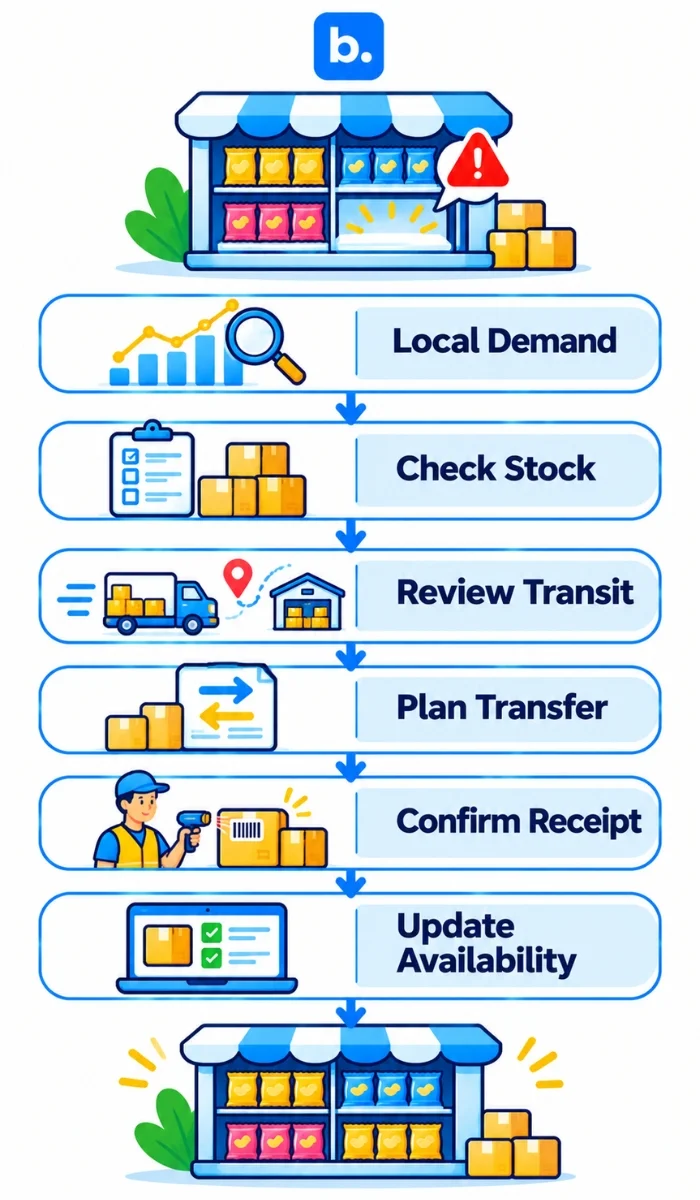
Start replenishment from the stock position at the location that needs it. A low-stock position at one node can look different from the company-wide stock position, and stock in transit may mean another order is not required.
Examine local sales velocity, stock on hand, committed units, goods in transit, supplier or transfer lead times, shelf life and receiving capacity. Use these signals to determine whether the team should transfer stock, place a new order, adjust future allocations or investigate a discrepancy.
Common inventory exceptions can be grouped into a practical action queue:
- Low stock, no replenishment started: Check whether stock can be transferred or additional units need to be ordered.
- Replenishment sent, but not received: Monitor the shipment and do not count the product as available for sale at the destination until it has been received.
- The quantity in the system is not the same as the quantity in the store: If a particular SKU or location is affected, investigate the discrepancy before making an adjustment.
- Slow-moving or short-dated stock: Check inventory and distribution before arranging additional shipments.
- Repeated stockouts: Investigate forecasting errors, long lead times, receiving delays, SKU mapping and update failures.
SKU accuracy matters throughout the process. Use the same SKU, barcode, pack size and unit of measure across systems. A case quantity is a different stock measure from an individual retail unit. One record may count cases while another counts eaches.
Understand the seller workflows on Blinkit, Zepto and Instamart
Quick commerce platforms such as Blinkit, Zepto and Swiggy Instamart have their own seller-facing and brand-facing portals. Brands should map the inventory process for each channel rather than treating all three as interchangeable destinations.
Blinkit’s Seller Hub supports seller onboarding, product listing and inventory activities. Sellers also supply products to Blinkit’s network. Brands should align the stock supplied to fulfilment locations with the product availability shown to customers.
Zepto’s brand portal supports brand onboarding and product details. Product catalogue information, including product sizes and images, should be complete and consistent with the brand’s inventory records.
Brands can begin the process through Swiggy Instamart’s Brand Portal. The brand’s stock and supply process should follow the operating arrangement agreed with Instamart.
If your business sells through quick-commerce channels and is evaluating blinkit integration software, zepto integration software or instamart integration software, ask yourself the following inventory questions: Which SKUs and locations are included? How are stock changes reported? How often does the channel receive updates, and how are failed updates handled? Responsibilities may be shared between the brand, platform and technology provider, depending on whether updates use a direct system connection, third-party service, API, file exchange or portal. Outline the process for each channel and determine how to coordinate stock.
How base.com supports connected inventory workflows
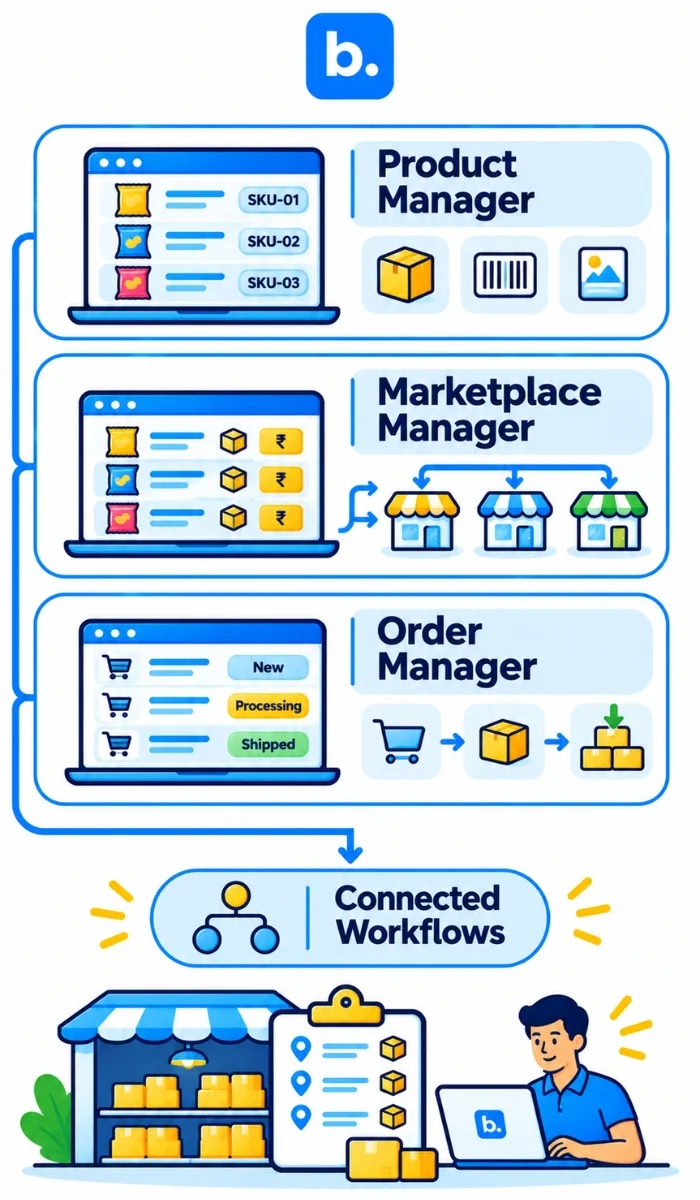
Our Product Manager provides a single place to manage product information and sync it across sales channels connected to base.com. Marketplace Manager synchronises stock and prices across supported connected stores and marketplaces. Order Manager can import orders from supported channels and reduce stock when an order is transferred.
These features can keep your team organised with product data, orders and inventory across the channels you integrate. For businesses selling through quick-commerce channels, stock records should remain organised by location and commitment, with processes that reflect how each platform reports supply and availability. Discover more about Product Manager, Marketplace Manager and Order Manager.
Conclusion
Stock totals across the business do not show whether inventory is available at the location serving an order. Keep warehouse, retail, dark-store, in-transit and committed units separate. Allocate stock by SKU and location, replenish according to local demand and lead time, and investigate discrepancies before they cause recurring stockouts or overselling. A clear stock model gives teams a more reliable view of what they can deliver through each channel.