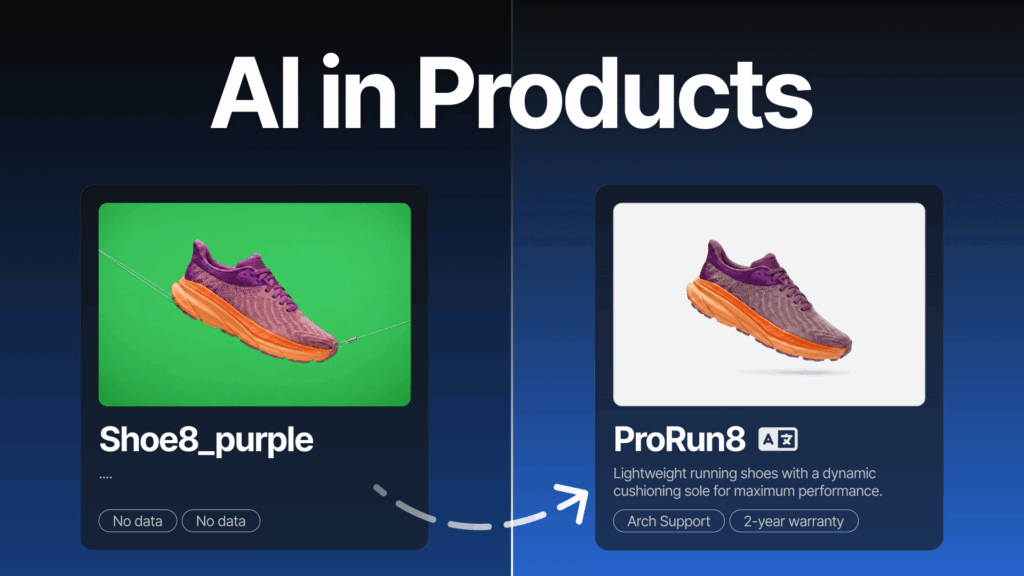
Titles, descriptions, translations and product images — four things that can easily eat up a week of work when you manage a large ecommerce catalogue.
In Base’s Products module, AI works directly inside the product record. You can generate content for a single product or in bulk for entire product groups, in a style that matches your brand.
Watch the video to see how it works in practice.
This is episode 1 of 8 in the AI in Base series. Every two weeks, we show one AI feature that takes manual work off your plate. Next episode: 21 July.
Having trouble viewing the video? Watch it directly on YouTube: AI in Products
The AI features in the Products module (PIM) are a set of tools built directly into the product record. They automatically create sales content and edit product images using the data already saved in Base.
No external tools. No copying data between systems. Everything happens where you already manage your product catalogue.
Generating product names with AI
AI can create a product name based on the data already saved in the product record. This is especially useful when you want to quickly create consistent, better-structured product titles — for example, after importing a catalogue from a wholesaler, where product names are often messy or inconsistent.
You’ll find this in:
Products → Product list → edit product → Information → Name and description
Next to the name field, you’ll see the options Generate and AI settings.
In the AI settings, you can choose a tone, professional, promotional or casual, set a maximum length and add your own instruction in English. This helps make the result match your brand, your catalogue structure and the sales channel you are preparing content for.
Generating product descriptions
You can generate product descriptions in the same place. AI builds the description using the available product information, so the better your product record is completed, the better the result will be.
In the settings, you can adjust the tone, minimum number of paragraphs and formatting. You can also enable marketplace-specific sections where supported, such as Allegro sections.
A custom instruction lets you fine-tune the output, for example by asking AI to follow a specific content structure.
If you are still cleaning up your catalogue data, start with the basics. We explain this in our guide on how to organise product data in Base. Well-structured product attributes give AI better source material to work with.
Bulk-generating content for multiple products
The biggest time saving comes when you are working with a large catalogue. Bulk text generation can fill in names, descriptions or other text fields for entire groups of products at once.
Here’s how it works:
- Open Products → Product list.
- Select the products you want to update.
- Choose Operations → Generate text (AI).
- Select the field, language, tone, length and instruction.
- Run the operation.
This is especially useful when expanding your catalogue, cleaning up product data or preparing content for new markets and sales channels.
Bulk generation also works alongside the other bulk product operations already available in the Products module.
Removing backgrounds from product images
AI also helps with product image editing.
In the product editor, go to:
Products → Product list → edit product → Media
Hover over the image thumbnail and you’ll see a scissors icon. Click it to remove the background.
This means you can prepare clean, sales-ready images for your online store, marketplaces and product catalogues without using external graphic design tools.
Supported formats: JPG, PNG, GIF and WEBP.
Maximum file size: 2 MB.
Translating product content
Product names and descriptions also include a translation feature powered by DeepL.
This helps you prepare content for cross-border sales and adapt your offer for different markets faster. It is a natural first step before automating the rest of your sales process in a new market.
What does AI change in day-to-day work?
These five features have one thing in common: work that used to mean clicking through every product record one by one, or using external tools, now happens directly inside the Base panel — where you already manage your sales operations.
Faster product records
AI generates names and descriptions from the data already saved in Base. Instead of writing from scratch, you review and approve a ready-made draft.
Consistent content across the catalogue
You can define the same tone, length and format for every product. No more catalogues where every product follows a different naming convention — especially after importing data from multiple suppliers.
Scale without extra headcount
Bulk generation can update entire groups of products in a single operation. Expanding a catalogue by hundreds of items can take hours instead of days.
Easier international expansion
DeepL-powered translations are available in the same fields where you edit names and descriptions. There is no need to export content or juggle files between different tools.
Sales-ready images without a designer
You can remove image backgrounds with one click in the Media tab, helping you prepare clean product images for your store, marketplaces and catalogues quickly and independently.
The result: product content that used to take hours to prepare can now come together in minutes. You simply review and adjust where needed.
Coming next: Autosell – AI Listing Agents
In two weeks, AI joins your team for marketplace listing creation.
The next episode is about Autosell – AI Listing Agents: how an agent can list up to 100 products on a marketplace in one cycle, without manually completing product data.
Available on the blog from 21 July.
In this series
- AI in the product catalogue – this article
- Autosell – AI Listing Agents – 21 July
- AI Assistant in the panel – 4 August
- Counting products with AI in WMS – 18 August
- AI-dons – extensions built with AI – 1 September
- ACP – your store in ChatGPT – 15 September
- MCP – Base data in your favourite AI tool – 29 September
- Series finale: all AI features in one place – 13 October
Don’t bother tracking the calendar. Sign up to the newsletter and the next episodes will land straight in your inbox.
AI features in the Products module are already available in your Base panel.
Don’t have an account yet? Try Base free for 14 days.
FAQ
Where do I find the AI features in the product record?
In the product editor:
Products → Product list → edit product → Information → Name and description
This is where you’ll find AI features for names, descriptions and translations.
For background removal, go to the Media tab.
Bulk generation is available from the product list via:
Operations → Generate text (AI)
Can I control the tone of the generated content?
Yes. In the AI settings, you can choose the tone — professional, promotional or casual — and set a maximum length.
For descriptions, you can also define the number of paragraphs, formatting and marketplace-specific sections where supported, such as Allegro sections.
You can also add your own instruction in English.
Can AI complete content for multiple products at once?
Yes. Select the products from the product list and choose:
Operations → Generate text (AI)
The feature can complete names, descriptions or other text fields for the whole selected group at once.
Which image formats are supported for background removal?
Background removal supports JPG, PNG, GIF and WEBP files up to 2 MB.
The feature works directly in the Media tab inside the product editor.
What powers the translations?
Product name and description translations are powered by DeepL.

[…] AI in the product catalogue […]
[…] → From an incomplete product record to sales-ready content: AI in the product catalogue […]