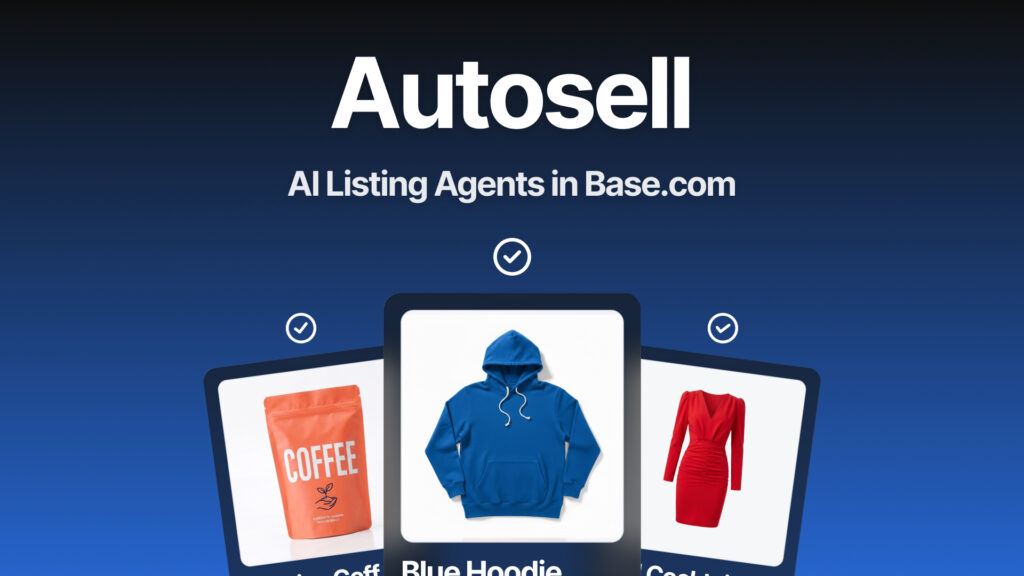
Creating marketplace listings is one of the most repetitive parts of multichannel selling: selecting a category, completing attributes, writing the title and preparing the description – for every single product.
Autosell in Base works like an additional member of your team. It regularly checks your products and creates marketplace listings for you. Watch the video to see it in action.
Episode 2 of 8 in the AI in Base series. Every two weeks, we introduce another AI-powered tool in Base designed to reduce the workload for you and your team. The next episode will be published on 4 August.
AI Listing Agents provide intelligent support throughout the marketplace listing creation process. The feature analyses product data in Base and automates the key elements of each listing, including the title, description, category and attributes.
It works with marketplaces that support listing creation through Base.
Having trouble viewing the video? Watch it directly on YouTube: AI AutoSell
How an AI Listing Agent works
You can configure an agent using a step-by-step setup wizard:
- Go to Listings → Listing Agent (AI).
- Select the marketplace account and product source.
- Add filters to narrow the selection if required, such as category, SKU, EAN, price, stock level, manufacturer or product tags.
- Decide what the agent should do with completed listings: publish them immediately or save them as drafts.
- Save the agent.
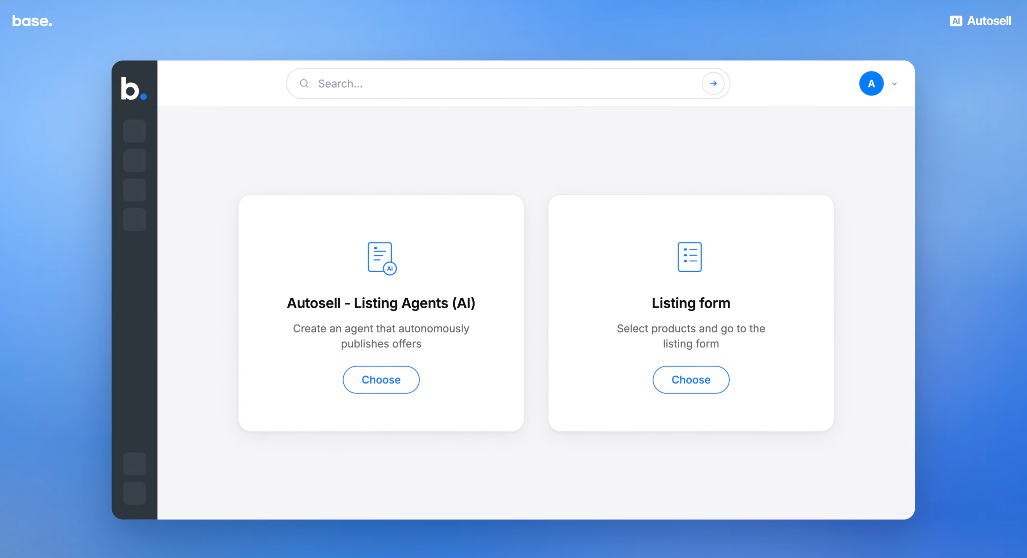
Filters are where you can protect your profitability.
For example, you could configure the agent to list only products priced above £50 to maintain your margin after international delivery costs. Alternatively, you could limit it to products with more than five units in stock to reduce the risk of overselling.
Once configured, the agent works in recurring cycles. It checks for new products that meet your conditions, as well as products that have returned to stock after previously selling out.
When a product does not yet have a listing on the selected marketplace, the agent prepares it and either publishes it or saves it as a draft, depending on your configuration. The agent can create listings for up to 100 new products in a single cycle.
There is no need to worry about duplicate listings. The agent has a built-in duplicate-prevention mechanism.
Before creating a listing, it checks whether the product is already connected to an active listing or one stored in the listing history for the same marketplace account. If it is, the product is skipped.
This is especially important on marketplaces with strict rules regarding duplicate listings.
Draft mode is a good place to start. The agent completes the work – translating content, mapping data and preparing the listing – but saves the result as a draft for your approval.
You can review the category matching and content quality. Once you are confident in the results, you can switch the agent to fully automated publishing.
How to get started safely
It is best to introduce full automation gradually. This allows you to see what the agent does well before giving it complete control of the process.
- Configure the foundations first, including category and attribute mappings, price lists, prices and product variants.
- Create an agent for a limited group of products, such as one category or a few dozen selected items.
- Configure the agent to save listings as drafts. It will complete the preparation work, but nothing will be published without your approval.
- Review the data quality in the drafts and check the agent logs.
- Expand the scope only after verification. Remove the filters and switch the agent to automatic listing creation.
What exactly does the AI do?
The agent handles the parts of listing creation that usually take the most time:
- selects the appropriate listing category;
- completes marketplace attributes;
- generates the product title and description;
- translates content;
- helps select product types and prepare bullet points for Amazon;
- attempts to correct listings with errors by automatically selecting suitable attributes.
What does this look like in practice?
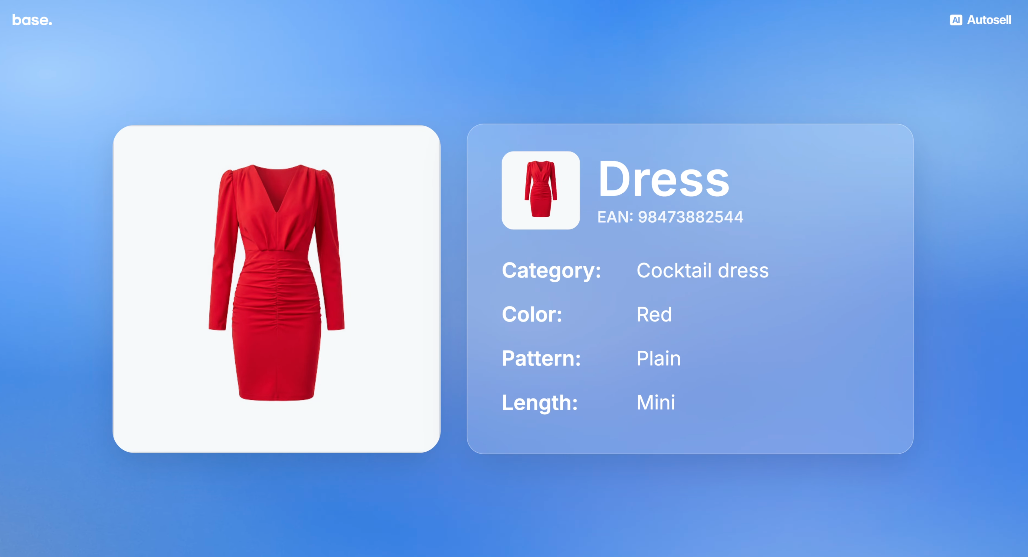
Imagine that you sell a product called “Red Cocktail Dress” and want to list it on a marketplace.
The AI recognises that the appropriate category is women’s cocktail dress, the colour is Red and the pattern is Plain. It analyses the product images, name and description, extracts the relevant attributes from the content and completes the marketplace form – without manual input from you.
You control the reliability of these decisions through the AI confidence threshold in the agent’s configuration. This determines how confident the AI must be before assigning a category. We recommend setting the threshold to at least 80%.
There are two options for translations.
You can generate content in another language in advance using the AI features in the Product Catalogue. The translated content will be saved in additional fields, which the agent can then use.
Alternatively, you can enable real-time translation through DeepL in the agent settings. Titles, descriptions and attributes will then be translated as the listing is created, without changing the original product data in your inventory.
The AI uses the product data available in Base, including:
- product name;
- description;
- attributes;
- additional fields;
- product images, particularly the first image.
The more complete the product record is, the more accurate the resulting marketplace listing will be.
What you should know before getting started
AI request limits
AI operations are subject to usage limits. By default, accounts with a paid invoice or a connected payment card receive 100 AI requests per day.
You can increase this limit through Accelerations.
The agent works in the background
Results may not appear immediately. Additional products are processed during each recurring agent cycle.
Agent logs are always available
You can see what the agent has done and why in the Listing Agent Logs section.
The logs show which products entered the processing queue and which were moved to the error queue, together with the reason. For example, a product may be missing an image or a required marketplace attribute.
You can resolve common errors by:
- completing missing attributes in the product record;
- adjusting the AI confidence threshold;
- checking your shipping price lists;
- reviewing the marketplace account settings.
The agent will not publish an incomplete listing
When the AI cannot identify a required attribute and you have not mapped it manually, the listing is moved to the error log instead of being published.
This protects you from publishing incomplete listings that do not meet the marketplace’s requirements.
How does AI change everyday work?
Marketplace listing creation no longer has to be a bottleneck between your product catalogue and your sales channels.
The agent continues processing products cycle by cycle, regardless of what the rest of your team is working on.
Faster listing preparation
The agent selects categories, completes attributes and generates titles and descriptions. Instead of creating each listing from scratch, your team can simply review a completed draft.
Less manual data entry
Information flows directly from the product record in Base, without repeatedly copying and pasting data between different tabs or systems.
Scalable marketplace listing creation
The agent can create listings for up to 100 new products in each cycle on every marketplace that supports listing creation through Base.
Expanding to another sales channel no longer requires a proportional increase in manual work.
Consistent listing quality
Every listing is created according to the same rules, helping your marketplace catalogue remain consistent across products and channels.
In two weeks, we will put AI to work in customer support. The AI Assistant in the Base panel is a sidebar assistant that answers questions and helps resolve issues before you need to submit a support ticket. Available on the blog from 4 August.
In this series
- AI in the Product Catalogue
- Autosell – AI Listing Agents – you are here
- AI Assistant in the Base panel – 4 August
- AI-powered product counting in WMS – 18 August
- AI-ons – extensions built with AI – 1 September
- ACP – sell where your customers are already talking – 15 September
- MCP – connect AI with your system – 29 September
- Series finale: all Base AI features in one place – 13 October
Configure a test agent in draft mode and see how much time you can save.
Don’t have a Base account yet? Try Base free for 14 days.
FAQ
1. Where can I find AI Listing Agents in Base?
In the Base panel, go to Listings → Listing Agent (AI). You can create an agent through the setup wizard by selecting a marketplace account, product source and any required filters.
2. Will the agent publish listings without my knowledge?
Not unless you configure it to do so. In the agent settings, you can choose whether completed listings are published immediately or saved as drafts for your approval.
3. How many listings can the agent create at once?
The agent can create listings for up to 100 new products in one cycle. It runs in recurring cycles every few hours, allowing larger product catalogues to be processed gradually across multiple cycles.
4. Will the agent duplicate listings that already exist on the marketplace?
No. The agent includes a duplicate-prevention mechanism. Before creating a listing, it checks whether the product is already connected to an active listing or one stored in the listing history for the same marketplace account. Products with an existing connection are skipped.
5. Will the agent publish a product without the required attributes?
No. When the AI cannot identify a required attribute and you have not mapped it manually, the listing is moved to the error log. This prevents incomplete listings from being published.
6. Can I use the agent for dropshipping?
Yes. Configure the agent’s filters using stock levels synchronised with your supplier. When the supplier adds new products, the agent can automatically create listings for them during its next processing cycle.
Your marketplace range can therefore expand alongside your supplier’s product range.
7. Which marketplaces support Autosell?
Autosell works with marketplaces that support listing creation through Base. The feature is not limited to one platform.
8. Where does the AI get the information for each listing?
The AI uses information from the product record in Base, including the product name, description, attributes, additional fields and images – particularly the first image.
The more complete the product record, the better the resulting listing will be.

[…] Autosell – AI Listing Agents […]
[…] → Filters, draft mode and agent limits: Autosell – AI Listing Agents […]