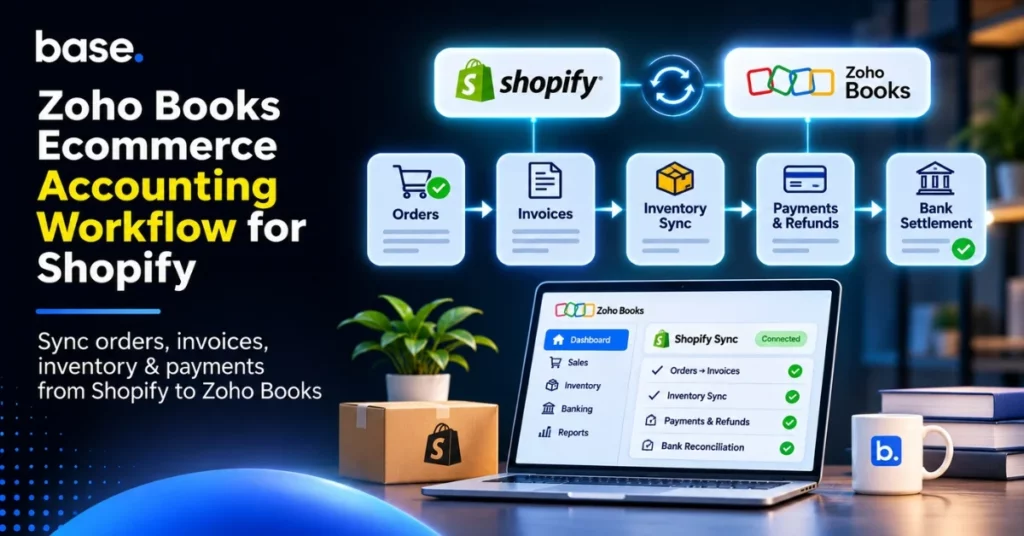
A Zoho Books ecommerce accounting workflow tracks what happens between a Shopify sale and the bank deposit for that sale. Orders, invoices, customer payments and stock changes need to remain linked. Zoho has a route through Zoho Inventory, but the creation of invoices, dealing with refunds and reconciling settlements all have to be set up and checked.
A prepaid order can appear as outstanding if payment has not yet been applied. A gateway may take its cut before sending you the bank deposit so it may be less than the invoice.
Process a limited number of representative transactions before importing historical orders. Add a prepaid sale, a COD order and a partial refund. Verify that the Shopify Zoho Books connection is generating the necessary accounting records.
What is a Zoho Books ecommerce accounting workflow?
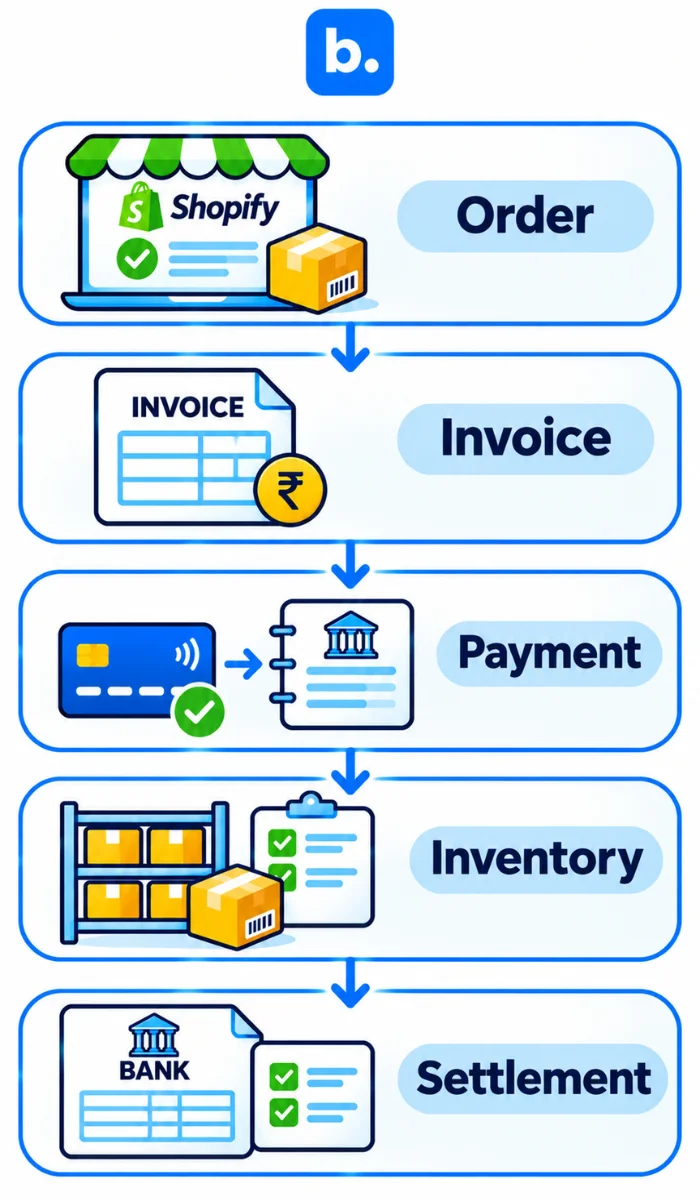
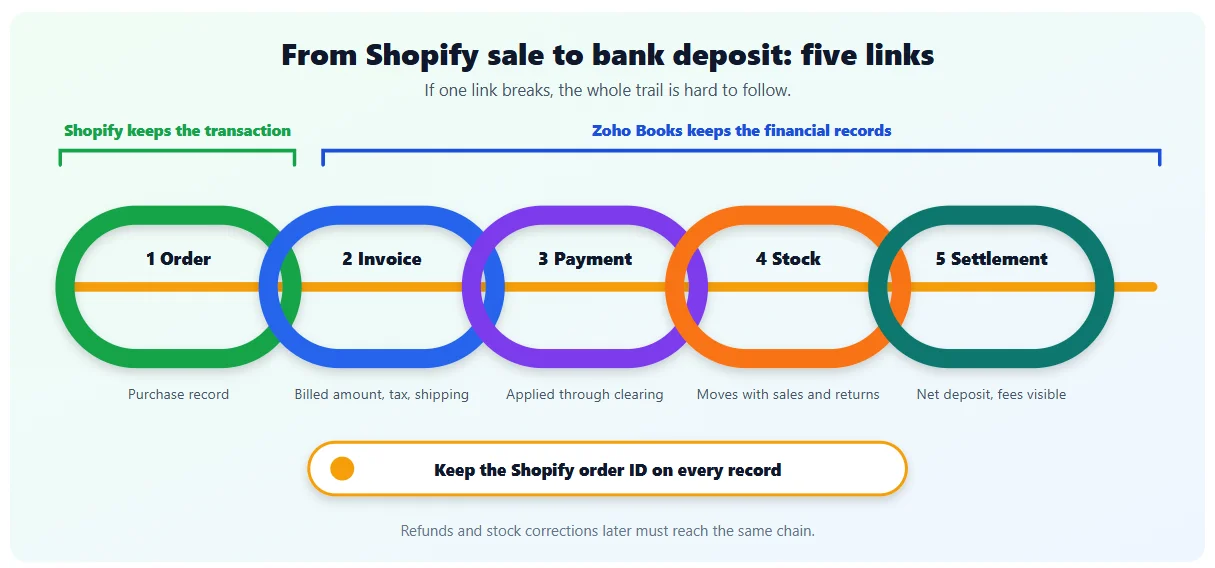
The Zoho Books ecommerce accounting workflow shows how a sale is entered, paid for, altered and matched. It covers five parts: the order, the invoice, the customer payment, the movement of stock and the bank settlement. Keep the sale details along with later changes. Stock may be held before the invoice is made and the settlement may happen a day later. Shopify keeps the transaction while Zoho Books keeps the financial records. References between them make investigation possible when an amount or quantity differs.
Why Shopify accounting becomes more complex as orders grow
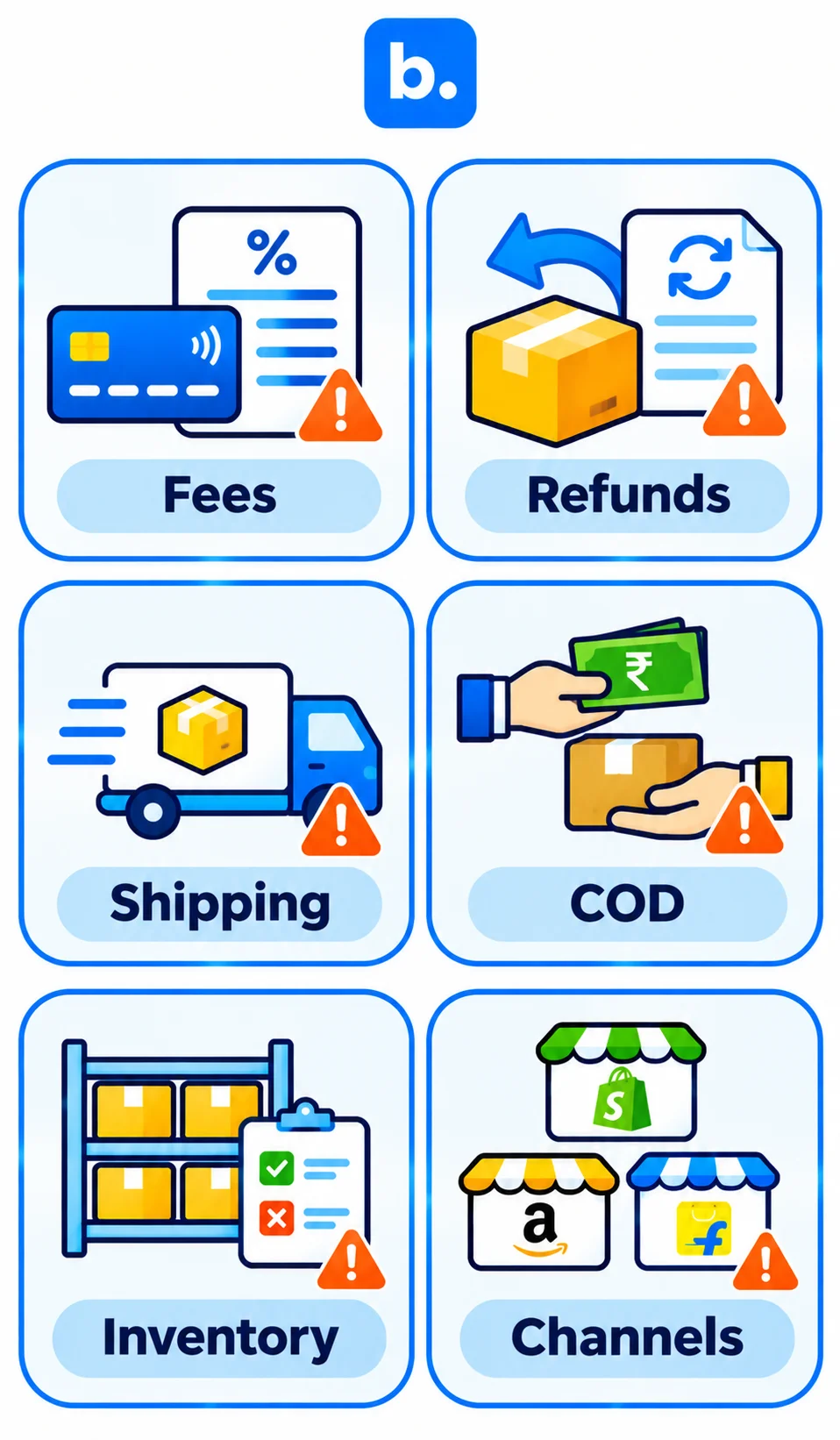
Net settlements. Gateway deductions mean that a bank credit rarely provides the complete sales breakdown.
Partial refunds. The returned quantity, discount and related tax must be separated from the items the customer retains.
Invoice components. Shipping income and tax should not disappear into a single sales amount.
Cash on delivery. The courier may collect from the customer before remitting the money to your business.
Inventory differences. Adjustments made in one application may not reach the other.
Additional channels. Sales outside Shopify still belong in the accounts, even if they follow a different import process.
| Item | In Shopify | In Zoho Books |
|---|---|---|
| Order | Purchase record | Sales order or invoice |
| Discount | Checkout reduction | Allocated or separate discount |
| Shipping | Delivery charge | Income and tax treatment |
| Tax | Checkout calculation | Applicable tax breakup |
| Payment | Payment status | Applied customer payment |
| Refund | Refund event | Credit note and refund |
| Payout | Settlement deposit | Clearing-to-bank movement |
| Product | Product and variant | Item |
| Stock | Available quantity | Item stock record |
This is the role of Shopify accounting software: bringing sales activity into the ledger with the detail required for reporting and reconciliation.
What to sync between Shopify and Zoho Books
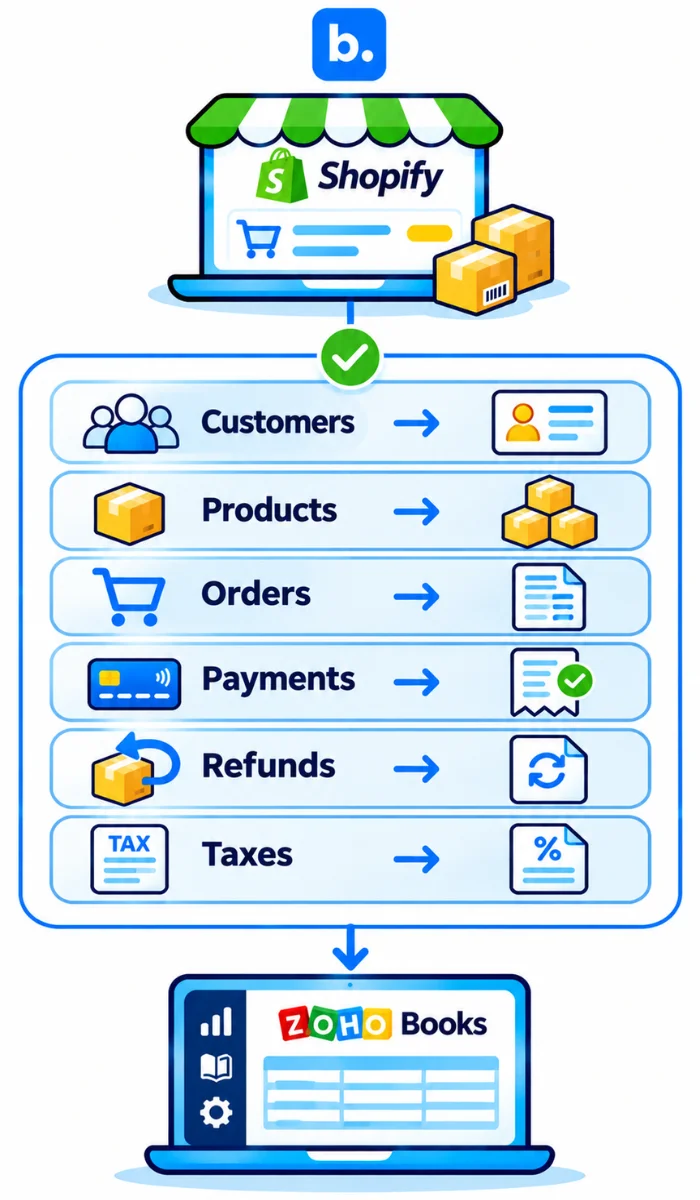
For a Zoho Books integration with Shopify, agree the destination of each record before enabling transfers. The map lists requirements, not universal connector capabilities.
| Shopify data | Zoho Books record | Direction | Verification required |
|---|---|---|---|
| Customers | Contacts | Shopify to Zoho | Individual or grouped mapping |
| Products | Items | Configured route | Variant-level SKU matching |
| Orders | Sales orders or invoices | Shopify to Zoho | Invoice creation is separate |
| Payments | Customer payments | Shopify to Zoho | Application to correct invoice |
| Refunds | Credit notes | Shopify to Zoho | Separate automation support |
| Inventory | Item stock | Selected owner to store | Conflicting updates |
| Taxes | Tax details | Shopify to Zoho | Inclusive or exclusive pricing |
| Shipping | Invoice charge | Shopify to Zoho | Account and tax mapping |
| Gateway fees | Expense | Settlement report to books | Separate fee processing |
With an invoice the payment has to be recorded and applied. A sales receipt records a sale with payment, in the same transaction. Use the sales receipt when your Zoho Books edition and chosen connection support it.
Set up Zoho Books before you connect Shopify
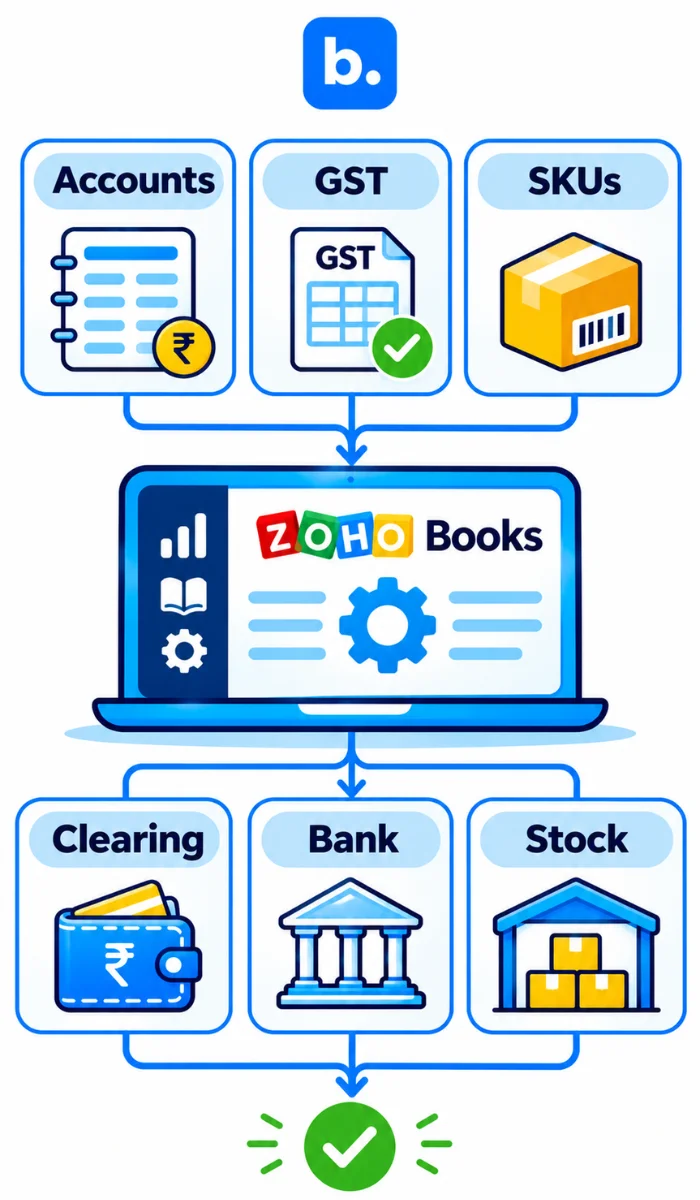
Check the following before the first import:
- Sales, shipping, discounts and gateway charges have suitable accounts.
- GSTIN, place of supply and tax settings are correct.
- Shopify variants have matching item SKUs.
- Gateway and COD clearing accounts are available.
- Bank accounts have the correct opening balances.
- Stock ownership and warehouse mappings are agreed.
- The plan covers the required integration and transaction allowances.
Resolve duplicate items before proceeding. Where two records represent the same SKU, later sales and returns may be assigned inconsistently.
Shopify Zoho Books integration: how to connect and automate
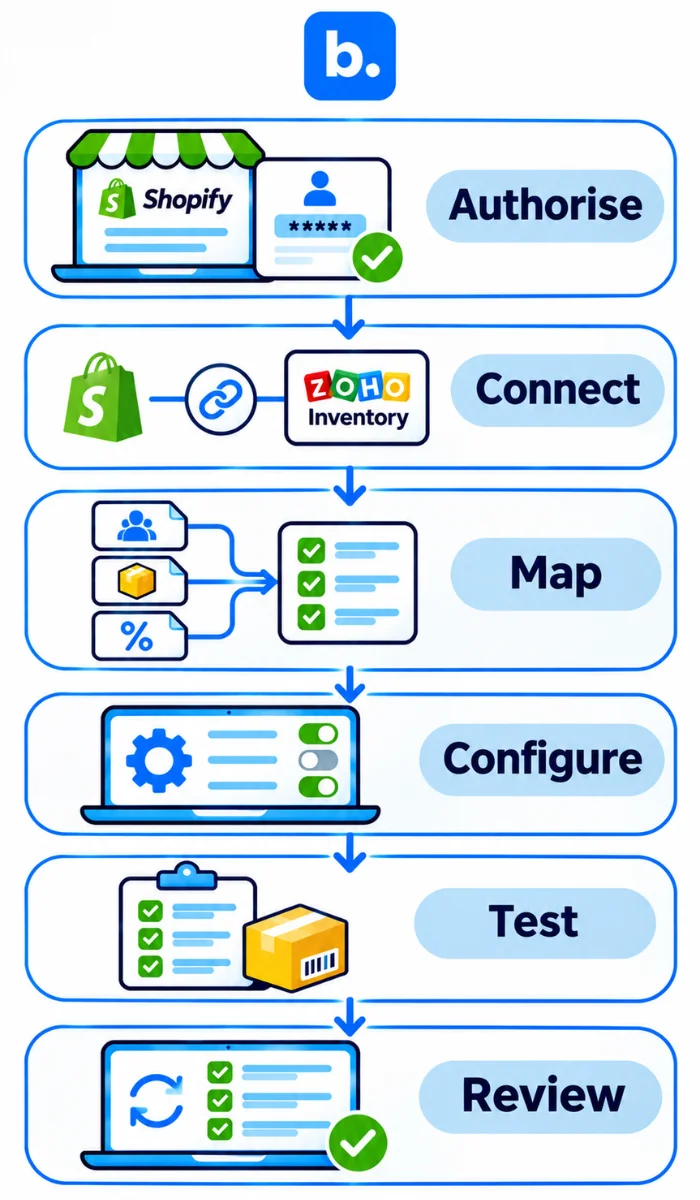
Connect through Zoho Inventory for Zoho’s first-party inventory route, or select a separately configured connector. Map items, taxes and payment accounts before importing transactions. During testing, inspect the invoice and its payment as separate records; the presence of an order alone does not confirm either.
How the Zoho Books Shopify integration works
- Authorisation links the intended store and Zoho organisation.
- Mapping identifies items, customers, taxes and accounting destinations.
- Scheduled synchronisation or configured triggers transfer supported records.
Step-by-step setup
- Verify eligibility. Zoho’s current India pricing page lists Shopify integration under Elite; Ultimate includes Elite features. Inventory tracking alone is not the same entitlement.
- Connect the Zoho applications. In Books, open Settings, select Integrations and connect Zoho Inventory.
- Authorise Shopify. Open Shopping Cart in Inventory’s settings, select Shopify and complete the store authorisation.
- Configure mapping. Select item matching, customer mapping and warehouse or location settings.
- Validate accounting treatment. Review taxes, shipping, discounts and payment accounts in the resulting documents.
- Select the import period. Configure Import From, synchronisation frequency and stock settings. Avoid overlapping historical imports.
- Test representative transactions. Review a prepaid sale, COD order and partial refund, including invoice and payment treatment.
- Inspect Sync History. Investigate failed records and correct their cause before importing more transactions.
For the Zoho Books and Shopify integration, decide which process creates invoices. Keep that responsibility with one process, and assign someone to review the Zoho Books Shopify integration error log.
What native Zoho Shopify integration handles well
The native route is a reasonable starting point for a straightforward store. It also supports multiple stores and warehouse mappings; neither requirement automatically requires a separate operational platform.
Where additional configuration may be required
Check transaction allowances, return scenarios, bundles, custom fees and the channels involved. Do not assume that an older integration article describes the connection available today. Zoho’s older App Spotlight concerns a third-party application, whose current listing describes product updates as a future release.
Automate invoices: from Shopify order to Zoho Books invoice
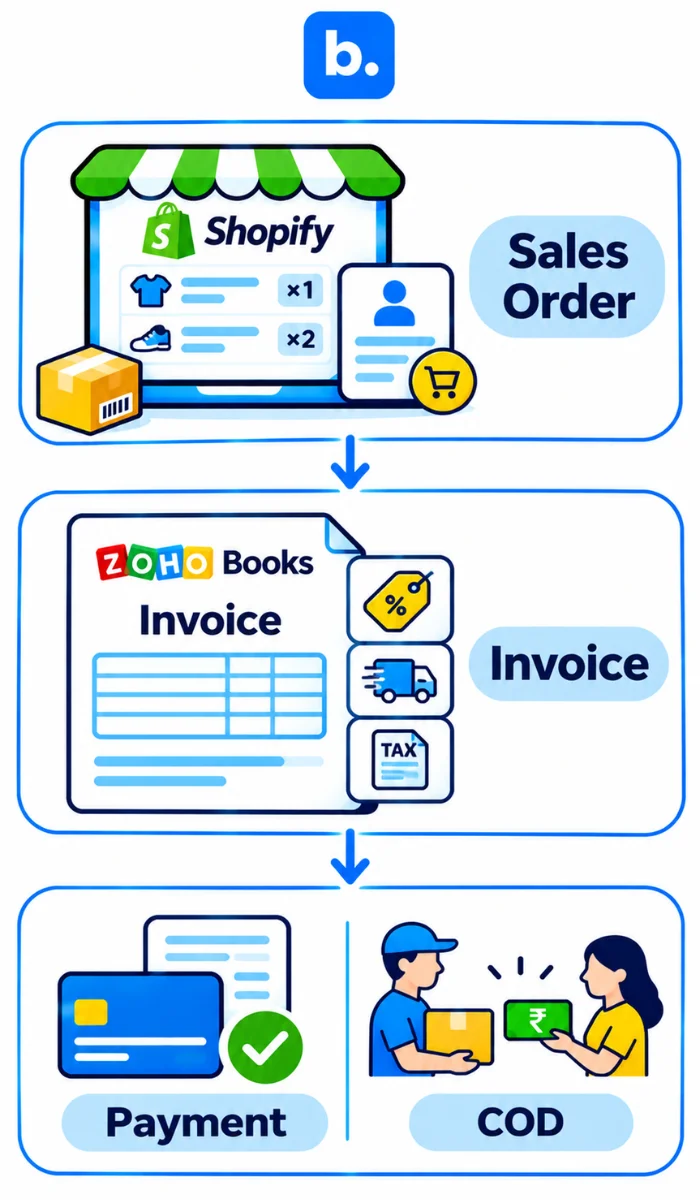
Invoice, sales order or sales receipt?
A sales order is the order record. Finance still needs an invoice at the appropriate billing point, followed by payment application. A sales receipt combines an immediate sale and full payment where supported.
For COD, an accepted order is not evidence of collection. Agree invoice timing with your accountant and record payment when collection has been confirmed.
Taxes, discounts and shipping on the invoice
Review the item’s HSN/SAC, customer GST details, place of supply and whether prices include tax. Check discount allocation against the original order. Confirm shipping’s tax treatment and use the rates applicable to the transaction.
Invoice numbering and customer details
Give invoices their approved numbering series and retain the Shopify order identifier as a reference. Define guest and repeat-customer mapping without losing required B2B details. For multiple stores, check that similar order numbers cannot be mistaken for the same transaction.
Automate inventory sync between Shopify and Zoho Books
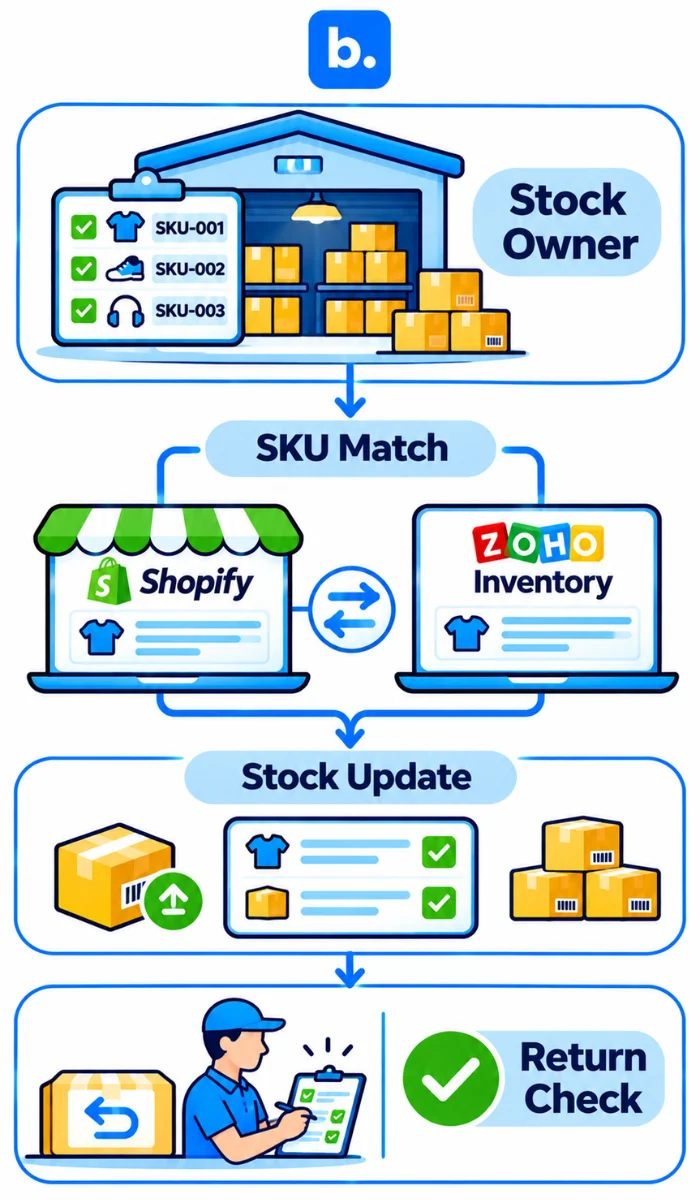
Decide where stock corrections will be entered. If Zoho Inventory owns availability, that system should supply approved stock updates to Shopify. Allowing both applications to overwrite quantities makes discrepancies difficult to resolve.
Match variants by SKU. Test component-level bundle handling, negative-stock behaviour, cancellations and returns. Configure locations deliberately; aggregated quantities may differ from location-specific availability.
A credit note may change book stock, but warehouse inspection determines whether returned units are saleable. Keep damaged or unverified goods unavailable.
Automate payments and reconcile Shopify payouts in Zoho Books
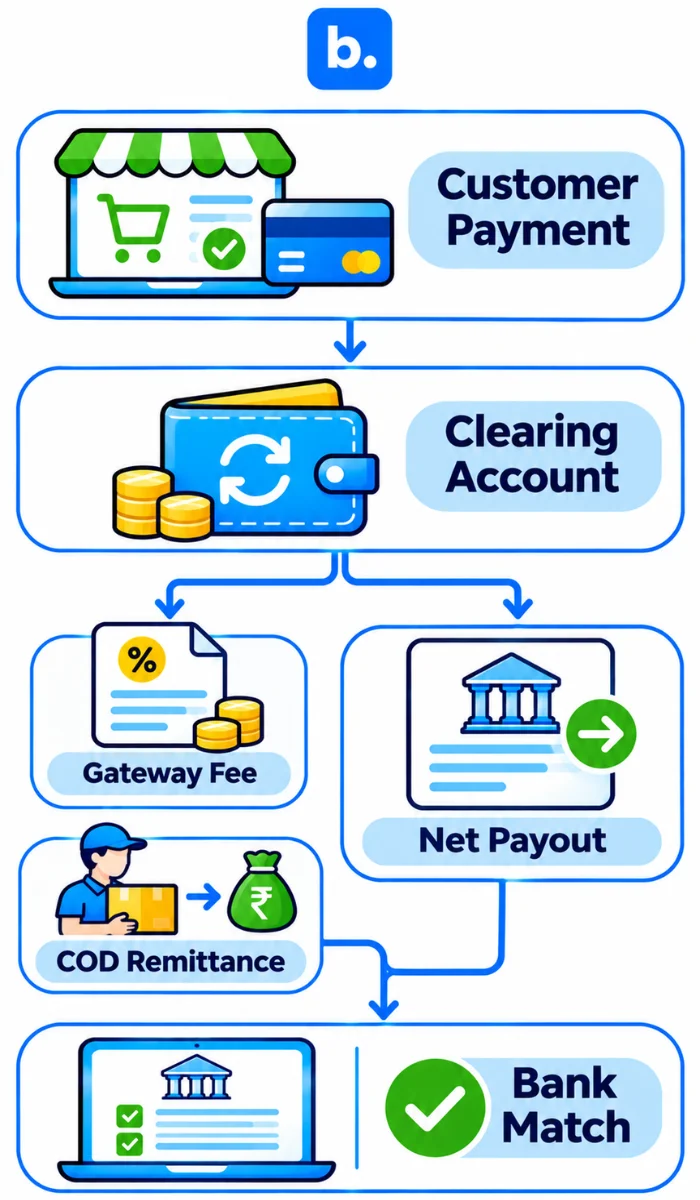
The customer’s payment and the gateway’s settlement are different accounting events. Apply the full customer payment to the invoice through a clearing account. Record deductions against that account, then transfer the amount settled into the bank. Otherwise, fees may be mistaken for unpaid customer balances.
What gets posted where
| Shopify data | Zoho Books entry | Account |
|---|---|---|
| Order payment | Customer payment | Clearing; clears receivables |
| Gateway fee | Expense | Gateway Fees; reduces clearing |
| Refund | Credit note and refund | Reverses relevant sale and tax |
| Chargeback | Dispute entry | Dispute receivable or expense; review policy |
| COD remittance | Settlement transfer | Bank and COD Clearing |
| Payout | Transfer | Bank and Gateway Clearing |
Record COD payment only after confirmed collection. The subsequent courier remittance is not additional revenue.
Worked example
An order contains ₹1,000 of goods, discounted by ₹100. Shipping adds ₹100 and the illustrative tax amount is ₹180. The customer therefore pays ₹1,180. After a ₹20 gateway fee, the bank receives ₹1,160.
Tax is illustrative, not a prescribed GST rate; gateway tax, reserves and foreign exchange are excluded.
| Record | Debit | Credit |
|---|---|---|
| Invoice | Receivables ₹1,180; Discounts ₹100 | Sales ₹1,000; Shipping ₹100; Tax ₹180 |
| Customer payment | Gateway Clearing ₹1,180 | Receivables ₹1,180 |
| Gateway fee | Gateway Fees ₹20 | Gateway Clearing ₹20 |
| Payout | Bank ₹1,160 | Gateway Clearing ₹1,160 |
Receivables and clearing both close at zero. These are accounting effects, not additional manual journals. Inventory valuation and cost-of-goods-sold entries are excluded.
Reconciling the payout
Use the settlement report to identify which payments, refunds and charges make up the deposit. If it differs from the recorded amount, check settlement dates, delayed refunds, fee reversals and reserves before posting an adjustment.
Match the deposit in Books under Banking. Revenue has already been recorded through the sale; the bank receipt must not create it again. A remaining clearing balance may represent money awaiting settlement, provided the underlying transactions support it.
Where an order management system fits into a Zoho Books ecommerce accounting workflow
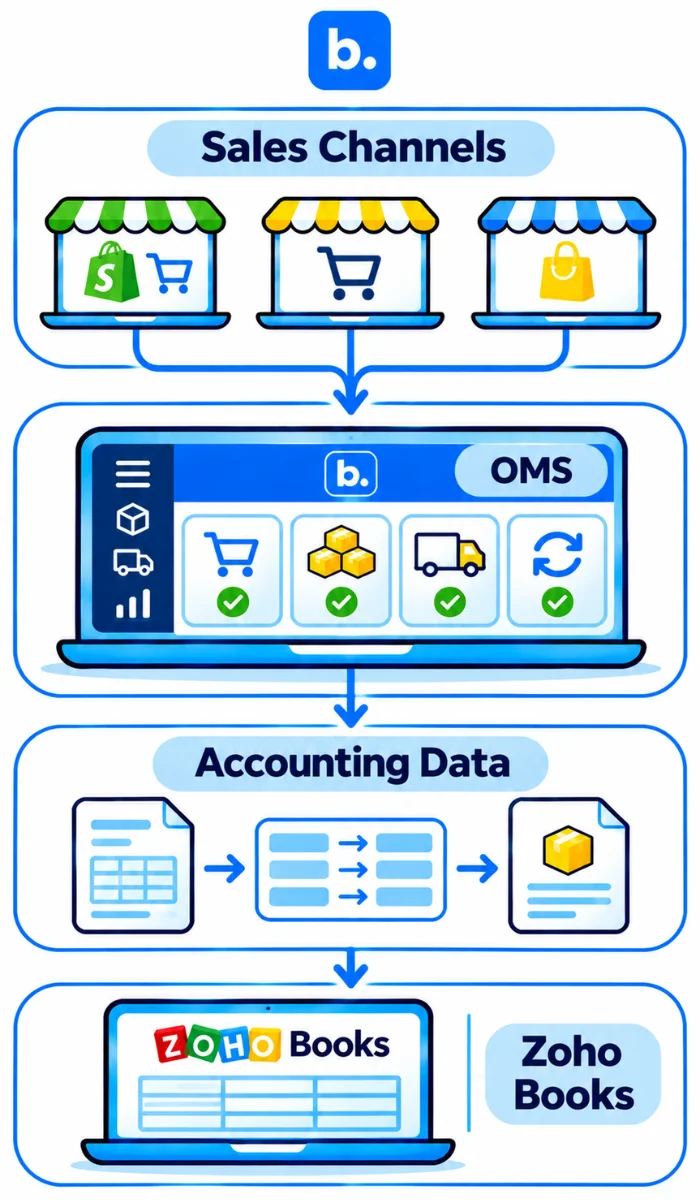
An order management system (OMS) can act as middleware between Shopify and Zoho Books when a seller manages orders across multiple sales channels. It brings operational information into one place and helps prepare the relevant records for accounting.
For example, an OMS can consolidate orders, maintain SKU references, track fulfilment and manage return information. These records can then support the accounting workflow in Zoho Books, subject to the configured integration.
An OMS can help with:
- Order consolidation: Bring orders from connected sales channels into one operational view.
- Product mapping: Maintain consistent SKU references across sales channels and inventory records.
- Returns management: Track cancellations and returns that need corresponding accounting adjustments.
- Inventory coordination: Maintain stock information across channels and warehouse operations.
- Accounting data transfer: Support the movement of configured sales and invoice records into the accounting system.
How operational records reach Zoho Books
The OMS manages the operational side of the transaction, while Zoho Books maintains the financial records.
Before enabling the connection, define which application creates invoices, how customer payments are recorded and how credit notes are handled. Each transfer needs its own mapping and validation.
An OMS does not replace Zoho Books or automatically reconcile every payment settlement. Gateway fees, TDS, TCS and bank credits still require the appropriate accounting treatment.
How to choose the right Shopify-to-Zoho Books integration approach
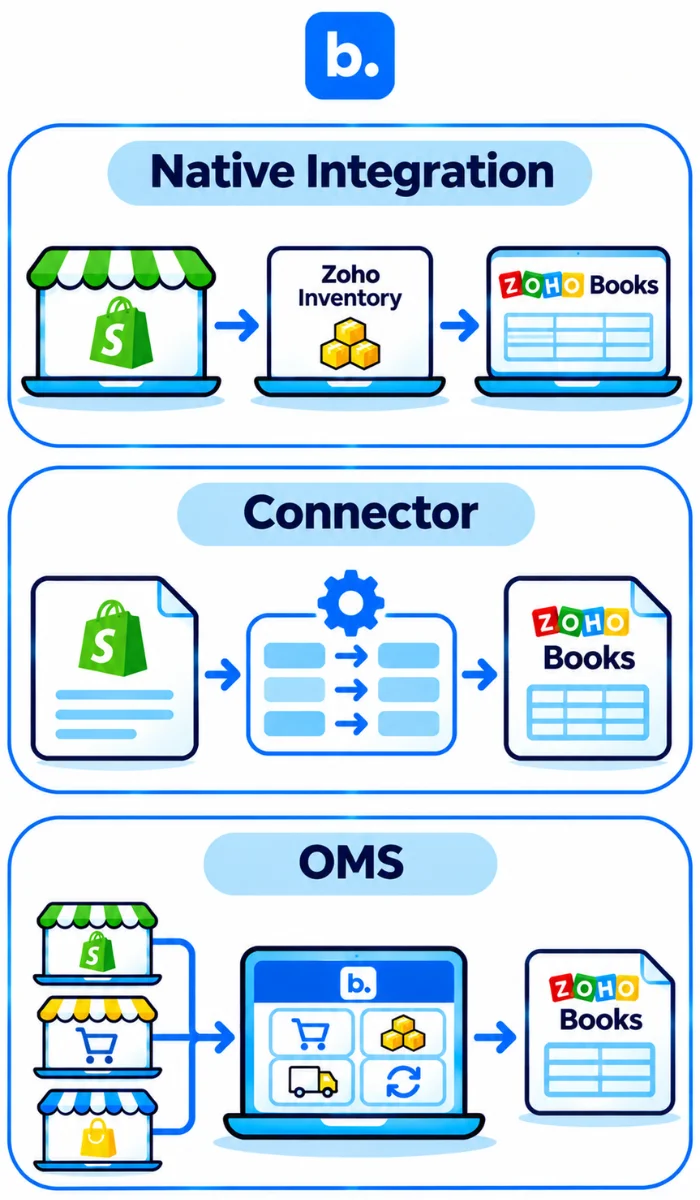
The right integration depends on the number of sales channels, accounting requirements and operational processes involved. A native Zoho connection may be sufficient for a straightforward Shopify store. A separate connector or OMS middleware may be useful when additional order, inventory or accounting workflows need to be managed.
| Route | Best suited to | Considerations |
|---|---|---|
| Native Zoho integration | Sellers already using Zoho Inventory | Check plan eligibility, supported transactions and channel requirements. |
| Accounting connector | Specific invoice and accounting transfer requirements | Verify supported documents, mappings and exception handling. |
| OMS as middleware | Multi-channel sellers with additional order and inventory requirements | Confirm which operational records can be transferred to Zoho Books. |
Before selecting an approach, review:
- Supported sales channels and seller accounts.
- Invoice and sales receipt creation.
- Refund and credit note treatment.
- Gateway fees and payout reconciliation.
- Inventory ownership and stock synchronisation.
- Currency and tax support.
- Duplicate prevention and failed transfer handling.
- Responsibility for implementation, corrections and support.
Ask vendors which activities remain manual and how the workflow handles partial refunds and failed transfers. Test the same transactions across each shortlisted integration before importing historical data.
Common errors in Shopify Zoho Books sync and how to fix them
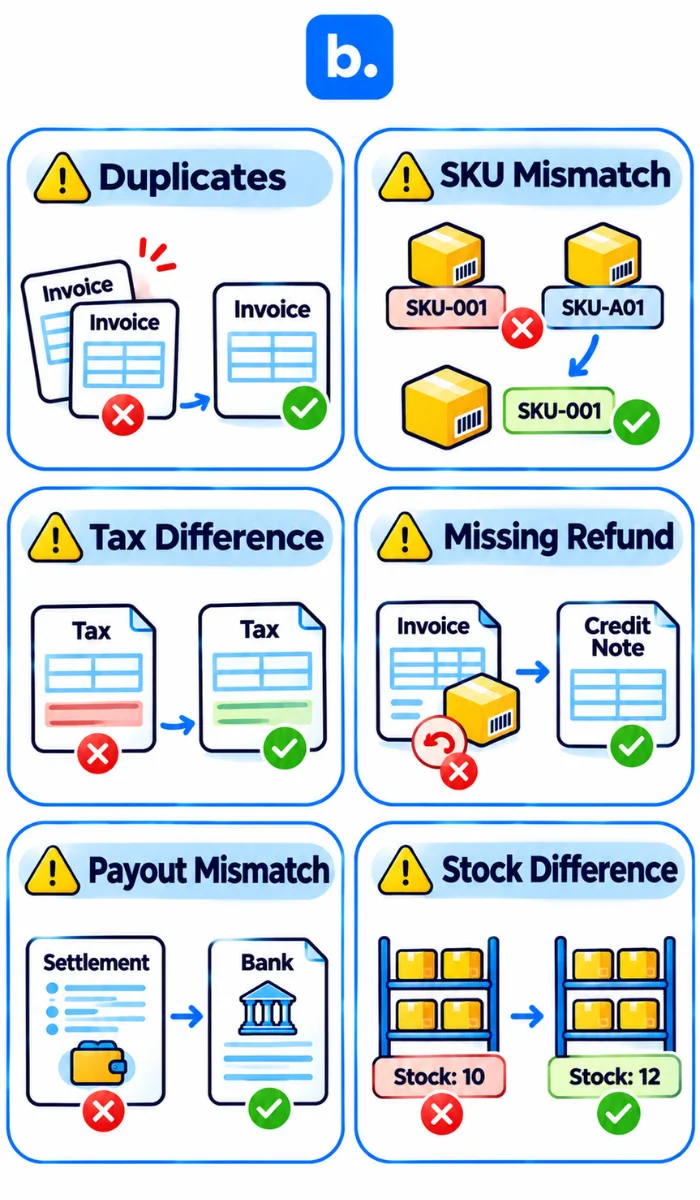
| Problem | Likely cause | Corrective action |
|---|---|---|
| Duplicate invoices | Overlapping processes | Assign one creator; deduplicate IDs |
| SKU mismatch | Different variant identifiers | Relink items before resynchronising |
| Tax difference | Inconsistent tax or pricing settings | Compare line-level calculations |
| Missing credit note | Refund automation absent | Configure and test separately |
| Payout mismatch | Omitted fees or timing differences | Review settlement components |
| Incorrect payment account | Incorrect Deposit To mapping | Correct mapping and affected records |
| Inventory differences | Competing edits or location mapping | Establish ownership; reconcile balances |
| Missing orders after reconnection | Excluded import period | Backfill dates; prevent duplicates |
How Base.com supports a Zoho Books ecommerce accounting workflow
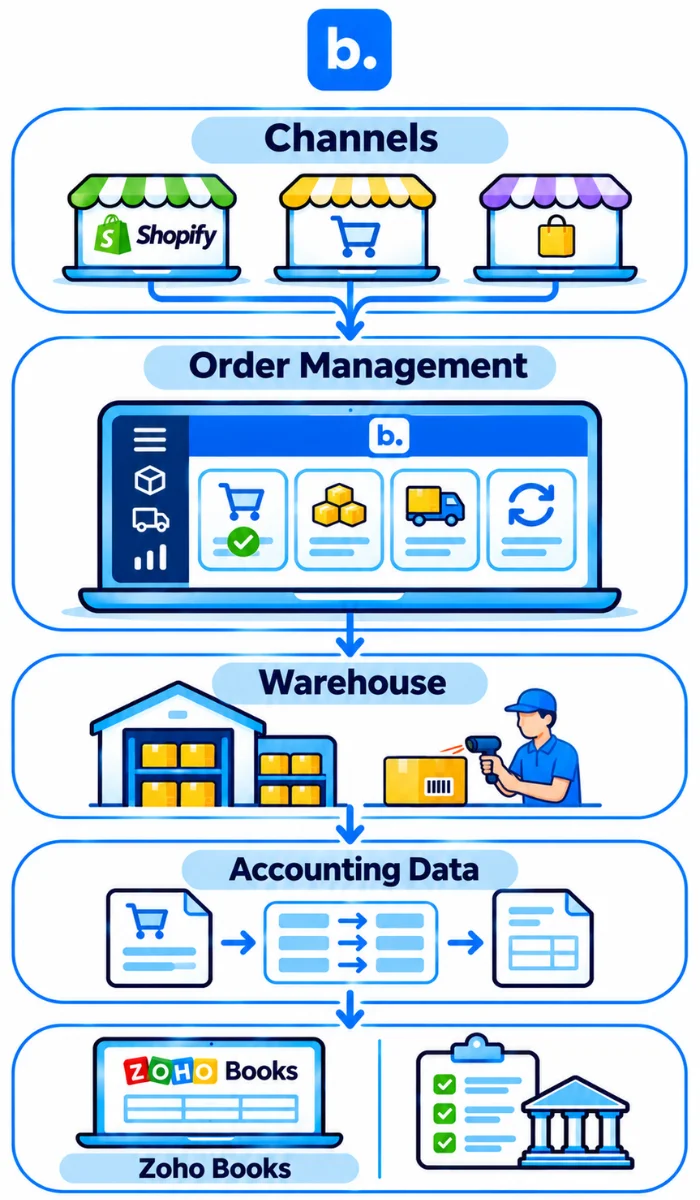
Base.com provides an operational platform for managing orders from connected sales channels. Its Order Manager consolidates channel orders, while its WMS supports warehouse activities such as receiving, picking, packing and returns.
When used alongside Zoho Books, Base.com can serve as middleware between sales channel operations and accounting. The integration requirements should define how order information, product details, invoices and return records move between the systems.
During configuration, identify the application responsible for item codes, tax data and stock updates. Invoice creation, customer payment application, credit notes and settlement handling should each have an agreed process.
Test a representative order through dispatch and a partial return. Compare quantities, references and document totals, then check what happens if a transfer fails or needs to be retried.
Zoho Books remains responsible for the financial records, while Base.com supports the operational processes behind those transactions. Document which activities are automated, which require manual accounting entries and who handles exceptions.
Conclusion
A Zoho Books ecommerce accounting workflow is ready for regular use when the records explain the sale and its subsequent adjustments. The invoice should agree with the order, the payment should clear the correct balance, and the settlement should account for the amount received in the bank.
Start with the existing Zoho route and assess additional software against requirements it does not meet. Resolve mapping and ownership questions before importing history. A tested process for sales, COD and partial refunds is more useful than a connection assessed only on successful order imports.