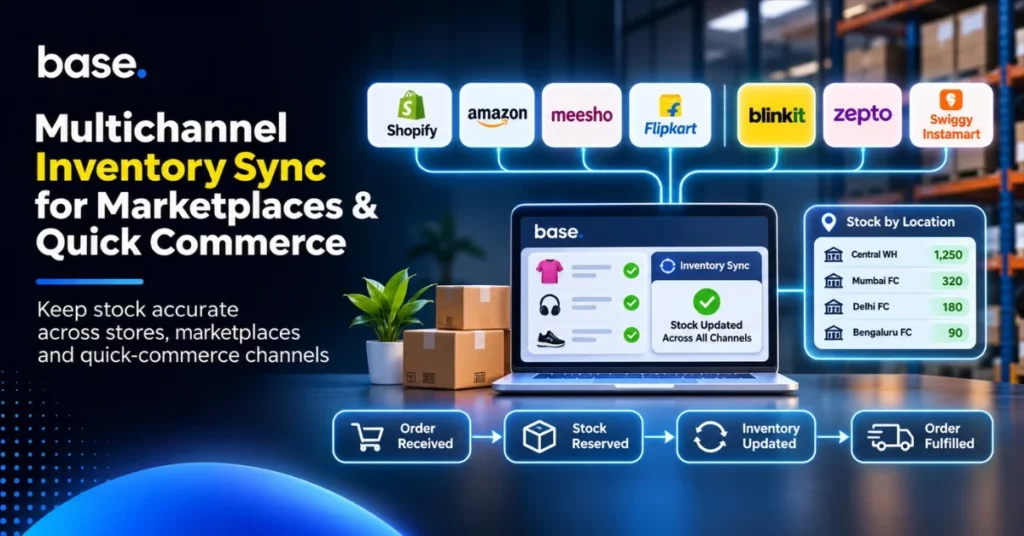
For a brand, every sale on its own website can affect the availability of its products on marketplaces and quick-commerce platforms. Two channels might offer the same last unit if the stock update does not reach all connected systems in time. The stock count across warehouses can be accurate, and the customer can still receive a cancellation.
Multichannel inventory sync ensures that inventory data is aligned across sales channels, order systems and fulfilment systems. It does not mean that all channels draw from a single stock pool. A unit in a central warehouse cannot fulfil an order assigned to a local location until it has been transferred and received there. The business must know what stock is available, where it is stored and what has already been committed.
What multichannel inventory sync means
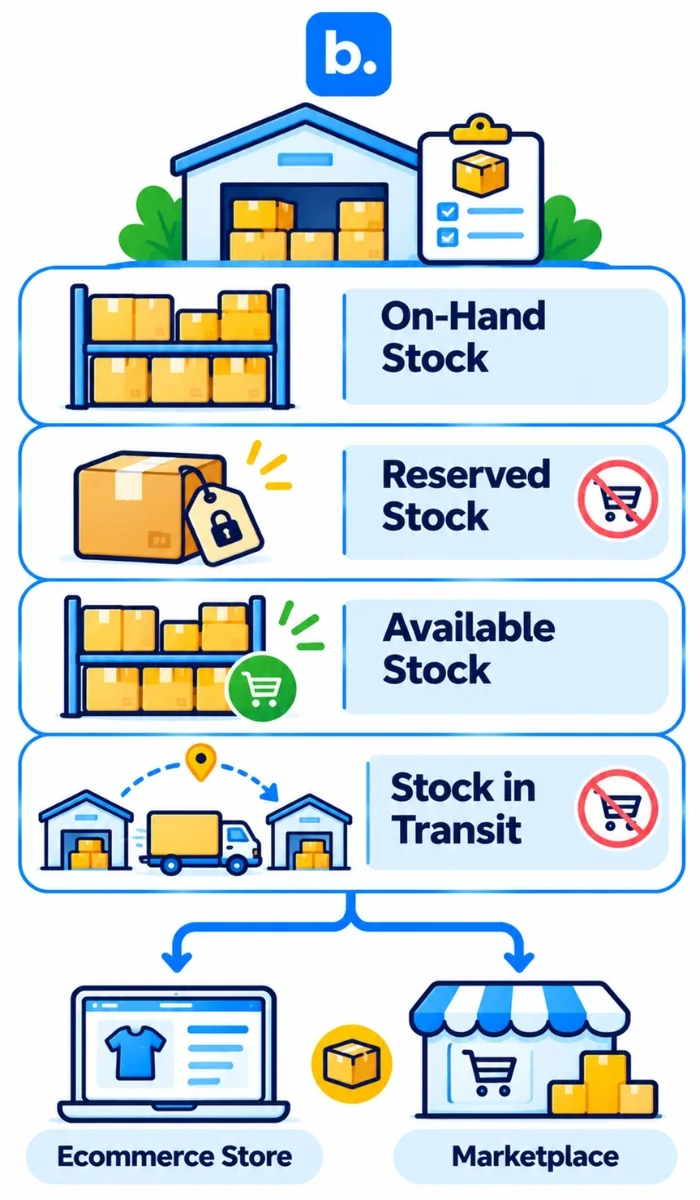
Multichannel inventory sync ensures that stock data is aligned across ecommerce stores, marketplaces, warehouses and fulfilment locations. It provides a common view of stock while maintaining the distinctions between locations and stock states.
A helpful inventory record distinguishes four measures:
| Stock measure | Meaning |
|---|---|
| Physical or on-hand stock | Units recorded at a particular location. |
| Reserved or committed stock | Units reserved for an order or another commitment. |
| Available stock | Units available for new orders after reservations and holds. |
| Stock in transit | Units shipped from one place but not yet received at the other. |
Reserved units are still in stock, but they are not available to be promised to another customer. Stock in transit is not available at the destination until it has arrived and been recorded. Damaged or quality-held units should not be included in sellable stock until they are released.
A central system can maintain the overall record without treating each warehouse, shop or fulfilment point as one pool. That distinction is important if a business sells on multiple channels. When staff need to update each store and marketplace individually, one update may be missed, leaving stock available for sale when it has already been committed.
How stock changes when orders are received
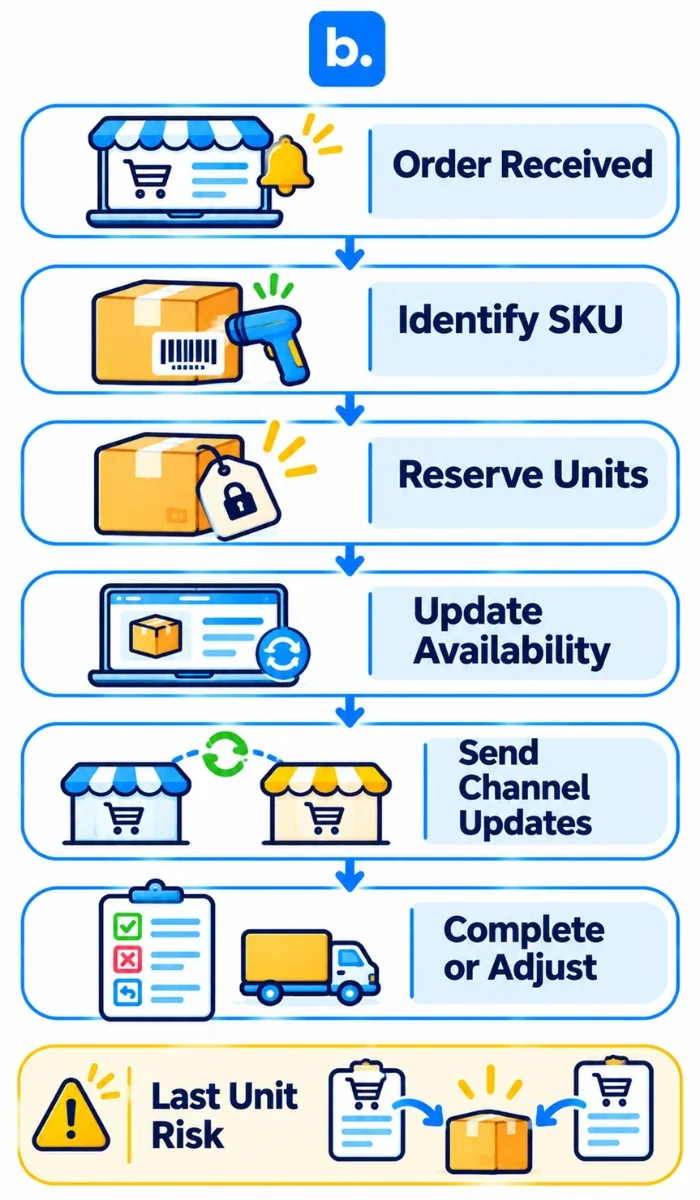
When an order arrives, the system identifies the SKU and quantity, reserves the units and updates what other channels can offer. The typical sequence is:
- The order is recorded with its channel, SKU, quantity and fulfilment information.
- The units are reserved for that order and should not be sold again.
- Available stock is recalculated and updates are sent to connected channels.
- The order is completed or changed. Dispatch, cancellation or return affects the reservation. Returned items may require inspection before they can be resold.
Other movements alter the balance as well. A goods receipt records the addition of stock after checks. A transfer decreases the stock at the origin and increases the stock at the destination when the units are received and recorded. A cancellation may release a reservation. Damaged or lost units should not simply be added back into available stock.
The final unit causes a timing issue. An order for it may be received by two channels within a short time of each other. That risk is reduced by reservations and safety buffers, but the result depends on how quickly each connection passes updates and how it handles concurrent orders. The term “real time” should refer to the actual behaviour of the system, not just the speed it claims to achieve.
Why inventory records get out of step
A discrepancy typically begins when one system records a stock event while another does not. An order can be imported late, an update can be rejected, a transfer can go unrecorded, or a return can be counted before inspection.
A less obvious error can be caused by product mapping. If a case pack and a single unit are associated with incorrect identifiers, an update to one may affect the available quantity of the other. Maintain consistent SKUs, barcodes, pack sizes and units of measure. If a channel has a different identifier, map it to the appropriate product and test the mapping.
Location totals can also be misleading. A business can have sufficient stock overall, but not at the location allocated to a specific order. Teams must know what is held or reserved at each site, which sites can fulfil which orders and the time it takes to replenish. A network-wide total can mask a local stockout.
What ecommerce integrations do
A storefront keeps track of the orders placed by customers. Marketplaces manage their own listings and sales. Warehouse software records goods as they arrive, are stored and are picked. An ecommerce integration platform moves the information supported by the connected systems. An ecommerce platform integration could connect a store to a marketplace, an order system or a warehouse tool.
Marketplace integrations handle that marketplace’s listings and orders. A store connection can link the retailer’s own website to other systems and pass orders or product information between them. Shopify integrations, for example, can import Shopify orders into a larger operation. The functions available vary depending on the connector and its configuration.
Data can flow through an API, a third-party service or a scheduled file. The method itself does not specify the frequency of updates or the events that are supported. Businesses must understand what information flows, where it goes, how often it flows and what happens if it does not flow.
Before integrating systems, determine who owns each record: product identifiers, stock by location, order status and adjustments. Test not only regular orders but also cancellations, partial fulfilments, returns and failed messages. A multichannel integration platform can be helpful when its connections align with the channels and fulfilment model. An integration with an ecommerce platform also needs clear rules for the information it sends and receives.
Where an order management system (OMS) fits
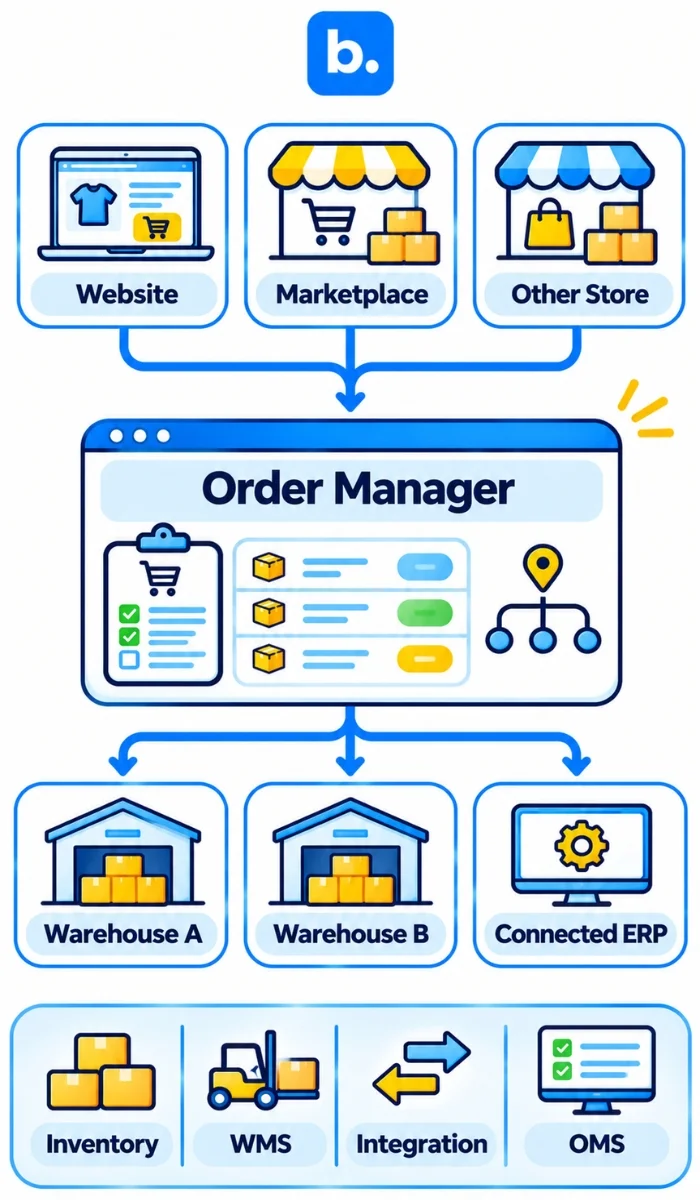
Even if the same warehouse team handles orders from a brand’s website and a marketplace, those orders can be received in different systems. An order management system (OMS) brings orders from different channels into a common process. Staff can use fulfilment rules to route each order to the relevant store, warehouse or system.
Order management for ecommerce can involve juggling between portals, duplicate checks and lost orders that require attention without a shared workflow. Order routing determines where an order will be fulfilled. Stock, location, service area or operating priorities may be taken into account when setting the rules. Reservations and updates are handled according to the OMS and its connections.
These systems perform different functions:
| System | Main job |
|---|---|
| Inventory management software | Keeps track of inventory and movements. |
| Warehouse management system (WMS) | Manages receiving, storage, picking, packing and stocktakes. |
| Ecommerce integration platform | Transfers supported data between connected systems. |
| Order management system (OMS) | Gathers orders and manages fulfilment. |
Some products do more than one thing, so check the actual product rather than relying on its label. When evaluating OMS software or an OMS platform, consider the channels and locations supported, the order and stock events supported, how reservations and cancellations are processed, and how exceptions are displayed to staff.
How quick commerce affects inventory planning
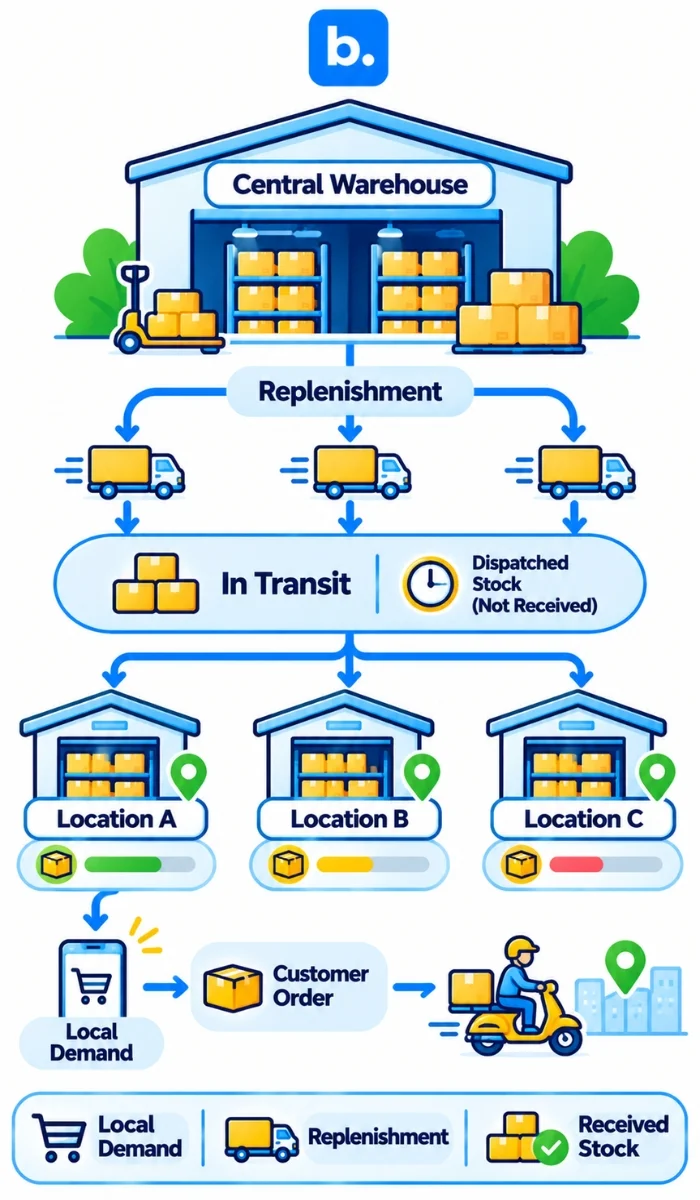
There could be plenty of a product in a central warehouse, but none available at a nearby quick-commerce fulfilment point. The brand’s units in the warehouse are not available for a local order until they are in the right location. Teams must have stock information by SKU and location, and replenishment plans must be based on local sales, lead times, receiving capacity and units already in transit.
Blinkit, Zepto and Swiggy Instamart each have their own seller or brand workflows. For each platform, the business should understand where stock is sent, when it is received and how availability is reported. These processes should not be viewed as interchangeable and should be mapped separately.
Even distribution of each SKU is not always the right approach. A fast seller might require regular restocking at one fulfilment point, while a slower product might not warrant space at every fulfilment point. A transfer or a change to future allocation may be more appropriate than another purchase order when a location is short. Keep dispatched stock separate from units received and ready to sell.
How to build a reliable inventory process
Before adding channels, record the location of stock, the meaning of each stock status, the system that owns each record and who is responsible for exceptions. Then check the main order and stock movements.
- Establish a source of truth for product identifiers, location balances and order status.
- Map each SKU and variant to the store, marketplaces, OMS and warehouse records. Check case quantities, individual units and bundles.
- Specify the actions to be taken when orders, cancellations, returns, receipts, transfers and stock adjustments occur.
- Establish update expectations for each connection, including how staff identify and retry failed or delayed updates.
- Compare system quantities with physical quantities. Look for patterns of error rather than continually fixing errors without understanding their source.
- Check stock by location to avoid confusing central stock with local stock that is ready to fulfil an order.
A useful test follows one product through an order, cancellation, return and transfer. If the records match at each stage, repeat the checks for other products and channels.
How base.com can help with connected ecommerce operations
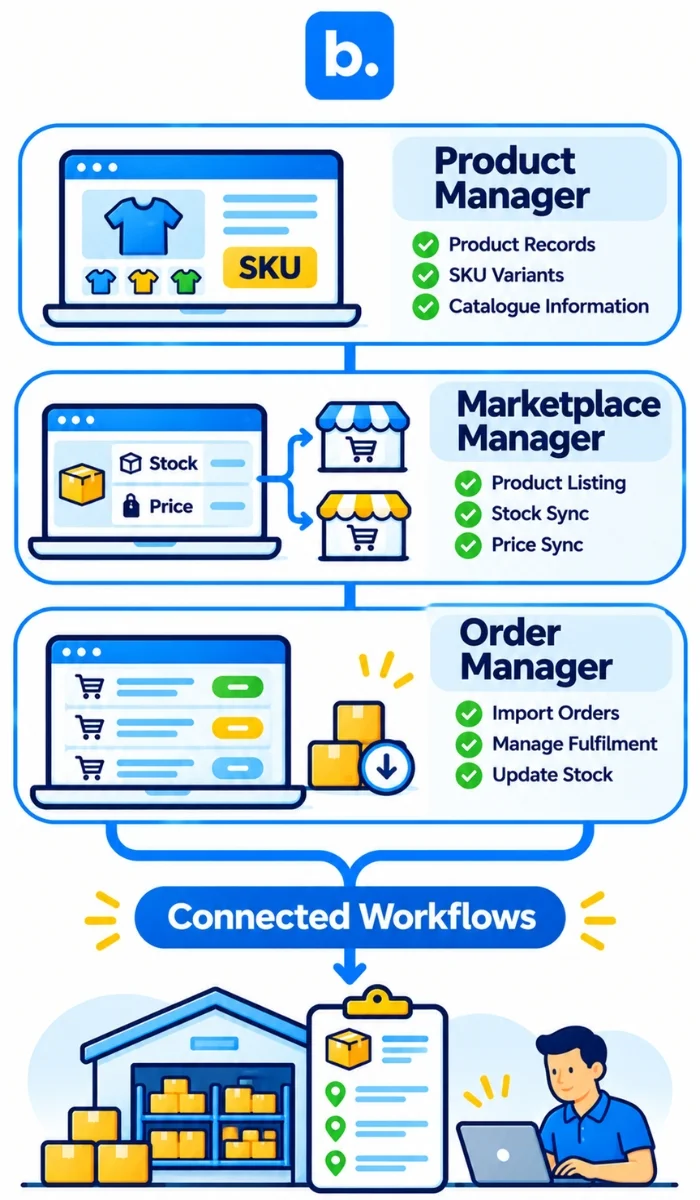
At base.com, our products manage different aspects of a multichannel operation. Product Manager stores product data in a central location and supports the synchronisation of product information with connected sales channels. The fields available may vary from channel to channel, so it is important to maintain consistent product records.
Marketplace Manager supports product listing and the synchronisation of stock and prices for connected stores and supported marketplaces. Our Shopify App integration supports the import of Shopify orders, forwarding marketplace orders to the store, and stock and price synchronisation with marketplace services.
Order Manager brings together orders from connected stores and marketplaces. It can send orders to a store or ERP and reduce stock when an order is transferred. Base WMS supports warehouse activities such as receiving, storage, picking, packing, stocktakes and returns. Each product supports a specific aspect of the workflow.
Is base.com compatible with Blinkit, Zepto and Swiggy Instamart?
Base.com has a Blinkit integration for approved vendors. Blinkit must first enable each vendor ID for the Base.com platform. Once enabled, the integration supports Blinkit purchase orders and related fulfilment activities, including appointment scheduling, advance shipping notices and PO tracking. This is a purchase-order fulfilment workflow, rather than a general stock-synchronisation connection across quick-commerce platforms.
Conclusion
Product records need to be consistent across systems, quantities need to be tracked by location, and there need to be clear rules for reservations to maintain accurate stock. Integrations move supported data, an OMS coordinates orders and warehouse software supports physical fulfilment. They all have different roles. Investigate recurring differences between system balances and stock on hand rather than correcting the same unexplained difference again.