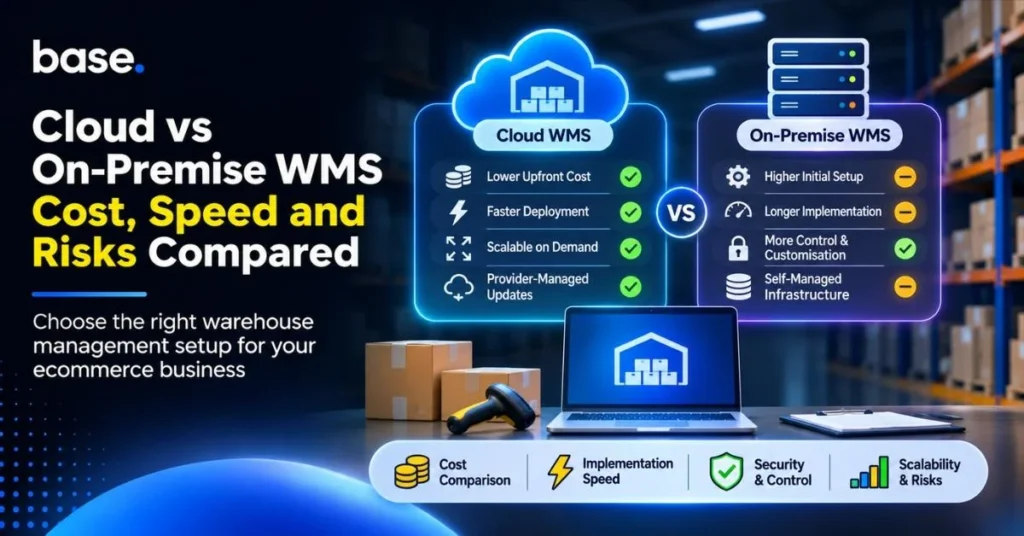
The cloud vs on premise WMS decision is about more than where warehouse management system software runs. It affects who maintains the infrastructure, how teams access the warehouse management system, what costs recur and who is responsible for security and continuity. A cloud WMS is generally hosted by a provider and accessed over the internet; an on-premise WMS runs on infrastructure managed by the organisation or its IT partner.
Cloud deployment can avoid buying and maintaining primary server infrastructure, but it brings subscription costs and reliance on provider services and connectivity. On-premise deployment gives the organisation more direct infrastructure control, alongside the work and expense of maintaining it. Neither option is automatically cheaper, faster or safer. The right choice depends on warehouse complexity, IT capacity, integrations, data governance, network reliability and growth plans. Compare the full operating model, not just the hosting label.
What is a cloud WMS?
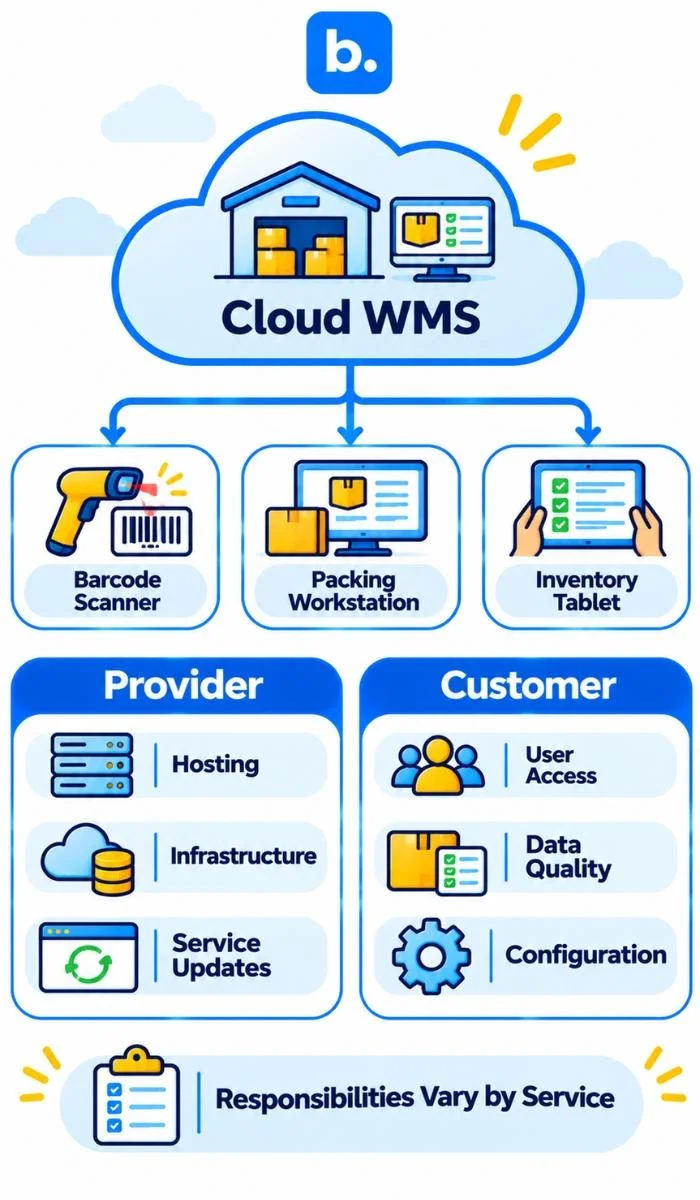
A cloud-based warehouse management system runs on cloud infrastructure and is accessed by authorised users over a network, commonly through a browser or supported application. In a software-as-a-service (SaaS) arrangement, the provider delivers the application as a service and typically manages the application hosting and much of its underlying infrastructure. The customer pays according to the service’s pricing model.
This can remove the need to buy and maintain the application’s primary servers. Users may access the system from supported locations and devices, subject to permissions and connectivity. The provider generally handles infrastructure maintenance and software updates, although service terms vary. Capacity, users or usage may be adjustable, subject to architecture, plan limits and price.
Cloud does not mean only public cloud. Services may use public, private or hybrid cloud arrangements. Nor are SaaS and cloud interchangeable: software can run on cloud infrastructure without being a fully managed SaaS product. The NIST definition of cloud computing is a useful technical reference. In any arrangement, the customer still manages access, device security, data quality and business configuration. For an ecommerce-focused overview, see our warehouse management system guide.
What is an on-premise WMS?
An on-premise warehouse management system is deployed on servers and supporting infrastructure that the organisation owns or manages, usually at its premises or in a dedicated data centre. The organisation, its IT team or a contracted partner arranges hardware, storage, networking and the environment where the software runs.
That party also takes responsibility for installation, monitoring, patches, backups and upgrades, as agreed with the software vendor. Users commonly connect through the organisation’s network; remote access can be configured separately. Hardware capacity must be planned and expanded as needs change. The organisation gains more direct control over its infrastructure configuration, but accepts more operational responsibility for keeping it available and secure.
On-premise is not another name for private cloud. And local installation does not guarantee that the WMS works without internet access. Marketplace, courier, licensing or other connected services may still rely on external connectivity. Confirm what continues to work during a network outage for the specific product and configuration.
Cloud vs on-premise WMS: key differences
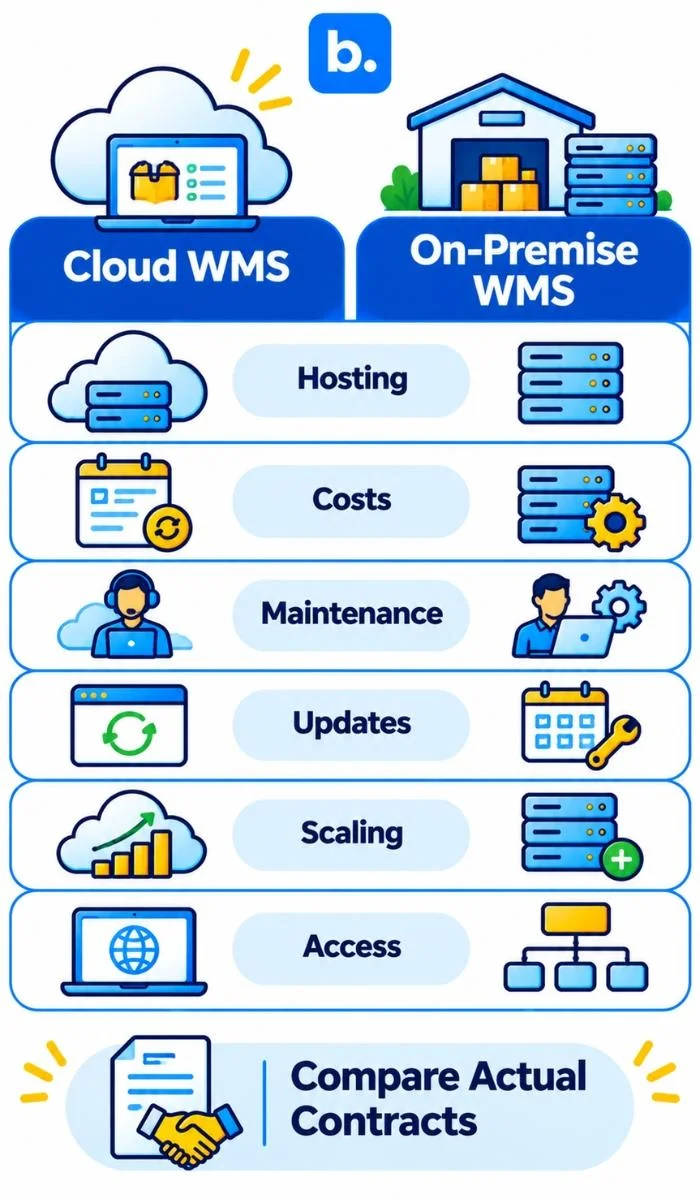
The table summarises common differences, not a promise about every product. A provider may offer extensive configuration in the cloud; an on-premise installation may still depend on external hosting, vendor support or internet-connected services.
| Factor | Cloud WMS | On-premise WMS |
|---|---|---|
| Hosting | Cloud infrastructure managed by provider or hosting partner | Infrastructure managed by organisation or its IT partner |
| Initial investment | Usually less customer-owned server infrastructure | May require upfront hardware and deployment investment |
| Payment model | Commonly recurring subscription or service fees | May include licence, infrastructure and maintenance costs |
| Hardware | Hosting infrastructure generally provider-managed | Servers, storage and networking arranged by customer or partner |
| Implementation | No customer server procurement, but configuration and rollout remain | Includes infrastructure setup as well as WMS rollout |
| Maintenance | Provider often manages hosting and updates; customer manages configuration and access | Organisation or partner manages infrastructure and agreed software tasks |
| Updates | Often provider-scheduled, subject to service and release terms | Planned and managed with vendor or internal IT |
| Scaling | Capacity may be adjusted, subject to limits and fees | May need hardware, licence and capacity changes |
| Access | Usually available over internet to authorised users | Often through internal network; remote access needs configuration |
| Control | Depends on contract, product and hosting arrangement | More direct control over infrastructure configuration |
| Connectivity | Internet and provider availability can affect access | Local network/server availability matters; integrations may still need internet |
| IT workload | Typically less infrastructure management for customer | More infrastructure management for customer or partner |
Cloud WMS vs on-premise WMS: which costs more?
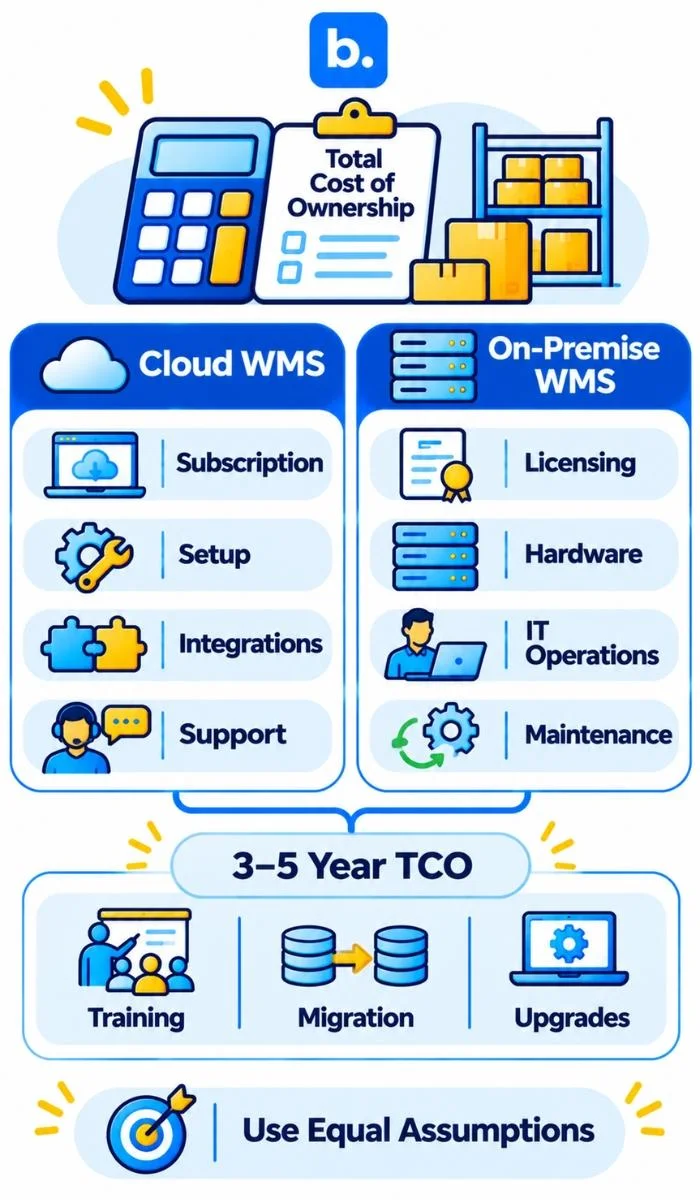
Compare total cost of ownership (TCO), not only the displayed subscription or licence. Build a three-to-five-year view with the same assumptions for order volume, warehouses, users, integrations, support and service levels. Costs vary by vendor, architecture, contract and internal IT capability, so there is no universal lower-cost model.
Costs to include for cloud WMS
A cloud WMS may charge a monthly or annual subscription, with implementation and configuration fees. Also check data migration, integration work, extra users, warehouses, modules or transaction tiers, training and support beyond the included service. The business may still need scanners, printers, devices and reliable connectivity. Recurring fees continue while the service is used, and can rise as the operation expands. Understand price changes, renewal terms and any exit or data-export charges.
Costs to include for on-premise WMS
An on-premise WMS may involve software licence or deployment fees, servers, storage, networking, installation and configuration. Operating costs can include IT staff or a service partner, security tools, backups and disaster recovery, support agreements, software upgrades, hardware replacement and additional capacity. Integration and customisation may also require ongoing work. A perpetual licence does not make the system cost-free to operate after purchase.
Use a consistent cost model:
TCO = setup + software + infrastructure + integrations + maintenance + support + training + upgrades + internal operating costs.
Include the cost of staff time and planned downtime as appropriate. If you are assessing our wider platform as part of a system review, our pricing page shows published plan information; compare the relevant scope and terms rather than treating it as a WMS deployment quote.
Implementation speed and ongoing maintenance
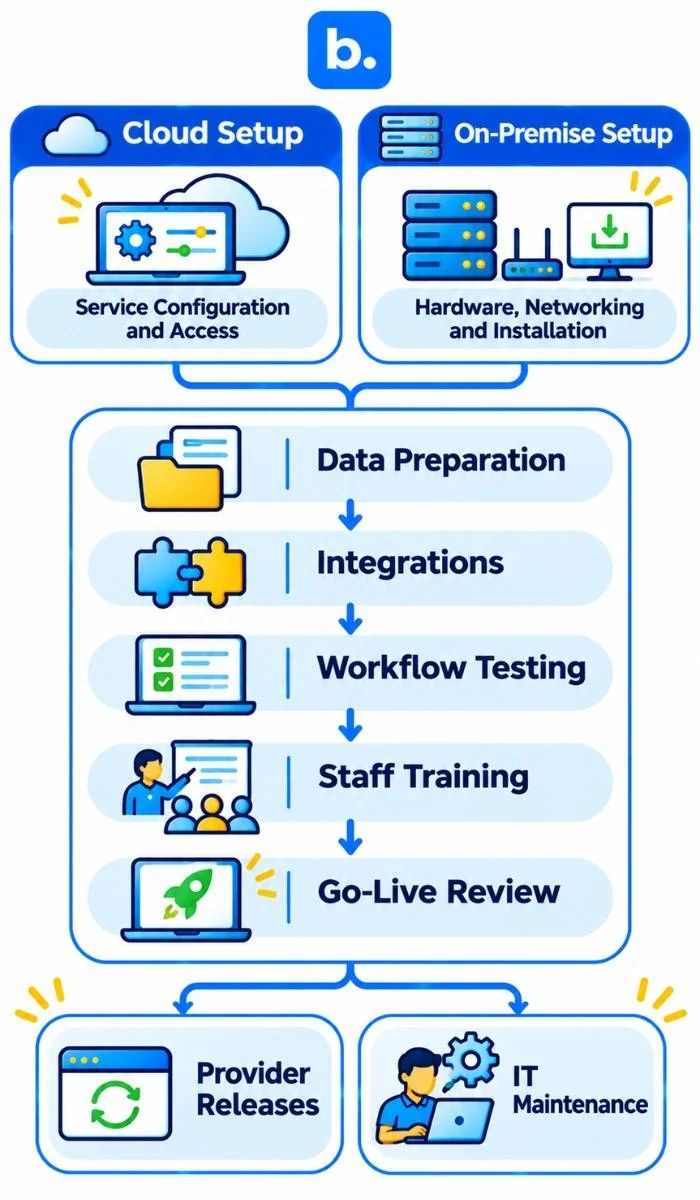
Cloud deployment can avoid the customer-side time needed to procure and install servers. It does not remove warehouse implementation work. Both models need workflow review, clean product and stock data, configuration, integrations, user permissions, device setup, testing, training and a controlled go-live.
For cloud, confirm who configures the service, migrates data, tests integrations and trains staff. Provider-managed hosting or updates do not make the customer responsible for less data preparation or acceptance testing. Ask how releases are announced, tested and scheduled, and whether changes can affect warehouse workflows.
On-premise implementation adds infrastructure preparation: server procurement or allocation, network and storage configuration, security setup, installation, database and backup arrangements, and infrastructure testing. Maintenance can involve patching, upgrade windows, hardware replacement and coordination between the WMS vendor and IT team.
For example, a brand planning to launch before a festive sales period should assess whether the complete rollout, integration tests and warehouse training can be finished with time to rehearse exceptions. Cloud may simplify the infrastructure stage, but no deployment model guarantees a faster end-to-end project. Timelines depend on data quality, sites, integrations, custom workflows and available people. AWS’s cloud and on-premises comparison describes how infrastructure ownership shifts responsibilities for maintenance, cost and capacity.
Security, data control and operational risk
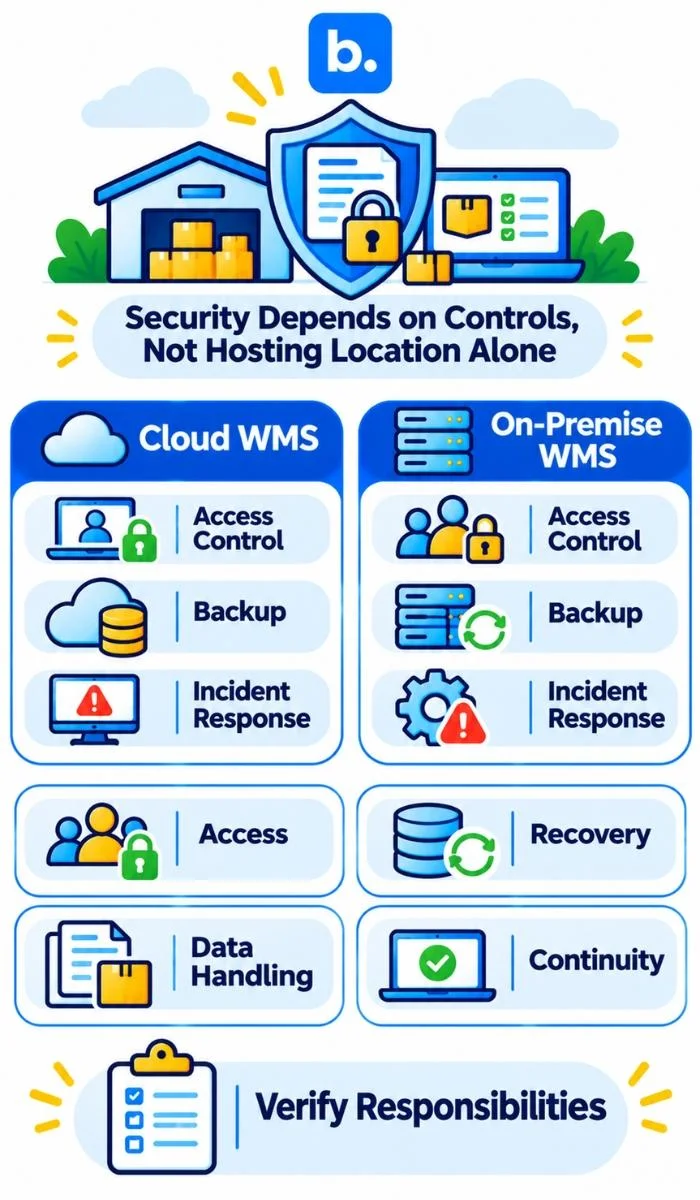
Security depends on architecture, configuration, people and maintenance, not simply server location. A cloud WMS is not risk-free, and on-premise hosting is not inherently more secure. Assess the actual service, your own controls and the division of responsibilities.
Cloud WMS security questions
Ask how data is protected in transit and at rest; which authentication, permission and audit-log controls exist; how backups and recovery are tested; where data is stored and processed; which hosting partners or subprocessors are involved; how incidents are handled; and what availability commitments and remedies appear in the contract. Also establish how data can be exported or deleted when the agreement ends.
In a SaaS model, the provider may manage physical infrastructure and parts of the application environment, while the customer remains responsible for choosing a service that meets its needs, configuring it securely, managing user access and deciding what data to process. The split varies by service. The UK’s NCSC shared-responsibility guidance explains why buyers should document that allocation rather than assume it.
On-premise WMS security questions
Direct control means the organisation can set infrastructure policies, but must also manage physical server access, network protection, operating-system and application patches, permissions, malware controls, backups, recovery, monitoring and incident response. Review administrative access held by employees and service partners. A poorly maintained internal server can be less secure than a well-managed hosted service; local control is not proof of effective controls.
Indian data protection and vendor due diligence
A WMS may handle customer names, phone numbers and delivery addresses. Identify the organisation’s legal role and the provider’s contractual role in processing personal data, then review processing terms, access, retention, breach handling and safeguards with legal or compliance advisers. The Rules set out phased commencement in the Official Gazette notification; the PIB summary also describes a phased timeline. Do not assume all provisions commenced together, or that Indian ecommerce data must universally be hosted in India. Check the applicable provisions, commencement dates and any other legal or contractual requirements. This is operational guidance, not legal advice.
Scalability, integrations and warehouse connectivity
Hosting affects the infrastructure behind a WMS, but does not by itself determine what the software can do or integrate with. Cloud capacity can often be changed without the customer buying local servers, subject to service architecture, provider capacity, plan limits and price. On-premise expansion may need additional hardware, network improvements and capacity planning, although an organisation may already have suitable infrastructure.
Both models can support connections to marketplaces, ecommerce platforms, ERP and accounting systems, shipping services and warehouse devices. Verify available connectors, API access, data fields, synchronisation frequency, failure alerts and who supports each connection. Our Order Manager and integrations directory can help you review the wider connected workflow; check exact integration coverage and scope for your setup.
A cloud WMS generally needs a reliable connection to the hosted application. If a warehouse has inconsistent broadband or mobile coverage, ask about backup connectivity, outage procedures and any explicitly supported offline features. An on-premise WMS may continue to run on a local network during an external internet outage, but only if the product architecture supports it. External marketplace and courier integrations may still be unavailable. Test business continuity rather than infer it from the deployment label.
Which WMS deployment model suits your business?
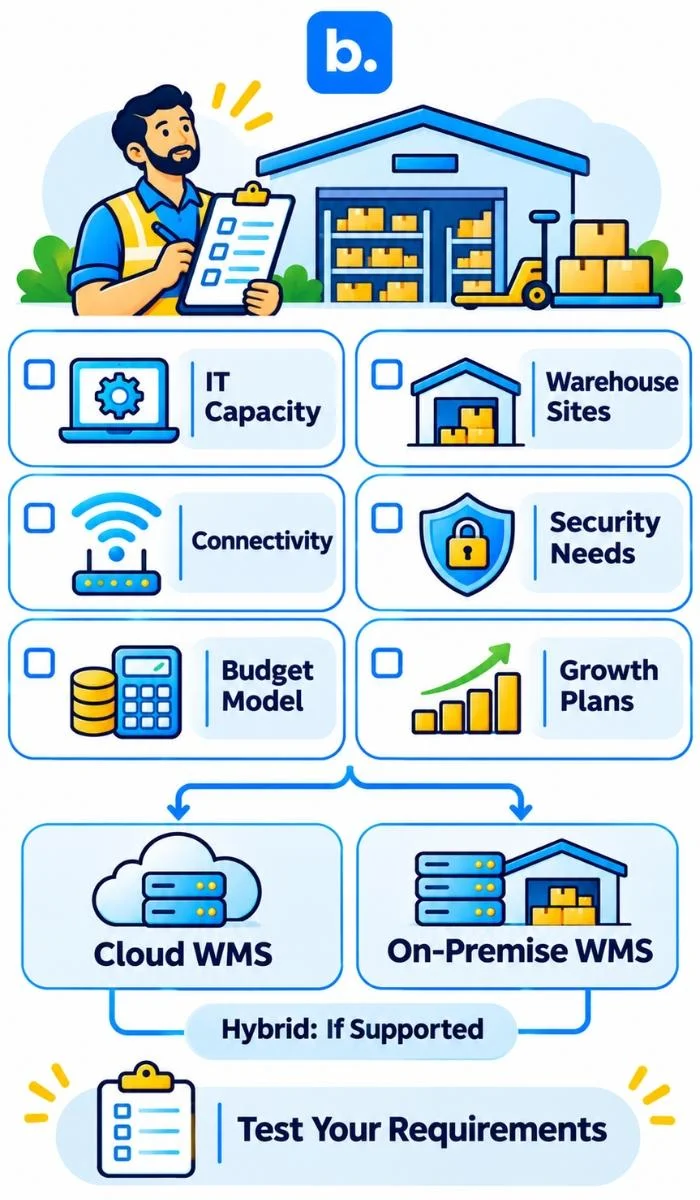
A cloud-based WMS may suit a growing D2C or marketplace seller that wants to avoid managing primary server infrastructure, needs authorised access across sites, has limited infrastructure staff, prefers recurring service costs or expects realistic capacity changes. Reliable internet and clear provider terms remain important. Cloud can reduce infrastructure management, but not remove the need for IT, security, integration or process oversight.
An on-premise WMS may suit an organisation with established IT capability, suitable existing infrastructure, a need for more direct control over its environment, or technical and integration requirements the chosen product supports locally. The business must be ready to fund and maintain the system throughout its lifecycle. Greater control also means greater responsibility.
Some organisations consider hybrid arrangements, combining locally managed applications or infrastructure with cloud services. This can support specific legacy or operating requirements, but adds integration and ownership questions. Not every WMS vendor offers hybrid deployment, so confirm the actual architecture.
Map your current warehouse, IT skills, sites, connected services and security requirements. Then model a credible growth case rather than buying for a hypothetical future. The suitable model is the one whose costs, responsibilities and risks your organisation can actually manage.
Questions to ask before choosing a WMS
Use these questions with each shortlisted provider and request written answers:
- Where does the WMS run, and who manages the infrastructure?
- Is the offer SaaS, privately hosted, on-premise or hybrid?
- What does the subscription or licence include, and what triggers extra charges?
- Who handles updates, patches, backups, recovery and security incidents?
- Where is data processed, and which providers or subprocessors are involved?
- What availability, support and disaster-recovery commitments are contractual?
- What happens during a connectivity or hosting outage? Is offline work supported?
- Which marketplace, ecommerce, ERP, accounting and courier integrations are covered?
- Can you export data and records if you leave? How is deletion handled?
- What are the costs for implementation, migration, training and ongoing support?
- Can we test the service with our actual warehouse workflows before committing?
Review the service agreement, support terms, data-processing clauses and exit arrangements. A demonstration can show workflow behaviour, but cannot prove security controls or continuity commitments.
How Base WMS fits into ecommerce warehouse operations
Base WMS includes purchase-order receiving, incoming quantity and quality checks, warehouse location assignment, barcode scanning, batch and expiry tracking, stocktakes, location-guided picking, packing checks, returns workflows and mobile warehouse tasks. It is part of the wider Base platform, so warehouse work connects directly with order management.
Before choosing a deployment model, ask us about hosting, data residency, security certifications, uptime and offline access, and check the current service terms. Explore our WMS and compare its features with your own requirements.
Conclusion
Choose a deployment model by comparing infrastructure, people, integrations, security, connectivity and full lifecycle cost. Cloud vs on premise WMS is not a universal contest: document your requirements, check provider responsibilities and test how each option fits your warehouse before deciding.
