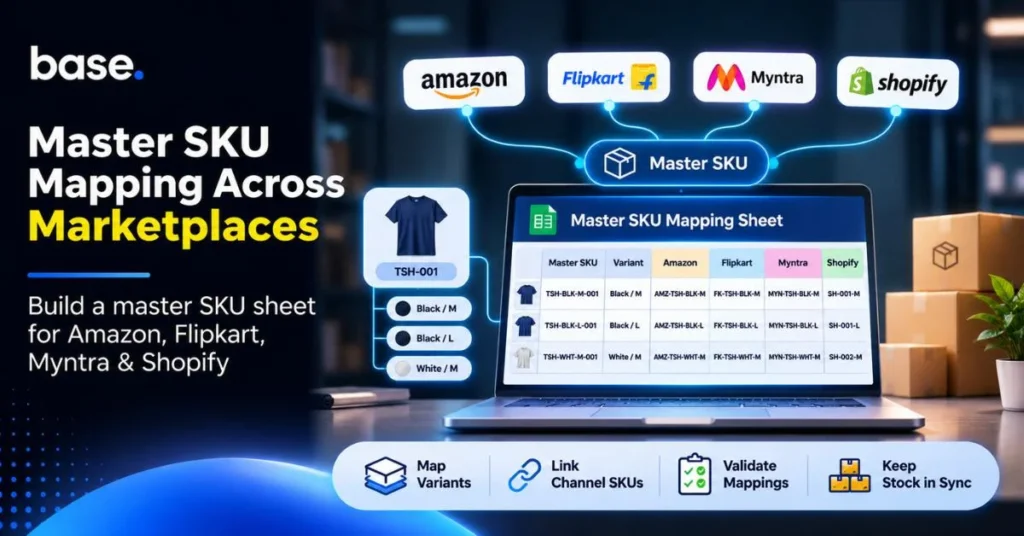
Build your master SKU sheet around one seller-owned identifier for each stocked, sellable variant, then keep a separate channel mapping register for every marketplace offer, store variant and warehouse item code. This lets an Amazon, Flipkart, Myntra or Shopify order resolve to the right internal product without pretending that every platform uses the same identifier.
The sheet is a working product-data control, not just an inventory list. Structure it so a team can spot a missing link, distinguish a size or pack variant, check stock ownership, and trace who changed a mapping. The examples below are fictional; fields are recommendations, not a claim that every channel exposes them.
First, separate the identifiers
A master SKU is an internal reference your business controls. It is not automatically the same as the seller SKU or product ID used by a marketplace. Keep the type of identifier explicit in each column.
| Identifier | What it identifies | Who assigns or controls it |
|---|---|---|
| Master SKU | Your internal stocked item or variant | Your business |
| Marketplace seller SKU | Your offer or seller-side item reference on a channel | Seller, subject to channel rules |
| ASIN | A product record in Amazon’s catalogue | Amazon |
| Flipkart FSN/product ID | Flipkart catalogue product | Flipkart |
| Flipkart listing ID | A listing linked to a seller SKU | Flipkart |
| Shopify variant ID | A Shopify system record for a variant | Shopify |
| GTIN/EAN/UPC | Standardised trade-item identifier, where assigned | Authorised source/identifier owner |
| Warehouse item code | Item reference used by a warehouse or 3PL | Seller or warehouse system |
Shopify distinguishes internal SKUs from barcodes. Flipkart’s glossary separates seller skuId, listingId and FSN. Amazon also documents distinct seller-SKU and catalogue-data conflicts (100398, 100428). Keep identifiers in clearly named fields, not one generic “Marketplace ID”.
The relationship is channel record → master SKU → warehouse stock record. A channel SKU can differ from the master. Amazon’s Error 100398 says a seller SKU may already exist in another marketplace in the same seller account. Follow each channel’s uniqueness rules and map its accepted seller SKU to your internal master.
What to put in the master SKU sheet
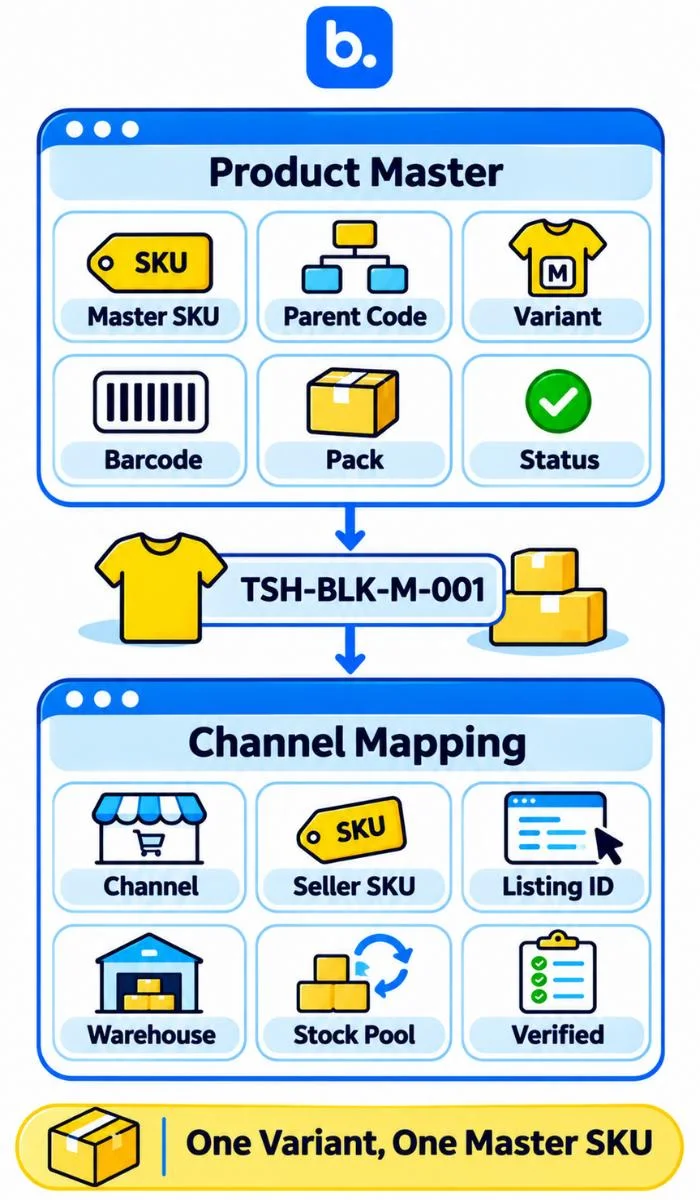
For a small catalogue, use two spreadsheet tabs. Larger catalogues may separate bundles, locations and change history into additional tabs. Keep one row per relevant record: one row per stocked variant in the product master, and one row per channel offer or listing in the mapping register.
Tab 1: Product master
| Column | What to record | Fictional example |
|---|---|---|
| Master SKU | Unique internal key for a sellable stock unit | TSH-BLK-M-001 |
| Parent code | Groups related variants without replacing their SKUs | TSH-001 |
| Product name | Human-readable description | Classic Cotton T-shirt |
| Brand and category | Useful catalogue context | Example Brand / Apparel |
| Variant attributes | The stock-distinguishing options | Black / Medium |
| Barcode / GTIN | Verified barcode value, if assigned | Store as text |
| Base unit and pack | Unit tracked and units in the standard sellable pack | Each / 1 |
| Product status | Active, discontinued or archived | Active |
| Effective date | When the record became valid | 21/11/2026 |
| Owner / notes | Responsible editor and exceptions | Catalogue team |
Give each independently stocked size or colour its own master SKU; use the parent code only to group variants. GTIN is optional when no identifier is assigned. Never invent or reuse a barcode to fill a blank.
Tab 2: Channel mapping register
| Column | What to record | Fictional example |
|---|---|---|
| Master SKU | Exact link to Product Master | TSH-BLK-M-001 |
| Channel and seller account | Channel plus the relevant account | Amazon India / Account A |
| Channel seller SKU | Seller-side SKU used by that channel | AMZ-TSH-BLK-M |
| Catalogue product ID | Channel’s product identity, if provided | ASIN |
| Listing ID | Offer/listing record ID, if provided | Flipkart listing ID |
| Store variant ID | Platform record ID, if applicable | Shopify variant ID |
| Warehouse item code | Warehouse/3PL code for the same item | WH-TSH-001-M |
| Fulfilment model / stock pool | Where the offer’s stock is managed | Seller fulfilled / Main warehouse |
| Pack quantity | Units of the master item consumed by one sale | 1 |
| Mapping status | Active, pending, inactive or review | Active |
| Last verified / source | Date checked and how the value was confirmed | 21/11/2026 / channel export |
| Notes | Exceptions, such as a separate fulfilment pool | Check before relisting |
Do not force unavailable identifiers into every row. Record a blank as “not available” or “not applicable”, not “unchecked”.
Sample mapping rows
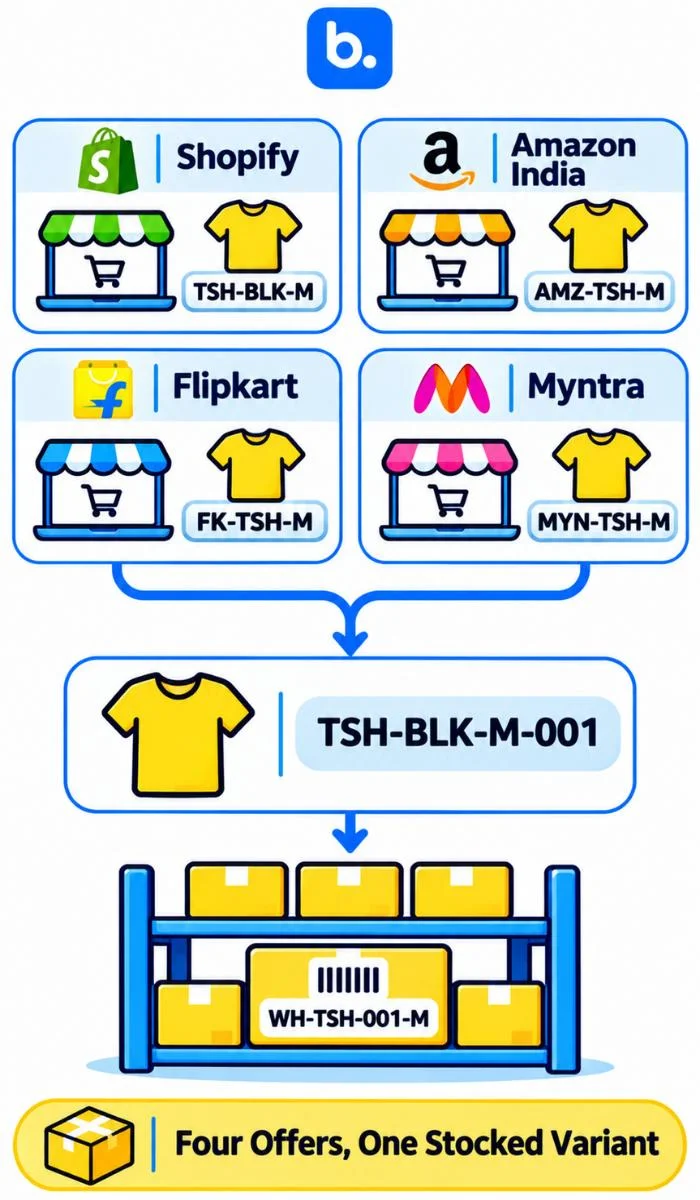
These values are fictional and illustrate how different channel records can point to one stocked variant. IDs and formats are examples only.
| Master SKU | Channel | Channel seller SKU | Catalogue product ID | Listing / variant ID | Warehouse code | Pack qty | Status |
|---|---|---|---|---|---|---|---|
| TSH-BLK-M-001 | Shopify | TSH-BLK-M-001 | Not shown | Fictional Shopify variant ID | WH-TSH-001-M | 1 | Active |
| TSH-BLK-M-001 | Amazon India | AMZ-TSH-BLK-M | Fictional ASIN | Not shown | WH-TSH-001-M | 1 | Active |
| TSH-BLK-M-001 | Flipkart | FK-TSH-BLK-M | Fictional FSN | Fictional listing ID | WH-TSH-001-M | 1 | Active |
| TSH-BLK-M-001 | Myntra | MYN-TSH-BLK-M | Not shown | Fictional listing reference | WH-TSH-001-M | 1 | Active |
Here, four channel records resolve to one internal variant. That does not mean they must share a seller SKU or catalogue ID. Also record fulfilment model and stock pool where offers do not draw on the same inventory.
How to build the sheet: a practical sequence
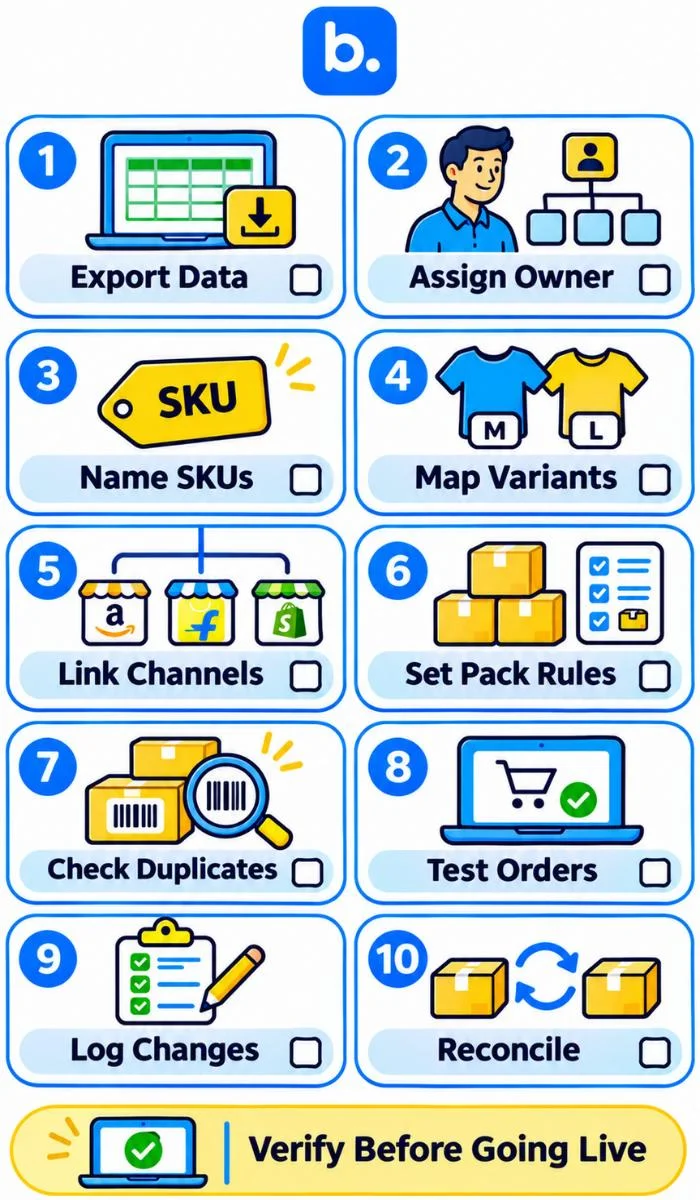
1. Export before you edit
Export product, variant and offer data from every live marketplace, store, OMS, ERP and warehouse. Preserve read-only snapshots to reveal existing identifiers, duplicates and gaps before you create records.
2. Choose the owner of the master identity
Decide which system or team creates master SKUs, approves changes and retires records. If an OMS or product system is the source of truth, document it; do not let the spreadsheet become a conflicting second master.
3. Define a simple naming convention
Choose a readable format and define each segment. For example, TSH-BLK-M-001 could mean family, colour, size and sequence. Shopify recommends simple, consistent, unique SKUs and a separate SKU for each variant. Keep the code searchable and test it in your systems.
Use stable attributes, not changeable details such as price, promotion, supplier or warehouse location. Agree abbreviations, case and leading-zero rules. Import identifier columns as text so spreadsheets do not remove leading zeroes.
4. Create one product record per stocked variant
Give each independently stocked size, colour, model or pack configuration its own master SKU. A black medium and black large shirt cannot share one stock identity. Use a parent code for grouping, not for stock tracking.
5. Map channel records without conflating their IDs
For each channel, account and offer, enter its seller SKU and available catalogue, listing or store-variant IDs in separate fields. Link it to the correct master SKU and warehouse code. Amazon’s seller-SKU conflict and Flipkart’s SKU-based inventory API show why channel identifiers must be verified.
6. Add pack, bundle and fulfilment logic
If a two-pack consumes two single units, record pack quantity as two. For a kit, add a bundle-components tab listing bundle SKU, component master SKU and quantity. Note if marketplace-fulfilled and seller-fulfilled offers use separate stock pools.
7. Validate duplicates and missing links
Check duplicate master SKUs; duplicate channel SKUs within a channel and account; missing IDs; mappings with no master record; and unrelated variants sharing one master. Review pack quantities, inactive listings, inconsistent case or spacing, and barcodes against packaging. Investigate duplicate warnings rather than automatically deleting rows.
8. Test real order paths before scaling
Test representative variants, bundles or multipacks, and special fulfilment offers. Check order import, master-SKU resolution, variant and warehouse record, and stock deduction. In a controlled test, see how a missing mapping is handled. An accepted import does not prove the mapping is correct.
9. Lock down edits and retain history
Limit edit access; use dropdowns for channel and status; log who changed a mapping, when and why. Archive old mappings rather than deleting them, since orders and returns may still refer to them. Before bulk edits, save a dated export and define rollback steps.
10. Reconcile after every connection or catalogue change
Compare sample rows with live OMS, channel and warehouse records after setup and after connection, relisting, catalogue, variant, bundle or warehouse changes. Shopify lists missing or mismatched SKUs, case and spaces among possible third-party sync issues. A consistent sheet can still disagree with the live integration.
Handle variants, bundles and stock pools deliberately
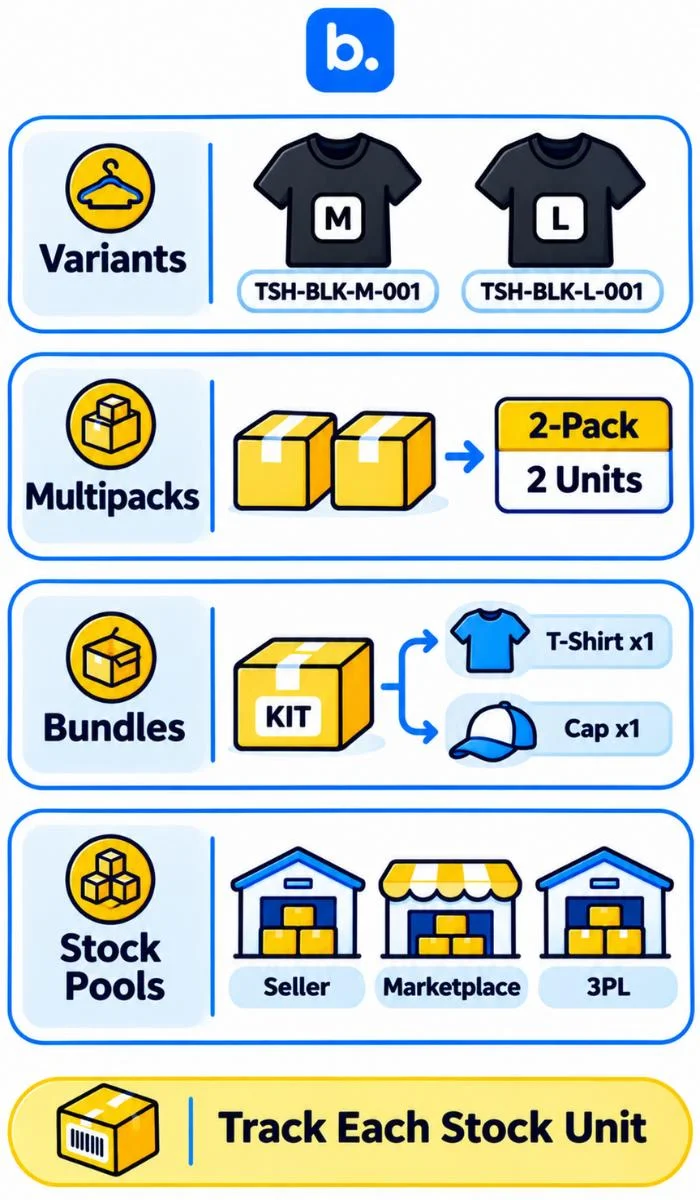
Variants: each independently stocked option needs its own master SKU; a parent code only groups them. Shopify’s example of three sizes and four colours uses twelve variant SKUs.
Multipacks: record the base units consumed by one sale. If the pack is itself stocked, give it a separate master SKU.
Bundles: list component SKUs and quantities separately. The OMS, inventory system or warehouse process must apply the bundle logic; the sheet only documents it.
Fulfilment pools: note whether an offer draws from marketplace-held, seller or 3PL stock. Do not assume offers share available inventory.
Discontinued items: mark mappings inactive but retain them for order and return history. Never recycle an old master SKU for an unrelated item.
Common mapping errors that break orders
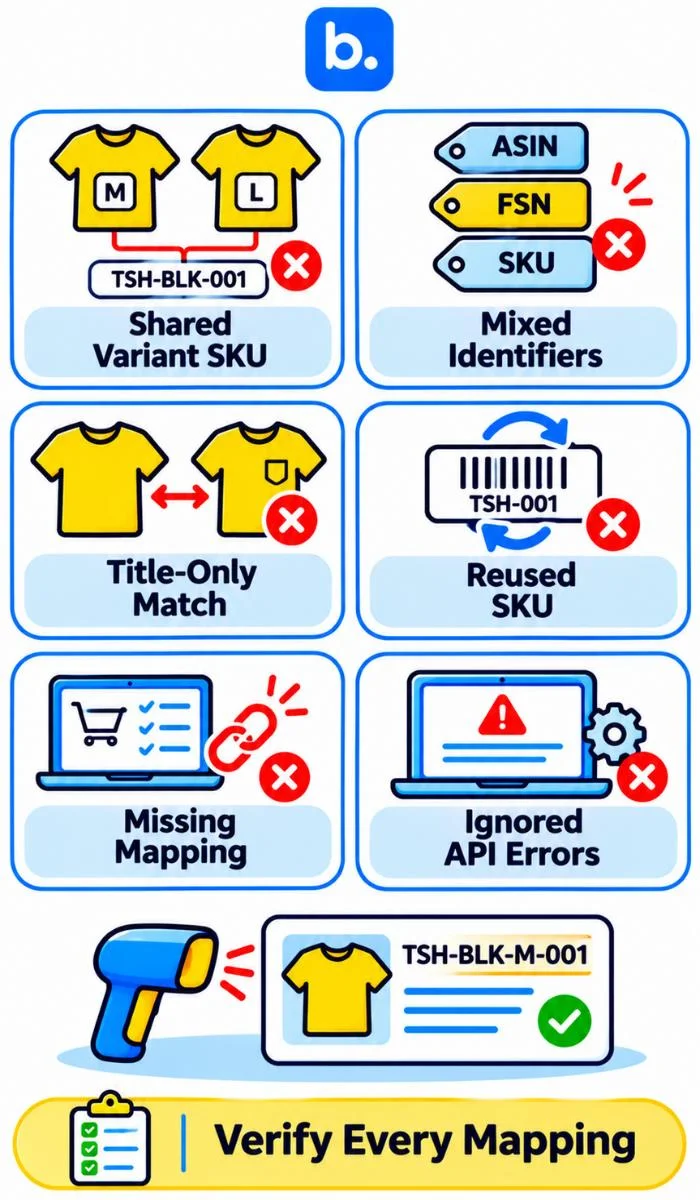
- One SKU for a parent product: size, colour and model stock becomes indistinguishable.
- Mixing identifiers: ASIN, FSN, GTIN, listing ID and seller SKU belong in separate fields.
- Matching by title alone: similar names may hide different variants or pack sizes; verify the item.
- Changing the master to satisfy a channel: retain the internal identity and map the channel SKU separately.
- Deleting or recycling old IDs: preserve inactive mappings for traceability.
- Ignoring API errors: Flipkart says an HTTP success can include individual SKU failures. Check per-SKU status and errors.
- Trusting the sheet alone: test the live integration, stock pool and warehouse process.
When to move from a spreadsheet to an OMS
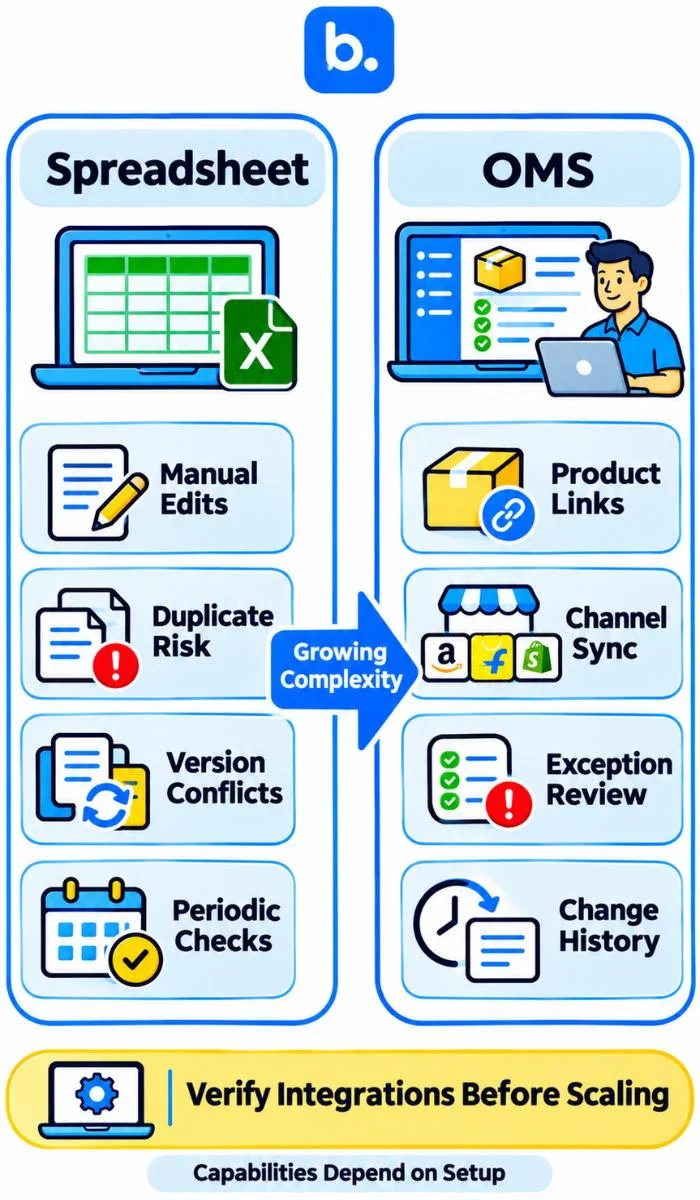
A controlled spreadsheet can be a useful starting point for a small catalogue, a migration or an audit. It becomes harder to govern when several people edit it, listings change frequently, channel accounts multiply, or bundle and stock-pool rules need to affect live orders. At that point, look for an order management system or ecommerce integration platform that can preserve the internal product identity, connect channel records, surface unmapped items and make changes traceable. Confirm those behaviours for the actual channels and workflows you use; do not assume “integration” means automatic, correct mapping.
Our Product Manager keeps product information in one place, with channel-specific product content, bulk operations, SKU generation rules and Multi EAN support. Our Marketplace Manager imports offers and links them to warehouse products using SKU, EAN or product name, and syncs listings, stock and prices. Keep an audited mapping register and verify representative records before relying on synchronisation.
For related reading, see our guides to managing inventory across multiple marketplaces and managing Shopify, Amazon and Flipkart orders. Those cover broader inventory and order workflows; this guide focuses on the sheet and its maintenance.
Conclusion
Give each stocked variant one stable internal identity, map every channel record to it in clearly labelled fields, and verify the live order path before scaling. A well-maintained master SKU sheet makes mismatches easier to find; governance and testing are what keep those mappings useful as the catalogue changes.
