
Amazon and Flipkart sales entry in Tally means posting every marketplace sale, return, fee, TCS/TDS deduction and settlement payout as a voucher in TallyPrime. Tally does not connect to Amazon Seller Central or Flipkart Seller Hub on its own. You either import the seller reports yourself or use an integration that creates the entries for you.
This guide is for Indian marketplace sellers, in-house accountants and CAs who keep books in TallyPrime and are tired of cleaning Excel files every month. It explains what to post, which ledgers to use, how settlements reconcile, and where automation makes sense.
In this guide
- What is the Amazon Flipkart sales entry in Tally?
- Why Amazon and Flipkart sales are hard to enter in Tally
- What to record in Tally for every marketplace order
- Set up Tally before you post anything
- How to do Amazon and Flipkart sales entry in Tally manually
- Amazon Tally integration and Flipkart Tally integration: automate sales and settlement posting
- Where an order management system fits in Tally accounting
- How to choose Tally integration or OMS software for ecommerce (checklist)
- Common errors in Amazon and Flipkart Tally entries (and how to fix them)
- How does Base help ecommerce sellers post marketplace sales and settlements to Tally?
What is the Amazon Flipkart sales entry in Tally?
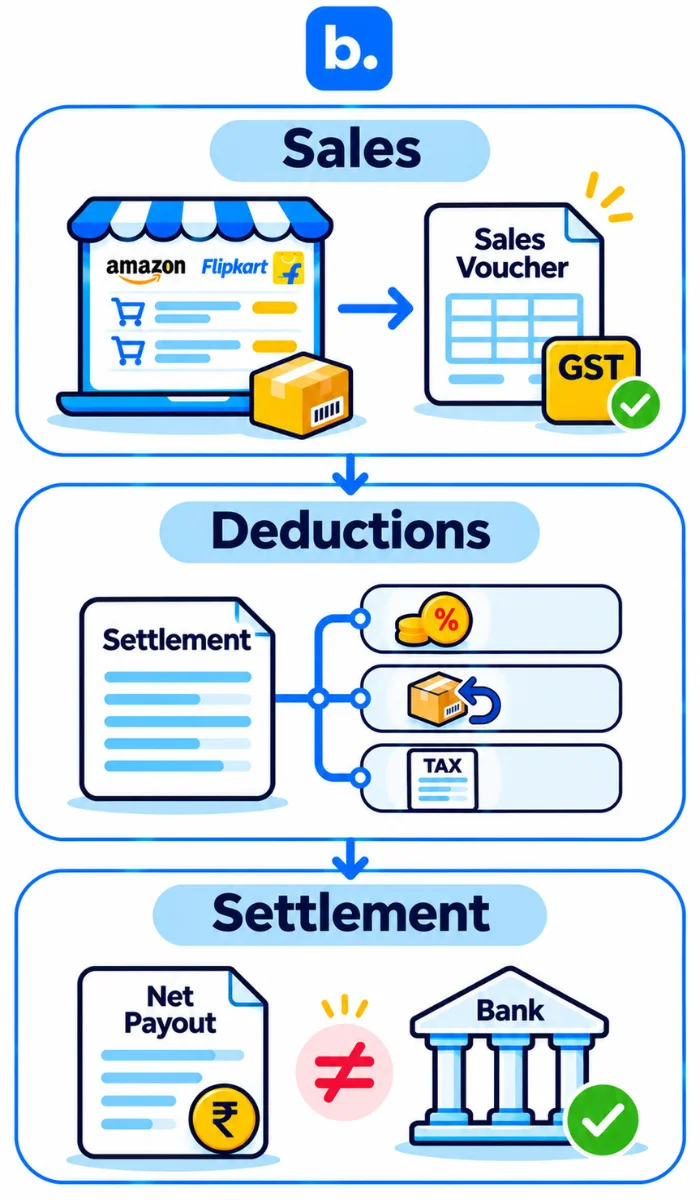
Amazon Flipkart sales entry in Tally is the process of converting marketplace transactions into accounting vouchers. A sale becomes a sales voucher. A return becomes a credit note. Commission, shipping and other charges become expense entries. TCS and TDS go into receivable ledgers. The final payout becomes a receipt against the bank.
It helps to think of marketplace accounting in three parts:
- Sales: order-wise or day-wise sales vouchers with GST.
- Deductions: commission, shipping, fixed fees, ads, TCS, TDS and returns.
- Settlement: the bank receipt, which rarely equals sales.
The last part causes most of the confusion. Amazon or Flipkart deducts charges before sending money. So the amount that reaches the bank is lower than the invoice value.
GST liability stays with the seller even though the marketplace collects the customer payment.
Why Amazon and Flipkart sales are hard to enter in Tally
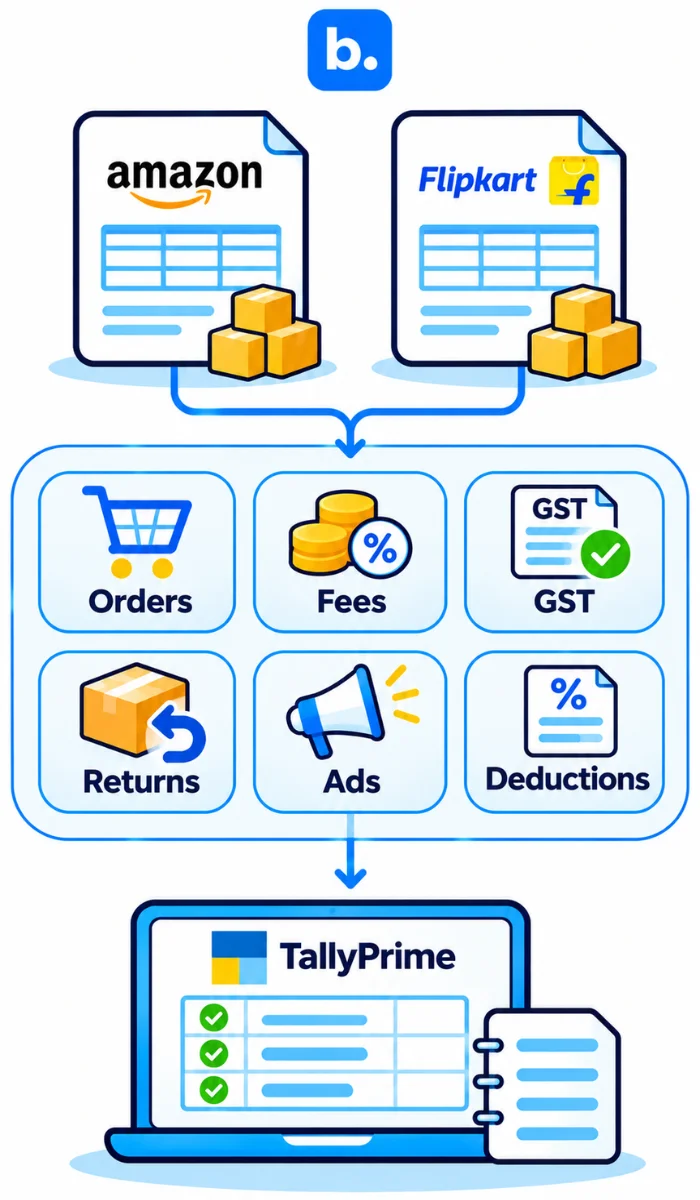
Marketplace reports are made for sellers to track orders and payouts. They are not made for accountants who need clean, audit-ready vouchers.
Amazon and Flipkart also work differently. Their sales reports, settlement files, fee names and return cycles do not match. One order can show up in a sales report, a returns report, an advertising invoice and a settlement statement.
A single payout may cover hundreds of orders. It can include sales at different GST rates, orders from different states, returns from earlier months, ad charges, reimbursements and fee reversals.
Then comes the netting problem. The marketplace deducts commission, shipping, TCS and TDS before transferring money. The accountant has to split that difference into the right ledgers.
Returns make things worse. A return can reduce sales, create a credit note, reverse a fee and affect a later payout. If the return belongs to an earlier period, it needs careful treatment.
GST adds one more layer. Intra-state sales need CGST and SGST. Inter-state sales need IGST. The report may show the buyer’s state, but the Tally voucher must apply the right tax split.
| Item | Amazon | Flipkart |
|---|---|---|
| Sales report | Amazon MTR or order-level sales report in Seller Central | Flipkart sales report in Seller Hub |
| Settlement report | Amazon settlement report | Flipkart Settled Transactions Ledger or summary file |
| Return data | Returns and refunds reports | Return and cancellation data in Seller Hub |
| Fee breakup | Referral fee, fulfilment fee, closing fee, storage and advertising charges | Commission, shipping fee, collection fee, fixed fee and other deductions |
| TCS data | GST TCS in settlement or tax reports | GST TCS in settlement or tax reports |
Check the exact report names in Seller Central and Seller Hub before building an import template. Marketplace labels change more often than anyone would like.
What to record in Tally for every marketplace order
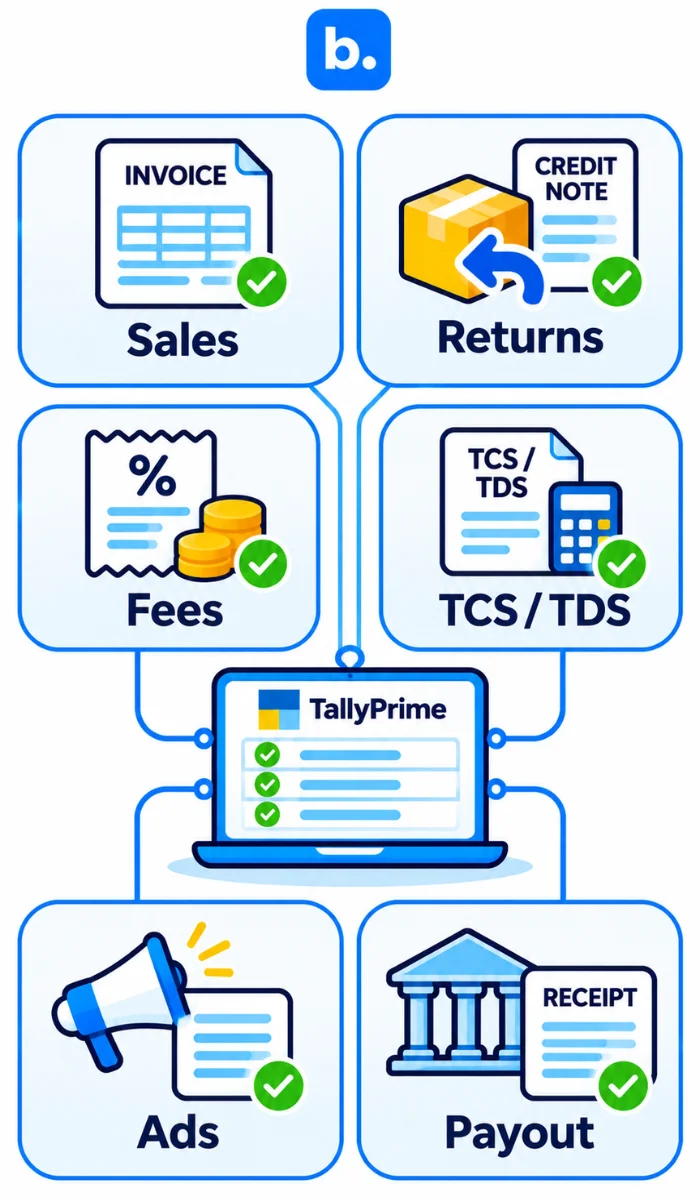
| Event | Tally voucher | Ledgers touched | Source report |
|---|---|---|---|
| Sale | Sales voucher | Customer/party ledger, sales ledger, GST ledgers | Sales or order report |
| Sales return | Credit note | Sales return ledger, party ledger, GST ledgers | Return or refund report |
| Marketplace fees | Journal or purchase voucher | Commission, shipping, closing fee or other expense ledger, marketplace party ledger | Settlement report |
| TCS | Journal voucher | TCS receivable, marketplace party ledger | Settlement or tax report |
| TDS | Journal voucher | TDS receivable, marketplace party ledger | Settlement or tax report |
| Ad spend | Purchase or journal voucher | Advertising expense, marketplace party ledger | Advertising invoice or report |
| Settlement receipt | Receipt voucher | Bank ledger, marketplace settlement receivable | Settlement report and bank statement |
| Reimbursement or penalty | Journal voucher | Other income or penalty expense, marketplace party ledger | Settlement report |
Order-wise posting gives better traceability. When a return comes in three weeks later, you can find the original sale and post the credit note correctly.
Day-wise posting is faster. But it makes returns, fee reversals and settlement matching harder to trace. For most sellers, order-wise posting is worth the extra effort.
Set up Tally before you post anything
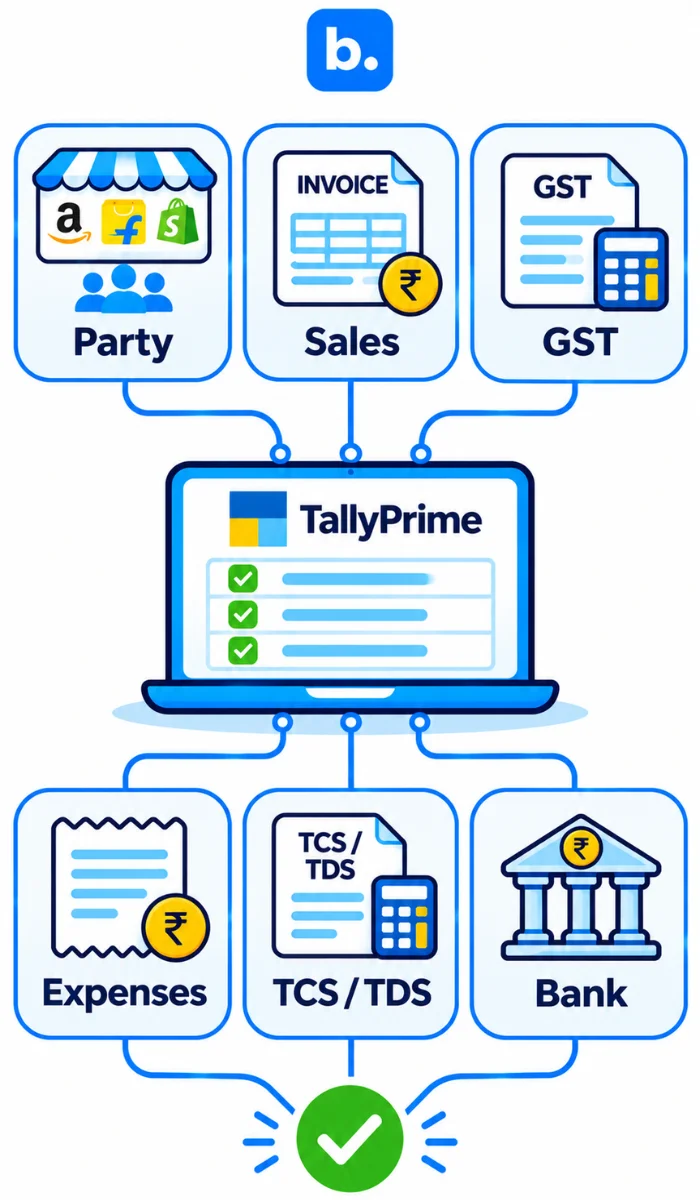
Create these ledgers before you touch a marketplace report:
- Party ledgers for Amazon and Flipkart.
- Sales ledgers by GST slab.
- Output CGST, Output SGST and Output IGST ledgers.
- Commission, shipping, closing fee, ads and penalty expense ledgers.
- TCS receivable and TDS receivable ledgers.
- Sales return ledger.
- Bank ledger for the account where payouts arrive.
Turn on order and dispatch details in sales vouchers if you need invoice-level tracking. Use the same ledger names in Tally and in your import mapping file. A small naming mismatch is enough to break an import.
How to do Amazon and Flipkart sales entry in Tally manually
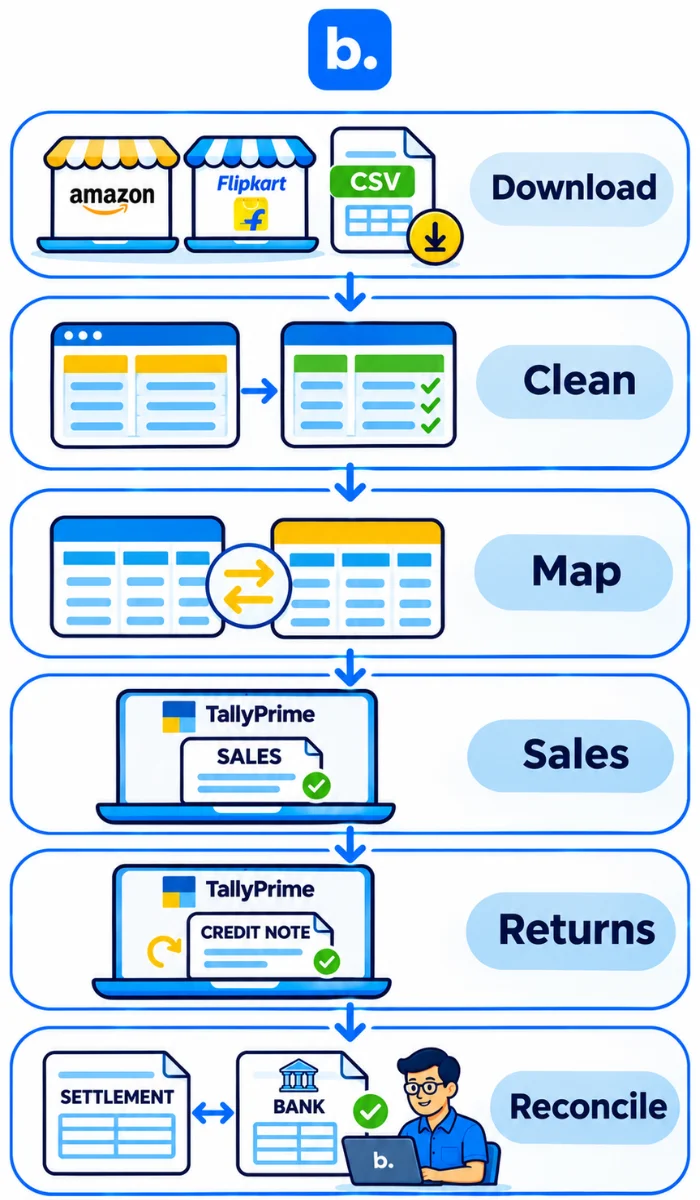
- Download the sales and settlement reports for the same period.
- Clean the sheet: state, HSN, taxable value and GST rate per row.
- Map the columns to Tally fields: party, ledger, taxable value, GST rate, invoice date and voucher type.
- Import or key in sales vouchers.
- Post returns as credit notes.
- Post fees and TCS from the settlement report.
- Record the bank receipt and match it to the open payout.
This method works when order volume is low. Once you cross a few hundred orders a month, it becomes slow. Settlements that span periods, late returns and repeated Excel cleaning make it worse.
| Sales sheet row | Resulting Tally voucher |
|---|---|
| Order ID, customer state, taxable value ₹10,000, GST 18%, IGST | Sales voucher: sales ₹10,000, output IGST ₹1,800, customer/party ₹11,800 |
Amazon Tally integration and Flipkart Tally integration: automate sales and settlement posting
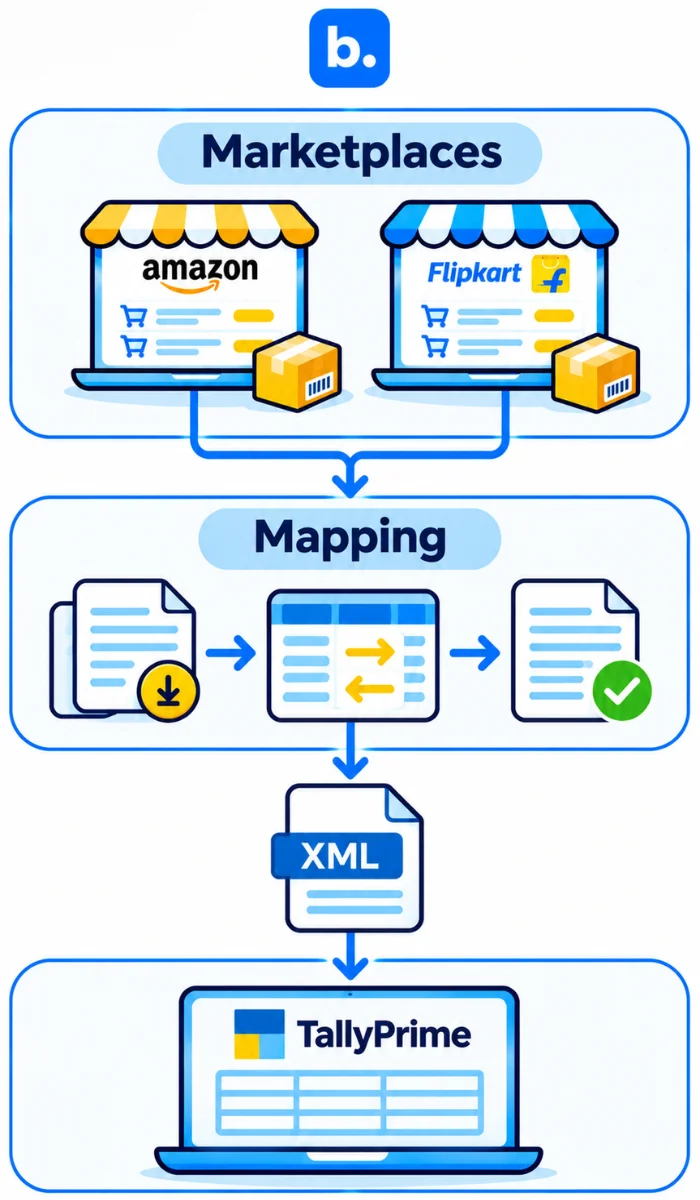
An Amazon or Flipkart Tally integration pulls order, return, fee and settlement data from the seller account, maps it to your ledgers and creates Tally vouchers. Nobody has to re-key the reports.
Tally has no native connector for Amazon or Flipkart. A connector or OMS handles the data exchange.
How the integration works
- The tool pulls data through an API or scheduled report download.
- It maps marketplace fields to sales, GST, expense, TCS/TDS and settlement ledgers.
- It pushes vouchers to TallyPrime, usually through XML import via a connector.
Amazon-specific points
A tally amazon integration should handle B2C and B2B sales, FBA and merchant-fulfilled fees, settlement cycles, reimbursements and fee reversals. FBA sellers also need separate treatment for fulfillment and storage charges.
Flipkart-specific points
A Flipkart Tally integration needs to handle the settlement ledger’s netting of commission, shipping fee and returns. It should reverse applicable fees when a return happens and match several orders to one payout.
What gets posted where
| Marketplace data | Tally entry | Ledger |
|---|---|---|
| Taxable sales by GST rate | Sales voucher | Sales ledger by slab |
| CGST/SGST/IGST | Tax ledger in sales voucher | Output CGST/SGST/IGST |
| Commission | Journal or purchase voucher | Commission expense |
| Shipping or fulfilment fee | Journal or purchase voucher | Logistics or fulfilment expense |
| Closing fee | Journal or purchase voucher | Closing fee expense |
| Ads | Purchase or journal voucher | Advertising expense |
| TCS | Journal voucher | TCS receivable |
| TDS | Journal voucher | TDS receivable |
| Returns | Credit note | Sales return |
| Payout receipt | Receipt voucher | Bank and marketplace settlement receivable |
A worked example
Take one inter-state Flipkart sale.
| Item | Amount |
|---|---|
| Taxable sale value | ₹10,000 |
| IGST at 18% | ₹1,800 |
| Invoice total | ₹11,800 |
| Commission | ₹500 |
| Shipping fee | ₹200 |
| GST TCS at 0.5% of net taxable supply | ₹50 |
| Income-tax TDS at 0.1% of sale value (excluding GST) | ₹10 |
| Expected net payout | ₹11,040 |
The Tally entries would look like this:
| Voucher | Ledger | Debit | Credit |
|---|---|---|---|
| Sales voucher | Flipkart (party ledger) | ₹11,800 | |
| Sales voucher | Sales | ₹10,000 | |
| Sales voucher | Output IGST | ₹1,800 | |
| Journal | Commission expense | ₹500 | |
| Journal | Shipping or fulfilment expense | ₹200 | |
| Journal | TCS receivable | ₹50 | |
| Journal | TDS receivable | ₹10 | |
| Journal | Flipkart (party ledger) | ₹760 | |
| Receipt | Bank | ₹11,040 | |
| Receipt | Flipkart (party ledger) | ₹11,040 |
Commission and shipping fees usually carry GST on the marketplace invoice; it is left out here to keep the arithmetic simple. Confirm current TCS and TDS rates and fee GST treatment with your CA.
Reconciling the payout
The bank credit should equal open sales minus fees and returns.
If it does not, look for a late return, advertising invoice, reimbursement, penalty or reserve amount held back by the marketplace. Those are the usual culprits.
Where an order management system fits in Tally accounting
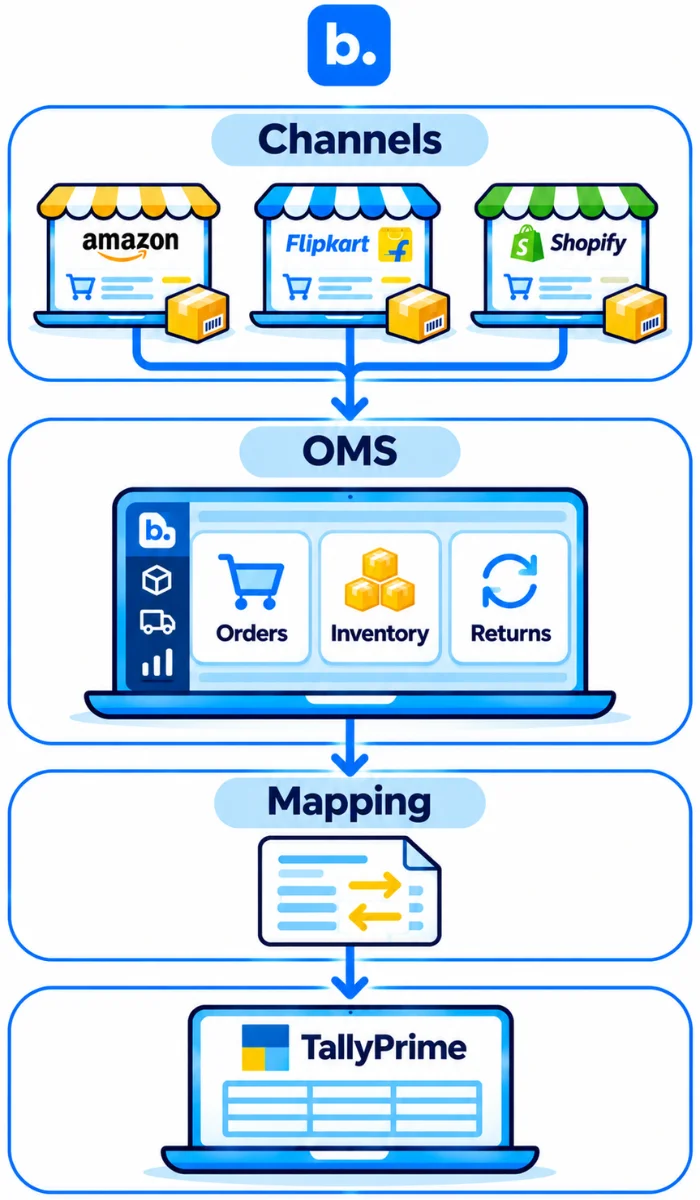
An order management system (OMS) is software that collects orders from every channel, tracks inventory and fulfilment, and holds the clean order, return and payment data that accounting needs.
For Tally accounting, an OMS helps in three ways:
- It creates one order record per sale across Amazon, Flipkart and Shopify.
- It keeps SKU, HSN and GST data consistent.
- It captures returns and cancellations at source, so credit notes are right.
Order management for ecommerce teams: from order to Tally voucher
The flow is simple:
Channel order → OMS → mapping → Tally voucher → settlement match
OMS software does not replace Tally. It feeds Tally with structured, reconciliation-ready data. Order management software for ecommerce becomes useful when a seller sells on multiple channels, handles frequent returns, or needs order-level settlement tracking.
How to choose Tally integration or OMS software for ecommerce (checklist)
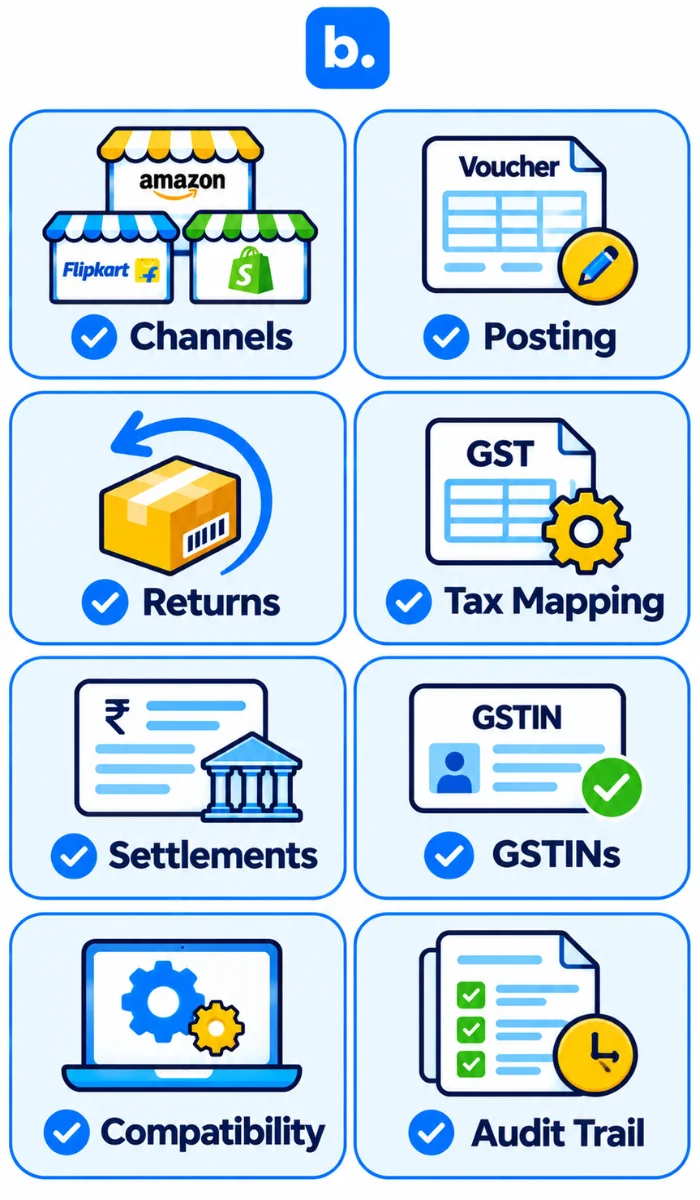
- Marketplaces covered.
- Order-wise versus summary posting.
- Returns and credit notes.
- Fee, TCS and TDS ledger mapping.
- Settlement reconciliation view.
- Multi-company and multi-GSTIN support.
- TallyPrime version support and how data is pushed.
- Error log and audit trail.
Questions to ask a vendor
- Can we test one settlement cycle before going live?
- How are returns and fee reversals posted?
- Can we review vouchers before they enter Tally?
- How does the tool handle duplicate imports?
- Does it support our TallyPrime version and company structure?
- What happens if a marketplace report format changes?
Common errors in Amazon and Flipkart Tally entries
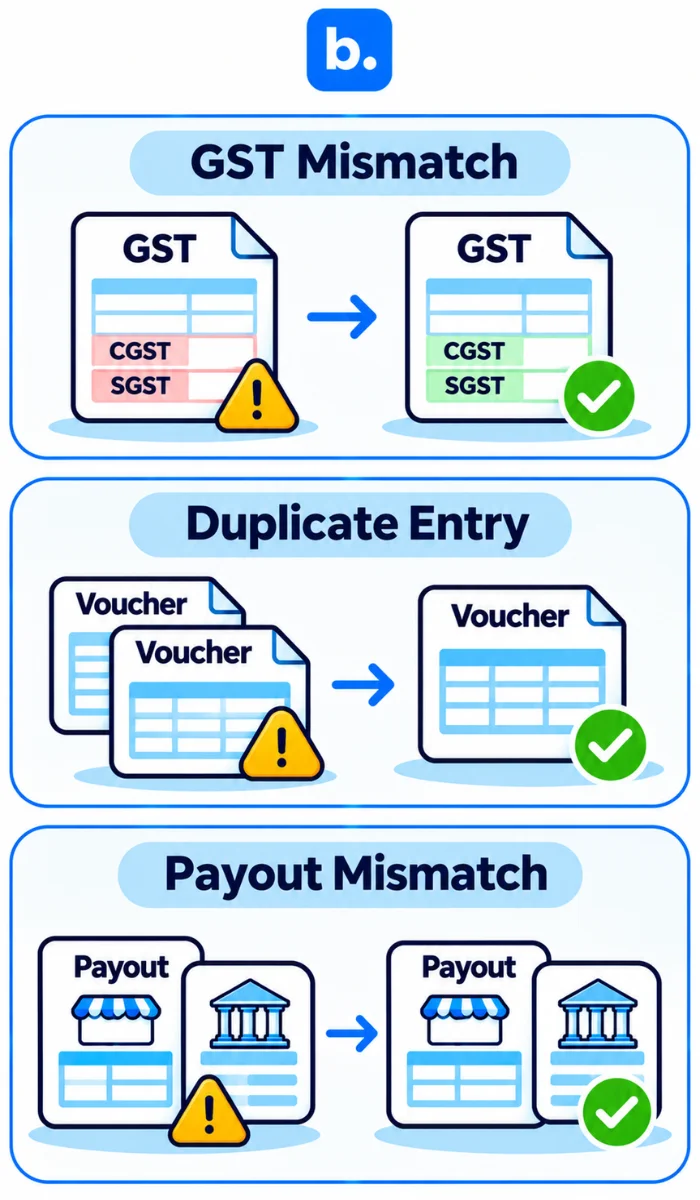
| Problem | Why it happens | Fix |
|---|---|---|
| GST mismatch between report and Tally | Wrong HSN, tax rate or taxable value mapping | Reconcile report-wise GST with Tally tax ledgers before posting |
| Wrong state: IGST vs CGST/SGST | Customer state not mapped correctly | Check place of supply and state code in the import file |
| Duplicate imports | Same report imported twice or missing unique voucher reference | Use order or invoice-level unique IDs and Tally’s duplicate controls |
| Returns posted in wrong period | Return settlement falls in a later month | Follow the settlement report period and maintain a returns register |
| TCS not claimed | TCS posted as expense instead of receivable | Use a separate TCS receivable ledger and reconcile with GST filings |
| Payout does not match sales | Fees, returns, ads, penalties or reserves not posted | Reconcile settlement report, Tally entries and bank statement line by line |
| Ledger name mismatch on import | Ledger names differ between mapping file and Tally | Standardise ledger names and validate masters before import |
How does Base help ecommerce sellers post marketplace sales and settlements to Tally?
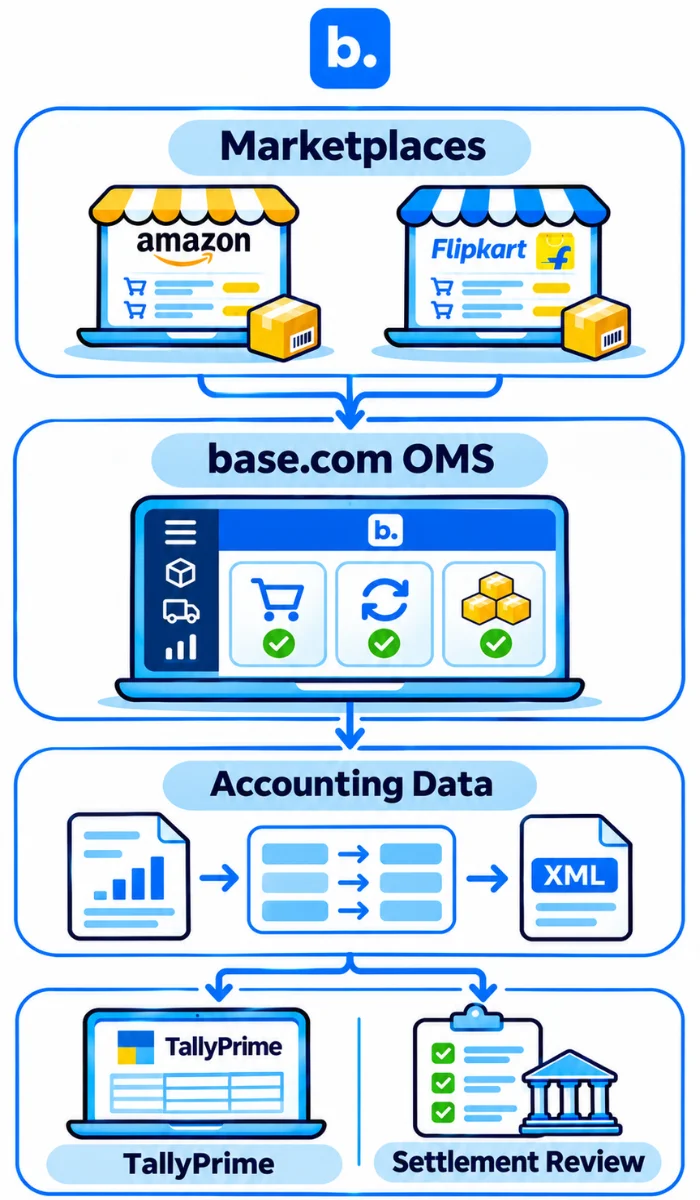
Base.com is an integrated OMS and WMS built for Indian D2C and ecommerce brands. It collects orders, returns and payments from every channel and gives accounts clean, order-level data to post to Tally.
Conclusion
Marketplace accounting in Tally comes down to three things: sales, deductions and settlement. Record sales and GST properly. Post fees, TCS and TDS separately. Create credit notes for returns. Then reconcile the bank receipt with the marketplace payout.
A proper amazon flipkart sales entry in Tally process removes guesswork and gives your accountant books that match marketplace reports and bank statements. Book a Base demo to standardise your marketplace-to-Tally workflow.