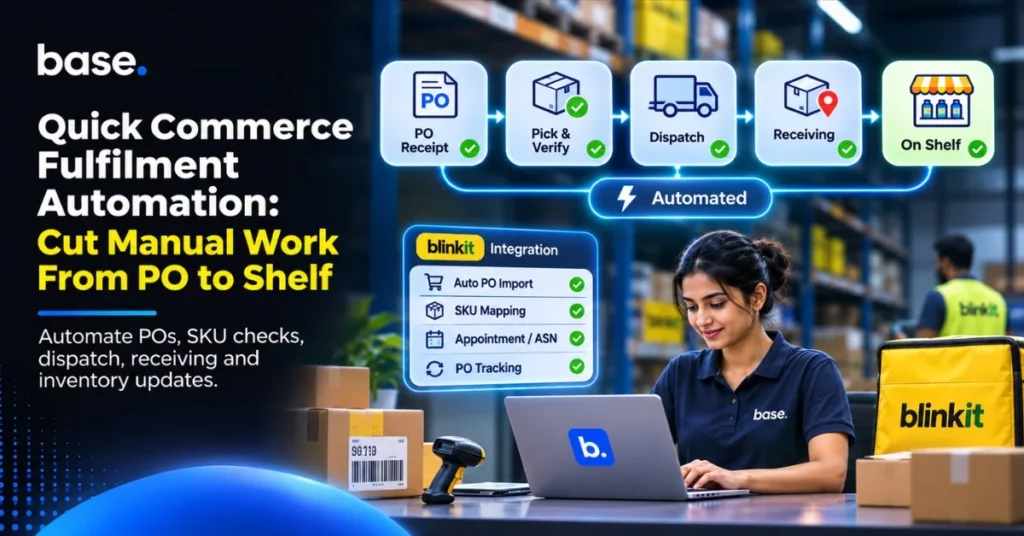
Quick commerce fulfilment automation connects the information and tasks involved in receiving a purchase order (PO), preparing products, dispatching them and confirming what the destination receives. For suppliers, the work often spans platform portals, spreadsheets, warehouse tools and internal systems. Each hand-off creates another opportunity to re-enter a SKU or quantity, miss an update or lose track of an open PO.
The goal is not to automate every decision. It is to reduce repeated data entry, give the right teams a clear view of PO progress and flag exceptions early. You still need to verify products and quantities, meet the platform’s delivery requirements and distinguish goods in transit from goods received and available. This guide follows the PO-to-shelf process, explains where manual work builds up and shows what to check before choosing software.
What is quick commerce fulfilment?
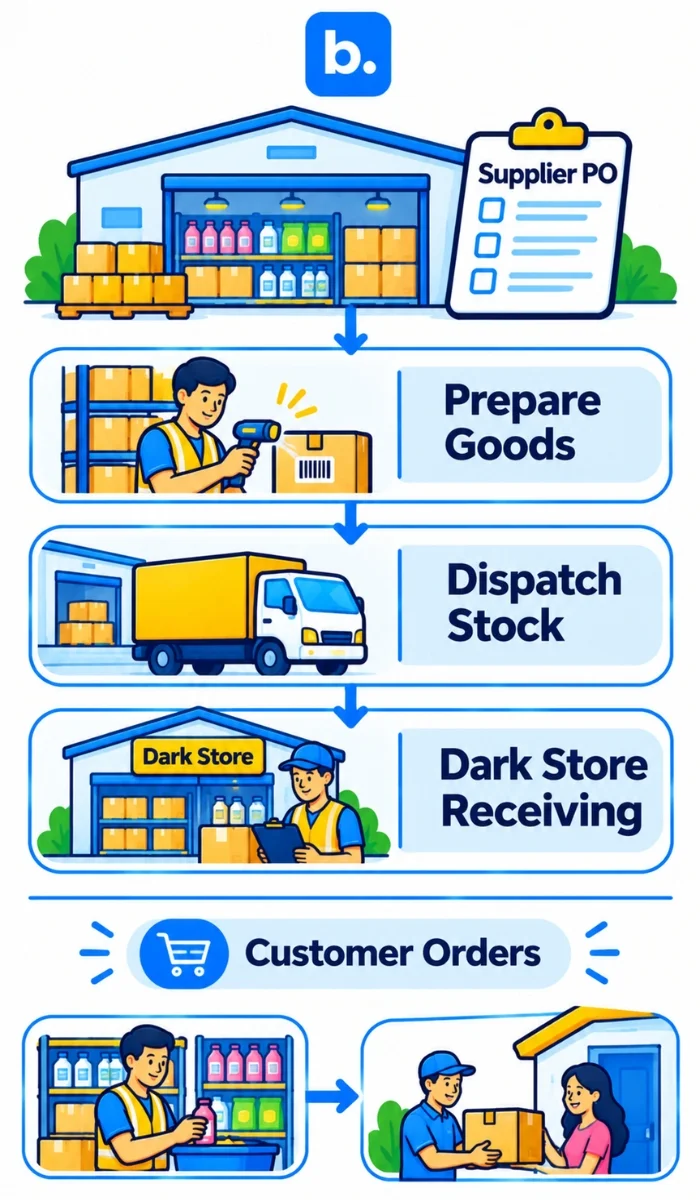
Quick commerce fulfilment is the process of supplying products to the local locations used to serve quick-commerce orders. A brand, manufacturer, distributor or vendor fulfils the platform’s purchase and delivery requirements. The platform then manages customer orders and last-mile delivery. Supplier-side PO fulfilment is not the same as the platform’s customer-order fulfilment.
Local availability depends on stock being at the relevant location and recorded according to the platform’s process. A unit in a central warehouse cannot automatically fulfil demand at a nearby location. Suppliers need to know what has been ordered, prepared, dispatched, received and accepted at each facility.
What is a dark store, and why does location-level stock matter?
A dark store is a fulfilment location that stores and picks products for online orders rather than serving customers as a conventional shop. Goods are received, stored, picked and replenished there. For a supplier, the operational point is simple: track stock by location and status.
Dispatch does not confirm receipt, and receipt does not always mean the goods are available for sale. Keep dispatched quantities separate from quantities received and accepted at the destination. This helps teams investigate a short delivery or stock discrepancy without treating every location as one pool.
How does the quick commerce PO-to-shelf process work?
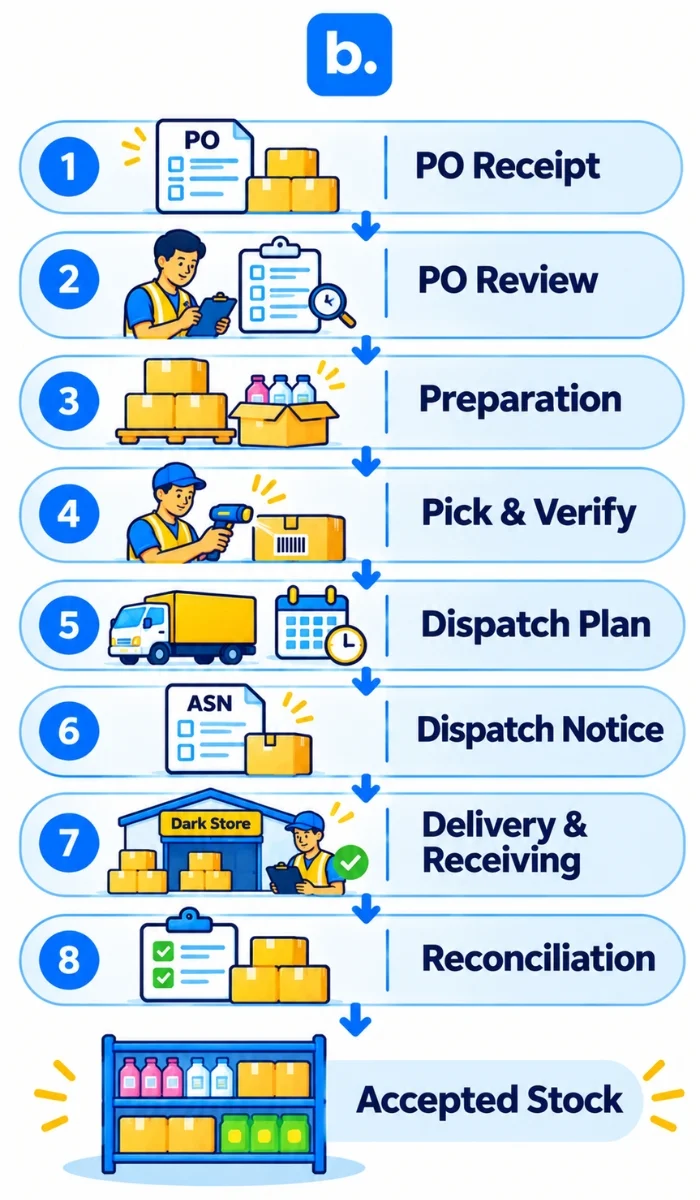
The process generally runs from PO receipt through review, preparation, dispatch, delivery and receiving. Only after the platform’s receiving process records accepted goods should the supplier treat them as received at the destination. Specific steps, documents and status updates vary by platform and vendor arrangement.
| Stage | What happens | Typical owner | Common manual task |
|---|---|---|---|
| PO receipt | The supplier accesses a PO with product, quantity and delivery or facility details. | Supplier operations or account team | Downloading the PO and notifying the right team. |
| PO review | The supplier checks items, pack sizes, requested quantities, supply and instructions. | Sales operations and inventory planning | Re-entering PO lines and comparing stock in separate systems. |
| Preparation | The supplier follows the platform’s process to confirm or prepare the quantities it can fulfil. | Account and warehouse teams | Updating spreadsheets and sharing changes between teams. |
| Pick and verify | Warehouse staff pick and check products and quantities against the PO. | Warehouse team | Checking SKU, barcode, pack size and quantity. |
| Dispatch planning | The supplier arranges transport, delivery slots and required documents. | Dispatch or logistics team | Coordinating schedules and preparing paperwork. |
| Dispatch notification | Shipment details or an advance shipping notice (ASN) are submitted if required. | Dispatch or platform operations team | Entering shipment information and fixing rejected details. |
| Delivery and receiving | Goods reach the designated location and are checked against the expected delivery. | Carrier and receiving team | Following up on delays, shortages, excesses or damage. |
| Reconciliation | Differences are investigated and accepted goods are recorded under the platform’s process. | Supplier and platform teams | Chasing updates and reconciling dispatched, received and available quantities. |
Dispatch, delivery, receiving and stock availability are separate events. A dispatch confirmation is not proof that the facility has received and accepted the goods. Confirm the required sequence and documents with the relevant platform and vendor team.
Where does manual work slow down quick commerce fulfilment?
Manual work tends to collect at hand-offs, where teams copy information between systems or wait for another team to confirm an action. Common examples include:
- Downloading POs from several platform portals and forwarding them internally.
- Re-entering product codes and quantities into spreadsheets, ERP or warehouse records.
- Matching platform item codes to internal SKUs, variants and pack sizes.
- Comparing requested quantities with available supply.
- Coordinating transport, delivery appointments and dispatch documents.
- Preparing invoices, shipment details or ASNs when required.
- Updating inventory after dispatch, delivery and receiving.
- Following up on shortages, excess quantities, damage and other discrepancies.
- Tracking partial, delayed or expired POs across vendor IDs and locations.
This can create duplicated effort, missed hand-offs and inconsistent records. It can also obscure where a delay occurred: PO review, preparation, dispatch, delivery or receiving. Review your own exceptions and processing times to find the steps that consume the most effort.
Which PO-to-shelf tasks can be automated?
Software can reduce repeated entry and make supported PO information easier to follow. The exact capabilities depend on the platform connection and the systems your business uses.
PO processing: A supported integration can bring purchase order information into an operations workflow, reducing repeated portal checks and downloads. Staff may still need to approve quantities, terms or supply commitments.
SKU and quantity checks: Mapping platform item codes to internal SKUs helps teams work from consistent product records. Verify identifiers, variants, barcodes and case quantities. Automation will not correct a faulty mapping unless the mismatch is identified and fixed.
Inventory visibility: Connected systems can help teams compare quantities by location. Keep physical, reserved, dispatched, received and accepted stock distinct. Do not treat dispatched goods as available at the destination before they are recorded through receiving.
Dispatch and documentation: A connection may support shipment details, appointments or ASN submission when those actions are included in the platform workflow. These are not standard features of every integration, so confirm them before relying on automation.
Receiving and exceptions: Warehouse software can support barcode and quantity checks, receiving records and inventory adjustments. Staff still need to inspect deliveries and record shortages, excesses or damage.
PO tracking: A suitable workflow can show PO progress and outstanding actions. Assign an owner to failed updates, retries and discrepancy follow-up. Automation should make accountability clearer, not replace it.
What does the Blinkit integration support?
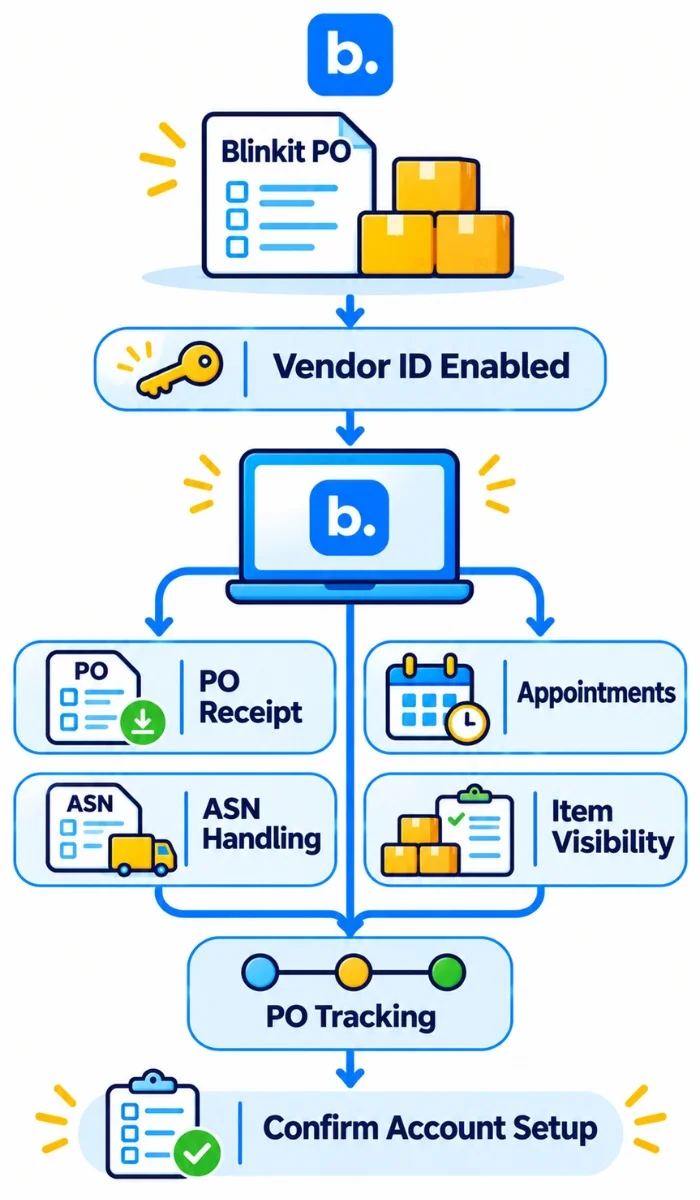
The Blinkit integration guide explains that Blinkit must enable a vendor ID before it can be connected to base.com. After activation, the guide documents automatic PO receipt, appointment scheduling, ASN handling, item-level fulfilment visibility and PO lifecycle tracking.
These capabilities support the supplier-side PO fulfilment workflow. Check that your vendor ID and dispatch locations are enabled, then confirm the actions available in your account before relying on the connection for a specific step. When assessing blinkit integration software, verify PO access, SKU and facility mapping, dispatch documents, appointments, receiving statuses and exception handling.
How does base.com support Blinkit PO fulfilment?
At base.com, our Blinkit integration supports approved vendors after Blinkit enables their vendor IDs. The integration guide documents automatic PO receipt, appointment scheduling, ASN handling, item-level fulfilment visibility and PO lifecycle tracking. These functions help teams manage the supplier-side PO workflow in one connected process. Check the integration guide for setup requirements and confirm which actions are enabled for your vendor IDs.
What should you look for in quick commerce fulfilment software?
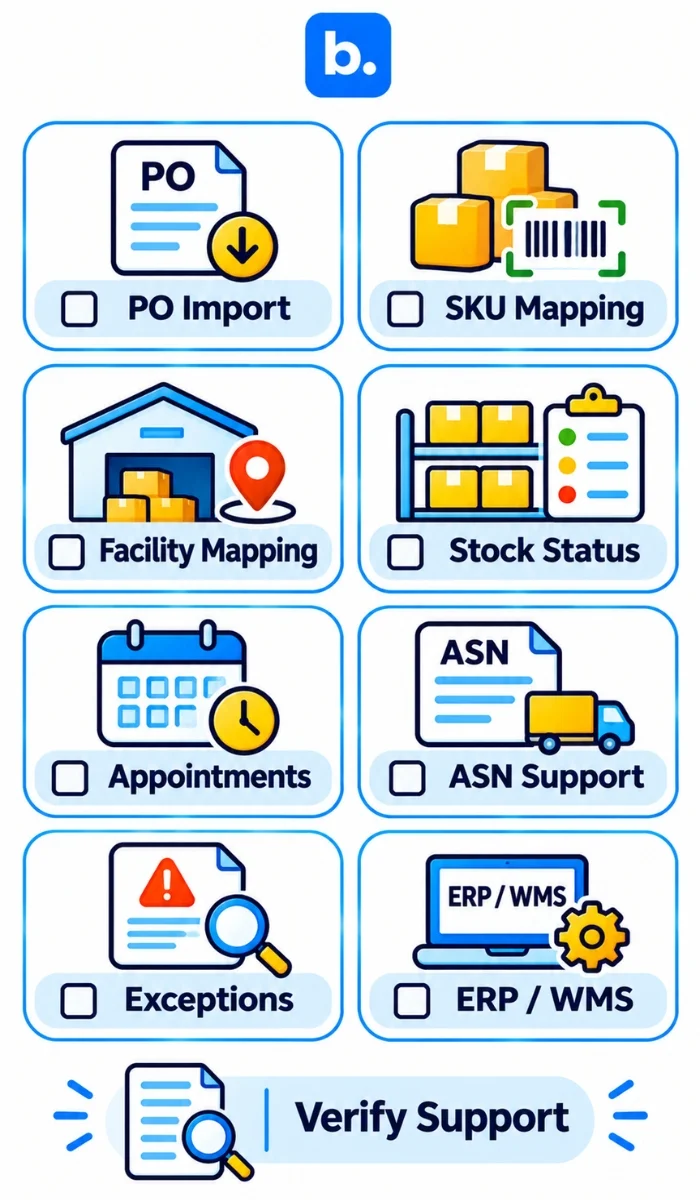
Use this checklist when comparing software or integration providers:
- Which platforms and vendor arrangements are supported? Is the connection direct or through another service?
- Can it receive POs, and which line-level details are included?
- How are vendor IDs, facilities, internal SKUs and platform item codes mapped?
- Can you track PO progress and stock separately by product and location?
- Are dispatch documents, delivery appointments and ASN actions supported where required?
- Can teams record receiving, partial fulfilment, discrepancies and exceptions?
- How are failed updates identified, retried and escalated?
- Does it connect to your warehouse system or ERP, and which system owns each record?
- Can reports show pending work and fulfilment outcomes across vendors and locations?
Ask to see the actual workflow, including exceptions. The word “integration” does not tell you what data moves, when it moves or which steps remain manual.
Conclusion
Quick commerce fulfilment automation can reduce repeated PO entry and improve visibility when it connects the steps your platform and systems support. Keep PO review, SKU mapping, dispatch, delivery, receiving and stock availability distinct, and retain checks for physical goods and exceptions. For Blinkit, base.com documents a vendor-ID-enabled PO fulfilment integration. Verify the specific platform connection and workflow your business needs before relying on it.