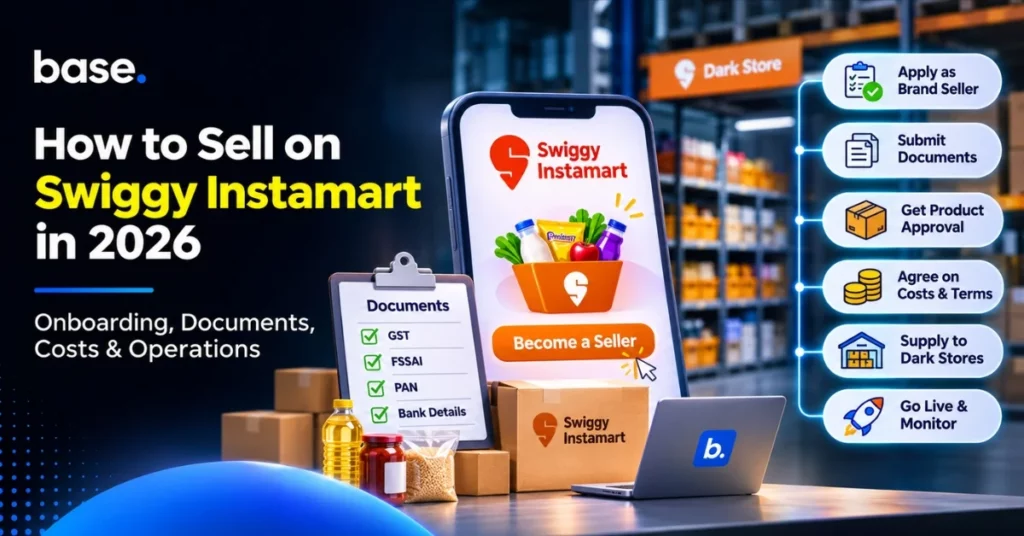
Swiggy Instamart has an official brand-partner route for sellers looking to onboard products. On the partner page, select “Become a Seller” and prepare your business and product details for discussion with the team. Before committing stock, negotiate the commercial terms, documents required, supply locations and operating responsibilities in writing.
When looking into the Swiggy Instamart selling process, opt for the brand-seller path instead of the franchise or property path. This guide is designed for Indian D2C and FMCG brands, distributors and category leads who are looking to fulfil locally. It includes the application process, real-life document preparation, costs to consider, catalogue planning and dark-store operations.
What is quick commerce?
Quick commerce is a retail concept that involves customers placing orders for everyday items online and having them delivered within a short timeframe from local fulfilment centres. Local inventory, dark stores and last-mile delivery bring products closer to demand. Availability and delivery windows are subject to the service and location.
Brands need to have a narrow product range, fast-moving SKUs, local stock information and frequent restocking for quick commerce. SKU stands for Stock Keeping Unit, which is a unique identifier for a product or variant. Plan inventory by fulfilment location, not just by warehouse inventory.
Quick commerce platforms and where Swiggy Instamart fits
Swiggy Instamart is one of the quick commerce platforms in India. Other big players are Blinkit, Zepto, Flipkart Minutes and Amazon Now. The customer experience and seller arrangements are different for each platform, so evaluate them individually.
| Platform | Operated by | Seller information |
|---|---|---|
| Swiggy Instamart | Swiggy group | Official Instamart partner page |
| Blinkit | Eternal Limited | Eternal business overview |
| Zepto | Zepto Marketplace Private Limited | Zepto terms |
| Flipkart Minutes | Flipkart Group | Flipkart announcement |
| Amazon Now | Amazon India | Amazon India announcement |
Swiggy categorizes brand sellers, franchise partners and property owners as different partner routes. For brands that sell products, select “Become a Seller”. Franchise partnerships relate to operating a store, while property partnerships are for owners offering sites for dark-store use. These routes are for different purposes.
How to sell on Swiggy Instamart: step by step
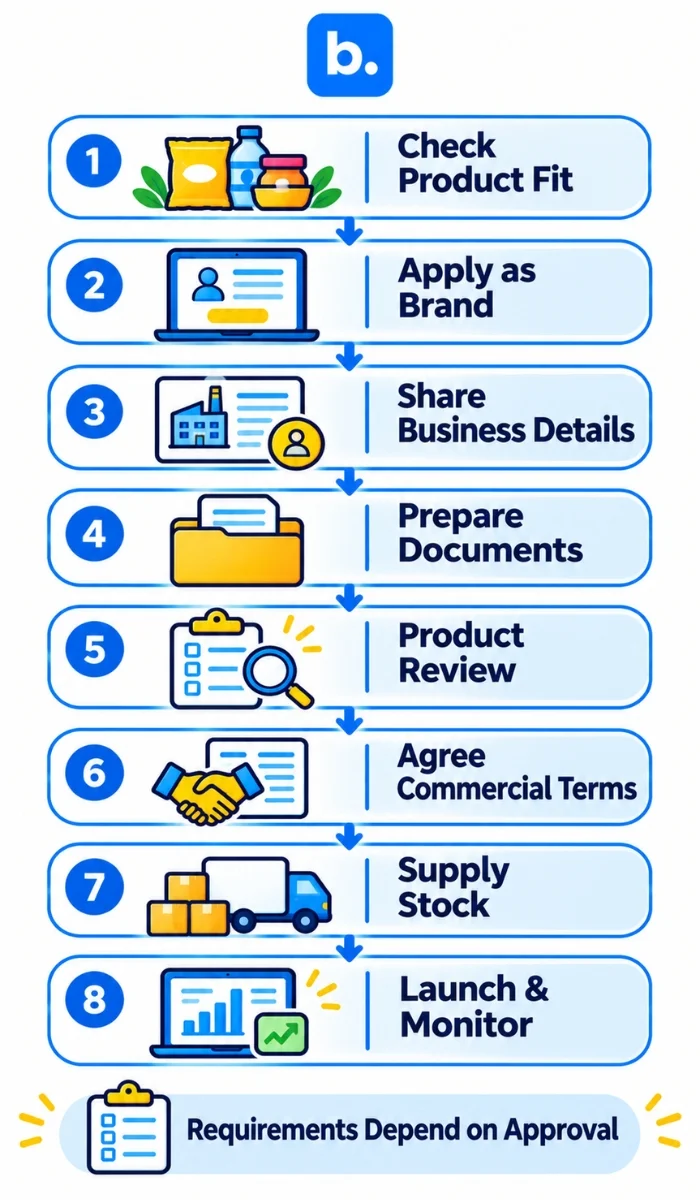
The official starting point is the Instamart brand-partner page. The following steps are a practical preparation journey. Your Instamart contact will give you the current requirements and instructions for your application.
- Check product fit. Create a brief description of your brand, product line, product category and where you plan to sell your products. Inquire about the products the team is thinking about.
- Use the brand-seller route. Go to the official partner page and click on “Become a Seller” or the brand-onboarding option. Avoid using the franchise or property forms to list products.
- Submit business information. Fill in the application with correct legal-business and contact information. Maintain contact with the applying entity and the main programme.
- Share requested documents. Submit the business and product documents for your entity and category. Verify formats and product-specific licences.
- Complete product review. Follow instructions for brand, product and catalogue assessment. Ensure that the correct SKUs and product fields are approved prior to supply.
- Negotiate commercial and supply conditions. Document margins, charges, payment terms, locations, fulfilment roles, stock ownership, returns, damages and unsold inventory.
- Make and dispatch stock. Follow the receiving instructions for the agreed location. Check the approved products, quantities, labels, delivery window and proof of receipt.
- Launch and monitor. Track availability, stock movement, returns and settlements through the agreed workflow. Verify reporting access and how to address problems.
Simplified seller journey
- Brand application
- Business review
- Product approval
- Commercial agreement
- Stock supply
- Go live and monitor
Who can sell and which categories fit?
Brands can join Swiggy through its seller route on its partner page. Franchise partners are described separately on the same page, such as FMCG sellers or distributors, entrepreneurs and professionals. This describes the franchise route, not product-seller eligibility.
On contacting the brand team, provide your brand, product line, legal entity and suggested supply locations. Inquire about the categories and products being considered, where they can be delivered, and the standards of operation. Availability of customers in a city does not automatically mean that a specific brand can supply to that city.
Documents you will need
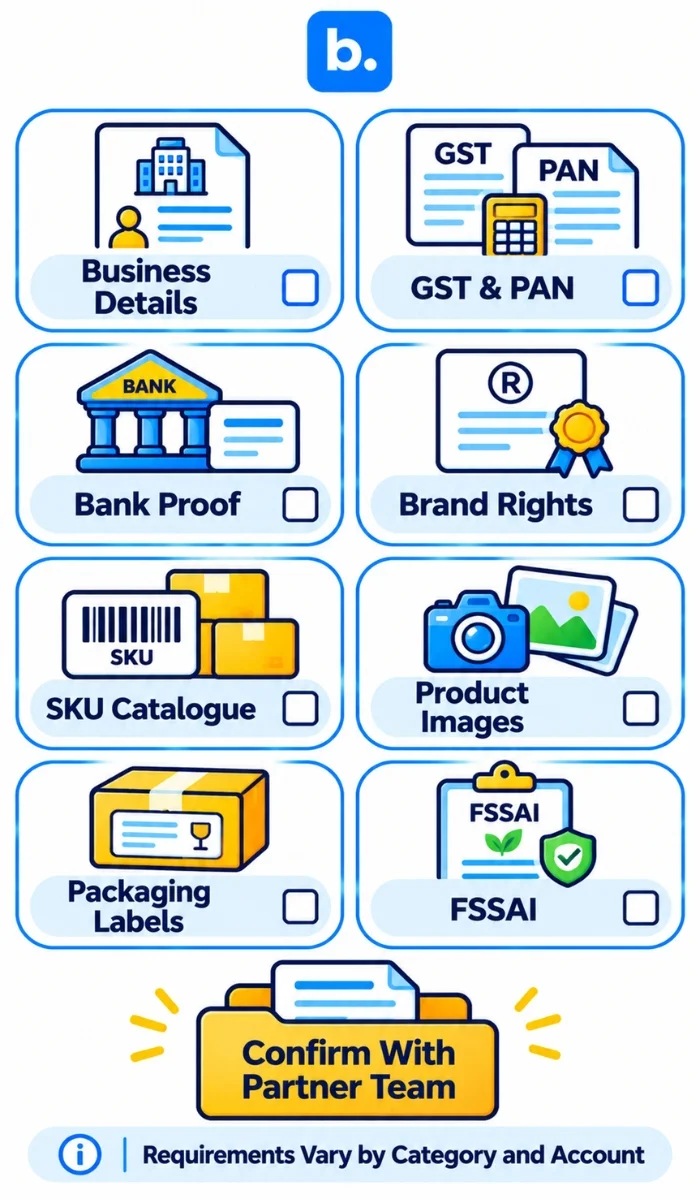
Have key business and product data ready to go to respond to the onboarding team quickly. Specific documents will vary depending on the business, product type and supply agreement. The final reference is the team’s existing checklist.
| Document or information | Preparation point |
|---|---|
| Business registration details | Maintain uniformity in the legal entity name and registration details. |
| GST registration details | Verify the supplying entity and applicable locations. |
| PAN | Keep the necessary business PAN information on hand. |
| Bank account proof | Verify the account holder’s name is the same as the contracting entity. |
| Brand authorisation or trademark proof | Distributors should explain the authorisation that the brand owner gives. |
| Product details and SKU catalogue | Create product names, variants, pack sizes and identifiers. |
| Product images | Have up-to-date product photos available and verify the format. |
| Packaging and labelling information | Review category-specific packaging and regulatory information. |
| FSSAI licence or registration | Food businesses should have the appropriate licence or registration for their business. |
Food business operators must be licensed or registered under the Food Safety and Standards Act, depending on their business and eligibility, as required by FSSAI. Check the official FSSAI registration guidance and verify the type of licence/registration that applies to your operations.
Costs to expect
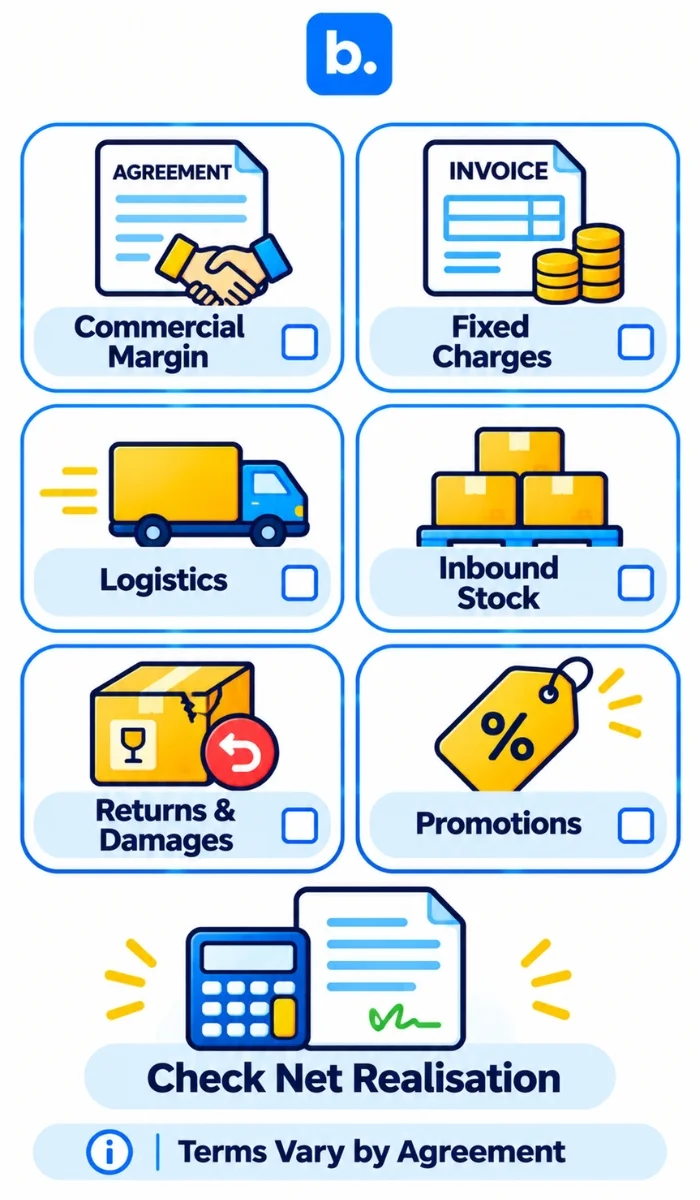
Before agreeing to supply, request a written breakdown of charges, deductions and applicable taxes. Discuss the impact of each cost on your net realisation and selling price. The commercial terms can be sales-related margins, fixed charges, supply costs, returns or participation in promotions, depending on the agreement.
| Cost line | What to clarify |
|---|---|
| Commission or commercial margin | How the agreed margin is calculated and applied. |
| Fixed or transaction-level fee | Any fixed, listing or order-level charge. |
| Logistics or handling | Receiving, storage, handling or fulfilment costs. |
| Stock inbound cost | Transportation to the receiving site. |
| Returns and damages | Responsibility for returned, damaged, expired or unsellable products. |
| Promotions and advertising | Sponsored visibility and campaign participation, discount funding. |
Also verify settlement timing, deductions, dispute resolution, who pays for receiving, storage, unsold stock, damages and returns. Document the agreed terms prior to committing inventory. Do not rely on third party commission figures instead of your own agreement.
Listing and catalogue requirements
Prepare catalogue information prior to onboarding discussion. Request the current template and validation rules, and gather the necessary information:
- Product name, brand and category.
- Description, pack size, quantity and variants.
- Barcode or product identifier (if applicable).
- Product images in the requested format.
- MRP and selling-price information.
- Shelf life, manufacturing and expiry information (if applicable).
- Product licences and label information for the category.
Follow the specifications given for your account. Consistent names, pack sizes and identifiers facilitate the matching of catalogue records with stock and orders.
How dark-store operations work for sellers
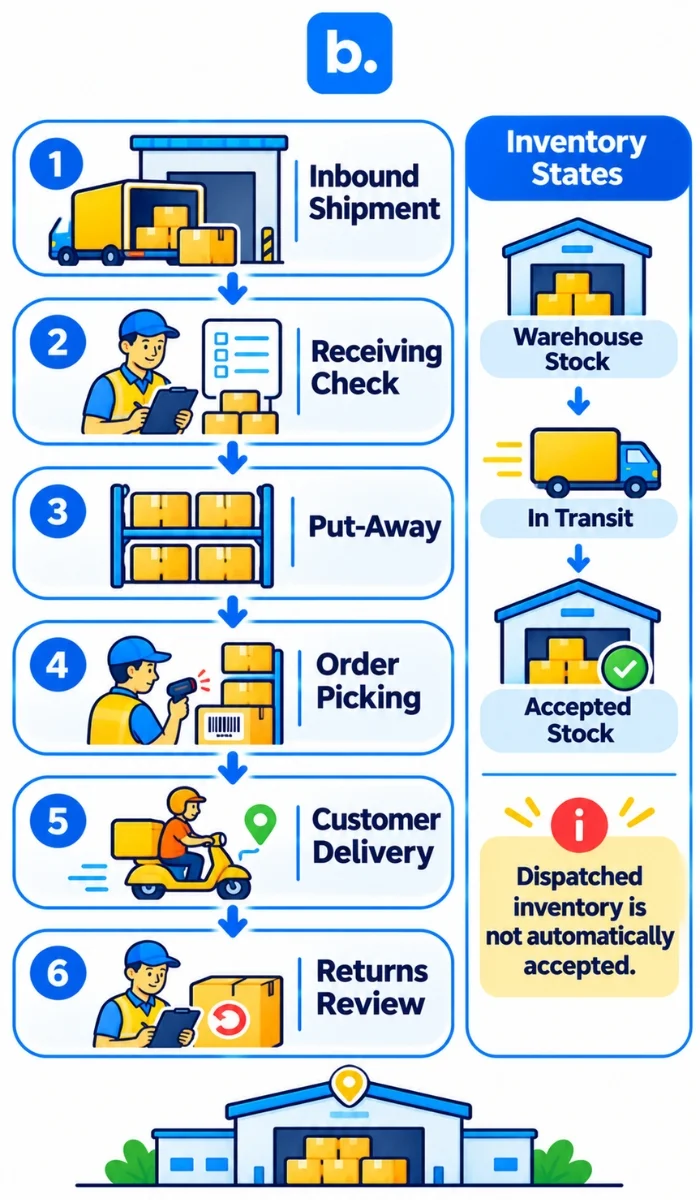
A dark store is a small fulfilment centre that is not open to the public and stores stock for quick local delivery. Inbound refers to products coming into a warehouse or fulfilment centre. Fill rate is the percentage of the quantity ordered that a supplier is able to deliver.
A quick-commerce supply model is a typical model where a seller or distributor delivers agreed products to a specific receiving location. Staff check the shipment, record accepted quantities and place products into storage for picking. Record delivery and acceptance according to the receiving instructions.
Accurate SKU-level stock records help prevent products from appearing available when local inventory is low. Plan replenishment based on demand, lead times and any agreed minimum quantities. Verify packaging, barcode and shelf-life verification, and accountability for damage, returns and unsold products.
| Step | What happens | What to prepare |
|---|---|---|
| Inbound shipment | Stock is shipped to the receiving location. | Approved SKU list, quantities, labels and delivery documents. |
| Put-away | Products received are inspected and put away. | Proper packaging, barcodes and product information. |
| Order picking | Available products are picked for customer orders. | Correct inventory and product identification. |
| Delivery | Orders are sent from the fulfilment centre to customers. | Reliable availability and agreed service levels. |
| Returns | Products returned or damaged are evaluated. | Return rules, product condition checks and responsibility terms. |
Our quick-commerce guide covers assortment and stock planning for brands exploring fast-delivery channels.
Choosing integration software for Instamart
For brands with multiple ecommerce and quick-commerce channels, having a reliable order and inventory view is essential. When choosing Instamart integration software, look at these five points:
- Platform connectivity: Does the provider support the specific Instamart connection you need? Request up-to-date paperwork.
- Synchronisation: How frequently is stock synchronised and what happens if it fails?
- Order and return status: Do your team have access to the current order status, cancellations and returns?
- Error alerts: Can failed imports, stock mismatches and integration errors be seen?
- Platform reporting: Do you have access to orders, inventory movement and returns by channel?
Ask to see a demo of the exact connection and verify the order, stock, status, return and reporting processes it supports. Don’t assume that a generic marketplace connector contains Instamart. Our guide to ecommerce integration platforms explains how to plan connections across stores and marketplaces.
How Base OMS supports multichannel operations
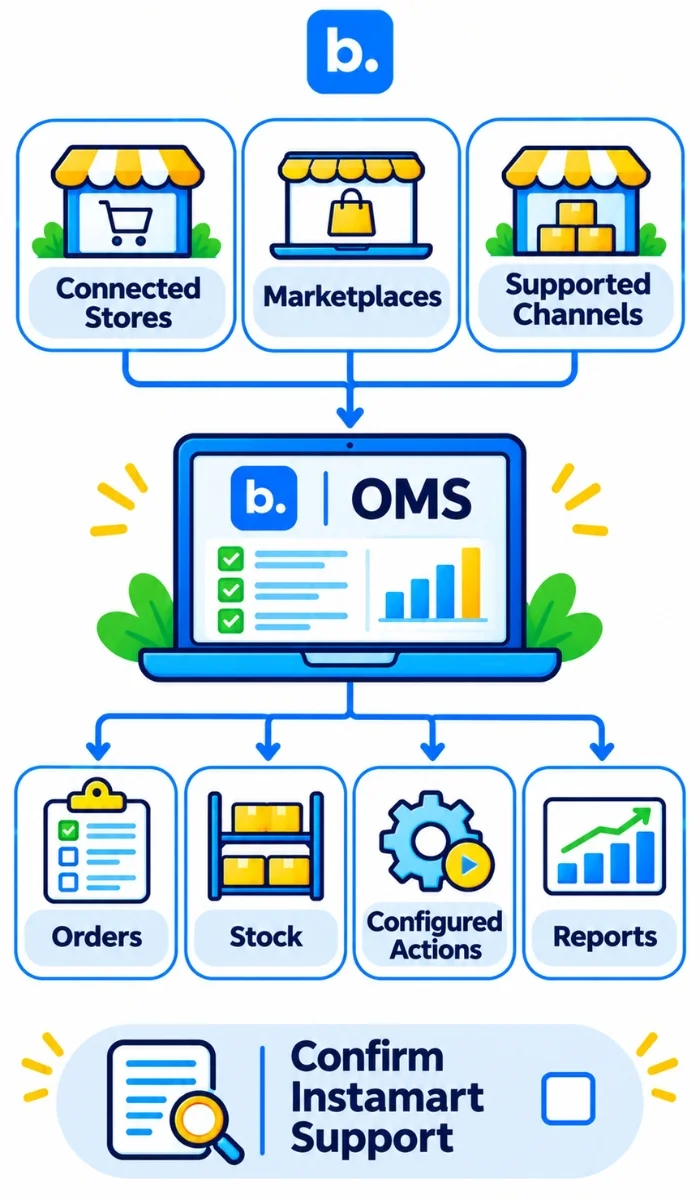
Base OMS manages orders and configured automatic actions on supported connected marketplaces and online stores. Base also offers stock synchronisation for supported integrations. Sellers can check the workflows that are available for their connected channels and can leverage reports for their daily operations.
Before using it for orders, stock, returns or reporting, check the connection and the data it is handling for Instamart. If you’re selling through multiple channels that are supported, Base can help you centralise those channel workflows. Ask to see a demo of how order management and stock processes will work for your existing operation.
Conclusion
The first step to selling on Swiggy Instamart is to get started on the official brand-seller path and get your business and product details ready. Ensure that the application requirements, commercial terms, supply locations and operating responsibilities are confirmed with the team prior to committing stock. Make a well-thought-out catalogue, keep up to date with local stock and discuss returns and settlements. Check the partner page and ask for the latest instructions before applying.