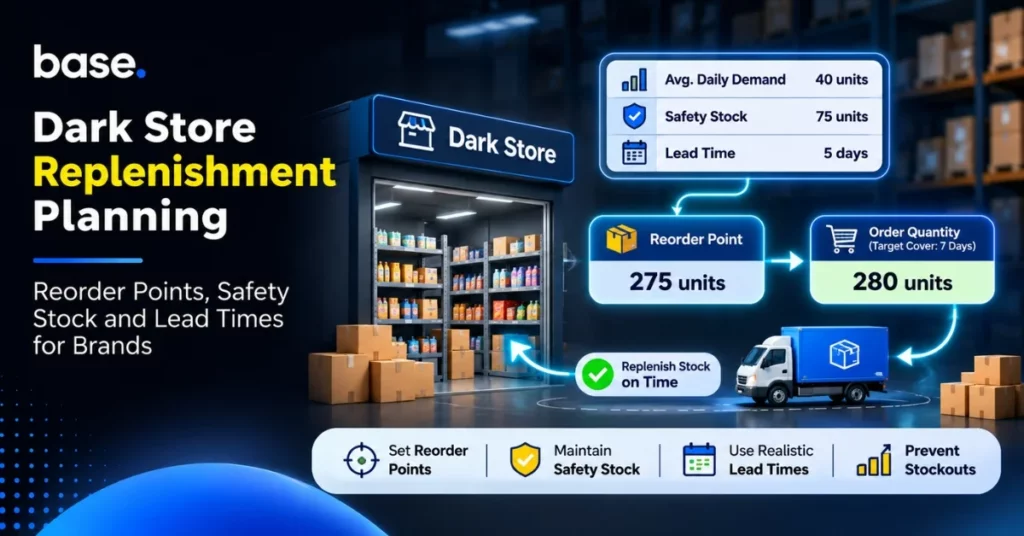
Dark store replenishment decides when, how much and where to send stock to keep fulfilling local demand. Use store-level demand and full replenishment lead time to set a reorder point that covers expected sales plus a practical buffer. Then calculate order quantity separately, allowing for target cover and reliable inbound stock. Review the inputs as demand and supplier performance change.
Why dark store replenishment needs its own operating rhythm
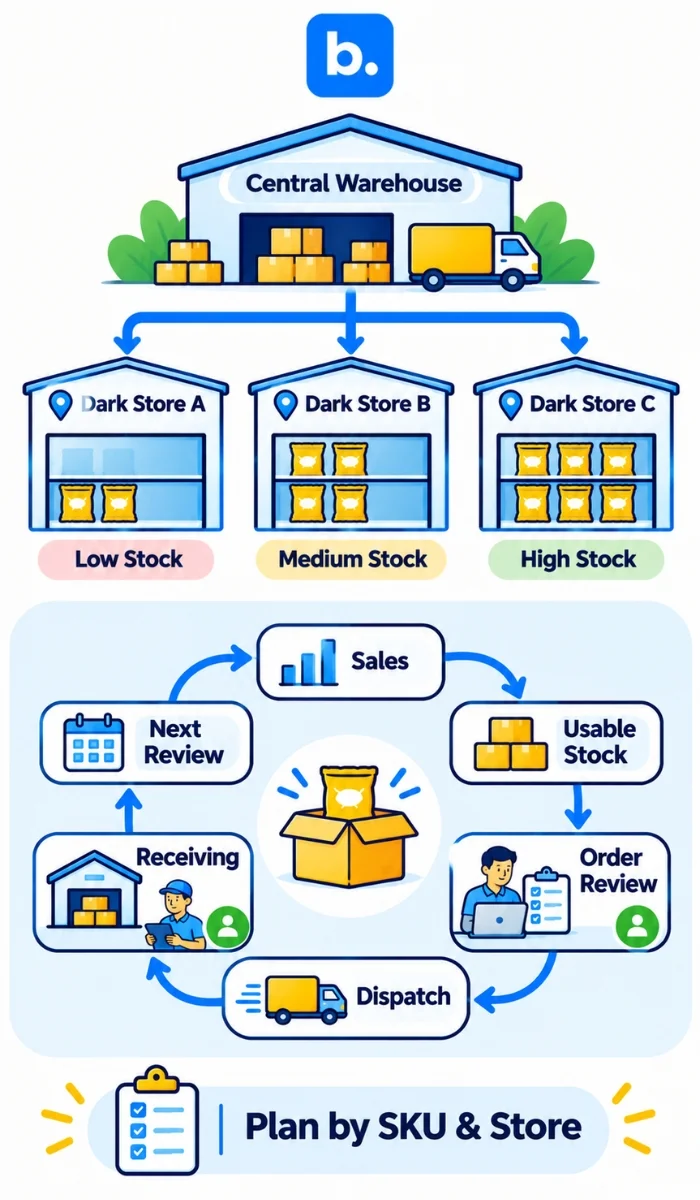
A dark store holds a focused range close to customers and turns stock into orders quickly. For a brand supplying quick-commerce or other local fulfilment networks, the planning unit is not simply a city or a central warehouse: it is the SKU at each receiving location. Demand for the same item can differ between neighbourhoods, and a city-wide total can hide one store running short while another holds excess stock.
Replenishment is the execution loop that keeps that local stock available. It connects sales, usable inventory, purchase orders, dispatch, receiving and the next review. The loop needs clear owners: who checks the store report, who approves quantities, who prepares the shipment, and who confirms receipt or follows up a discrepancy. Agree the receiving cut-off and order process with each partner rather than assuming a universal delivery schedule.
Keep three decisions separate. Demand forecasting estimates what customers may buy and helps set expected daily demand. Replenishment planning decides when and how much to send, considering stock, lead time and constraints. The reorder point answers when to trigger an order; order quantity answers how much to order. A useful forecast does not by itself create a sound replenishment decision.
Build a store-level replenishment policy
Begin with a small, manageable set of high-priority SKUs and locations. For each combination, record the units sold per day, usable stock, committed quantities, open orders, lead time, pack size, minimum order quantity, shelf life and receiving schedule. Keep units and time periods consistent: units per day multiplied by days gives units.
Use a defined review cadence that fits the operation. A daily check may be appropriate for fast-moving items or frequent receiving windows; slower items may need a different cadence. The cadence is a planning choice, not a platform rule. Set an exception owner for unusual demand, delayed dispatch, stock discrepancy or expiry risk. Record the decision and the reason so the next review can distinguish a genuine trend from a one-off event.
| Input | What to record | Why it matters |
|---|---|---|
| Demand | Recent sales by SKU and store; average and realistic peak daily demand | Shows normal use and possible short-term variation |
| Lead time | Elapsed time from order decision to stock usable at the store | Determines how much demand must be covered while waiting |
| Inventory position | Usable on-hand + open/in-transit supply − committed quantities | Prevents ordering as if every unit were free and available |
| Constraints | Pack size, minimum order, expiry, receiving capacity | Converts a calculated need into an executable shipment |
Physical stock is what is actually present at the location. Usable stock excludes damaged, expired, quarantined or otherwise unavailable units. Inventory position is a planning figure: usable stock plus confirmed open or in-transit supply, minus quantities already committed. Check the definitions and data timing across systems; a shipment not yet accepted may not be equivalent to usable store stock.
Calculate safety stock and the reorder point
Lead time is the total elapsed time between deciding to replenish and the units becoming usable at the destination. Include relevant approval, picking, transport, receiving and put-away time where the operating process requires them. Use actual observed elapsed times, not only a supplier’s quoted estimate, and review the history for variation.
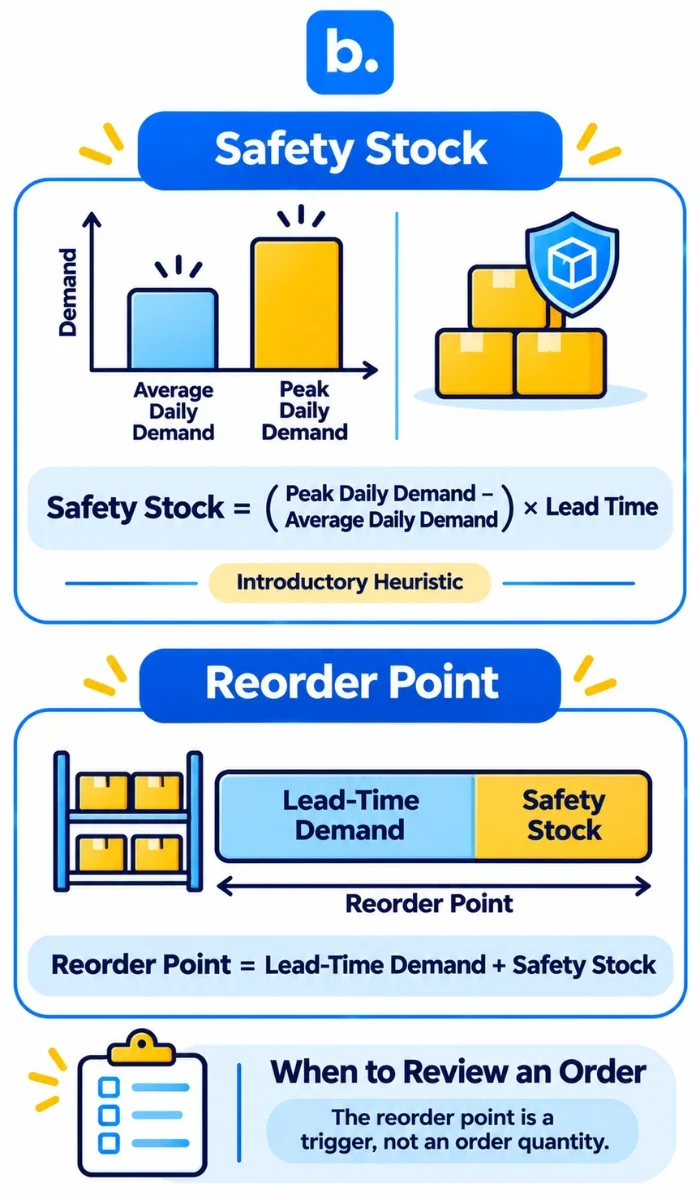
A simple introductory safety-stock heuristic is:
Safety stock = (Peak daily demand − Average daily demand) × Lead time
This estimates a buffer for demand above the average over the lead-time window. It assumes the chosen peak is a useful planning value and uses one lead-time figure. It does not model all demand and delivery uncertainty, and it does not guarantee a particular service level. For volatile or high-impact SKUs, use a method that analyses demand and lead-time variability and an explicitly chosen service target, with suitable data and planning expertise.
Then calculate:
Demand during lead time = Average daily demand × Lead time
Reorder point = Demand during lead time + Safety stock
The reorder point is a trigger level, not a purchase quantity. Compare it with inventory position, not just the shelf count. If inventory position reaches or falls below the trigger, review and place the replenishment order, subject to open orders, constraints and current conditions. A point-in-time calculation can be wrong if the inventory feed is delayed or an inbound order is uncertain.
Worked example: calculate the trigger
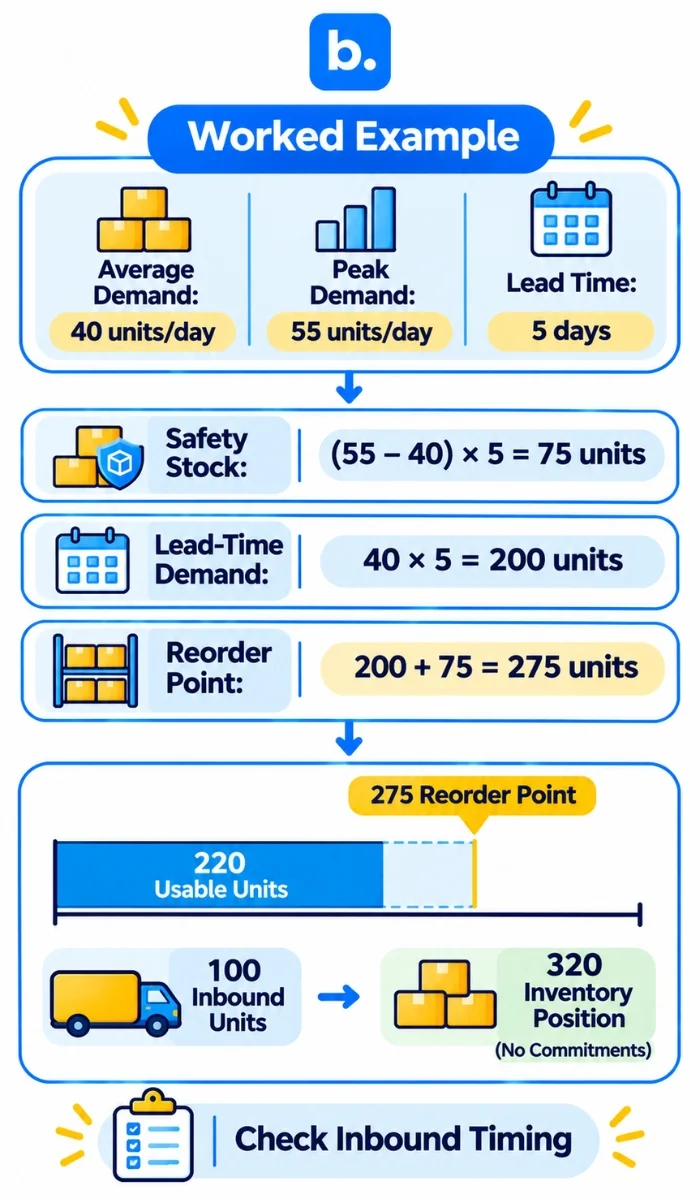
Assume average demand is 40 units per day, peak demand is 55 units per day, and lead time is 5 days. The simple heuristic gives:
- Safety stock = (55 − 40) × 5 = 75 units
- Demand during lead time = 40 × 5 = 200 units
- Reorder point = 200 + 75 = 275 units
If usable stock starts at 300 units and the store sells 40 units on each of the next two days, physical stock falls to 220 units. If there are no open orders or commitments, inventory position is also 220, below the 275-unit reorder point. The trigger says to replenish; it does not say to order 55, 75 or 275 units. If 100 units were already confirmed in transit and none were committed, inventory position would instead be 320 units, though the planner should still check whether that inbound stock will arrive in time and is genuinely available to count.
Calculate order quantity separately
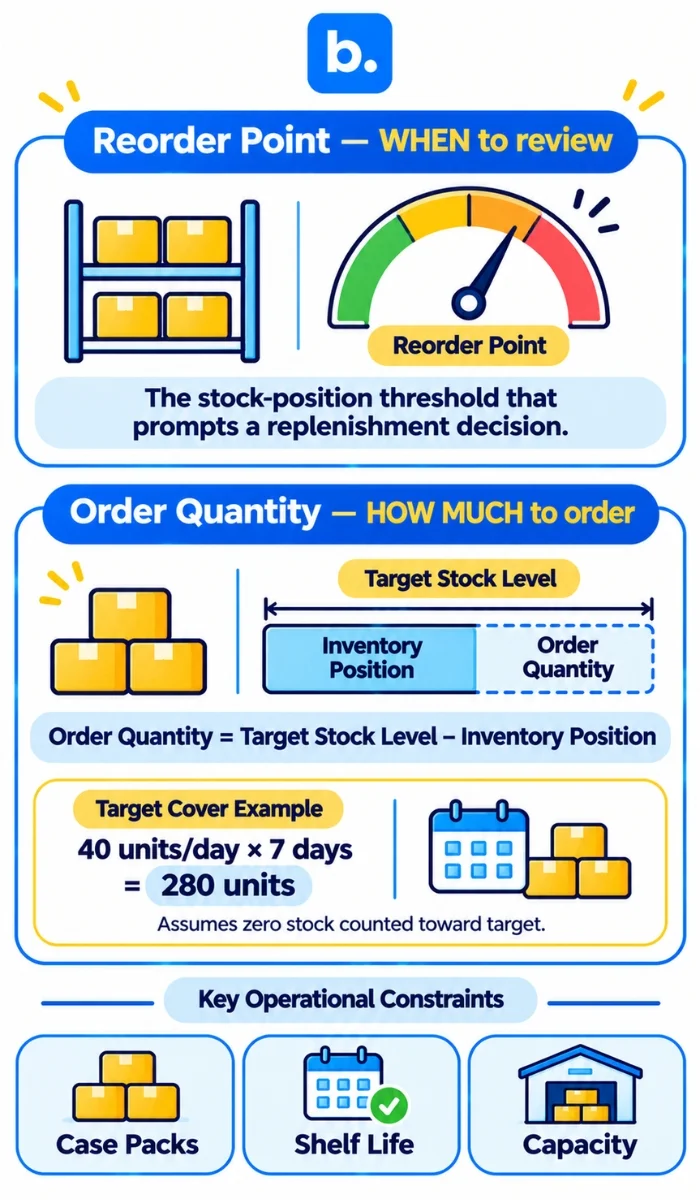
Set the order quantity to cover demand beyond the lead time, plus the buffer you intend to carry, while subtracting the stock and inbound units that will be available. In the example, suppose the operating target is seven days of average-demand cover after the replenishment arrives. Target cover is 40 × 7 = 280 units. With zero usable or incoming inventory counted toward that target, the order quantity is 280 units. This is the requested target quantity in this example, not the reorder point.
In live planning, use a consistent target definition. A simple order-up-to calculation is:
Order quantity = Target stock level − Inventory position
The target stock level should include the intended post-arrival cover and any buffer that policy requires. Round the resulting quantity to a feasible case pack or minimum order quantity, then recheck shelf life, store capacity and receiving limits. If the result is zero or negative, do not automatically send stock; check timing, inbound reliability and the demand signal. A supplier constraint or an impending promotion may require an approved exception.
| Decision | Question answered | Example result |
|---|---|---|
| Safety stock | What buffer is used in this introductory method? | 75 units |
| Reorder point | At what inventory position should the team review an order? | 275 units |
| Target order quantity | How much is needed to reach seven days of cover in the stated example? | 280 units |
A practical replenishment process
- Refresh store-level inputs. Pull recent sales, usable stock, commitments and inbound orders for each selected SKU and location. Check that timestamps and units align.
- Review demand and exceptions. Compare actual sales with the working average and investigate promotions, outages or unusual spikes before changing the baseline.
- Validate lead time. Use elapsed order-to-usable time and flag late or incomplete receipts. Keep supplier, transport and receiving stages visible where possible.
- Calculate inventory position. Include usable stock and reliable open supply, then subtract committed demand. Do not treat physical stock and inventory position as interchangeable.
- Apply the reorder trigger. When position reaches the reorder point, assess whether an order is needed now, accounting for arrival timing and any existing purchase order.
- Set the order quantity. Work towards the target cover level, net off available supply, and apply case-pack, minimum-order, expiry and capacity constraints.
- Confirm and execute. Assign an owner, verify destination and SKU, book the receiving slot if required, and communicate the dispatch plan.
- Close the loop. Confirm receipt, investigate shortages or damage, update stock records and compare actual lead time with the planning assumption.
A shared exception log is useful even when calculations sit in a spreadsheet. Record the store, SKU, trigger, proposed quantity, adjustment, reason, owner and resolution. This makes overrides reviewable and helps identify repeated causes such as late receipts, inaccurate stock counts or demand changes.
Choose tools by the work they support
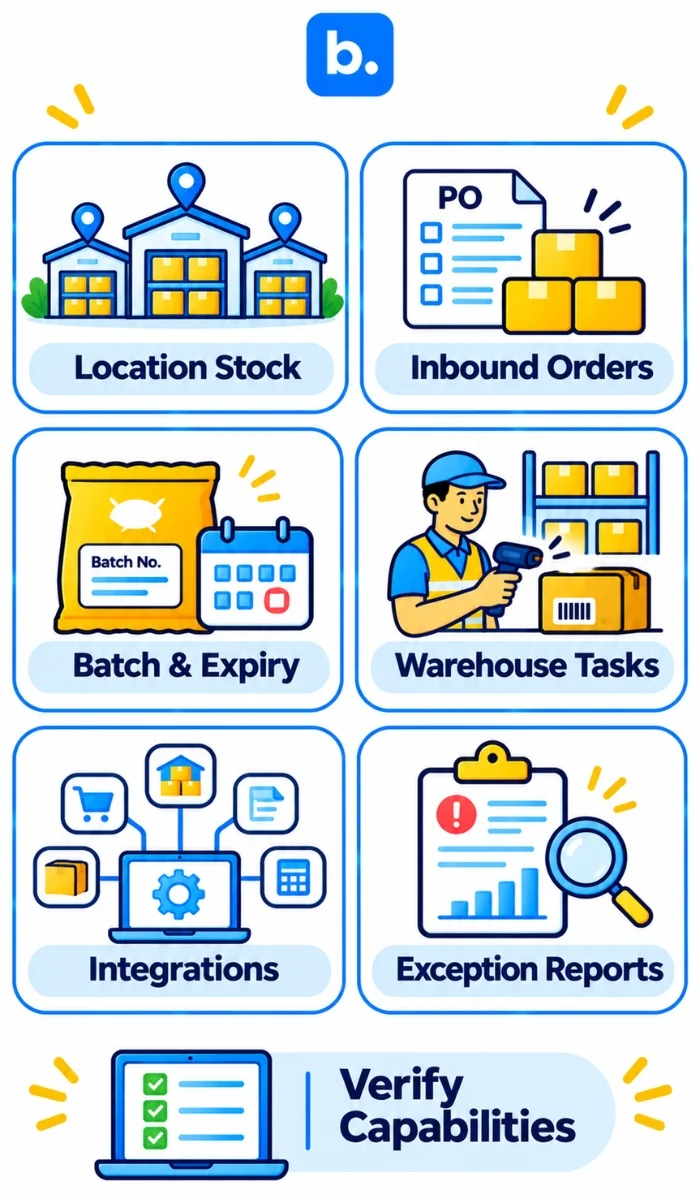
A spreadsheet can be sufficient for a pilot with a limited number of SKUs and stores, provided one owner maintains the inputs and change history. As the network grows, compare tools against the operating requirements rather than a feature checklist alone. Ask vendors to demonstrate the actual workflow with your sample data, including exceptions and corrections.
| Evaluation area | Questions to ask |
|---|---|
| Location-level inventory | Can teams see SKU quantities by store or warehouse, and distinguish usable from unavailable stock? |
| Inbound and commitments | How are open purchase orders, transfers and reserved or committed units represented? How quickly does the view update? |
| Traceability | Can users track batch and expiry information where relevant, and investigate a stock discrepancy? |
| Execution | Can teams record picking, packing, transfers or receipt confirmation in the workflow they use? |
| Data and integration | Which sales, marketplace, warehouse and accounting systems connect? What happens when a feed fails or duplicates data? |
| Planning ownership | Can the team document its own reorder-point and order-quantity logic, review cadence and approval controls? Ask for a live demonstration rather than assuming calculations are included. |
| Reporting and access | Can users filter exceptions by location and SKU, export records, and control who can approve or edit them? |
For a brand operating across central and local facilities, Base WMS can be considered for inventory visibility by SKU and location, batch and expiry tracking, stocktakes, warehouse location assignment, picking and packing workflows, reservations and multiple-warehouse records. These functions can support execution and stock accuracy. The replenishment rules in this article remain planning decisions for the brand; confirm the precise workflow and integrations in a product demonstration. See the Base WMS overview.
For broader context, see the quick-commerce demand forecasting guide, automating purchase orders and reorder points, hyperlocal inventory management, reducing out-of-stock listings on Zepto, quick-commerce partnerships for D2C brands and choosing between Blinkit, Zepto and Instamart. Use forecasting to inform expected demand, then make the location-level replenishment decision with current stock, inbound supply and constraints.
Conclusion
A reliable dark store replenishment plan turns local demand into clear triggers and executable quantities. Set demand and lead-time assumptions by SKU and location, calculate a reorder point with a cautiously interpreted buffer, and calculate order quantity separately from inventory position. Check inbound reliability, expiry, pack sizes and capacity before dispatch. Review exceptions and actual lead times; update the policy when evidence changes. No formula removes uncertainty, but disciplined inputs and follow-through make it manageable.