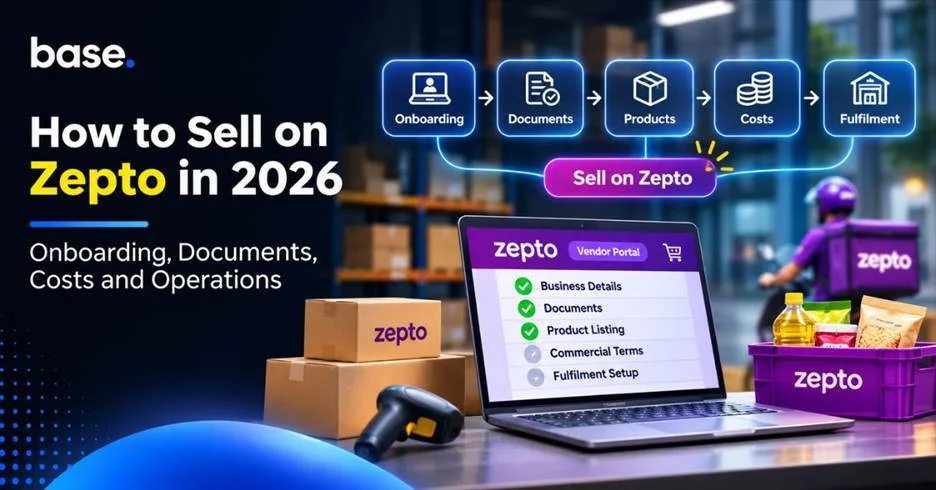
To sell on Zepto, you need to register through its Vendor Portal and complete the onboarding process for your business and brand. You will be asked to provide business and product details, submit the required documents, and understand the commercial terms and supply arrangements offered to you. Zepto publishes a specific document list for brands, including PAN, GSTIN, a cancelled cheque, authorised signatory details and proof of brand ownership or authorisation. Product information, sizing and images are also part of its cataloguing requirements. Approval is not automatic, and the final requirements may vary by category and account. This guide explains how to prepare for onboarding, evaluate costs and plan inventory and fulfilment.
What does selling on Zepto involve?
Selling on Zepto involves getting your brand and product range reviewed, completing the required documentation, and agreeing how approved products will be supplied. Zepto’s public Brand Partners page says that it looks for a sizeable catalogue, quality products and a distinct value proposition. It also asks brands to provide accurate product sizing, brand-tag details and catalogue images that meet its specifications.
Zepto displays a wide range of categories on its Brand Partners page. These include atta, rice, oil and dals; fruits and vegetables; dairy, bread and eggs; packaged food; frozen food and ice creams; baby care; bath and body; skincare and makeup; pharma and wellness; cleaning and home needs; pet care; electronics and appliances; apparel and lifestyle; jewellery; stationery and crafts; and toys and sports, among others. The presence of a category does not mean every brand or product will be accepted. Selection remains subject to Zepto’s requirements and review.
How do you start seller onboarding with Zepto?
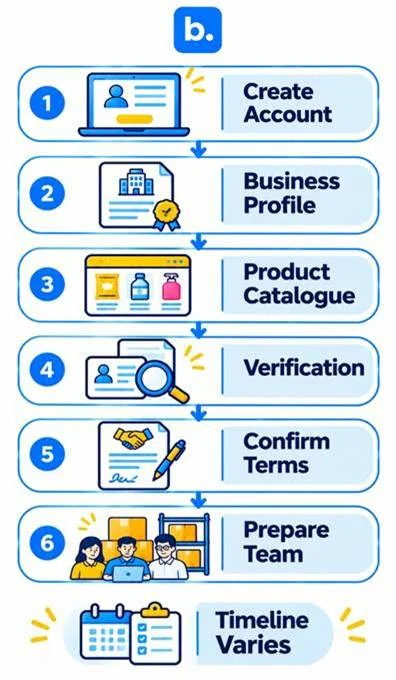
Log in to the Zepto Vendor Portal and register an account using the instructions provided. Complete the business, brand and product information requested, and follow up on any verification or cataloguing requirements shown in your account.
A practical preparation sequence is:
- Create your vendor account. Register through the official portal using the mobile number requested and complete the OTP verification.
- Complete the business profile. Keep your legal business name, PAN, GSTIN, bank details and authorised signatory information ready. Make sure the details are consistent across your records.
- Submit product information. Prepare your product catalogue with brand tags, product names, category details, pack sizes, accurate sizing information and clear article images that meet Zepto’s cataloguing specifications.
- Complete the review. Respond to requests for missing information, corrections or category-specific documents. Zepto says its selection criteria include catalogue width, product quality and a distinct value proposition.
- Confirm commercial and fulfilment conditions. Understand the agreed pricing, charges, delivery location, receiving process and replenishment expectations before committing stock.
- Get your operating team ready. Assign responsibility for catalogue updates, purchase orders, dispatch coordination, inventory reconciliation and issue resolution.
Zepto says qualifying brands may be onboarded within 15 business days. It notes that the process may take up to 45 days during major sale events. This is an indicative timeline for brands that meet its selection criteria, not a guaranteed launch date. Check the current status and any pending requests through the portal. See Zepto’s Brand Partners information for the published criteria.
What documents and product information should you prepare?
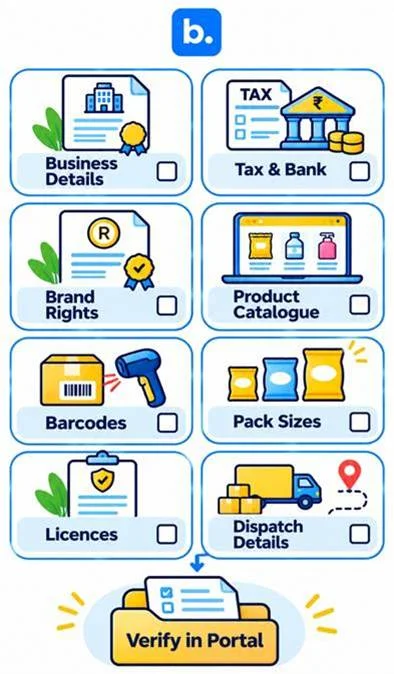
Zepto’s Brand Partners page publishes a specific list of documents required to start selling. It is worth preparing these before you begin, along with the product information needed for cataloguing.
| What to check | Information to prepare |
|---|---|
| Business information | Keep the legal business name, registered address and contact information consistent across your application and supporting records. |
| Tax and bank details | Prepare the PAN card, GSTIN certificate and cancelled cheque listed by Zepto. |
| Brand authorisation | Provide the original trademark certificate or an authorisation letter/NOC on the brand owner’s letterhead. |
| Product catalogue | Prepare brand-tag details, product names, descriptions, variants, pack sizes and category information. |
| Product sizing and images | Provide accurate product sizing and article images that meet Zepto’s cataloguing specifications. |
| Regulatory documents | Keep applicable licences or certificates ready for regulated categories. Confirm the requirements for your specific products. |
| Supply and dispatch information | Be ready to confirm delivery locations, contacts, delivery scheduling and the receiving process agreed for your account. |
The published list includes a PAN card, GSTIN certificate, cancelled cheque, authorised signatory signature copy, and the original trademark certificate or an authorisation letter/NOC on the brand owner’s letterhead. Zepto also asks for brand-tag details, accurate product sizing and article images that meet its cataloguing specifications. Additional requirements may apply to particular products or categories, so follow the checklist shown during onboarding.
What should be the criteria to evaluate the cost of selling on Zepto?
Develop your costing based on the commercial terms communicated to your business. Avoid using a generic fee estimate as the basis for pricing or margin forecasting. During onboarding, confirm the charges, deductions and settlement terms that apply to your account, and keep the agreed terms on file.
Add the expenses associated with your agreement:
- Platform charges or commission as per your terms.
- Discounts, promotions or advertising you choose or agree to fund.
- Product preparation, packaging, labelling and category compliance.
- Transport and delivery to the specified fulfilment location.
- Stock holding, replenishment, expiry, damage and potential unsold stock.
- Any software or operational tools that your business decides to use.
- Taxes and other fees as specified in your contract.
Calculate what you expect to receive after deductions, then subtract product, fulfilment and operating expenses. Check the calculation by SKU and pack size if costs or margins vary. Revisit it when commercial terms, promotions or delivery arrangements change.
If you are also planning to spend on business software, keep those expenses separate from Zepto’s commercial terms. You can review the features included in the Base.com Business Plan separately from your seller agreement.
What is the best way to plan inventory and fulfilment?
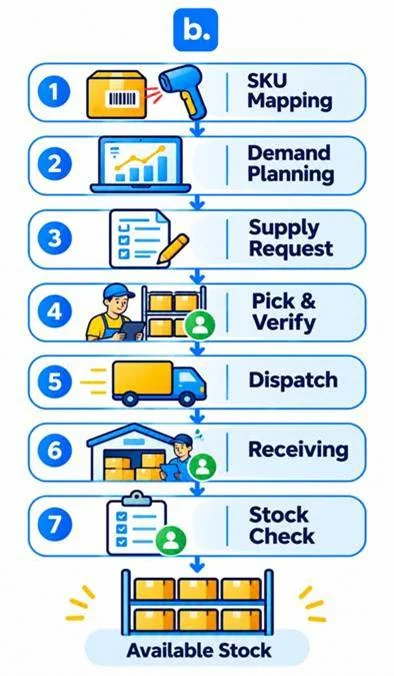
Plan stock by product and location, and keep a clear record of what has been ordered, dispatched, received and accepted. Zepto’s Brand Portal Terms of Use describe tools for brands to view purchase orders, track inventory, submit invoices and update product information. The portal also provides purchase-order status updates, including Goods Receipt Note (GRN) status, and allows brands to create Advance Shipment Notifications (ASNs) and schedule deliveries against purchase orders.
Before launch:
- Match each Zepto product listing to your internal SKU, barcode, variant and pack size.
- Use sales, lead times and the delivery requirements for your account to estimate replenishment needs.
- Check incoming purchase orders in the Brand Portal and confirm the quantities and delivery dates before preparing a shipment.
- Create the Advance Shipment Notification (ASN) and upload the invoice as required in the portal, then track the Goods Receipt Note (GRN) status.
- Follow up on shortages, excess quantities, damage or rejected deliveries against the relevant purchase order and receiving record.
- Conduct regular stock checks to reconcile portal records with your own inventory.
To learn more about stock accuracy, see Inventory Management System in India. For those selling across multiple platforms, the guides on inventory sync across marketplaces and managing inventory across multiple ecommerce marketplaces offer additional guidance on maintaining consistent stock records.
What is a dark store and what does it imply for suppliers?
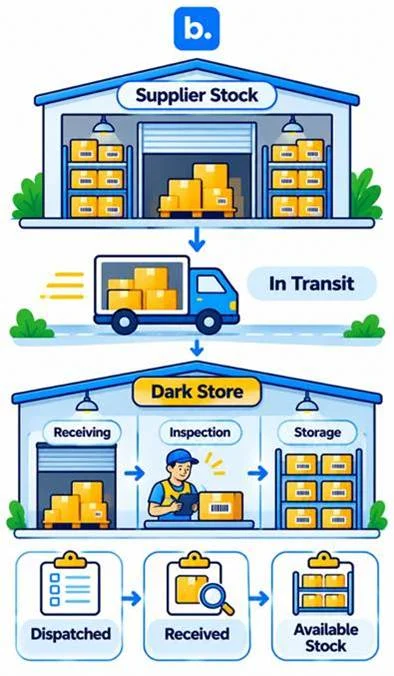
A dark store is a fulfilment centre that holds and picks products for online orders, but does not operate as a traditional retail store. Zepto’s June 2026 Updated Draft Red Herring Prospectus describes a platform where products are listed by Merchant Partners, orders are processed through strategically located dark stores operated by Zepto, and delivery partners take orders to customers.
For suppliers, local availability is the important consideration. Stock held in your own warehouse is not automatically available at a Zepto dark store or to customers in every service area. Follow the purchase orders and delivery schedules shown in the Brand Portal, and keep dispatched, received and available quantities separate. A dispatch record alone does not confirm that the goods have been received or accepted. Use the GRN status and receiving records to reconcile deliveries and follow up on discrepancies.
What are the ways software can help with multichannel operations?
Software can assist teams in managing product information, orders and stock across connected systems. When selecting Zepto integration software, review the workflows it supports, including product-code mapping, order visibility and inventory updates. Zepto’s own Brand Portal provides purchase-order, invoice, ASN, GRN and delivery-scheduling functions, so check which tasks your software can support alongside the portal and which still need to be completed directly in Zepto.
At Base.com, we support multichannel operations with tools that have specific functions. Order Manager manages orders from connected stores and marketplaces. Our guides to Order Management Systems in India and Best Order Management Software for Ecommerce Businesses in India explain what to consider when assessing order-management workflows.
Make sure the software is compatible with the systems, data and tasks your business needs. Do not assume that a connection automates Zepto onboarding, purchase orders, ASNs, GRNs, dispatch or receiving unless those functions are specifically supported.
What are some things you should look at before you start on Zepto?
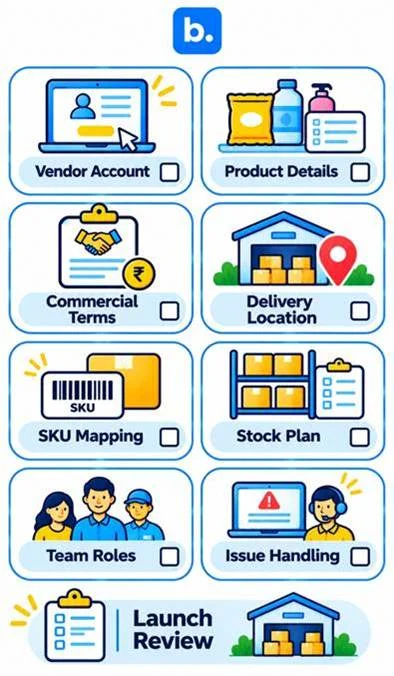
Review this checklist before committing inventory or setting a launch date:
- Have you created your vendor account and completed the information requested in the portal?
- Have your brand details, product sizes, images and catalogue information been submitted correctly?
- Are the commercial terms, charges, deductions and settlement conditions confirmed?
- Do you know which products are approved and where stock needs to be delivered?
- Do your internal SKUs, product identifiers and pack sizes match the Zepto catalogue?
- Do you have a replenishment plan for the required quantities and locations?
- Does your team know how to review purchase orders, create ASNs and check GRN status?
- Are responsibilities for stock, dispatch and discrepancy follow-up clear?
- If you use software, have you confirmed which workflows it supports alongside the Zepto Brand Portal?
Begin with a supply plan that your team can handle. Before adding more products or more stock, check sales, replenishment, fulfilment problems and net returns.
Conclusion
To sell on Zepto, register through its Vendor Portal, submit your business and brand information, and prepare the documents and product details required for review. Zepto publishes a broad range of product categories, but brands and products are subject to its selection criteria. Once onboarded, use the Brand Portal to manage purchase orders, invoices, inventory updates, ASNs and delivery schedules. Understand the commercial terms and keep track of dispatch, GRN status and available stock so that your supply process remains organised.