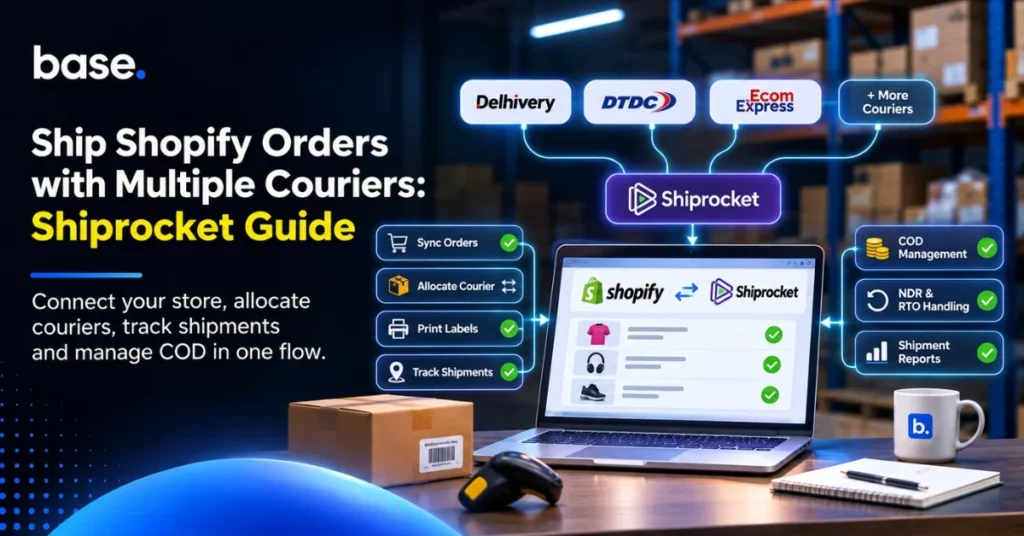
One courier may be the cheapest option for a parcel going to Pune, but a poor choice for an order heading to a remote pincode. A heavier package can push the shipping cost up, too. And when the order is COD, delivery is only half the job. The money still has to reach the bank.
Finding the cause of a delay takes longer when the shipment records are spread across systems. The order is in Shopify. The team may need to check the Shiprocket booking, the carrier’s tracking page and a separate COD report to see what happened.
Before you link these up, decide how orders will be booked and dispatched. This could be through a courier aggregator such as Shiprocket or a direct courier connection. If you operate multiple warehouses, a warehouse management system (WMS) can also help coordinate stock availability, order processing and dispatch. Whichever method you use, ensure there is a clear booking path for each order. Test a shipment, COD order and NDR, and check that the AWB and shipment updates appear on the correct Shopify order.
How to Ship Shopify Orders with Multiple Couriers
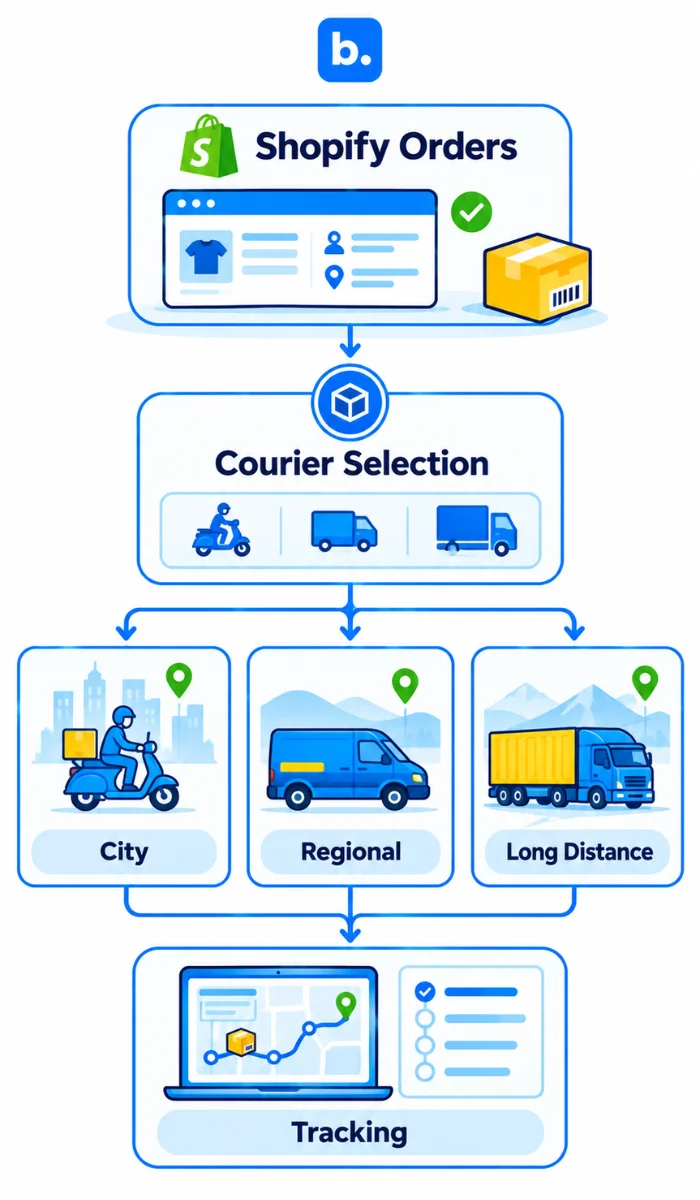
With Shiprocket, you can book from its supported courier network in one panel. A direct courier app connects Shopify to one carrier. A WMS supports the warehouse activities around dispatch, including stock visibility, picking, packing and coordinating orders with available inventory.
For one Shopify store shipping from one location, an aggregator is usually the sensible first choice. A WMS becomes more useful when multiple warehouses, stock availability and dispatch requirements need closer coordination. More systems should solve a specific problem; otherwise, the team has another place to check orders and tracking.
Why a Single Courier Does Not Suit Every Order
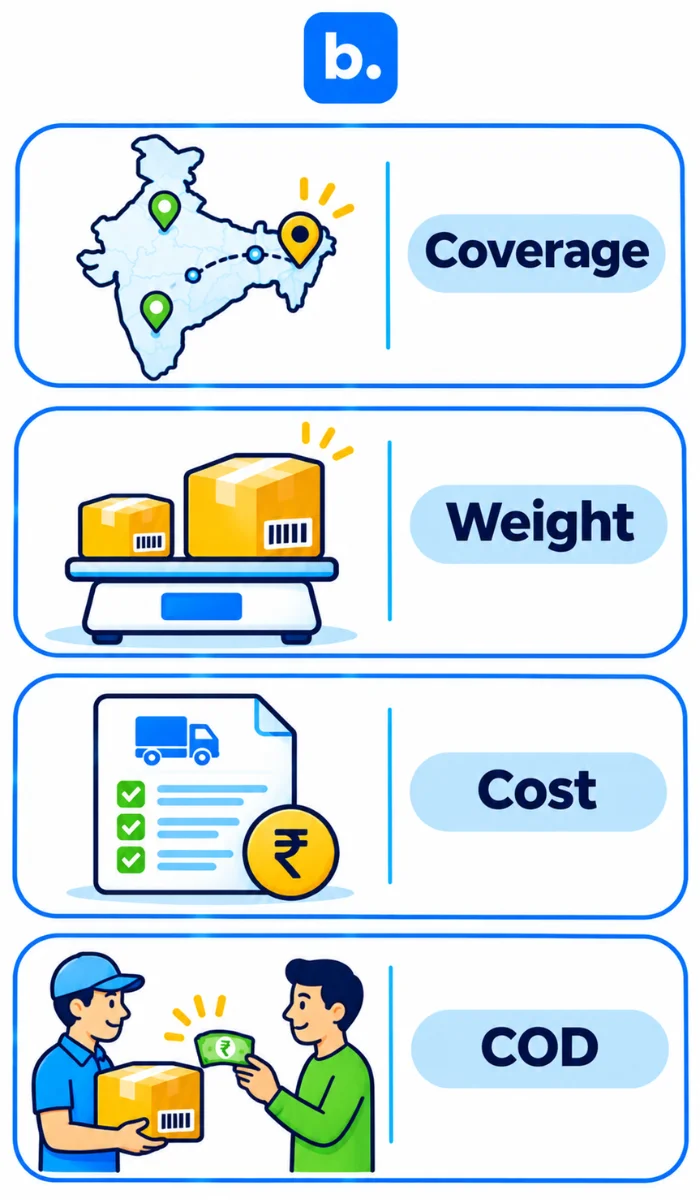
A courier can cover most of your orders and still miss a few pincodes. Even when two carriers serve the same destination, the service options may differ. So can the price. A rate for a small parcel going across town tells you little about a bulky order heading farther away.
COD changes the calculation. If a customer refuses the parcel, you may pay for the trip out and the trip back, while the stock stays unavailable. And delivery does not mean the COD has reached your bank. For COD, reducing avoidable RTO is usually a better priority than chasing a small discount on forward freight. Compare the full cost, including return charges and remittance timing.
| Problem | What it affects | Practical check |
|---|---|---|
| Pincode not served | Booking and delivery options | Check another eligible courier |
| Zone or weight rate differs | Shipping cost | Compare serviceable options |
| COD refusal | RTO cost and stock recovery | Verify details and act on NDR |
| Manual courier choice | Dispatch time and consistency | Set priorities or allocation rules |
| Separate tracking portals | Exception follow-up | Keep shipment records together |
The Shopify-to-Courier Flow
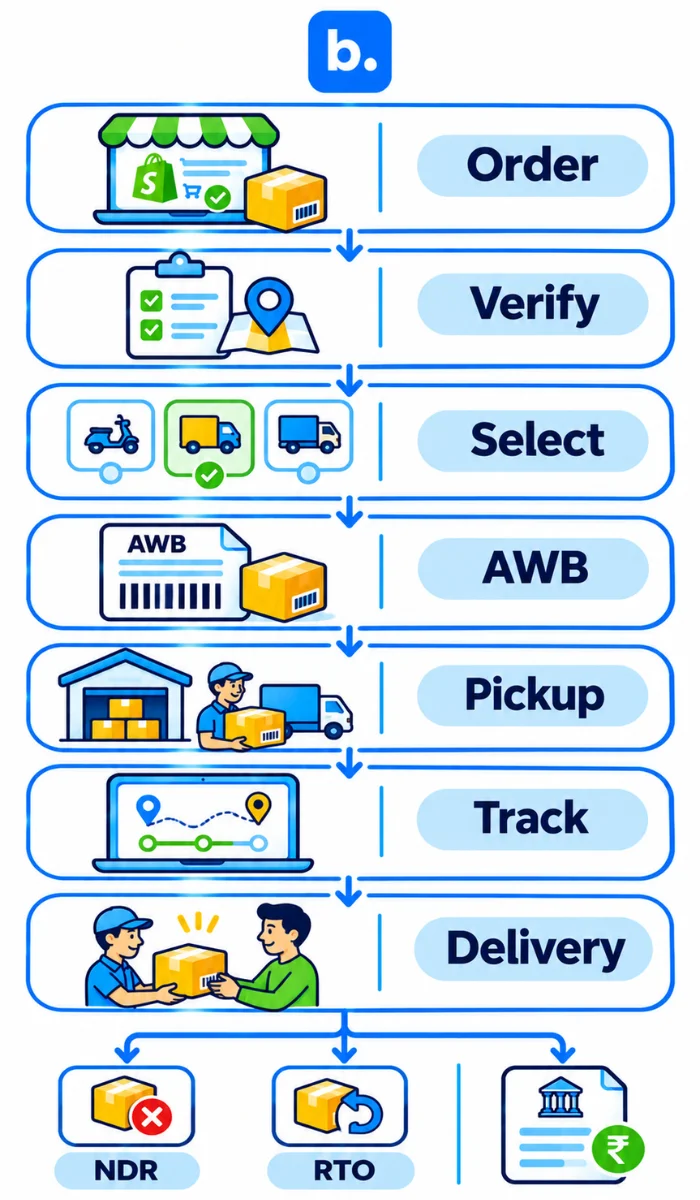
Order → verification → courier selection → AWB and label → pickup → tracking → delivery, NDR or RTO → COD remittance → reconciliation
| Stage | Action | Record to keep |
|---|---|---|
| Order | Shopify sale | ID, items, address, payment |
| Verification | Check before booking | Contact, pincode, value |
| Selection | Choose courier | Service, rate, origin |
| Booking | Create shipment | AWB, label, weight, dimensions |
| Pickup | Hand over | Status, manifest |
| Transit | Track progress | Scans, exceptions |
| Delivery or NDR | Complete or act | Status, reason, response |
| RTO or return | Receive parcel | AWB, quantity, condition |
| COD settlement | Match remittance | Report, AWBs, deductions |
Preparing Shopify for Courier Integration
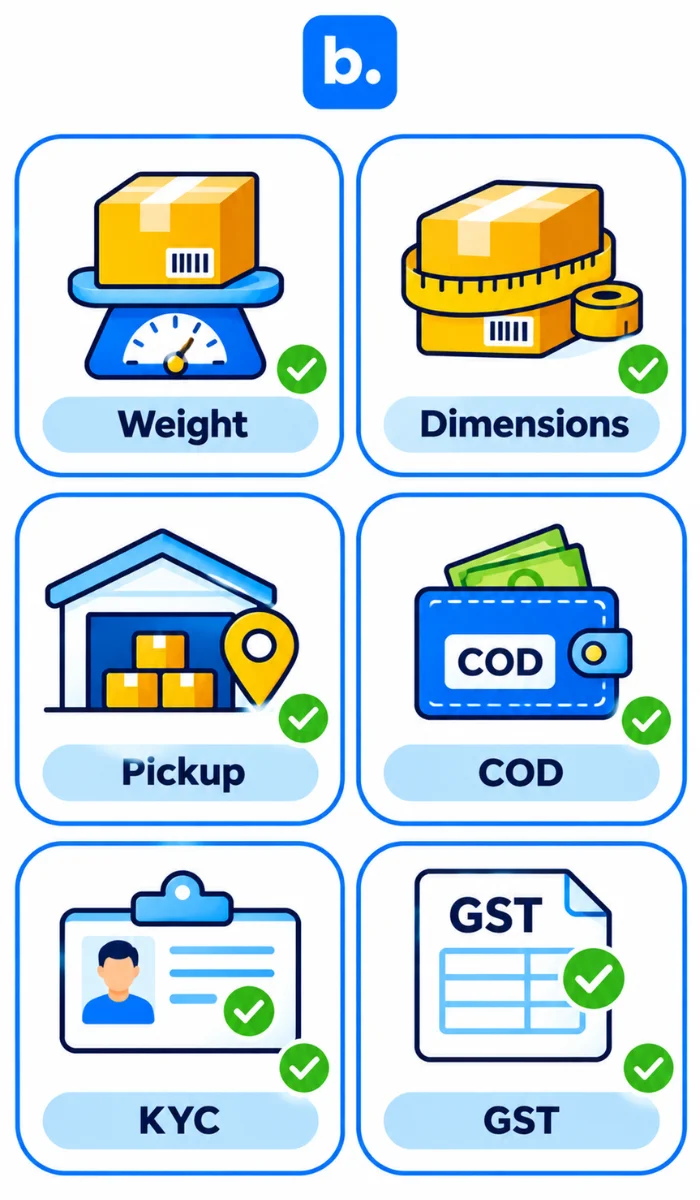
Enter your product variants’ weight and dimensions. Confirm your pickup address. Check which orders can be paid for on delivery. Fill out your KYC details and ensure your Shiprocket wallet has sufficient balance. Check your GST and HSN details.
Ensure you measure your parcel, not your product. If you get the wrong dimensions this can affect your final bill as couriers will charge by chargeable weight. If you are shipping multiple box sizes, ensure you enter the dimensions for each box size. This is an easy mistake to make when setting up and can be difficult to correct if you receive a higher invoice from your courier.
Shiprocket Shopify Integration: Connecting the Store
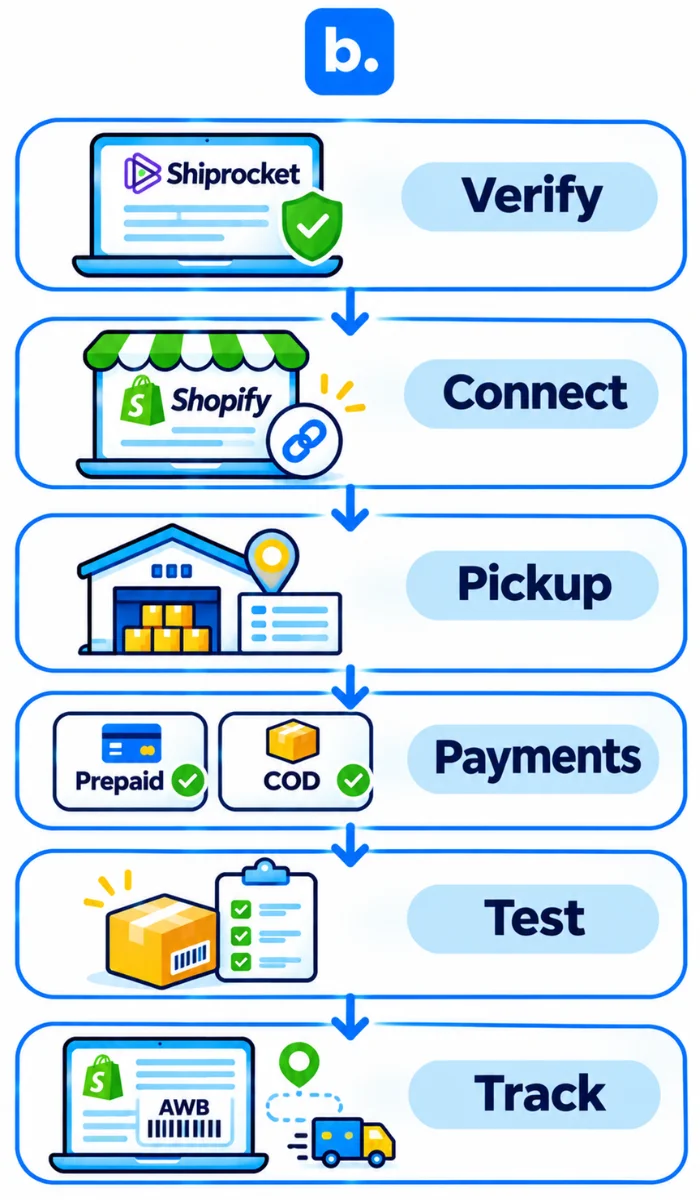
The Shopify Shiprocket integration is simple to set up, but take care with the settings. Shiprocket can pull through your unfulfilled orders. It can also update your shipment statuses. Ensure your payment mapping is correct. Catalogue and inventory can be turned on if needed. Run through a test order.
How to integrate Shiprocket with Shopify
- Log into Shiprocket and complete your account verification and KYC.
- Add Shopify to your channels. Choose the correct store and authorise.
- Enter your pickup address and select the order statuses you want to import. By default the setup guide will have unfulfilled orders.
- Ensure your payments are mapped. If you are using catalogue or inventory, turn these on.
- Open up a test order and check the address, items and payment method match.
- Create a test parcel. Check the AWB, label and status are visible in Shopify.
Ensure each order is mapped to one import and booking method. Someone should be responsible for this. If it appears your order isn’t booking, check Shopify and Shiprocket to ensure there is an AWB. If there is none, find out why before retrying, as booking again can create duplicate shipments and tracking for one order.
What Syncs Between Shopify and Shiprocket
Unfulfilled orders and order status updates can be synced. Product and inventory data can also be synced, and payment methods can be mapped. Once you have created a test parcel, check that your order has been fulfilled in Shopify and the tracking page. Just having an AWB won’t tell you if anything was updated.
Selecting a Courier for Each Order
These can differ between accounts. You may have the option to set rules based on payment method, weight, zone, order value, state, pincode, city, SKU or sales channel.
Start with one or two rules. Ensure they match your recent orders. Try to include orders going to different locations, different weights and payment types. Check each rule for your couriers. If anything doesn’t look right, change one rule at a time. Changing multiple rules makes it harder to explain why.
Check that your selected courier can deliver to the pincode and will accept the parcel. If you have a preference rule, this still needs to be checked. Our guide on assigning couriers by pincode covers allocation rules in more detail.
If you sell on marketplaces or have multiple warehouses, check what your current booking process is. You may not need another system.
Managing COD from Dispatch to Settlement
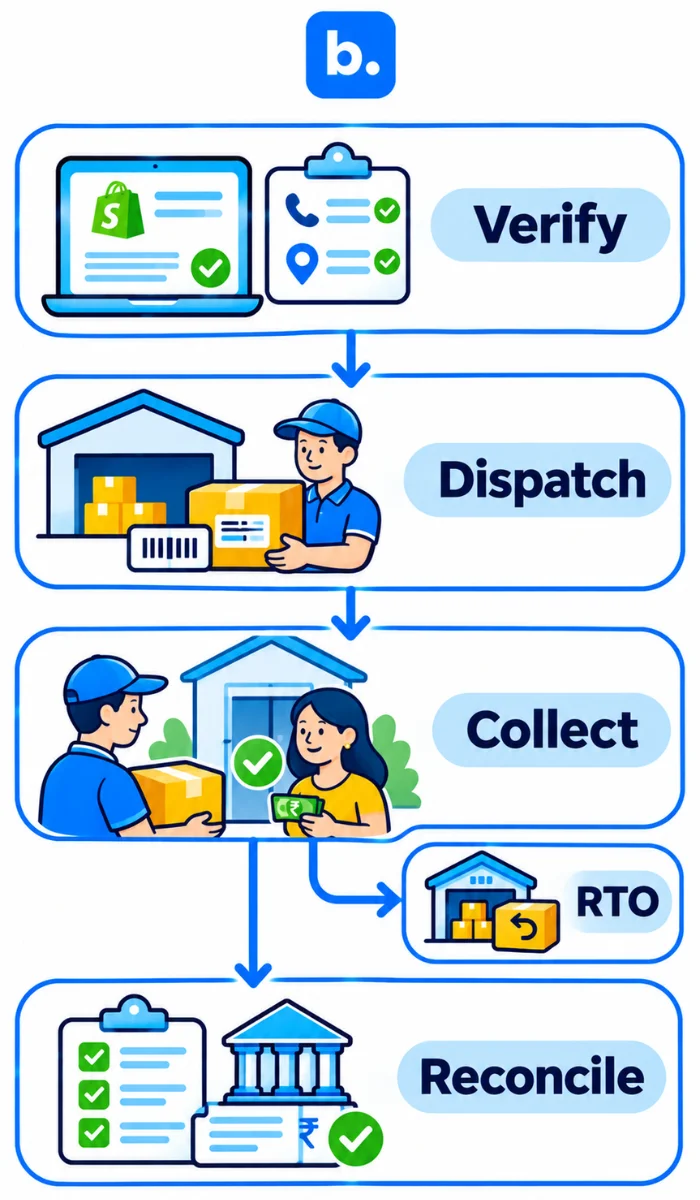
In a COD transaction, order confirmation, delivery and payout are distinct stages. A delivery scan does not close the process; the funds must still reach the seller’s account and be matched to the shipment.
| Stage | Risk | Control |
|---|---|---|
| Before dispatch | Wrong details | Check contact and pincode |
| In transit | Refusal or failure | Follow NDR |
| After delivery | Late payment | Match AWBs to bank credit |
| RTO | Freight and delayed stock | Track and inspect return |
| Accounting | Payout mismatch | Reconcile deductions |
Verifying COD Orders Before Dispatch
Before booking, confirm the customer’s phone number, address, pincode and order value. If your system allows it, set COD limits by pincode or order value. A call, message or OTP can establish buyer intent, but missing address details need separate correction. Give higher-value orders or incomplete addresses an extra check. See our COD order management guide for more on reducing COD risk.
Worked Example: RTO Share and Shipping Cost
The figures below are illustrative and do not represent courier rates. The model assumes 100 COD shipments, forward freight of ₹60 per dispatch, reverse freight of ₹60 per RTO and a COD fee of ₹20 per delivered order. GST, packaging and product costs are excluded.
| Scenario | Delivered | RTO | Forward freight | Reverse freight | COD fees | Total shipping and COD cost | Cost per delivered order |
|---|---|---|---|---|---|---|---|
| 20% RTO | 80 | 20 | ₹6,000 | ₹1,200 | ₹1,600 | ₹8,800 | ₹110.00 |
| 10% RTO | 90 | 10 | ₹6,000 | ₹600 | ₹1,800 | ₹8,400 | ₹93.33 |
Here, the difference is ₹16.67 for each delivered order. Your own result will depend on the freight and COD charges in your account, but the same calculation lets you see what a change in RTO means for your store.
Reconciling COD Remittances
Reconcile each remittance report with the listed AWBs and the amount received in the bank. Investigate any short payment, unsettled delivered order or unfamiliar deduction before closing the books.
Shiprocket’s help guidance gives a standard COD processing period of D+8 working days, with credits typically issued three times a week. Early COD has separate terms. For cash-flow planning, use the payout terms applicable to your account rather than assuming the standard schedule applies.
Shopify Delhivery Integration and Other Direct Courier Routes
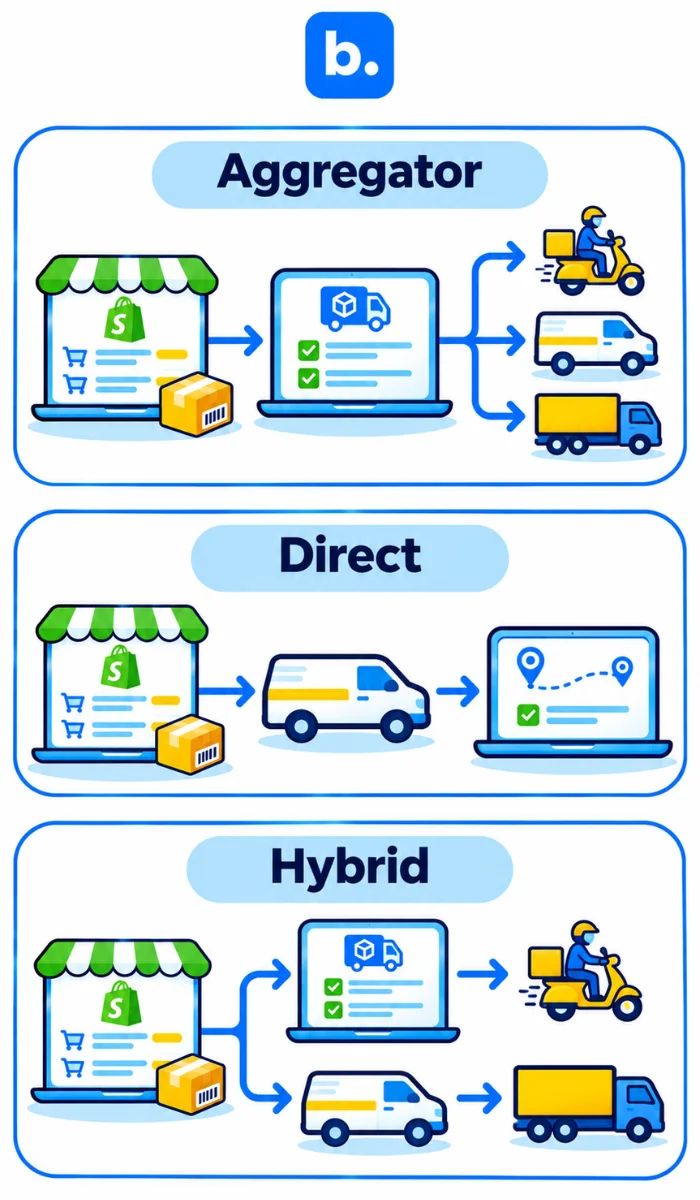
A newer Shopify brand may not have enough order history to compare courier performance across different pincodes. It may not know which courier delivers reliably to specific locations, how often shipments are returned or what the actual delivery costs are across different regions. Starting with Shiprocket makes sense at this stage. It provides access to a supported network of couriers through one platform, without requiring the seller to negotiate individual contracts straight away.
As the business grows, it starts collecting useful shipping data. It can compare courier performance by pincode, delivery timelines, RTO rates, freight charges and COD remittance. This information helps identify which couriers perform well in particular regions and where a direct contract could offer better rates or service.
At this point, businesses with consistent order volumes can approach providers such as Delhivery, DTDC and other courier companies to negotiate commercial terms directly. They can also retain Shiprocket for pincodes or shipments where another courier performs better. The decision should come from actual delivery performance and total shipping costs, rather than choosing a courier based only on its quoted rate.
| Route | Best for | Limit | Effort |
|---|---|---|---|
| Aggregator | Several couriers, one account | Supported rules and channels | Setup and mapping |
| Direct courier app | One main carrier | Other routes separate | Setup and testing |
| WMS alongside courier integrations | Multiple warehouses and coordinated dispatch | Verify available integrations and allocation rules | Workflow mapping |
Tracking Shipments, Handling NDRs and Managing Returns
Tracking That Updates Shopify
Once the shipment is booked, check that the AWB and tracking link appear in the Shopify fulfilment. A generated label does not mean the parcel has been picked up.
If tracking stops, start with the carrier’s last scan. Compare it with the updates shown in the aggregator and Shopify to identify where the records stopped matching. Establish which update is missing before sending the details again.
NDR: Acting on Non-Delivery Reports
An NDR explains why the courier could not deliver the parcel. Shiprocket recommends taking action within 24 hours, where possible.
Read the reason before requesting another attempt. If the address is incomplete, provide the missing details. If the buyer was unavailable, contact them to find out when they can receive the parcel. Confirm that the courier can attempt delivery again before making that commitment to the buyer.
RTO and Return Pickups
Use the NDR reason and the buyer’s reply to choose whether to request another attempt or let the parcel return to origin (RTO). The return AWB should remain linked to the original order. On arrival, the contents and condition of the parcel should be inspected before it re-enters saleable stock, since it may not be in the condition in which it left.
Where a Warehouse Management System Fits
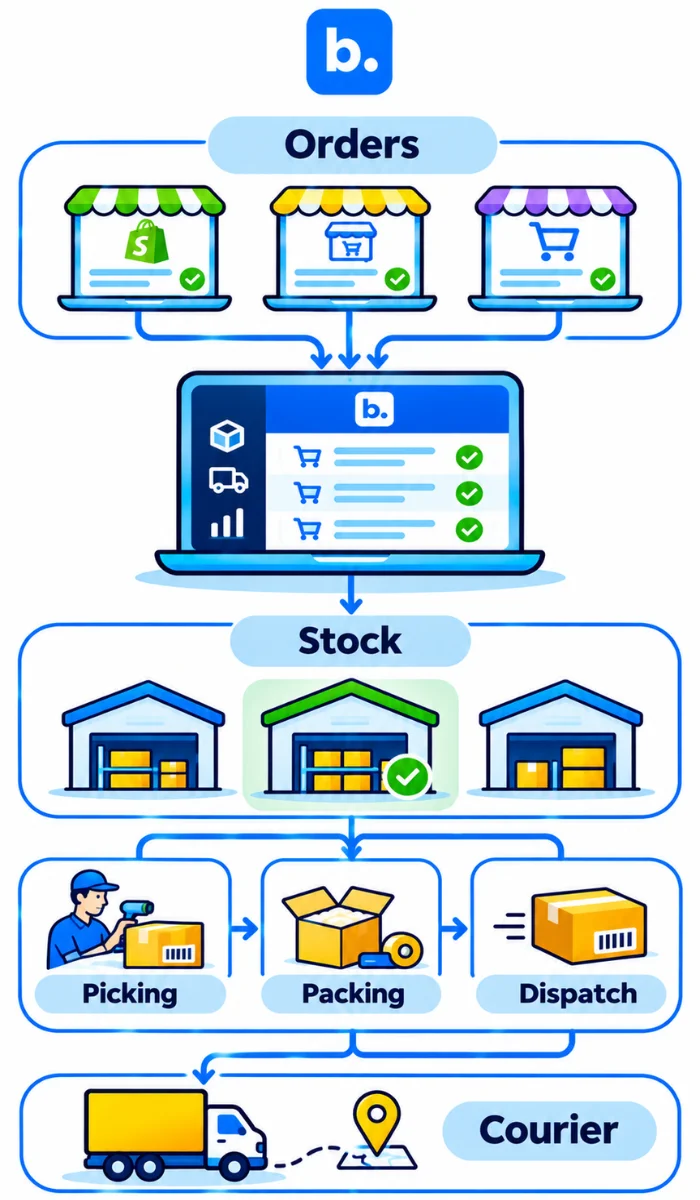
A WMS supports the warehouse activities that take place between receiving an order and handing the parcel to a courier. This includes stock visibility, picking, packing and dispatch coordination. When a business operates across multiple warehouses, it also needs to know where stock is available before deciding where an order should be fulfilled.
Courier allocation can be linked to operational requirements. For example, a business may allocate a courier based on the delivery pincode, stock availability at a warehouse or the shipping price for a particular route. These rules help teams consider delivery coverage, available inventory and freight costs when processing orders.
A WMS becomes particularly useful when inventory and dispatch operations become harder to manage across locations. It helps teams coordinate what is available, where an order should be processed and how it moves through the warehouse before shipment.
When Does a WMS Become Useful for Multi-Courier Shipping?
A single Shopify store with one warehouse and a straightforward dispatch process may manage with an aggregator alone. A WMS becomes more relevant when stock is held across multiple locations, orders need to be routed based on stock availability, or warehouse teams need a shared view of picking, packing and dispatch.
Before adding a WMS, check what your existing shipping and inventory tools already handle. The aim is to improve stock and dispatch coordination, not add another system without a clear operational need.
Common Errors in Multi-Courier Shopify Shipping
| Problem | Why it happens | Fix |
|---|---|---|
| Orders do not sync | Status or date filter excludes them | Check filter and connection |
| Wrong or missing weight | Variant or package data is incomplete | Correct and reweigh |
| Pincode not serviceable | Courier does not cover destination | Check coverage before booking |
| Duplicate AWB or label | Two booking paths or repeated request | Check existing AWBs before retrying |
| Tracking missing in Shopify | Mapping is off or courier has not scanned | Check AWB, mapping and scan |
| COD amount mismatch | Mode, deductions or remittance differs | Compare order, AWB report and bank |
| Wallet blocks pickup | Balance or billing issue | Check account before batch booking |
| Incomplete address | Landmark, phone or locality missing | Validate before dispatch; correct NDR cases |
How Base.com Supports Multi-Courier Shipping for Shopify Sellers
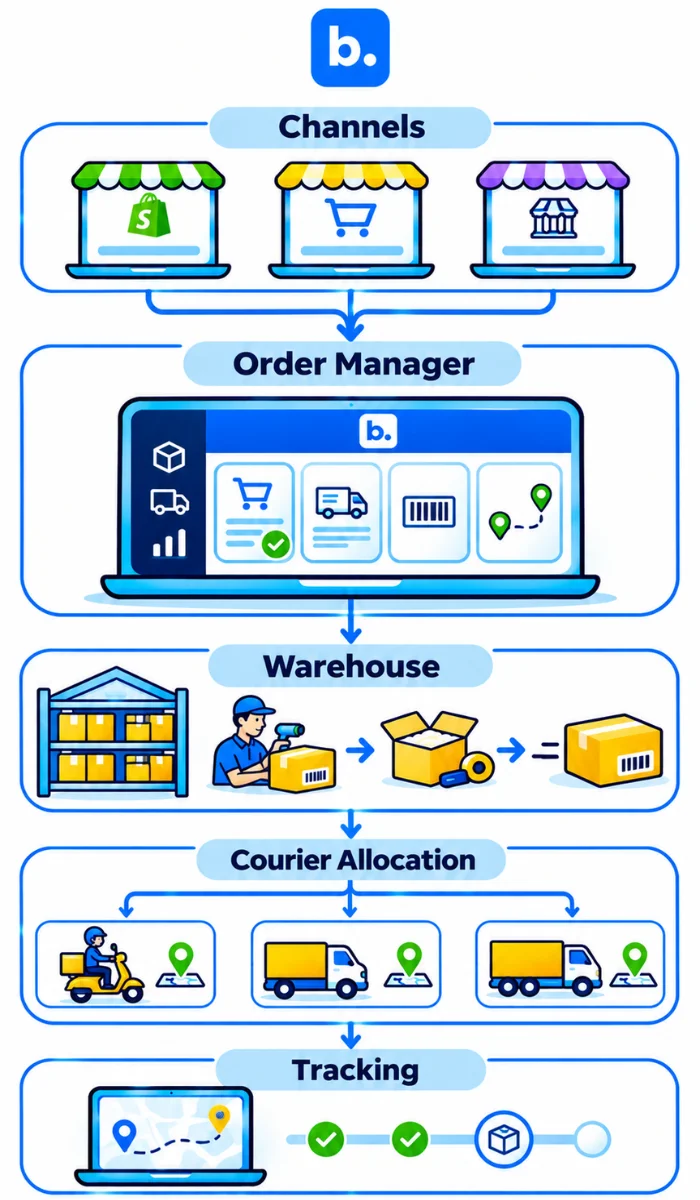
Base.com’s Warehouse Management System (WMS) and Order Manager support different parts of the multi-courier shipping workflow. The WMS helps businesses manage stock availability across warehouses and coordinate picking, packing and dispatch. This is particularly useful when orders need to be fulfilled from different locations based on available inventory.
The Order Manager brings connected channel orders into one view. Teams can create shipments individually or in bulk, print labels and manifests, forward tracking numbers and set status-based actions. Courier allocation can use rules based on delivery pincode, stock availability and shipping price, helping businesses select suitable courier options for individual orders. The Shiprocket connection is managed through Order Manager, and the available courier steps should be confirmed against the account in use.
Conclusion
There is no single setup that suits every store. A newer Shopify brand may need only an aggregator to start shipping with multiple couriers. As order volumes grow and the business gathers pincode-level delivery data, direct courier contracts may become worth negotiating. Multiple warehouses may also call for a WMS to coordinate stock and dispatch. Start with one test order and follow it through booking, delivery or NDR, and COD settlement. If those records do not come back to the Shopify order, adding another courier will only give the team another portal to check.