Integrating ShipFast with Base allows Indian sellers to manage shipping, label generation, pickups, returns, and tracking from a single operational dashboard.
ShipFast delivers reliable, scalable last-mile and regional delivery services across India. When connected with Base, sellers can automate day-to-day fulfillment workflows, reduce dependency on courier portals, and maintain accurate tracking across D2C websites and marketplaces.
This guide explains the ShipFast courier integration with Base in detail. It covers:
- Core use cases
- Benefits for D2C and marketplace sellers
- Step-by-step ShipFast setup inside Base
- Pickup, weight, and label configuration
- Daily operations and advanced workflows
- Common mistakes and best practices for scaling logistics
Why Integrate ShipFast with Base?
ShipFast supports fast, dependable shipping for Indian sellers by handling daily forward shipments and regional deliveries with consistency and speed. It works well for both COD and prepaid order flows, making it suitable for Indian markets with mixed payment preferences.
ShipFast also fits naturally into multi-warehouse or multi-city operations, allowing sellers to scale dispatch across locations without operational friction. For growing D2C and marketplace brands, this reliability and flexibility make ShipFast a strong logistics partner as order volumes increase.
However, handling ShipFast directly through courier dashboards or spreadsheets becomes inefficient as order volumes grow. Manual label creation, tracking updates, and pickup coordination quickly turn into operational bottlenecks.
By integrating ShipFast with Base, sellers get a centralized fulfillment system where orders, shipping, and tracking move together without repetitive manual work. Teams can dispatch faster, make fewer mistakes, and scale operations without adding headcount.
Key Benefits of ShipFast + Base Integration
The ShipFast and Base integration is designed to simplify shipping operations for Indian sellers while improving speed, accuracy, and scalability. Instead of managing orders and couriers in separate tools, sellers control the entire shipping workflow from one place.
1. End-to-End Shipping Automation
You can convert orders synced into Base into ShipFast shipments in just a few clicks. Base automatically generates shipping labels, pickup information, and tracking numbers, which reduces dispatch turnaround time.
2. One-Click Shipping Label Generation
There’s no need to log in to ShipFast separately. Labels are generated directly from the Base order panel using saved defaults for weight, dimensions, and sender details.
3. Centralized Pickup and Sender Management
Pickup locations are configured once and reused across shipments. This ensures consistency and avoids common dispatch issues caused by incorrect sender details.
4. Multi-Channel Order Handling
ShipFast can be used for orders coming from:
- D2C platforms such as Shopify
- Marketplaces like Amazon, Flipkart, and others
- Offline or manual orders added to Base
All shipments are handled from one interface instead of juggling multiple courier systems.
5. Reduced Shipping Errors
Base pulls order data directly into ShipFast shipments. This minimizes mistakes such as missing phone numbers, incorrect addresses, or wrong weight entries, which often cause delays or rejections.
Who Should Use ShipFast with Base?
We designed the ShipFast and Base integration for Indian sellers who want predictable, streamlined shipping operations without the burden of manual courier management. It is particularly valuable for businesses experiencing steady order growth, handling multiple sales channels, or operating from more than one location. By centralizing shipping workflows inside Base, sellers can scale dispatch smoothly while maintaining speed and accuracy.
- D2C brands scaling daily dispatch benefit significantly from using ShipFast with Base. Brands shipping directly to customers often deal with tight dispatch timelines and fluctuating daily volumes. With this integration, orders can move from confirmation to shipment faster through automatic label generation and quicker processing. Customers receive real-time tracking updates, which improves post-purchase experience, while operations teams face a lower workload during peak sales or promotional campaigns. The combination of ShipFast’s delivery network and Base automation keeps fulfillment stable even on high-order days.
- Marketplace sellers managing self-ship orders also gain strong operational advantages. Sellers who ship orders themselves on platforms like marketplaces must meet strict SLA timelines. By generating ShipFast labels directly from Base and syncing tracking updates automatically, sellers can avoid delays that often lead to penalties or performance drops. This becomes especially important during sale periods, when large order volumes and delayed tracking updates can quickly impact account health.
- Businesses running multi-warehouse or multi-city operations are another strong fit for this integration. Sellers operating from more than one dispatch location can create separate ShipFast integrations for each warehouse and assign the correct one at the order level. This keeps pickups, tracking, and reporting clearly separated by location, reducing confusion and helping teams maintain control as operations expand across cities.
- COD-heavy Indian businesses benefit from the integration’s accurate handling of cash-on-delivery shipments. ShipFast supports COD orders, and Base ensures that payment modes, order values, and tracking statuses are mapped correctly. This consistency is critical in the Indian market, where COD remains a major payment method and errors can lead to reconciliation issues or customer disputes.
- Operations teams looking to scale without adding manpower find ShipFast with Base especially effective. As order volumes rise, manual courier handling quickly becomes a bottleneck.
Bulk label generation reduces repetitive tasks, auto-booked pickups improve daily dispatch consistency, and you need fewer people to manage higher volumes. This allows teams to grow operations sustainably without increasing operational complexity or headcount
Prerequisites Before Setting Up ShipFast Integration
Before starting the integration, make sure the following are ready:
- An active and verified ShipFast business account
- API credentials from your ShipFast point of contact
- Valid pickup address details supported by ShipFast
- Admin access to the Base dashboard
Preparing this information in advance avoids setup delays and dispatch issues later.
Step-by-Step: Connecting Your ShipFast Account in Base
Setting up ShipFast in Base is straightforward and usually takes only a few minutes if your credentials are ready.
Step 1: Get API Credentials from ShipFast
Connect with your ShipFast POC and collect the following API details:
- Username
- API Password
Ensure your ShipFast account is active and approved for API usage before proceeding.
Step 2: Add ShipFast in Base
- Log in to your Base account
- Go to Integrations from the main menu
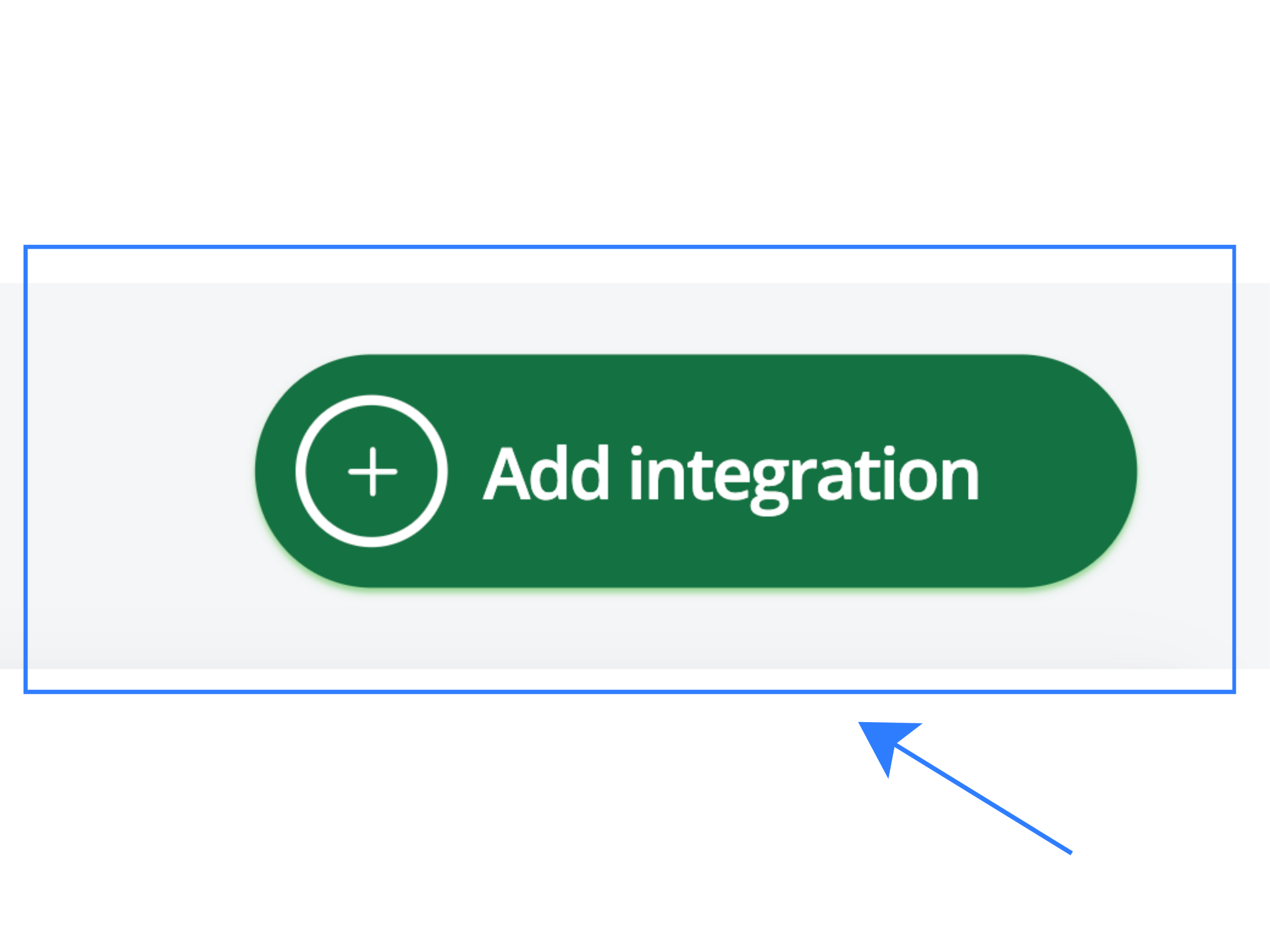
- Click + Add Integration
- Search for ShipFast
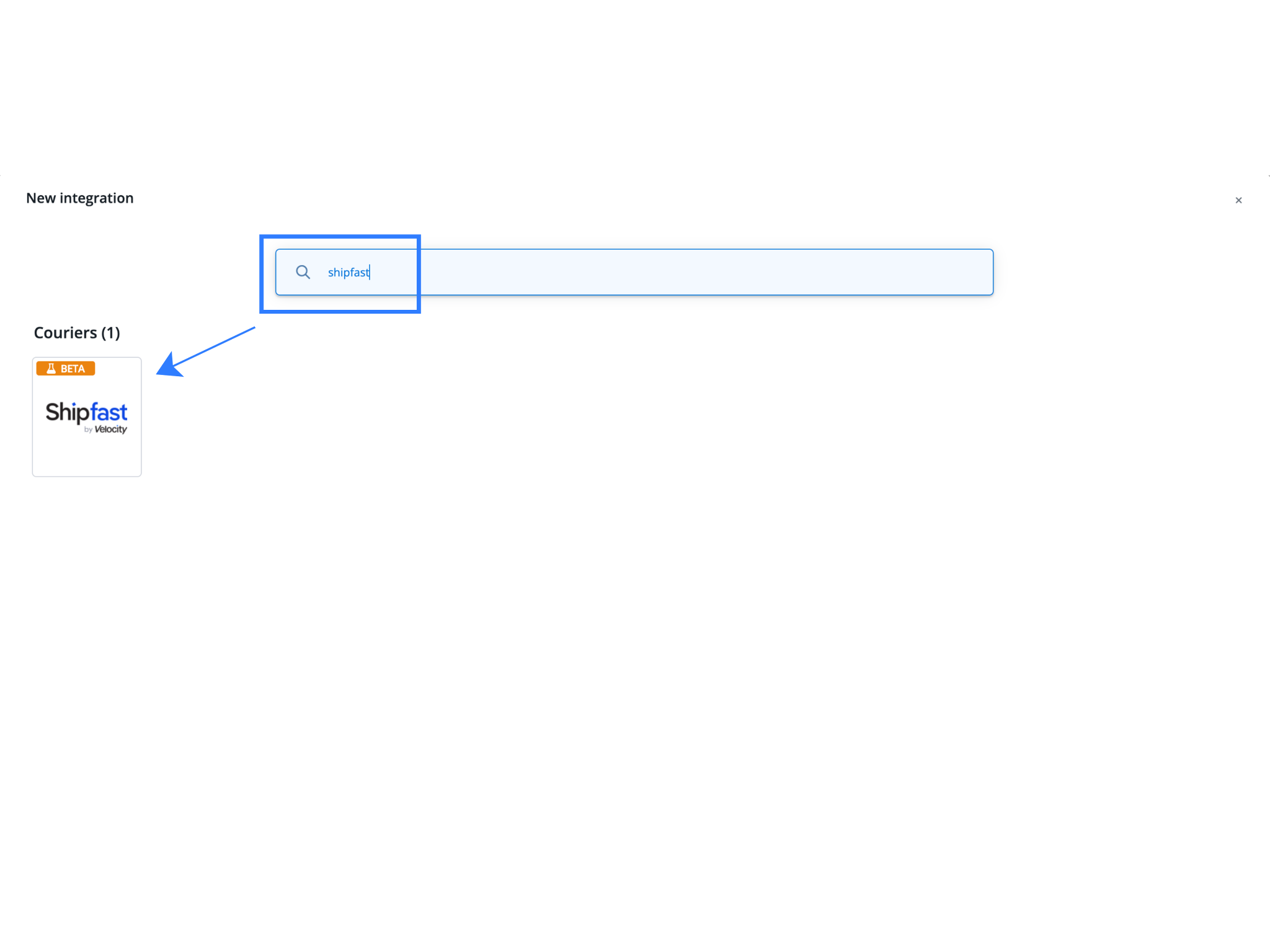
- Click the ShipFast integration tile
This opens the configuration screen.
Step 3: Fill in Authentication and Sender Details
Enter the required information carefully:
- Account Name: Internal reference name (for example, “ShipFast – Delhi Warehouse”)
- API Key / Username: Provided by ShipFast
- Client Secret / API Password: Provided by ShipFast
- Default Sender Address:
- Business or warehouse name
- Contact person
- Phone number
- Street address, city, state, and PIN code
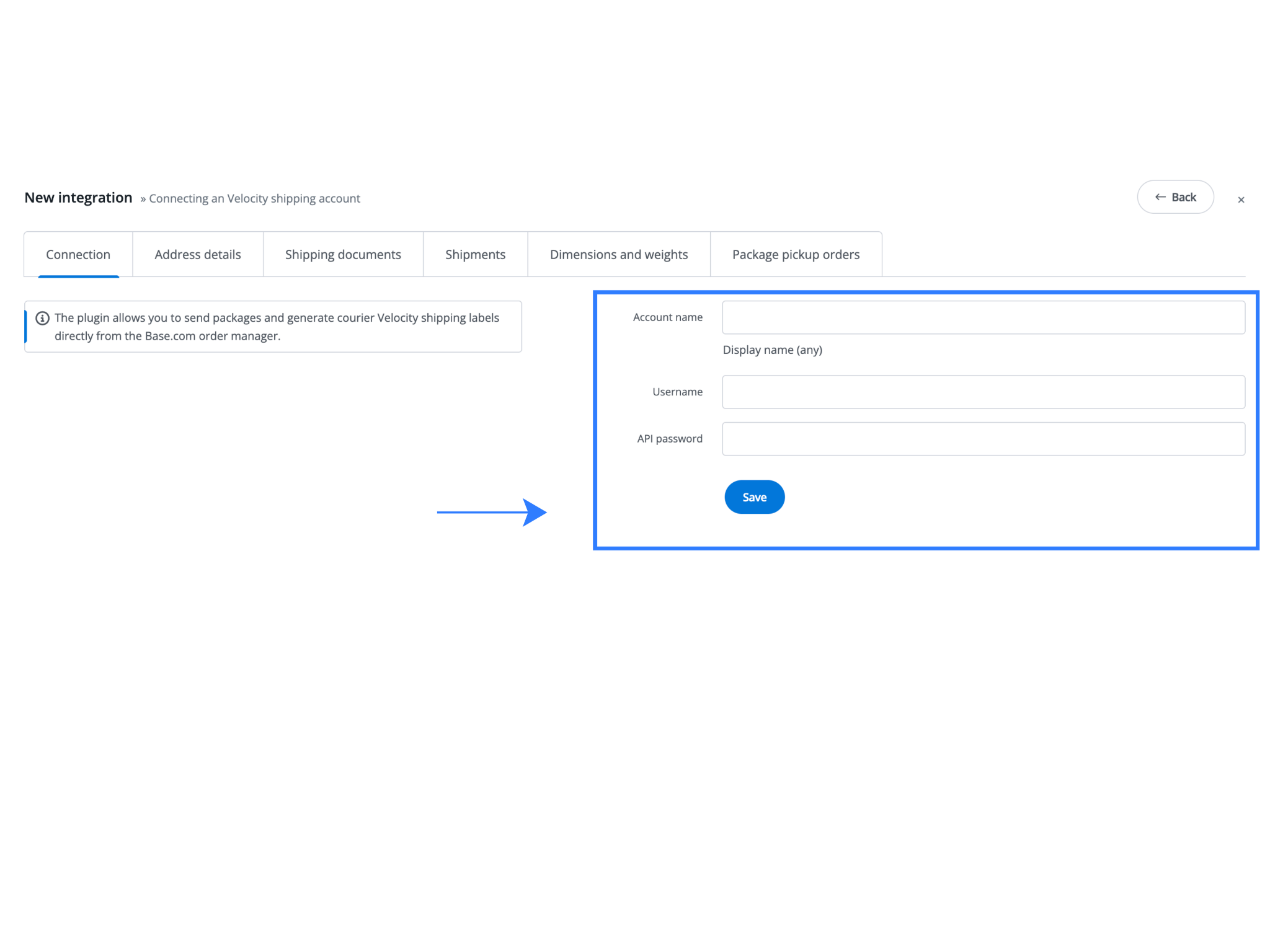
Click Save to activate the integration.
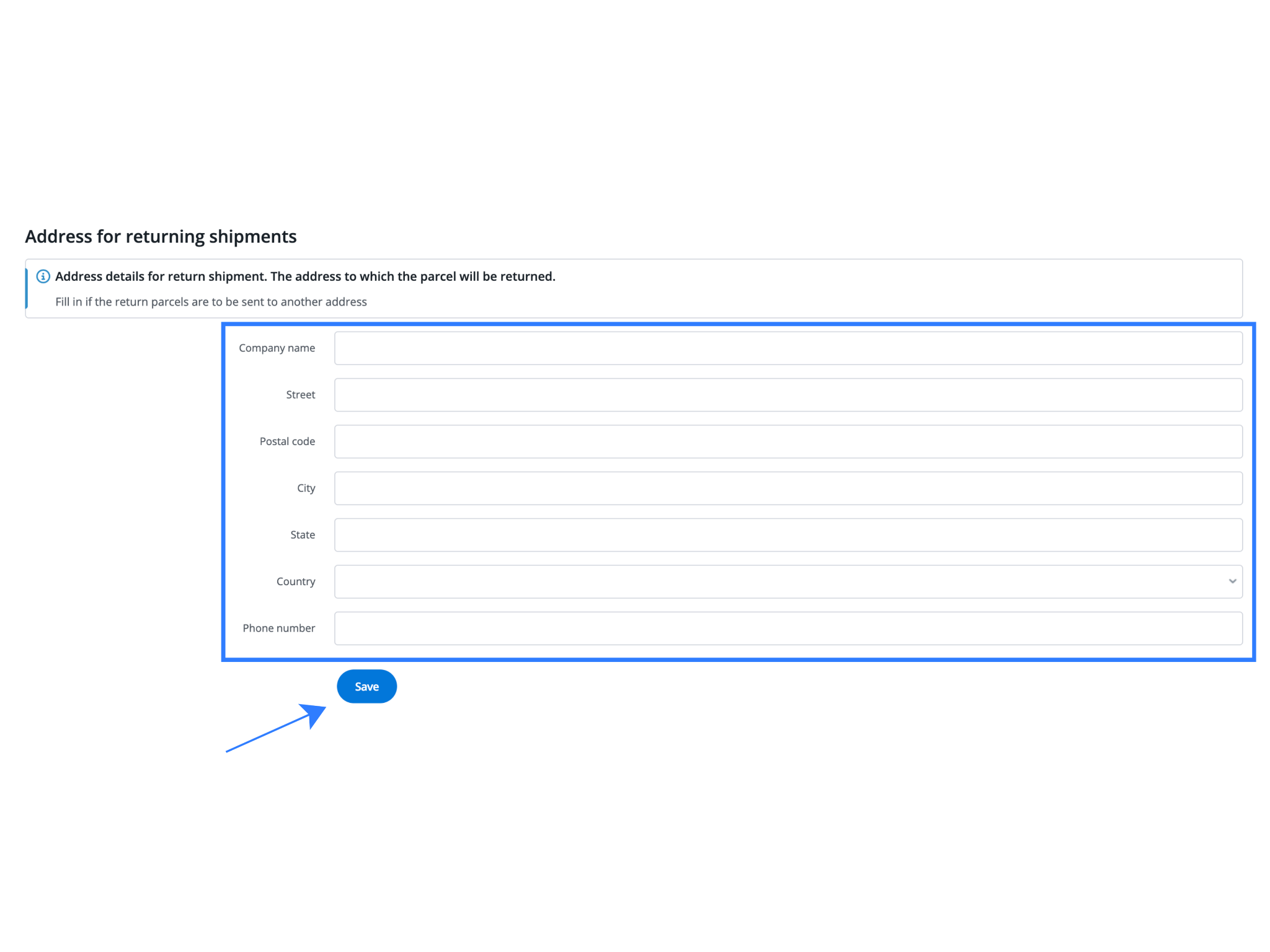
Accurate sender details are essential. Incorrect pickup information often leads to failed pickups or delayed dispatch.
Step 4: Configure Shipping Preferences (Optional but Recommended)
These settings help standardize shipping behavior and reduce manual intervention.
- Fixed Package Weight: Useful when product-level weights are missing or unreliable.
- Label Format: Choose PDF or ZPL depending on your printer setup.
- Auto Label Generation: Enable this to generate labels instantly when orders are marked ready to ship.
- Auto Notifications: Allow Base to send shipment tracking updates to customers automatically.
- Default Dimensions / Insurance: Set fallback values to speed up processing and avoid missing data errors.
Saving these preferences ensures faster dispatch with fewer checks.
Step 5: Test the Integration
Before going live, always test with a low-risk order.
- Go to Orders → List
- Select any paid order
- Click the van icon and choose ShipFast
- Confirm weight and dimensions
- Click Send Package
If a shipping label is generated and a tracking number appears, the integration is working correctly.
Testing prevents issues during peak dispatch hours.
Using ShipFast for Daily Operations in Base
Once the integration is active, Base becomes your control center for all ShipFast shipping activities.
1. Generating ShipFast Labels
- Open the Orders panel
- Select an order
- Click Generate Label
- Choose ShipFast
The label is generated instantly and ready for printing.
2. Bulk Shipping
During high-volume days, multiple orders can be processed together. Bulk label generation significantly reduces dispatch time.
3. COD and Prepaid Order Handling
Base correctly maps payment modes and order values, ensuring ShipFast receives accurate COD information and tracking remains consistent.
4. Tracking and Status Updates
Tracking details update automatically inside Base and can be pushed to connected marketplaces or D2C platforms, reducing customer support queries.
Advanced Use Cases for Growing Brands
As operations scale, the ShipFast and Base integration supports more complex workflows.
| Use Case | Description |
| Multi-Channel Fulfillment | Manage D2C, marketplace, and offline orders from a single Base dashboard while using ShipFast as the shipping partner. This keeps all dispatch workflows centralized and easy to monitor. |
| Multi-Warehouse Shipping | Create separate ShipFast integrations for different warehouses or cities and assign them per order. This ensures cleaner operations, correct pickups, and accurate tracking by location. |
| Automation and Notifications | Trigger automatic emails, WhatsApp messages, or internal workflows based on shipment events such as label generation, dispatch, or delivery. This reduces manual follow-ups. |
| Reduced Customer Support Load | Accurate tracking and timely shipment updates lower “Where is my order?” queries and improve overall customer experience. |
Common Mistakes to Avoid
While the ShipFast–Base integration is simple, small setup errors can cause operational issues.
- Incorrect API Credentials: Using the wrong username or password prevents shipment creation. Always confirm credentials with ShipFast.
- Incomplete Weight or Dimension Data: Missing weight details can cause label failures or billing discrepancies. Use fixed defaults if needed.
- Unverified Pickup Addresses: Ensure pickup PIN codes are supported by ShipFast to avoid failed pickups.
- Skipping Test Shipments: Always test with one order before full-scale dispatch.
Bottom Line
Base is a centralized e-commerce operations platform built for Indian sellers. By integrating ShipFast courier with Base, merchants can automate shipping, generate labels instantly, manage pickups, and scale logistics without operational complexity.
This integration is ideal for brands that want speed, control, and consistency as they grow across India’s diverse delivery landscape.
Frequently Asked Questions (FAQs)
1. How do I generate ShipFast shipping labels from Base?
After you integrate ShipFast, open the Orders panel in Base, select the order you want to ship, click Generate Label, and choose ShipFast as the courier. Base instantly creates the shipping label and tracking number, and you can print them for dispatch.
2. Can I connect multiple ShipFast accounts?
Yes, Base allows you to connect multiple ShipFast integrations. This is useful if you operate from different warehouses or cities. Each integration can be mapped to a specific pickup location, helping you manage dispatch and tracking separately for each location.
3. What should I do if label generation fails?
If label generation fails, first verify that the ShipFast API credentials entered in Base are correct and active. Also ensure that weight and dimension details are filled properly, as missing or incorrect data often causes label creation errors.
4. Does ShipFast integration support COD orders?
Yes, ShipFast supports Cash on Delivery shipments. Base correctly maps COD values, payment mode, and order details when creating ShipFast shipments. Tracking updates for COD orders are also synced automatically, ensuring accurate order status visibility for both sellers and customers.
5. Should I test before going live?
Yes, testing is strongly recommended. Create and dispatch one low-risk order to confirm label generation, pickup configuration, and tracking updates are working correctly. This helps identify any setup issues early and prevents operational problems during high-volume dispatch days.