The product certification feature on the Shein platform automates the process of checking certification requirements, saving time and avoiding errors associated with manually reviewing these requirements. Thanks to this, sellers can immediately see which certificates are required, whilst the system automatically verifies whether they are present and correctly assigned, making it easier to maintain regulatory compliance. If the required certificates are missing, the system will notify the seller that they need to be provided, thereby preventing issues with listings being deactivated on the marketplace.
How to check whether a certificate is required for the Shein category
Add the category to your favorites and download the specifications
Individual user parameters are retrieved for categories added to your favorites. Therefore, before you start listing products, select your favorite categories in the Shein module.
- Go to Shein → Categories and parameters → Shein categories.
- Add the category in which you wish to list your product to your favourites.
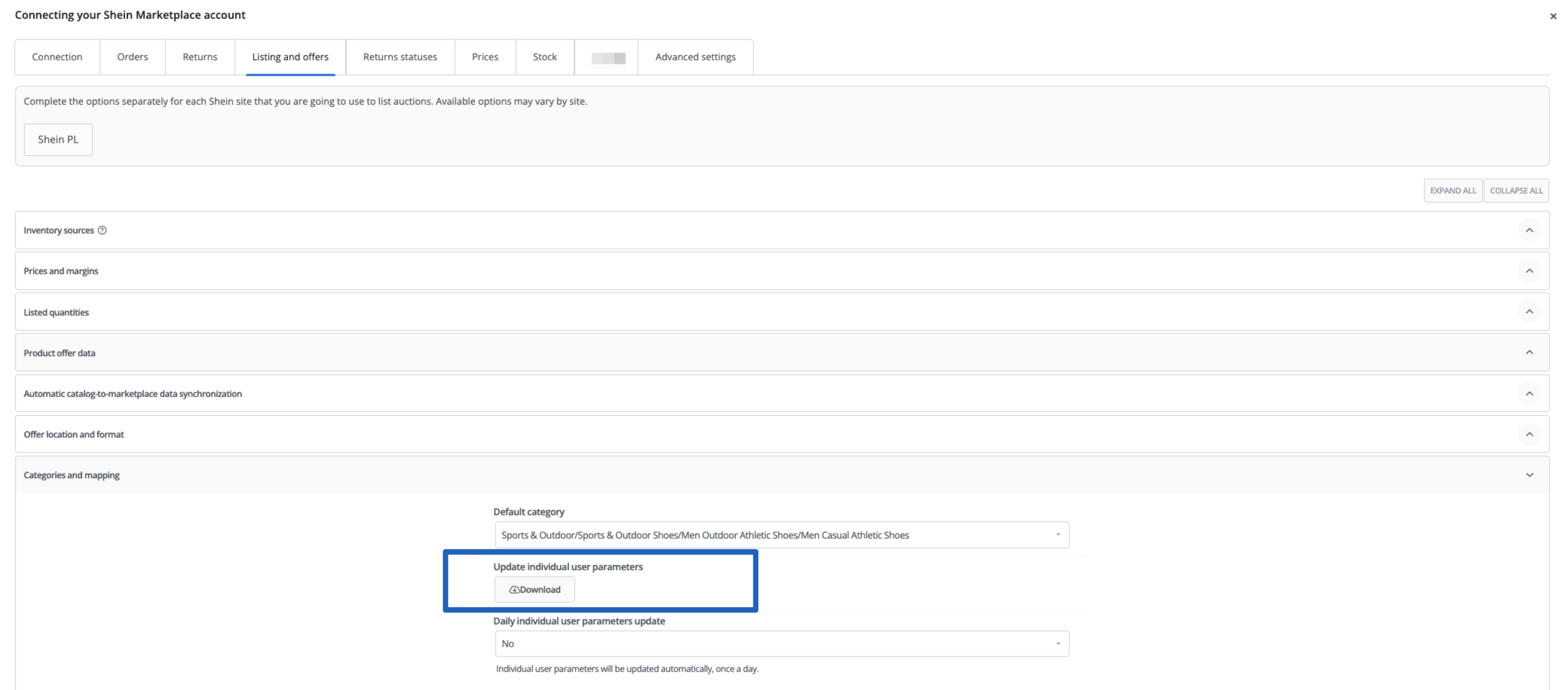
- Go to Integrations → Shein → Listing and offers.
- Next to the ‘Update individual user parameters’ option, click ‘Download’.
- If you regularly add new categories, enable the ‘Daily individual user parameters update’ option.
- Add a category to your favorites and download the parameters
It may take between one and several hours to retrieve the parameters. Once the update is complete, please reopen the quotation form rather than editing the previously created quotation elsewhere in the dashboard.
Find the required parameter on the quotation form
- Go to Shein → Listing.
- Select the catalogue, your Shein account and the products.
- Click ‘List selected’ (form).
- Select the correct market and the lowest category level.
- Open the listing parameters section and check whether a parameter relating to the product certificate has appeared.
- Enter the value in accordance with the list or description provided by Shein.
The values for dictionary parameters should be selected from the list provided by Shein. If the marketplace does not allow custom values, entering text that is not in the dictionary may result in the offer being rejected.
You can configure the rules that enable product data to be filled in automatically in the parameter mapping module.
What should you do if a certificate or parameter is not visible?
The parameter did not appear after selecting the category
The most common cause is either a lack of up-to-date individual user settings or the category not being in your favorites list. Add the category to your favorites again and trigger the retrieval of settings in the integration settings.
If the parameter is still not visible after the update, this means that Shein does not return it for the selected category, market or account. Base.com cannot manually create a parameter that is not present in the data received from the marketplace API.
Shein is returning an error relating to the category
The message Product category not available for sale in this store means that the selected category is not active for that particular shop or market. In this case, you should check the permissions and activation status of the category on the Shein side.
Do not change the category simply to get round the certificate requirement. Select a category that matches the product and the marketplace’s requirements, and then re-download the parameters.
The offer was only rejected after it had been sent
Shein may accept the data transfer from Base.com but then reject the listing during a subsequent verification. Check the status and the full message in Shein → Listing Management, correct the specified details, and then relist the item. You can also import previously listed offers into Base.com to manage them in the dashboard.
If an offer following import is not linked to the relevant product, please ensure that the offer is correctly linked to the product in the catalogue.
Can a product certificate be stored on Base.com?
The available Shein integration documentation does not include a dedicated certificate repository or a universal field for adding certificates for all products. If Shein returns a certificate parameter for a selected category, please complete it directly on the invoicing form in accordance with the requirements for that parameter.