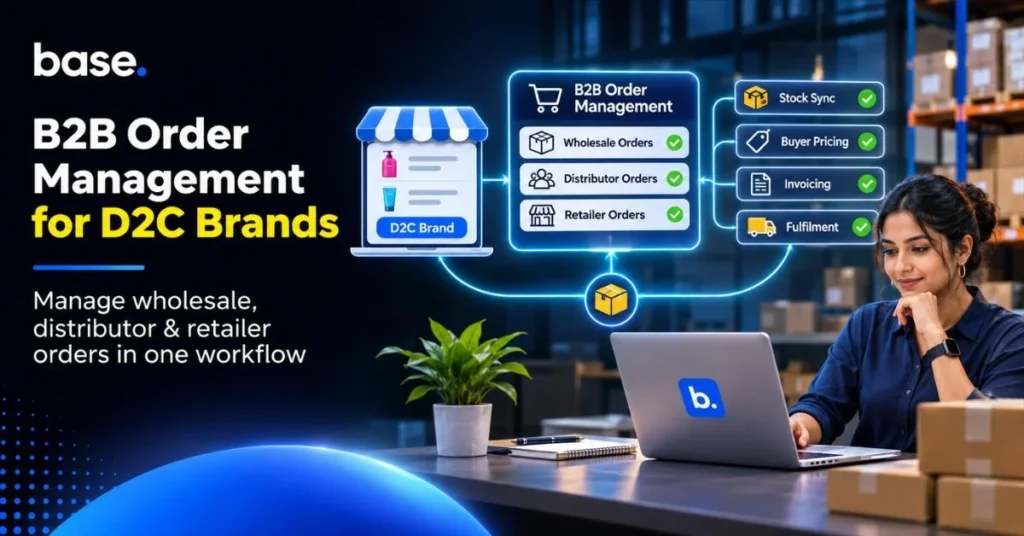
A business-to-business (B2B) order management system (OMS) helps a direct-to-consumer (D2C) brand manage orders from distributors, retailers and other business buyers, from order entry through stock checks, fulfilment and invoicing. The need often appears when a brand that once sold mainly to individual customers adds wholesale accounts. A consumer might buy one item at the displayed retail price, while a distributor requests bulk quantities at agreed prices, with a purchase order reference and a planned delivery. Both orders can draw on the same stock, but they do not follow the same commercial rules. If orders arrive through email, spreadsheets, sales representatives, a website and marketplaces, teams can lose track of the latest quantity, price or status. Effective B2B order management brings business-buyer records and order processing into a more consistent workflow, while leaving negotiated terms, credit decisions and exceptions with the people responsible for them.
What is a B2B order management system?
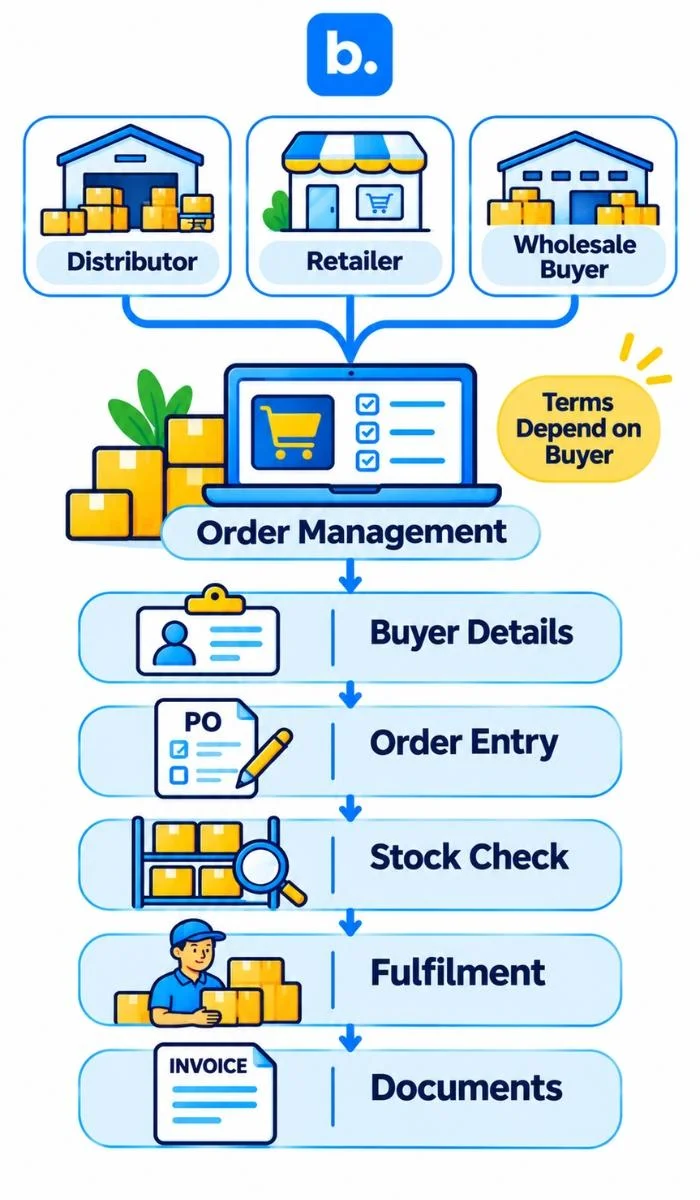
A business-to-business (B2B) order management system is software that helps a seller receive, record, process and track orders placed by other businesses. It can connect buyer details, products and quantities with inventory, order status, fulfilment and documents. A B2B order involves more than a large basket: the buyer has a commercial relationship with the seller, and the order may be subject to agreed prices, quantity rules, delivery arrangements or payment terms.
A distributor buys products for onward sale to retailers or resellers. A retailer buys stock to sell to consumers, either through its own shops or online. A wholesale buyer is a broader term for a business purchasing in bulk, including distributors, retailers and some institutional customers. The D2C brand is the supplier in this relationship, even if it also sells directly to consumers.
A consumer might buy one bottle at the public retail price. A distributor might purchase hundreds across several product lines at an agreed wholesale price, refer to a purchase order and request a scheduled dispatch. Shopify’s B2B order management overview discusses common B2B considerations such as approvals, order edits and payment terms. These are evaluation areas, not features every OMS automatically includes.
B2B vs B2C order management
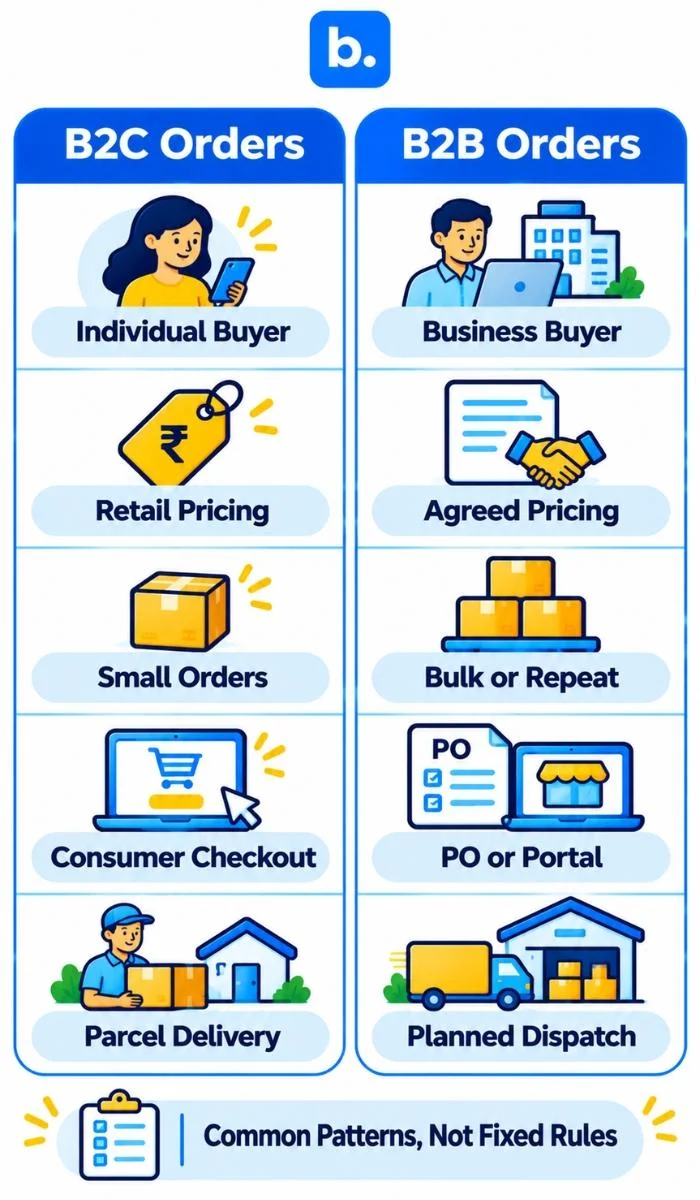
The table shows common differences between business-to-business orders and business-to-consumer (B2C) orders. They are typical patterns, not fixed rules: B2B buyers may use self-service portals, and an individual consumer may sometimes place a large order.
| Area | B2C order management | B2B order management |
|---|---|---|
| Buyer | Individual consumer | Distributor, retailer or other business |
| Order size | Often a small number of units | Frequently bulk or repeat quantities |
| Pricing | Public retail price | May use agreed or account-specific prices |
| Product selection | Public catalogue | May be limited to approved products |
| Order placement | Website, app or marketplace | Portal, purchase order, email, sales team or integration |
| Payment | Consumer payment options | Advance payment, credit terms or another agreed arrangement |
| Approval | Often limited | Buyer approval or seller review may apply |
| Fulfilment | Parcel to an individual | Bulk dispatch, scheduled delivery or several destinations |
| Documents | Order confirmation and retail invoice | Purchase order references and business invoices or related documents |
Why D2C brands need a distinct B2B workflow
A D2C brand may use the same product catalogue and stock pool for website orders and wholesale commitments, but apply different prices, quantities and checks. A defined B2B workflow records those differences alongside the order rather than leaving them only in email threads or a sales representative’s spreadsheet. It also gives sales, operations and finance a shared reference for what was requested, approved, allocated and sent.
How B2B order management works for D2C brands
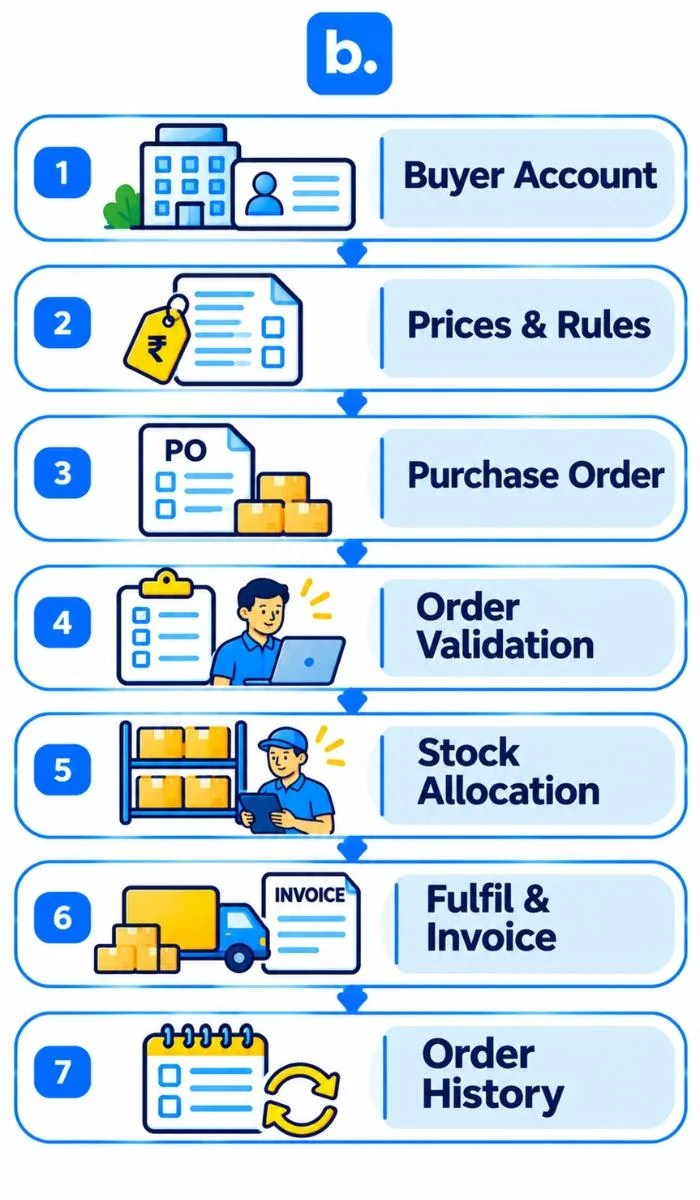
A B2B workflow takes a business buyer’s requirement, checks it against commercial terms and available stock, confirms what the seller can supply, then coordinates fulfilment and documentation. The specific stages depend on the brand’s process and software.
1. Set up the buyer account
A distributor or retailer may need an account record before ordering. Depending on the business model, the seller may maintain company and contact details, billing and delivery addresses, Goods and Services Tax (GST) Identification Number (GSTIN), buyer category, approved products and agreed commercial terms. Credit arrangements, if offered, may be managed in an accounting or finance system rather than the OMS. Define who verifies buyer details and who can approve changes.
2. Set the catalogue, prices and quantity rules
Business buyers may see different products or prices from individual consumers. A seller could maintain wholesale price lists, negotiated buyer prices, distributor tiers, volume discounts, minimum order quantities (MOQs), pack sizes or product restrictions. Whether software supports these controls must be checked; do not assume a general OMS includes customer-specific catalogues or prices.
Illustrative example: A brand lists a product to consumers at ₹1,000. Under a separate commercial agreement, a distributor’s wholesale price could be ₹650, while a smaller retailer has another agreed price. The figures are hypothetical. The important control is to apply the right authorised price to the right buyer, not to treat these amounts as standard market terms.
3. Capture the purchase order
Orders may enter through a buyer portal, purchase order sent by email, sales representative, spreadsheet import, connected wholesale platform or electronic data interchange (EDI), where used. Standardised entry reduces the need to retype buyer details, product codes, quantities and delivery instructions. Check which input methods the OMS actually supports and how it identifies duplicate or revised purchase orders.
4. Validate commercial and order details
Before confirming, the order may need checks for product and stock keeping unit (SKU) availability, MOQ, price list, discounts, payment terms, credit approval, delivery address and requested date. Buyer-side approval or seller review may also be required. These checks matter most when an order has negotiated terms or a significant stock commitment. Software can record and apply supported rules, but credit approval and financial decisions may remain with the seller’s accounts or sales team.
5. Confirm the order and allocate stock
The seller checks whether it can supply the requested quantities. An order received is not necessarily an order confirmed, and confirmation does not always mean stock has been allocated. Clear statuses might distinguish received, under review, confirmed, allocated and ready for fulfilment.
If some products are unavailable, the seller may offer a revised quantity, partial fulfilment or a later delivery, subject to the agreement. The system should preserve what was requested and what was accepted, so the buyer and operations team are working from the same version.
6. Fulfil, invoice and dispatch
After confirmation, warehouse staff prepare a pick list, pick the ordered products, verify quantities, pack them and prepare dispatch. The seller or its connected system generates the appropriate invoice and documents, records shipment details and updates the buyer on progress. The warehouse performs the physical work; order software coordinates information, status and supported document or shipment tasks. A shipment record or label alone is not proof that goods have left the site.
7. Keep order history for repeat purchases
Business accounts often reorder. Retaining order history helps teams review previous products, quantities, prices, dates and fulfilment status. Repeat-order tools can reduce re-entry for recurring purchases, but check whether they preserve current prices, pack sizes and terms or simply copy the last order. Outstanding balances should be checked in the appropriate finance system if they are not available in the OMS.
Requirements for distributor, retailer and wholesale orders
Different business buyers create different operational requirements. A brand should establish the commercial rules for each account and verify that order software can represent the parts it needs.
Distributor orders
Distributors buy for onward distribution, so orders may involve larger quantities, several product categories, planned replenishment and more than one delivery destination. A personal-care brand, for example, might supply a regional distributor that orders several categories each month for resale to retailers. Territory arrangements, product assortments and prices depend on the agreement; do not assume every distributor has exclusive rights or identical terms. The seller may also need to coordinate bulk picking, dispatch documentation and an agreed delivery schedule.
Retailer and retail-chain orders
An independent retailer may place a smaller replenishment order, while a chain may buy for a central distribution centre or multiple branches. Confirm the buyer’s assortment, pack sizes, purchase order references, delivery dates and addresses. A key operational question is whether the buyer expects one consolidated delivery or separate shipments to individual outlets. Branch-level fulfilment should only be promised if the seller’s systems and warehouse process can support it.
Wholesale and institutional buyers
Hotels, salons, clinics and offices may buy products for business use rather than resale. They can have repeat needs, bulk quantities or negotiated arrangements. Treat these orders according to their actual terms rather than assuming they follow a distributor’s resale workflow.
B2B and D2C orders on shared inventory
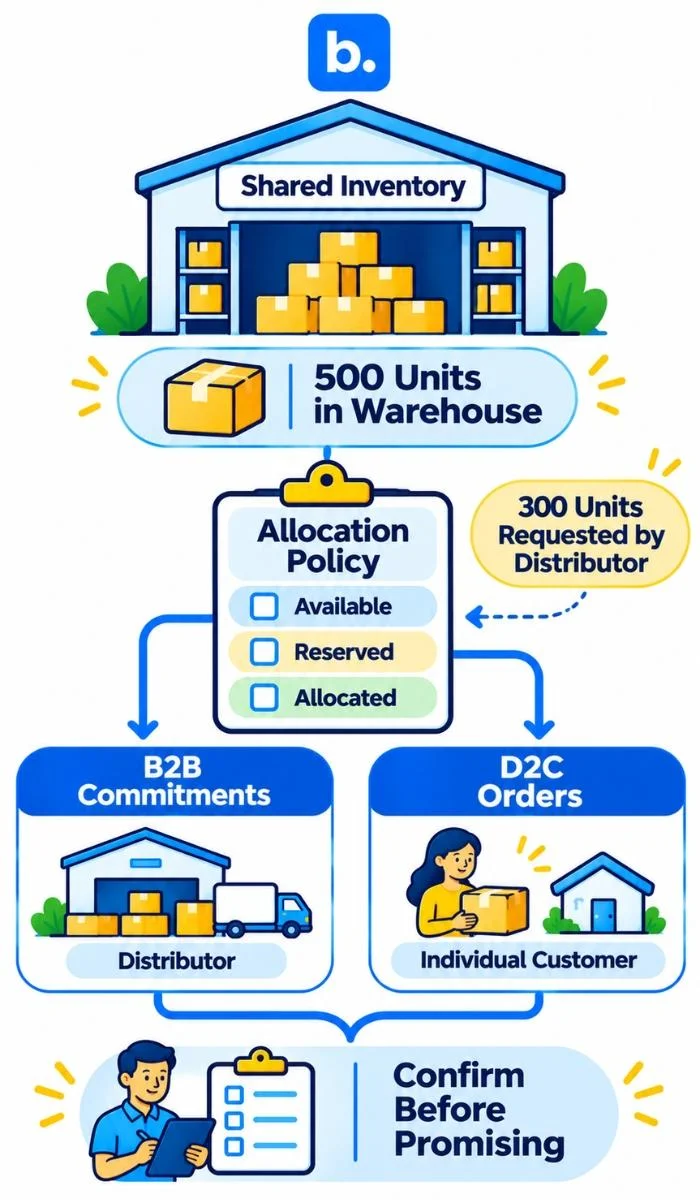
Shared stock creates a decision for the brand. Suppose a warehouse holds 500 units and a distributor requests 300 while consumer orders continue arriving. The seller needs a policy for available and reserved stock, wholesale commitments and channel allocations. It may ring-fence quantities, allocate stock when the order is approved or accept orders against expected replenishment. An OMS can provide visibility and process a defined policy; the brand decides how much stock to promise to each channel. Stock synchronisation should reflect those allocations, not just the physical total.
Common B2B order management challenges for growing D2C brands
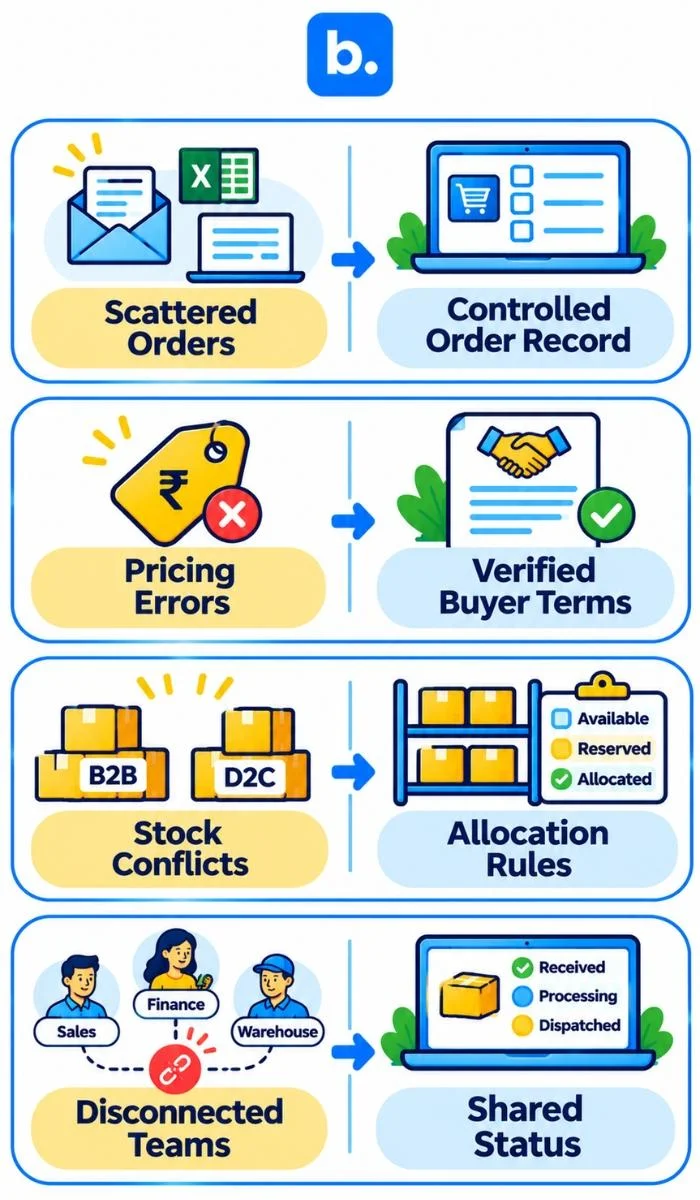
B2B operations become harder when wholesale orders are separated from D2C records or commercial terms exist only in messages and spreadsheets.
Orders arrive through too many channels
Email, messaging apps, spreadsheets, buyer portals and sales representatives can create multiple versions of an order. Without one controlled record, teams may process an outdated quantity or delivery address.
Pricing errors strain margins and relationships
Applying a retail price instead of an agreed wholesale price can lead to corrections and disputes. Account and price records need clear ownership.
Bulk orders put pressure on shared stock
A single distributor commitment may absorb stock planned for consumer demand. Teams need a visible allocation policy before they confirm supply.
Payment terms and fulfilment need coordination
Different buyers may have agreed payment arrangements, while large shipments require accurate quantities, packing and documents. If sales, finance and operations use disconnected records, they may not share the same order status or terms.
A consistent process for recording, validating and tracking business orders helps keep these hand-offs visible. It does not replace account management or financial review.
Features to look for in B2B order management software
The right B2B order management software should support buyer information, wholesale order capture, stock visibility, validation and the fulfilment steps the brand actually uses. Treat each feature below as a requirement to test, not a guarantee of every OMS.
| Feature | Why it matters for a D2C brand |
|---|---|
| Central order dashboard | Brings supported orders into a shared operational view |
| Buyer and account records | Keeps business details and order history together |
| Catalogue controls | Limits products shown to the intended buyer, where supported |
| Customer-specific pricing | Represents negotiated prices or price lists, if the system supports them |
| MOQ and quantity rules | Helps reflect agreed purchase quantities |
| Purchase order capture | Standardises orders from buyers and sales teams |
| Inventory visibility | Helps check stock before accepting a wholesale commitment |
| Approval workflow | Routes large or exceptional orders for review, where supported |
| Invoice and document generation | Coordinates commercial documents with order processing |
| Payment-term visibility | Helps teams see agreed arrangements, if available or integrated |
| ERP and warehouse integrations | Connects finance, inventory and fulfilment records |
| Repeat-order support | Makes routine replenishment easier to capture and check |
Shopify’s B2B ecommerce documentation gives examples of account catalogues, quantity rules and payment terms. Use demonstrations to test your own workflow: a buyer at a negotiated price, a revised purchase order, an MOQ exception, a partial stock shortage and a multi-address delivery. A small brand supplying a few retailers may need only basic order capture and inventory visibility; a larger network may need deeper controls. Choose for the commercial process you actually operate.
B2B order management and GST documentation in India
Business orders need accurate buyer and seller details, billing and delivery addresses, purchase order references and the appropriate invoice documents. Record the buyer’s GSTIN where applicable and keep order data consistent with the accounting or ERP system.
E-invoicing is not synonymous with generating every B2B invoice in software. GSTN explains that notified classes of registered persons must report specified invoice details to an Invoice Registration Portal, and that covered documents include invoices, credit notes and debit notes for applicable transactions. Check the current GSTN e-invoicing FAQs and relevant notifications to establish whether the seller and transaction are covered. Applicability depends on the rules, taxpayer and transaction; this article is not tax advice. An OMS may support invoice generation or data exchange, but verify GST and accounting requirements separately.
How Base.com helps businesses manage B2B orders and partner collaboration
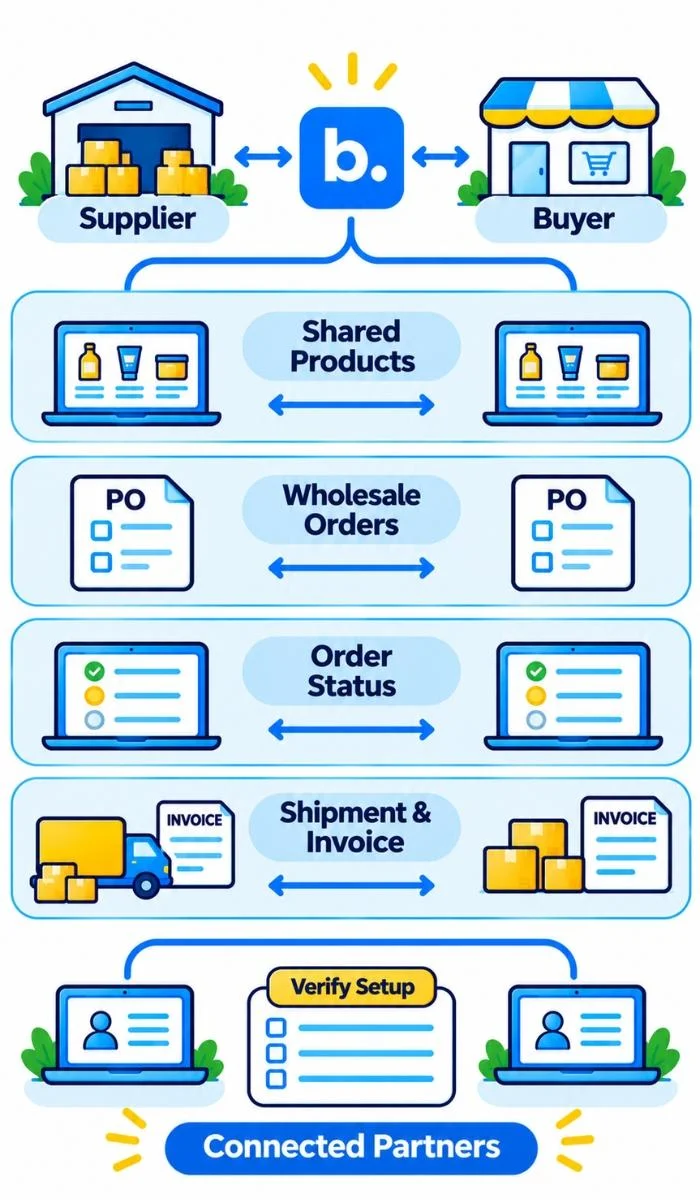
At base.com, our Base Connect module supports collaboration between connected business partners. A supplier can share product information, prices and stock details; a buyer can access shared products and place wholesale orders. The workflow can transfer order and shipment information, statuses and invoices between partners. Our Base Connect integration page describes data exchange between Base accounts; that integration is documented for users of the new Product Manager warehouse. Our Order Manager supports central order processing and actions such as status changes, invoice generation, shipment creation and document printing.
This can standardise product and order information exchanged by connected partners. It does not mean every B2B capability is included: confirm whether a workflow supports your required buyer-specific pricing, approvals, credit controls or accounting connections. Partner settlements should be arranged independently; Base Connect documentation says available tools may facilitate cooperation, but does not make the platform a universal B2B payment or settlement service.
Conclusion
Wholesale growth adds commercial relationships and stock commitments to a D2C operation, not just larger order quantities. Keep buyer terms, purchase orders, stock allocation, fulfilment and documents connected in a clear workflow. Evaluate software against the business rules it truly supports, and retain human review for negotiated terms, credit decisions and exceptions. A shared order record can connect B2B and consumer operations without pretending they work the same way.
