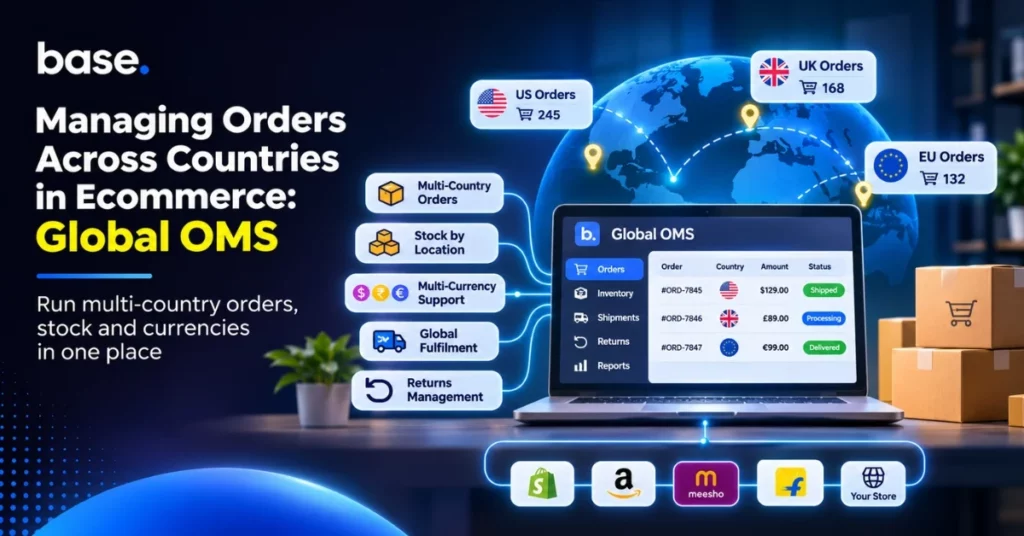
An Indian brand expanding into the UK or US quickly finds that international growth involves more than accepting an overseas order. Orders arrive through different storefronts and marketplaces; stock sits in different locations; customers may pay in different currencies; and shipping and returns follow market-specific processes. Managing orders across countries in ecommerce requires a reliable way to see orders, usable stock and fulfilment progress across markets. Without that shared operational view, teams can promise stock that is elsewhere, miss an order update or struggle to explain where fulfilment is held up. A shared view helps teams own and resolve exceptions.
Managing orders across countries in ecommerce means viewing orders, stock, currencies and shipments by destination. A global order management system gathers supported channel orders, helps allocate eligible stock and tracks fulfilment. It is for Indian ecommerce and D2C teams selling, or planning to sell, in multiple countries.
What is a global order management system?
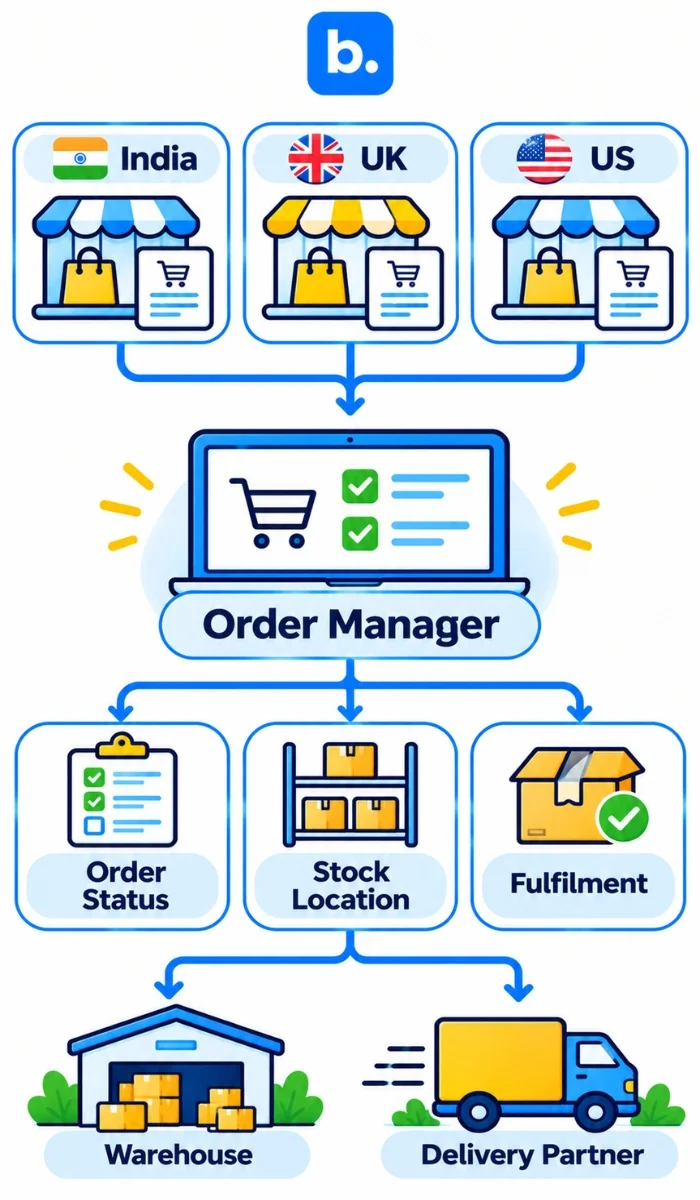
A global order management system (OMS) collects orders from sales channels in different markets, maintains an operational order record and helps teams coordinate stock allocation and fulfilment. Depending on the product, integrations and configuration, it may also support different currencies, warehouse locations and carriers. Confirm capabilities; products differ.
A single-country setup coordinates a smaller set of channels and partners. A multi-country setup must also keep destination, transaction currency, fulfilment location and status clear for each order.
A typical setup connects storefronts and marketplaces to a central order view, then to fulfilment locations and domestic or cross-border delivery partners.
For a wider introduction, see what an OMS does for D2C brands. Integration scope varies by system, channel and country.
What gets harder when you sell in more than one country
International selling changes how orders, stock, currency, delivery and returns are managed, even when the catalogue is unchanged.
| Area | What changes across countries | What can go wrong without a plan |
|---|---|---|
| Orders and channels | Different storefronts, marketplaces and order formats | Orders stay in separate dashboards and are harder to trace |
| Stock location | Stock sits in different countries, warehouses or fulfilment centres | A system may show stock that cannot serve the destination |
| Currency and pricing | Local display prices and transaction currencies differ from the accounting base currency | Conversions and market reporting become unclear |
| Tax and duties | Treatment and documentation depend on the countries and transaction | Unexpected charges, incorrect documents or compliance issues |
| Shipping | Carrier coverage and transit times vary by destination | Delivery promises become unrealistic |
| Returns | Return addresses, reverse shipping and refund workflows differ | Returned items are hard to track, inspect and restock |
| Language and time zones | Customer communication and support hours vary | Replies and delivery updates may be delayed or confusing |
Verify market-specific rules with current official guidance; software connectivity is not proof of compliance.
Managing orders across countries in ecommerce, step by step
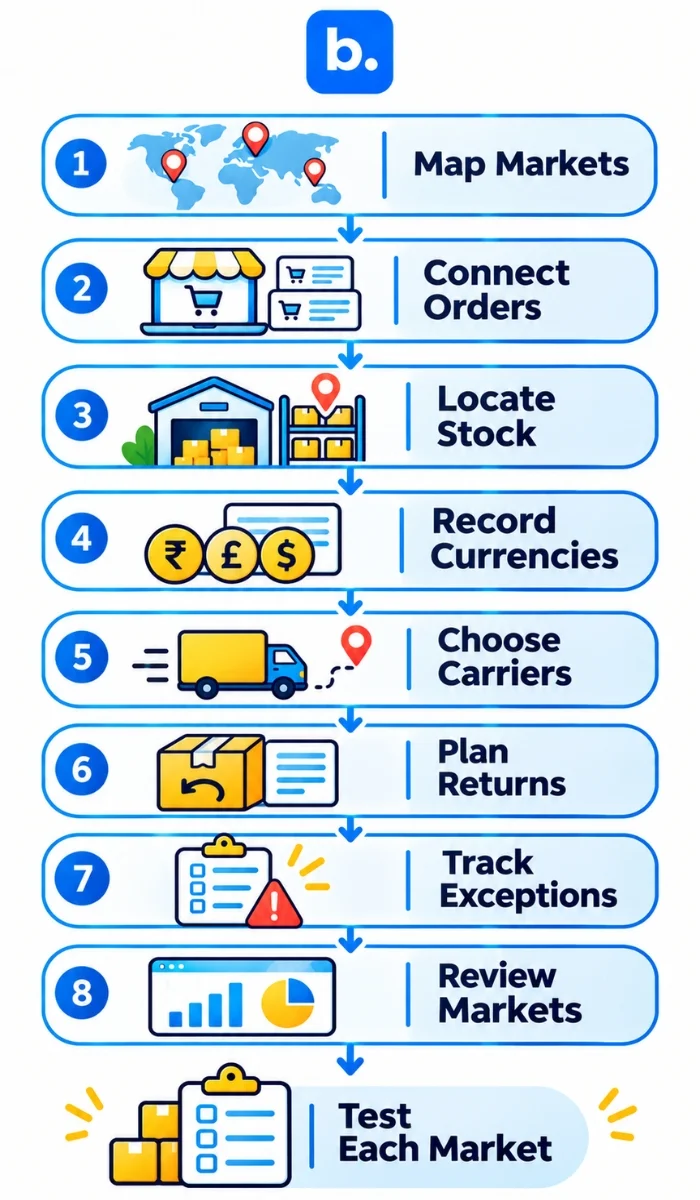
Define operating rules before adding channels:
- List countries and channels. Record every storefront and marketplace through which an order can be placed. Check each channel’s order identifiers and product mapping.
- Bring supported orders into one view. Connect channels to a shared order workflow. Confirm which data fields and order states are transferred.
- Map stock by location. Record warehouses and fulfilment partners, and the destinations each can serve. Stock in a country is not automatically eligible for every order.
- Set local prices and currency records. Decide the customer display currency, transaction currency and internal reporting currency. Document how conversions are recorded.
- Choose carriers and delivery expectations. Check serviceability and current carrier information by destination. Do not copy one country’s estimate to another.
- Define return routes. Decide where returns are sent, inspected and made available again. Include ownership for exceptions.
- Track progress and exceptions. Review processing, dispatch, delivery, cancellation and return statuses across connected channels.
- Review performance by country. Compare demand, fulfilment, stock availability, returns and operating costs on a regular cadence.
Test a sample order from each market: map its product identifier to the correct SKU, check stock deduction and confirm the status reaches the team. See manage orders across multiple channels in one dashboard.
What a global order management system should do
A global order management system gives teams a shared view without requiring identical country workflows. Marketplace order management also needs clear mapping of channel fields and statuses.
| Capability | What it means | Why it matters |
|---|---|---|
| Channel connections | Connects supported storefronts and marketplaces | Reduces separate dashboard work |
| One order record | Keeps order details and current status together | Helps teams trace order progress |
| Stock by location | Separates inventory by warehouse or fulfilment site | Avoids treating distant stock as immediately available |
| Currency records | Retains relevant order values and currencies | Helps teams interpret international sales consistently |
| Carrier connections | Provides shipping workflows for supported destinations | Makes serviceability and fulfilment options visible |
| Returns tracking | Records return requests and status changes | Helps control inspection and restocking |
| Market-level reports | Filters order and fulfilment activity by country | Shows differences between operating markets |
Integrations do not automatically provide international tax calculation, customs clearance, foreign-currency accounting or global fulfilment.
How an order management system handles stock across countries
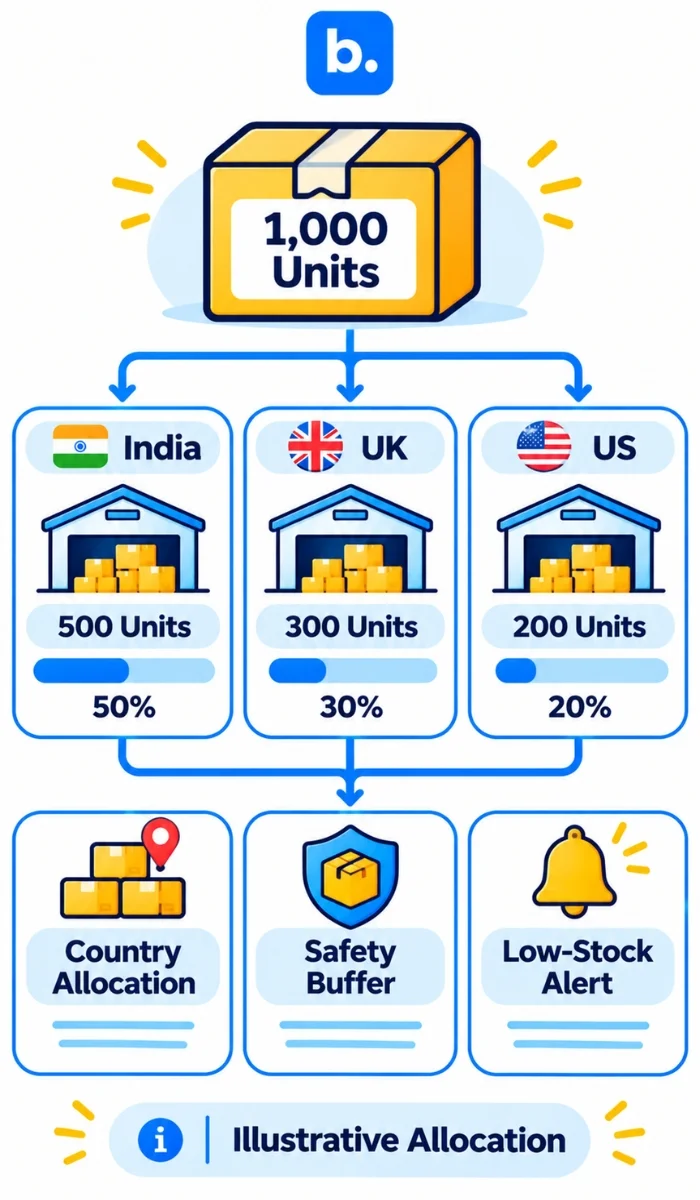
An order management system is software that keeps a central record of customer orders and helps teams decide which eligible stock should fulfil each order. Allocation means assigning available inventory to an order or market under defined business rules.
For cross-border orders, distinguish stock by country and allocate only eligible available units. Carrier coverage and fulfilment constraints apply. A shared pool cannot remove physical location, transit time, cost or import considerations.
Illustrative initial allocation for one SKU:
| Country | Initial stock allocation | Share of total |
|---|---|---|
| India | 500 units | 50% |
| UK | 300 units | 30% |
| US | 200 units | 20% |
| Total | 1,000 units | 100% |
This is a starting plan. If UK demand grows while Indian stock moves slowly, review future replenishment or transfers, considering transit time, cost, availability and applicable requirements.
| Rule | What it does | When to use it |
|---|---|---|
| Country allocation | Reserves planned stock for a market | When demand or fulfilment needs differ |
| Shared pool | Makes eligible stock available to multiple channels or markets | Only where inventory can genuinely serve them |
| Safety buffer | Holds back some stock from routine allocation | To protect against variation or delays |
| Low-stock alert | Flags a defined stock threshold | When teams need time to replenish or rebalance |
Currencies and pricing in one system
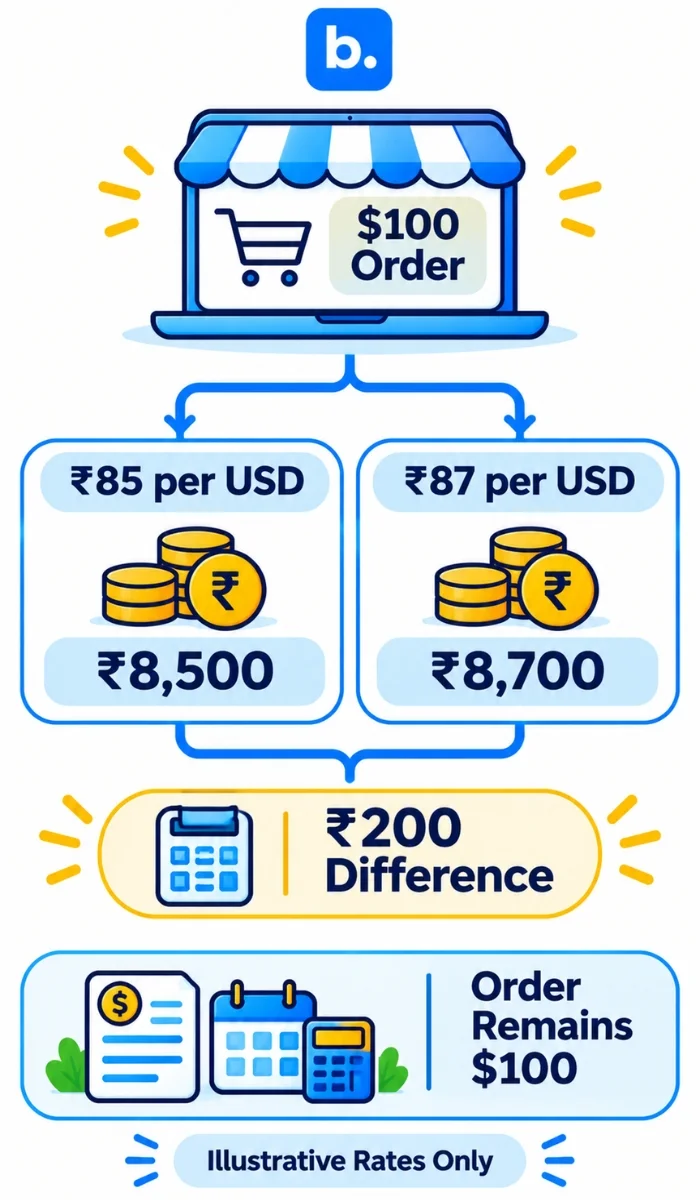
Multi-currency means handling transactions and records in more than one currency. Set local display prices, retain the transaction currency, record conversion rate and date, and keep a base-currency value if needed. Rates can change the converted value without changing the customer’s order amount.
Illustrative currency example: A customer places a $100 order. At an assumed rate of ₹85 per US dollar, the equivalent is 100 × 85 = ₹8,500. At an assumed rate of ₹87, it is 100 × 87 = ₹8,700, a difference of ₹200.
| Item | At ₹85 per dollar | At ₹87 per dollar |
|---|---|---|
| Customer order value | $100 | $100 |
| Illustrative exchange rate | ₹85 | ₹87 |
| Base-currency equivalent | ₹8,500 | ₹8,700 |
| Difference | – | ₹200 |
Rates are invented for illustration, not current market data. The order remains $100; only the illustrative converted value changes. Landed cost is the total cost of getting a product to its destination, which may include product cost, shipping, insurance, duties, taxes and other applicable charges. This article does not calculate landed cost or prescribe any duty or tax rate. Gateway fees, bank conversion charges and settlement differences are separate financial checks; see the payment reconciliation guide for related context.
Shipping, duties and returns across borders
Check carrier serviceability, tracking, restrictions and terms by destination; set delivery estimates from current information. Confirm how duties and taxes are handled using official guidance and agreed sales terms. Define the return destination and process.
| Question | Why it matters | Where to confirm |
|---|---|---|
| Can a carrier serve the destination? | Coverage and product restrictions vary | Carrier’s official service information |
| What delivery estimate is reasonable? | Wrong estimates create poor expectations | Current carrier service details |
| Who handles applicable duties and taxes? | Responsibility affects customer cost and delivery arrangements | Official authorities and agreed sales terms |
| What shipment documents are needed? | Missing or incorrect documents may delay a shipment | Relevant authority and carrier guidance |
| Where do returns go? | Location affects cost, processing and stock availability | Carrier terms, fulfilment agreement and return policy |
Do not assume an OMS calculates duties or clears customs unless that function is specifically documented for the chosen product.
How to choose order management software for multi-country selling
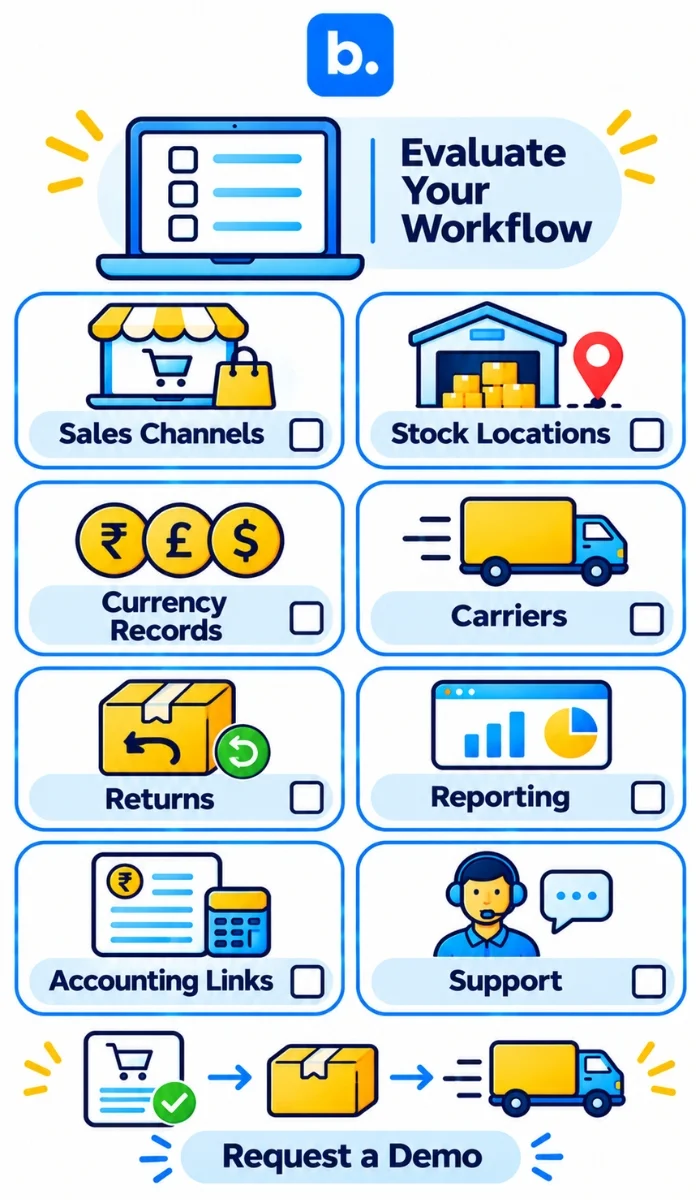
Start with the operating model: two storefronts served from one warehouse differ from stock held in several countries. Choose order management software against real workflows.
Check channel support, stock by location, currency records, warehouse and carrier connections, returns, country-level reporting, accounting flows, onboarding and support hours. Ask which integrations are live, whether routing uses location and availability, and which functions need another system. Ask for a sample-order demonstration. Assess order management software for ecommerce on current workflows, not roadmap promises.
| Route | Best for | Limits | Typical effort |
|---|---|---|---|
| Spreadsheets | Very small operations with few orders and locations | Manual updates and fragmented visibility | Low to start; grows with workload |
| Store admin plus apps | Few storefronts with straightforward fulfilment | Information remains across tools | Low to moderate |
| OMS | Several channels and fulfilment locations | Tax, customs or currency accounting may need other systems | Moderate |
| OMS with warehouse management | Complex stock and physical fulfilment | More configuration and implementation | Moderate to high |
Use OMS software or an OMS platform only after clarifying which system owns orders, inventory, financial records and shipment status. A tool can connect workflows without replacing specialist tax, customs or accounting systems.
Common mistakes and how to avoid them
International expansion exposes process gaps.
| Mistake | Why it hurts | Fix |
|---|---|---|
| Treating each country as a separate store | Orders and stock become fragmented | Use a shared operational view for connected channels |
| Treating all stock as one pool | Inventory may appear available in the wrong country | Track physical locations and allocation rules |
| Leaving prices unchanged as currencies move | Local prices may no longer follow intended policy | Review market pricing and conversion records |
| Ignoring cross-border returns | Items may be hard or costly to receive and restock | Define return routes and inspection steps |
| No country-level order view | Teams cannot compare market performance | Review delays, cancellations and returns by country |
| No exception owner | Sync failures and stock mismatches remain unresolved | Assign an owner and follow-up process |
A central OMS organises information; country-specific stock, currency, carrier, returns and compliance decisions remain necessary.
How Base OMS helps you manage orders across countries
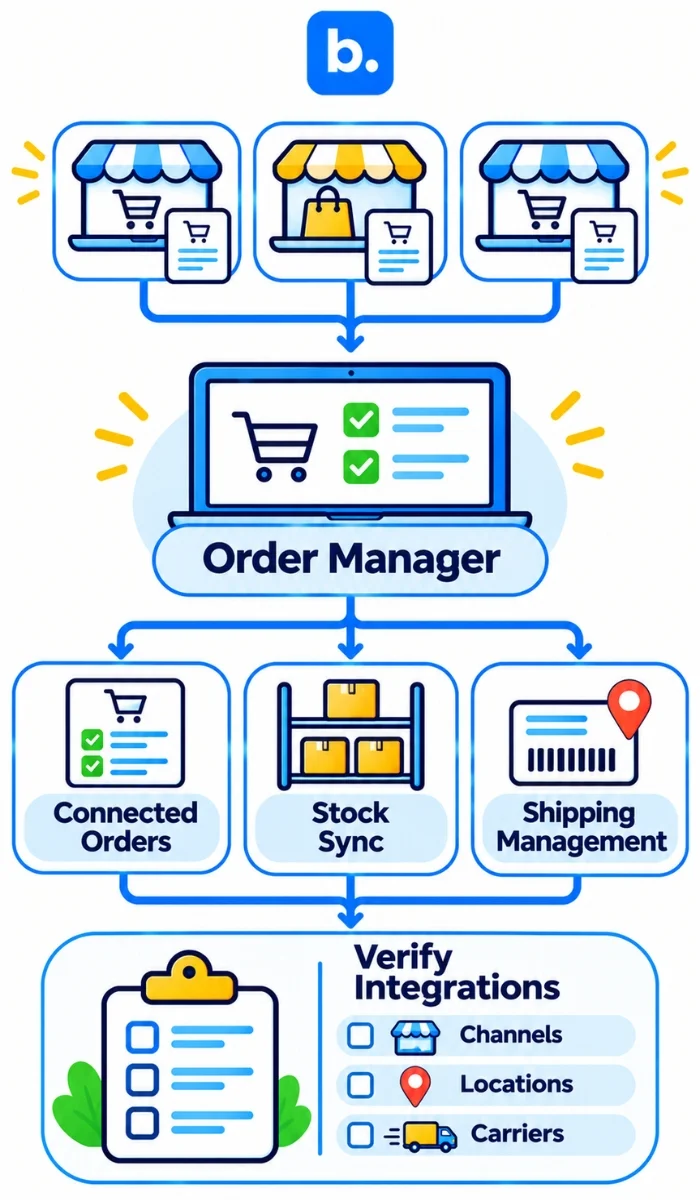
- Orders: Base OMS supports bringing orders from supported sales channels into the Order Manager workflow. Connected orders can be handled through a shared interface, but availability depends on the specific channel and integration.
- Stock: Base documents stock synchronisation for connected channels, including reducing stock when a purchased product’s order is transferred. This should not be read as a claim of global warehouse allocation or automatic stock balancing between countries.
- Shipments: Shipping Management supports shipment creation and label and tracking workflows through supported carrier integrations. Carrier availability depends on the integration and destination.
Base OMS capabilities do not by themselves establish multi-country routing, multi-currency accounting, international tax calculation or customs handling. Confirm the intended channels, locations and carriers in a product demonstration. See how to manage orders across multiple channels in one dashboard and request a demo to explore connected order and fulfilment workflows.
Conclusion
Managing orders across countries in ecommerce starts with listing markets and channels, consolidating supported orders, mapping stock by location, recording local prices and currencies, choosing suitable carriers, defining returns, tracking exceptions and reviewing performance by country. A global OMS provides an operational view, not market-specific rules. Review the workflow before expansion and assign owners to trace each order end to end.
