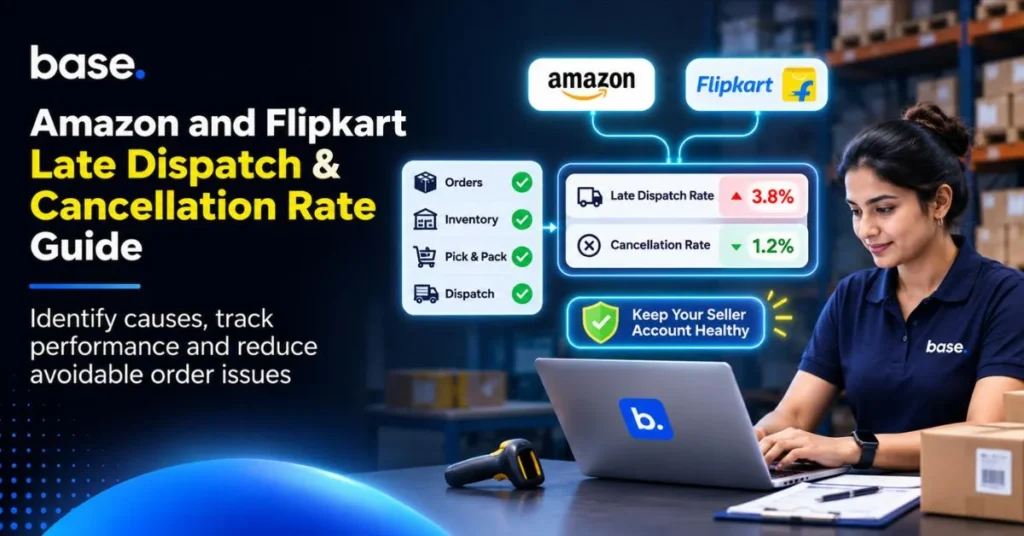
Late dispatch and seller-initiated cancellation are different marketplace performance problems. Late dispatch means an order missed its required shipment or ready-to-dispatch deadline; a seller cancellation means the order was cancelled before fulfilment under the marketplace’s rules. The prevention starts with accurate stock, realistic handling times, visible deadlines, prompt picking and packing, and confirmed courier handover.
An order management system (OMS) can help sellers organise these operations across connected channels, but Amazon and Flipkart calculate and display their own performance metrics. Use each marketplace’s dashboard and current policy as the source of truth. This guide separates their terms, then maps ten common operational mistakes to practical controls.
Late dispatch, late delivery and seller cancellation are not the same
| Metric or event | What it measures | Example operational cause |
|---|---|---|
| Late shipment / late dispatch | A required ship-confirmation or ready-to-dispatch event misses its deadline | Order not picked or confirmed by the due date |
| Seller cancellation | An order is cancelled by the seller or classified as seller-cancelled under marketplace rules | Stock is unavailable after an order is accepted |
| Dispatch SLA breach | A marketplace-required processing or dispatch deadline is missed | Backlog or missed order-level deadline |
| Late delivery | Parcel arrives after the promised delivery date | Transit or delivery delay after dispatch |
| Valid tracking | Whether submitted tracking details meet the channel’s requirements | Missing, incorrect or unsupported tracking details |
A parcel can be dispatched on time but delivered late. That is not the same event as late dispatch, although the marketplace may measure delivery or tracking performance separately. Conversely, an order can miss its dispatch deadline while the courier is operating normally. Do not mark an order dispatched just because a label exists.
Amazon and Flipkart use different performance measures
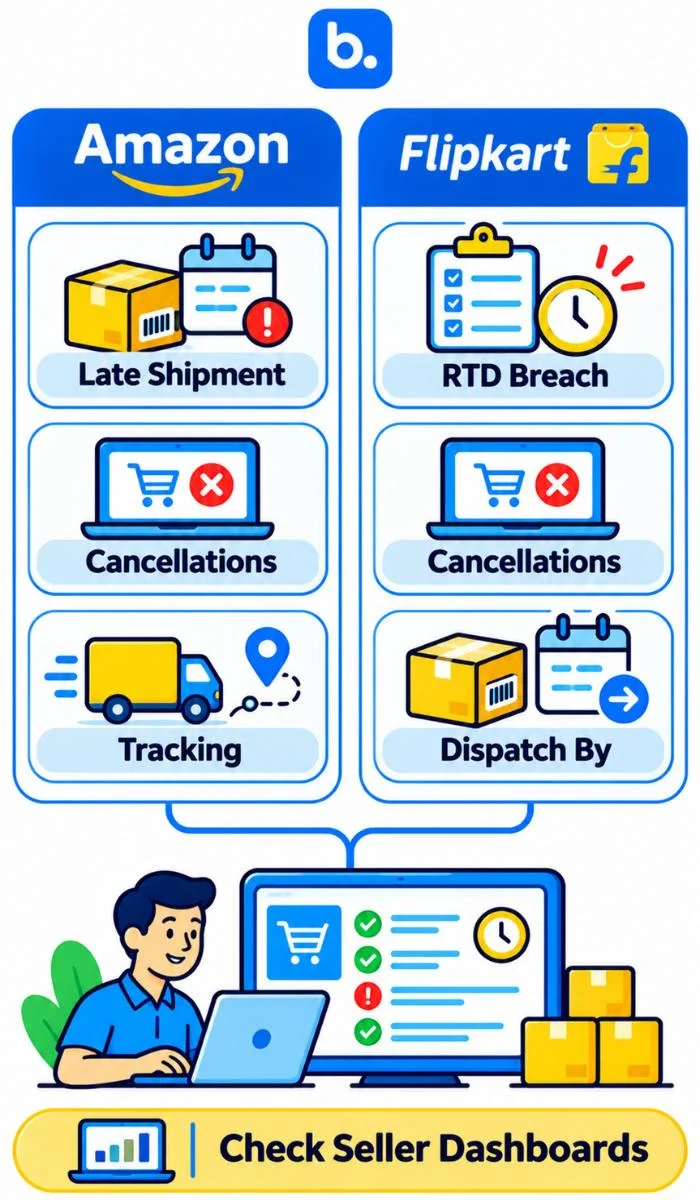
| Marketplace | Metric and scope | How to read it | Where to verify |
|---|---|---|---|
| Amazon India | Late Shipment Rate (LSR), seller-fulfilled orders | Share of seller-fulfilled orders ship-confirmed after the Estimated Ship Date; measured over 10-day and 30-day periods | Seller Central, Account Health → Shipping Performance |
| Amazon India | Pre-Fulfilment Cancellation Rate, seller-fulfilled orders | Seller-cancelled orders as a share of total orders over the periods shown in the account, including 7-day and 30-day views | Account Health → Shipping Performance; download the report |
| Flipkart | Ready to Dispatch (RTD) breach and seller cancellation performance | RTD is tied to the order’s Dispatch By date and fulfilment flow; use the current Seller Hub view for how performance is displayed | Seller Hub’s live performance dashboard and order details |
Amazon India guidance recommends keeping both the standard seller-fulfilled LSR and cancellation rate below 2%; rates above the stated benchmark can put selling privileges at risk. LSR is measured over 10-day and 30-day periods. Cancellation is measured in the 7-day and 30-day views shown in Seller Central, and includes seller-initiated cancellations plus certain automatic cancellations after failure to ship and confirm. Buyer cancellations made through Amazon’s own process are excluded when classified as buyer-initiated. A buyer request through messages is not necessarily the same process. Check the current Amazon LSR help page, cancellation-rate help and live Account Health report before acting. Programme-specific requirements, including delivery programmes, may be stricter than the standard seller-fulfilled guidance.
Flipkart’s official Order Management API documentation describes the order and shipment flow. For self-ship orders, the seller must submit dispatch, invoice and logistics details before the applicable Dispatch By date. In standard fulfilment, sellers must move orders through the marketplace’s required ready-to-dispatch and handover process. Flipkart’s Seller Tier guidance identifies seller cancellations and RTD breaches as performance factors, but tier thresholds are not a universal cancellation or dispatch rule for every seller. The accessible policy PDF is dated, so do not repeat its historic numbers as current requirements. Check Seller Hub and the order-level deadline.
10 operational mistakes that raise late dispatch or cancellation risk
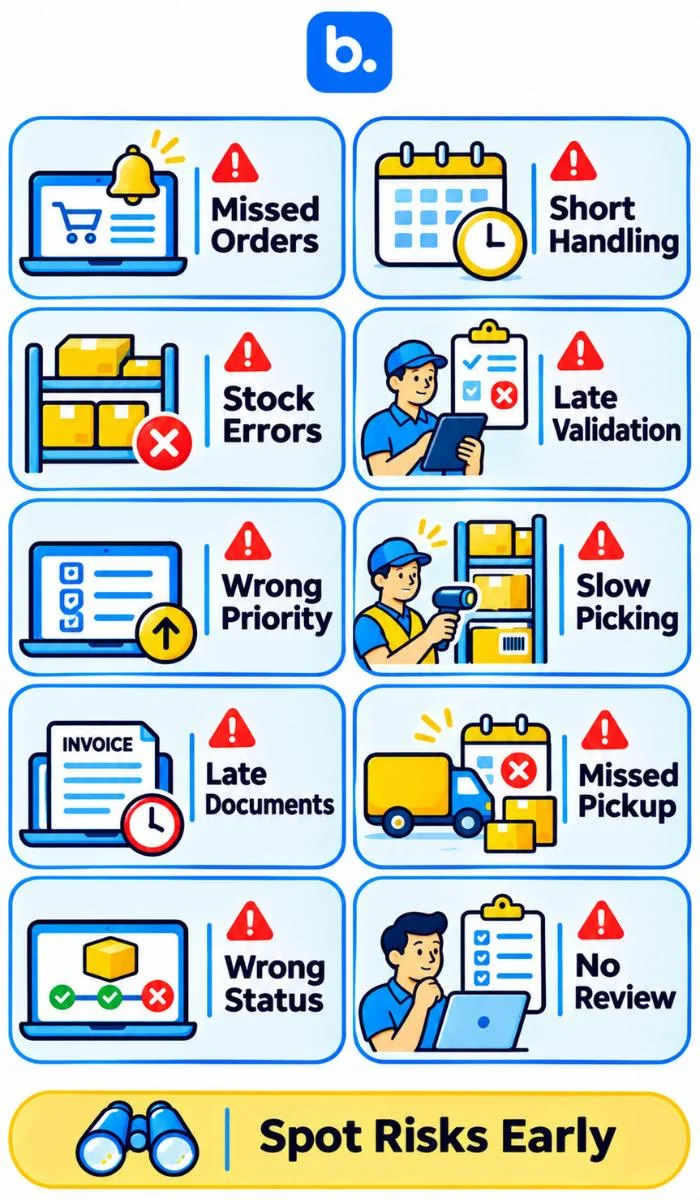
Orders are checked too infrequently
Why it causes trouble: Separate marketplace panels, accounts and store dashboards make it easy to miss newly received orders, especially during weekends, promotions or staff handovers. A queue discovered near the cut-off has little time left for validation and picking.
Prevent it: Bring connected orders into a central order queue and check import status several times during the working day. Retain the channel and seller-account identity, and confirm that imports are complete. Do not assume every integration downloads orders instantly or supplies the same fields.
Handling times do not match the operation
Why it causes trouble: A short handling promise that ignores preparation time, holidays, non-working days or courier availability creates a deadline the warehouse cannot reliably meet. On Amazon, the Estimated Ship Date is central to LSR.
Prevent it: Review account-level and SKU-level handling settings where supported. Match them to actual pick, pack and handover capacity, and revisit them before promotions or closures. Amazon explains changing handling time; do not copy a policy or setting from another country or programme without checking applicability.
Available stock is not actually available
Why it causes trouble: An item sells on one channel after another channel has already committed the last unit. Damaged, reserved or uninspected returns may also be counted as sellable. The seller then has to cancel or hold the order.
Prevent it: Keep stock synchronised across supported channels, reserve it at the appropriate order stage, and exclude unavailable units. Reconcile fast-moving SKUs, warehouse locations and fulfilment pools before a sale. Add a cautious buffer where useful, while ensuring it reflects actual inventory rather than concealing a data problem. See our inventory planning guide for Amazon and Flipkart.
Order validation is delayed or blocks everything
Why it causes trouble: If teams wait to check payment, SKU, quantity or delivery information, eligible orders may miss their processing window. The opposite mistake is pushing every order through without noticing a genuine hold or stock problem.
Prevent it: Define the checks that apply to prepaid and COD orders, confirm required order data, and route only exceptions to review. COD means collection is due on delivery, not that payment has already been received. A payment or order check is not fraud detection, and not every COD order needs manual confirmation.
Urgent orders have no priority
Why it causes trouble: Processing strictly by arrival time can leave an older order with an earlier deadline behind newer, simpler orders. An order can then miss its channel cut-off or the next courier collection.
Prevent it: Filter by the marketplace deadline, order age, fulfilment location, readiness and pickup window. Create a visible priority for orders approaching cut-off, and assign a person to review that queue. Configure priorities around actual order-level commitments; an OMS may help sort the work but may not infer every SLA automatically.
Picking and packing are too slow or inaccurate
Why it causes trouble: Poor bin locations, unclear variant data, manual search and congested packing benches slow preparation. A wrong SKU or quantity may also require repicking, delaying the parcel further.
Prevent it: Keep locations and product identifiers accurate, use pick lists, organise replenishment and apply barcode verification where available. Separate multi-item orders clearly and verify each order at packing. An internal “packed” status is not proof that the marketplace received a required dispatch event.
Shipping documents are created too late
Why it causes trouble: An order may be picked and packed but still wait for shipment creation, an invoice, label or manifest. Manual processing one order at a time can build a document queue before pickup.
Prevent it: Generate shipment documents in batches for eligible, checked orders where the channel and carrier integration support it. Confirm that the right label and invoice match the parcel. A generated label does not mean the parcel has left the warehouse or been accepted by the courier.
The courier pickup window is missed
Why it causes trouble: Parcels may be un-staged, the manifest incomplete, the collection unbooked or the volume larger than the agreed pickup capacity. A missed handover can invalidate otherwise timely preparation.
Prevent it: Plan collection times against the dispatch schedule, stage parcels by carrier, reconcile the manifest and confirm handover. Keep evidence of collection and an escalation contact for missed pickups. First establish whether the parcels were ready and presented; do not automatically attribute a missed dispatch to the carrier.
Status updates do not match physical events
Why it causes trouble: A label is mistaken for dispatch, or shipment details are uploaded after the marketplace deadline. The parcel may be physically on time but the platform’s required order event is missing or late.
Prevent it: Map order statuses to real process events and train staff on the marketplace-specific action. On Amazon, confirm shipment when the parcel is handed to the carrier and enter valid tracking details. On Flipkart, submit the required dispatch and logistics information by the order’s Dispatch By date. Never mark an order dispatched only because a label has printed.
Pending orders and trends are not reviewed
Why it causes trouble: Small backlogs, failed shipment creation and recurring stock exceptions compound until performance metrics worsen. Teams may also focus on the percentage without identifying which orders caused it.
Prevent it: Review ageing and exception queues every day, assign owners and compare OMS records with marketplace reports. Track patterns by channel, warehouse, SKU and cause. The marketplace’s account dashboard, not the OMS, determines its official metric and any policy action.
Monitor deadlines and performance every day
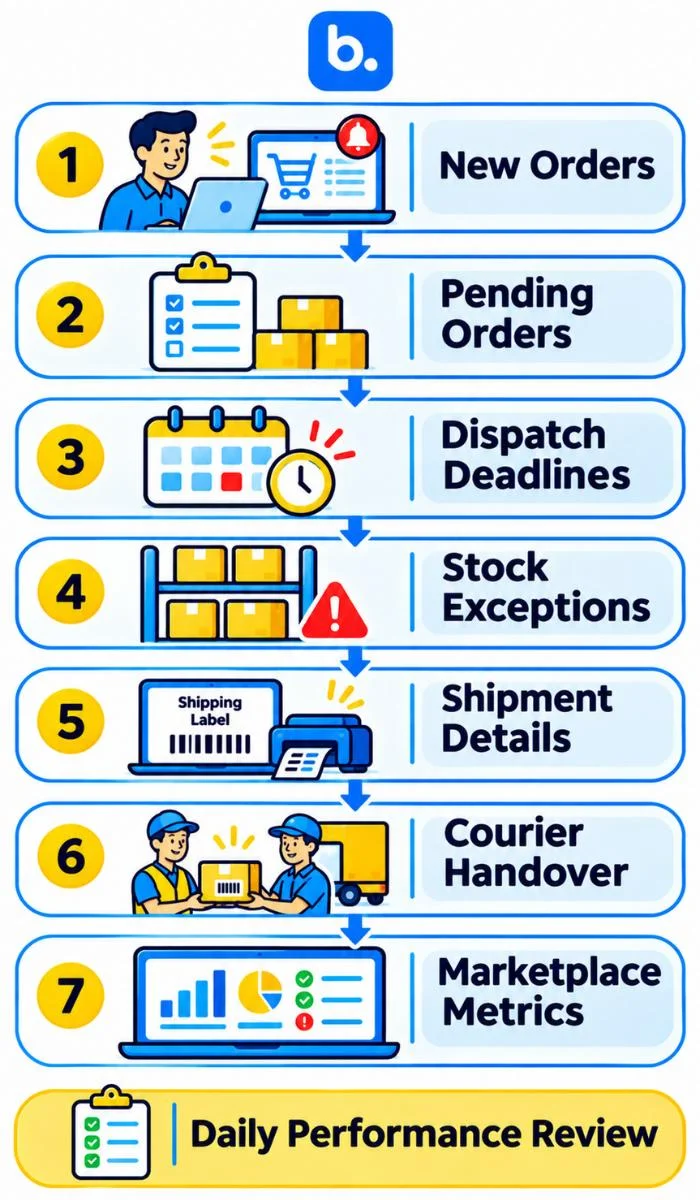
| Check | What to identify | Suggested cadence |
|---|---|---|
| New orders | Missing imports or orders not yet acknowledged | Several times during operations |
| Pending orders | Orders waiting for validation, picking or packing | Regularly through the day |
| Dispatch deadlines | Orders approaching the marketplace’s order-level cut-off | Several times, prioritised by urgency |
| Stock exceptions | Orders at risk because inventory is unavailable | As they occur |
| Shipment creation | Eligible orders without required documents or shipment details | Before the applicable cut-off |
| Courier handover | Packed parcels awaiting collection or confirmation | At every pickup |
| Marketplace metrics | LSR, cancellation, RTD and other displayed trends | Daily review, with a weekly cause analysis |
For Amazon, open Seller Central Account Health → Shipping Performance and review LSR, Pre-Fulfilment Cancellation Rate and Valid Tracking Rate for seller-fulfilled orders. Download the reports and inspect the affected order IDs, dates and shipment confirmations. Where relevant, review On-Time Delivery Rate separately. A percentage can move sharply when order volume is low, so investigate individual orders as well as the trend.
For Flipkart, use the current Seller Hub performance area and order details to inspect seller cancellations, RTD or dispatch breaches, pending work and policy messages. The dashboard label or availability can vary. Apply current account-specific instructions rather than using a historical threshold from an old PDF.
What to do if a metric deteriorates
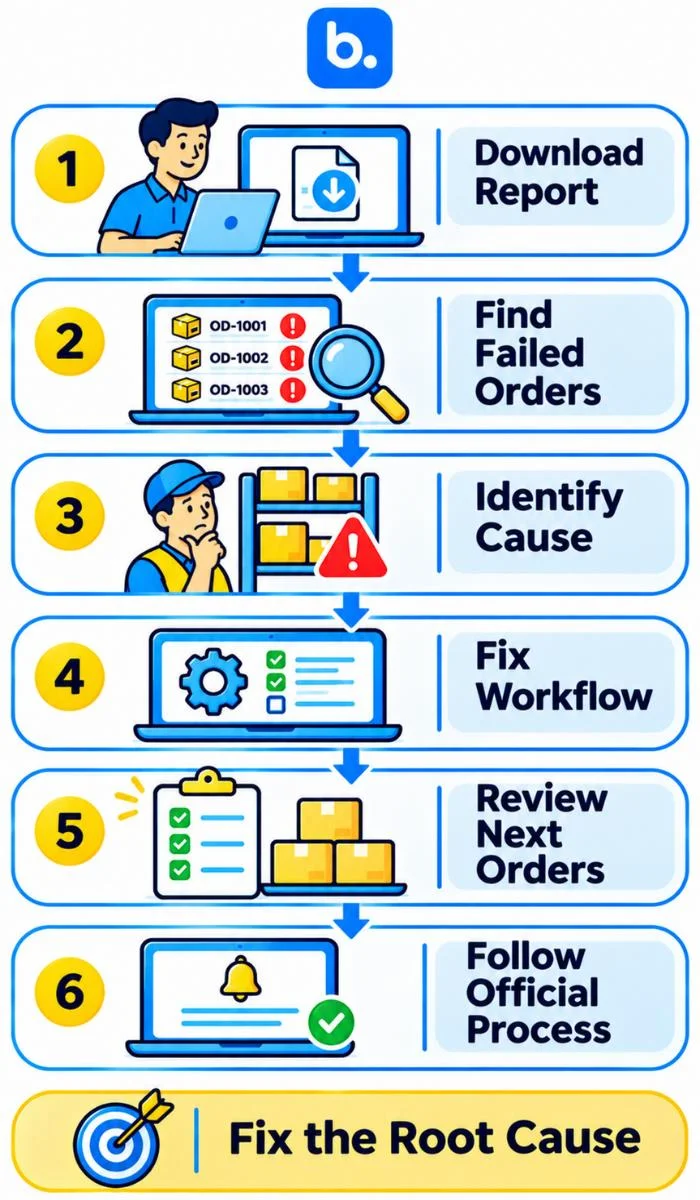
- Download the marketplace’s current report and identify the exact metric and affected order IDs.
- Classify each failure: stock, handling time, validation, warehouse capacity, shipment creation, carrier pickup or status update.
- Correct the root cause, such as inaccurate available stock, an unrealistic handling promise or a missed pickup process. Do not change a status simply to make the report look better.
- Check whether the marketplace classifies or excludes any order differently under its current rules.
- Review the next orders due for dispatch and assign an owner to each exception.
- If the marketplace issues a warning or enforcement notice, follow its official response, appeal or corrective-action process. An appeal or process change does not guarantee reinstatement.
How an OMS can help prevent avoidable failures
An order management system for ecommerce can reduce portal switching, make pending orders easier to see, support inventory synchronisation and automate repetitive steps. Filtering by status, source or age can help teams find work approaching its deadline; configured workflow rules can move routine orders forward or flag an exception. Warehouse and carrier integrations may connect the order queue to picking, shipment creation and tracking details.
Our Order Manager brings orders from connected stores and marketplaces into a central workspace and supports bulk order operations. For supported integrations, our Marketplace Manager helps coordinate stock and price synchronisation. Our Workflow Automation uses configured events and conditions for actions such as status changes, invoices, messages and shipments. Our Pick&Pack Assistant supports barcode-assisted preparation and packing checks. Exact events and behaviour depend on the channel, integration and setup. Base does not calculate Amazon’s or Flipkart’s official account-health metrics, change their thresholds or guarantee courier collection or a healthy seller account. The marketplace remains the authority on its own performance data. When evaluating order management software for ecommerce, ask to see an order approaching its cut-off, a stock exception and a failed shipment action, not only a successful routine order.
For broader context, see our guide to order management for multi-marketplace sellers and handling courier failures during a sale.
Conclusion
Protecting seller performance starts with accurate stock, realistic handling times, visible deadlines, timely processing and verified handover. Use marketplace dashboards to diagnose failures, then improve the workflow that caused them.
