

Choose the OMS that syncs inventory at the variant level, routes couriers by destination PIN code, and holds every marketplace account under one login. Those three capabilities decide fulfilment accuracy far more than dashboard design does. Sellers asking which order management system is best for multi-marketplace sellers should score vendors on those first.
India’s ecommerce market is set to touch roughly ₹19.7 trillion, close to $226 billion, in 2026 at around 12.4% growth. Marketplace sellers absorb that growth as operational load, not as easy revenue. Manual processes that hold at two channels collapse at five.
This guide walks through the selection framework step by step. You get the evaluation criteria, a capability comparison table, a cost structure, and a 60-day rollout plan built for Indian conditions.
Define What “Multi-Marketplace” Actually Means for Your Operation
Vendors treat multi-marketplace as one label. Your operation experiences it as six separate problems, and each one carries a different cost.
Work through these six dimensions before you book a single demo, because they determine which capabilities you actually need.
1. Count Your Live Seller Panels, Not Just Your Platforms
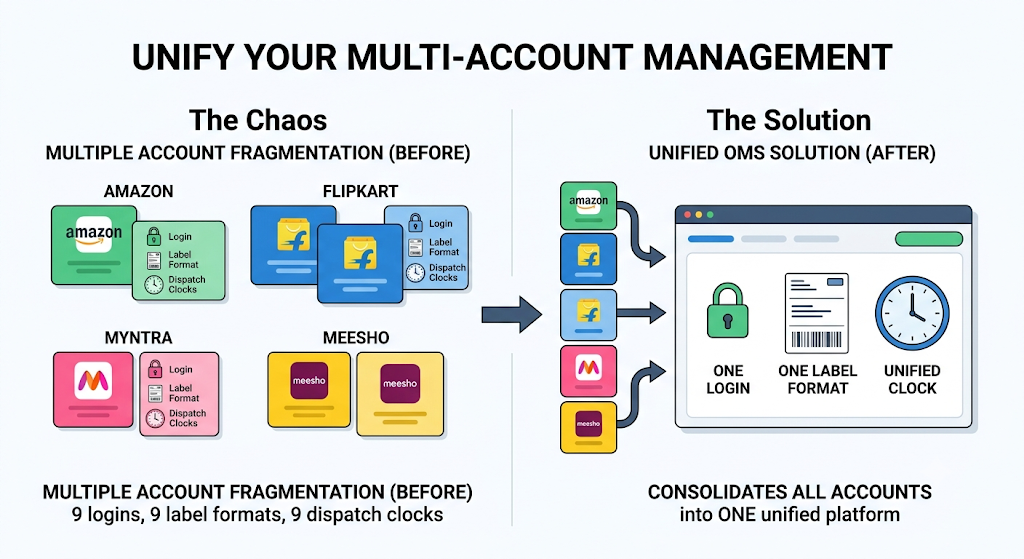
Most sellers underestimate their own complexity here. A brand on Amazon, Flipkart, Myntra, and Meesho often runs two or three seller accounts per platform for different categories or regions.
Nine panels across four platforms means nine logins, nine label formats, and nine dispatch clocks. Your OMS must consolidate accounts, not merely platforms.
2. Separate Shared-Stock SKUs from Channel-Exclusive SKUs
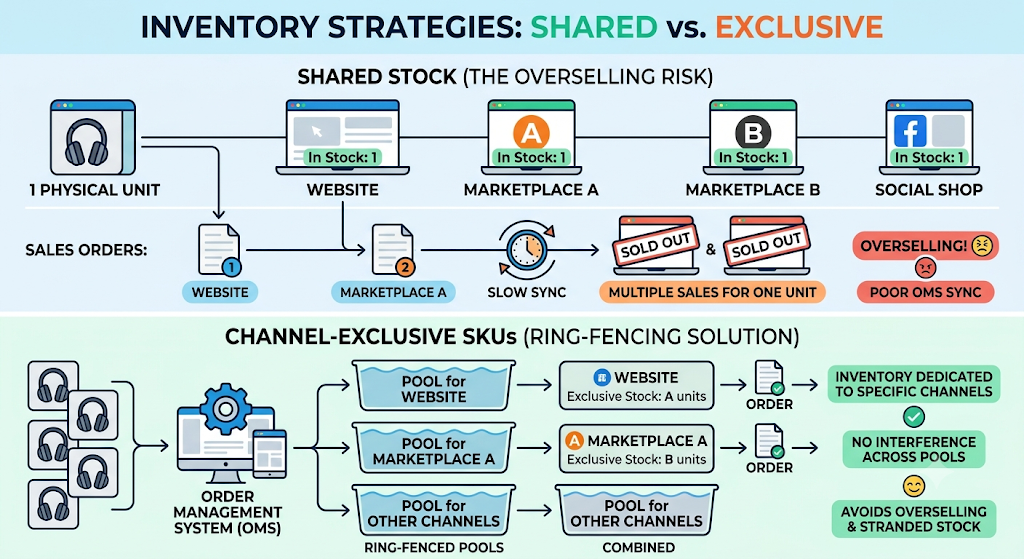
Shared stock creates the overselling problem. When one physical unit appears on four listings, a single sale must reduce availability everywhere within seconds.
Channel-exclusive SKUs behave differently and need separate treatment. Any OMS that cannot ring-fence exclusive inventory will either oversell your shared pool or strand your exclusive stock.
3. Map Your Variant Depth Before You Map Your Order Volume

Variant depth breaks sync accuracy long before volume breaks throughput. One apparel style forks into a dozen sizes and several colours, and each combination sells at its own pace.
Footwear and fashion sellers feel this first. Base.com tracks every size-and-colour combination as an independent stock line, so a sold-out size stops showing as available on a second marketplace.
4. Record Your COD Share by Channel
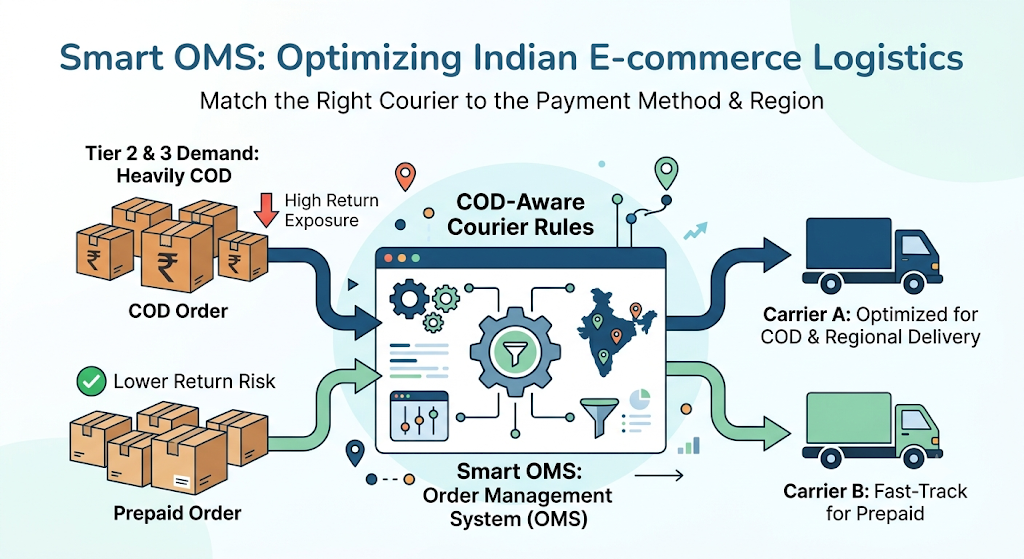
COD share drives your return exposure, and return exposure drives your margin. Reverse logistics consumes 25-30% of order value on low-ticket Indian shipments.
Channels differ sharply here, with tier-2 and tier-3 demand skewing heavily toward COD. Your OMS needs COD-aware courier rules, not a single default carrier.
5. Document Your Dispatch SLAs Per Platform
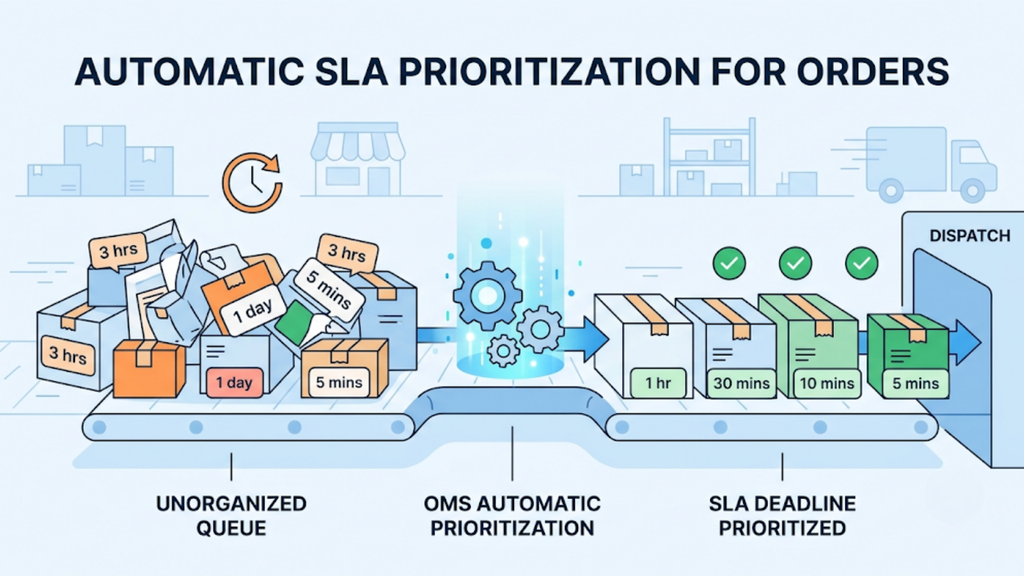
Each marketplace penalises late dispatch differently, and account health scores rarely recover quickly. Missing a same-day cutoff on one platform can suppress your listings for weeks.
An OMS should prioritise the order queue by SLA deadline automatically. Manual prioritisation fails during festive spikes, which is exactly when it matters most.
6. Note Every Compliance Requirement Your Categories Carry
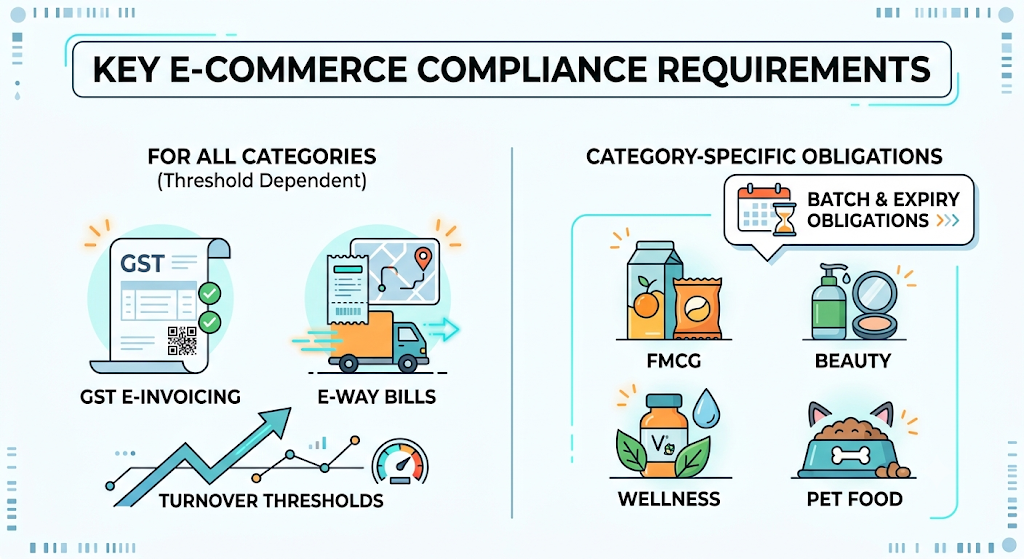
FMCG, beauty, wellness and pet food sellers carry batch and expiry obligations. GST e-invoicing and e-way bills apply across categories once you cross turnover thresholds.
Base.com covers batch-wise inventory, FEFO picking, e-invoicing and e-way bills natively. That native coverage removes a second system from your stack.
Which Order Management System Is Best for Multi-marketplace Sellers in India?
No single answer fits every seller, so score vendors against weighted criteria instead. The framework below ranks capabilities by the cost of getting them wrong.
Apply these six criteria in order, and drop any vendor that fails the first two outright.
1. Real-Time Inventory Sync at Variant Level

This criterion carries the highest weight. Sync lag produces overselling, cancellations, and account-health penalties within days of a sale event.
Ask vendors for sync frequency in seconds, not minutes, and confirm that sync happens at variant level rather than parent-SKU level. Base.com syncs stock across every listing where a variant appears, including the same product listed under multiple seller accounts.
2. Intelligent Courier Allocation by PIN Code and Weight

Courier selection decides your delivery success rate more than packaging does. Manual allocation caps throughput and produces avoidable RTOs.
Base.com assigns couriers by destination PIN code, calculates weight-based pricing per package, and fails over automatically to the next partner when a courier cannot service an address. That failover logic protects dispatch during serviceability gaps.
3. Bulk Label, Invoice and Compliance Document Generation
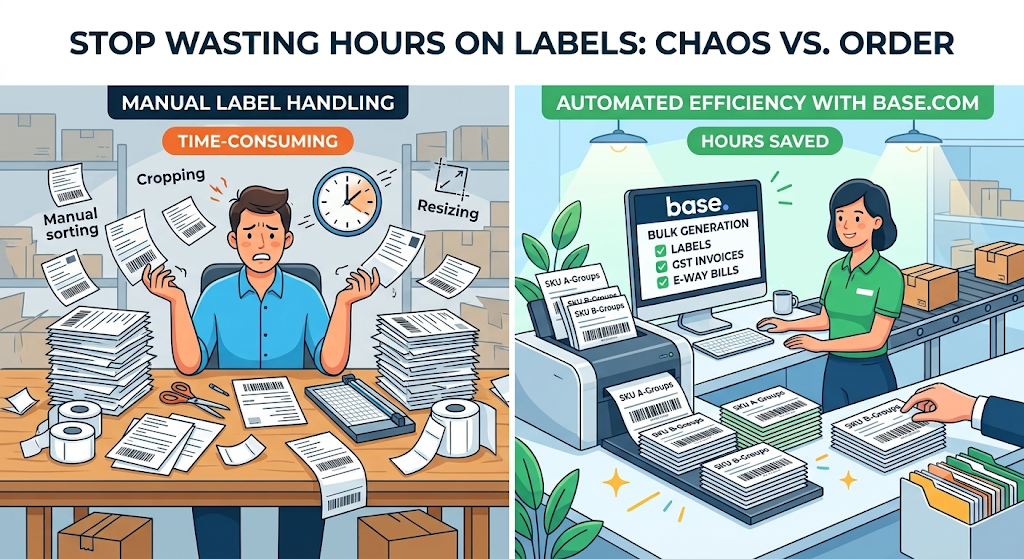
Label handling consumes more staff hours than any other order task. Sellers who still crop, resize and sort labels manually lose hours every single day.
Look for SKU-wise label sequencing, so styles arrive at the packing table already grouped. Base.com generates labels, GST invoices, and e-way bills in bulk across portals in one pass.
4. Returns and RTO Intake With Condition-Level Statuses
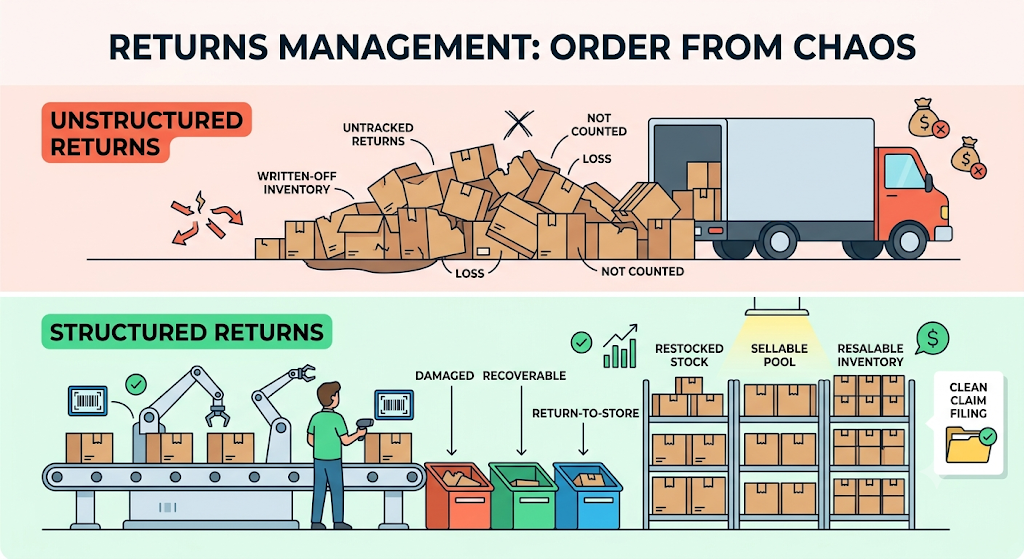
Returns arrive without structure unless the system imposes it. Untracked returns become written-off inventory rather than restocked stock.
Base.com scans returns into custom statuses such as damaged, recoverable, and return-to-store, so resalable units re-enter the sellable pool. Claim filing also gets cleaner because the data behind it is consistent.
5. Multi-Warehouse Routing and Location-Aware Stock

Once stock sits in two cities, a blended availability number becomes misleading. An order promised against stock in the wrong location arrives late or fails.
Base.com shows stock warehouse by warehouse, tracks inter-location transfers inside the same system, and routes each order to a location that genuinely holds the inventory. Sellers planning regional expansion should weigh this criterion heavily.
6. Reporting Depth Across Accounts, Channels and Payouts

Reporting decides whether you catch problems early or discover them at month-end. Payout reconciliation across multiple seller accounts is notoriously hard to do manually.
Base.com delivers scheduled cron-based reports in customisable formats, covering order velocity, sell-through, returns and payouts. Teams reviewing which order management system is best for multi-marketplace sellers should demand a sample report built on their own data during the demo.
Compare OMS Capabilities Against the Channels You Actually Sell On
Feature lists flatten important differences. Mapping capabilities to the specific failures they prevent makes the comparison concrete.
Score each shortlisted vendor against the table below, then weight the rows by how often each failure hits your operation.
| Capability to test in the demo | Failure it prevents | Priority for marketplace sellers | Priority for D2C-led sellers |
| Variant-level inventory sync | Overselling and forced cancellations | Critical | High |
| Multi-account consolidation per platform | Orders missed in an unchecked panel | Critical | Low |
| SLA-based order prioritisation | Late dispatch penalties, listing suppression | Critical | Medium |
| PIN-code courier allocation with failover | Undeliverable shipments and avoidable RTOs | Critical | Critical |
| Bulk SKU-wise label generation | Manual sorting and cropping delays | High | Medium |
| GST e-invoicing and e-way bills | Compliance gaps at dispatch | High | High |
| Condition-level returns intake | Resalable stock written off | High | High |
| Bundle and gift-set component tracking | Festive bundles overselling components | Medium | High |
| Batch and expiry FEFO picking | Near-expiry dispatch and rejections | Critical for FMCG | Critical for FMCG |
| Multi-warehouse routing | Orders routed to locations without stock | Medium | High |
| Bin-level picking locations | Pickers searching shelves, slow throughput | High above 1,000 SKUs | High above 1,000 SKUs |
| Payout reconciliation across accounts | Untracked marketplace deductions | Critical | Low |
| Scheduled automated reporting | Slow-moving stock discovered too late | High | High |
Rows marked critical in your column are non-negotiable. Any vendor failing two critical rows should leave your shortlist immediately, regardless of price.
How Do You Evaluate OMS Vendors Beyond the Feature List?
Feature parity is common at the shortlist stage. Implementation quality, support responsiveness, and configurability separate vendors once contracts are signed.
Run these five checks on every finalist, because they predict your experience in months two through twelve.
1. Ask Whether Implementation Includes On-Site Warehouse Mapping
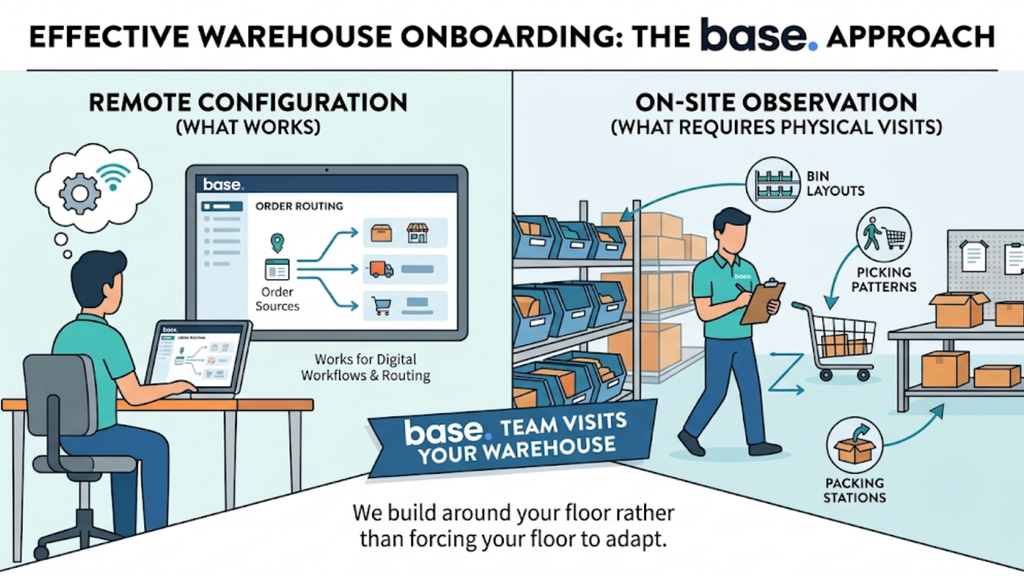
Remote onboarding works for order routing and fails for warehouse structure. Bin layouts, picking patterns, and packing stations need physical observation.
Base.com teams visit warehouses directly to understand existing workflows before configuring the system. That approach builds around your floor rather than forcing your floor to adapt.
2. Test Support Turnaround During the Trial, Not After
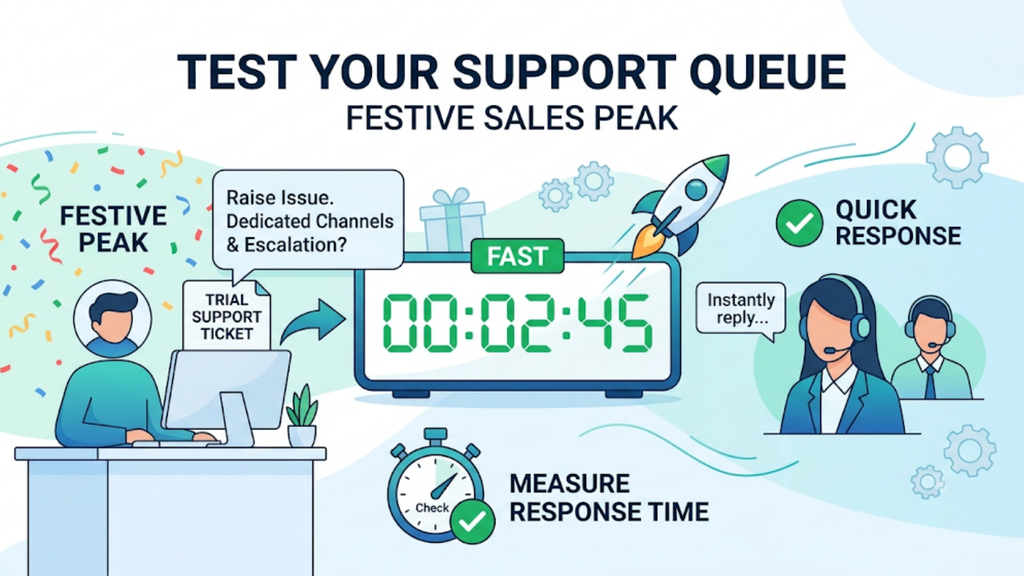
Support speed matters most during festive peaks, when downtime costs the most. A slow ticket queue in October erases a year of efficiency gains.
Raise a genuine issue during your trial and measure the response time. Ask specifically about dedicated channels and escalation paths during sale periods.
3. Confirm What Counts as Configuration Versus Custom Development
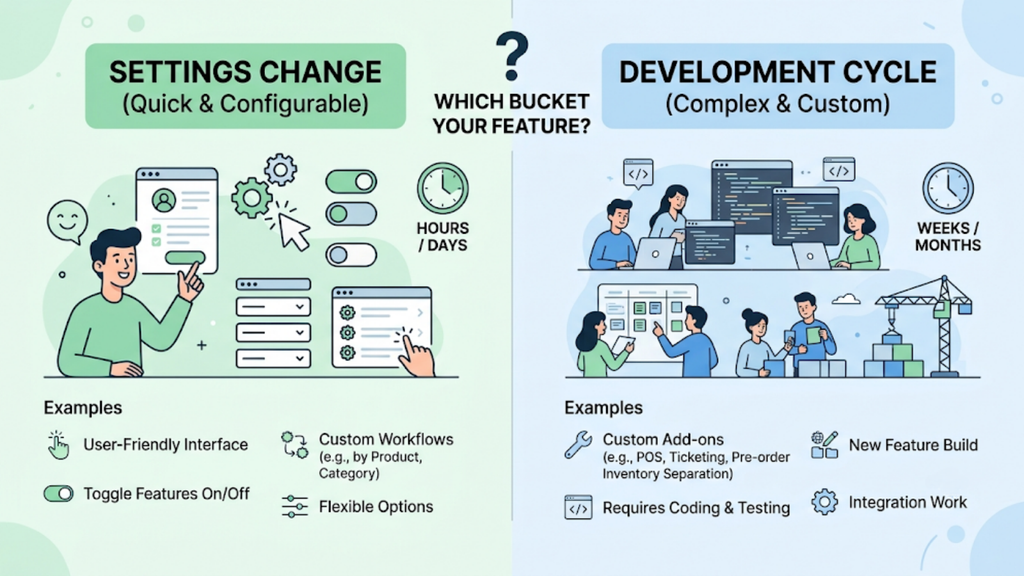
Every multi-marketplace seller eventually needs something the standard build does not cover. The question is whether that need costs a settings change or a development cycle.
Base.com supports configurable workflows by product, category, or client alongside custom add-ons such as offline-order POS, pre-order inventory separation, and marketplace ticket management. Clarify which bucket your specific requirements fall into before signing.
4. Check Integration Depth With Your Accounting or ERP Stack
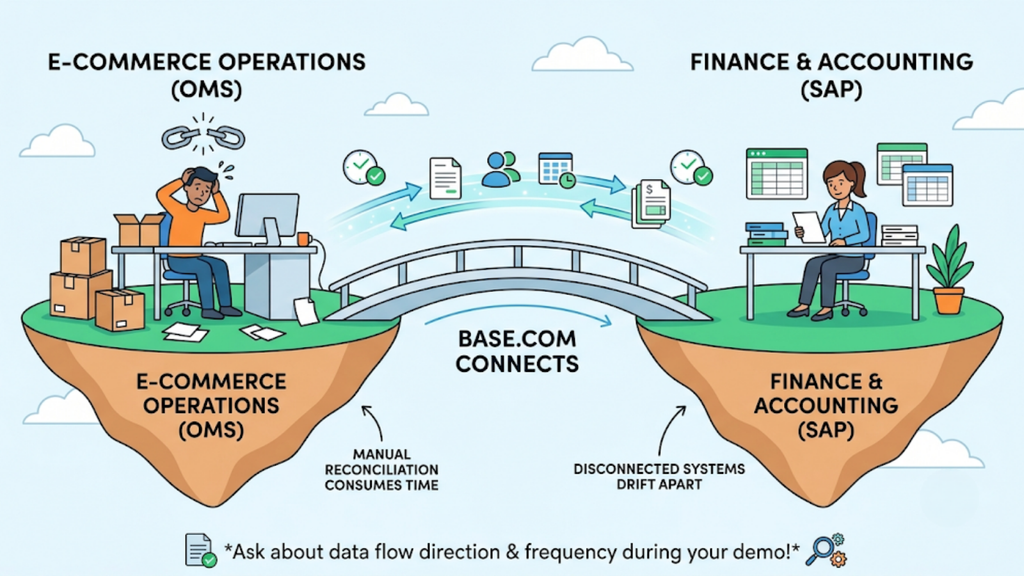
Operations and finance drift apart quickly when systems do not talk. Manual reconciliation then consumes the time your OMS was meant to save.
Base.com connects ecommerce operations to accounting systems and SAP, which matters for larger multi-category operators. Confirm the direction and frequency of that data flow during the demo.
5. Review the Vendor’s Roadmap for Your Category
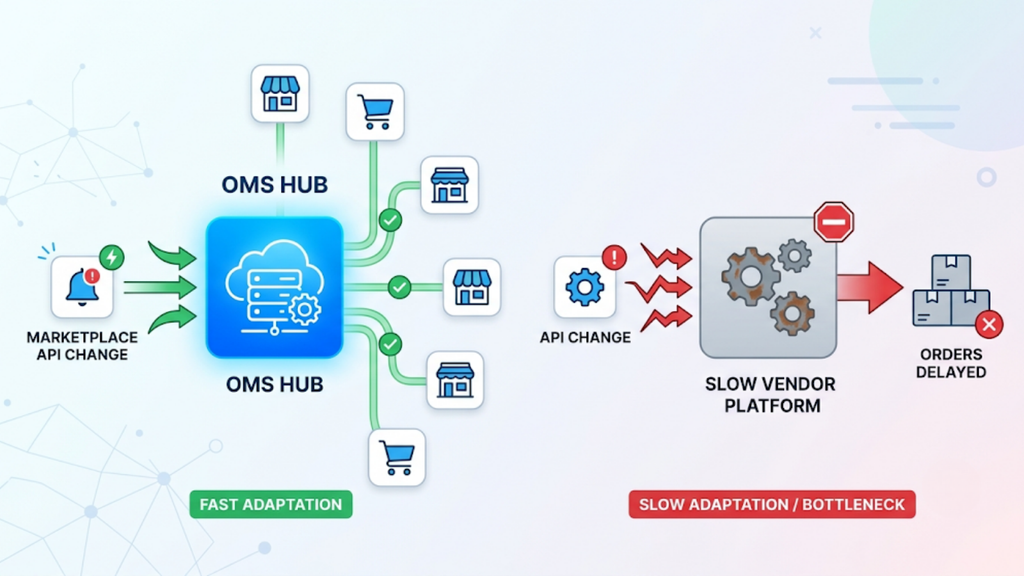
Marketplace requirements change constantly, from new label formats to updated compliance rules. A vendor slow to adapt becomes a bottleneck within two quarters.
Ask how quickly the platform absorbed the last major marketplace API change. Sellers comparing which order management system is best for multi-marketplace sellers should treat responsiveness to platform changes as a core criterion.
Map Base.com Capabilities to Multi-Marketplace Requirements
Broad platforms cover the basics well. Differences appear in the operational edge cases that surface once daily volumes cross a few hundred orders.
Use this list to check each shortlisted vendor against requirements specific to Indian multi-marketplace operations.
- Unified multi-account order queue: Base.com consolidates orders from Amazon, Flipkart, Myntra, Ajio, Meesho, JioMart, and your own website into one operations view, including several seller accounts on the same platform.
- Variant-level stock sync: Base.com pushes corrected availability to every listing where a size, colour, or style variant appears, preventing the sold-out-but-still-listed problem.
- PIN-code courier routing with automatic failover: Base.com selects the carrier by destination PIN code and weight slab, then moves to the next partner when serviceability fails.
- Category-specific pick and pack rules: Base.com applies different packing logic to bulky kitchenware, fragile handcrafted items, glass-bottled skincare and multi-size garments instead of enforcing one standard.
- Bundle and gift-set inventory: Base.com deducts component stock when a bundle sells, keeping festive gift sets and individual SKUs aligned through peak season.
- Batch, expiry and FEFO handling: Base.com treats batch-wise inventory and first-expiry-first-out picking as native functionality, carrying batch details into invoices for traceability.
- Multi-warehouse visibility and routing: Base.com shows stock location by location and records transfers as structured events rather than manual adjustments.
- Bin-level picking: Base.com assigns shelf coordinates to products, so pickers walk to a location instead of searching a rack.
- GST-compliant documentation: Base.com handles e-invoicing, e-way bills, and payment reconciliation alongside order operations.
- Automation and reporting add-ons: Base.com ships bulk barcode printing, scheduled cron reports, offline-order POS and marketplace ticket management as configurable extensions.
That combined depth explains why sellers evaluating which order management system is best for multi-marketplace sellers often find one platform replacing three point solutions.
How Much Should a Multi-Marketplace Seller Budget for an OMS?
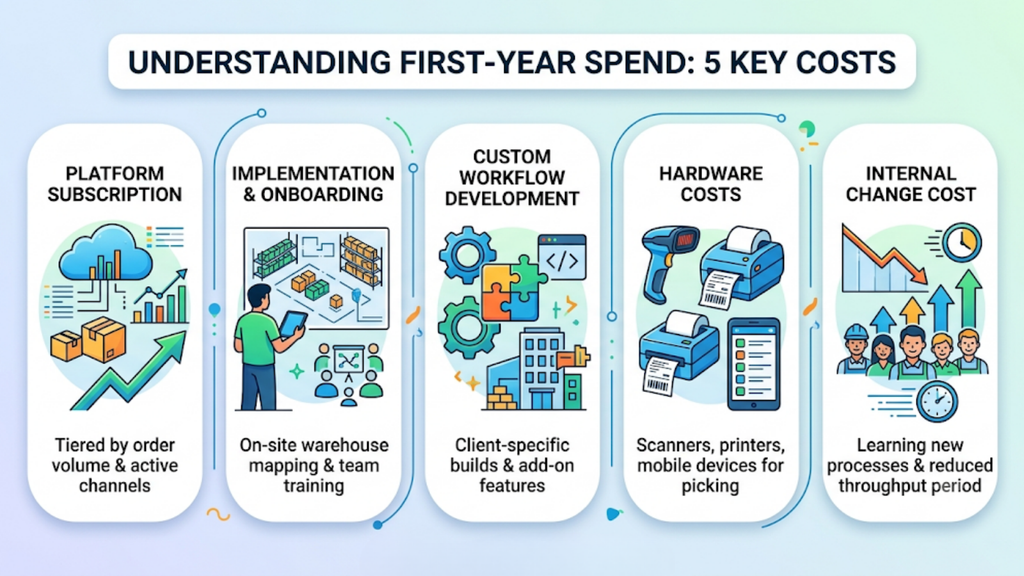
Costs shift with order volume, channel count, and add-on scope, so a single sticker price rarely applies. Budget across the complete structure rather than the subscription line alone.
These five heads make up your realistic first-year spend.
- Platform subscription, tiered by monthly order volume, active channels, and seller accounts.
- Implementation and onboarding, which should include on-site warehouse mapping and full-team training.
- Custom workflow or add-on development, quoted separately by most vendors, including Base.com for client-specific builds.
- Hardware, covering barcode scanners, thermal label printers, and mobile devices for bin-based picking.
- Internal change cost, meaning the two to four weeks of reduced throughput while staff learn new processes.
Compare vendors on total first-year cost rather than monthly licence. A cheaper platform with weak courier logic costs more through failed deliveries, since reverse logistics eats 25-30% of order value on low-ticket shipments. Sellers deciding which order management system is best for multi-marketplace sellers should model cost per delivered order, not cost per month.
Avoid the Six Mistakes That Derail OMS Selection
Selection failures rarely come from bad software. They come from rushed evaluation, unclean data, and poor timing, all of which you control.
Check your process against these six patterns before you sign anything.
- Demoing on vendor data instead of yours. Every platform looks clean on sample catalogues. Insist on a demo using your own SKU master, variant structure, and channel mix.
- Ignoring multi-account consolidation. Sellers running several panels per platform often discover after go-live that the system treats each account separately. Confirm consolidation explicitly during evaluation.
- Migrating during the festive season. Indian ecommerce concentrates heavily into the October-November window, when daily volumes multiply several times over. Go live in a trough month instead.
- Importing a dirty SKU master. Duplicate SKUs, inconsistent variant naming, and missing barcodes break inventory sync on day one. Clean the master before migration, never after.
- Leaving courier rules on default. Teams launch with default routing, keep allocating manually, and lose the biggest throughput gain available. Configure PIN-code and weight rules during onboarding itself.
- Training only the supervisor. Pickers, packers, and returns staff touch the system daily, so adoption depends on them. Book on-site training for the full floor team rather than a dashboard handoff.
Run a 60-Day Selection and Rollout Process.
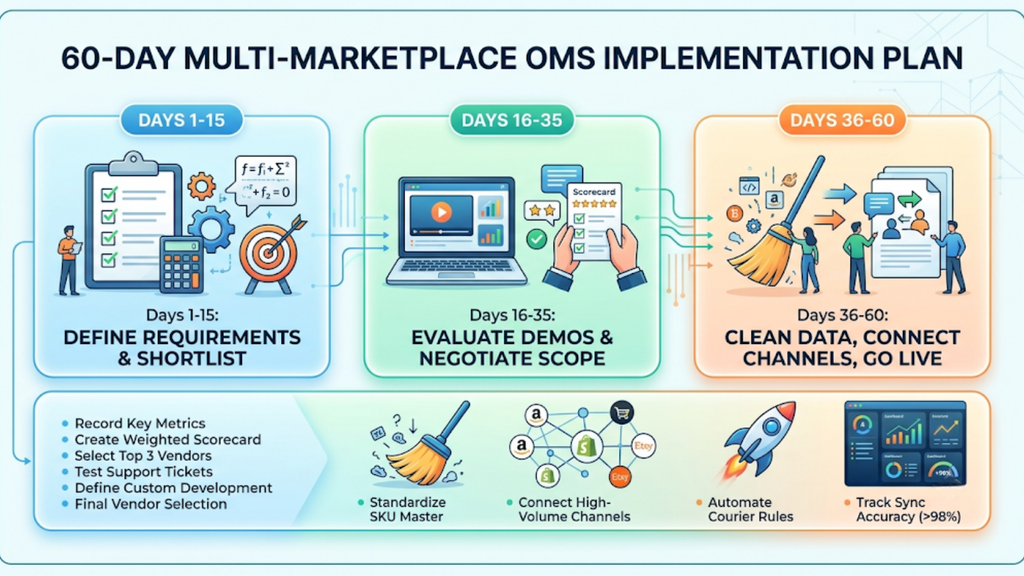
A structured timeline prevents both rushed decisions and endless evaluation. Split the two months into three blocks with clear exit criteria.
Follow this schedule, and treat every checkpoint as a gate before moving forward.
1. Days 1 to 15: Document Requirements and Shortlist Three Vendors
Start by recording your panel count, variant depth, COD share, warehouse count, and compliance needs. Convert that document into a weighted scorecard using the six criteria above.
Shortlist a maximum of three vendors, because deeper evaluation beats broader comparison. Exit criteria: signed-off requirement document and three demos scheduled on your own data.
2. Days 16 to 35: Run Demos, Score Vendors and Negotiate Scope
Score each demo live against the capability table rather than from memory afterwards. Raise a support ticket during every trial and time the response.
Negotiate implementation scope, custom development, and training coverage before price. Exit criteria: completed scorecards, verified support turnaround, and a final selection. Teams that follow this method rarely revisit which order management system is best for multi-marketplace sellers six months later.
3. Days 36 to 60: Clean Data, Connect Channels and Go Live in Phases
Deduplicate your SKU master, standardise variant naming, and assign barcodes first. Connect your highest-volume marketplace and your D2C store, then add remaining channels one at a time.
Configure courier rules, return statuses, and scheduled reports before full cutover. Exit criteria: every channel live, sync accuracy above 98%, manual courier selection eliminated, and dispatch-error rate measured weekly.
Choose Before Your Next Peak Season, Not During It
Marketplace sellers rarely regret selecting early. They regret migrating while order volumes are multiplying and every hour of downtime costs revenue.
Build your scorecard, run three demos on your own data, and commit to a 60-day timeline in a low-volume month. If you want a clear answer on which order management system is best for multi-marketplace sellers given your exact panel count, variant depth, and warehouse footprint, book a Base.com operations review and get the comparison mapped to your own numbers.