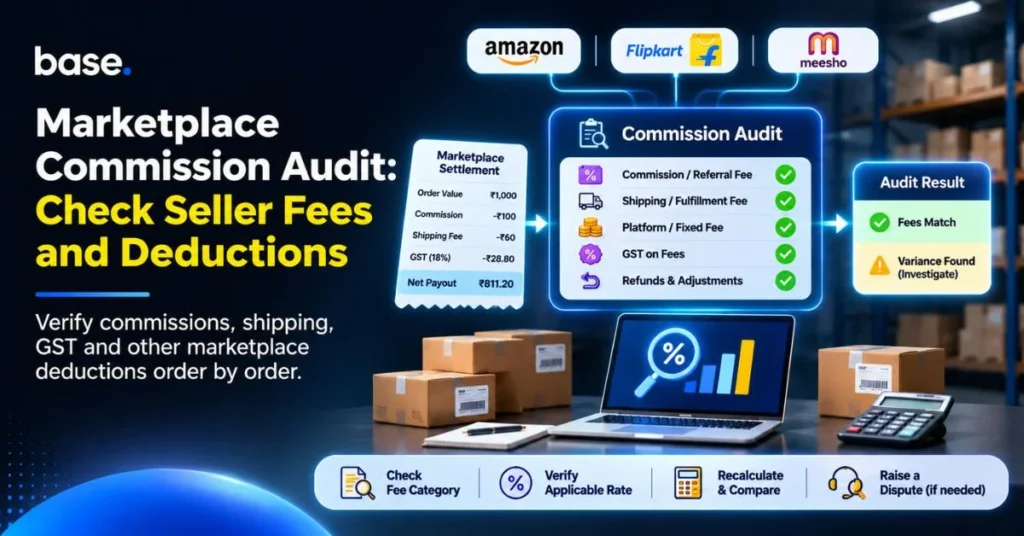
A marketplace settlement can be lower than expected without the commission being wrong. Before money reaches your bank, a marketplace may deduct referral or commission fees, fixed charges, shipping or fulfilment costs, taxes on services, refunds and other adjustments. The task is to check each line against the order and the fee schedule that applied when the transaction happened.
A marketplace commission audit is an order-level fee check, not just a comparison of gross sales with a bank payout. It helps sellers identify a possible rate, category, calculation-base or fulfilment mismatch, document the difference and raise a query within the applicable claim period. A variance is a reason to investigate, not proof of an overcharge.
What is a marketplace commission audit?
A marketplace commission audit checks whether the commission charged on an order matches the marketplace’s applicable rate, product category, calculation base and fee-schedule period. A complete audit checks other transaction fees separately as well.
It is related to, but different from, a broader payment reconciliation process:
| Type of check | What it verifies |
|---|---|
| Commission audit | Correct fee category, rate and calculation base for an order |
| Marketplace payment reconciliation | Sales, fee lines, refunds, adjustments and settlement amounts match the transaction records |
| Bank reconciliation | The settlement or payout recorded by the marketplace matches the actual bank credit |
The reconciliation of payments definition is broader: compare amounts due, deducted and received, explain differences, then record the result. A commission audit can sit inside that process, but it focuses on whether the fee itself was calculated correctly.
Which marketplace fees should you audit?
Do not group every settlement deduction under “commission”. Record and test each fee type separately. Names and rules vary by marketplace, fulfilment model and order.
| Fee or adjustment | What to check |
|---|---|
| Commission or referral fee | Category, rate, price band and fee base |
| Fixed, closing or platform fee | Applicable price band, seller tier and fulfilment type |
| Shipping or fulfilment charge | Weight, dimensions, distance, service and fulfilment programme |
| Collection or payment fee | Whether it applies to that payment type and order |
| GST on marketplace services | Tax invoice, taxable fee amount and applicable tax treatment |
| TCS or TDS | Reconcile as tax withholding, not as marketplace commission |
| Refund or fee reversal | Whether the relevant fees were reversed or retained under the policy |
| Cancellation or other adjustment | Trigger, order status, amount and applicable terms |
A fee shown on a settlement is not necessarily incorrect because it was unexpected. A shipping adjustment might follow a weight remeasurement; an order refund might be settled in a later period. Check the source record before treating a difference as an error.
Keep taxes distinct in both the audit sheet and bookkeeping. GST charged on marketplace services is a tax invoice item associated with those services, whereas TCS or TDS is tax withheld from proceeds and has its own reporting and credit trail. Neither should be treated as the commission rate. Check the relevant statement and tax records, and consult your tax adviser on treatment; the audit is about explaining the deduction, not determining tax eligibility.
How to audit marketplace commission and fees
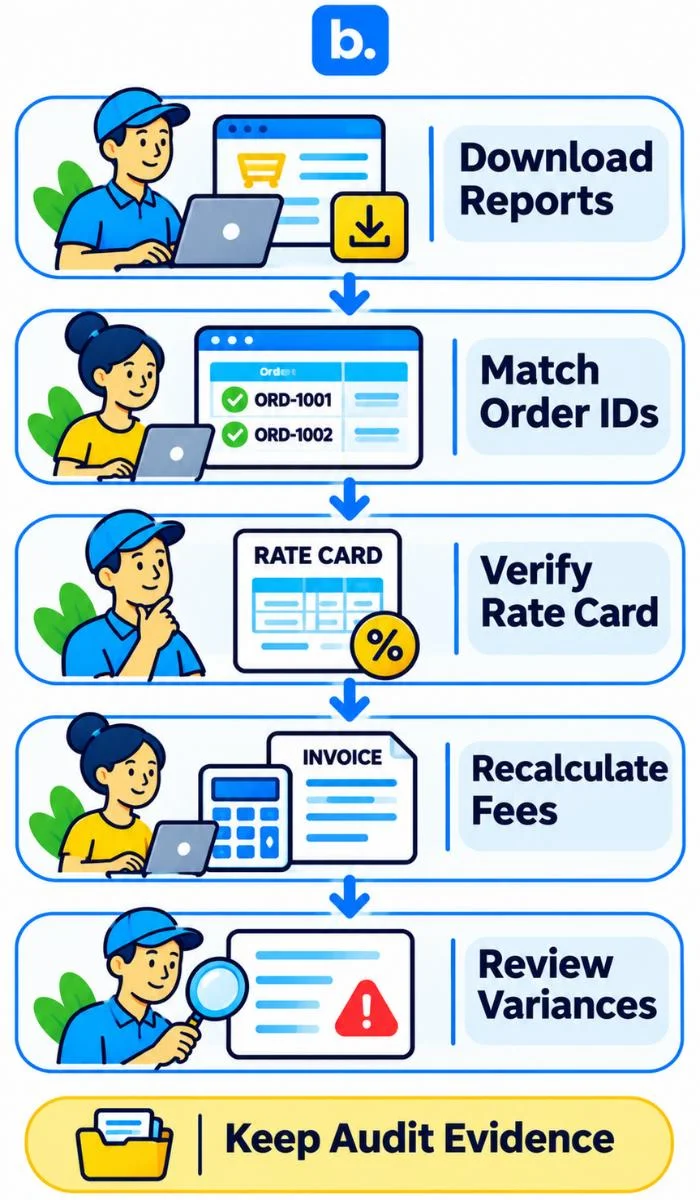
Use the same order-level method each settlement period. Keep the original marketplace files unchanged and do calculations in a separate, dated working copy.
Download the source reports
Collect the applicable order and order-item report, settlement or payment report, fee transaction details, refund and return records, shipping or fulfilment adjustments, the current fee schedule, and tax invoices for marketplace services. Match date ranges carefully: order, ship, return, fee-posting and settlement dates can fall in different periods.
Amazon’s Payments Reports can show credits, fees and adjustments by specific order and lets sellers download a settlement report. Its Transaction View guide explains filters for order payments, refunds, service fees, shipping services and other adjustments. Use the downloadable transaction detail where a summary total does not explain a fee.
Build an order-level audit sheet
| Suggested column | Record |
|---|---|
| Order and item ID | Marketplace order reference and line-item reference |
| SKU and category | Seller SKU plus marketplace-assigned fee category |
| Order date and fee period | Which fee schedule version applied |
| Selling price and fee base | Price values used under the marketplace’s rules |
| Fulfilment and payment method | Such as FBA, Easy Ship, Self-Ship, FBF, or COD where relevant |
| Expected fee | Recalculation using the correct rate and base |
| Actual fee | The line amount in the settlement or transaction report |
| Other fees and taxes | Fixed, shipping, fulfilment, service-fee GST, or withholding entries |
| Refunds and adjustments | Credit, reversal, charge or reason shown |
| Expected and actual settlement | Net amount comparison and variance |
| Evidence and case status | Source file, invoice, explanation and dispute reference |
One line per order item is more useful than a total by settlement. Preserve the order ID and transaction reference so the calculation can be reproduced.
Verify the category, rate and fee period
Confirm the product’s marketplace fee category and any subcategory or price band. Compare the rate with the fee schedule in force for that transaction, not a saved spreadsheet from a previous quarter. A listing mapped to the wrong fee category can result in a different commission even when the order price is correct.
Check fulfilment type too. The same product and price can attract different fixed or shipping charges depending on whether the marketplace or seller fulfils it. Confirm whether discounts, shipping, gift wrap or other charges belong in the fee base under the platform’s rules.
Recalculate, then compare fee lines
Use the fee base prescribed by the marketplace, not an assumed amount:
Expected commission = applicable fee base × applicable commission rate
Compare expected commission with the actual commission line, then separately compare fixed fees, shipping/fulfilment, taxes and adjustments. A correct commission does not make an incorrect shipping charge valid, and a net payout difference alone cannot show which fee caused it.
Classify and document the variance
Classify differences as rate or category mismatch, wrong calculation base, fulfilment or weight adjustment, missing refund reversal, tax mismatch, settlement timing, duplicate charge or unexplained deduction. Check whether the line is a separate correction posted in a later settlement before opening a case. Record the evidence, the expected amount and the marketplace transaction ID for each unresolved item.
Marketplace fee audit examples
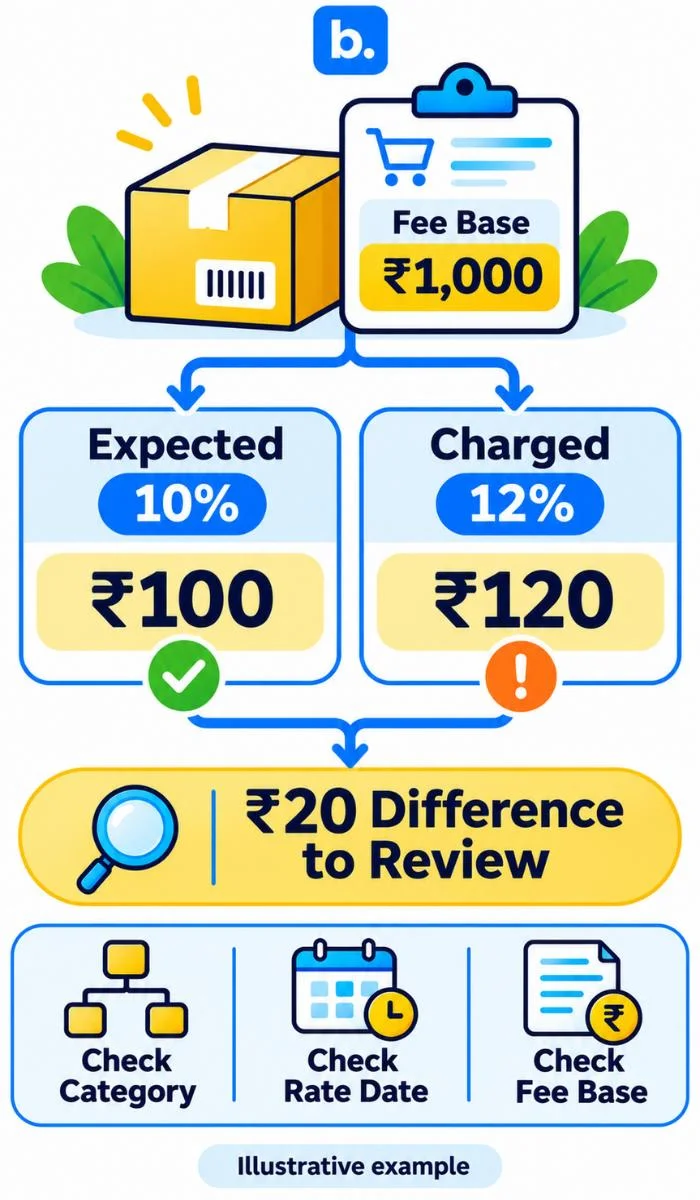
The following values are illustrative only. They are not Amazon, Flipkart or any other marketplace’s current fee rates.
Example: the commission rate appears wrong
Suppose an order has an eligible fee base of ₹1,000. Assume, only for illustration, that the correct rate is 10%, but the settlement shows commission calculated at 12%.
| Calculation | Amount |
|---|---|
| Expected commission: ₹1,000 × 10% | ₹100 |
| Commission charged: ₹1,000 × 12% | ₹120 |
| Potential difference to investigate | ₹20 |
Before disputing it, confirm the product category, rate-card date, fee base and whether the line is a later adjustment. If those inputs are right and the ₹20 remains unexplained, document it for the marketplace.
Example: reconcile an order’s total deductions
| Illustrative order entry | Amount |
|---|---|
| Eligible order proceeds | ₹1,000.00 |
| Commission | -₹100.00 |
| Fixed fee | -₹20.00 |
| Shipping charge | -₹60.00 |
| GST on applicable fees, assuming 18% on ₹180 | -₹32.40 |
| Illustrative net settlement | ₹787.60 |
This simplified example assumes those specific deductions apply and ignores refunds, withholding taxes, reserves and later adjustments. Use actual marketplace fee invoices and settlement lines. GST is shown separately from commission, and TCS or TDS should be matched to tax records rather than added to the service-fee calculation.
Amazon and Flipkart fees need different checks
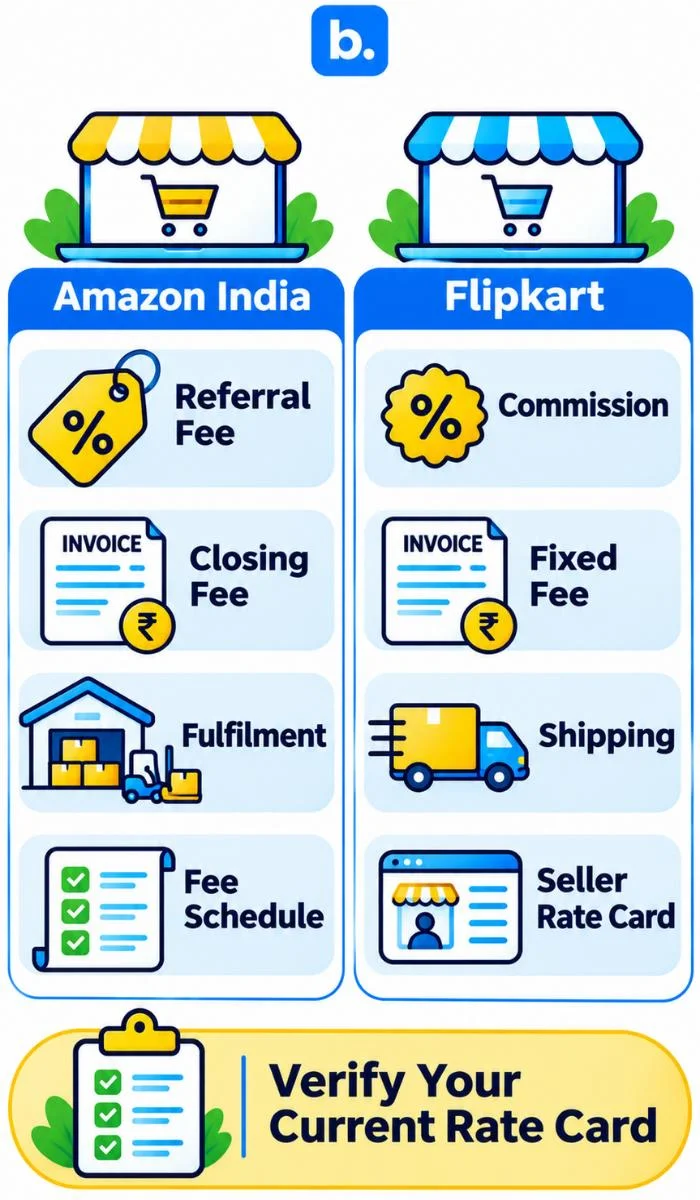
Amazon India
Amazon’s India Selling on Amazon fee schedule says its updated schedule applies from 7 September 2026. Referral fees vary by category and are calculated on the total sales price under Amazon’s definition, which includes item price, shipping and gift-wrap charges, while excluding taxes calculated through Amazon’s tax calculation services. Closing fees depend on item-price bands and fulfilment channel. Shipping and other programme costs may also apply.
Use the SKU or ASIN fee view in Seller Central to confirm the item’s fee category. The schedule also lists cancellation charges and other conditional fees. Verify the trigger and line item rather than treating every adjustment as referral commission. Use the Amazon pricing page or revenue calculator as an estimate, then reconcile the actual transaction report.
Flipkart
Flipkart’s Fees and Commission page says the applicable fees vary by product category, selling price and fulfilment choice. It identifies commission and a fixed fee, which can depend on seller tier and fulfilment type, and tells sellers to sign in for the account-specific rate card. Flipkart’s Seller Calculator guidance also describes shipping fees, collection fees for COD and GST on marketplace fees. Check whether each applies to the order and current rate card; do not apply a generic charge or rate across all products.
The practical audit is the same, but the fee names, bases, rates and report fields differ. Do not transfer Amazon’s fee rules to Flipkart or use an online calculator as a substitute for your own account’s current rate card.
Fee discrepancies that deserve a closer look
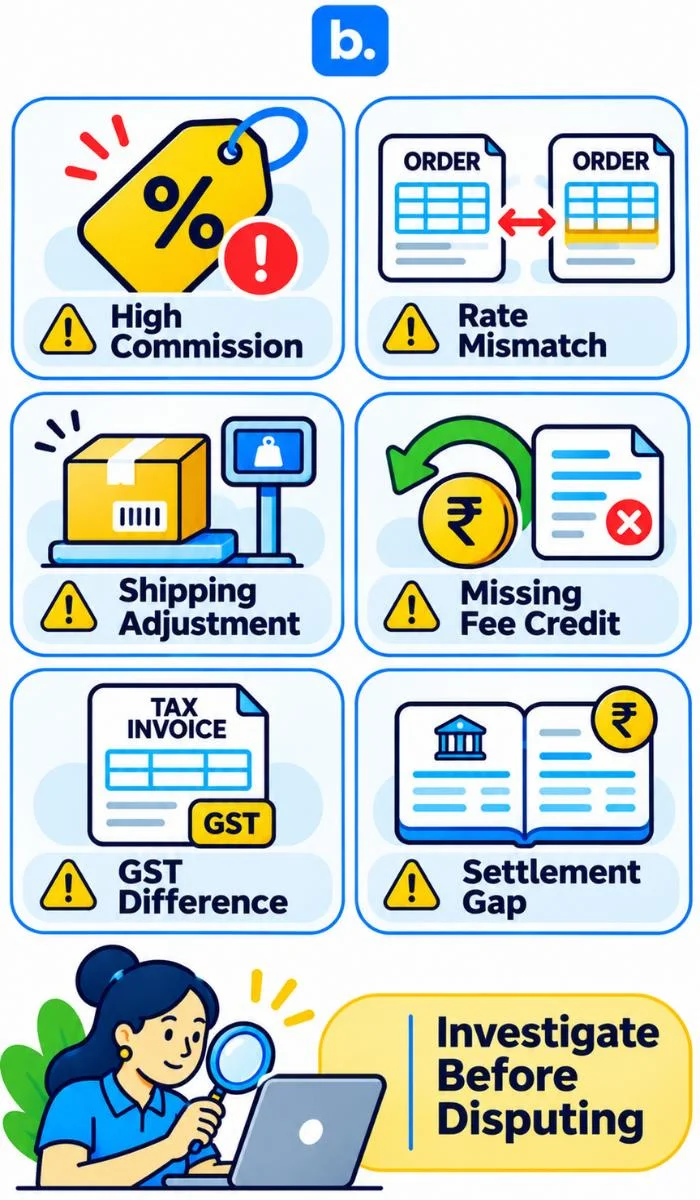
| Warning sign | What to investigate |
|---|---|
| Commission exceeds the expected amount | Category, price band, rate period and fee base |
| Same item has different commission across orders | Category assignment, order price, promotion and rate-card date |
| Shipping fee is unexpectedly high | Weight/dimensions, distance, fulfilment type and adjustment reason |
| Refund is processed but fee credit is absent | Return status, reversal timing and fee-specific refund policy |
| Fixed fee varies between similar orders | Price band, seller tier and fulfilment method |
| GST on fee line does not match the invoice | Taxable service value and tax invoice details |
| Net settlement differs from calculation | Reserves, other fee lines, timing, refunds and withholding taxes |
A flagged difference is not automatically a marketplace overcharge. For example, a shipping amount may be based on a revised weight or zone; confirm the parcel details and adjustment evidence first. For return-related adjustments, see our guide to marketplace returns reconciliation. For broader margin issues, our article on ecommerce revenue leakage covers related operational causes without replacing this fee-by-fee audit.
How to dispute a fee that appears incorrect
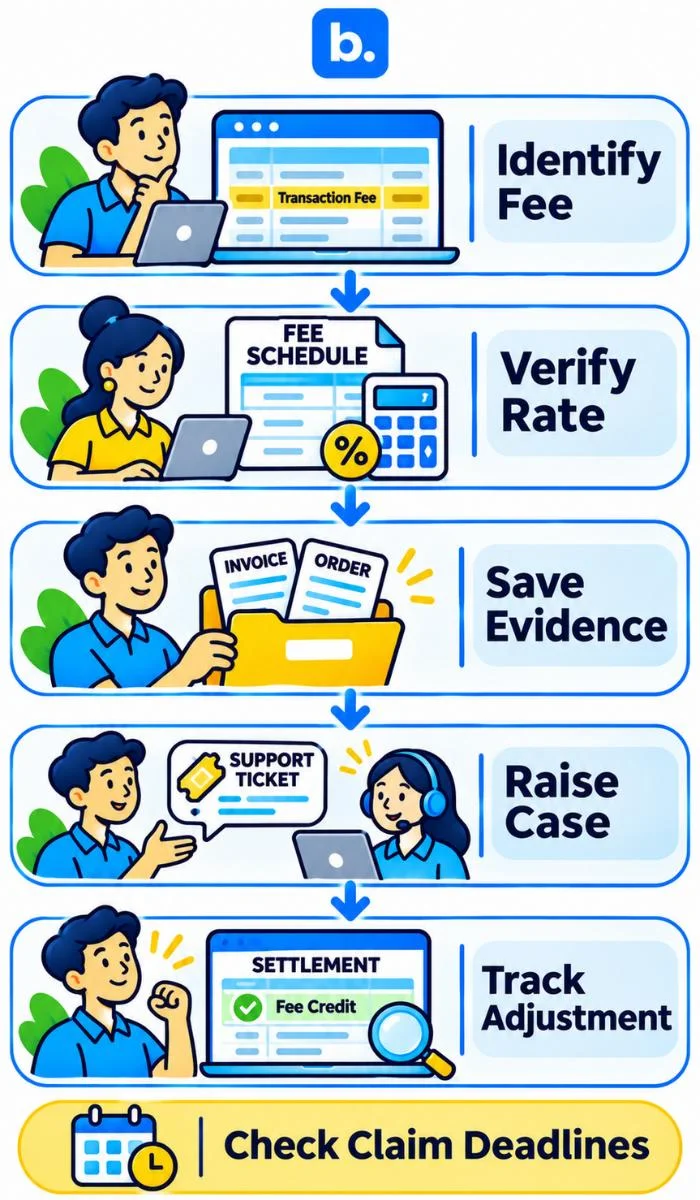
- Identify the order item, settlement transaction and exact fee line.
- Confirm the applicable category, fulfilment model, rate-card version and calculation base.
- Recalculate the expected fee and save the source files, product details and tax or shipping records.
- Open a case through the marketplace’s prescribed Seller Central or Seller Hub support channel. Include the order ID, transaction reference, expected amount, charged amount and a concise calculation.
- Track the response, credit or adjustment in a subsequent settlement, and close the variance only when the ledger matches or the marketplace has explained the charge.
Do not wait for year-end. Marketplace claim windows can be fee-specific. Amazon’s current fee schedule lists 30-calendar-day periods for referral and closing fee claims from order placement, and for refund-commission claims from the buyer return or status change. However, the same page has a general note referencing shipment date. Read the live wording and account terms for the exact fee and claim type, and raise the case promptly. Do not treat one start date as a universal 30-day rule. For Flipkart, check the current Seller Hub instructions and the relevant transaction’s applicable claim process; do not infer a deadline from another fee category or marketplace.
Can software automate a marketplace commission audit?
A useful audit system should import order and settlement transactions, match them by order/item ID, apply versioned fee rules, compare expected and actual fee lines, track refunds and reversals, flag unmatched records and retain an evidence trail. Those functions may sit in a reconciliation tool, finance system or custom workbook. Ask specifically about settlement-file ingestion, fee-rule calculations and variance detection. When assessing ecommerce reconciliation software or a payment reconciliation system, test those functions with your own rate cards and sample settlements. Automated payment reconciliation is only as reliable as its configured rules and source data.
A payment reconciliation example: an order-level expected commission is ₹100 but the settlement lists ₹120. A useful system should preserve the calculation inputs and surface the ₹20 variance for review, not label it an overcharge without validation. Ecommerce payment reconciliation can compare this fee alongside refunds and payouts, while the fee audit investigates its rate and base.
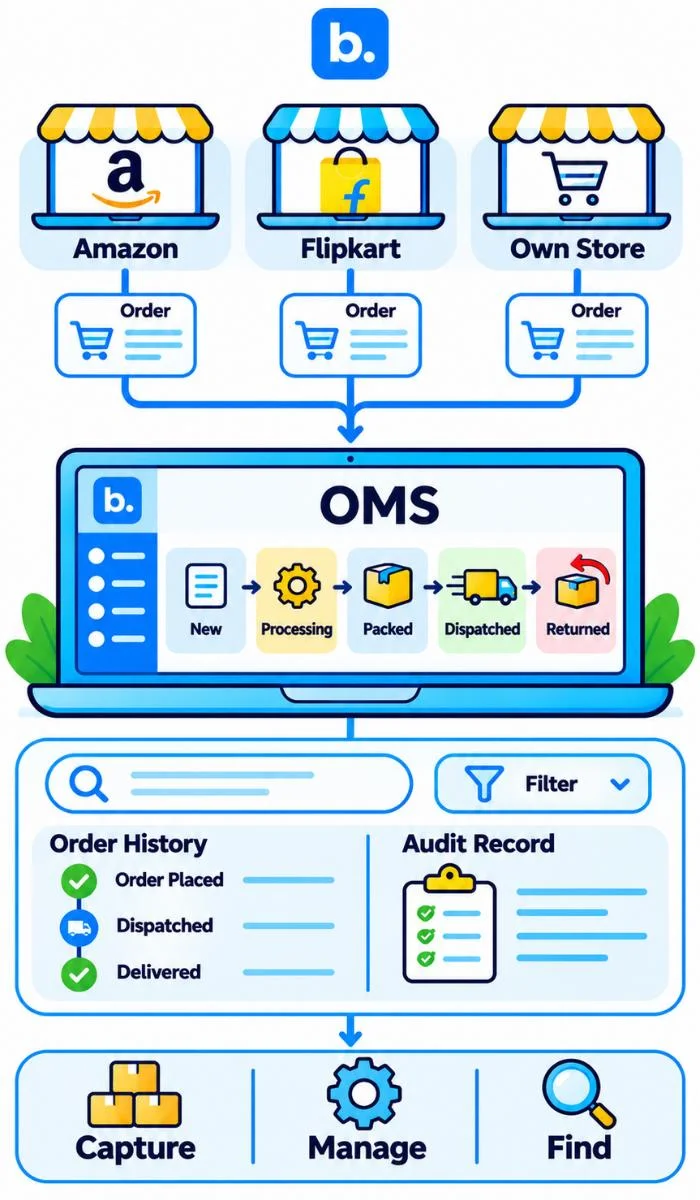
An order management system (OMS), including OMS software, can help by centralising order, product, fulfilment, return and shipment records that finance teams need to trace a settlement difference. However, importing marketplace orders is not the same as auditing fee correctness. Verify whether the software actually reads settlement files, calculates fees and detects discrepancies before calling it automated marketplace commission auditing. Our article on automated versus manual payment reconciliation explains that broader process distinction.
Our Order Manager brings orders from supported marketplaces and stores into a central workflow. Our integrations directory lists connected marketplace and accounting systems. Use the marketplace’s source reports and fee schedule as the audit evidence.
Conclusion
Audit marketplace fees by order and by fee type. Verify the rate card, category, calculation base and transaction evidence, then document and raise genuine variances promptly within the marketplace’s applicable claim period.
