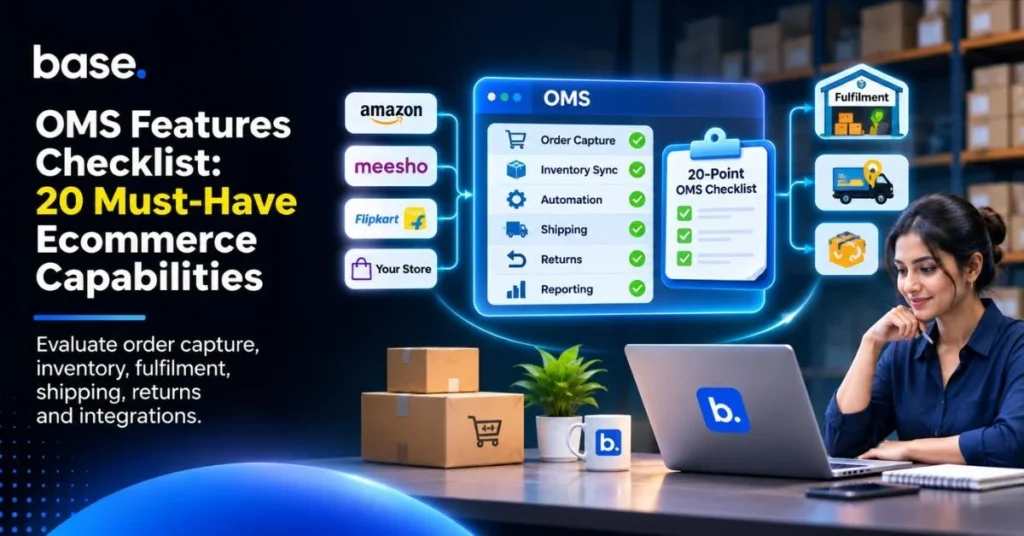
An ecommerce order management system should capture orders from connected channels, align order and inventory information, coordinate fulfilment, show progress and help teams handle exceptions and returns. An OMS features checklist is a practical list for matching order management software to sales channels, inventory, fulfilment, shipping and returns needs.
Effective order management for ecommerce connects the journey from placement to dispatch for sales, operations, warehouse and customer service teams. Not every seller needs automated routing or several warehouses now. Separate essential requirements from features that depend on your business model or future growth.
What should an ecommerce order management system actually do?
An order management system (OMS) helps a business capture, process, track and manage orders across sales channels and fulfilment. It may receive orders, coordinate availability, connect shipping and business systems, track progress and record cancellations, exceptions and returns. For more context, see what an order management system does.
OMS products vary. Some focus on orders; others bundle inventory, warehouse, shipping or finance tools. A function may be native, supplied by another module, integrated, custom-built or outside the platform. Ask which applies. An OMS is not automatically a WMS, ERP, shipping platform, marketplace connector or accounting system.
20 OMS features to look for before choosing a platform
Use the priority labels as a guide, not a universal rule. “Core” means most ecommerce operations should assess it; “depends” means its importance follows your channels, locations or workflow.
Category 1: Order capture and centralised management
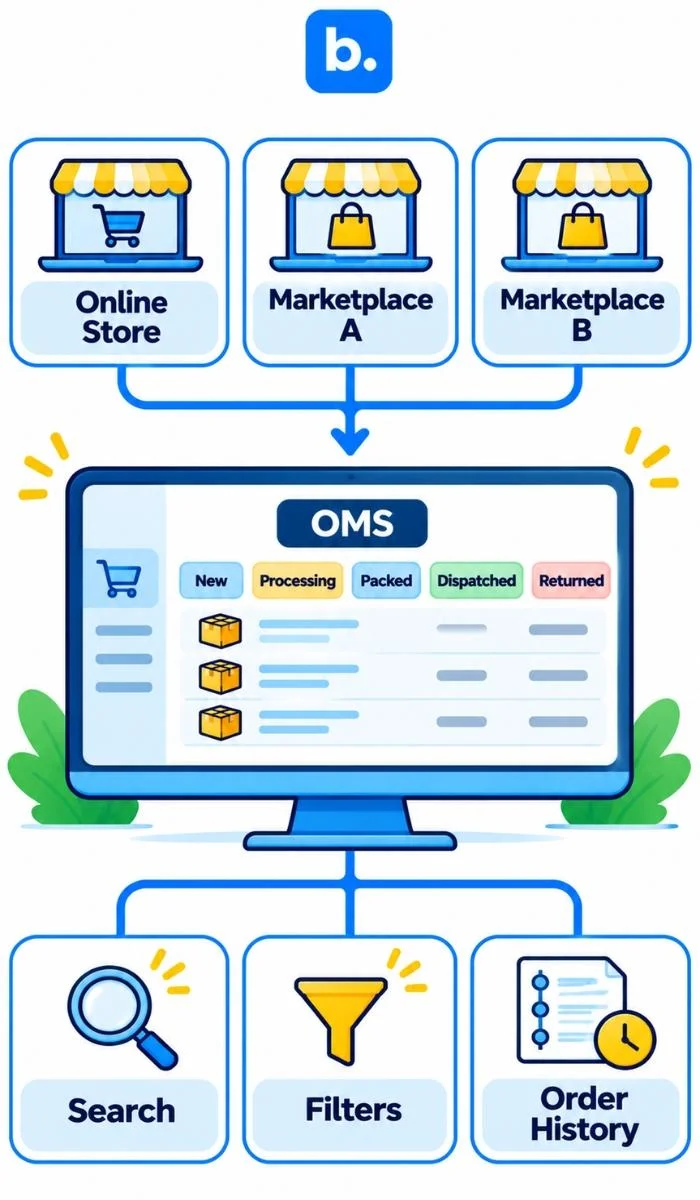
1. Multi-channel order capture and integration | Core
Collect orders from the storefronts and marketplaces you use, such as your website, Amazon and Flipkart, so teams need not combine separate reports. Good marketplace order management depends on the actual connection; a connector’s presence does not guarantee every channel function is supported.
Demo check: Show your exact accounts. Verify automatic import and correct customer, product, payment and delivery fields, plus how cancellations update. Ask about limits, setup and fees; use the ecommerce integrations directory as a shortlist, not proof of workflow coverage.
2. Centralised order dashboard | Core
A shared order queue should show connected orders by workable states such as new, processing, packed, dispatched, cancelled and returned. It helps teams prioritise without toggling between seller accounts, but a dashboard alone does not prove orders can be actioned there.
Demo check: Open orders from two channels. Can the team process them in the platform, or must routine work continue elsewhere?
3. Order search, filters and complete history | Core
Search by order ID, customer, SKU, channel, status, payment state, tracking number or date. Filters and saved views help find unprocessed orders; a useful record preserves status changes and important actions for service queries and delay investigations.
Demo check: Search across sources, save a filter and inspect order history. Can users trace who changed an order where audit details are available?
Category 2: Inventory and order control
4. Inventory synchronisation across sales channels | Core for shared stock
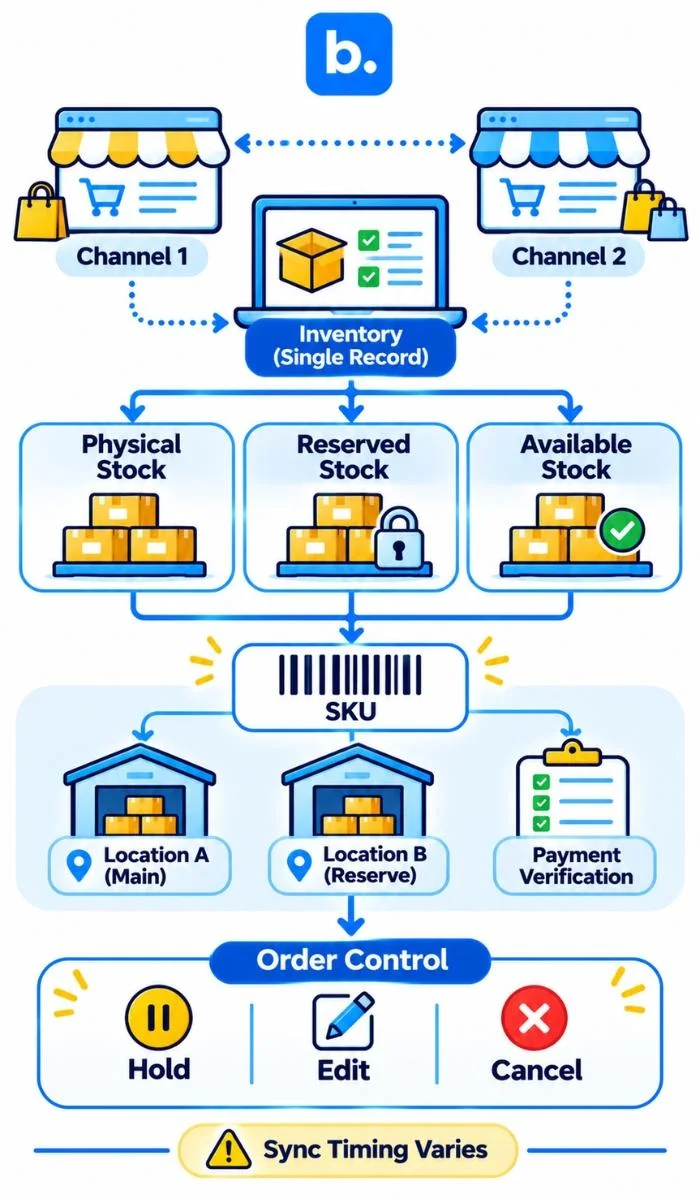
When channels share stock, updates help reduce overselling. A sale on one marketplace may change availability shown on another channel according to configured rules. Synchronisation timing and behaviour vary, so do not assume “sync” means instant.
Demo check: Show a sale and resulting updates. What is the interval? How are failed or delayed updates surfaced and retried?
5. Stock availability and reservation | Core when inventory is shared
Physical, sellable and reserved stock differ. Reservation holds units against an order at a defined point, preventing the same unit being promised twice. The trigger may be import, confirmation, payment or another status; cancellations may release stock.
Demo check: When is stock reserved and released? Test unpaid and cancelled orders, whether negative stock can be blocked, bundles and variants.
6. Multi-warehouse inventory visibility | Depends on location structure
Businesses with multiple facilities need stock shown by location, not just as a pooled total. Transfers, adjustments and available-versus-reserved quantities help teams see where inventory sits. Visibility is not routing: a platform may display balances without selecting a fulfilment site.
Demo check: View one SKU at two warehouses. Can users see availability and track transfers? See OMS and WMS differences for the boundary between order and warehouse execution.
7. Payment status and order validation | Core; workflow varies
Payment visibility distinguishes prepaid, pending and COD orders before fulfilment; validation can flag missing or inconsistent delivery details. These checks are not fraud detection, COD risk scoring or marketplace settlement reconciliation.
Demo check: Confirm payment states arrive accurately. Can paid and unpaid orders follow different workflows? Can incomplete details be held for review, and how are partial or incorrect payments shown?
8. Order editing, cancellations and holds | Core; channel rules apply
Before dispatch, teams may need to correct an address, change a quantity, cancel or hold an order for verification. Where supported, updates should remain consistent with the originating channel. Marketplace policies may limit changes after placement.
Demo check: Edit, hold and cancel a test order. Which changes sync back? What happens after picking or shipment creation, and are changes recorded?
Category 3: Order processing and automation
9. Customisable order statuses and lifecycle tracking | Core
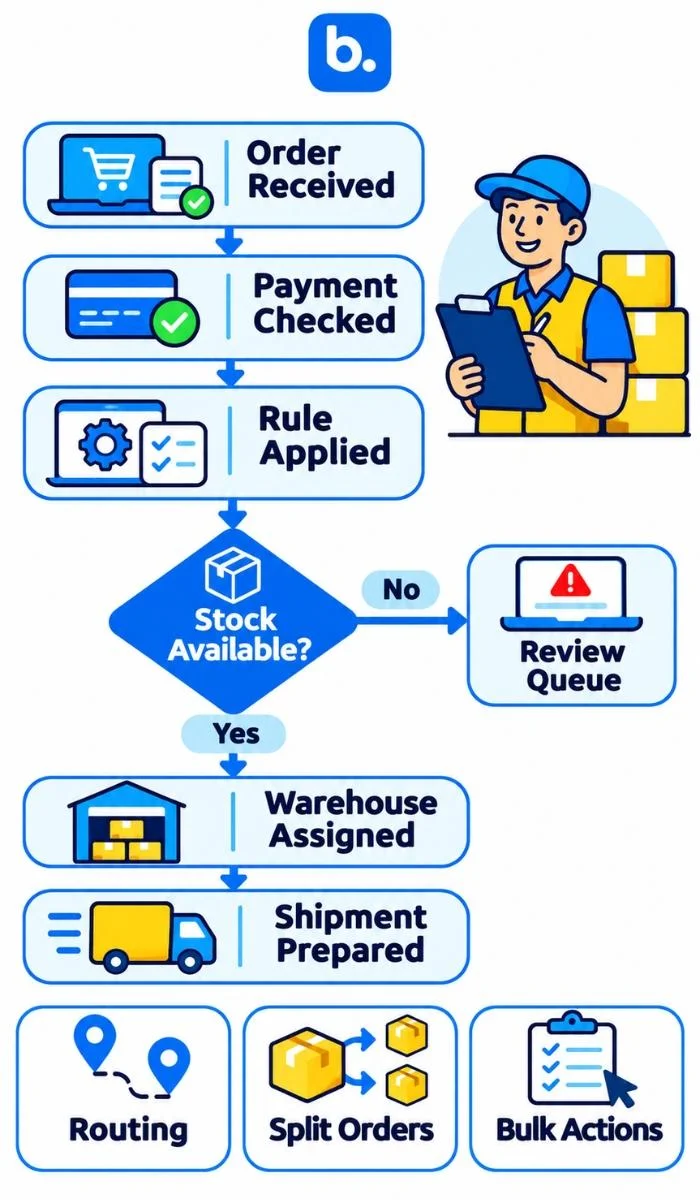
Statuses make work visible from new and payment pending through picking, packing, dispatch and delivery, including cancellations and returns. Custom names and transitions should fit the process; too many can confuse. Tracking a status is not the same as triggering an action.
Demo check: Can you create or group statuses and map them to channels? Can staff see work needing attention?
10. Workflow automation and rule-based actions | Core
Automation performs an action when an event and conditions match, such as changing status after payment, sending a message, generating an invoice or creating a shipment. It can reduce repetitive order processing while keeping exceptions visible and human checks possible. See our workflow automation module for an example.
Demo check: Build a rule by source or payment type. Can it run multiple actions, be monitored and amended, and flag failures?
11. Order allocation and fulfilment routing | Advanced / multi-location
Allocation chooses which inventory or fulfilment location supplies an order; routing directs it for processing. Rules may consider stock, destination, serviceability, capacity, delivery promise, cost or handling needs. Multi-warehouse visibility does not itself provide automated routing.
Demo check: Show stock at two locations, then remove the preferred site’s stock. What rule selects another site? Can staff review or override it?
12. Split orders, merged orders, bundles and partial fulfilment | Depends on catalogue and fulfilment
Complex baskets may split into shipments if items are at different locations, or merge when eligible. Bundles and partial fulfilment need line-level stock and parcel status. For a three-item order split across two sites, buyers should see how each shipment and customer update is handled.
Demo check: Test a bundle and multi-location order. How are labels, tracking, charges and messages managed? Can partially fulfilled orders remain visible?
13. Bulk order processing | Core at scale
Bulk actions can apply status changes, invoices, shipment creation, label printing, notifications or exports to eligible orders. They help at high volume and festive peaks, but need safeguards against acting on the wrong group.
Demo check: Filter a test set and apply an action. Can users preview it, see failures separately, correct errors and restrict actions by role?
Category 4: Warehouse, shipping and customer experience
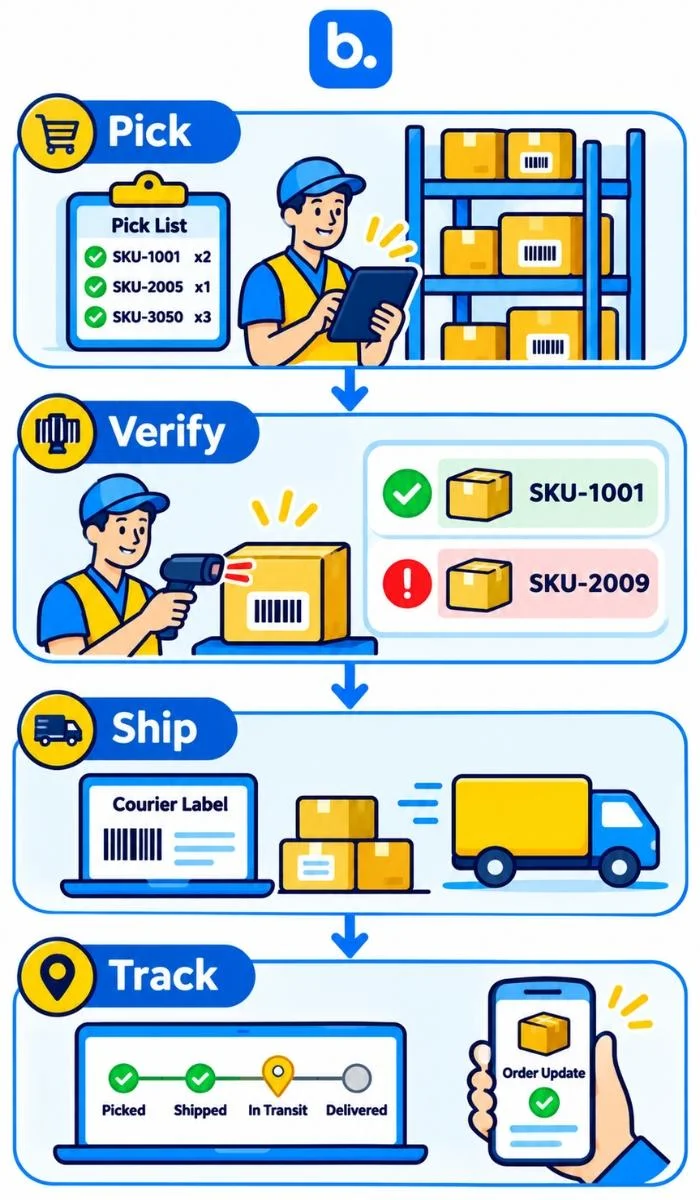
14. Picking and packing workflow coordination | Depends on warehouse operations
An OMS may pass orders to a warehouse, create pick lists, show progress, support packing checks and receive fulfilment updates. Detailed physical execution, put-away and location control may need a WMS or warehouse module.
Demo check: Follow an order through packing. Is this native or passed to a WMS, and what information and status updates move between systems?
15. Barcode scanning and order verification | Important for warehouse-led fulfilment
Scanning can verify that a picked SKU or EAN matches an order, including at packing if supported. It helps reduce visual-matching errors, but does not guarantee accuracy. Check devices, barcode formats and workflow stage.
Demo check: Scan a correct item and a mismatch. When does validation occur? Does it require a separate WMS or mobile app, and can packing evidence be recorded?
16. Courier integrations and shipping label generation | Core for shipping-led ecommerce
Shipping tools may connect couriers, create individual or bulk shipments, generate labels, request pickups and send tracking numbers to channels. Check your courier accounts, parcel types and service locations. Labels do not mean the platform optimises carrier choice. See our Shipping Management for workflow examples.
Demo check: Create a shipment and label using your courier. Does tracking reach your store or marketplace? Check formats, bulk actions and account restrictions.
17. Shipment tracking and customer notifications | Core; carrier-dependent
After label creation, shipment events may appear in the order record and trigger email or SMS updates, or show on an order-information page. Events and timing depend on the carrier connection and its data.
Demo check: Follow a shipment through available events. How often do updates arrive? Can messages be customised? What happens when tracking is delayed or unavailable?
Category 5: Returns, finance and business visibility
18. Returns, exchanges and reverse logistics | Core; scope varies
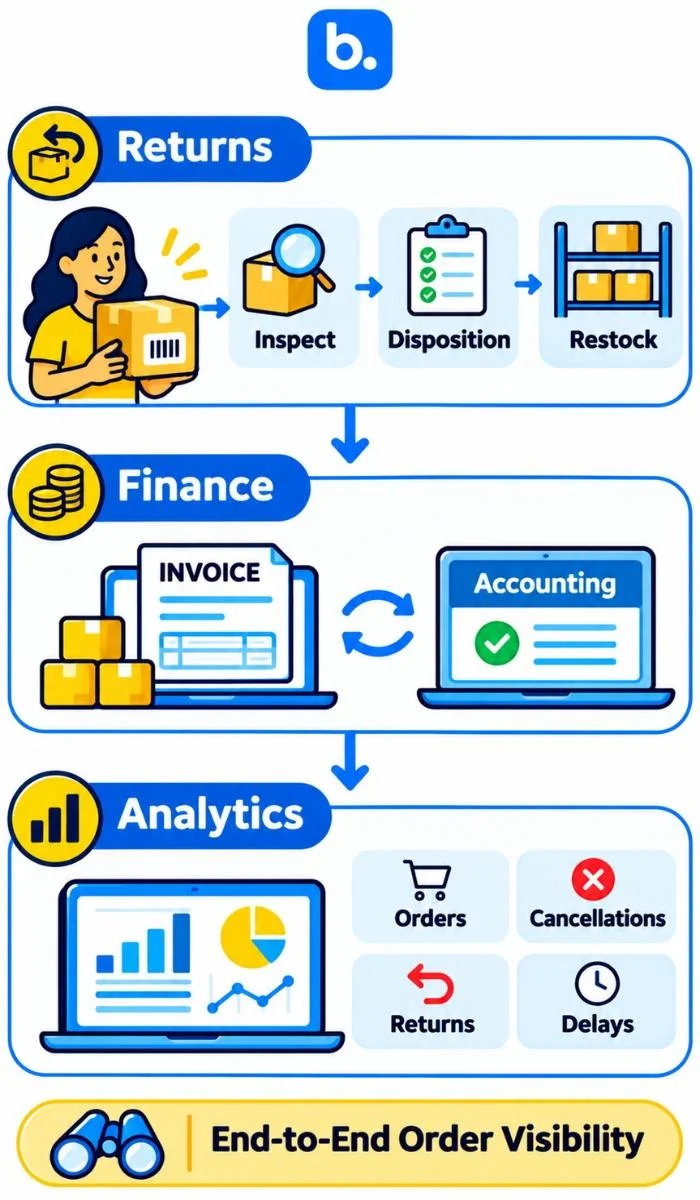
Returns should link to the original order and show status and item disposition. Customer-initiated returns and RTO have different causes. Inspection, refund approval and restocking may sit in a returns module, WMS, marketplace or finance tool; do not assume they happen automatically.
Demo check: Follow a customer return and an RTO separately. Are exchanges and returned-stock updates supported? Check channel coverage and our ecommerce returns management guide.
19. Invoicing and ERP/accounting integrations | Depends on finance workflow
Order software may generate invoices, receipts, pro-forma documents or corrections and transfer sales data to accounting or ERP tools. For India, check GST invoice needs; document generation is not GST return filing, tax advice or a full ledger. Connections may be native, middleware or custom.
Demo check: Generate a sample and trace fields into your finance system. How are cancellations and corrections handled, and what charges apply?
20. Order reporting and operational analytics | Core
Reporting can show orders by channel, status, SKU or period, alongside processing volumes, cancellations, returns, delays and exceptions. Reports may be built in, filterable, exportable or require external analytics; forecasting is not automatic.
Demo check: Filter and export a report. How long is history retained, how often does it update, and can data be accessed by API?
OMS vs WMS vs ERP vs shipping software
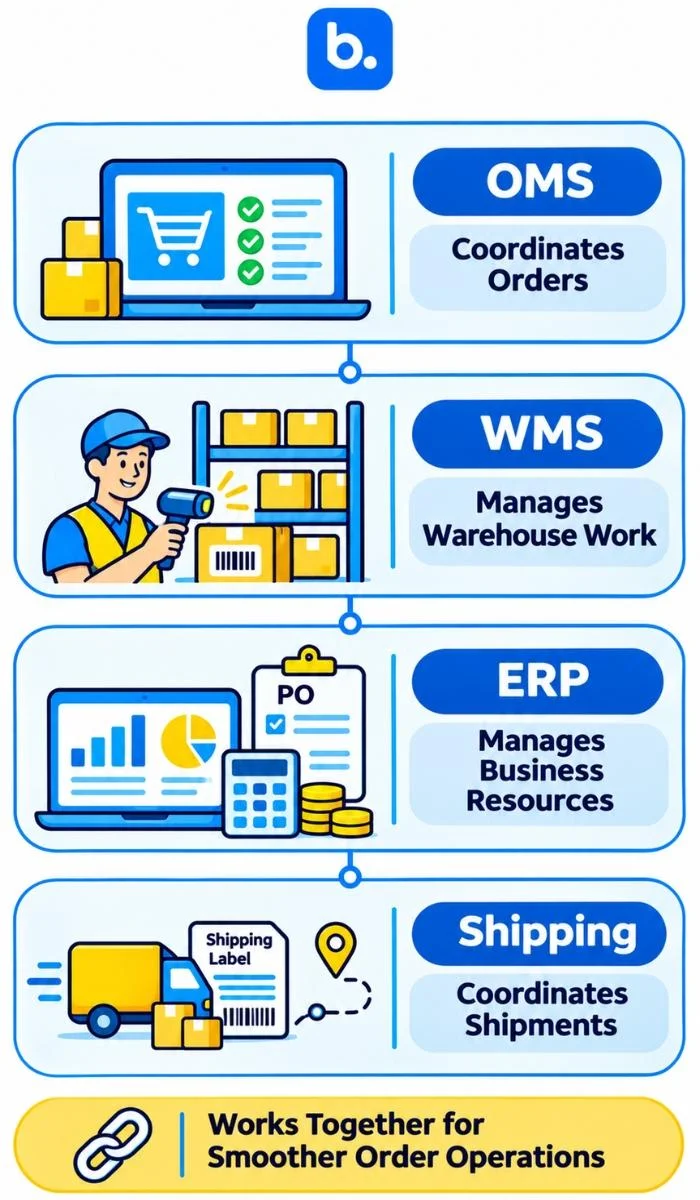
These systems have different responsibilities, even when combined in one suite.
| System | Primary responsibility | Typical capabilities |
|---|---|---|
| OMS | Coordinate the order lifecycle | Order capture, order status, inventory coordination, fulfilment workflow and return records |
| WMS | Execute physical warehouse work | Receiving, storage locations, stocktakes, picking, packing and stock movements |
| ERP | Manage broader business resources and finance | Accounting, procurement, financial records and wider operational processes |
| Shipping software | Execute shipments and coordinate carriers | Courier connections, labels, tracking and pickup workflows |
For each capability, ask whether it is native, another module, a native or third-party integration, custom development or outside scope. “All-in-one” may not mean one workflow; check data ownership and exception handling across modules.
How to evaluate an OMS during a product demo
When evaluating order management software for ecommerce, prepare three live demo scenarios: a marketplace order from import to tracking; a problem order involving address, payment, cancellation or stock; and a multi-channel or multi-warehouse order sharing inventory. Use your channels and products where possible, and note what is native versus connected.
Before shortlisting, confirm exact integrations, sync intervals and failure handling; peak capacity; roles and permissions; audit history; security and backups; API documentation, limits and charges; migration, implementation, training and support; and total pricing for users, orders, modules, integrations and onboarding. Request written scope: a generic presentation does not prove your workflow.
How our platform supports order management workflows
Our Order Manager collects orders from connected marketplaces and online stores, and supports manually created orders in a central list. Product Manager and Marketplace Manager support inventory records and synchronisation for connected channels, depending on configuration. Our Workflow Automation can run configured actions such as status changes, messages, invoices, shipments and printouts.
Our Pick&Pack Assistant supports collection and packing checks, barcode verification and parcel photographs. Our Shipping Management supports connected carrier workflows, including shipment creation, labels, tracking-number transfer and customer notifications. Order Manager supports invoices, receipts, pro-forma documents and corrections, with forwarding to supported online accounting services. Our API documentation also covers fetching, adding and editing orders and generating carrier shipments. These are connected modules; confirm actual integration coverage and workflow fit.
OMS evaluation checklist
Use this compact list to shortlist software or guide a product demonstration.
☐ 1. Multi-channel order capture and integration
☐ 2. Centralised order dashboard
☐ 3. Order search, filters and complete history
☐ 4. Inventory synchronisation across sales channels
☐ 5. Stock availability and reservation
☐ 6. Multi-warehouse inventory visibility
☐ 7. Payment status and order validation
☐ 8. Order editing, cancellations and holds
☐ 9. Customisable order statuses and lifecycle tracking
☐ 10. Workflow automation and rule-based actions
☐ 11. Order allocation and fulfilment routing
☐ 12. Split orders, merged orders, bundles and partial fulfilment
☐ 13. Bulk order processing
☐ 14. Picking and packing workflow coordination
☐ 15. Barcode scanning and order verification
☐ 16. Courier integrations and shipping label generation
☐ 17. Shipment tracking and customer notifications
☐ 18. Returns, exchanges and reverse logistics
☐ 19. Invoicing and ERP/accounting integrations
☐ 20. Order reporting and operational analytics
Separately check permissions, audit history, security and backups, API access, implementation support, and transparent pricing for add-ons and integrations.
Conclusion
The right order management system is the one that fits your sales channels, stock structure and fulfilment process, with integrations that work in practice. Use this OMS features checklist in a live demonstration, verify what is native or connected, and assess the workflow your business actually needs rather than choosing the longest feature list.
