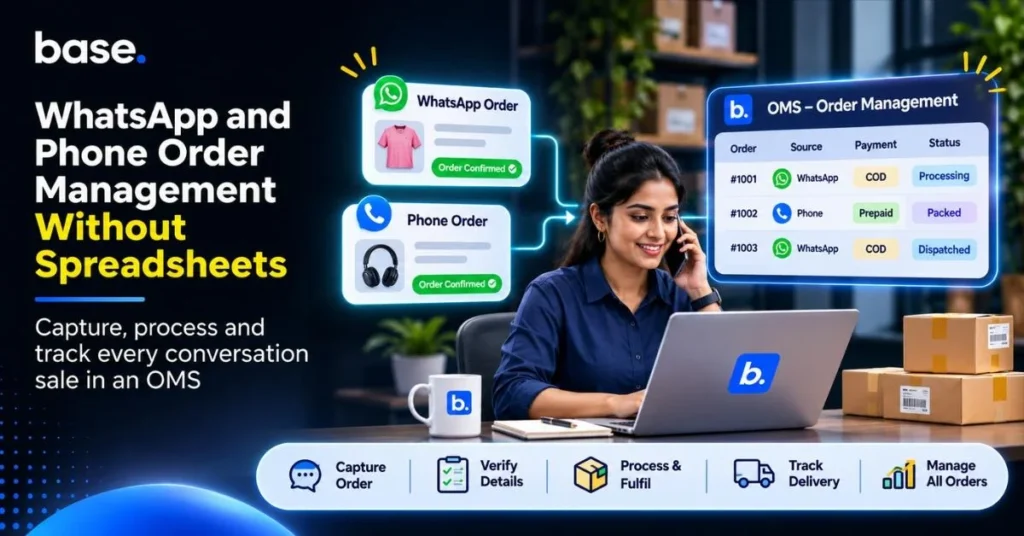
WhatsApp order management works best when every confirmed sale, whether received by message or phone, is recorded in a central order management system (OMS). Businesses can manage these orders without spreadsheets by creating a structured record with customer, product, quantity, delivery, payment and status details, just like an online order. This matters for Indian direct-to-consumer (D2C) brands and retailers whose customers may send a WhatsApp message, share a product cart or call a sales representative rather than use checkout. Before fulfilment, the seller needs a confirmed purchase, the correct product and variant, complete delivery details and an available stock record. The process turns a confirmed conversation into a verified record, then moves it through the same stock, fulfilment and dispatch steps as other orders. The communication stays useful, but the OMS becomes the operational source of truth.
Why WhatsApp and phone orders become difficult to manage
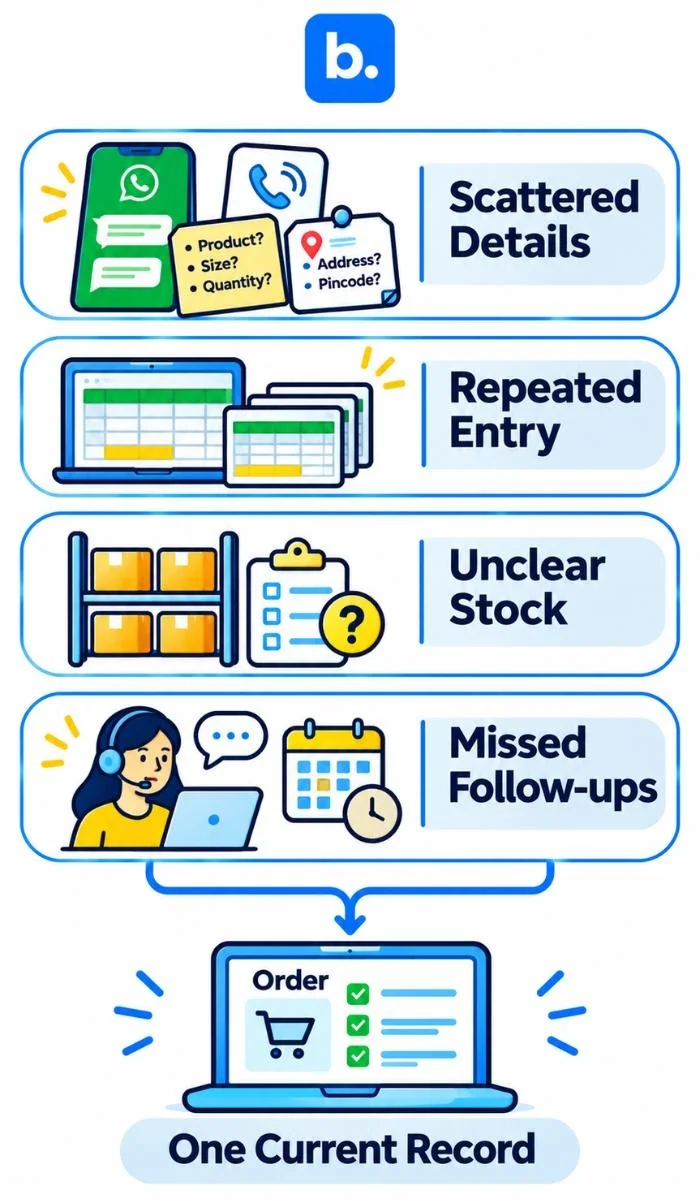
WhatsApp and phone orders become hard to process when customer conversations remain separate from inventory, payment and fulfilment systems. The customer may share a product image in one message, confirm a size later and provide an address on a call. An employee then has to assemble the details, enter them into a spreadsheet and tell the warehouse what to do.
Details are scattered across conversations
Messages, call notes and follow-ups may contain different parts of the same request. Without a clear record of the final agreement, staff can miss a quantity change or use an outdated address.
Spreadsheet entry is repetitive and inconsistent
Copying names, phone numbers, product variants and addresses into rows invites typos, inconsistent formats and duplicate orders. A spreadsheet may also be edited by several people without a reliable record of who changed an order.
Stock and order status are difficult to verify
A salesperson may promise a product without seeing stock already reserved for other orders. The warehouse may not know whether a chat represents an enquiry, a confirmed sale or a customer still choosing a variant.
Follow-up depends on the person who took the order
When the details sit in a personal phone or call notes, a colleague may not know what was promised or whether the parcel has been prepared. The answer is not necessarily to stop accepting conversational orders. It is to capture confirmed orders in the same controlled workflow used for other sales.
What is WhatsApp and phone order management in an OMS?
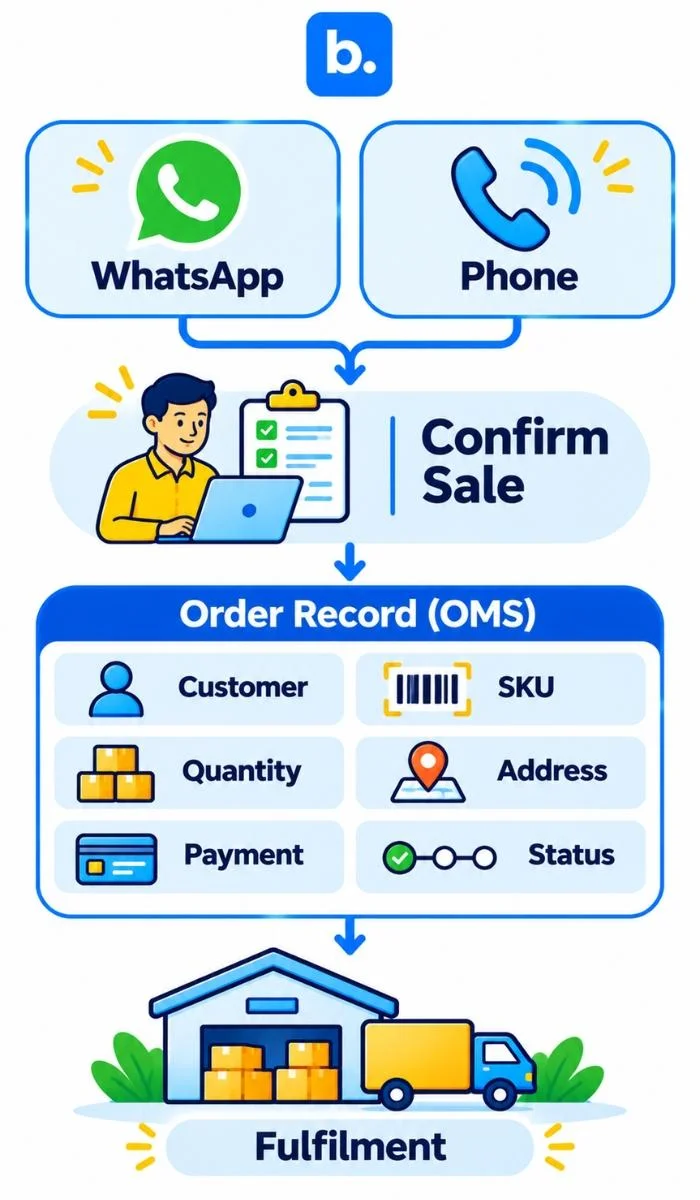
WhatsApp and phone order management is the process of recording conversational sales in an OMS so they can be checked, processed, tracked and fulfilled. A structured order can hold the customer’s contact details, order source, products and stock keeping unit (SKU) identifiers, quantity, price, delivery address, payment method, status, invoice and shipment information.
WhatsApp Business can help a business communicate and present products. Meta’s catalogue and product messaging documentation describes catalogues, product messages and shopping-cart experiences. That does not, by itself, mean that a customer’s message or cart has been imported into the seller’s OMS. Order capture and fulfilment depend on a separate integration or an employee entering the confirmed details.
WhatsApp Business is not an OMS
WhatsApp is a communication channel. An OMS manages the operational order record and its processing steps. A buyer can browse products or send a cart through WhatsApp. The seller then records the confirmed purchase in the OMS, either manually or through a connected order-capture integration. Businesses exploring API-based messaging can review Meta’s WhatsApp Business Platform documentation; whether orders enter an OMS depends on the specific integration.
Phone orders need the same structured record
A telephone order should not remain only in call notes. After the customer confirms the purchase, an employee can create an OMS order and mark its source as telephone. The order can then appear with website or marketplace sales in the operational order list while retaining its own source for filtering and follow-up. Base.com’s Order Manager keeps imported and manually added orders in the same list.
How to capture WhatsApp and phone orders in an OMS
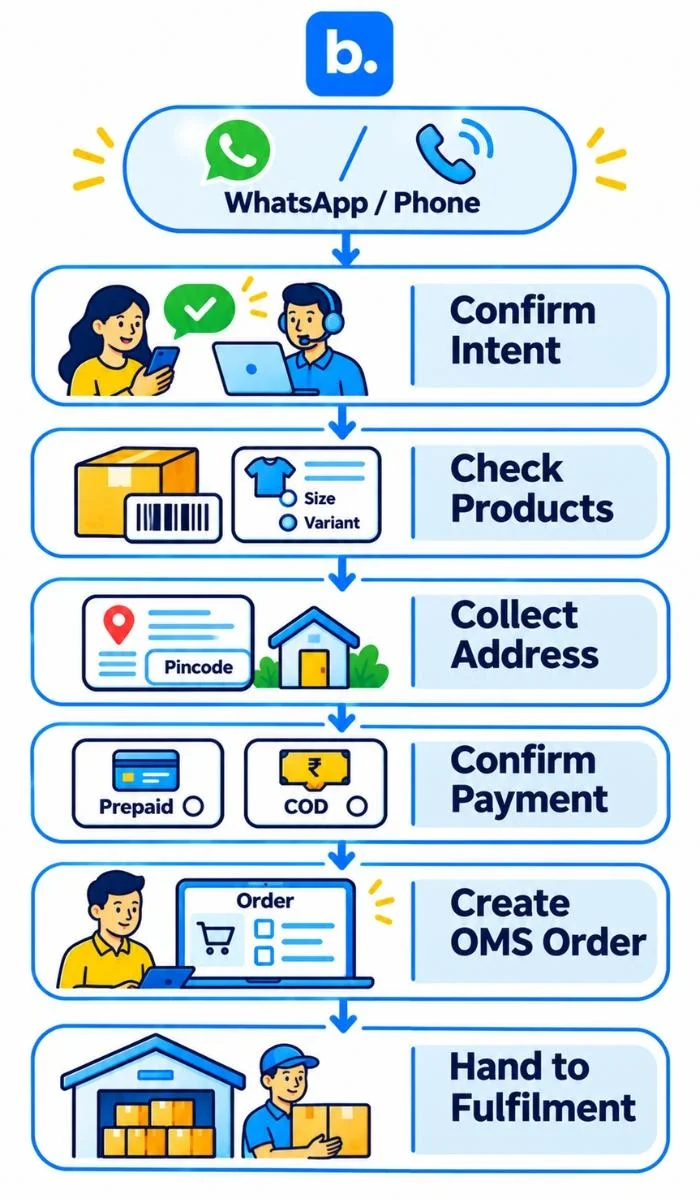
Every confirmed WhatsApp or phone sale should be converted into a structured order record before it enters fulfilment. This six-step process works as an operational checklist, whether order entry is manual or supported by a verified integration.
1. Separate an enquiry from an order
A request for a price, product photo or stock check is an enquiry, not a confirmed purchase. Create the order after the customer agrees to buy. If the business wants to follow up on enquiries, maintain them separately from orders ready for processing.
2. Confirm the products and quantities
Capture the product, variant, quantity and agreed price. Select the correct SKU, variant, size and pack quantity from the product catalogue so the warehouse receives an unambiguous order.
3. Collect contact and delivery details
Record the customer’s name, mobile number, complete delivery address and pincode. Include relevant delivery instructions and the contact number the customer wants used for delivery updates.
4. Confirm price and payment method
Share the products, quantities and total amount with the customer, including any agreed discount or delivery charge. Record whether the order is prepaid or Cash on Delivery (COD), and clearly communicate the amount payable on delivery.
5. Create the order and set its source
Enter the verified details in the OMS and select a clear source, such as WhatsApp, telephone, in-person or sales representative. In Base.com, custom order sources mark manually entered telephone or in-person orders, help filter them and can act as conditions for automatic actions.
6. Confirm the order and hand it to fulfilment
Send the customer a confirmation with the products, quantity, total, payment method and delivery address. The order can then move through the normal checks for stock, picking, packing, invoice, shipment and tracking. Keep the OMS record current if the customer changes a detail; tell the affected team rather than relying on a message thread alone.
For WhatsApp messages, follow the current policy for the product being used. The WhatsApp Business Messaging Policy requires permission before contacting people and respecting opt-outs. For the WhatsApp Business Platform, business-initiated conversations use approved message templates; replies within the 24-hour customer service window can be sent without a template. Automated responses during that window must provide a clear route to human assistance, and customer information should be protected. These Platform rules should not be confused with a claim that an OMS can send WhatsApp messages natively.
How to process conversational orders without spreadsheets
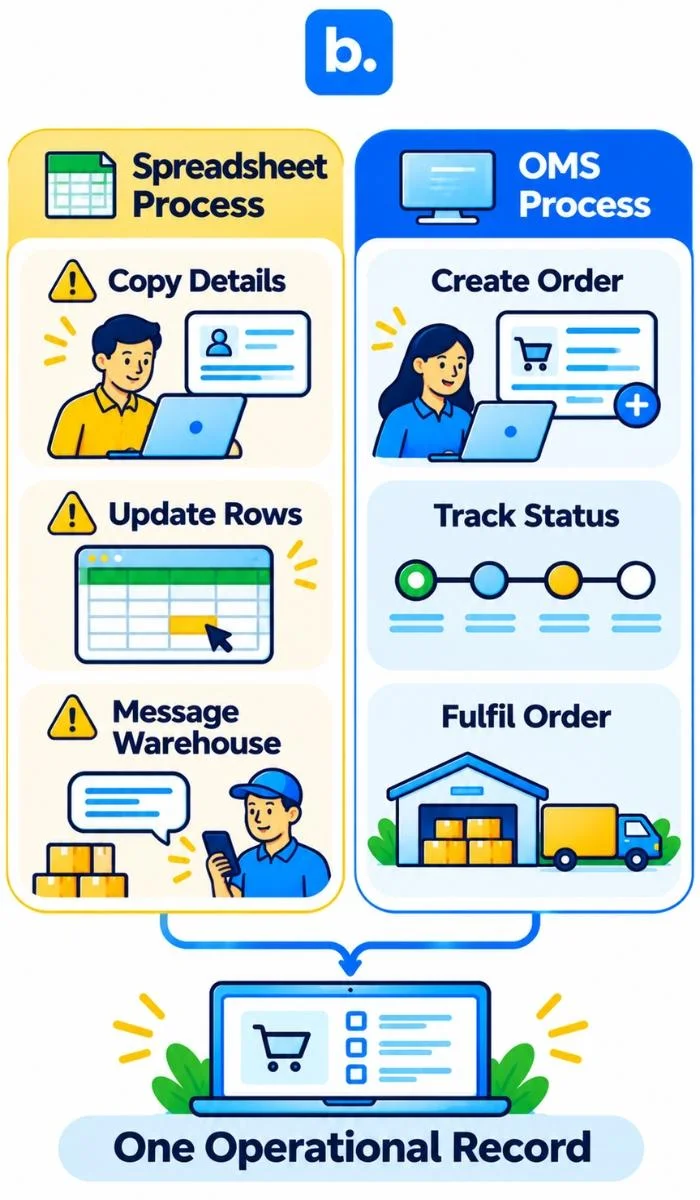
An OMS can replace the spreadsheet as the central operational record by keeping order details, source, status and fulfilment actions together. The table compares a manual hand-off with a system-based process; the exact functions depend on the OMS and connected services.
| Manual spreadsheet process | OMS-based process |
|---|---|
| Staff copy details from WhatsApp or call notes | Details are entered into a structured order record |
| Product names are typed into a free-text cell | Employee selects the correct product and variant from the available catalogue |
| Stock is checked in a separate tool or chat | Stock can be reviewed in the system, depending on inventory setup |
| Status is changed in spreadsheet columns | Order status is updated in the order record, manually or through configured rules |
| Warehouse receives details in a message | Fulfilment team can work from the recorded order |
| Tracking is pasted into the spreadsheet | Shipment and tracking details can be linked to the order where supported |
| Old chats are searched for order history | Team reviews the order record and available history |
Use order sources to organise work
Create identifiable sources for WhatsApp, telephone, in-person and sales-representative orders. This helps staff filter orders by origin and can support reporting or source-based automatic actions where available. A source does not validate the order on its own; it labels where the order came from.
Choose statuses that show the real stage
A simple workflow might be: New → Details to Verify → Confirmed → Ready for Picking → Packed → Dispatched → Delivered. Use names that match the business’s actual process. A COD order might need an extra verification status, while a prepaid order may follow another route. Do not mark an order as dispatched when it is only packed or labelled. In Base.com, the order settings cover manual order entry, list handling and status setup.
Keep the OMS record current
The OMS should show the latest confirmed quantity, address and status. When a buyer changes an order, update the OMS record and notify the relevant team. Keep the conversation as supporting context while the OMS remains the current operational record.
Managing COD orders received through WhatsApp and phone
Record COD as the payment method and capture the buyer’s confirmed purchase, products, quantities, delivery address and amount due. Apply proportionate checks based on the seller’s COD policy, particularly for high-value orders. This does not mean every COD order is suspicious or needs identical checks; the seller should set proportionate criteria.
Track COD orders with a clear payment method and, where useful, a verification status. After dispatch, delivery and cash collection are separate events: a courier collects payment from the customer and later remits it to the seller. The seller’s finance process should match remittances against delivered orders. COD management therefore extends beyond the initial WhatsApp or phone conversation, but order capture is the first control point. For the wider Indian COD lifecycle, including verification and post-delivery handling, see our article on COD order management in India.
Features to look for in an OMS for WhatsApp and phone orders
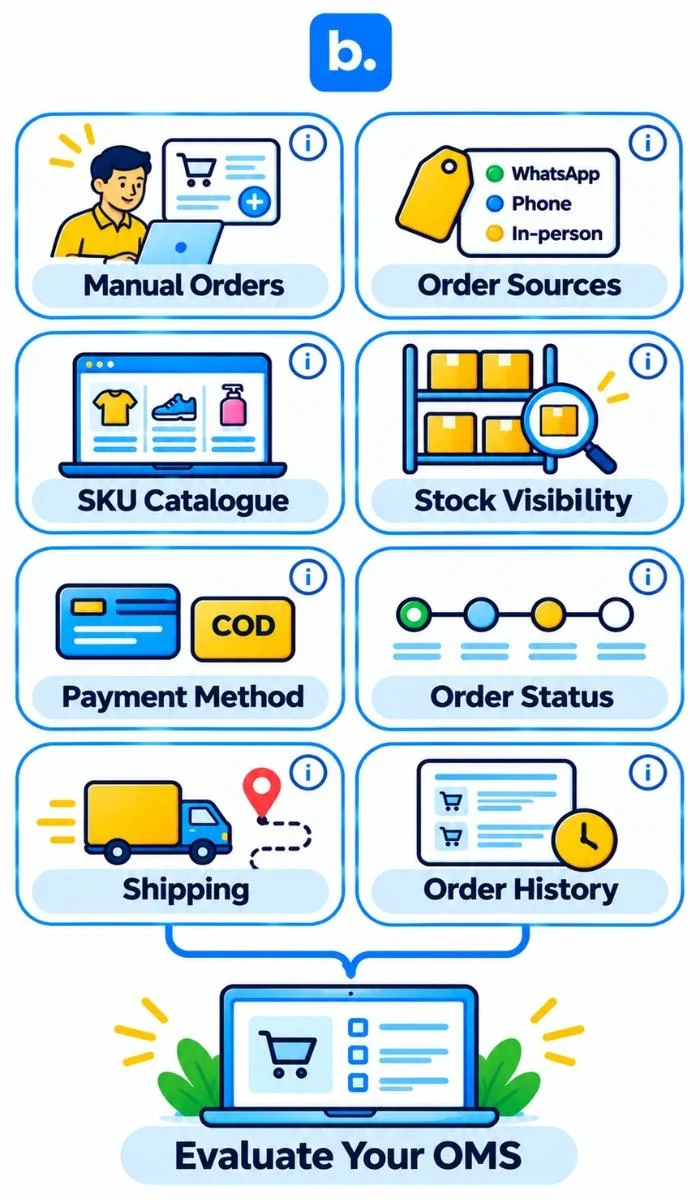
When comparing order management software, assess how easily the OMS supports manual order creation, source identification, stock visibility, status tracking and fulfilment hand-offs. Consider which tasks are handled within the OMS and which use connected systems.
| Feature | Why it matters |
|---|---|
| Manual order creation | Records sales received outside connected online channels |
| Custom order sources | Distinguishes WhatsApp, telephone and in-person sales |
| Product and SKU catalogue | Helps staff select the correct item and variant |
| Customer details | Keeps contact and delivery information structured |
| Inventory visibility | Supports a stock check before confirmation |
| Payment method field | Distinguishes prepaid and COD orders |
| Order statuses | Shows verification and fulfilment progress |
| Automatic actions | Can handle supported status, message, invoice or shipment tasks |
| Order history | Helps colleagues review recorded purchases and updates |
| Shipping connections | Links order processing with shipment and tracking workflows |
| User permissions | Controls which employees can create or change orders |
| Source reporting | Helps review orders by origin, if reporting supports it |
Is a WhatsApp integration always necessary?
No. A business with manageable order volume can start by entering confirmed orders manually into an OMS and assigning a source. A business with many conversational orders may consider an integration or capture tool, but should test whether it transfers customer, product, quantity and address details accurately. A business with manageable order volume can start by entering confirmed orders manually into an OMS and assigning a source. Businesses handling a larger volume of conversational orders may benefit from a messaging integration or order-capture tool that transfers customer, product, quantity and address details. A messaging integration connects the communication channel, while an OMS manages the operational order and fulfilment record. They serve related but distinct purposes. A messaging integration connects a channel; an OMS manages the order and fulfilment record. They are related, not interchangeable.
Common mistakes to avoid
- Treating every enquiry as a sale: Create a confirmed order only after the customer agrees to buy.
- Incorrect product details: Select the correct SKU, variant and quantity before saving the order.
- Incomplete delivery details: Record the full address, pincode and delivery contact number.
- Omitting the source: Mark whether the sale came through WhatsApp, telephone or another route.
- Keeping COD details in notes: Record the payment method and any required verification status in the order.
- Maintaining parallel spreadsheets: Multiple competing records make it harder to know which details are current.
- Ignoring messaging requirements: Follow the applicable permission, message-template and customer-support rules for the WhatsApp product being used.
The objective is a clear process with an owner at each step, not simply adding more software.
How Base.com supports phone and manually entered orders
How Base.com supports phone and manually entered orders
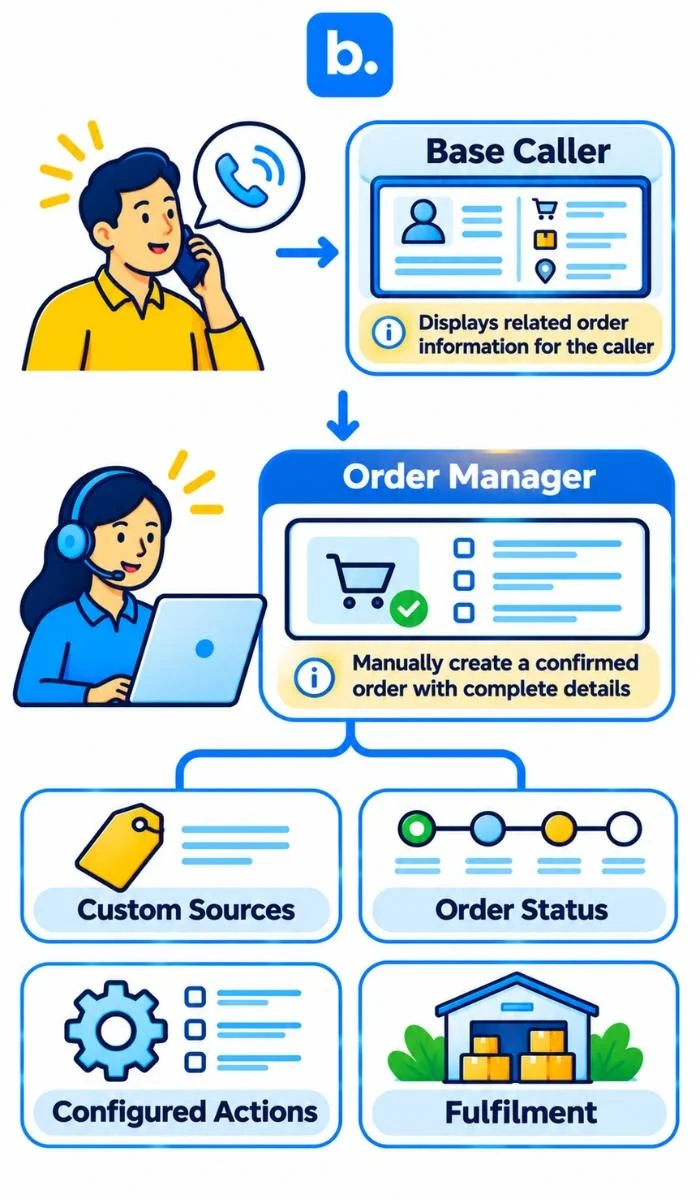
At Base.com, our Order Manager brings orders from connected online stores and marketplaces into one interface. It also supports manually created phone and in-person orders, allowing teams to manage conversational sales alongside their other ecommerce orders.
Our custom order sources help identify telephone, WhatsApp and other manually entered sales. Teams can filter orders by source and use source-based conditions in Workflow Automation. When creating an order manually, employees can also associate it with a relevant price group, warehouse and language.
Our Base Caller Android application displays order information associated with an incoming caller’s phone number, helping employees view related order details and status during a call. Once a customer confirms a new purchase, the employee can record it in our Order Manager.
Our Workflow Automation supports actions triggered by configured events and conditions, including order-status changes, customer messages, invoice generation, shipment creation and document printing.
For warehouse preparation, our WMS supports inventory management, receiving, picking and packing workflows. Our Shipping Management supports shipment creation, carrier services, labels and tracking. Together with our Order Manager, these functions connect order capture with warehouse preparation and shipping.
Conclusion
WhatsApp messages and phone calls can generate sales, but every confirmed purchase needs a structured order record. Capture the customer, product, delivery and payment details, identify the order source and move it into the fulfilment workflow. An OMS reduces spreadsheet dependency by keeping order information and processing progress in one place. Teams can then manage conversational sales alongside website and marketplace orders, with clear responsibility for customer communication, exceptions and physical fulfilment.
