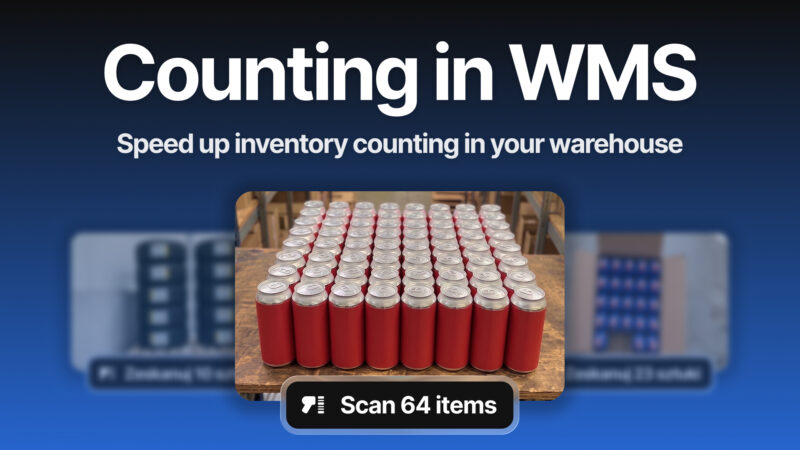
A delivery arrives at the loading bay. Hundreds of items are packed in boxes, and someone still has to count them all.
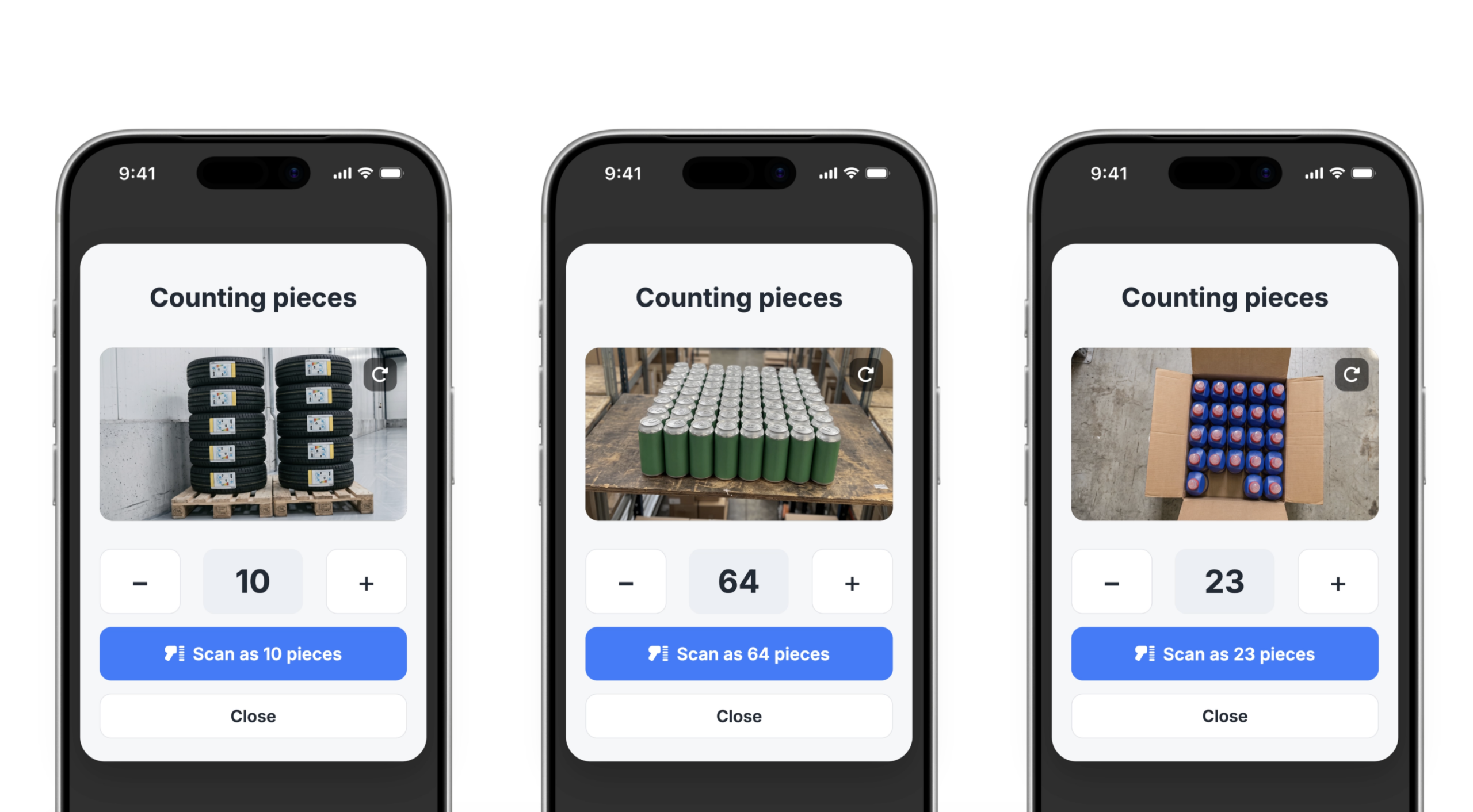
Manual counting during deliveries, stocktakes and warehouse transfers takes time, and every mistake can affect your stock levels. In the WMS App, AI helps with that: it analyses a photo and gives you an estimated item count for approval.
Watch the video to see the feature in action.
AI product counting is a feature in the WMS App that estimates the number of items based on a photo taken with the scanner. It works for deliveries, stocktakes and warehouse transfers — anywhere you would normally need to count products manually.
Having trouble viewing the video? Watch it directly on YouTube: AI WMS App
How AI counting works
The whole process takes just a few steps, without interrupting your warehouse workflow:
- Open the scanner in the WMS App.
- Point the camera at the products — in a box or on a shelf.
- Start the counting function, Count.
- Wait a moment while AI analyses the photo and estimates the number of items.
- Approve the result, or correct it, and save it in the process.
Step 5 is important. The warehouse operator always sees the estimate before it is saved, and they decide what goes into the system. AI speeds up counting, but control over stock levels stays with the person using the app.
Where the feature makes the biggest difference
AI counting works across three processes. In each one, it solves the same problem: manually counting larger batches is slow and prone to mistakes that later affect stock accuracy.
Deliveries
When you receive hundreds of items in boxes, you can take a photo instead of counting everything manually, then approve the result. Fewer mistakes at goods-in means fewer stock discrepancies later.
Stocktakes
A stocktake can mean hours of counting. AI shortens the most repetitive part of the process, especially for products stored in larger quantities on shelves.
You can find out how to configure and run the full process in Base in our stocktake guide.
Warehouse transfers
When moving goods between locations, you often count twice: once when the stock leaves and once when it arrives. With AI, both counts can take as little time as taking a photo.
Importantly, the feature does not change the standard workflow. Warehouse operators use the same scanner and the same steps in the app — only the counting itself is handled by AI.
What to know before you start
- The result is an estimate for approval: AI provides an estimated number of items. If products are arranged in an unusual way, check the result before saving. Correcting it takes one tap.
- The feature works in the Base WMS App: it is supported for deliveries, stocktakes and warehouse transfers.
- You do not need to rebuild your process: AI counting fits into your existing workflows. Your team works as before, only faster.
What does AI change in day-to-day warehouse work?
The main benefit is simple: one of the most repetitive parts of warehouse work takes less time and attention from your team.
Faster warehouse operations
Complete deliveries, warehouse transfers and stocktakes in record time.
Fewer mistakes, more accurate stock levels
AI does not have bad days or lose focus. It counts in the same way the first time and the hundredth time, while the operator verifies the result.
Your team can focus on work that needs attention
Reducing repetitive counting gives your team more time for tasks AI cannot handle, such as quality control, organisation and exceptions.
No process revolution
The same scanner, the same app, the same steps — only the counting is faster.
Coming next: sell where your customers are already having conversations
In two weeks, we’ll cover Agentic Commerce: shopping inside conversations with AI.
Available on the blog from 1 September.
In this series
- AI in the product catalogue
- Autosell – AI Listing Agents
- AI Assistant in the panel
- Counting products with AI in WMS – this article
- Agentic Commerce – sell where your customers are already having conversations – 1 September
- MCP – connecting AI with your system – 15 September
- Series finale: all AI features in one place – 29 September
Test AI counting during your next delivery. Open the scanner in the Base WMS App and compare the result with a manual count.
Don’t have an account yet? Try Base free for 14 days.
FAQ
Where can I find AI product counting?
In the Base WMS App. Open the scanner, point the camera at the products and start the counting function.
Which processes does AI counting support?
It works for deliveries, stocktakes and warehouse transfers.
Is the counting result accurate?
AI provides an estimated number of items based on the photo. Before saving, the warehouse operator always sees the result and can approve or correct it. Only the number confirmed by a person is saved in the system.
Do I need to change my warehouse workflow?
No. The feature works inside the standard WMS process. Only the counting method changes: you take a photo instead of counting manually.
How do I count products in a box?
The same way as products on a shelf. Point the scanner camera at the products, start counting and approve the result. The feature supports photos of products in boxes and on shelves.