Forwarding orders to the store and ERP

Forwarding orders to the store and ERP

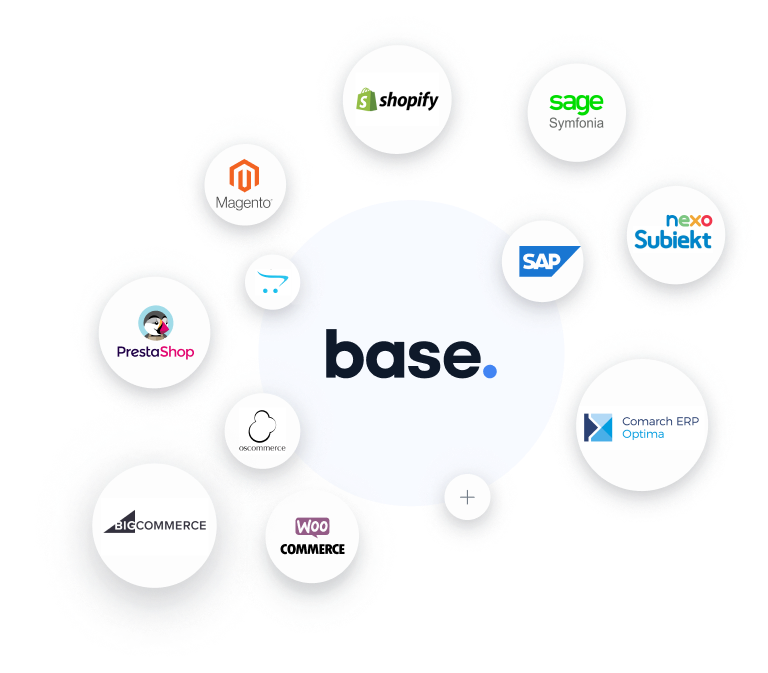
Orders from marketplace platforms are fetched directly into the Order Manager. It's up to you whether to use Order Manager directly, or use Base.com only as a connector and handle all sales from your online store (or another system, such as an ERP). The order is transferred automatically as soon as it is placed! It will be visible in your shop just like other orders made there. Stock synchronization happens automatically — the system reduces the stock of purchased products as soon as the order is transferred.

Process Automation

Automatic actions

Although we can't physically pack your parcel for you, we can ensure that we do the rest of the work for you! We can streamline your workflow by automating several steps in the order process. Our system will save you time by automatically changing order statuses, sending customer messages, issuing invoices, creating shipments, and printing any necessary documents. Of course, this does create a minor problem… What will you do with all this spare time?

Pick&Pack Assistant

Pick&Pack Assistant

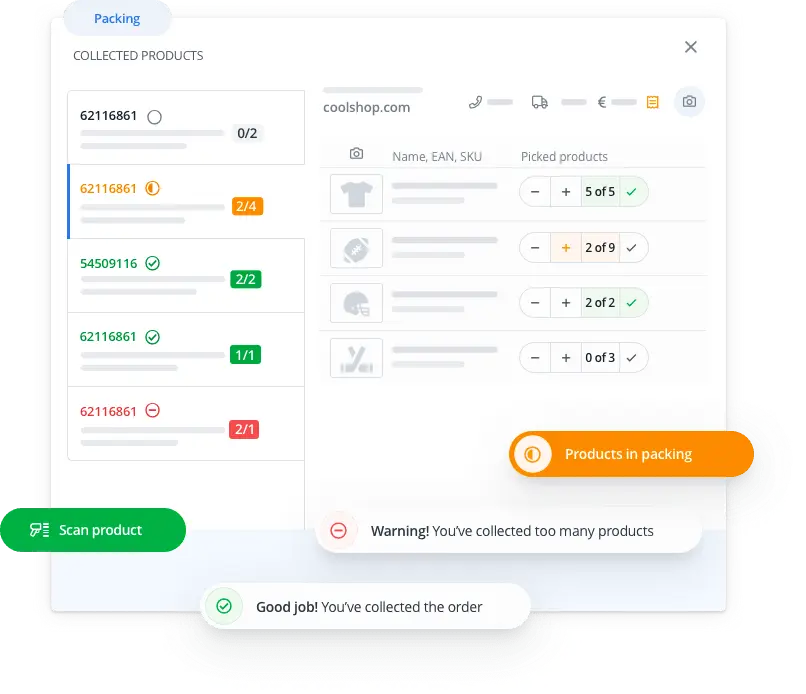
If the order processing takes too much time in your company and mistakes still happen, consider using our Pick&Pack Assistant. A clear and user-friendly panel helps employees collect and pack products correctly, and alerts them when a mistake is detected. This module features the use of a barcode scanner, which can quickly verify EAN or SKU codes for the packed items. Finally, the Assistant will take a picture of the parcel so you can impress the customer or have proof in case of a dispute. Combined with automatic actions, the Pick & Pack Assistant significantly streamlines order processing.

Explore the possibilities of the Assistant

Base Caller

Impress your customer by showing their order information as soon as you answer the phone — without even using your computer. How is this possible? Base Caller is an Android phone application that displays information about orders associated with the calling number. Before you answer the call, your phone screen will show which customer is calling you and the status of their order. Explore the additional application features.

Couriers

Send packages directly from the Order Manager (individually or in bulk). The system will print labels for you, order a pick-up, forward the tracking number to the marketplace and store, and send the customer a shipment-tracking link.

Check how to manage your shipment

Invoices and receipts

Issue receipts, VAT invoices, pro-forma invoices and corrections to orders individually and in bulk - with a single click (or automatically according to the preset rules). Base.com can forward them for you to online accounting services.

Prints and statements

Use built-in printouts to improve your sales management. Easily and quickly generate a packing slip, product list or sales report. With the comprehensive editor you can create any PDF, HTML, XML and CSV print templates at will.

Dropshipping orders

Running a dropshipping business? We are constantly expanding the list of integrated dropshipping wholesalers. Some of them include the possibility to automatically forward orders directly from our panel.

Learn more

Useful functions for Allegro sellers

We have taken care of the tiny details to help you run your business more easily. You can send requests for commission refunds to Allegro in bulk. Troublesome customers can be easily added to the blacklist on all your site accounts. Furthermore, the system will inform you about an offer without a sale for more than 11 months so that you can take action before the Allegro maintenance fee is charged.

Phone and personal orders

The system offers quick order creation for new and regular customers, no matter how orders are submitted. For customers who order the same product again, you can just copy the previous order.

Customer order info page

Each order has its own unique order-information page. The customer can view the purchase details, download the invoice, ask you a question or check the shipment status. Use the page link in the correspondence sent to your customers.

See sample page

Email and SMS templates

Communicate with customers more efficiently with the order fulfillment progress message templates. You can send them from the order card, order list or by automatic actions.

Keyboard shortcuts

Order processing can get even faster. Just use the keyboard shortcuts and barcodes to run your own automatic actions or built-in system functions.

Own statuses

Keep your orders clean and tidy by sorting them out, e.g., by type of shipment, payment or processing steps. The statuses will make your work easier and also allow you to keep the customer informed about the order progress.

Employee profiles

Create profiles for your employees to have complete control over who is responsible for particular shipments, or for contacting a particular customer. You can assign separate logins, passwords and access levels.

Cloud system

Your data is safely kept in the cloud - we take care of backup and server reliability. This gives you unlimited online access - at the office, at home or on the road.

API for your use

We provide a high-speed API, which allows you - among others - to fetch, add and edit orders, as well as generate carrier shipments. Create your own integrations with external systems and databases!

Etsy
Amazon
FedEx
Comprehensive sales management
Base.com is not just Order Manager

Base.com offers you complex sales management. In addition to the Order Manager, we also offer you access to a warehouse, where you can create a product database, a panel for bulk offer listing, and the ability to integrate your store with marketplace platforms.

Functions overviewMarketplace ManagerProduct ManagerPrice automationWMSShipping managementWorkflow automationBase ConnectAI for e-commerceBase Analytics

Try all features and integrations free for 14 days