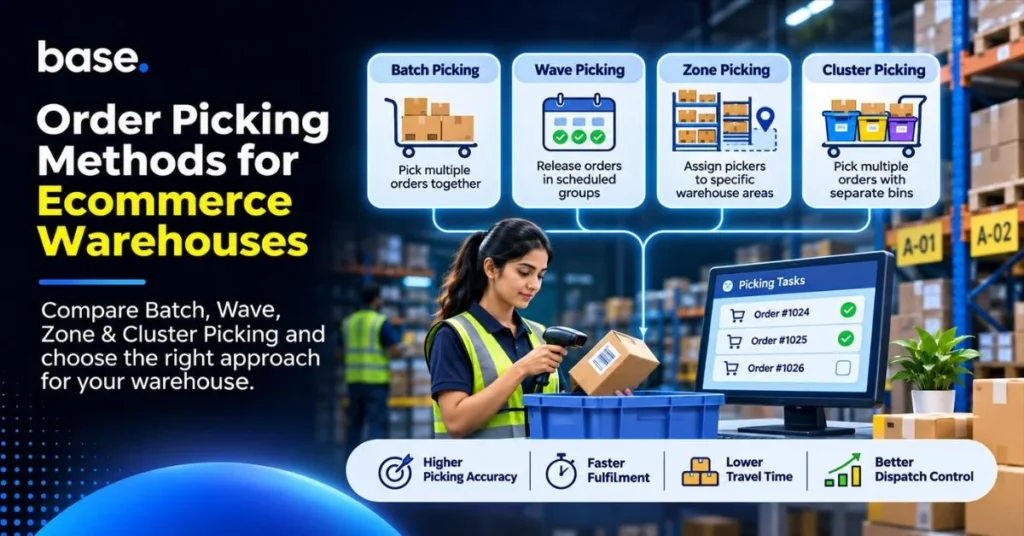
Orders arrive from a brand’s website and marketplaces; warehouse staff must locate products, collect the right quantities, then send complete orders to packing and dispatch. At low volume, a manual routine may work. As orders and SKUs grow, repeated walks, misplaced items and delayed hand-offs can slow fulfilment. Batch, wave, zone and cluster picking organise that work in different ways. Order picking software can issue instructions and record progress, but no single method suits every site. Choose according to order size, SKU overlap, warehouse layout, staff and dispatch deadlines, then measure the whole process from pick release to pack-out.
What is order picking in a warehouse?
Order picking retrieves the products and quantities needed to fulfil an order. After an order is processed, a pick list or digital instruction identifies the SKUs and locations. A worker collects the items and moves them to packing, where they are checked and prepared for dispatch. Picking is collection; packing prepares items for shipment.
Picking links recorded inventory to physical orders. Inaccurate locations or unclear instructions can cause searching, wrong variants or quantities. Excess walking consumes staff time; incomplete picks hold up packing. The process needs accurate product records, clear instructions and a way to record exceptions.
Why is order picking important for ecommerce businesses?
A picking error can send the wrong SKU, size, colour or quantity. Poor organisation may also create repeat trips, congestion, incomplete orders and missed dispatch cut-offs. Peak campaigns make these weaknesses more visible, but the solution is not simply asking staff to walk faster. The warehouse must balance picking accuracy, travel, workload and the capacity of packing and dispatch.
Why ecommerce warehouses need different order picking methods
Order profiles vary: marketplaces may send many one-item orders, D2C brands may have mixed baskets, fashion has variants and bulky goods require different handling. Sales can change volume quickly. Review these factors before choosing:
| Factor | What to assess | Why it matters |
|---|---|---|
| Order volume | Normal and peak-day orders | Indicates how much work needs coordination |
| Order size | Lines and units per order | Helps choose individual or multi-order picking |
| SKU profile | Count, variants, velocity and overlap | Affects identification and grouping |
| Layout | Aisles, racks, zones and pick faces | Shapes travel and hand-offs |
| Product handling | Size, weight, fragility or special care | Determines cart and route suitability |
| People and dispatch | Picker/packer availability and cut-offs | Defines capacity and priorities |
Assess the current workflow before investing in a new method or software. A process designed for shared fast movers may not suit a catalogue with little overlap or oversized products.
What are the four main order picking methods?
These are operational ways to organise picking, not technologies. Batch, wave, zone and cluster can be combined when a warehouse’s work and layout justify it.
1. Batch picking: collect products for multiple orders together
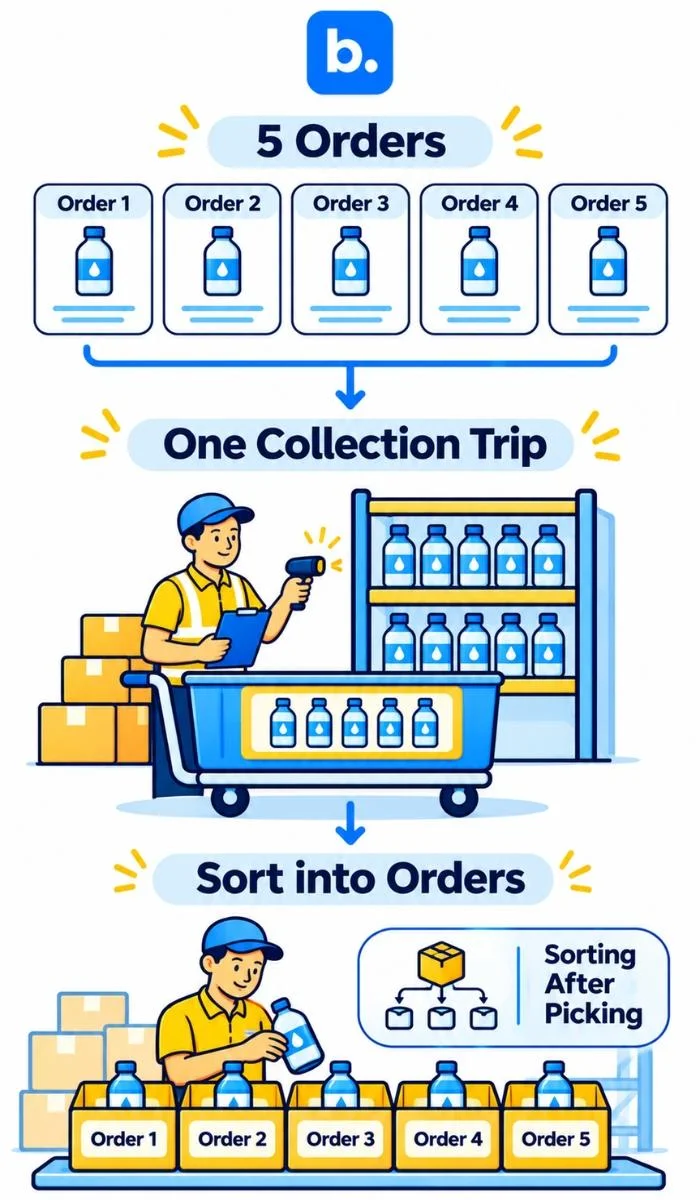
Batch picking groups several orders so a picker collects shared products or combined quantities during one trip. The items are then sorted into their individual orders, usually at a consolidation point.
Example: Five orders each need one water bottle. Instead of visiting the bottle location five times, the picker collects five units in one trip. Staff then allocate one bottle to each order.
Batch suits overlapping SKUs and repeated location visits. Low overlap or many unique lines reduce its value. Sorting adds handling and order-identification work; large batches may queue. Test whether saved travel outweighs separation.
2. Wave picking: release work in scheduled groups
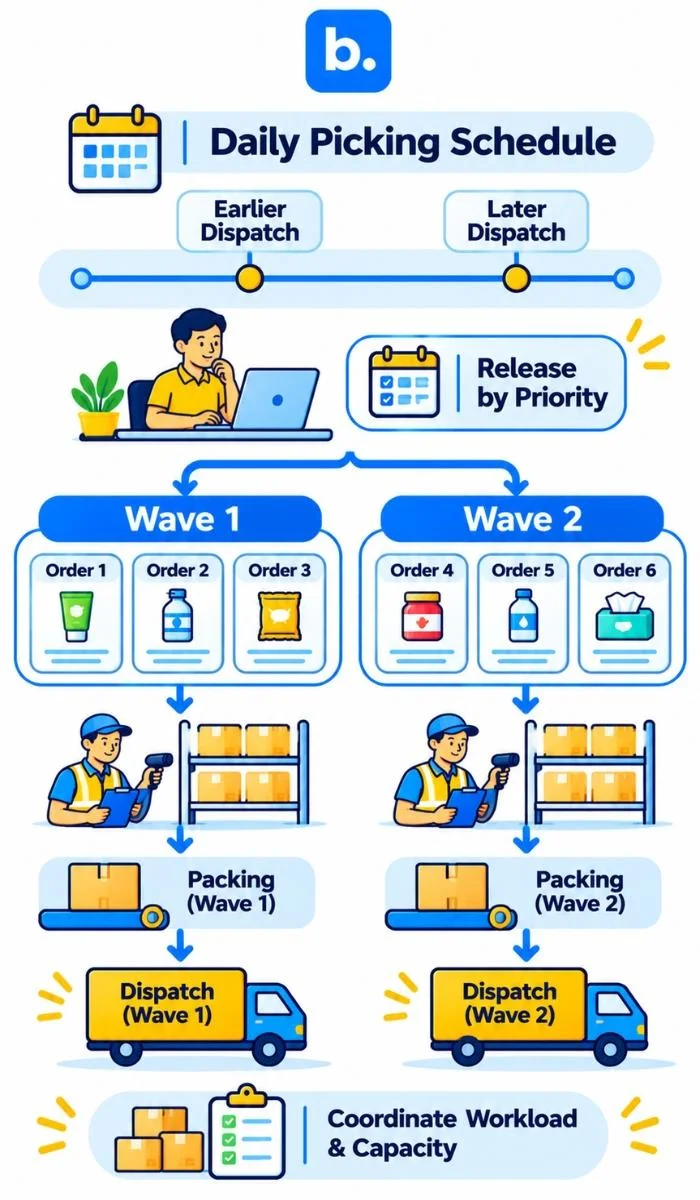
Wave picking organises when orders are released to the warehouse floor. Orders may be grouped around courier collections, dispatch cut-offs, priority, channel rules or available capacity. Wave picking is a release schedule, not the same thing as batch picking. Orders in a wave can be picked individually, in batches or by zone.
Example: A site has two planned carrier collections. Managers may release one group of orders for the earlier dispatch and another for the later one. The schedule is an internal planning example, not a carrier rule.
Waves can prioritise work and distribute workload. Poor sizing can overwhelm packing; missed releases and late changes create waits. It suits sites with dispatch windows and current status and capacity data.
3. Zone picking: assign warehouse areas to pickers
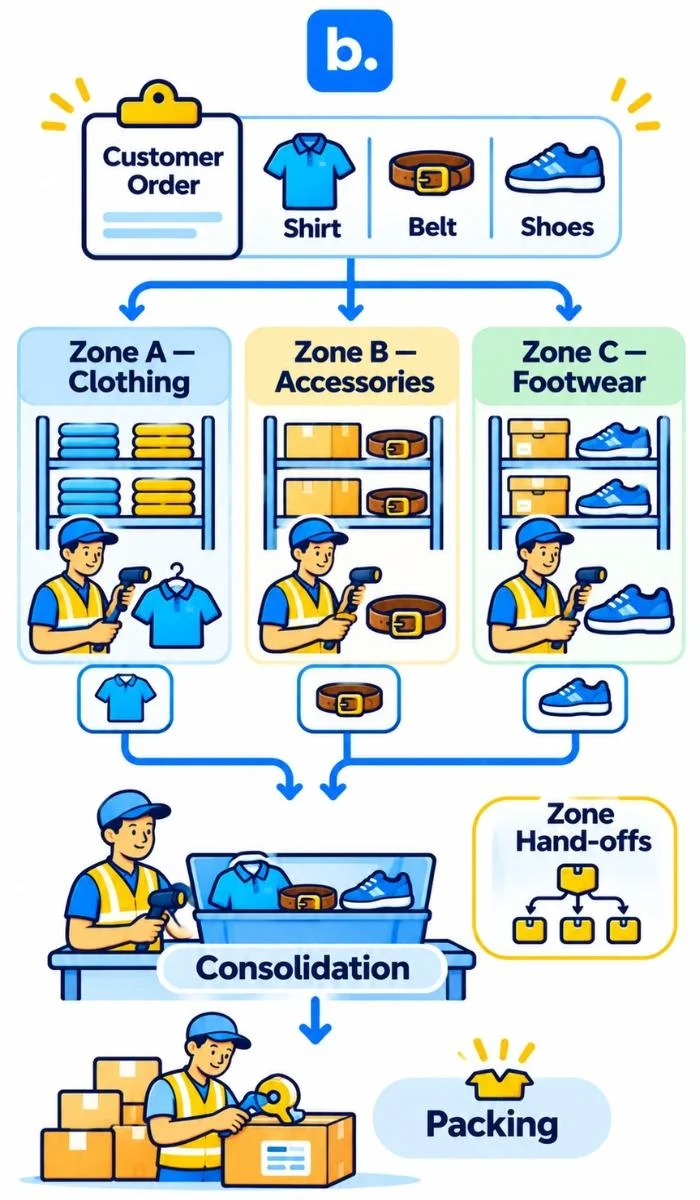
Zone picking divides the warehouse into areas, with each worker responsible for a designated zone. An order with products in several zones passes through them, or the separate picks are brought together at consolidation.
Example: A clothing zone holds shirts, an accessories zone holds belts and a footwear zone holds shoes. An order containing all three items is picked across the relevant areas before packing.
Zones limit individual travel and support parallel work. Multi-zone orders wait for all items, so hand-offs and order tracking matter. Review workload balance as demand changes.
4. Cluster picking: keep multiple orders separate on one trip
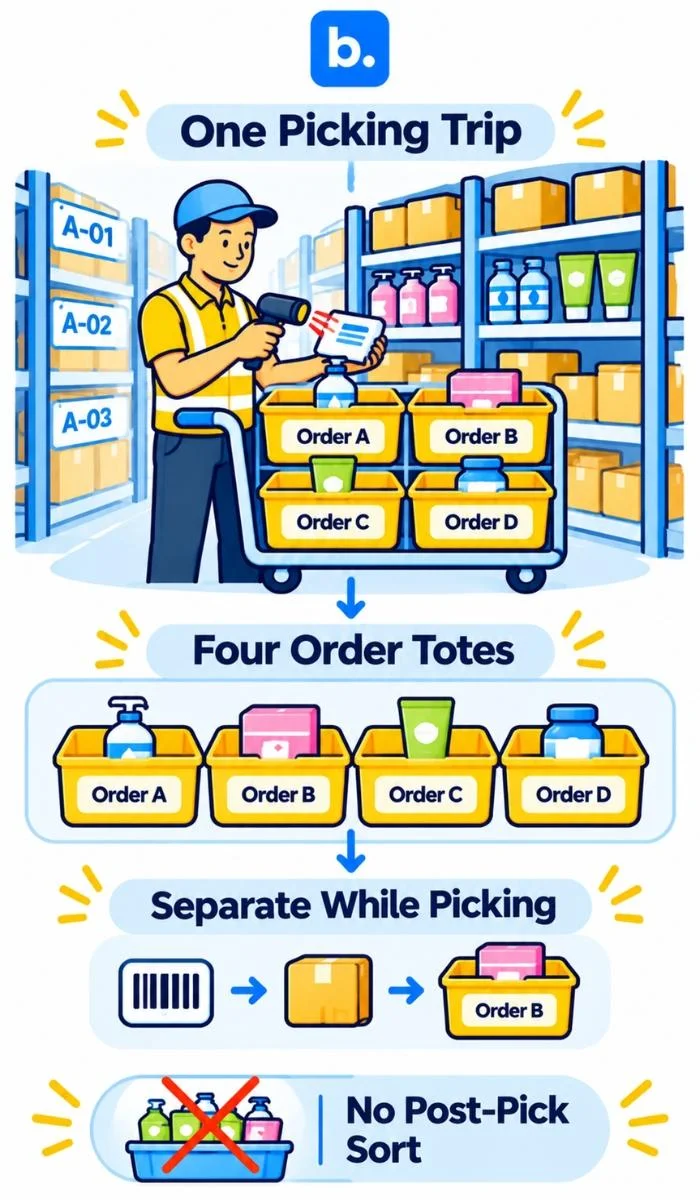
Cluster picking lets a picker collect products for several orders during one trip while placing each item into its own assigned tote, bin or cart compartment. Unlike batch picking, where combined quantities may be sorted after collection, cluster picking separates orders during the pick.
Example: A trolley has four labelled totes. A picker collects items for four small orders and places each item directly into that order’s tote.
Cluster reduces travel without a separate sort if orders fit the containers. Cart capacity limits orders, and bulky items may not suit. Verify each item and destination tote with clear labels.
Batch vs wave vs zone vs cluster picking: what is the difference?
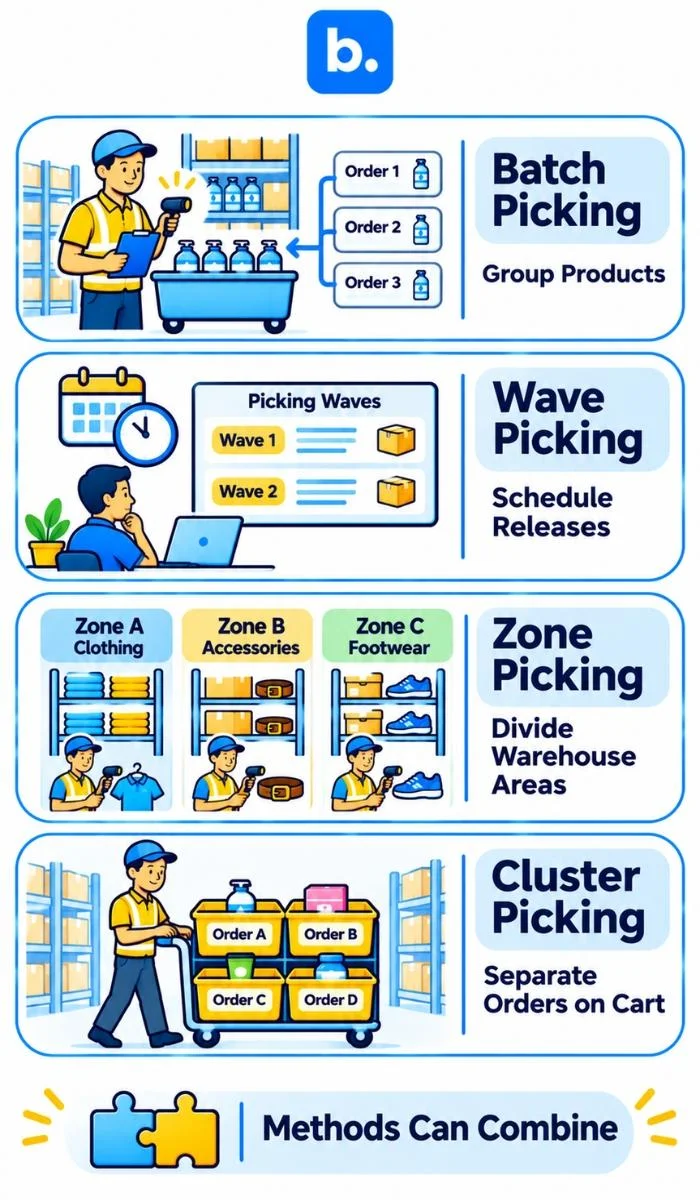
Warehouse management systems use configurable task-grouping and dispatch rules to organise picking activities. For example, Oracle’s warehouse task-management documentation explains how different picking methodologies can be configured around task assignment and grouping. The exact implementation varies between systems. In practical terms, the methods focus on different operational choices:
| Method | Organises work by | May suit | Main consideration |
|---|---|---|---|
| Batch | Shared products or grouped orders | Repeated SKUs and small baskets | Sort items into orders afterwards |
| Wave | Release timing or priority | Planned dispatch windows | Match wave size to packing capacity |
| Zone | Warehouse area | Larger sites with distinct sections | Coordinate and consolidate picks |
| Cluster | Separate containers during a shared trip | Small orders that fit multi-bin carts | Keep item-to-order assignment accurate |
Batch asks which orders/products to group; wave asks when to release work; zone asks where staff pick; cluster asks how to keep multiple orders distinct during a shared trip. They can combine: release waves, divide by zone and cluster-pick within a zone.
How to choose the right order picking method
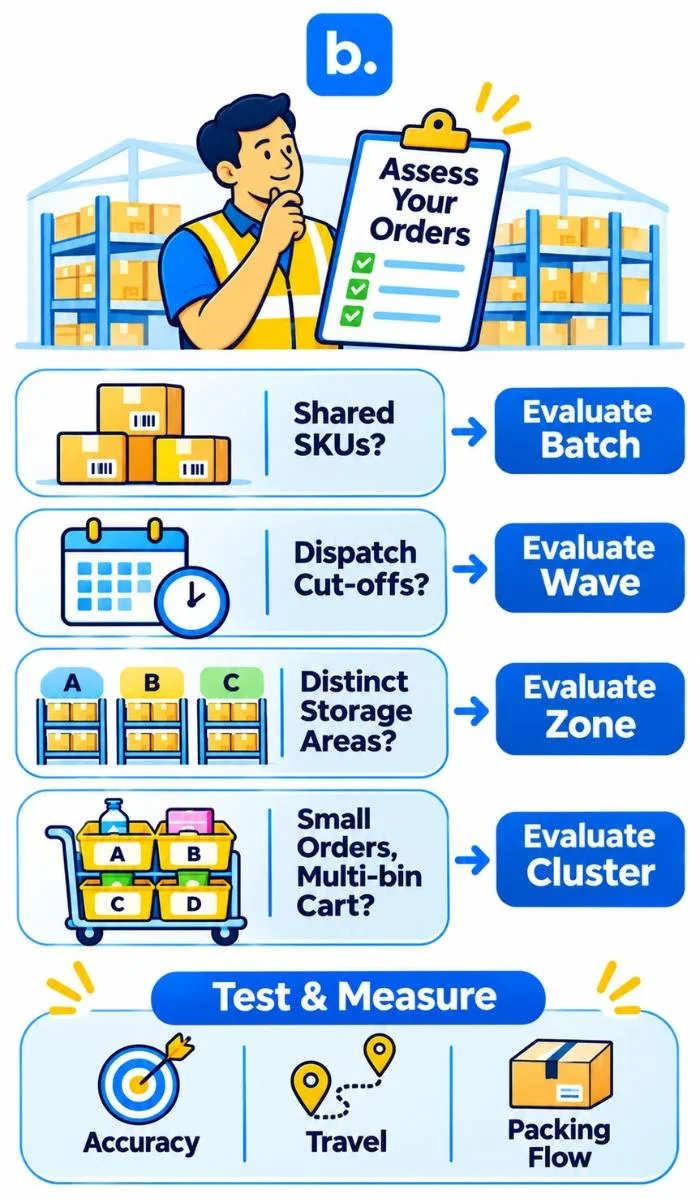
Use this decision table as a starting point, not a fixed rule.
| Warehouse situation | Method to evaluate | Reason |
|---|---|---|
| Orders often share fast-moving SKUs | Batch | One visit can cover multiple orders |
| Work must meet planned dispatch cut-offs | Wave | Organises release by timing or priority |
| Products occupy distinct warehouse areas | Zone | Assigns staff to defined locations |
| Several small orders fit a cart’s compartments | Cluster | Keeps orders separate during the trip |
| Different order profiles or deadlines | Combined methods | Matches process to order segment |
Then check lines per order, SKU overlap, pick travel, error patterns, packing capacity, equipment and staff training. A method that reduces aisle travel may still slow the order if it creates a queue at sorting or packing. Record a baseline, test on representative orders and compare end-to-end time and errors before expanding. Do not choose by order count alone.
How to improve picking before investing in software
Label aisles, shelves, racks and bins, and keep product-to-location records accurate. Review fast movers, products often ordered together, average lines and seasonal changes to inform placement.
Barcode scanning can verify items and locations, but is a technology, not a picking method, and cannot fix bad data or layout. Standardise pick lists, tote labels, packing hand-offs and missing-stock procedures. Train staff.
Track accuracy, picking time, orders per labour hour, error rate and order cycle time. Set your own baseline. Faster picks are not useful if errors or packing queues rise.
How order picking software and a warehouse management system support picking
Order picking software manages picking instructions and activities. A warehouse management system (WMS) covers broader warehouse work, which may include receiving, putaway, storage, inventory control, picking, packing and dispatch. Picking functionality may be part of a WMS rather than a separate application. An inventory system primarily tracks stock quantity and availability; a WMS also supports its physical movement and location.
Depending on configuration, warehouse management software may maintain SKU and location data, generate pick lists, assign tasks and record progress. Barcode scanning verifies items; voice and pick-to-light are other technologies, not methods, and need compatible equipment.
Not every system supports all four workflows. Ask providers to demonstrate task assignment, order separation, exceptions and stock updates using sample orders. For WMS for ecommerce, check single- and multi-line orders, channel priorities and cut-offs. See what a warehouse management system does and verify the configuration before rollout.
How our WMS supports ecommerce warehouse picking
We at Base.com provide a WMS designed to help ecommerce warehouses organise and manage their picking operations. Our WMS supports location setup, inventory controls, guided pick lists, barcode verification and packing assistance.
Our WMS lets you configure how many orders are picked at once, select the carrier type and set product rotation rules. It also guides warehouse staff along the shortest picking route, helping them collect products efficiently and move completed orders towards packing and dispatch.
Through our mobile app, warehouse teams can manage everyday activities such as picking, packing, receiving and returns. Barcode checks help verify products during picking and packing, while location-based instructions guide staff to the correct storage areas.
Explore our WMS to learn how we support warehouse picking, inventory management and fulfilment operations.
How to get started with a more efficient picking process
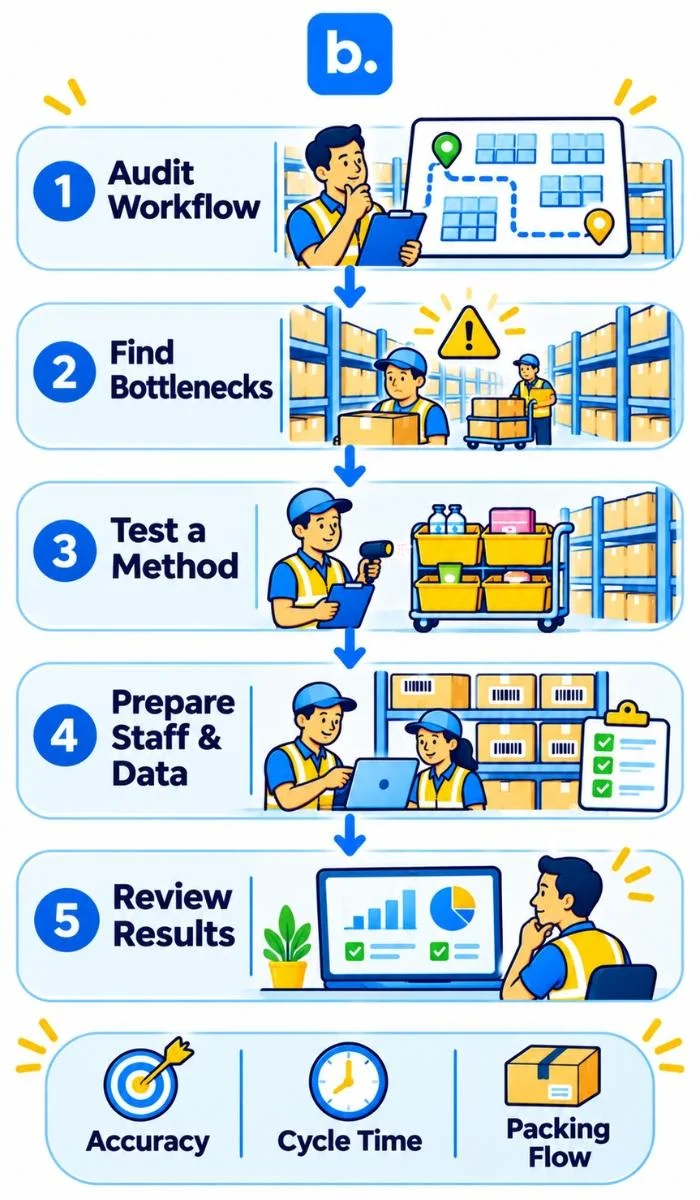
- Audit: Trace picks to packing and note repeated walks, stock issues and errors.
- Find the bottleneck: Travel, dispatch delays, congestion, mixed orders or unclear locations?
- Test a method: Match the issue to batch, wave, zone, cluster or a suitable combination.
- Prepare: Configure locations and product data, check barcodes, train staff and define hand-offs.
- Review: Compare accuracy, completion time and packing flow against a baseline.
Review workflows as products and demand change. When comparing warehouse management software, assess location setup, picking, inventory control and packing. See warehouse management system practices for Indian D2C brands.
Choose a picking method that fits your warehouse
Batch groups shared products, wave schedules order releases, zone assigns warehouse areas and cluster keeps multiple orders separate on one trip. The right order picking software and process depend on order patterns, layout, staff, equipment and dispatch needs. Review the full path from storage to packing, test changes on representative orders and track accuracy as well as throughput. Explore a warehouse management solution that fits your documented workflows and helps your team improve them over time.
