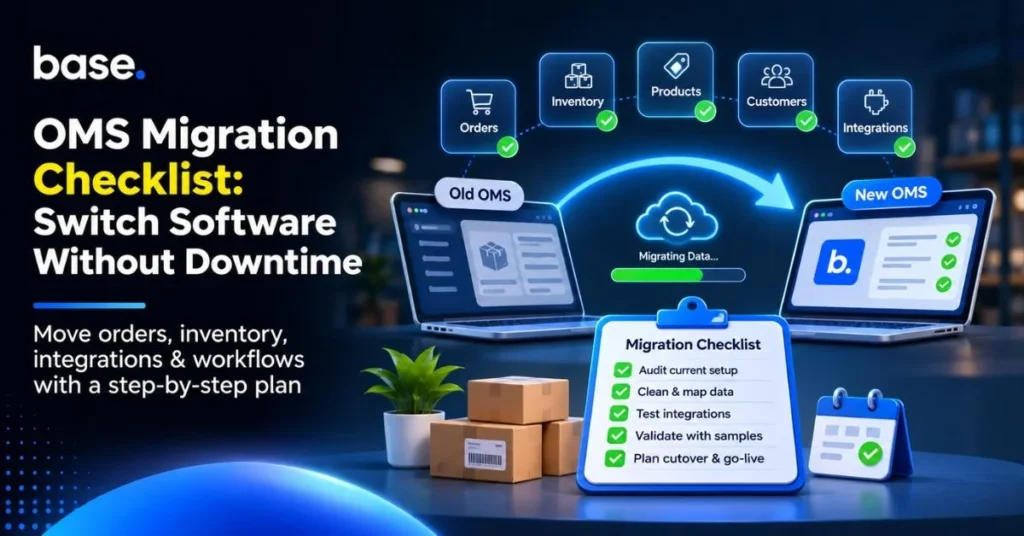
OMS migration is the process of moving order, inventory, product and customer data, integrations and workflows from an existing order management system to a replacement. It is not just importing records: new orders must still arrive, stock remain credible and warehouse teams know how to operate during change. A practical OMS migration audits and maps data, tests integrations, validates samples and moves live processing through a controlled cutover. Parallel validation or a phased rollout can reduce disruption, but no plan guarantees zero downtime or errors. The right approach depends on sales channels, warehouses, data quality and integration ownership. This checklist helps ecommerce teams plan the transition and evaluate replacement platforms against their operational requirements.
When should an ecommerce business consider OMS migration?
Consider OMS migration when the current system no longer fits operational needs, commercial priorities or the technology environment. High order count alone is not a reason to switch; identify the specific constraint first.
The current setup no longer fits the operation
New sales channels, more warehouses, additional product lines or changing fulfilment models may expose limitations in the original setup. The key question is whether the platform can support the required process, not whether the business has simply grown.
Integrations or workflows have changed
A business may need new marketplaces, ecommerce stores, courier services, ERP or accounting connections. It may also need different order statuses, reporting or warehouse workflows. Check whether the existing provider can meet the requirement before assuming a full migration is necessary.
Workarounds and manual re-entry are increasing
Repeated spreadsheet corrections, separate seller dashboards, duplicate data entry or manual status updates can indicate gaps in the system or its configuration. Document which workarounds are caused by the software and which stem from process or data problems that would follow the business to a new platform.
Commercial fit has changed
Pricing, support, implementation requirements or feature limits may no longer suit the business. Compare the total cost and capabilities against actual needs, rather than reacting to a single invoice or feature gap.
What should you check before migrating your OMS?
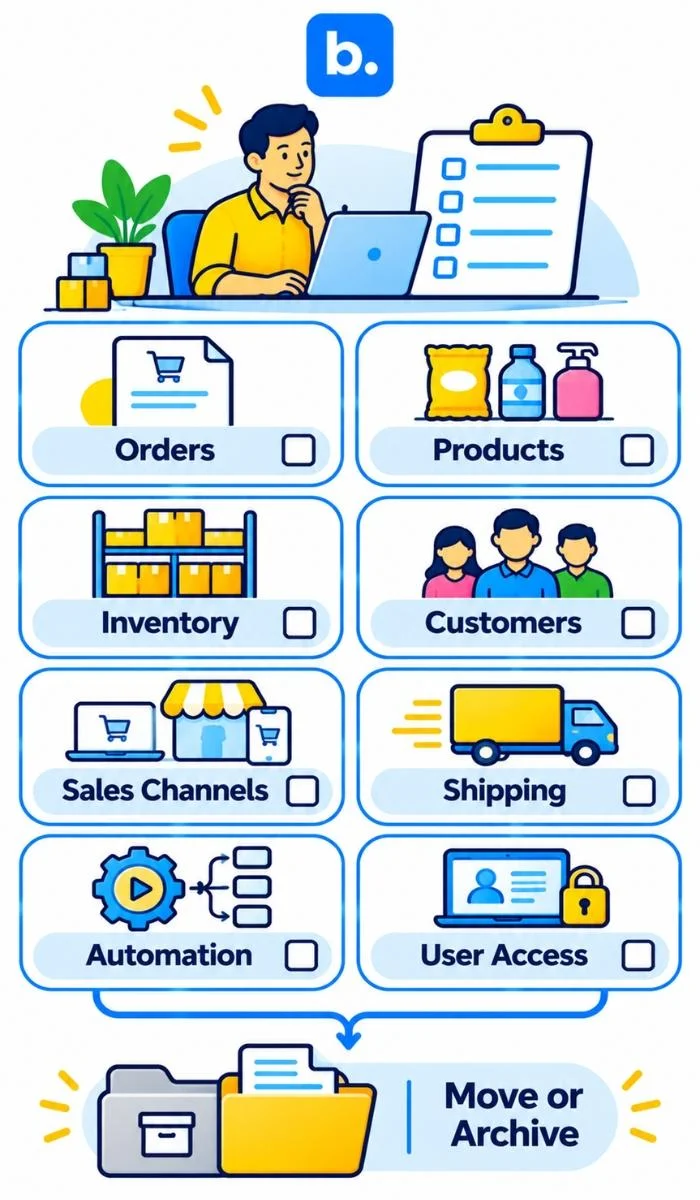
Before choosing a replacement, document the data, connections, workflows, contract terms and operational dependencies in the current environment. The checklist below helps teams identify what to migrate, test, retain or renegotiate.
| Area | What to review |
|---|---|
| Orders | Open orders, history, cancellations, returns and status meanings |
| Products | SKUs, variants, barcodes, bundles and product identifiers |
| Inventory | Quantity by warehouse, reservations, damaged or blocked stock |
| Customers | Contact details, addresses and relevant account records |
| Sales channels | Marketplaces, ecommerce stores and offline order sources |
| Shipping | Courier links, labels, manifests, tracking and pickup processes |
| Finance records | Invoices, payment statuses, COD records and reconciliation needs |
| Automation | Status rules, notifications, invoices and shipment actions |
| Users | Roles, permissions, teams and access requirements |
| Commercial terms | Subscription, implementation, integration and support charges |
Decide what must move and what can be archived
Not every historical order needs to be imported into a new OMS. Open orders, current stock and records used for daily service need careful handling. Older completed orders might remain in a searchable archive if importing them is unnecessary or unsupported. Decide this with operations, finance and customer service, and check contractual, tax and statutory retention requirements before excluding or deleting records.
OMS migration checklist: the step-by-step process
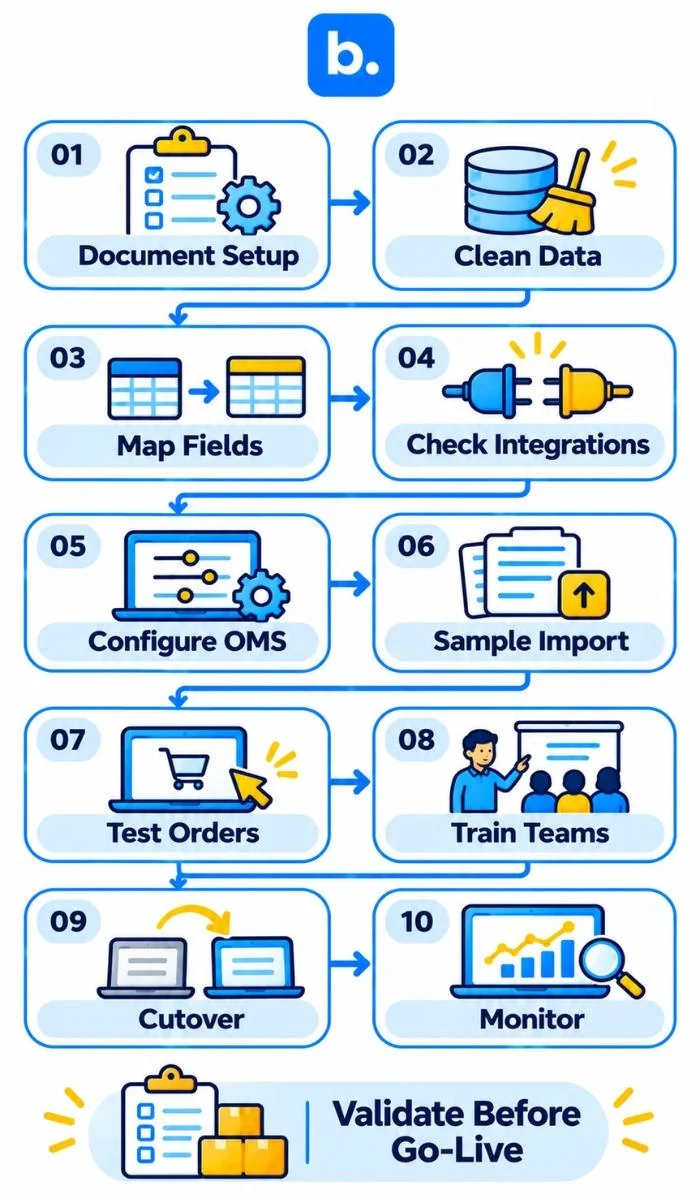
A controlled migration moves data, integrations and operating practices together. The steps below adapt general OMS implementation guidance to ecommerce operations.
1. Document the existing OMS setup
Record connected stores and marketplaces, warehouses, courier and ERP connections, product mapping, order statuses, automatic actions, permissions and reports. Note which system owns each live connection and what data it sends or receives. An integration ownership sheet helps avoid a situation where both platforms attempt to process the same orders or update the same stock.
2. Audit and clean the source data
Check for duplicate SKUs, missing identifiers, inconsistent variants, incorrect warehouse quantities, duplicate customer entries, incomplete addresses and unclear statuses. Separate physical stock from reserved, damaged or unavailable units if the replacement platform represents them differently. Clean source data before the main import; copying errors into the new OMS does not solve them.
3. Map fields and meanings between platforms
The old and new systems may use different field names, status labels or data structures. Create a mapping sheet and validate that each field means the same thing in both systems.
| Existing system | Replacement OMS | Validation question |
|---|---|---|
| Product code | SKU | Is the mapping unique and complete? |
| Available quantity | Available stock | Are reservations and blocked units handled the same way? |
| “Processing” status | New processing status | Does the new status represent the same operational stage? |
| Courier tracking ID | Tracking number | Is the value retained and linked to the correct order? |
| Warehouse code | Warehouse/location ID | Does it point to the correct physical site? |
Matching labels do not prove matching meaning: “confirmed”, “processing” and “ready to ship” may represent different events. Not every field or status can necessarily be imported directly.
4. Review every required integration
List the marketplaces, ecommerce stores, couriers, ERP and accounting software, payment-related services, scanners and other applications. Document the data each connection sends and receives, its update frequency, how failures are reported and whether historical information is included. Assign an owner to each connection for the post-migration period.
5. Configure the replacement before live order processing
Set up products and SKUs, warehouses, sales channels, statuses, user roles, shipping settings, document templates, reports and automatic actions. Recreate the business process that is still needed, rather than copying every old rule unchanged. Migration is also an opportunity to retire obsolete statuses or manual steps, but test the revised workflow before putting it into production.
6. Run a representative sample migration
Import a small but varied sample: products with variants and barcodes, orders from different channels, COD and prepaid orders, multi-item and partially fulfilled orders, cancellations and orders tied to different warehouses. Compare the source and target records field by field. Record rejected rows and errors, not just successful imports. Check totals and examples with the teams who use the data daily.
7. Test the full order lifecycle and exceptions
Test orders through the complete lifecycle, including import, stock updates, validation, fulfilment, invoicing, shipment creation, labels, tracking and cancellation or return scenarios. Include exceptions such as missing SKUs, unavailable products, courier connection errors and cancellations after stock reservation. Record how each issue is handled, who receives the alert and how the workflow is recovered.
8. Train teams and assign owners
Give customer service, warehouse, finance, managers and integration teams role-specific practice in the tasks they will perform. Name an owner for data issues, failed connections and go-live decisions. Provide a short escalation route so staff know where to report problems and which system is authoritative during transition.
9. Plan the cutover and go-live
Agree the final export, inventory reconciliation point, treatment of orders created during the change window and exact time each connection moves to the new platform. Check user access and vendor support arrangements. Define the conditions that would delay the switch and document recovery or rollback steps. Avoid letting both OMS platforms independently import and process the same live orders or make competing inventory updates.
10. Monitor and reconcile after launch
Go-live is not the end of migration. Monitor incoming orders, failed imports, duplicate orders, inventory differences, shipment creation, tracking and invoice records. Compare new activity with the final source-system records, investigate variances and get operational sign-off once the agreed checks pass. Keep the old system or archive accessible for the period required by the business’s retention and support needs.
Should you run systems in parallel, migrate in phases or cut over at once?
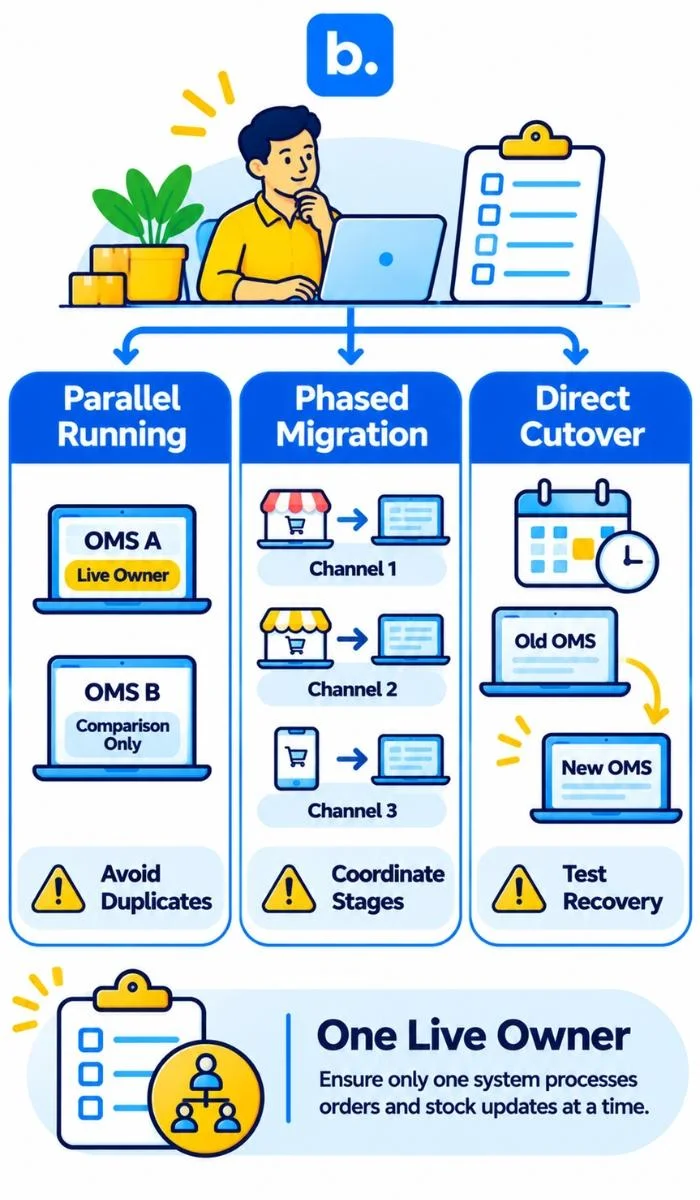
The transition method depends on channels, warehouses and integrations. Agora’s commerce migration checklist recommends dependency mapping, rehearsals, cutover ownership and review of early live transactions; it is general commerce guidance, not an OMS-specific standard.
| Approach | How it works | Advantage | Main risk |
|---|---|---|---|
| Parallel running | Old and new systems operate side by side for a set period | Allows comparison before full transition | Duplicate processing or conflicting stock updates if ownership is unclear |
| Phased migration | Move channels, locations or workflows in stages | Limits each change to a smaller scope | Coordination is harder while work is split across systems |
| Direct cutover | Switch live processing at an agreed time | Avoids a long period of overlapping systems | Incomplete tests can affect more operations at once |
Parallel running is not automatically safer. Define which system receives live orders, updates inventory and creates shipments at every stage. If both systems act on the same event, the business may create duplicate orders or stock movements. A controlled phased or parallel approach can reduce exposure, but the decision should follow integration design and a tested cutover plan.
How to choose a replacement OMS before migrating
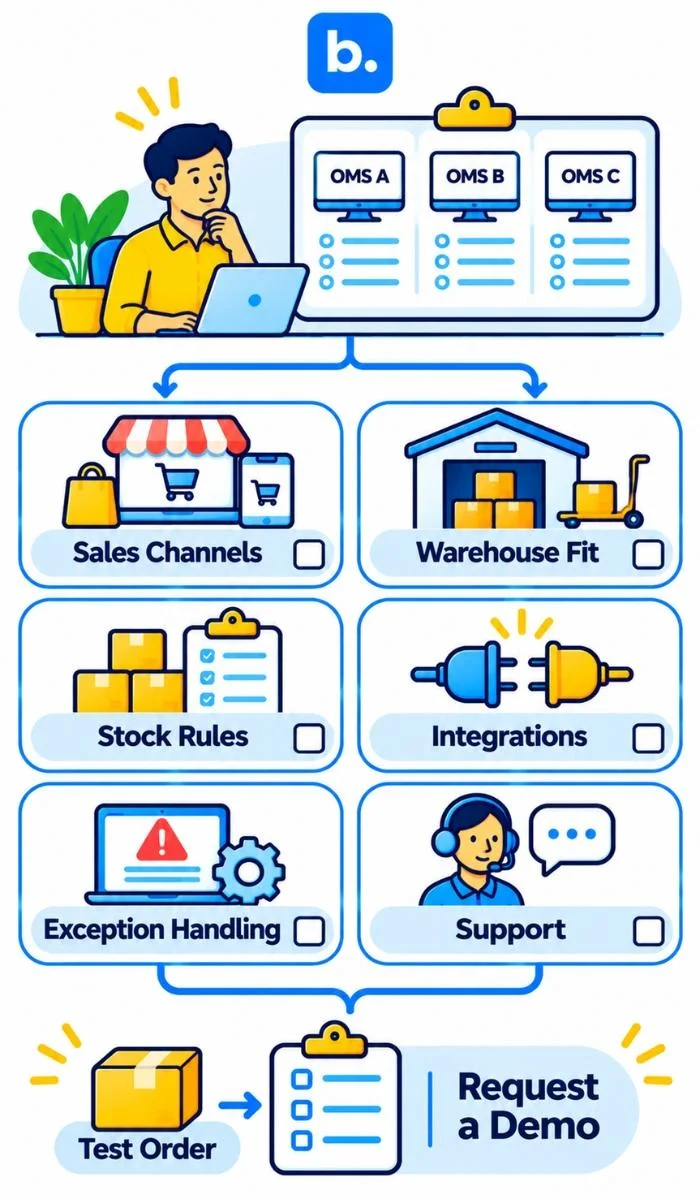
Choose order management software around the business’s actual workflows, integrations, warehouse setup, support needs and total cost, rather than the length of a feature list. Evaluate shortlisted providers using the same test cases, realistic products and representative orders.
Assess marketplace and store coverage for the required accounts and data flows. Review whether the replacement includes a WMS or connects to one, how stock and reservations are represented, which automatic actions are configurable and how exceptions are monitored. Establish who will handle field mapping, configuration, test imports, employee training and cutover support. Obtain a written implementation plan alongside the product proposal.
For more selection context, see our guide to order management software in India. It is a vendor-authored comparison, so use it as a shortlist aid rather than an independent product audit. Compare each provider’s documentation, proposed configuration, contract and test results against your operational requirements.
Considering a Unicommerce alternative? Compare fit, not labels
Businesses searching for a Unicommerce alternative or comparing Unicommerce competitors should first identify why they may switch: price structure, a missing integration, warehouse requirements, support, usability or a workflow that has become difficult to maintain. A provider’s competitor list is a starting point, not evidence that the products are interchangeable.
| Platform to evaluate | Questions to test in a demo |
|---|---|
| Base | Do connected order, warehouse and automation functions fit the required workflow and plan? |
| Unicommerce | Which plan covers the needed facilities, SKUs, user roles, integrations and warehouse functions? |
| Vinculum | Does the offered configuration meet the channel, retail and back-office integration needs? |
| EasyEcom | Can the system represent the required order, stock and fulfilment processes? |
| Increff | Does the product scope fit the business’s catalogue and operating model? |
| Omniful | Are the required channels, fulfilment workflows and support arrangements covered? |
| Browntape or Ginesys | Which specific order, retail or warehouse processes are included in the proposed setup? |
| Anchanto | Does the configuration fit the business’s domestic, cross-border or 3PL-related requirements? |
This is a shortlist, not a ranking or endorsement. Our OMS platforms for D2C brands in India article identifies providers to investigate, but it is also published by a software vendor. Compare each company’s own documentation, contract and test results before deciding. If the existing issue is one faulty integration or an unused configuration, first check whether it can be corrected without replacing the entire OMS.
How much does OMS migration and order management software cost in India?
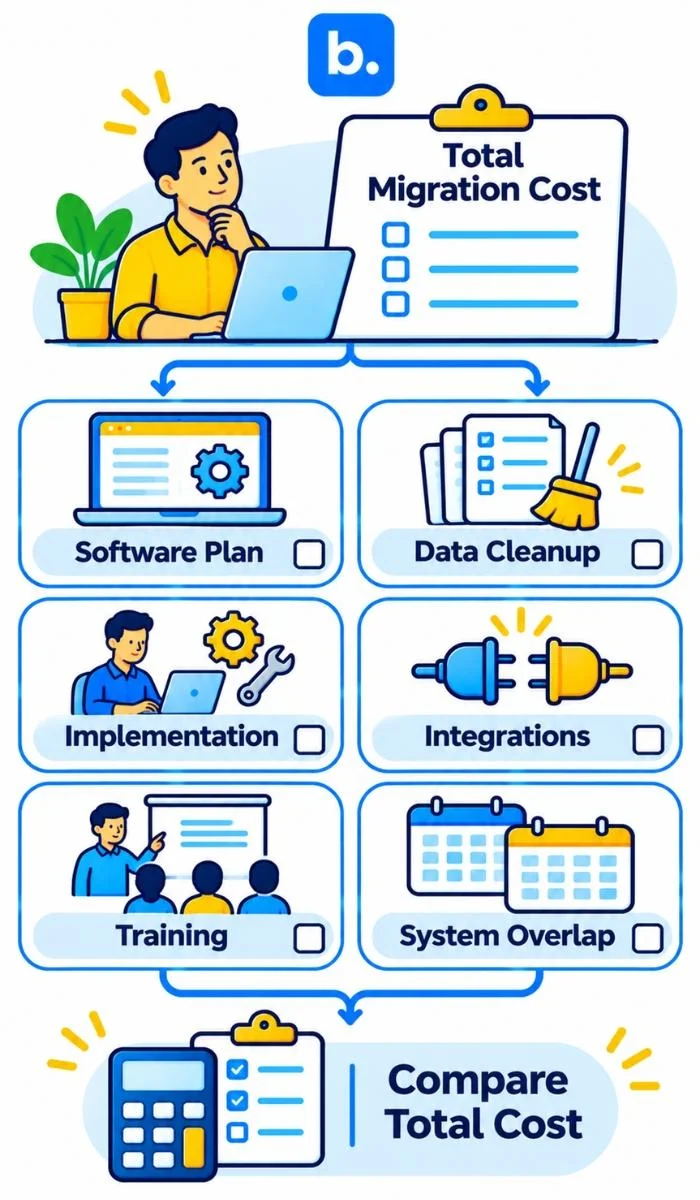
Migration costs include more than the subscription: add data preparation, implementation, integrations, training, support and system overlap. A cheaper licence can cost more overall if it needs custom connections or substantial operational work.
Base’s India page currently lists Freemium at ₹0 per month for up to 100 orders, Business at a ₹1,000 fixed monthly fee plus ₹4 per order, and Enterprise as an individual offer for businesses above 10,000 orders or ₹1 crore GMV per month. The page says listed rates are net amounts. Review the current Base pricing plans directly before budgeting. When budgeting, compare plan limits, feature scope, implementation, integrations and support against the same order-volume assumptions.
How Base.com can support a new order management setup
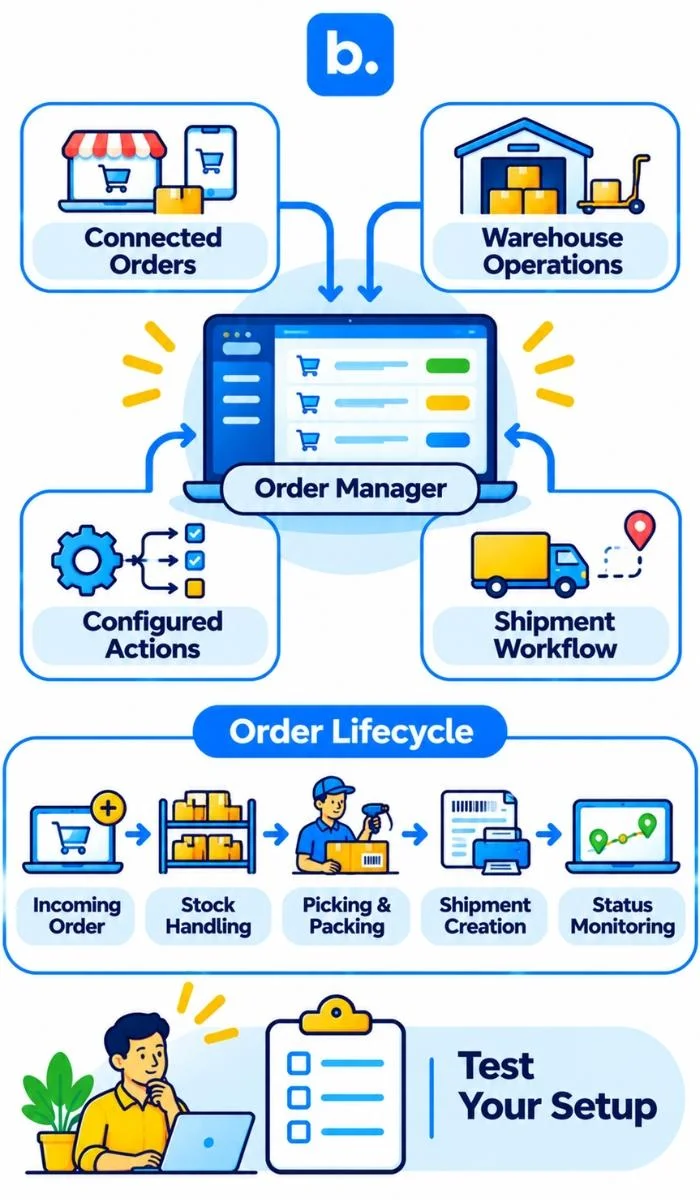
At Base.com, our Order Manager brings orders from connected online stores and marketplaces into one interface. It also supports manually added phone and in-person orders, helping businesses centralise order handling across their sales channels.
Our Workflow Automation supports configured actions for order-status changes, customer messages, invoices, shipments and document printing. These workflows help reduce repetitive administration and keep routine order-processing tasks organised.
Our WMS supports warehouse operations, including inventory management, goods receiving, stock movements, picking and packing. Our Order Manager coordinates orders from connected sales channels, while our Shipping Management supports shipment creation, carrier services, shipping labels and tracking.
Together, these functions help businesses connect order management, warehouse operations and shipping in a centralised ecommerce workflow. During migration planning, teams can assess how these capabilities fit their existing channels, inventory processes, warehouse requirements and shipping operations.
Conclusion
A successful OMS migration moves a working operation, not just a data file. Audit dependencies, clean and map records, test integrations and exceptions, then give one system clear ownership at cutover. Compare alternatives on demonstrated workflow fit and total cost, and keep monitoring after go-live. A controlled plan can reduce disruption, but avoiding every interruption or error cannot be promised without evidence from the specific implementation.
