When you list a product on one TikTok Shop EU market and replicate it to other EU markets, Base.com can ask TikTok Shop to translate the text shown on the product images. This includes both the main images and the variant images.
The feature is available for a connected TikTok Shop integration. For example, if you list an offer in France (FR) and also publish it in Germany (DE), the FR offer keeps the original French images, while the DE copy receives images with the text translated into German.
How image translation works
Image translation runs when TikTok Shop creates a replicated offer for an additional market. TikTok Shop translates the text visible on the product images, including text on the main product images and images assigned to variants.
The source market is not changed. Only the copies created for additional markets receive translated images.
Requirements
Before you start, make sure that:
- You have a connected marketplace account for TikTok Shop EU in Base.com.
- You publish the product in at least one market other than the source market. Image translation runs only for replicated offers.
- The language of the target market is different from the language of the source market.
- You create a new offer. Editing an existing offer does not translate its images.
How to enable and use image translation
Step 1: Turn on image translation
Enable the option once for the selected TikTok Shop EU account. From that moment, the setting applies to every new offer listed from this account.
- In Base.com, go to Integrations → TikTok Shop EU account and open the account.
- Open the Listing settings tab.
- In the Product offer data section, find Image translation via TikTok Shop.
- Set the option to Yes. The description under the option reads: “When listing offers, TikTok Shop will translate text on images into the languages of the selected markets.”
- Click Save.

Step 2: List the offer in multiple markets
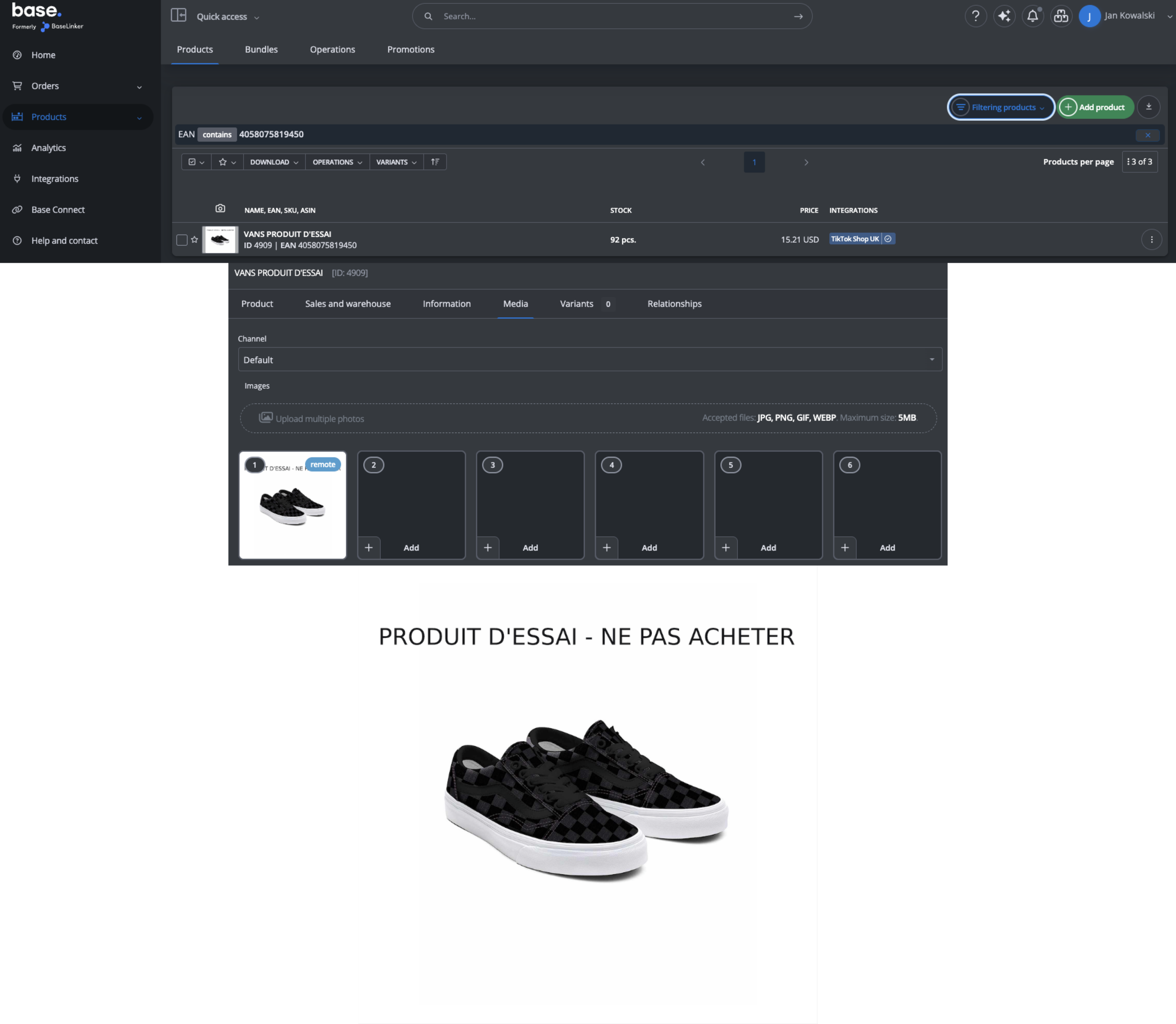
Before listing, go to Products (Inventory) and check that the product images contain the text you want TikTok Shop to translate, such as a label or a banner. You can also review the product’s product data and images before starting the listing process.
- In Products (Inventory), find and select the product.
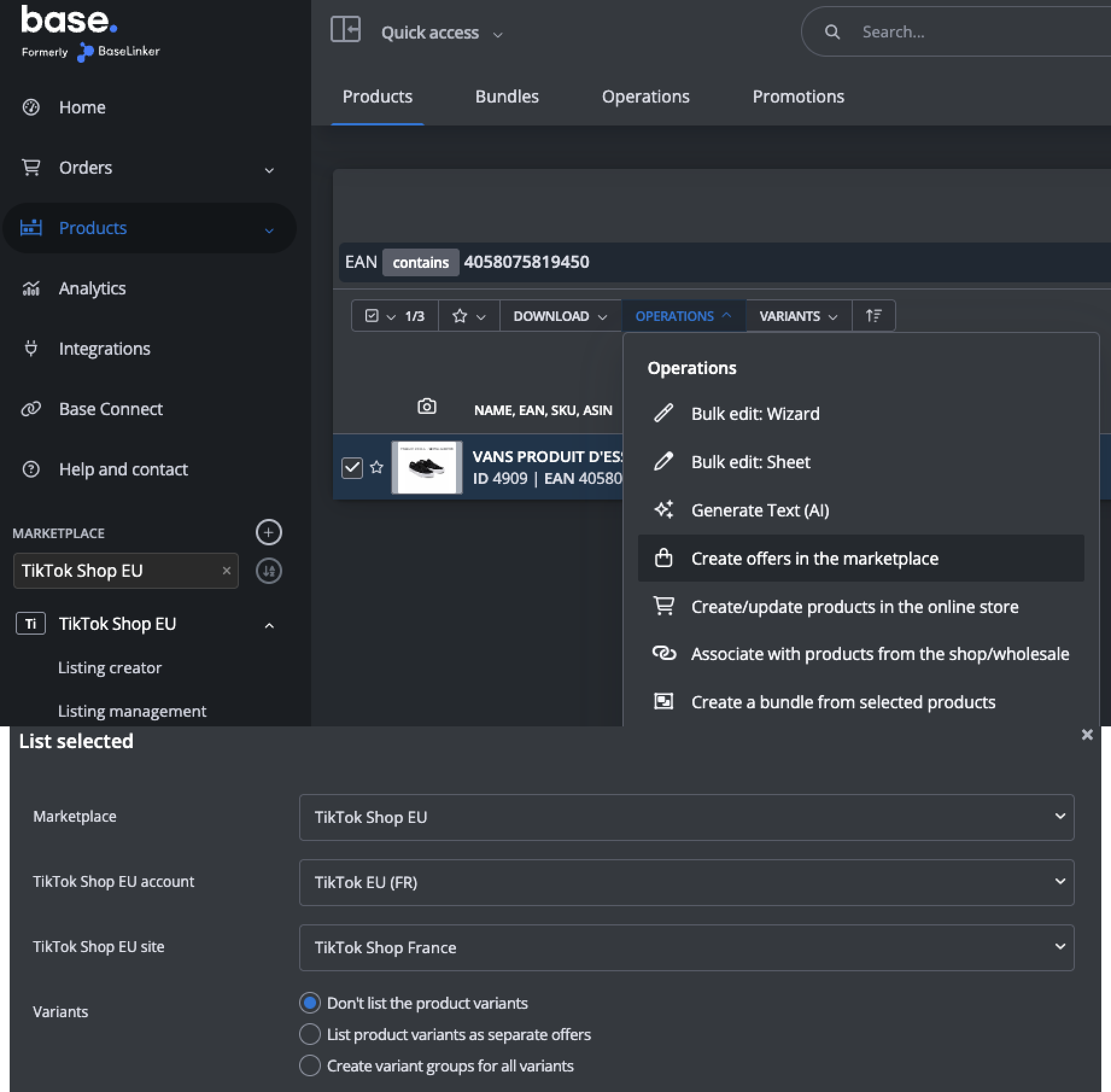
- Choose Operations → Create offers in the marketplace → TikTok Shop EU (your account).
- Complete the listing form as usual, including the category, attributes, price and stock. You can use the standard listing offers workflow and your existing category and product relationships.
- In Publish in region, select:
- the source market, meaning the shop where you are listing the offer, for example FR;
- one or more additional markets, for example DE, IT or ES.
- Click List offer.

Wait for the replicated offers to be created
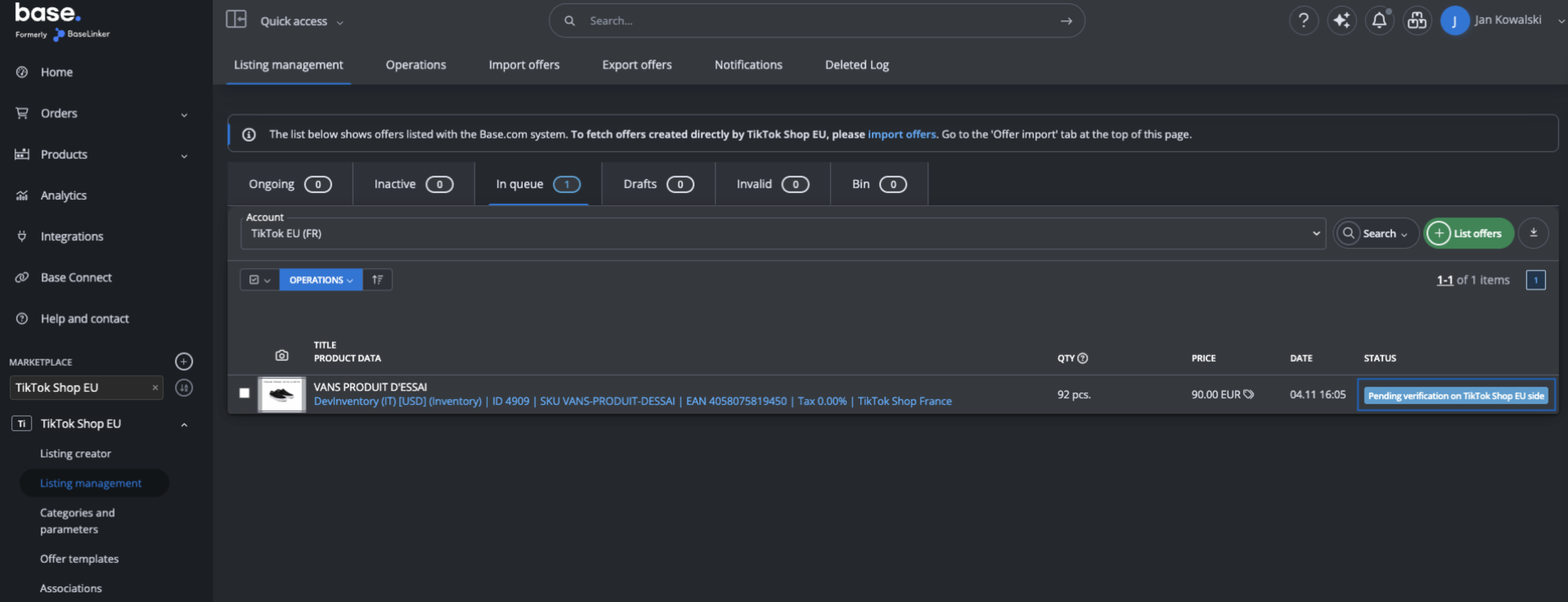
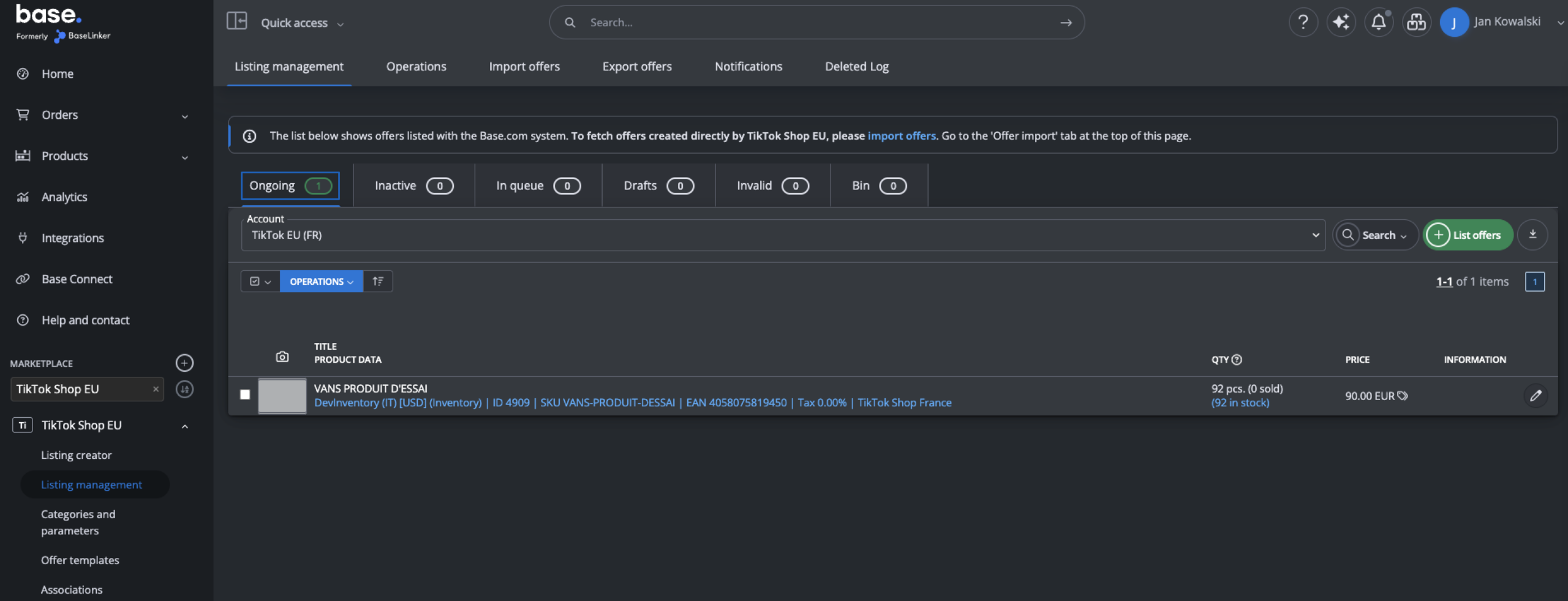
The offer for the source market is created first. Copies for the additional markets are created later because TikTok Shop must translate the images before replicating the offers. This usually takes a few minutes or more.
During this process, you may see the offer move through statuses such as Pending and Ongoing.
Check the translated images in TikTok Shop
Source market
Log in to TikTok Shop Seller Center for the source market, for example FR, and open the product. The offer on the source market shows the original images, including the original text.
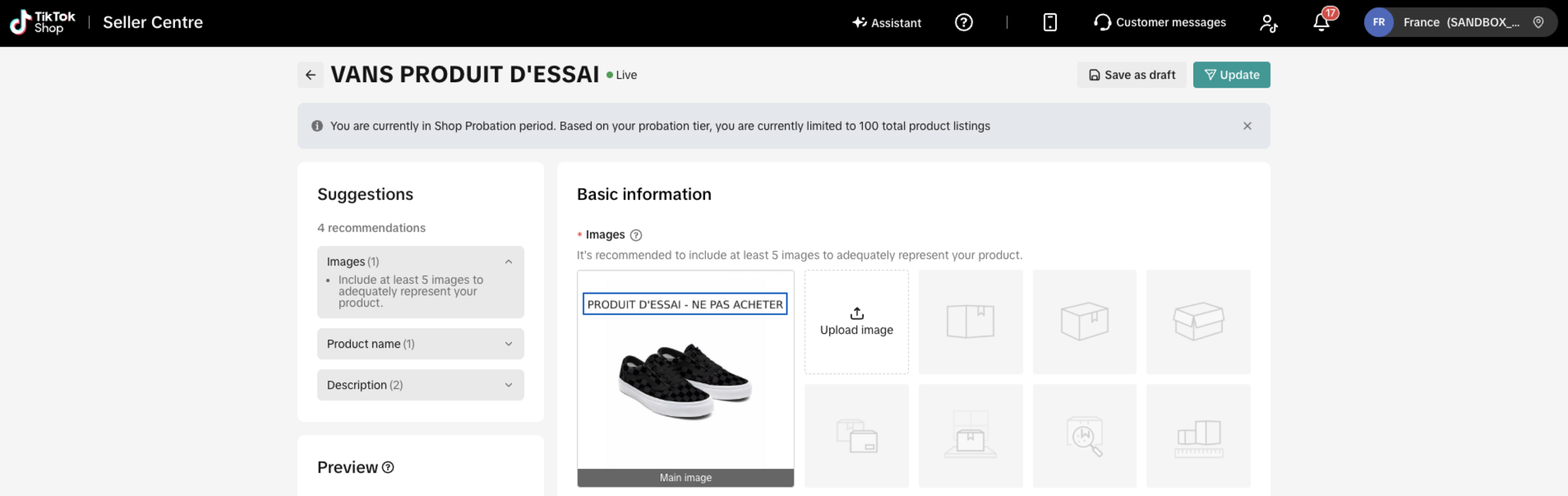
Additional market
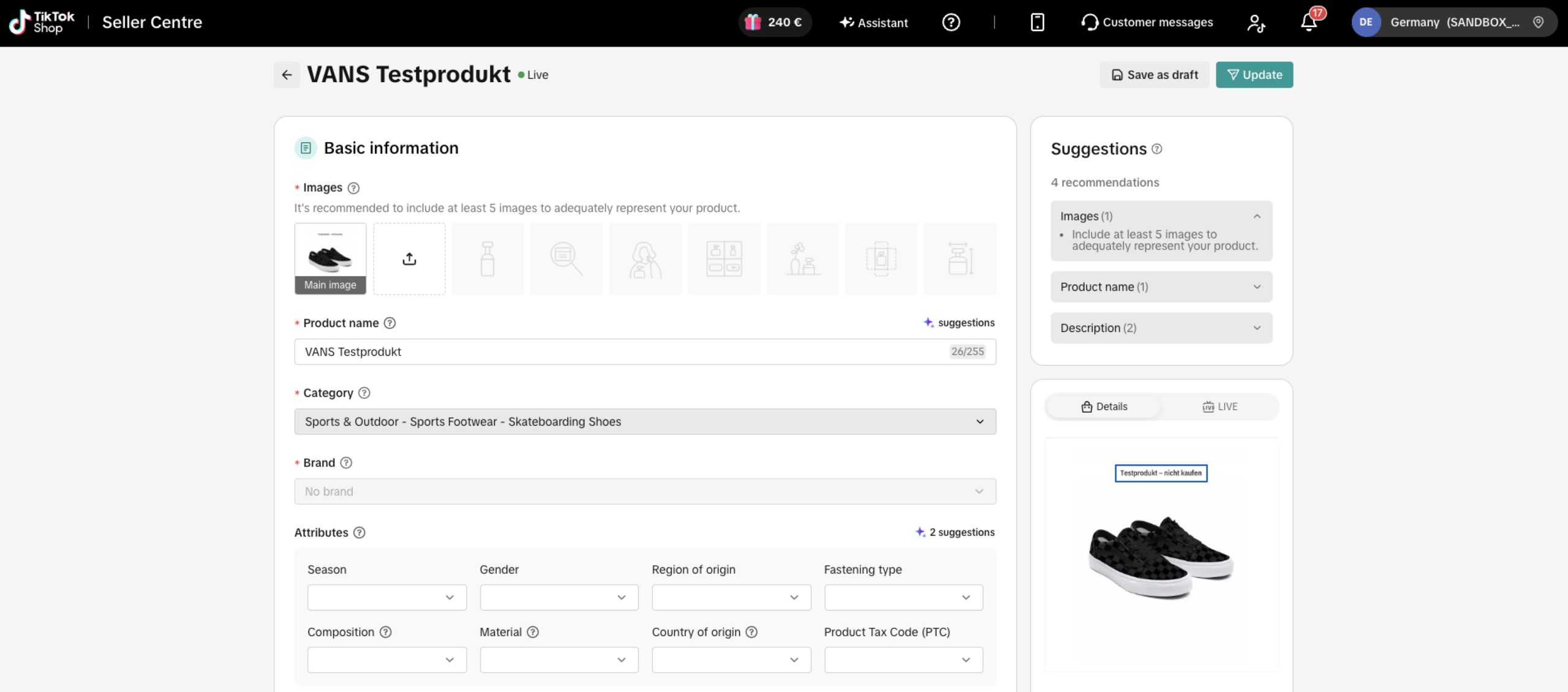
Switch to an additional market, for example DE, and open the same product. The images in the replicated offer show the text translated into the language of that market. This applies to both the main images and the variant images.
The target market language is determined by TikTok Shop. It is separate from the language versions you may store for product text in Base.com.
Good to know
Translation failures do not block listing
Listing is not blocked if TikTok Shop cannot translate the images. For example, if the daily translation limit is reached or an API error occurs, the offer is still replicated to the additional market with the original images.
Other image translation rules
- Source market images are never changed. Only copies published in additional markets can receive translated images.
- Translation runs only for new offers. Editing an existing offer does not translate its images.
- Each image is sent for translation only once, even if the same image is used several times in the product.
- Same language means no translation. If an additional market uses the same language as the source market, its images are not translated.