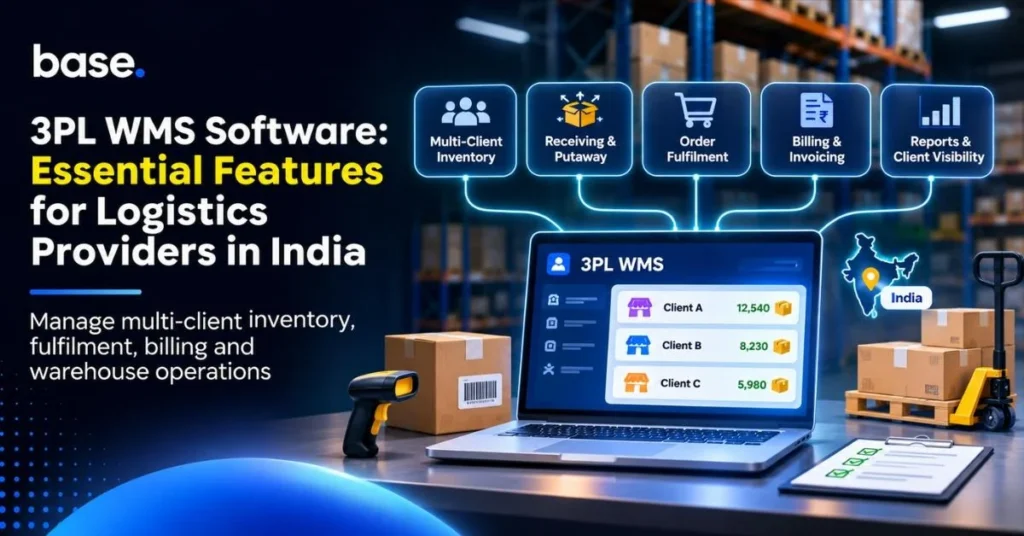
A 3PL WMS is a warehouse management system used by third-party logistics providers to manage storage, inventory and fulfilment for clients. Unlike an in-house warehouse system serving one business, the software may need to keep multiple clients’ stock ownership, workflows, orders and reports distinct while they share warehouse resources. That means supporting more than stock movement: providers need reliable client-level inventory records, receiving and putaway, picking and dispatch, integrations, activity reporting and, where required, billing records. Capabilities vary, so a platform described as a WMS is not automatically suitable for every multi-client operation.
What is a 3PL WMS and how does it work?
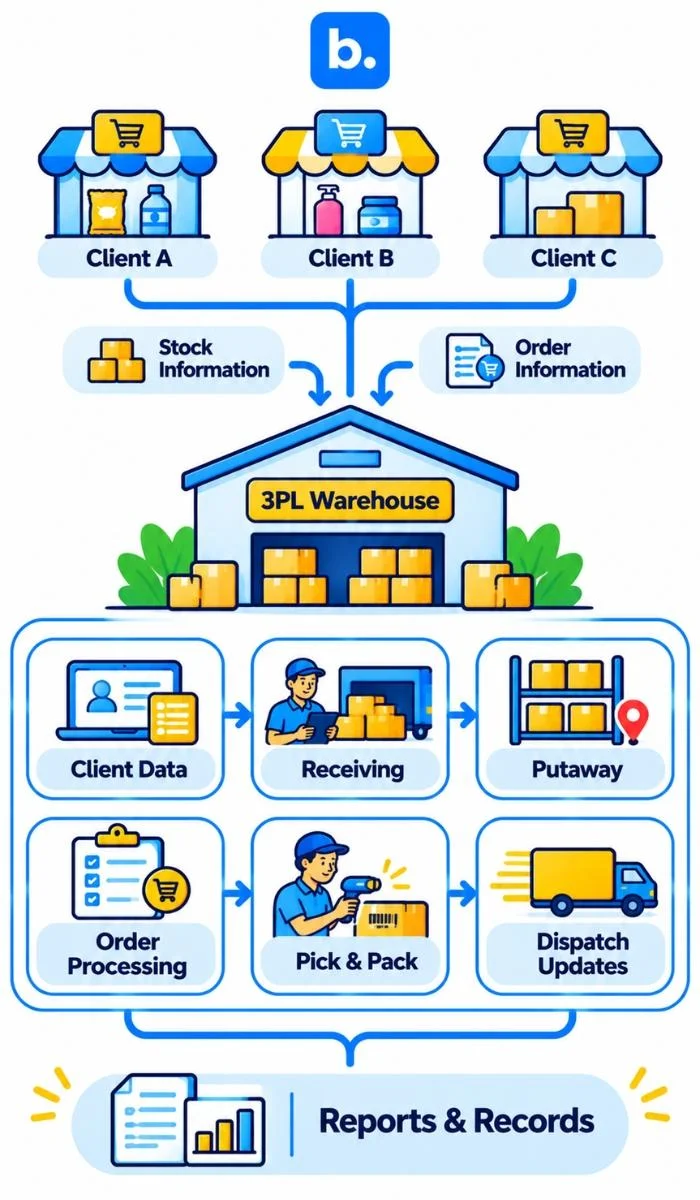
It is the operational system a logistics provider uses to manage warehouse work for clients. Services may include storage, inventory handling, fulfilment, packing and dispatch, depending on the agreement. The CSCMP logistics definition includes warehousing, order fulfilment and management of 3PL providers.
A typical workflow is: receive client product or order data; record incoming goods against the right client and SKU; assign storage locations; process orders; pick, pack and prepare dispatch; then share inventory and order updates. Activity records may also support client reporting or billing, depending on the contract and systems. A WMS handles warehouse execution, but need not replace a client’s OMS, shipping platform or billing application. Agree each system’s role and data hand-offs before implementation.
Why do 3PL providers need specialised warehouse management software?
An in-house warehouse typically handles one owner’s stock and procedures. A 3PL may manage several clients with distinct inventory, receiving rules, packing instructions, order sources, service commitments and reporting needs. Records must remain attributable to the right client even when staff and facilities are shared.
That does not always require physically separate zones. Some stock may share space where contracts and handling rules permit, provided digital ownership and traceability remain clear. Physical segregation may be required for other goods. Decide based on the product, agreement, safety and system configuration, rather than assuming one approach fits every account.
3PL vs a standard warehouse management system: what is the difference?
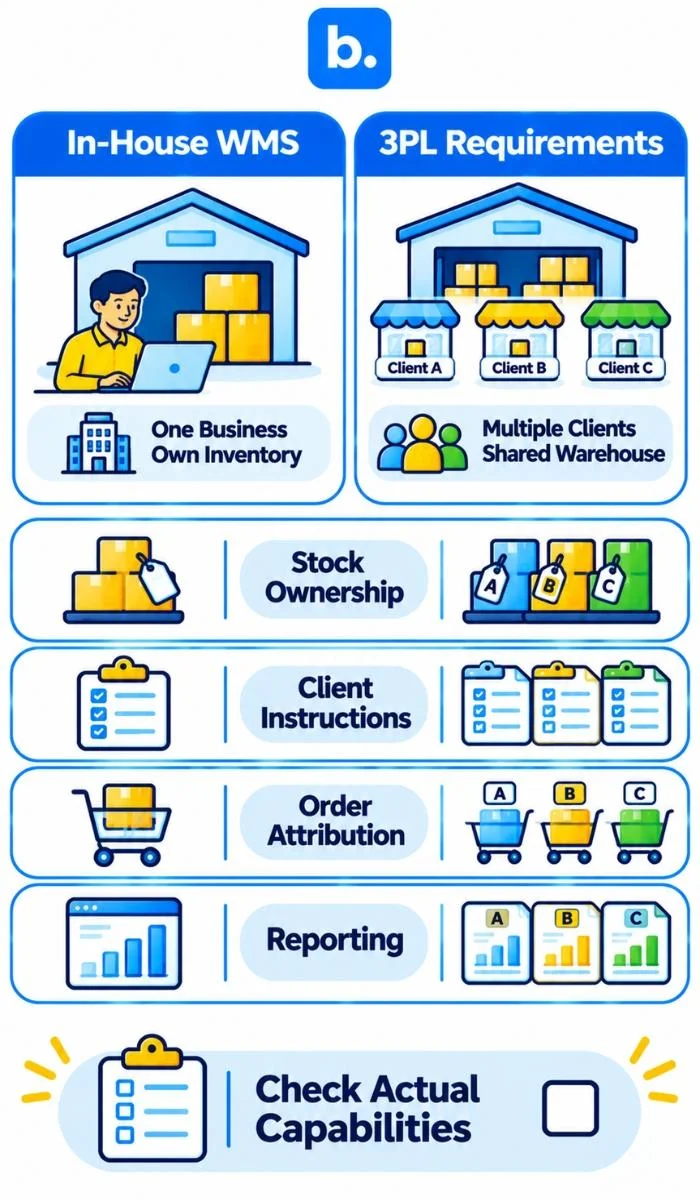
Both types of WMS can support core warehouse tasks such as receiving, storage, picking and dispatch. A 3PL environment adds the need to manage operations on behalf of multiple clients, so evaluate client-level records, workflows and reporting rather than relying on the product label.
| Area | Standard in-house WMS | 3PL-specific needs to verify |
|---|---|---|
| Inventory ownership | Usually one business’s stock | Records distinguish different clients’ stock |
| Warehouse workflows | One company’s processes | Client-specific instructions where needed |
| Order handling | Own sales or internal orders | Orders identified and processed for the correct client |
| Reporting | Internal inventory and operation | Client-level and warehouse-wide views, if needed |
| Billing records | May sit outside the WMS | Activity records may support service charges |
| Integrations | Company’s own systems | Multiple client and operational systems may be involved |
These are typical distinctions, not a universal checklist. Some general WMS products can be configured for straightforward 3PL work; some systems marketed to 3PLs may still lack a required workflow. Check the data model and actual configuration.
What features should third-party logistics providers look for in WMS software?
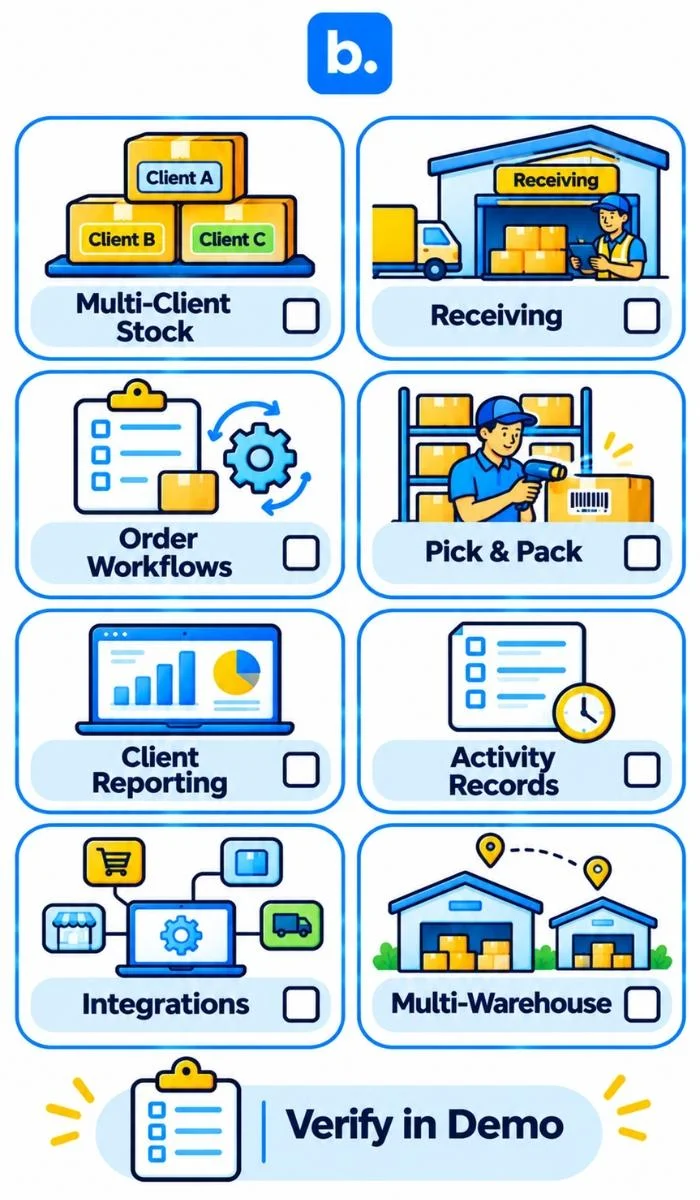
The right features depend on the provider’s services and contracts. Use these areas to structure evaluation; not every 3PL needs every capability, and not every WMS includes them.
Multi-client inventory management
Inventory should be attributable to client, SKU and, where relevant, storage location. Test identical SKUs belonging to different clients, stock movements and adjustments to confirm records cannot be confused. Ask whether shared locations are supported and how ownership remains traceable. Logical separation is not the same as physical segregation, and the suitable model depends on agreements and handling requirements.
Receiving, putaway and location management
Check that staff can record receipts against the right client, compare expected and actual quantities where available, and note damaged or discrepant stock. The WMS should maintain current location records and support suitable putaway. Test partial receipts, a wrong SKU and damaged goods, then confirm what the system records and what needs manual resolution. Do not assume putaway is automatically directed.
Order management and fulfilment workflows
Orders from different clients must be associated with the correct account, instructions, priority and status. Map which system releases warehouse work, reserves or updates stock, and reports dispatch. A client OMS may handle sales channels and order allocation while the WMS manages warehouse execution; a WMS does not necessarily replace the broader OMS or monitor every service-level agreement.
Picking, packing and dispatch
Evaluate location-based pick lists, barcode checks where supported, packing steps, dispatch preparation and status updates. Make client-specific packing or documentation instructions visible at the task. Carrier links and label generation vary by product and may sit in a separate shipping system. Test a normal order and an exception such as a short pick.
Client-level visibility and reporting
Check whether reports show stock by client and SKU, receipts, dispatches, order progress, discrepancies and warehouse activity, alongside overall views for labour and space planning. Reporting should match contract definitions and available data. Ask what is standard or configurable, how frequently it is updated, and whether the product has client access or only exports. Do not assume portals or granular permissions.
Billing and activity records
Storage, receiving, picking, packing, dispatch and additional handling may be chargeable under a client agreement. A WMS may record these events, but that is not the same as a billing engine that applies rate cards and issues invoices. Ask which activities are attributed to clients and exported, and whether billing is handled in the WMS, an ERP, accounting tool or separate 3PL application.
Integrations and data exchange
List the client systems involved, such as ecommerce platforms, marketplaces, ERP, OMS, shipping and accounting tools. Specify the order, inventory and fulfilment data exchanged, direction, timing and exception handling. Some connections may require APIs, middleware or custom work. Verify support and scope for each client instead of assuming all integrations are native.
Scalability and multi-warehouse support
Check whether the system can handle expected clients, SKUs, orders and warehouse sites. For multiple locations, test client-level stock visibility and transfer recording. Confirm configuration effort, system limits and costs before expansion. Scalability should be tested against a realistic workload, not treated as unlimited capacity.
How does the system support multi-client warehouse operations?
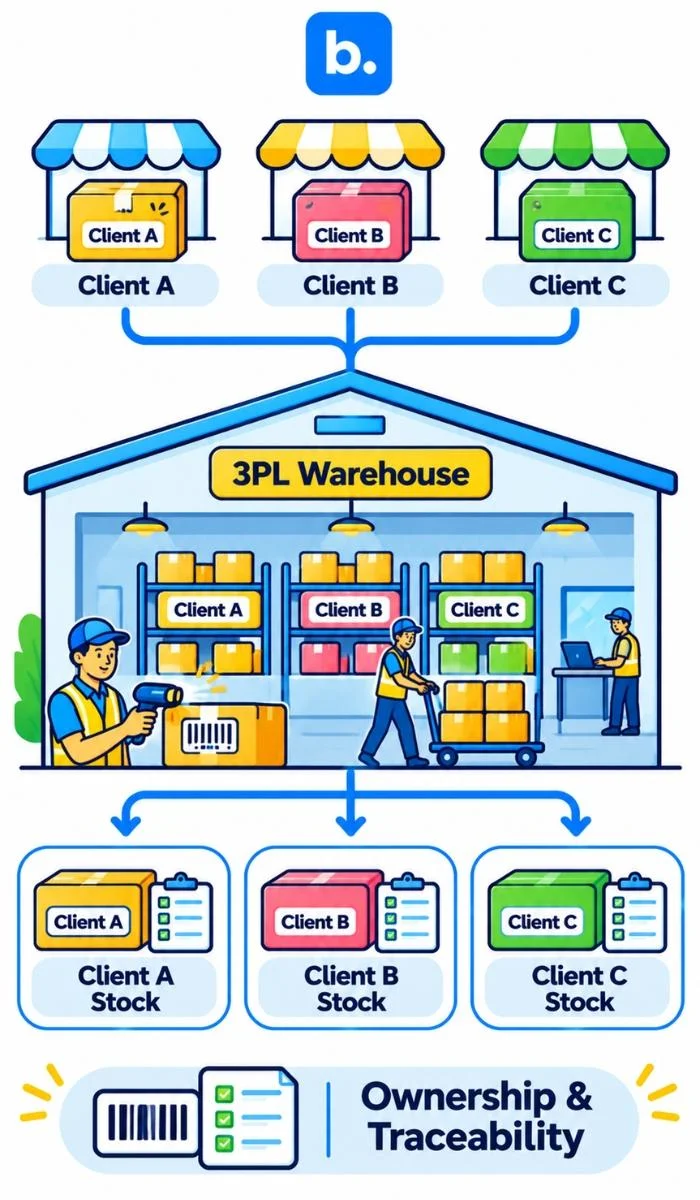
A suitable system supports shared warehouse execution while keeping inventory ownership and work traceable to the right client. The practical test is whether staff can receive, store, pick and report on inventory without mixing account records, and whether managers can still see overall warehouse activity.
First, client identifiers need to persist across product records, stock movements, orders and adjustments. Second, relevant client requirements, such as receiving checks or packing instructions, need to reach the workers performing the task. Third, reporting permissions and outputs should match the provider’s agreements: internal operational visibility is not automatically the same as client access. Confirm that account boundaries, users and report availability are supported before promising clients a specific portal or permission model.
A shared facility can still have client-specific physical zones, shared locations where appropriate, or a combination. The system and standard operating procedures need to reflect that design. Software cannot settle ownership disputes or replace clear client agreements about labelling, returns, damaged stock and responsibility for discrepancies.
What should Indian 3PL providers consider when choosing WMS software?
Indian providers should map their local client and warehouse workflows before comparing WMS systems. The key is to confirm the process and integration requirements for the actual accounts, not to rely on broad claims about a product being designed for India.
Ecommerce integrations and fulfilment locations
List each client’s ecommerce platform, marketplace, OMS, ERP and shipping service, then confirm which order, inventory and dispatch data must be exchanged. If the provider handles stock across multiple Indian locations, check how stock, transfers and fulfilment site are represented. Verify each required connector and its scope with the software provider and the relevant client systems.
GST, invoicing and accounting hand-offs
A 3PL should understand how warehouse activity records feed its own invoicing and accounting process. Whether a charge is taxable and how an invoice is issued depend on the provider’s business model, contract and accounting setup. A WMS should not be treated as a GST-compliance solution by default. Confirm what data it records and where the accounting or invoicing work is performed.
Implementation, training and support
Evaluate data migration, client and SKU setup, location mapping, integration costs, training, support and ongoing maintenance. Include the time needed to document each client’s receiving, picking, packing, returns and reporting rules. A system may be technically capable but still need configuration and process changes before a new account can go live.
How to evaluate warehouse management system companies before choosing one
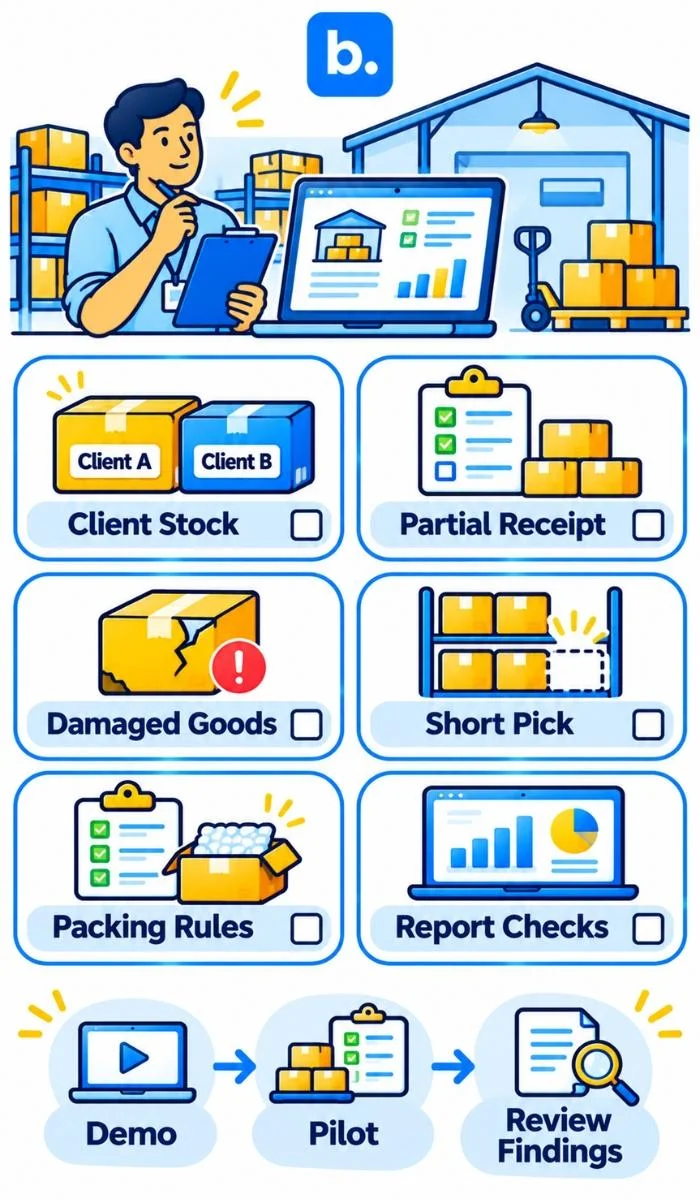
Compare vendors against real client workflows, not a list of features alone. Use this checklist to identify what to demonstrate during a product review:
| Evaluation area | What to verify |
|---|---|
| Multi-client records | Can stock and orders be attributed to the right client? |
| Inventory visibility | Can stock be checked by client, SKU and location? |
| Core workflows | Are receiving, putaway, picking, packing and dispatch covered? |
| Client variation | Can required instructions be configured and surfaced? |
| Integrations | Can it exchange data with the systems your clients use? |
| Billing records | Are relevant activities recorded for charge review? |
| Reporting | Can you see client-level and warehouse-wide activity? |
| Multiple warehouses | Does it represent your actual sites and transfers? |
| Implementation | What migration, configuration and training are needed? |
| Support | What operational and technical help is available? |
Run a pilot with representative clients, products, orders and exceptions. Test similar SKUs owned by different clients, partial receipts, damaged stock, short picks, returns and a client-specific packing rule. Review who can see each record and how activity reaches reports or billing. This exposes gaps that a sales demonstration using a simple single-client order may not reveal.
How can warehouse management software support provider growth?
A WMS can support growth by giving teams repeatable warehouse workflows and clearer inventory and activity records as client accounts, SKUs, orders or sites increase. When adding a client, the provider still needs to map products, receiving and packing rules, integrations, reporting and any billing hand-offs. A configurable workflow may help apply agreed processes consistently, but software does not remove client onboarding work.
Before expansion, test the system against a realistic increase in users, transactions and locations. Check whether licences, integrations, support or configuration effort change as the business grows. A system that suits one warehouse and a small account base may need additional setup or different capabilities as the provider’s service model becomes more complex.
Can a standard WMS work for a 3PL business?
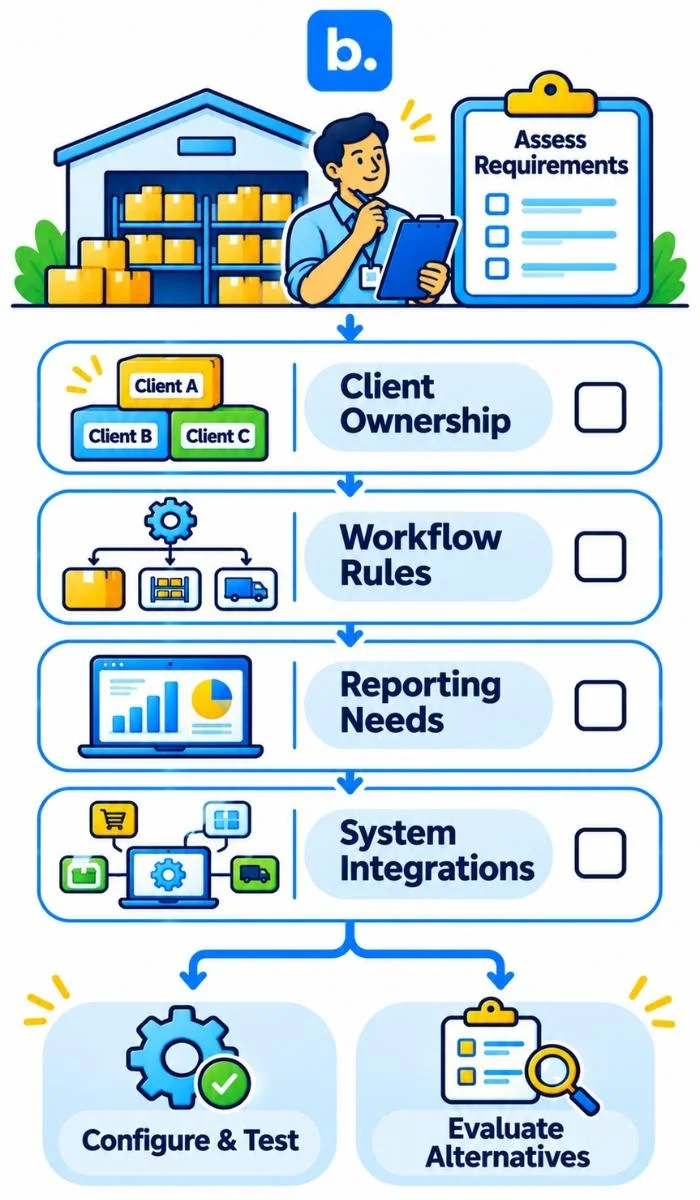
It can, if its actual capabilities support the provider’s client separation, inventory traceability and workflows. A small 3PL with few clients and straightforward fulfilment might use a general WMS with suitable configuration. A more complex provider may need dedicated multi-client records, client-specific processes, richer reporting, activity billing and broader integrations.
The label is not decisive. If the operation depends on spreadsheets to distinguish client stock, manually reconstruct warehouse charges or translate order instructions, those workarounds create operational risk and cost. Specify requirements first, then test the system against them.
How our WMS fits into a 3PL operation
Our WMS documentation describes warehouse functions including receiving, storage locations, stock visibility, picking, packing, barcode-assisted stocktakes and multiple warehouses. These can support warehouse execution and inventory handling. Read more about our warehouse management system and our article on what a warehouse management system does.
The documented capabilities do not establish dedicated multi-client inventory segregation, client-level permissions or portals, client-specific reporting, or 3PL billing. We therefore do not position our WMS as a dedicated multi-client logistics system on the basis of those pages. Providers should verify those requirements separately and assess whether the documented warehouse functions fit their operating model. Our India WMS overview offers additional context on warehouse operations in the Indian ecommerce setting.
Conclusion
A suitable 3PL WMS must fit the provider’s client model, not just its warehouse tasks. Verify ownership records, workflows, integrations, reporting and billing hand-offs, then test them with real client scenarios. A WMS can organise warehouse execution, but contracts, processes and verified product capabilities determine whether it works for the operation.
