

Build your Blinkit catalog around the dark store inward check, not the app listing. Blinkit buys your stock and physically inspects every consignment, so a barcode that does not scan or an MRP that differs from the pack becomes rejected inventory. Learning how to list products properly in the Blinkit platform means making catalog data match physical product before dispatch.
Why Quick Commerce Is a Vendor Relationship, Not a Marketplace Listing
This is the single most important thing to understand, and it changes every downstream practice.
On Amazon or Flipkart, you list, a customer orders, you ship. On Blinkit, the platform purchases inventory from brands, stores it in hyper-local dark stores, and delivers in ten to twenty minutes. Blinkit reportedly operates several hundred dark stores across 30 or more cities at very high daily order volumes.
That model produces four consequences for product data.
- Your catalog serves a purchase order. Data is reviewed at a New Product Introduction stage, then a Category Manager raises a PO, then you dispatch. Bad data stops the PO, not just the listing.
- A physical inward team checks every consignment. Catalogue-to-physical discrepancies get caught at the dark store gate, and rejected stock returns to you as RTV. There is no same-day appeal.
- Dark store shelf capacity is finite. Each store holds a limited assortment, so hundreds of brands compete for the same slots. Data quality and sales velocity decide who keeps a slot.
- Shelf life is a gating criterion. Blinkit favours products that can move through fast throughput without wastage, and enforces minimum remaining shelf life at inwarding.
Understanding how to list products properly in the Blinkit platform therefore starts with accepting that the catalog is an operations document, not a marketing asset.
The Onboarding Sequence That Avoids Rework
| Stage | Typical duration | What must be right |
| Application and documentation | 1-2 weeks | GST, PAN, bank, brand authorisation, licences |
| Commercial terms and agreement | 1-2 weeks | Model, margins, cluster selection, PO expectations |
| NPI catalog submission | 1-2 weeks review | Titles, descriptions, images, MRP, EAN, shelf life, HSN |
| APOB registration | 3-7 working days | Dark store address added to GST |
| PO and dispatch | Per PO cycle | Physical stock matching catalog exactly |
| Inward check and go-live | Same day | Scans, labels, shelf life, MRP all pass |
Reported timelines vary widely, from around one to two weeks for onboarding with clean documentation up to roughly eight weeks from application to first sale. Plan for the longer figure.
One sequencing note worth acting on: begin APOB registration the moment you receive the dark store address rather than waiting for catalog approval. Running them in parallel is free time.
1. Test Every Barcode on Physical Product Before Dispatch

The picker scans every unit. One failed scan stops the SKU.
A missing or unscannable EAN is among the most common inward rejection reasons, and it is entirely preventable.
Verify:
- Every sellable unit carries a unique EAN, including each pack size and flavour.
- Barcodes physically scan with a real scanner, on the actual production packaging.
- The code on the label matches the code in the catalog file exactly
- No code reused across variants or pack sizes
- Print quality survives handling, with adequate quiet zone and no distortion.
- Placement is accessible to an operator working at speed
Test a physical sample per SKU before bulk labelling. Anyone learning how to list products properly in the Blinkit platform should treat the scan test as non-negotiable, because the failure surfaces after freight has already been paid.
2. Keep MRP Identical on Pack and in the Catalog
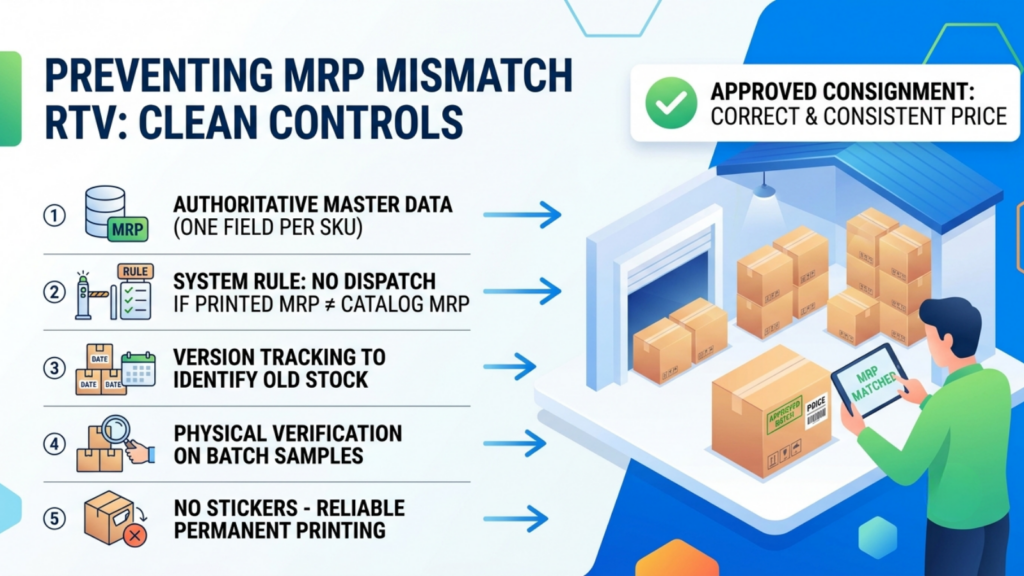
If the pack says one price and the listing says another, the consignment is rejected.
This sounds trivial, and it is a recurring cause of RTV, usually for structural reasons rather than carelessness: a price revision applied to the catalog but not to printed stock, or old stock cleared into a new PO.
Controls that prevent it:
- One authoritative MRP field per SKU in your master data
- A rule preventing dispatch of stock whose printed MRP differs from the current catalog value
- Version tracking, so a price revision is dated and old stock is identified
- Physical verification of printed MRP on a sample from every production batch
- No reliance on stickers, which fall off in handling
The sticker point matters. Corrected MRP applied by sticker is a known inward failure mode.
3. Hold Shelf Life as Structured Data, Not a Description Note
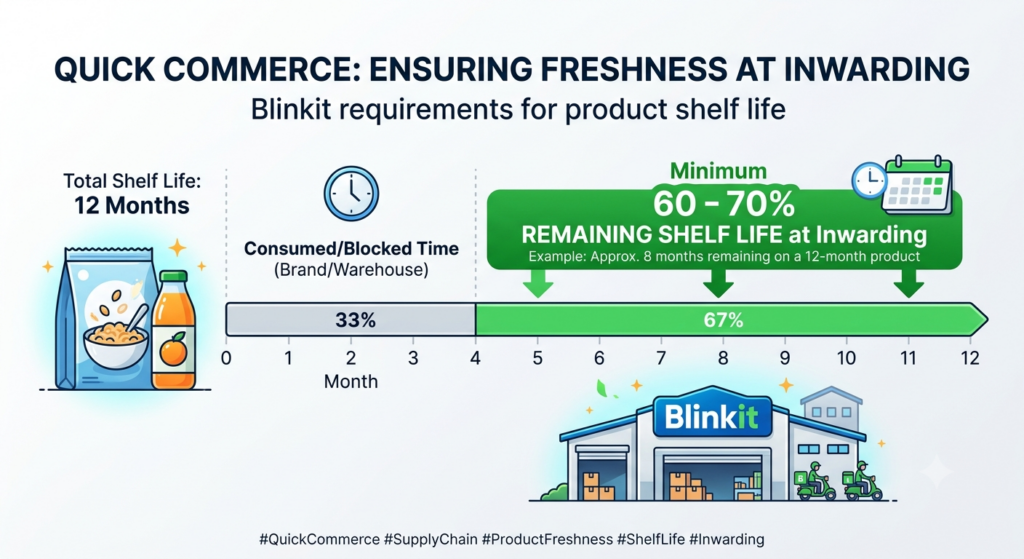
Shelf life is the defining data field in quick commerce, and most brands hold it as text.
Blinkit typically requires a minimum proportion of total shelf life remaining at inwarding, commonly cited in the region of 60 to 70% depending on category. On a twelve-month product, that means roughly seven to eight months remaining at dispatch.
| Field | Why it must be structured |
| Total shelf life | Drives the remaining-life calculation |
| Manufacture date per batch | Enables the calculation at all |
| Minimum remaining life at dispatch | Enforceable as a picking rule |
| Period after opening | Relevant for some personal care |
| Batch identifier | Traceability for recall and RTV analysis |
Perishable and short-life products face tighter treatment. Items falling below a low remaining-life threshold can be routed to clearance or returned to the supplier.
Set the minimum-remaining-life rule in your own system and enforce it at picking. Correct practice in how to list products properly in the Blinkit platform includes preventing the dispatch that would fail, not just recording the field.
This is where catalog and warehouse must share data
A shelf-life rule is unenforceable if the catalog does not know what batch the warehouse is about to pick.
Base.com holds one product record across catalog, order and warehouse modules, so a minimum-remaining-life rule becomes an actual picking constraint rather than a policy in a document. The rule and the stock position reference the same object.
4. Complete Legal Metrology Labelling Before You Submit
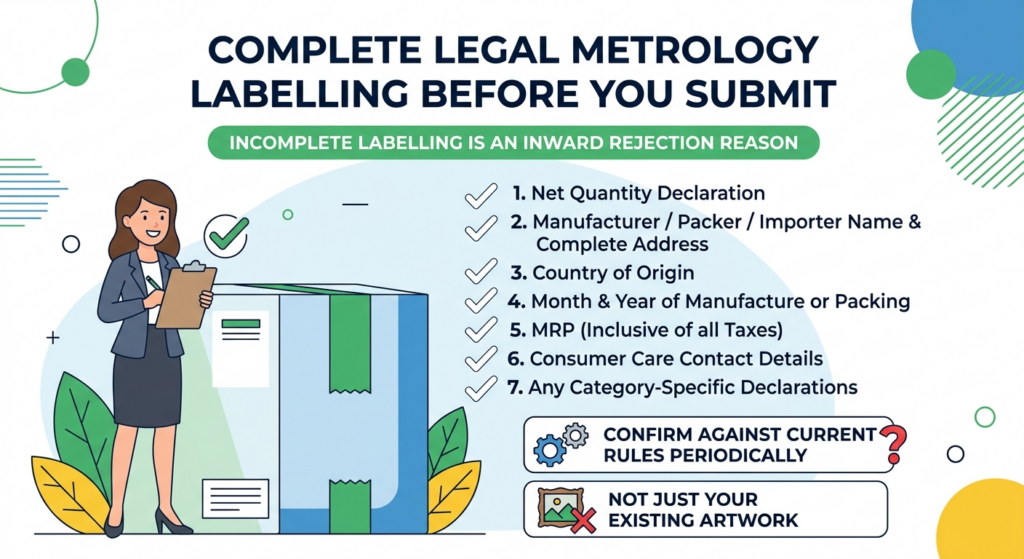
Incomplete statutory labelling is an inward rejection reason, and the requirements are not optional for packaged commodities.
Verify on primary packaging:
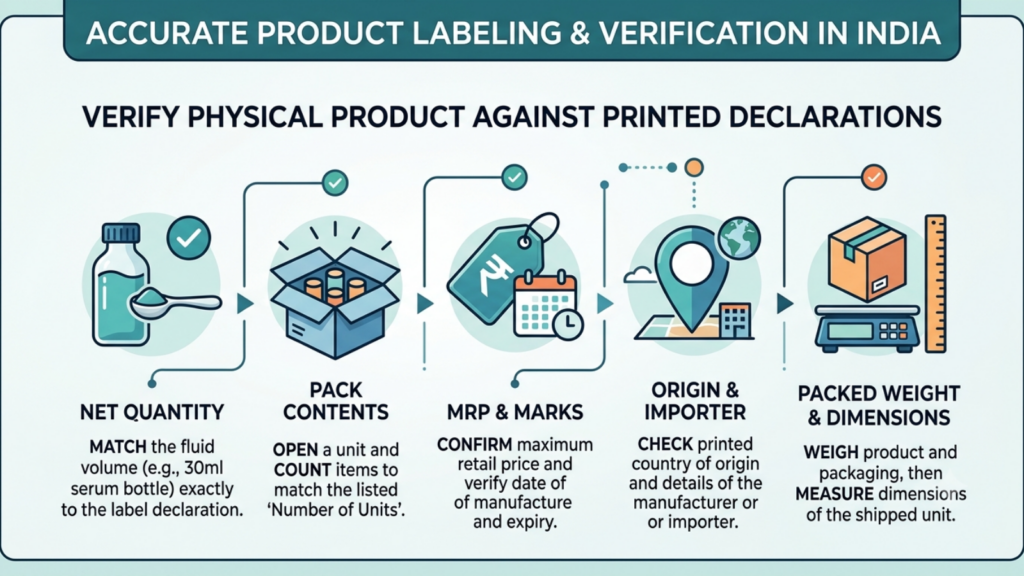
- Net quantity declaration
- Manufacturer, packer or importer name and complete address
- Country of origin
- Month and year of manufacture or packing
- MRP inclusive of all taxes
- Consumer care contact details
- Any category-specific declarations
Confirm current requirements against the applicable rules rather than against your existing artwork, since labelling norms are periodically amended and old artwork passes internal review precisely because it always has.
5. Put Licence Numbers on Primary Packaging, Not Inserts
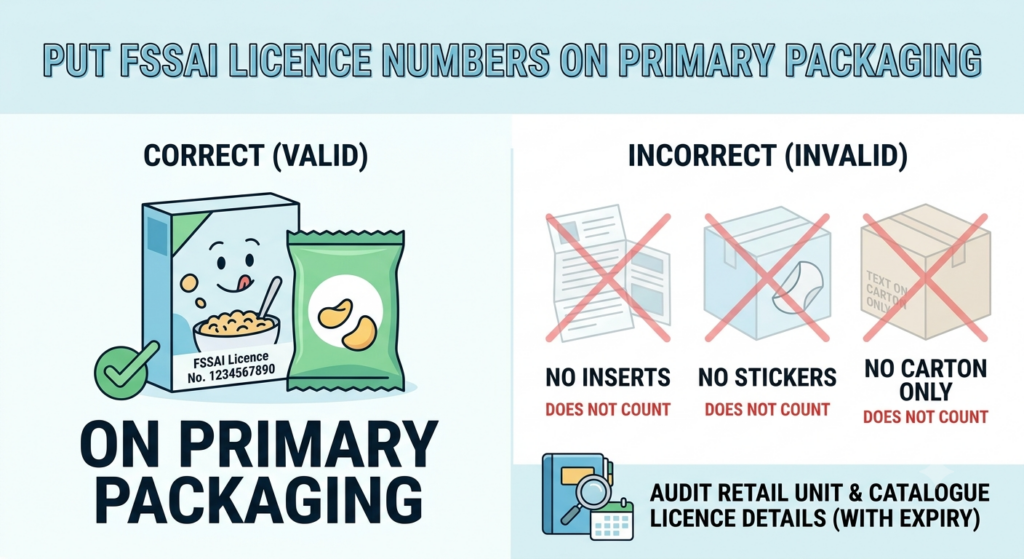
For food products, the FSSAI licence number must appear on the primary packaging. Inserts do not count. Stickers do not count.
This catches brands who have a valid licence and still fail inward, because the number lives on a carton rather than on the unit being sold.
Audit the actual retail unit. Then hold the licence number and its expiry as catalog fields so an expiring licence surfaces before it becomes a rejection.
6. Verify Net Weight and Volume Against Physical Product
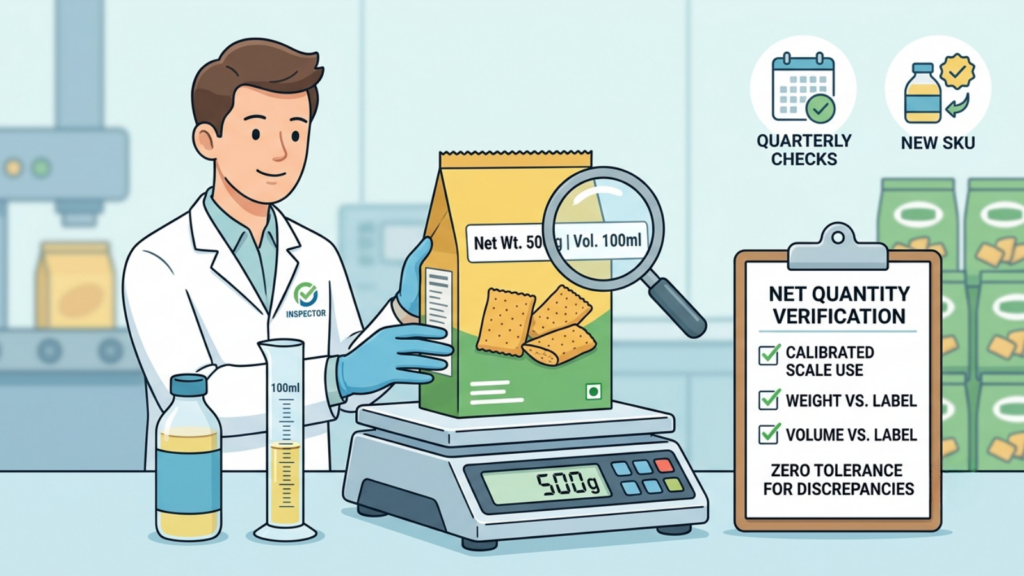
Net quantity is both a statutory declaration and a buyer expectation.
Weigh and measure production units on calibrated equipment. Do not carry figures forward from a tech pack or an older system.
Discrepancies here produce two failures: an inward rejection for labelling inconsistency, and consumer complaints where delivered quantity differs from the listing.
Set a cadence: every new SKU verified before submission, high-volume SKUs re-verified quarterly, and any packaging change triggering re-verification.
7. Design Pack Architecture for Quick Commerce, Not Retail
Quick commerce demand skews toward smaller, immediate-consumption formats. A pack range built for modern trade shelves is frequently wrong for a ten-minute basket.
| Consideration | Retail assumption | Quick commerce reality |
| Pack size | Bulk and value packs | Single-serve and small formats move faster |
| Price point | Higher basket, planned purchase | Impulse thresholds matter |
| Multipacks | Attractive for stock-up | Often too bulky for dark store shelf economics |
| Case configuration | Optimised for pallet | Must suit finite dark store space |
| Thumbnail legibility | Shelf visibility | Small on-screen tile visibility |
Discuss assortment with your Category Manager before building the full catalog. Launching a focused set of high-demand SKUs lets the CM evaluate performance quickly and earns room to expand.
Getting this right is the strategic half of how to list products properly in the Blinkit platform. The other fourteen practices are execution.
8. Get Case Pack and Inner Configuration Data Exact
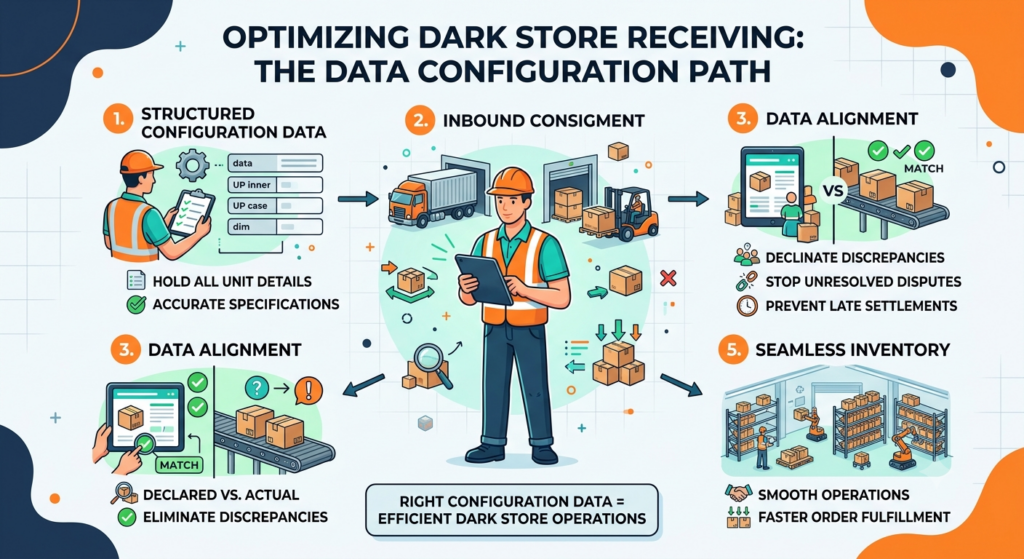
Dark store space is finite, and receiving is fast. Configuration data has to be right.
Hold as structured fields:
- Units per inner pack
- Inner packs per case
- Case dimensions and gross weight
- Pallet configuration where relevant
- Whether the inner pack is itself a sellable unit
Mismatches between declared and actual configuration cause receiving discrepancies, which become settlement disputes weeks later when nobody remembers the consignment.
9. Write Titles for a Small Tile, Not a Search Page
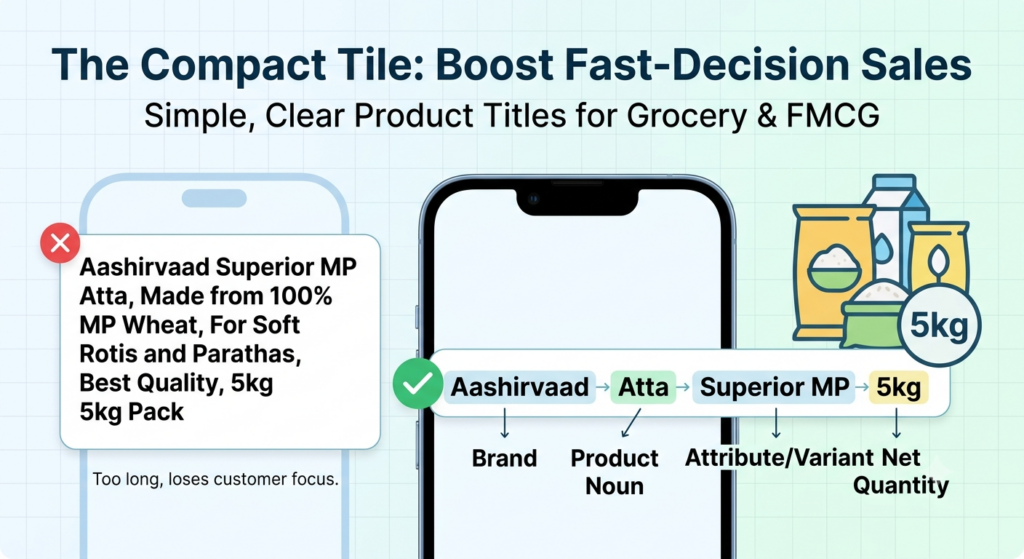
The buyer sees a compact tile and decides in seconds.
Title construction:
- Brand first
- Product noun immediately after
- The distinguishing attribute, usually flavour or variant
- Net quantity, always
- Nothing else
Net quantity in the title is not optional in grocery and FMCG. Buyers compare across pack sizes constantly, and a title without quantity forces them to tap through, which loses the sale.
Keep descriptions short and factual. Quick commerce buyers are not reading long-form content at this moment of purchase, so the value of description depth is lower here than on Nykaa or Myntra.
10. Meet Image Standards and Check Thumbnail Legibility
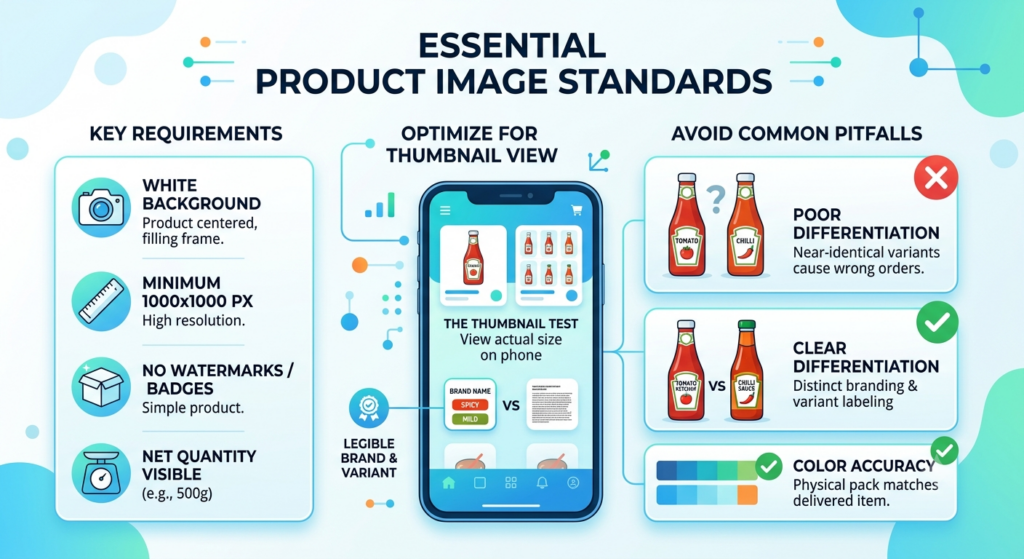
Blinkit expects clean product images, commonly on a white background at a minimum of around 1000 by 1000 pixels.
Beyond compliance, apply one additional test that most brands skip: view the image at actual tile size on a phone. Packaging that is legible on a shelf is often illegible at 120 pixels.
- Pack fills the frame, no wasted margin
- Brand and variant legible at thumbnail size
- Net quantity visible where the pack shows it
- No watermarks, promotional badges or text overlays
- Colour accurate to physical pack, so the delivered item matches
Flavour and variant differentiation deserves specific attention. If three variants look near-identical at tile size, buyers order wrong, and you absorb the consequence.
11. Get HSN, GST and Supply Price Data Right Centrally

The catalog template requires HSN codes and commercial pricing alongside MRP.
Maintain a single authoritative mapping of product to HSN and GST rate, referenced by every submission. Retyping these per template guarantees drift, and a wrong HSN is a tax exposure rather than a formatting error.
On supply price, model contribution per SKU under your agreed terms before submitting. Trade margins, introduction charges and any listing or placement fees under the applicable model all sit against the SKU. Sound practice in how to list products properly in the Blinkit platform includes knowing which SKUs are profitable at the agreed terms before they go live.
Hold a floor supply price per SKU in your master data and do not publish below it.
12. Treat APOB and Location Data as Catalog-Critical

Adding a dark store address as an Additional Place of Business on your GST registration takes several working days through the GST portal.
Brands routinely wait for catalog approval before starting this, then lose a week at the end when everything else is ready. Start it as soon as the address is issued.
Hold the mapping of dark store, cluster, and APOB status as structured data. As you expand across clusters, this becomes a real dataset, and managing it in email threads does not scale.
13. Manage Availability Data Against Minimum Inventory Norms

Blinkit applies minimum inventory norms per SKU at dark store level, varying by category, with faster-moving FMCG carrying higher thresholds.
Stockouts damage ranking and visibility, and they weaken the Category Manager relationship that determines your assortment.
What to hold and act on:
- Minimum norm per SKU per store or cluster, as communicated by your CM
- Current position against that norm
- Replenishment lead time by cluster
- Buffer at hub level, so dark stores do not run dry between POs
- Reorder triggers set above the norm rather than at it
This is inventory work, but it depends on catalog data. If your system cannot tie a SKU to its norm by cluster, you cannot manage it.
14. Keep One Inventory Position Across All Channels
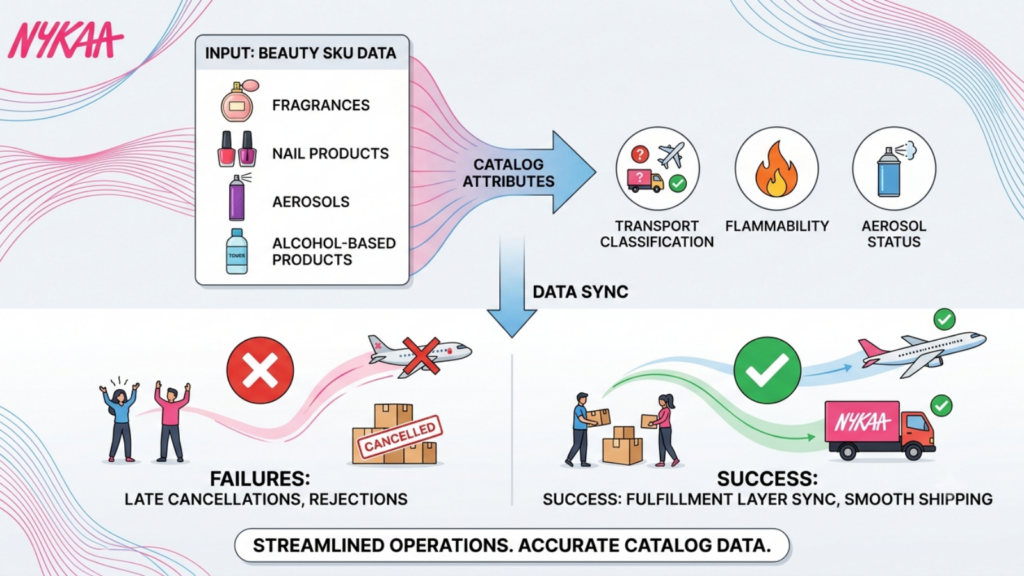
Most Blinkit vendors also supply other quick commerce platforms, modern trade, and their own D2C channel.
Separate tracking per channel means the same batch gets committed twice. In quick commerce, that produces a PO you cannot fulfil, which is materially worse than a marketplace stockout because it is a commitment to a buyer, not a listing.
Requirements:
- One stock position per batch, shared across channels
- Batch-level visibility, since shelf life makes batches non-interchangeable
- Allocation logic that reserves against confirmed POs
- Oldest-first picking within the minimum-remaining-life rule
- Visibility of committed versus available at all times
Batch-level accuracy is the specific challenge. A stock position that says 4,000 units without telling you that 1,200 fall below the remaining-life threshold is worse than no number at all.
Base.com holds one master record shared across catalog, order and warehouse modules, so batch, shelf life, EAN and pack configuration are the same data used by the catalog, the picker and the invoice.
15. Build a Rejection and RTV Feedback Loop
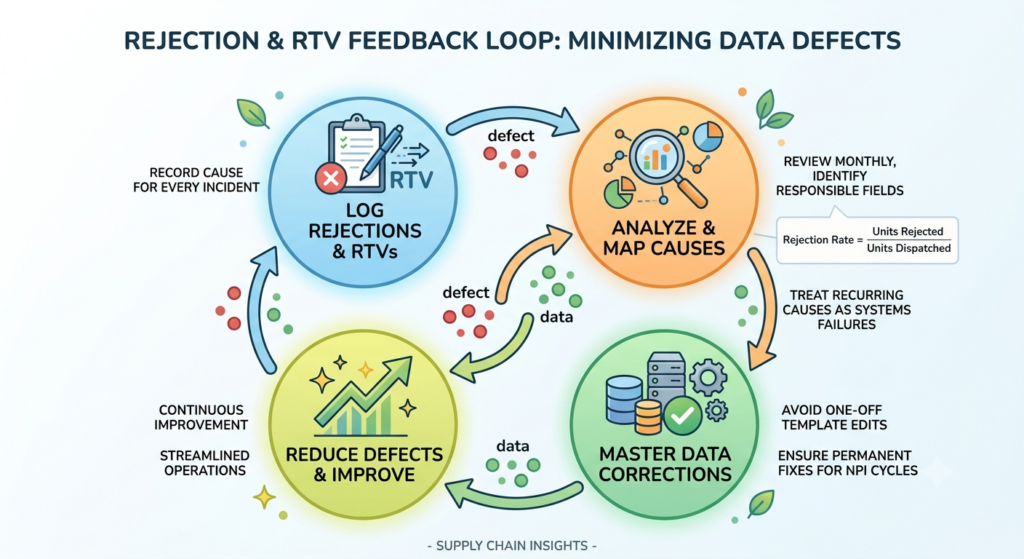
Every inward rejection is a data defect with a traceable cause. Most brands treat them as individual incidents.
Log every rejection and RTV with the cause, then map it to the responsible field.
| Rejection cause | Data or process root | Correction |
| Barcode not scanning | Print quality or wrong code | Re-test, fix artwork, verify per batch |
| MRP mismatch | Price revision not reflected on stock | Version control, dispatch rule |
| Insufficient shelf life | No minimum-life rule at picking | Enforce rule in the warehouse |
| Missing licence on pack | Number on carton not retail unit | Artwork change |
| Labelling incomplete | Outdated artwork | Full Legal Metrology re-audit |
| Configuration mismatch | Case data wrong in catalog | Re-measure, correct master record |
| Wrong variant supplied | Internal code confusion | Fix mapping, audit sibling SKUs |
Review monthly. Track rejection rate as units rejected over units dispatched, and treat any recurring cause as a systems failure rather than an execution lapse.
Corrections must go into your master data, not into the submission file only. Edits made in a one-off template are lost at the next NPI cycle, which is why the same defect reappears.
Why the Master Product Record Must Sit Outside the Portal
One brand supplying twelve SKUs to two clusters can manage this in spreadsheets. A brand supplying 200 SKUs across Blinkit, other quick commerce platforms, modern trade and D2C cannot.
The failure pattern is consistent. The team corrects a case configuration for Blinkit, misses it elsewhere, corrects each channel separately, and within two quarters nobody knows which figure is authoritative. Meanwhile, receiving discrepancies are accruing against whichever number was wrong.
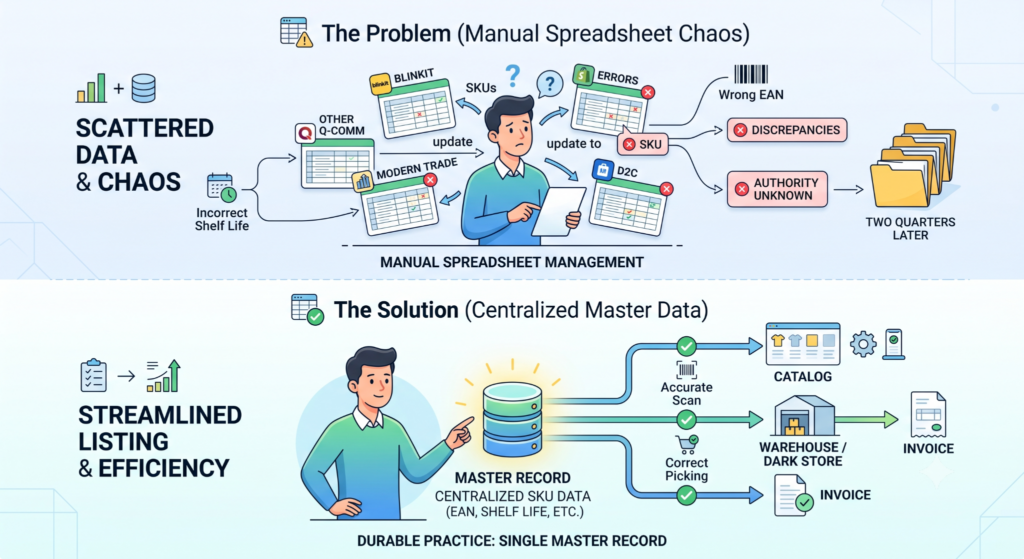
Quick commerce compounds this because the same fields carry both commercial and physical consequences. An EAN is a listing identifier and a scan at a dark store gate. Shelf life is a catalog attribute and a picking constraint. A wrong value fails in two places.
Durable practice in how to list products properly in the Blinkit platform requires those fields to live in one master record that the catalog, the warehouse, and the invoice all read from. Portal-only edits are maintenance, not improvement.
Base.com is built on that principle. Catalog, order management, and warehouse operations share a single product record, with rule-based validation before publication and version history on every attribute change. For quick commerce specifically, EAN, MRP, shelf life, batch, net quantity, and pack configuration are held once and used everywhere, including by the picker and the courier.
The difference is when errors surface. In a spreadsheet workflow, they surface at the dark store gate after freight is paid. In a governed catalog, validation catches them before the PO is accepted.
Where to Start: Work Backwards From the Inward Check
If you act on one thing from this list, work backwards from what the inward team physically verifies.
Barcodes that scan. MRP matching the pack. Shelf life above the threshold. Licence number on the retail unit. Labelling complete. Those five items cause most rejections, and all five are data problems you can close before a truck leaves.
Getting how to list products properly in the Blinkit platform right is not about writing better listings. It is about making sure the physical product and the data agree before anything ships.
Frequently Asked Questions
How do you list products properly in the Blinkit platform?
What is the minimum shelf life Blinkit requires?
Why does Blinkit reject stock at the dark store?
How is selling on Blinkit different from Amazon or Flipkart?
How long does Blinkit onboarding take?