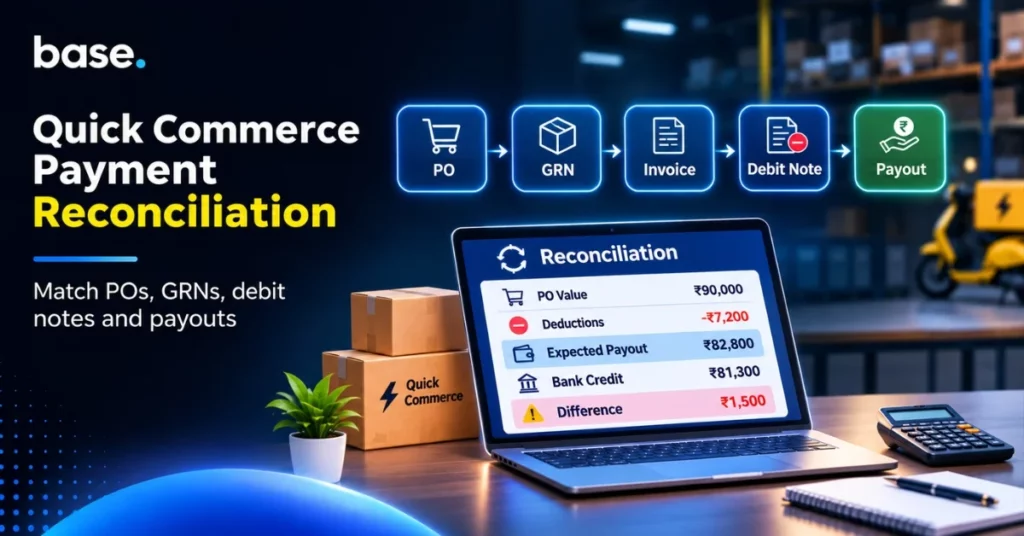
Quick commerce payment reconciliation means tracing the amount credited to your bank back to the order and receiving records that support it. A brand may invoice for a quick commerce order and receive less than the invoice value. The difference could relate to rejected units, a debit note, another adjustment, timing, or a payment allocated elsewhere. Start with the purchase order and receiving records, not only the bank statement. A payment reconciliation system can help organise the evidence, but the core control is to match what was ordered, dispatched, accepted, billed and paid. This guide is for finance, accounts and operations teams at brands supplying quick commerce platforms.
What is quick commerce payment reconciliation?
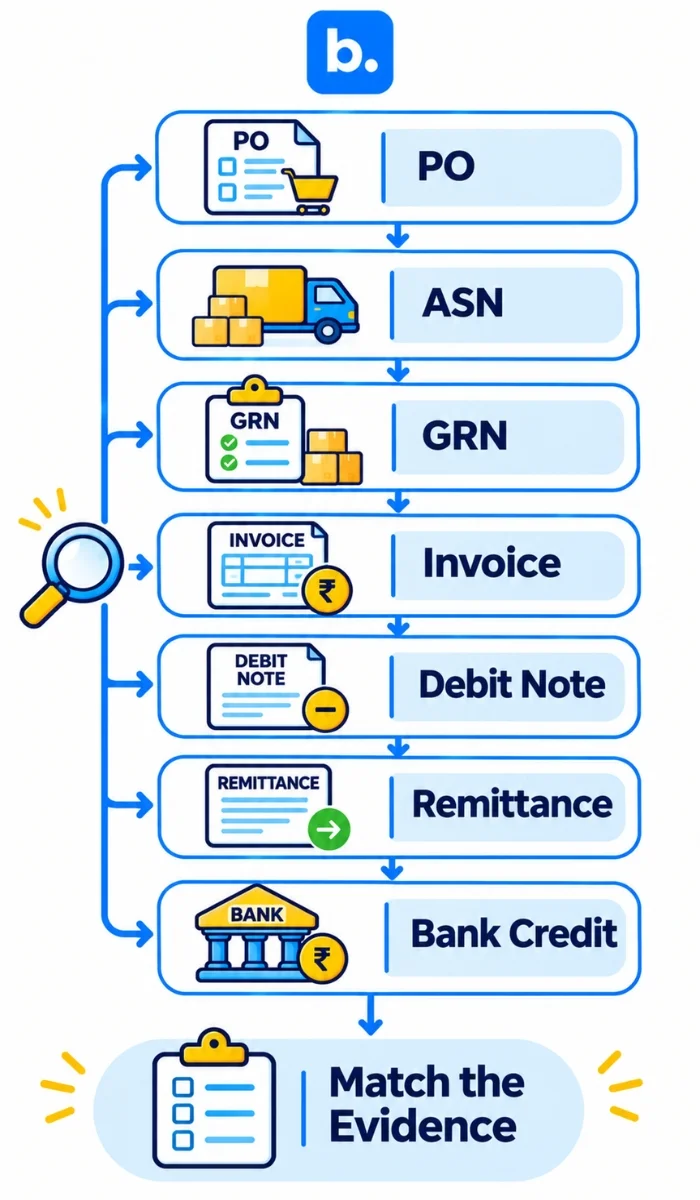
It checks whether platform payment agrees with the amount due, tracing order, dispatch, receipt, invoice, adjustments and bank credit.
Core records include:
| Record | What it establishes |
|---|---|
| Purchase order (PO) | What the buyer ordered, including products, quantities and commercial details |
| Advance shipment notice (ASN) | What the brand says it dispatched |
| Goods receipt note (GRN) | What the receiving location recorded as received, including discrepancies |
| Invoice | What the brand billed for the supplied goods |
| Debit note | A buyer’s documented claim or adjustment to the amount payable |
| Remittance advice | Which invoices or transactions a payment covers and how the amount was calculated |
| Bank statement | The amount actually credited, date and transaction reference |
Settlement may depend on receiving acceptance, so accepted quantity can differ from ordered or invoiced quantity. Document names vary by platform. For background on quick commerce purchase orders and reorder points, see the related guide.
Why quick commerce payouts differ from your invoices
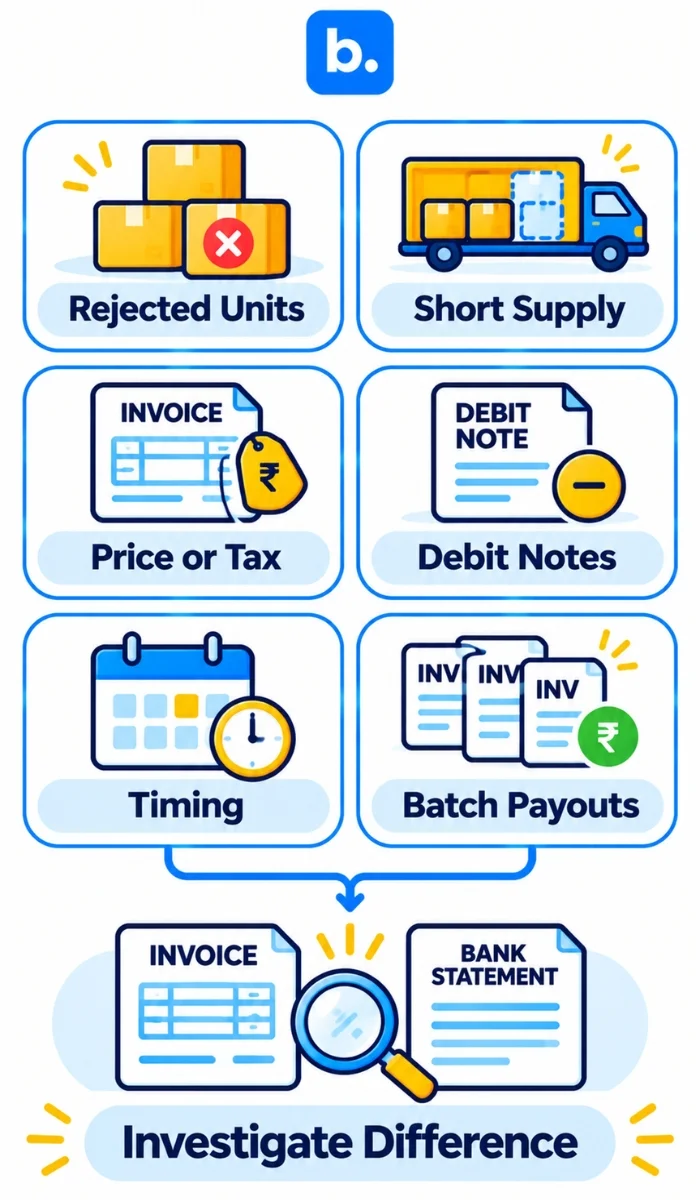
Investigate a lower payout; it is not proof by itself of an error or valid deduction:
- Rejected units: Compare ASN, delivery proof and GRN.
- Short shipment: Compare PO, ASN and invoice.
- Price or tax mismatch: Compare PO, invoice and agreement.
- Deductions: Match each adjustment to its note and evidence.
- Timing or part-payment: Compare remittance period, invoice date and bank-credit date.
- Batch payout: Use remittance detail to identify included invoices.
| Cause | How it shows in paperwork | How to check |
|---|---|---|
| Rejected units | GRN quantity is lower than dispatched quantity | Compare ASN, delivery proof and GRN |
| Short supply | ASN or dispatched quantity is lower than PO quantity | Match PO, ASN and invoice |
| Price or tax mismatch | Invoice value differs from agreed terms | Compare PO, invoice and commercial records |
| Debit note or deduction | A separate adjustment reduces the amount payable | Match the note to its reason and supporting evidence |
| Timing difference | Remittance and invoice dates fall in different periods | Review settlement period and bank date |
| Multiple invoices in one payout | Bank credit does not match one invoice total | Reconcile remittance lines to all included invoices |
Use the records and terminology supplied by the platform; processes vary.
Quick commerce payment reconciliation, step by step
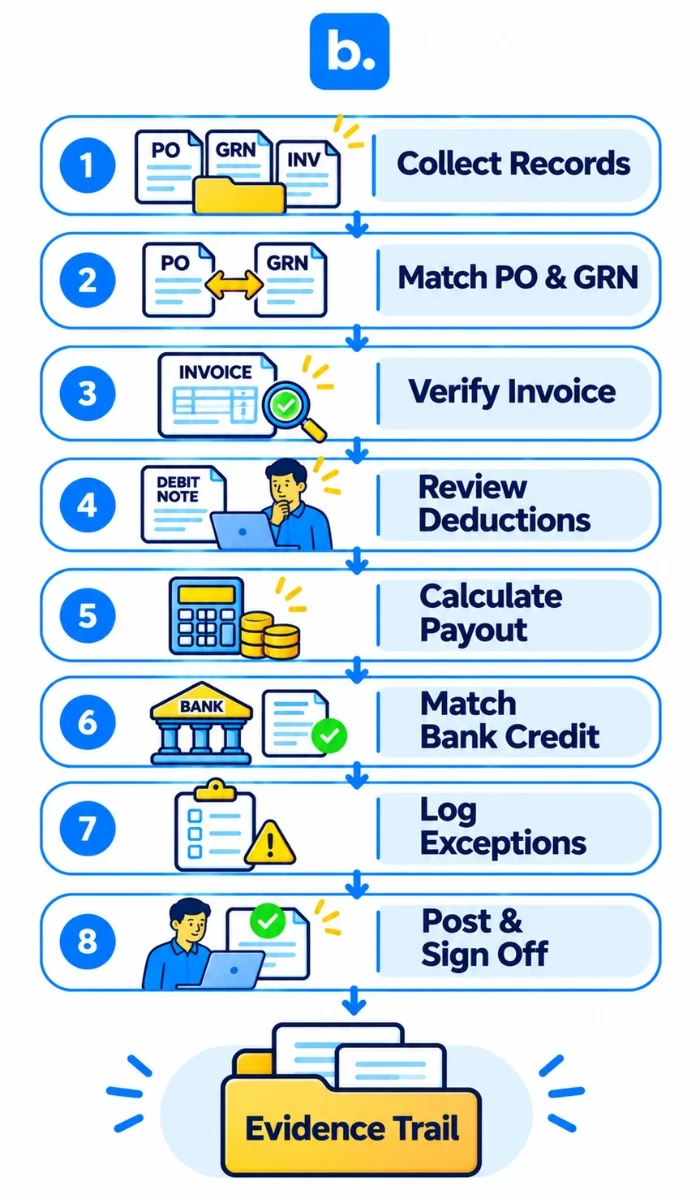
- Collect documents. Gather PO, ASN, GRN, invoice, debit notes, remittance and bank statement.
- Match PO to GRN. Compare ordered, dispatched, received and rejected quantities.
- Check invoice. Verify accepted quantity, prices and terms.
- Apply deductions. Record each adjustment and its evidence.
- Calculate expected payout. Subtract documented adjustments from amount due.
- Match payout to bank. Compare expected amount, remittance and credit.
- Log exceptions. Record amount, evidence, owner and follow-up date.
- Post and sign off. Record approved entries and retain the audit trail.
Check every number and compare like settlement periods. A matching bank total does not prove each invoice is correct.
The documents you need for each payout
These records trace order, dispatch, receipt, invoice, deductions and payment. Names and formats vary.
| Document | What it shows | Who issues it | Used to |
|---|---|---|---|
| Purchase order (PO) | Products, quantities, agreed prices and order terms | Platform or buyer | Establish what was ordered |
| Advance shipment notice (ASN) | Products and quantities supplier says it dispatched | Brand or supplier | Compare dispatch with PO and receiving record |
| Goods receipt note (GRN) | Quantities recorded as received, including discrepancies | Receiving location or platform, depending on process | Establish what was accepted or recorded |
| Invoice | Amount billed for supplied goods | Brand or supplier | Verify quantities, prices and applicable tax |
| Debit note | Buyer’s documented claim or adjustment, subject to evidence and accounting treatment | Buyer or platform | Identify and investigate deductions |
| Remittance advice | Payment details and included invoices or transactions | Platform or paying partner | Understand payment calculation |
| Bank statement | Actual credit, date and transaction reference | Bank | Confirm money reached the account |
A PO sets out ordered goods and terms; an ASN notifies the buyer of dispatched goods; a GRN records receipt. An invoice is the supplier’s bill. A debit note records a buyer’s claim or adjustment and needs evidence. Remittance advice explains which transactions a transfer covers. A clearing account temporarily holds amounts due until payout is matched to the bank.
A worked example: from PO to payout
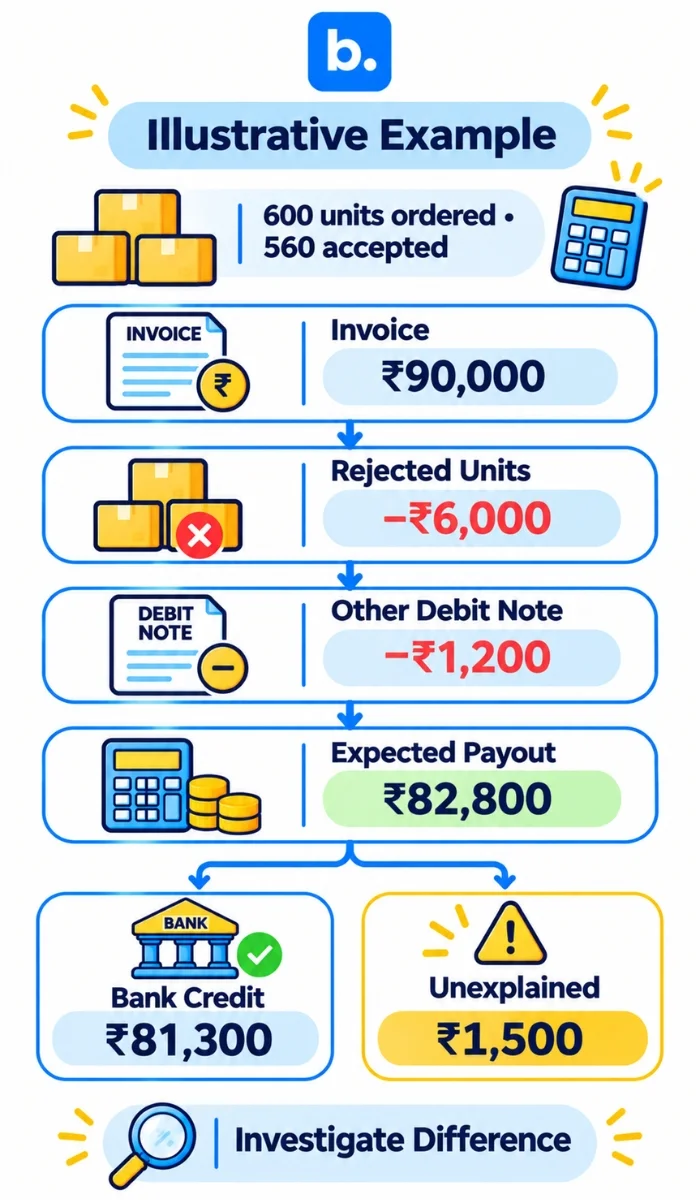
Illustrative figures only, not platform terms. A brand orders and invoices 600 units at ₹150. The receiving record accepts 560 and rejects 40. One debit note covers rejected units; another is a separate deduction.
| Line | Amount | Note |
|---|---|---|
| PO value | ₹90,000 | 600 × ₹150 |
| Invoice value | ₹90,000 | Invoiced in full |
| Accepted quantity | 560 units | As recorded in the GRN |
| Rejected quantity | 40 units | 600 − 560 |
| Value of rejected units | ₹6,000 | 40 × ₹150 |
| Second debit note | ₹1,200 | Separate illustrative deduction |
| Expected payout | ₹82,800 | ₹90,000 − ₹6,000 − ₹1,200 |
| Bank credit received | ₹81,300 | Amount shown in bank |
| Unexplained difference | ₹1,500 | ₹82,800 − ₹81,300 |
Cross-check the calculation: accepted goods value is 560 × ₹150 = ₹84,000. Subtract the separate ₹1,200 debit note to reach the expected ₹82,800. The bank shows ₹81,300, leaving ₹1,500 unexplained. This is a useful payment reconciliation example because the accepted-unit adjustment and the second debit note remain distinct.
Investigate the ₹1,500:
- Check whether another debit note or adjustment was issued but not entered in the file.
- Check whether the remittance allocates part of the payment to another invoice or period.
- Verify the bank reference and whether the payout was split across multiple credits.
- If the records still do not explain it, log an open item and request supporting details from the platform.
The example treats both notes as deductions from the amount payable. In a real transaction, accounting and tax treatment depends on the reason, evidence and applicable rules. Do not automatically treat every debit note as a reduction in sales revenue.
Debit notes: what to check and how to dispute
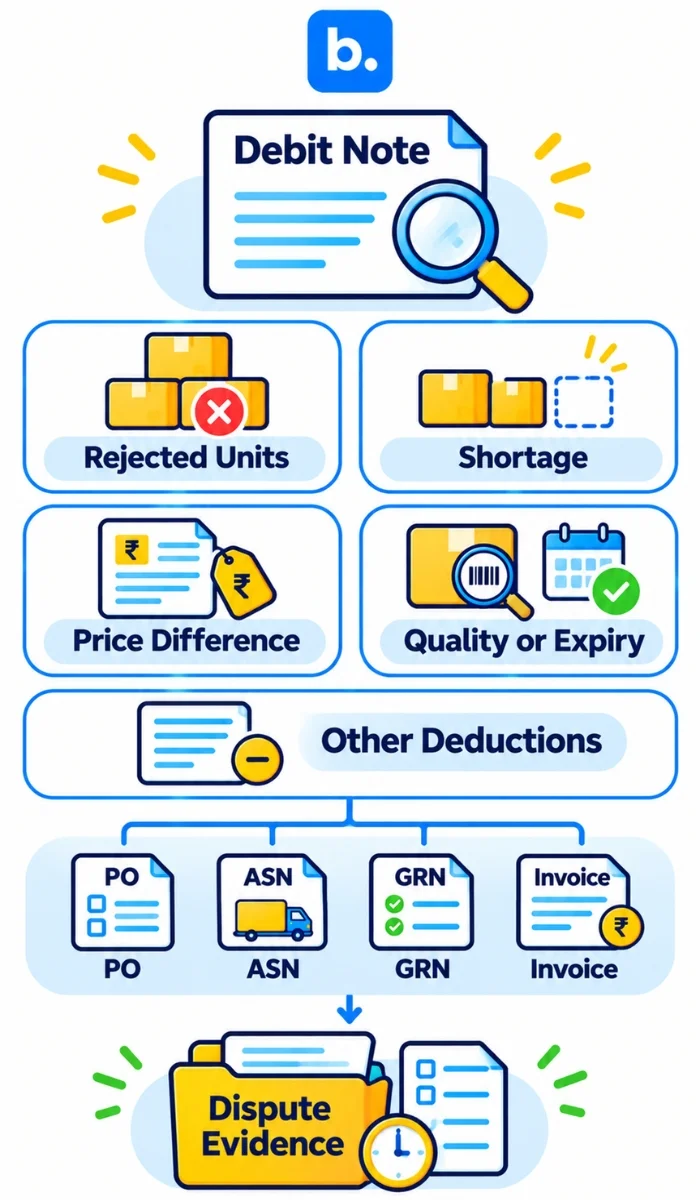
Check each debit note’s transaction, reason and amount against the PO, GRN, invoice and evidence.
| Debit note reason | What to check | Evidence to gather |
|---|---|---|
| Rejected units | Does quantity and reason agree with receiving records? | PO, ASN, GRN, delivery acknowledgement and quality records |
| Shortage | Is recorded receipt lower than dispatch? | PO, ASN, dispatch records and receiving proof |
| Price difference | Does invoiced price match the agreed price? | PO, invoice and commercial agreement |
| Quality or expiry | Does the issue relate to supplied batch or product? | Batch and expiry records, photographs and inspection evidence |
| Other deductions | Is there a clear description and reference? | Debit note, remittance, correspondence and transaction records |
Include PO, invoice, GRN and ASN references; debit note number, date and amount; disputed quantity or price; supporting evidence; and your calculation. Use the current dispute route, check applicable deadlines and retain the case reference.
Manual or automated payment reconciliation
Spreadsheets suit simpler workflows; multiple platforms, locations, invoices and adjustments add manual control work. The payment reconciliation for D2C brands in India guide provides wider context. When assessing ecommerce reconciliation software, ask vendors which files and references they support, how they handle partial payments, and how they record exceptions. A payment reconciliation system is only as dependable as its source data and matching rules.
What automated payment reconciliation does
An automated payment reconciliation workflow may import supported transaction records and payout files, connect available order or invoice references, apply matching rules to quantities, values and references, and separate matches from exceptions. It can flag missing documents, amount differences and unmatched credits for review, while keeping an investigation history. Actual functions depend on the product and available data.
People must still review disputed deductions, tax, unusual adjustments and entries. Test with real examples; automation cannot replace missing evidence.
| Question | Spreadsheet | Software |
|---|---|---|
| Setup | Can start with a basic template | Requires source and rule configuration |
| Speed at volume | More manual sorting and checking | Can apply repeatable rules to supported data |
| Error risk | Depends on manual entry and formula control | May reduce repetitive handling; incorrect mappings still cause errors |
| Multiple platforms | Separate files may need manual consolidation | May bring supported sources into a common workflow |
| Audit trail | Must be maintained with file versions and notes | May provide match status, exception history and user records |
Choose based on reconciliation effort, open differences and process reliability. For a comparison of manual versus automated payment reconciliation, see the related article.
Ecommerce payment reconciliation across quick commerce and other channels
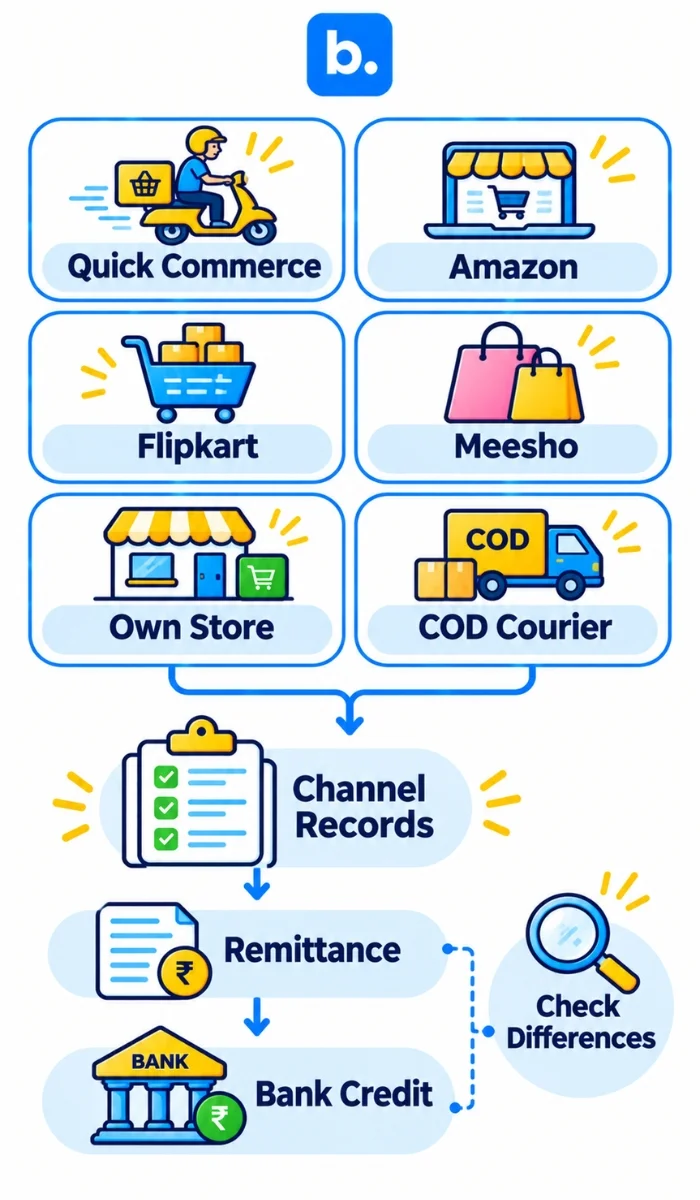
Across quick commerce, marketplaces, own websites and COD, match transaction records and remittance to bank credit. That is the core of marketplace payment reconciliation; channel reports determine details.
| Channel | Payout source | Main thing to watch |
|---|---|---|
| Quick commerce platforms | Platform remittance or payment records | Accepted quantities, debit notes, invoice differences and allocations |
| Amazon | Seller settlement report | Fees, refunds, reserves, adjustments and tax deductions; see Amazon payment reconciliation |
| Flipkart | Seller payment or settlement report | Order-item deductions, returns, fees and tax balances; see Flipkart payment reconciliation |
| Meesho | Payment report | Delivery status, returns, RTOs, logistics charges and adjustments; see Meesho payment reconciliation |
| Own store and payment gateway | Gateway settlement report | Transaction fees, refunds, chargebacks and payout timing |
| COD couriers | Courier remittance report | AWB-level collections, RTOs, deductions and split remittances; see COD remittance reconciliation |
Use linked guides for channel-specific detail; each payment still needs source records, settlement evidence and bank confirmation.
Common mistakes and how to avoid them
Problems often stem from missing documents, references or period checks.
| Mistake | Why it hurts | Fix |
|---|---|---|
| Matching only to bank credit | Confirms receipt, not whether invoices or deductions are correct | Match underlying documents before the bank |
| Ignoring debit notes | Leaves deductions unexplained and can miss disputes | Link each note to its PO and invoice |
| Invoicing PO quantity instead of accepted quantity | Creates differences when fewer units are accepted | Compare invoice with GRN and dispatch evidence |
| Missing part-payments | Makes an invoice look unpaid or incorrectly settled | Track every credit against invoice and remittance |
| Using wrong period cut-off | Compares different settlement periods | Keep invoice, remittance and bank dates separate |
| Raising disputes late | Can make resolution harder under applicable process | Review deductions promptly and check current procedure |
| Leaving unmatched items without an owner | Differences persist between reporting periods | Assign owner, evidence requirement and follow-up date |
A bank total matching remittance does not prove the PO, GRN, invoice and deductions support the payment.
How Base helps with quick commerce payment reconciliation
- Orders: Base OMS brings supported channel orders into a shared workflow. Order and shipment references can provide context when a finance team traces transactions. Confirm the records available for the channels and integrations in use.
- Payouts: Treat payout or remittance records as separate settlement evidence. Do not assume an order record is a settlement record, or that Base OMS automatically matches quick commerce POs, GRNs, debit notes or payouts.
- Open items: Keep unmatched amounts, supporting documents, owners and follow-up dates visible in the team’s reconciliation process. Confirm any reporting capability against the product configuration before relying on it.
If you want to organise order and shipment operations in a shared workflow, request a Base demo and review the exact records available for your channels. Reconciliation controls and final accounting review remain with your finance team.
Conclusion
A complete quick commerce payment reconciliation traces each amount from the PO and accepted quantity through invoice and debit notes to remittance and bank. Collect the documents, compare PO and GRN, verify the invoice, review adjustments, calculate expected payout, match the bank, investigate differences and post approved entries. Establish one consistent process across channels, with a named owner and evidence trail for every open item.
