

Replace spreadsheets with a system that syncs stock at the variant level, tracks physical bin locations, and updates every marketplace listing automatically after each sale. That combination removes the three failures Excel cannot fix: stale counts, unknown shelf locations, and manual channel updates. This is the practical answer to how to manage ecommerce inventory without Excel in 2026.
India’s ecommerce market is set to reach roughly ₹19.7 trillion, close to $226 billion, this year at around 12.4% growth. Spreadsheet-based inventory holds until about 100 orders a day, then accuracy drops faster than volume rises. Sellers who wait past that point usually migrate mid-festive-season, which is the worst possible timing.
This guide covers the migration sequence, the capabilities that replace each spreadsheet function, the cost structure, and a 45-day rollout plan built for Indian conditions.
Identify Exactly Where Your Spreadsheet Breaks Down
Excel rarely fails all at once. It fails in specific places, and knowing which ones apply to you determines what your replacement system must handle.
Audit your current process against these six failure points before you evaluate any platform.
1. Stock Counts Go Stale Between Manual Updates
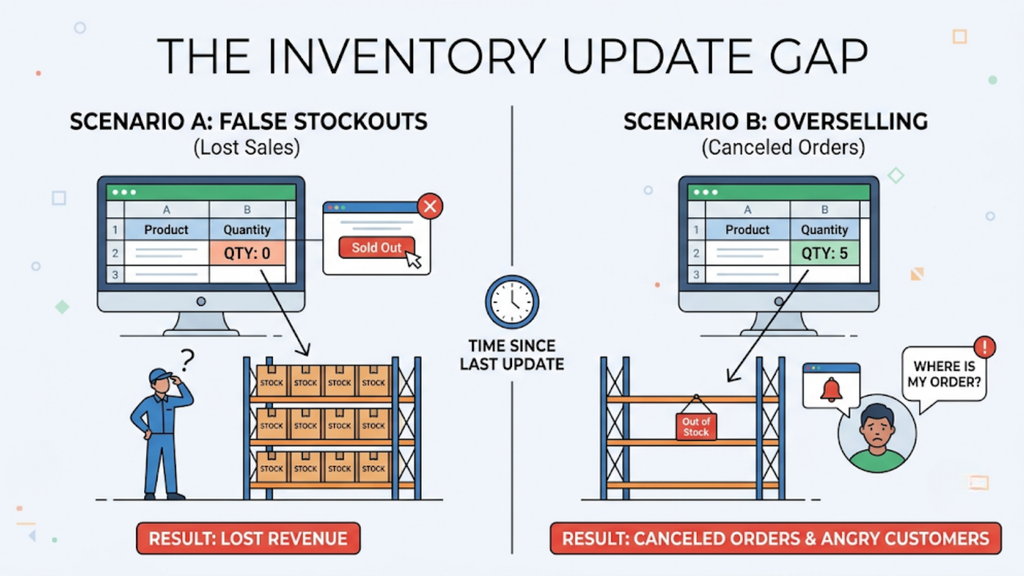
Your spreadsheet reflects reality only at the moment someone updates it. Every sale between updates widens the gap between recorded and actual stock.
That gap produces two opposite losses at once. Listings show false stockouts on products you hold, while overselling triggers cancellations on products you no longer have.
2. Variant-Level Tracking Collapses at Scale
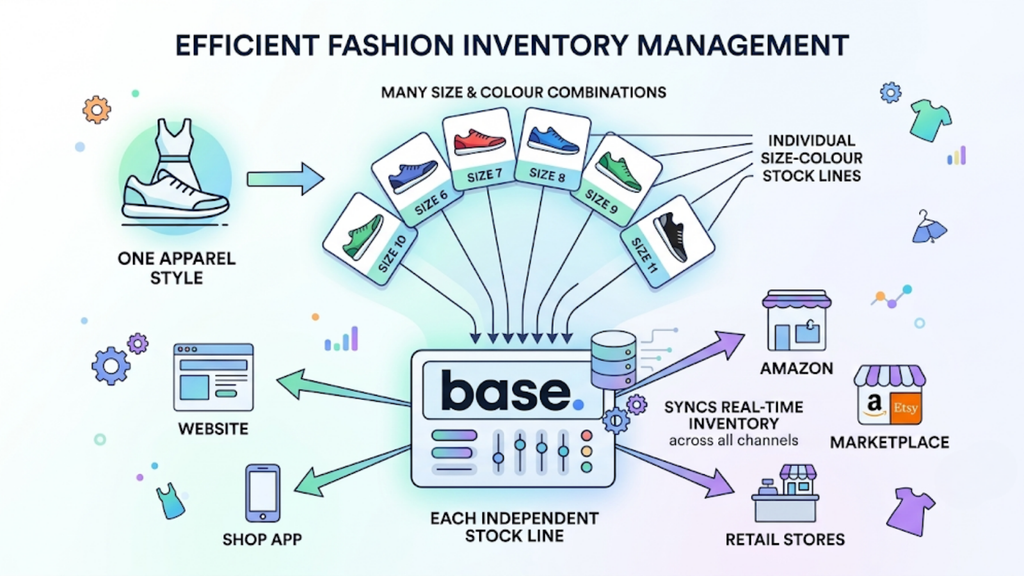
A single apparel style forks into a dozen sizes and several colours, and each combination sells at a different pace. Spreadsheets treat those combinations as rows, not as linked inventory.
Footwear and fashion sellers feel this first. Base.com tracks each size-and-colour combination as an independent stock line and syncs it wherever the style is listed.
3. Nobody Knows Where Stock Physically Sits
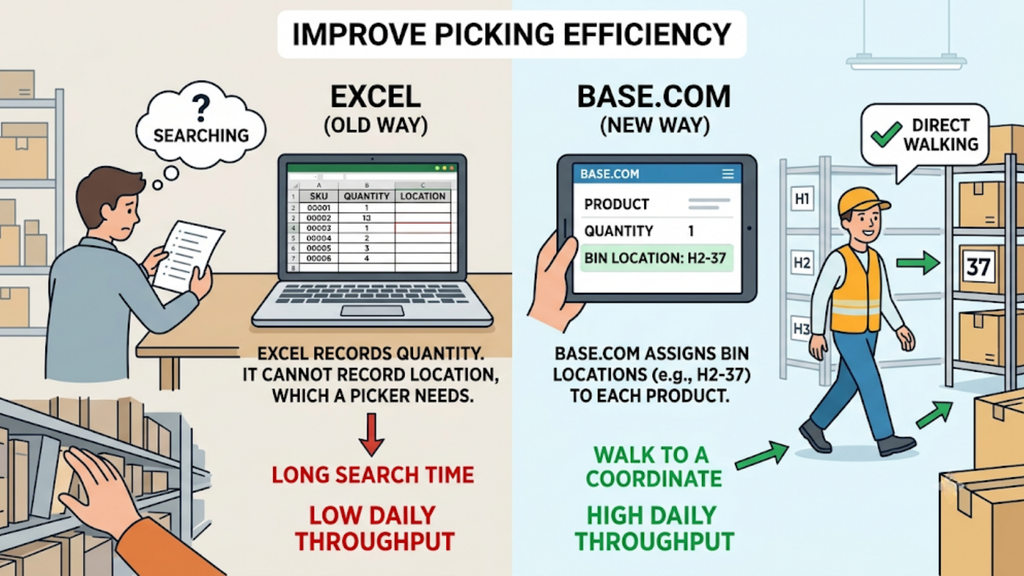
Excel records quantity. It cannot record location, which is the information a picker actually needs.
Base.com assigns bin locations such as H2-37 to each product, so staff walk to a coordinate instead of searching a rack. That single change removes most of the search time capping daily throughput.
4. Bundles and Gift Sets Drift Out of Sync
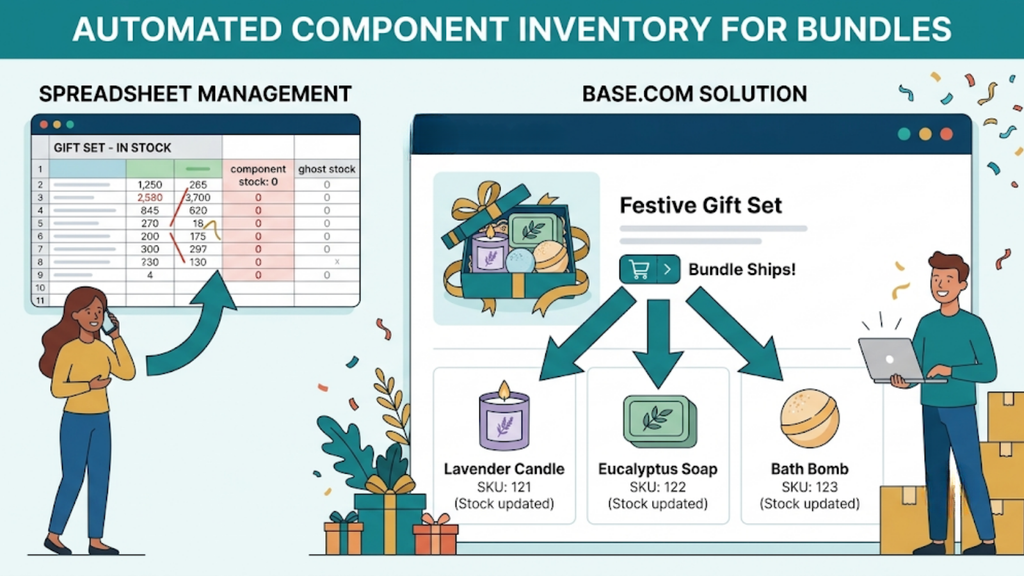
A gift set is not one item; it is several components that must all be in stock simultaneously. Spreadsheets cannot deduct component stock automatically when a bundle sells.
Base.com deducts each component when a bundle ships, keeping festive gift sets and individual SKUs aligned. Handicraft, home decor, and gifting sellers rely on this during peak season.
5. Batch and Expiry Data Has Nowhere Structured to Live
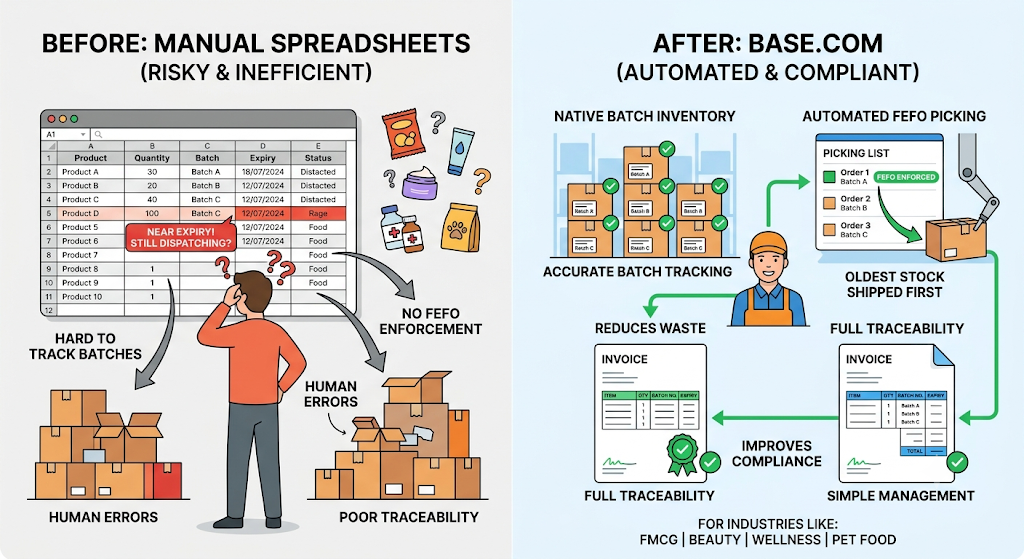
FMCG, beauty, wellness, and pet food sellers carry batch and expiry obligations that rows and columns cannot enforce. A spreadsheet will happily let you dispatch near-expiry stock.
Base.com treats batch-wise inventory and FEFO picking as native capabilities, carrying batch details into invoices for traceability. Compliance stops depending on someone remembering to check.
6. Multi-Location Stock Becomes One Misleading Number
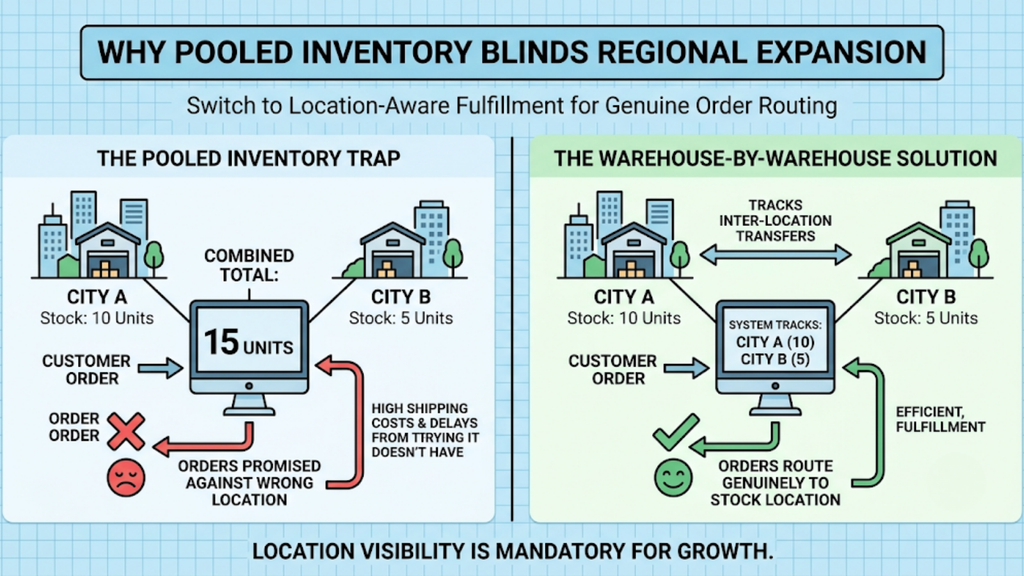
Once inventory sits in two cities, a combined total hides where stock actually is. Orders then get promised against inventory in the wrong location.
Base.com shows stock warehouse by warehouse, tracks inter-location transfers inside the system, and routes orders to a location that genuinely holds the item. Anyone planning regional expansion should treat this as mandatory.
How Do You Manage Ecommerce Inventory Without Excel in Practice?
Migration is a sequence, not a switch. Each spreadsheet function needs a defined replacement before you retire the file.
Follow these six steps in order, because skipping the data preparation stage causes most failed migrations.
1. Clean and Standardise Your SKU Master First
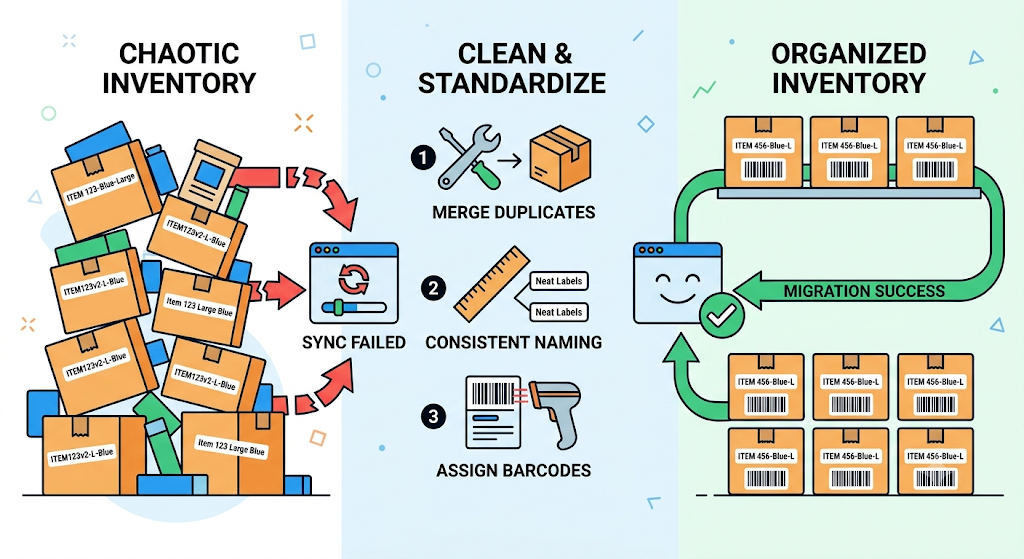
Start here, always. Duplicate SKUs, inconsistent variant naming, and missing barcodes break inventory sync on day one.
Merge duplicates, apply one naming convention across sizes and colours, and assign a barcode to every sellable unit. Clean data is the single biggest predictor of migration success.
2. Map Physical Locations Before You Import Quantities
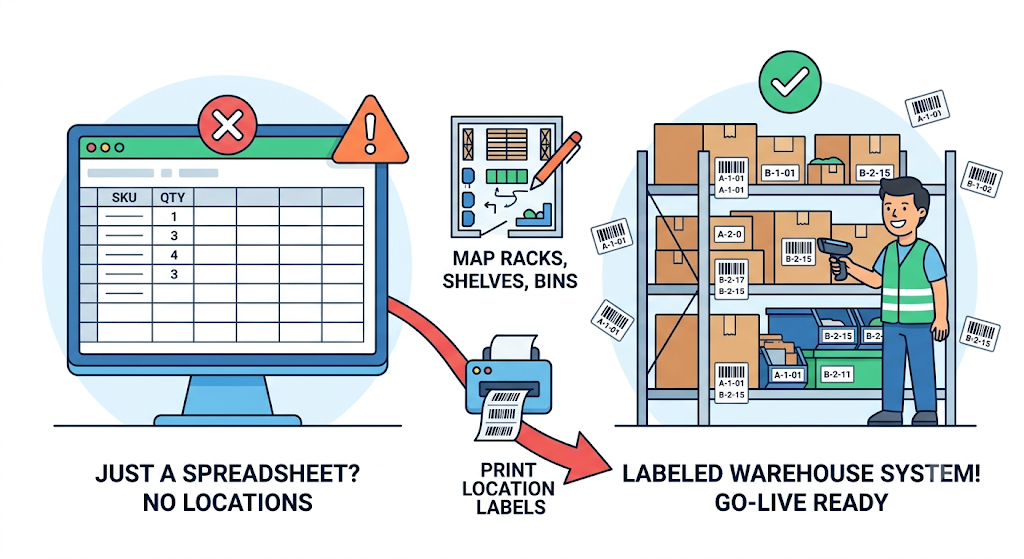
Quantity without location produces a digital spreadsheet, not a warehouse system. Map your racks, shelves, and bins, then print location labels.
Base.com supports bin-level mapping and bulk barcode printing, so you can label an entire warehouse in a few passes. Complete this step before go-live rather than after.
3. Replace Manual Channel Updates With Automatic Sync
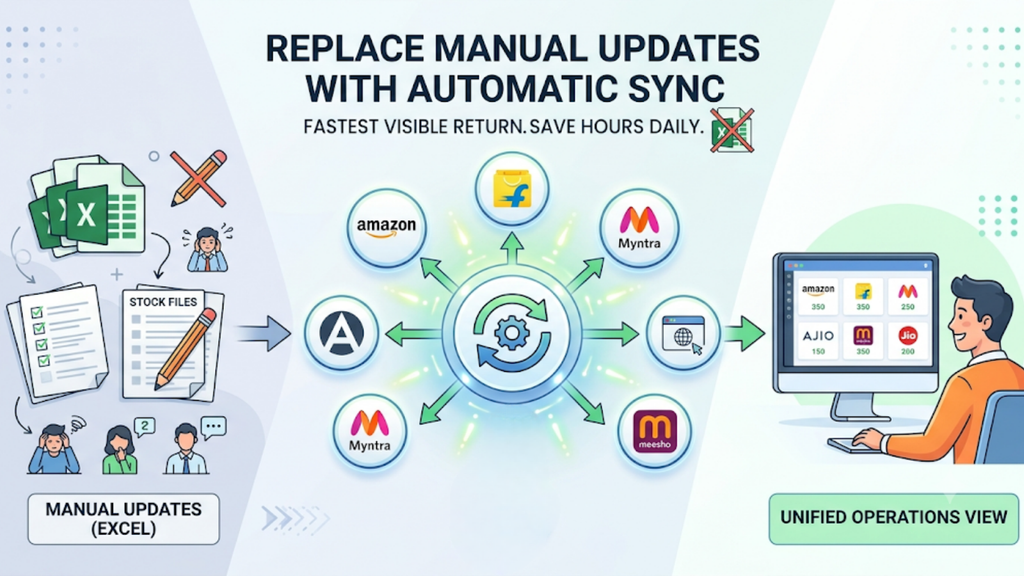
This step delivers the fastest visible return. Every marketplace listing should update automatically after each sale, without anyone touching a stock file.
Base.com consolidates Amazon, Flipkart, Myntra, Ajio, Meesho, JioMart, and your own website into one operations view, syncing availability across every listing. Sellers learning how to manage ecommerce inventory without Excel usually recover their first few hours a day right here.
4. Convert Inward and Outward Entries Into Scanned Events
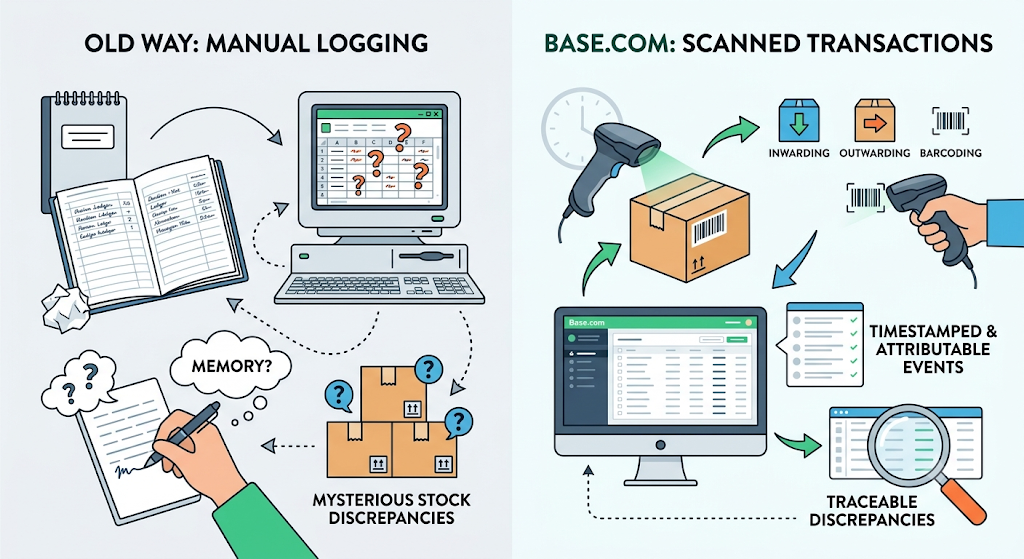
Register books and spreadsheet logs both depend on memory and honesty. Scanning makes every stock movement a timestamped, attributable event.
Base.com structures inwarding, outwarding, and barcoding as scanned transactions rather than typed entries. Stock discrepancies then become traceable instead of mysterious.
5. Bring Returns and RTOs Into the Same System
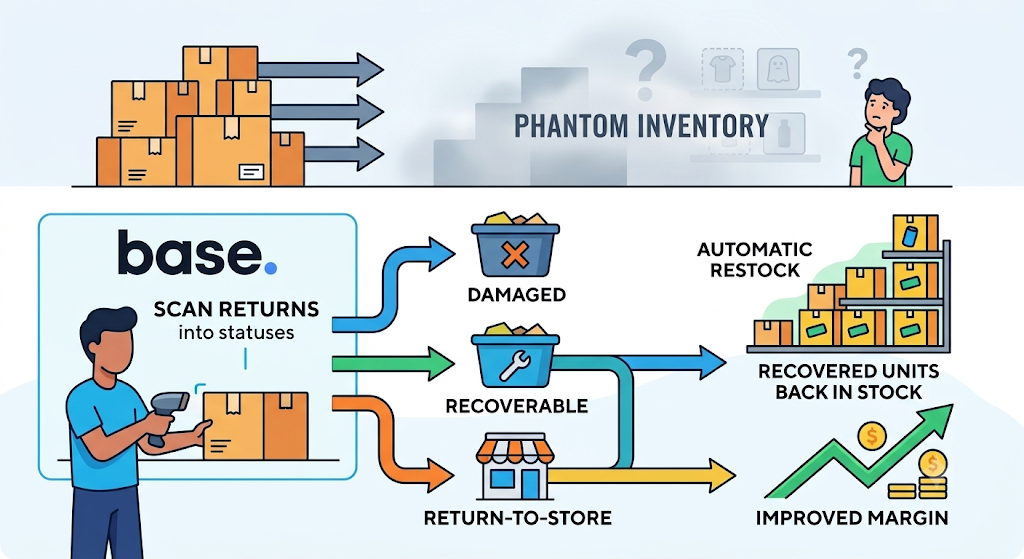
Returns are the most common source of phantom inventory. Units come back, sit unrecorded, and never re-enter the sellable pool.
Base.com scans returns into custom statuses such as damaged, recoverable, and return-to-store, so resalable units return to stock automatically. Given that reverse logistics eats 25-30% of order value on low-ticket Indian shipments, recovered units matter directly to margin.
6. Automate Reporting Instead of Rebuilding Pivot Tables
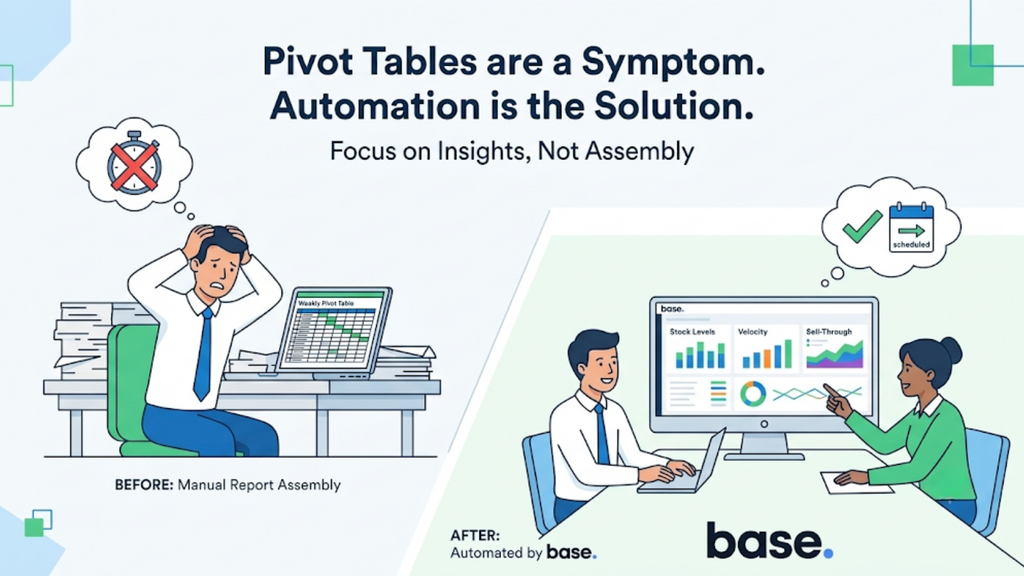
Your weekly pivot table is a symptom, not a solution. Reports should arrive without anyone assembling them.
Base.com delivers scheduled cron-based reports in customisable formats covering stock levels, velocity, sell-through and returns. Teams then spend review time acting on numbers rather than producing them.
Compare Excel Against a Dedicated Inventory System Function by Function
A general comparison rarely convinces anyone. Mapping each spreadsheet task to its system equivalent makes the gap concrete.
Score your own operation against the table below, then count how many rows currently cost you daily time.
| Inventory task | How Excel handles it | How a dedicated system handles it | Cost of the gap |
| Stock count accuracy | Manual update after each batch of sales | Automatic deduction at order confirmation | Overselling and false stockouts |
| Variant-level tracking | Separate rows, manually linked | Independent stock line per size and colour | Wrong variant dispatched |
| Channel updates | Uploaded file per marketplace | Automatic sync to every listing | Cancellations, account health damage |
| Shelf location | Not recorded | Bin coordinate per product | Slow picking, capped throughput |
| Bundle components | Manual calculation per sale | Automatic component deduction | Gift sets oversold in festive season |
| Batch and expiry | Date column, manually checked | FEFO picking with batch-linked invoices | Near-expiry dispatch, rejections |
| Multi-warehouse stock | One blended total | Location-wise visibility and routing | Orders routed to empty locations |
| Inward and outward entries | Typed rows | Scanned, timestamped events | Untraceable discrepancies |
| Returns and RTO intake | Ad hoc notes | Condition-level scanned statuses | Resalable stock written off |
| Reordering signals | Manual review when someone remembers | Velocity and sell-through reporting | Stockouts on fast movers |
| Reporting | Rebuilt pivot tables | Scheduled automated reports | Hours lost weekly |
| Audit trail | Overwritten cells, no history | Full transaction history per SKU | Disputes with no evidence |
Rows where the gap already costs you money define your requirement list. Take that list into every vendor demo.
Match Base.com Capabilities to the Spreadsheet Tasks You Are Replacing
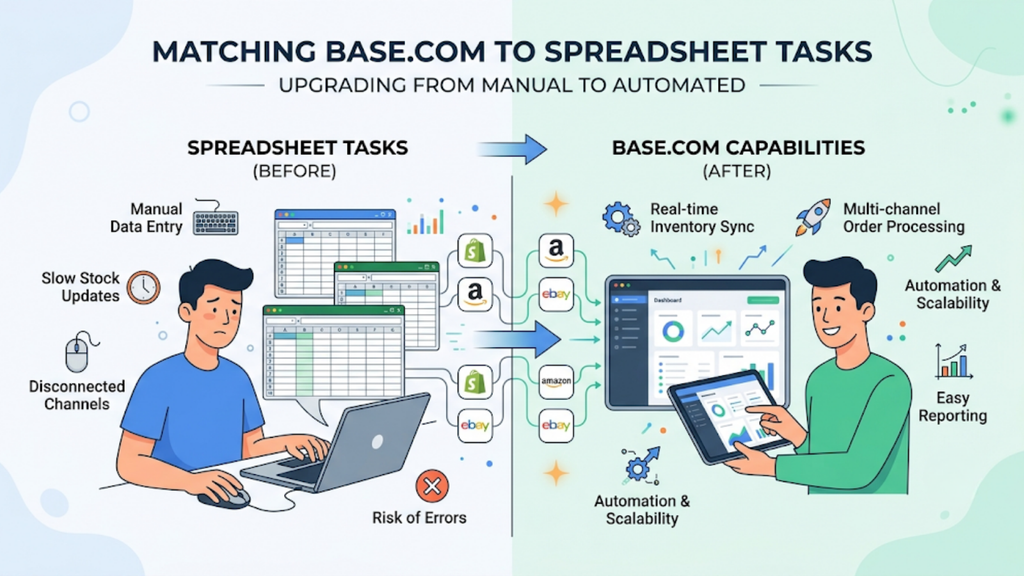
Most platforms cover basic stock counting. Differences appear in the operational details that surface once daily volumes cross a few hundred orders.
Use this checklist to confirm each shortlisted platform handles real Indian requirements rather than generic inventory theory.
- Variant-level stock sync: Base.com pushes corrected availability to every listing where a size, colour, or style variant appears, across multiple seller accounts on the same marketplace.
- Bin-level picking locations: Base.com assigns shelf coordinates, so pickers walk directly to stock, which matters most for large or fast-changing catalogues.
- Raw material and packing material inventory: Base.com tracks both alongside finished goods, so manufacturers see shortages before dispatch stops.
- Virtual inventory and bundles: Base.com manages bundles, gift sets and virtual inventory as first-class stock rather than manual adjustments.
- Batch, expiry and FEFO picking: Base.com applies first-expiry-first-out logic natively and carries batch details into invoices for compliance.
- Multi-warehouse visibility and transfers: Base.com shows stock location by location and records inter-warehouse movements as structured events.
- Scanned inwarding, outwarding and barcoding: Base.com converts every stock movement into a traceable transaction with full history.
- Condition-level returns intake: Base.com restocks recoverable units automatically and separates damaged stock from sellable stock.
- GST-compliant documentation: Base.com generates e-invoices, e-way bills, and payment reconciliation alongside inventory operations.
- Automation add-ons: Base.com ships bulk barcode printing, scheduled cron reports, location label design, pre-order inventory separation, and offline-order POS as configurable extensions.
That breadth explains why sellers solving how to manage ecommerce inventory without Excel often replace three separate tools with one platform.
Budget Realistically for the Move Off Spreadsheets

Costs vary with SKU count, warehouse count, channel count, and add-on scope. Build your budget across the full structure rather than the subscription line alone.
These five heads make up your realistic first-year spend.
- Platform subscription, tiered by order volume, active channels, and seller accounts.
- Implementation and onboarding, which should include on-site warehouse mapping and full floor-team training.
- Custom workflow or add-on development, quoted separately by most vendors, including Base.com for client-specific builds.
- Hardware, covering barcode scanners, thermal label printers, and mobile devices for bin-based picking.
- Internal change cost, meaning the two to four weeks of reduced throughput while staff learns new processes.
Compare platforms on total first-year cost, not monthly licence. Sellers planning how to manage ecommerce inventory without Excel should also count the hidden cost they already pay: staff hours, cancelled orders and written-off returns rarely appear in any spreadsheet.
Avoid the Six Mistakes That Sink Inventory Migrations

Migration failures rarely come from software limits. They come from unclean data, poor timing, and partial adoption, all of which you control.
Check your plan against these six patterns before you begin.
- Importing a dirty SKU master. Duplicates and inconsistent naming corrupt sync from day one. Clean the file first, never after go-live.
- Skipping bin mapping. Teams import quantities, ignore locations, and end up with a faster spreadsheet. Map and label locations before cutover.
- Migrating during the festive season. Indian ecommerce concentrates heavily into the October-November window, when volumes multiply several times over. Choose a trough month.
- Running Excel in parallel indefinitely. Dual systems guarantee two conflicting truths. Set a hard cutover date and enforce it.
- Training only the supervisor. Pickers, packers, and returns staff touch inventory daily, so adoption depends on them. Book on-site training for the full floor team.
- Ignoring returns in the migration scope. Sellers migrate forward flow and leave returns manual, recreating the original accuracy problem. Bring RTO intake into scope from the start.
Run a 45-Day Migration Plan With Clear Checkpoints.
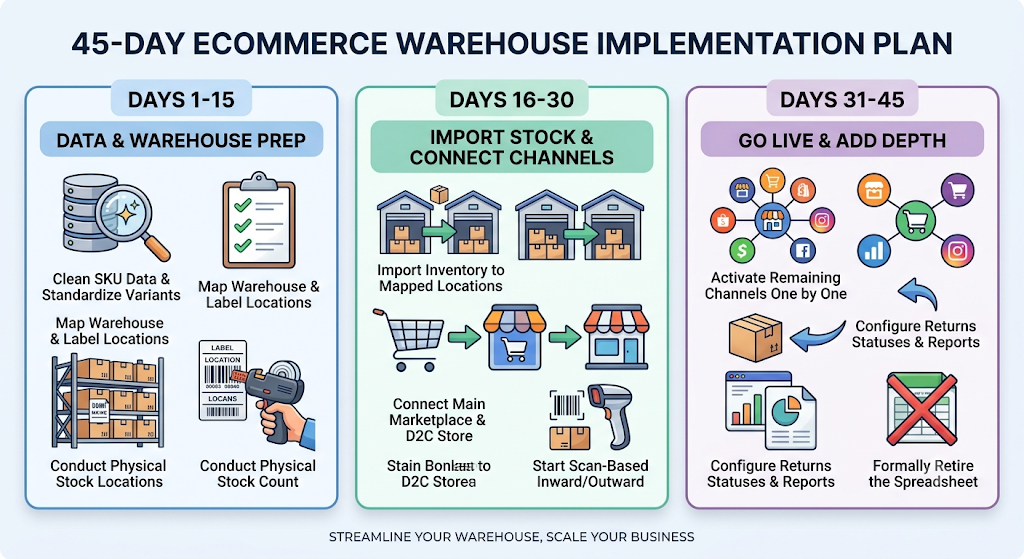
A phased rollout protects revenue while you change systems. Split the period into three blocks, each with defined exit criteria.
Follow this schedule and treat every checkpoint as a gate before proceeding.
1. Days 1 to 15: Clean Data and Prepare the Warehouse
Deduplicate your SKU master, standardise variant naming, and assign barcodes to every sellable unit. Map racks and bins, then print and apply location labels.
Exit criteria: a clean SKU master signed off, every bin labelled, and opening stock counted physically. This stage decides whether the remaining thirty days go smoothly.
2. Days 16 to 30: Import Stock and Connect Your Largest Channels
Import opening quantities against mapped locations, then connect your highest-volume marketplace and your D2C store. Run scanned inwarding and outwarding from day one rather than easing into it.
Exit criteria: sync accuracy above 98% on connected channels and all stock movements recorded through scanning. Teams working through how to manage ecommerce inventory without Excel should stop updating the old file at this point.
3. Days 31 to 45: Add Remaining Channels and Switch On Depth
Bring the remaining marketplaces online one at a time, never simultaneously. Configure returns statuses, batch tracking where your category requires it, and scheduled reports.
Exit criteria: every channel live, returns scanned into condition-level statuses, automated reports running, and the spreadsheet formally retired.
Retire the Spreadsheet Before Your Next Peak Season
Sellers rarely regret migrating early. They regret migrating while order volumes multiply and every hour of inaccuracy costs revenue.
Audit your failure points, clean your SKU master, and commit to a 45-day rollout in a low-volume month. If you want a clear plan for how to manage ecommerce inventory without Excel across your exact SKU depth, channel mix, and warehouse footprint, book a Base.com operations review and get the migration mapped to your own numbers.