

Capture the batch number and expiry date at goods inward, pick strictly by first-expiry-first-out, and carry batch details through to the invoice. Those three controls turn expiry from a monthly write-off into a managed number. That is the practical answer to how to manage batch and expiry in ecommerce inventory in 2026.
India’s ecommerce market is set to reach roughly ₹19.7 trillion, close to $226 billion, this year at around 12.4% growth. Perishable categories absorb that growth as shelf-life risk, not just volume. Every day a batch sits unsold, its sellable window narrows, and its marketplace eligibility shrinks.
This guide explains FEFO, the capture rules, the marketplace shelf-life problem, the cost structure, and a 45-day rollout plan for Indian sellers.
Understand What FEFO Is and Why FIFO Fails Perishable Categories
Most warehouses default to first-in, first-out because it feels intuitive. Perishable stock punishes that assumption quickly.
Work through these six distinctions before you change any process or system.
1. FIFO Sorts by Receipt Date, FEFO Sorts by Expiry Date
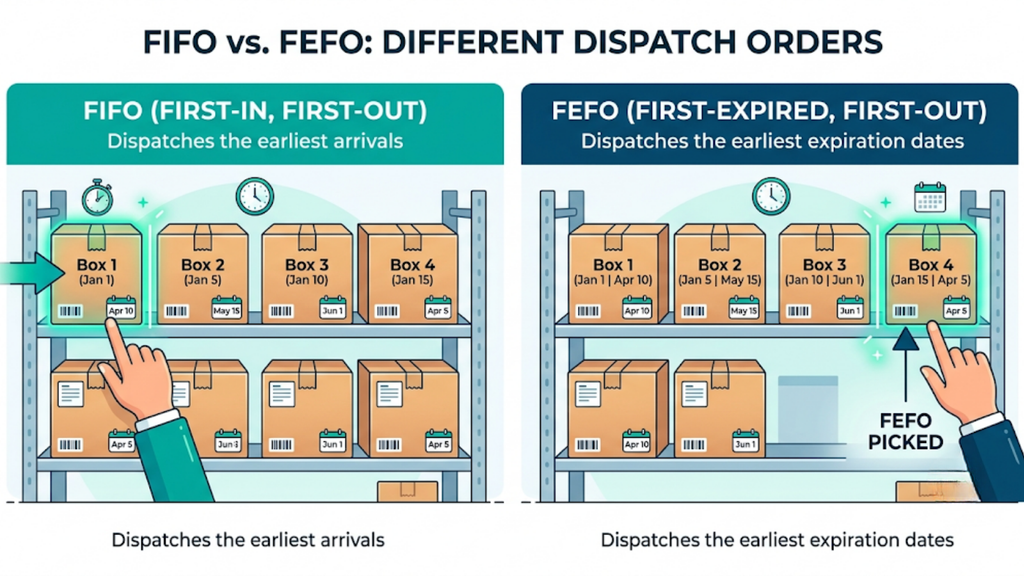
FIFO dispatches whatever arrived first. FEFO dispatches whatever expires first, regardless of arrival sequence.
Those two orders diverge constantly in practice. A later shipment often carries a shorter remaining shelf life, and FIFO will happily leave it on the shelf until it expires.
2. Batch Numbers Carry Compliance Weight, Not Just Convenience
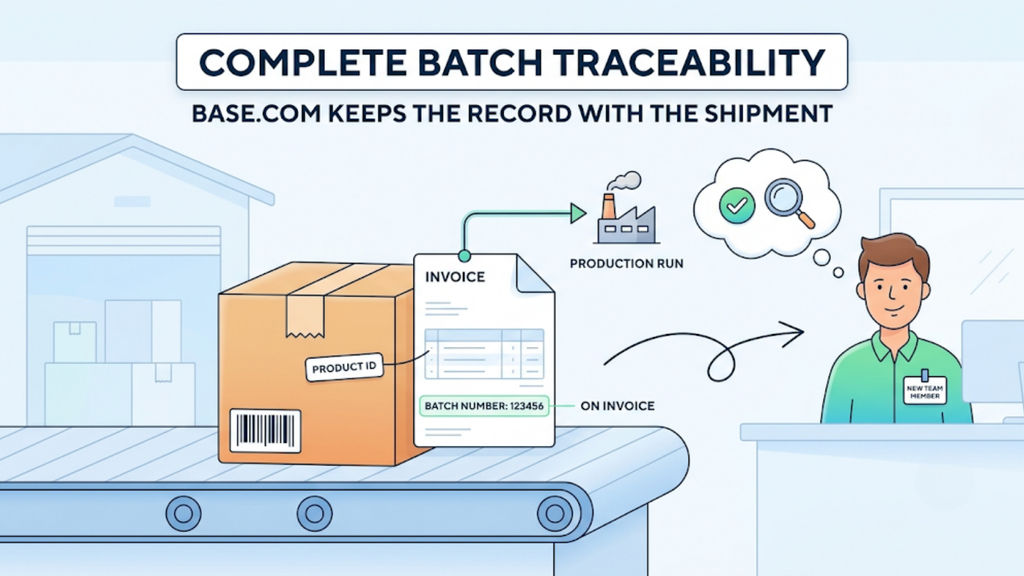
A batch number links a unit to its production run, which matters during any recall or quality complaint. Regulators and marketplaces both expect that trace to exist.
Base.com carries complete batch information into invoices, so the record follows the shipment rather than sitting in a separate file. Traceability then survives staff turnover.
3. Marketplaces Enforce Their Own Shelf-Life Thresholds
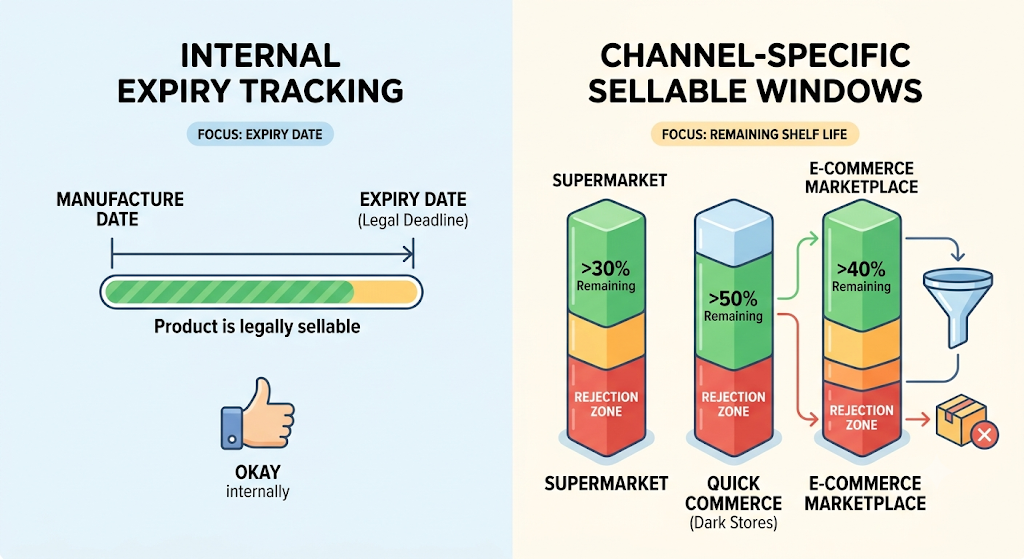
Quick commerce platforms and marketplaces reject stock below a minimum remaining shelf life, often expressed as a percentage of total life. Your internal expiry date is therefore not the operative deadline.
Sellers solving how to manage batch and expiry in ecommerce inventory must track sellable windows per channel, not just expiry dates. A batch can be perfectly legal and still rejected at the dark store.
4. Spreadsheets Record Expiry but Cannot Enforce It
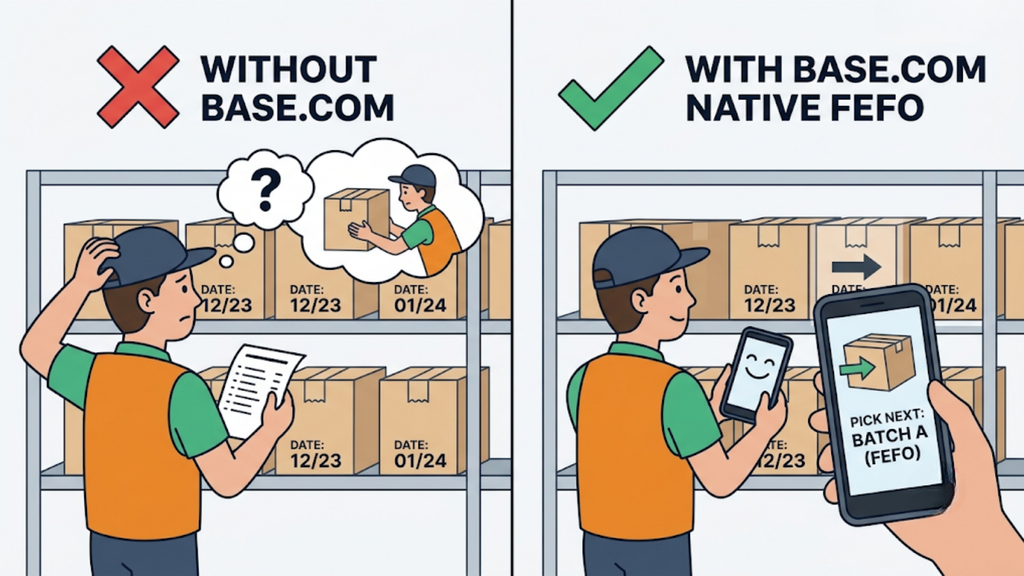
A date column tells you nothing at the picking face. Staff still choose whichever box sits in front.
Base.com treats batch-wise inventory and FEFO picking as native capabilities rather than paid add-ons. The system directs the pick instead of relying on a picker remembering the rule.
5. Near-Expiry Stock Needs Action Weeks Before Expiry
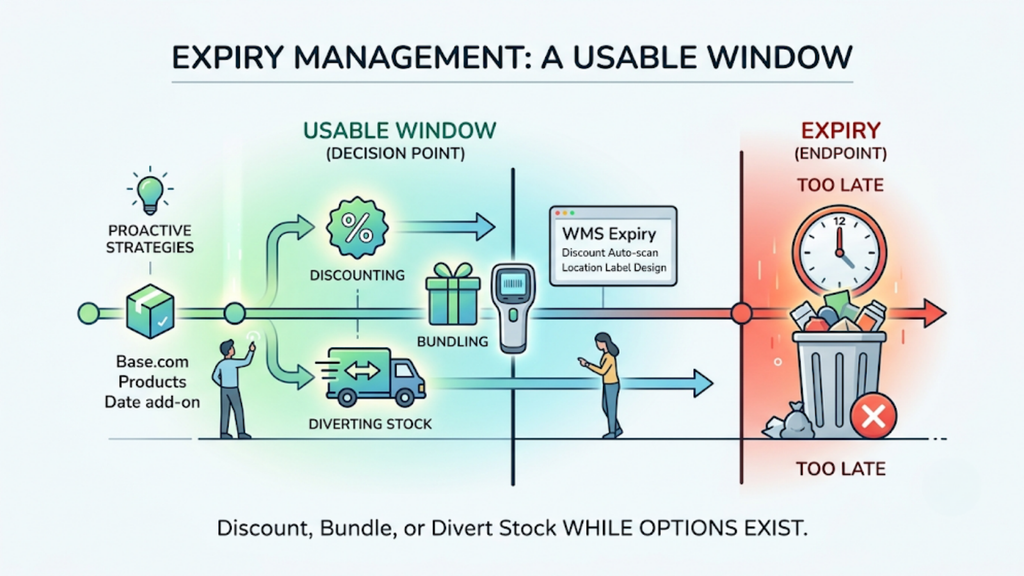
Expiry is the endpoint, not the decision point. Discounting, bundling, or diverting stock only works while a usable window remains.
Base.com offers a Products Date add-on covering WMS expiry and discount auto-scan, alongside location label design. Near-expiry units get flagged while options still exist.
6. Rejections Cost More Than Write-Offs Alone
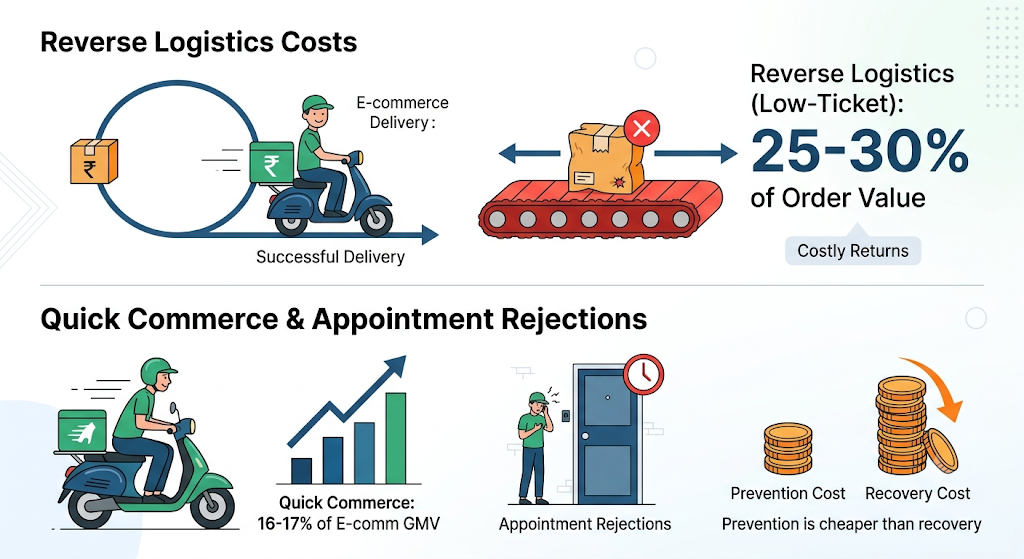
Reverse logistics consumes 25-30% of order value on low-ticket Indian shipments, and rejected consignments travel back at your expense. Fill-rate damage follows the freight cost.
Quick commerce now contributes 16-17% of Indian ecommerce GMV, so appointment-based rejections hit a growing share of revenue. Prevention costs far less than recovery here.
How Do You Manage Batch and Expiry in Ecommerce Inventory Step by Step?
Batch control is built in sequence, starting at the receiving dock. Each step depends on the previous one, so shortcuts simply move the failure downstream.
Follow these six steps across receiving, storage, picking, and dispatch.
1. Capture Batch and Expiry at Goods Inward, Without Exception
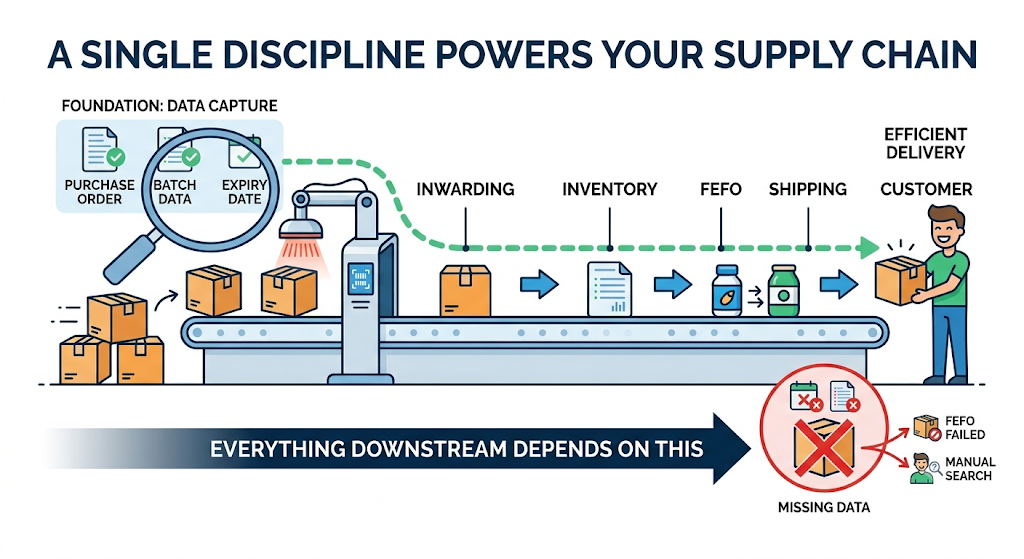
Everything downstream depends on this single discipline. A unit received without batch data can never be picked by FEFO.
Base.com structures inwarding as a scanned event with batch and expiry captured at receipt. Purchase order management and goods receiving are native capabilities, so the data enters once and stays linked.
2. Store Batches in Separate, Mapped Locations
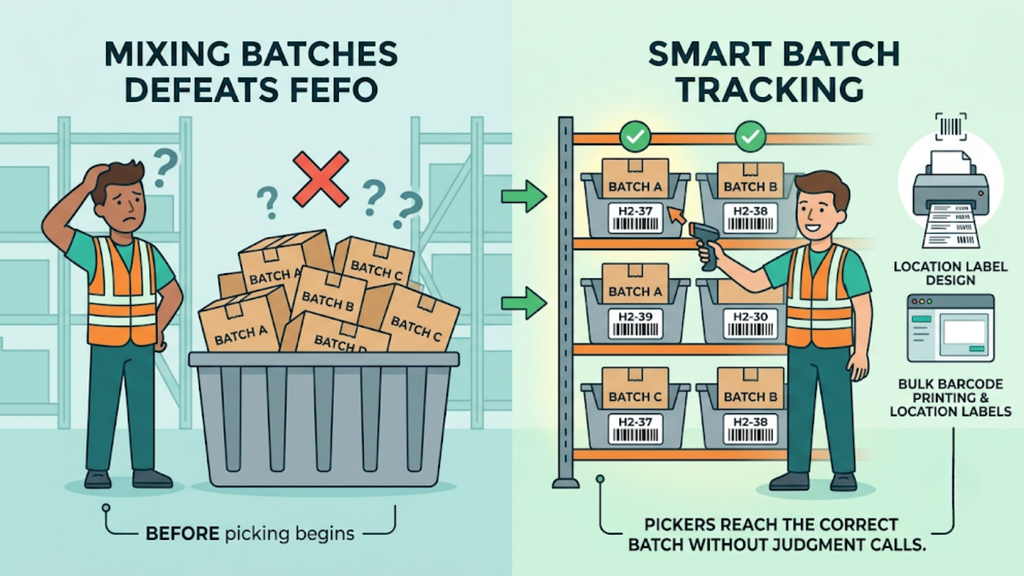
Mixing batches in one bin defeats FEFO before picking begins. Each batch needs its own identifiable location.
Base.com assigns bin coordinates such as H2-37 and supports bulk barcode printing plus location label design. Pickers then reach the correct batch without judgment calls.
3. Switch Picking Logic From FIFO to FEFO
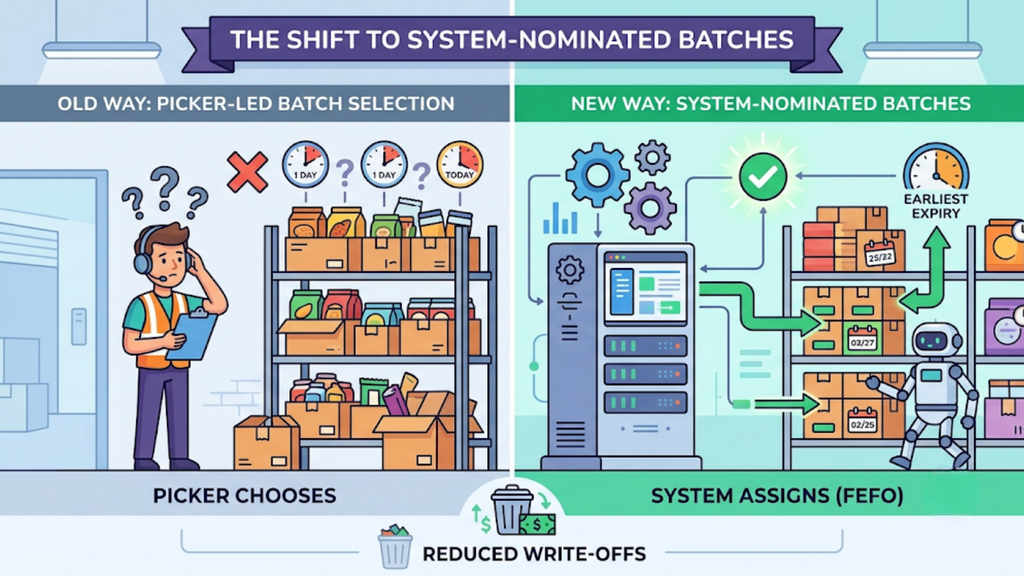
This is the core change. The system should nominate the batch, not the picker.
Base.com applies first-expiry-first-out picking natively across the catalogue. Teams working out how to manage batch and expiry in ecommerce inventory usually see write-offs drop within the first full stock cycle.
4. Set Shelf-Life Thresholds Per Channel
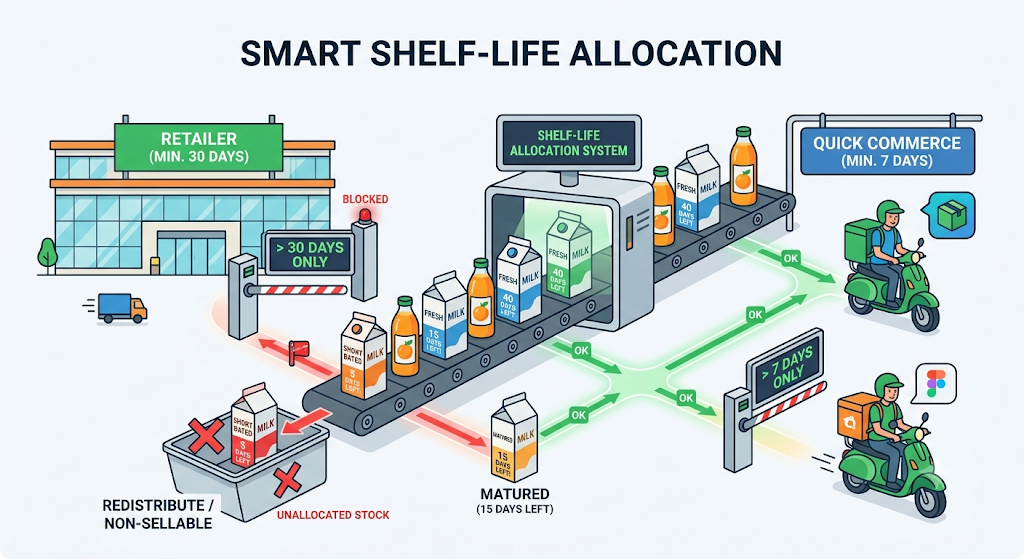
Different channels accept different remaining shelf life, so one blanket rule underserves all of them. Define minimum sellable windows per marketplace and quick commerce partner.
Block stock from allocation once it falls below the threshold for a given channel. That prevents rejections at the destination rather than discovering them after dispatch.
5. Link Batch Details to Invoices and Dispatch Documents
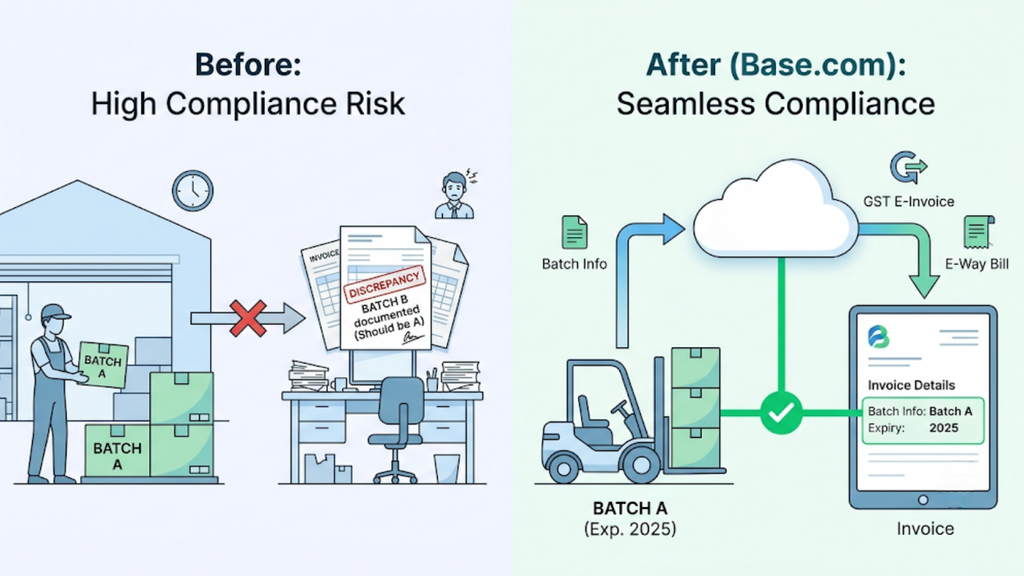
Compliance fails at the paperwork stage more often than at the picking stage. The batch shipped must match the batch documented.
Base.com carries batch information, including expiry dates, into invoices, alongside GST e-invoicing and e-way bills. One system then covers both the physical and documentary trail.
6. Run Near-Expiry Reviews on a Fixed Weekly Cadence
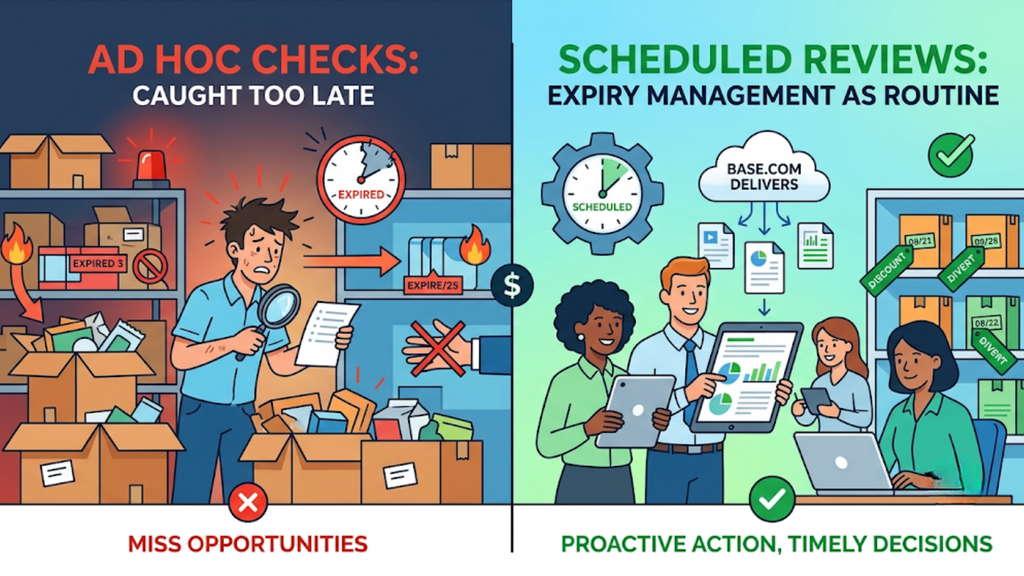
Ad hoc checks catch problems too late. A scheduled review turns expiry management into routine work.
Base.com delivers cron-based reports in customisable formats, so near-expiry lists arrive without anyone building them. Teams then act on discounting or diversion while the window is still open.
Compare Manual Expiry Tracking Against System-Enforced FEFO
The difference looks procedural on paper and financial in practice. Mapping each failure to its cause makes the case concrete.
Score your current operation against the table below, then count how many rows already cost you stock.
| Operational area | Manual tracking | System-enforced FEFO | Cost of the gap |
| Batch capture | Typed into a sheet at receipt | Scanned at goods inward | Units with no traceable batch |
| Storage | Batches mixed in one bin | Separate mapped location per batch | FEFO impossible at pick face |
| Pick selection | Picker chooses the nearest box | System nominates earliest expiry | Newer stock ships, older expires |
| Channel shelf life | One blanket rule | Threshold set per marketplace | Rejections at dark store or DC |
| Near-expiry visibility | Discovered during stock counts | Scheduled automated flagging | No time to discount or divert |
| Invoicing | Batch typed manually if at all | Batch details carried automatically | Compliance gaps during audits |
| Recalls | Manual search across records | Batch-level transaction history | Slow, incomplete recall response |
| Returns intake | Expiry rechecked informally | Condition and expiry captured on scan | Expired stock re-enters sellable pool |
| Multi-warehouse stock | Blended total, no batch view | Batch visibility per location | Wrong location shipped for short-dated stock |
| Write-off reporting | Reconstructed at month-end | Continuous expiry reporting | Losses discovered after the fact |
Rows sitting in the left column form your requirement list. Carry that list into every vendor conversation.
Match Base.com Capabilities to Batch-Driven Categories
Most platforms count stock competently. Perishable categories expose the gaps, because they demand control at batch level rather than SKU level.
Use this checklist to test each shortlisted platform against real FMCG, beauty, wellness and pet food operations.
- Native batch-wise inventory: Base.com tracks stock at batch level as standard functionality rather than as a paid extension.
- FEFO picking: Base.com nominates the earliest-expiry batch during picking, removing the decision from the warehouse floor.
- Purchase order and goods-inward capture: Base.com records batch and expiry at receipt through scanned inwarding, keeping the data linked from day one.
- Batch-linked invoicing: Base.com carries complete batch details, including expiry dates, into invoices for compliance and traceability.
- Expiry and discount auto-scan: Base.com offers the Products Date add-on for WMS expiry handling and near-expiry discount workflows.
- Location labelling support: Base.com provides Location Labels Designer and bulk barcode printing so batch-separated bins stay identifiable.
- Multi-warehouse batch visibility: Base.com shows stock location by location and routes orders to the warehouse holding suitable-dated stock.
- Condition-level returns intake: Base.com scans returns into statuses such as damaged, recoverable, and return-to-store, preventing expired units from re-entering stock.
- Scheduled automated reporting: Base.com delivers cron-based near-expiry and stock-ageing reports in customisable formats.
- GST-compliant documentation: Base.com generates e-invoices and e-way bills alongside batch records, keeping one system across operations and compliance.
That depth explains why sellers addressing how to manage batch and expiry in ecommerce inventory often consolidate a separate compliance tool into their operations platform.
Budget Realistically for Batch-Level Control
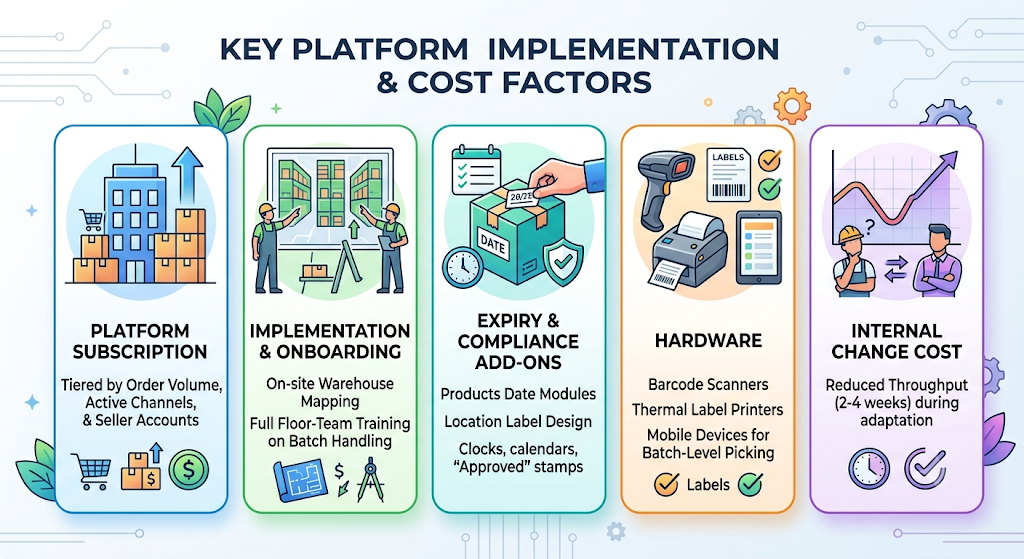
Costs shift with SKU count, warehouse count, channel mix, and add-on scope, so published pricing rarely applies directly. Perishable sellers should expect expiry-specific add-ons to sit alongside the core subscription.
Build your budget across these five heads rather than the licence line alone.
- Platform subscription, tiered by order volume, active channels, and seller accounts.
- Implementation and onboarding, including on-site warehouse mapping and full floor-team training on batch handling.
- Expiry and compliance add-ons, such as Base.com’s Products Date module and location label design.
- Hardware, covering barcode scanners, thermal label printers, and mobile devices for batch-level picking.
- Internal change cost, meaning two to four weeks of reduced throughput while staff adapts to scanned batch capture.
Compare platforms on total first-year cost, not monthly subscription. Sellers planning how to manage batch and expiry in ecommerce inventory should also price their current annual write-offs, rejected consignments, and reverse freight, since those losses usually exceed the software line.
Avoid the Six Mistakes That Cause Expiry Write-Offs
Most expiry losses come from process gaps rather than product problems. Each one is preventable with a decision made before go-live.
Check your operation against these six patterns.
- Capturing batch data after receipt. Data entered later never matches physical stock reliably. Scan batch and expiry at the receiving dock itself.
- Mixing batches in a single bin. FEFO cannot function when two batches share one location. Separate and label batch-wise locations from day one.
- Running FIFO by habit. Teams assume oldest stock equals shortest life, which fails whenever supply arrives out of sequence. Enforce FEFO in the system.
- Using one shelf-life rule for every channel. Quick commerce thresholds differ from marketplace thresholds. Configure minimum sellable windows per channel.
- Reviewing near-expiry stock monthly. A month is too long to act commercially on short-dated units. Run weekly automated reviews instead.
- Migrating during the festive season. Indian ecommerce concentrates heavily into the October-November window, when volumes multiply several times over. Go live in a trough month.
Run a 45-Day Implementation Plan for Batch and Expiry Control.
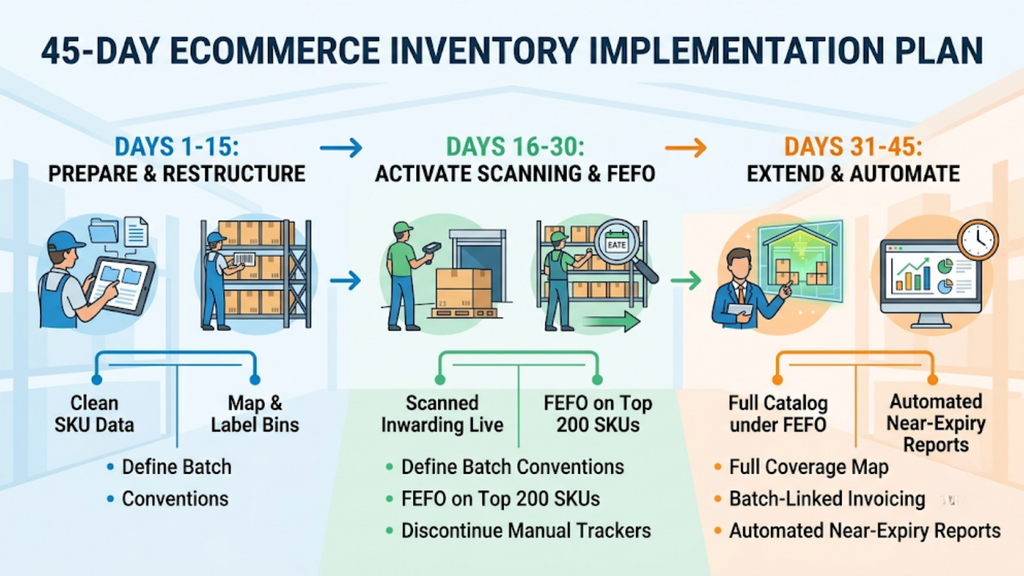
A phased rollout protects dispatch while you restructure receiving and picking. Split the period into three blocks with defined exit criteria.
Treat each checkpoint below as a gate before moving forward.
1. Days 1 to 15: Prepare Data and Restructure Storage
Clean your SKU master, then define batch-coding conventions and shelf-life thresholds per channel. Map batch-wise bin locations and apply location labels across the warehouse.
Exit criteria: batch conventions documented, every bin labelled, and existing stock physically counted with batch and expiry recorded.
2. Days 16 to 30: Switch On Scanned Inwarding and FEFO Picking
Import opening stock with batch and expiry data attached, then run all receiving through scanned inwarding. Enable FEFO picking and verify it on your fastest-moving 200 SKUs first.
Exit criteria: every inward movement scanned with batch captured, FEFO live on A-class SKUs, and manual expiry sheets discontinued. Teams executing how to manage batch and expiry in ecommerce inventory should retire the old tracker at this checkpoint.
3. Days 31 to 45: Extend Coverage and Automate Reporting
Extend FEFO across the full catalogue, then configure batch-linked invoicing and channel-specific shelf-life blocks. Schedule weekly near-expiry and stock-ageing reports.
Exit criteria: full catalogue under FEFO, batch details appearing on invoices, near-expiry reports running automatically and write-offs tracked monthly.
Fix Batch Control Before Your Next Stock Cycle Turns
Perishable sellers rarely regret tightening batch control early. They regret doing it after a rejected consignment or a quarter of unexplained write-offs.
Audit your capture and picking gaps, restructure storage batch-wise, and commit to a 45-day rollout in a low-volume month. If you want a clear plan for how to manage batch and expiry in ecommerce inventory across your exact category mix, warehouse count, and channel thresholds, book a Base.com operations review and get the implementation mapped to your own numbers.